
🤖 Ollama Git Commit - AI-Powered Commit Messages




Generate intelligent git commit messages using your local Ollama instance. No API keys, completely free, and runs offline!
✨ Features
- 🤖 AI-Powered: Uses local Ollama models to generate commit messages
- 🔒 Privacy First: Everything runs locally, no data sent to external APIs
- 🎯 Multiple Styles: Conventional commits, semantic, or detailed formats
- 💰 Free: No API costs, uses your local Ollama instance
- ⚡ Fast: Quick generation with local models
- 🎨 Interactive: Review, regenerate, or edit messages before committing
- 🌐 Offline: Works completely offline
📦 Installation
From PyPI (Recommended)
pip install ollama-git-commit
From Source
git clone https://github.com/himanshu231204/ai-commit.git
cd ai-commit
pip install -e .
📋 Prerequisites
Before using Ollama Git Commit, you need:
-
Python 3.8+
python --version -
Git
git --version -
Ollama - Install Ollama
# Install Ollama (macOS/Linux)
curl -fsSL https://ollama.ai/install.sh | sh

# Pull a model (e.g., llama2)
ollama pull llama2

# Start Ollama server
ollama serve
💡 Usage
Basic Usage
-
Stage your changes:
git add .
-
Generate commit message:
ai-commit
-
Review and choose:
y- Accept and commitr- Regenerate messagee- Edit message manuallyn- Cancel
Example Workflow
# Make some changes to your code
echo "print('Hello World')" > hello.py

# Stage the changes
git add hello.py

# Generate AI commit message
ai-commit

# Output:
╔═══════════════════════════════════════════╗
║         🤖 AI Commit Message Tool         ║
║      Powered by Local Ollama 🦙           ║
╚═══════════════════════════════════════════╝

🔍 Checking Ollama server...
✓ Ollama server is running

📊 Changes:
  + 1 lines added
  - 0 lines removed

🤖 Generating commit message...

Generated Commit Message:
──────────────────────────────────────────────────
feat: add hello world script
──────────────────────────────────────────────────

Options:
  y - Accept and commit
  r - Regenerate message
  e - Edit message
  n - Cancel
⚙️ Configuration
Custom Ollama Server
If your Ollama server is running on a different host/port, edit ai_commit.py:
ollama = OllamaClient(base_url="http://192.168.1.100:11434")
Change AI Model
ollama = OllamaClient(model="codellama") # or "mistral", "llama2", etc.
Commit Message Styles
The tool supports three commit message styles:
-
Conventional Commits (default):
feat(auth): add user login functionality -
Semantic:
Add user login functionality -
Detailed:
Add user authentication system

- Implement JWT-based authentication
- Add login and logout endpoints
- Create user session management
🎨 Supported Ollama Models
Any Ollama model works, but these are recommended:
- llama2 - Best overall performance
- codellama - Optimized for code
- mistral - Fast and efficient
- phi - Lightweight option
- llama3 - Latest and most powerful
# Pull and use different models
ollama pull codellama
ollama pull mistral
ollama pull phi
📝 Examples
Example 1: Adding a New Feature
$ git add new_feature.py
$ ai-commit

Generated: feat: add user profile management feature
Example 2: Bug Fix
$ git add bug_fix.py
$ ai-commit

Generated: fix: resolve null pointer exception in login
Example 3: Documentation
$ git add README.md
$ ai-commit

Generated: docs: update installation instructions
🐛 Troubleshooting
Ollama Not Running
Error: Cannot connect to Ollama
Solution: Start Ollama server with `ollama serve`
No Staged Changes
Error: No staged changes found
Solution: Stage your changes with `git add <files>`
Model Not Found
Error: Model not found
Solution: Pull the model with `ollama pull llama2`
🤝 Contributing
Contributions are what make the open-source community amazing! Any contributions you make are greatly appreciated.
How to Contribute:
- Fork the repository
- Create a feature branch (
git checkout -b feature/amazing-feature) - Make your changes
- Run tests (when available)
- Commit using ai-commit! 😄
- Push to your branch (
git push origin feature/amazing-feature) - Open a Pull Request
See CONTRIBUTING.md for detailed guidelines.
📄 License
This project is licensed under the MIT License - see the LICENSE file for details.
🙏 Acknowledgments
- Ollama - For making local LLMs accessible
- Git - The best version control system
- Python - For being awesome
- You - For using this tool!
🗺️ Roadmap
- Initial release on PyPI
- Configuration file support (
.ai-commit.yml) - More commit message formats
- Interactive model selection
- Emoji support in commits 🎉
- Multiple language support
- Git hooks integration
- VSCode extension
- Custom prompt templates
- Commit message history
- Auto-detect commit type from files
- Batch commit support
- Integration with GitHub CLI
👨💻 Author
Himanshu Kumar
- 🌐 GitHub: @himanshu231204
- 💼 LinkedIn: himanshu231204
- 🐦 Twitter/X: @himanshu231204
- 📧 Email: himanshu231204@gmail.com
💖 Support
If you find this project helpful, please consider:
- ⭐ Starring the repository
- 🐛 Reporting bugs
- 💡 Suggesting new features
- 🔀 Contributing code
- ☕ Buy me a coffee
- 💝 Sponsor on GitHub
📊 Stats


🔗 Links
- PyPI Package: https://pypi.org/project/ollama-git-commit/
- Documentation: GitHub Wiki
- Issues: GitHub Issues
- Discussions: GitHub Discussions
- Releases: GitHub Releases
- Changelog: CHANGELOG.md
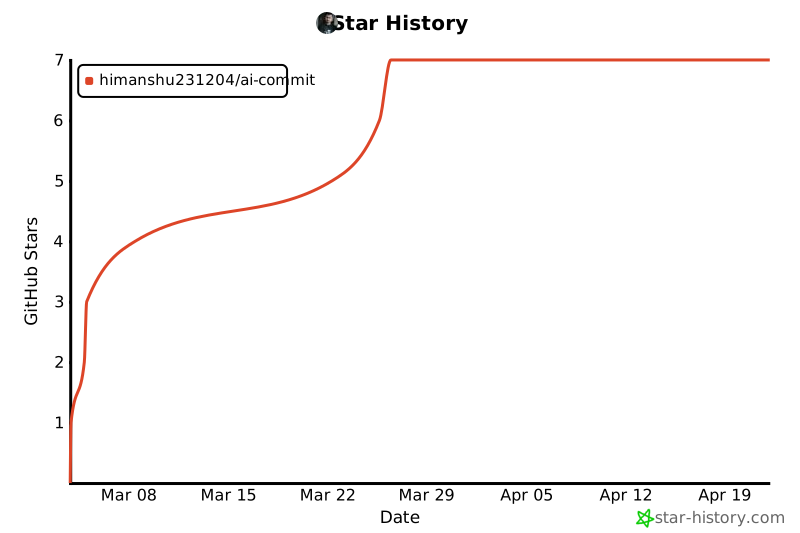
🌟 Star History
📣 Show Your Support
Give a ⭐️ if this project helped you!
Made with ❤️ by Himanshu Kumar
🚀 Quick Links
| Resource | Link |
|---|---|
| 📦 Install | pip install ollama-git-commit |
| 📖 Docs | GitHub |
| 🐛 Issues | Report Bug |
| 💡 Feature Request | Request Feature |
| 💬 Discussions | Join Discussion |
| ⭐ Star | Star on GitHub |
1 maintainer

Release files for ollama-git-commit 0.1.3
For a detailed explanation of source distributions (sdists) and built distributions (wheels), please see the package formats documentation.
Source distribution (sdist)
| File | Size | Uploaded | |
|---|---|---|---|
| ollama_git_commit-0.1.3.tar.gz | 21.0 kB | Details |
Built distribution (wheel)
| File | Interpreter | ABI | Platform | Reset |
|---|---|---|---|---|
| ollama_git_commit-0.1.3-py3-none-any.whl | Python 3 | none | any | Details |
Total release size: 30.8 kB
Release files / ollama_git_commit-0.1.3.tar.gz
| Download URL | ollama_git_commit-0.1.3.tar.gz |
|---|---|
| Size | 21.0 kB |
| Tags | Source |
|
SHA-256 checksum How to use checksums |
34e06840ab0f96161251e01853d3b5e99888a95755d58d48e6f9628b928623f1
|
|
BLAKE2b-256 checksum How to use checksums |
33f3461f70acf0779fc22a3d91c3ba01ddf8c1fdc0e9b1bf3a42e6b2965c5da1
|
| Upload date | |
|
Uploaded using Trusted Publishing? What is trusted publishing? |
No |
| Uploaded via |
twine/6.1.0 CPython/3.13.7
|
Release files / ollama_git_commit-0.1.3-py3-none-any.whl
| Download URL | ollama_git_commit-0.1.3-py3-none-any.whl |
|---|---|
| Size | 9.8 kB |
| Tags | Python 3 |
|
SHA-256 checksum How to use checksums |
497cd4eafb510d4cebd1462d8b9ac7d5c2f95e5bc96d5ff338daf3847d53905c
|
|
BLAKE2b-256 checksum How to use checksums |
73248cfa524550e05654242ad7b268cd503da3e9b26839609c5d0404d62983a4
|
| Upload date | |
|
Uploaded using Trusted Publishing? What is trusted publishing? |
No |
| Uploaded via |
twine/6.1.0 CPython/3.13.7
|














