

ollamazip
Bundle Ollama models into single portable archives for transfer between machines.



Installation
pip install ollamazip

# With zstd compression support (recommended):
pip install ollamazip[zstd]

# With the graphical interface:
pip install ollamazip[gui]

# GUI in a native desktop window (via pywebview):
pip install ollamazip[gui-native]
Usage
# Pack a model into a portable .ollamazip file
ollamazip pack llama3:8b
ollamazip pack mymodel:latest -o mymodel.ollamazip
ollamazip pack qwen3:27b --compress gzip

# Unpack on another machine
ollamazip unpack llama3-8b.ollamazip
ollamazip unpack mymodel.ollamazip --name newname:v2
ollamazip unpack mymodel.ollamazip --verify

# Inspect an archive without unpacking
ollamazip list mymodel.ollamazip

# List installed Ollama models
ollamazip models

# Launch the graphical interface (opens in browser)
ollamazip gui
ollamazip gui --native    # open in a native window (requires gui-native extra)
Graphical interface
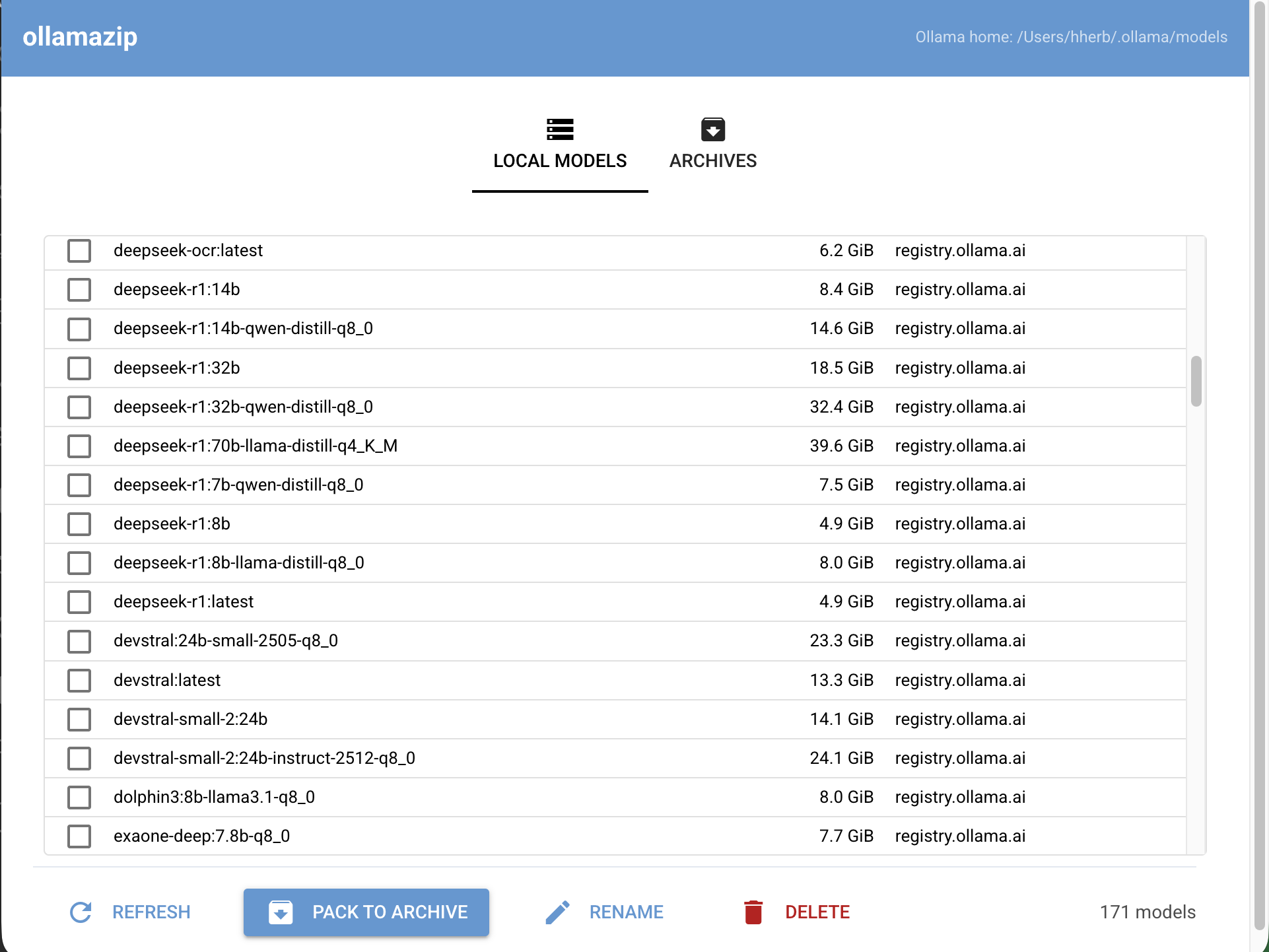
ollamazip gui starts a small local web app (NiceGUI) that lets you:
- Browse installed Ollama models with sizes
- Pack any local model into a
.ollamaziparchive - Rename or delete local models (with orphaned-blob pruning)
- Browse a folder of
.ollamaziparchives, inspect metadata, unpack, move, or delete them
By default it opens http://127.0.0.1:8734 in your browser. Pass --native to
run in a standalone desktop window instead.
| Local models | Archives |
|---|---|
 |
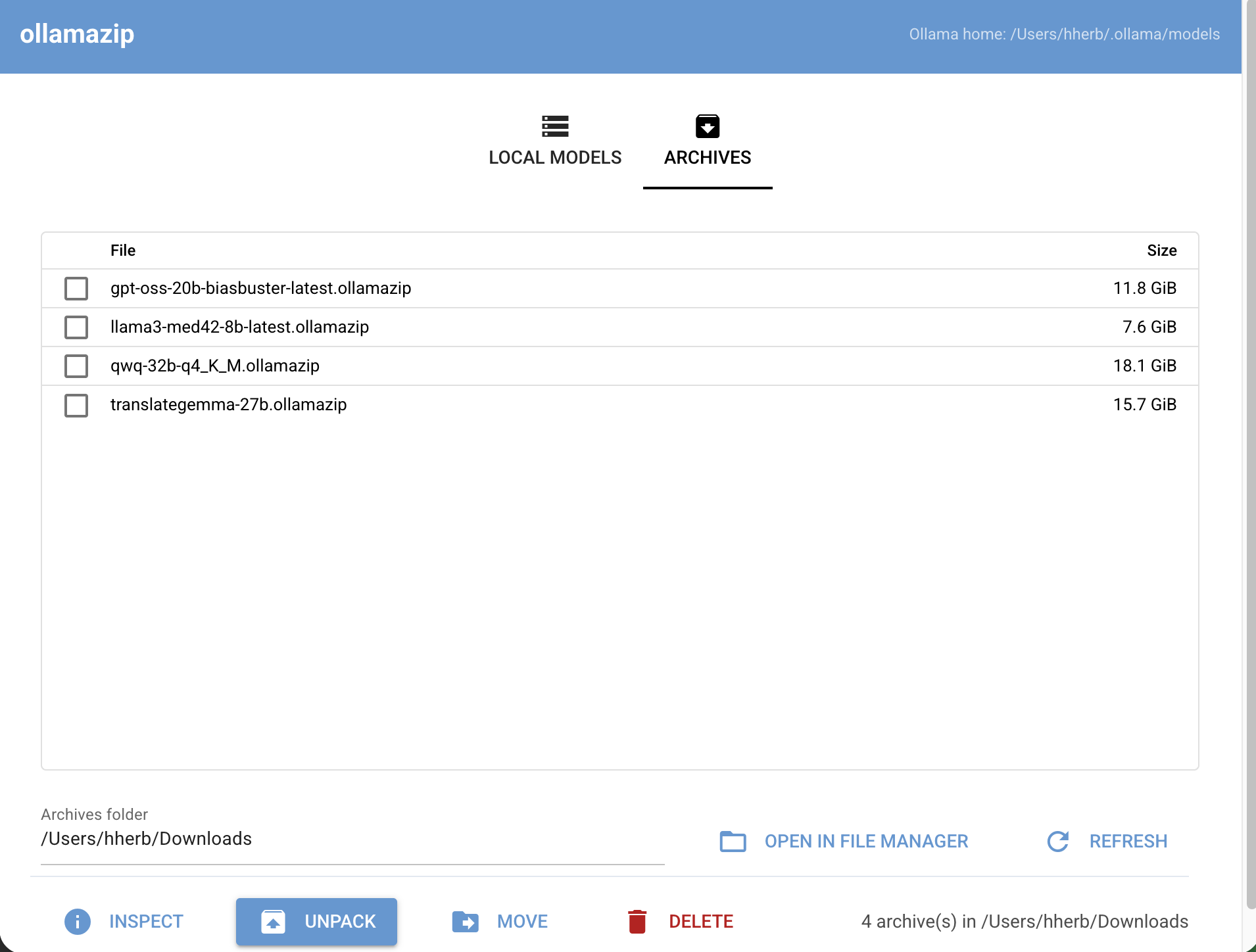 |
| Browse, pack, rename, delete | Inspect, unpack, move, delete |
Features
- Single-file bundles: Packs the manifest and all content-addressed blobs into one archive
- Smart compression: Auto-selects zstd (if available) or gzip; override with
--compress - Blob deduplication: Skips blobs already present on the target machine during unpack
- SHA256 verification:
--verifyvalidates every blob against manifest digests - Model renaming:
--name newmodel:newtagimports under a different name - Cross-platform: Works on macOS, Linux, and Windows; respects
OLLAMA_MODELSenv var - No dependencies: Core functionality uses only the Python standard library; zstd is optional
How it works
Ollama stores models as a JSON manifest referencing content-addressed blobs (SHA256).
ollamazip pack reads the manifest, collects all referenced blobs, and bundles them
into a tar archive. ollamazip unpack extracts them into the target machine's Ollama
model store.
Where ollamazip looks for models
ollamazip discovers Ollama's model directory automatically. The candidates, probed in order, are:
$OLLAMA_MODELSif set (hard override;~and$VARare expanded).- The per-user store:
~/.ollama/modelson macOS and Linux,%USERPROFILE%\.ollama\modelson Windows. - Linux only:
/usr/share/ollama/.ollama/models— the default for the official Ollama systemd-service install, where Ollama runs as a dedicatedollamasystem user.
If candidate (2) is empty/missing on Linux but (3) contains models,
ollamazip uses (3). Run ollamazip models to see which path was picked;
if the list is empty, it prints every path that was searched.
Linux systemd-service note
If you installed Ollama via the official Linux script, the model store at
/usr/share/ollama/.ollama/models is owned by the ollama system user. As a
regular user you can read that directory (so ollamazip pack and
ollamazip models work), but you cannot write to it. To install models
with ollamazip unpack, pick one:
- Re-run with
sudo:sudo ollamazip unpack <archive> - Add yourself to the
ollamagroup and grant group write:sudo usermod -aG ollama "$USER" # log out and back in sudo chmod -R g+w /usr/share/ollama/.ollama/models
- Move Ollama's storage to a directory you own and tell the service:
sudo systemctl edit ollama.service
# add under [Service]:
#     Environment="OLLAMA_MODELS=/path/you/own"
sudo systemctl restart ollama
export OLLAMA_MODELS=/path/you/own
ollamazip prints similar guidance whenever a write operation (unpack,
delete, rename) hits a permission error on the system path.
Fresh-install note: if you run
ollamazip unpackbefore installing Ollama as a systemd service (so neither candidate dir contains models yet), ollamazip writes to~/.ollama/models. The systemd-service Ollama won't see those models — point the service at your user dir with thesystemctl editrecipe above, or move the unpacked files into/usr/share/ollama/.ollama/modelsafter installing the service.
License
Copyright © Horst Herb.
Licensed under the GNU Affero General Public License v3.0 or later. AGPL-3.0 means you are free to use, modify, and redistribute this software, but any modified network-facing deployment must make the corresponding source available to its users.
1 maintainer

Metadata
1 maintainer
Release files for ollamazip 0.2.0
For a detailed explanation of source distributions (sdists) and built distributions (wheels), please see the package formats documentation.
Source distribution (sdist)
| File | Size | Uploaded | |
|---|---|---|---|
| ollamazip-0.2.0.tar.gz | 1.6 MB | Details |
Built distribution (wheel)
| File | Interpreter | ABI | Platform | Reset |
|---|---|---|---|---|
| ollamazip-0.2.0-py3-none-any.whl | Python 3 | none | any | Details |
Total release size: 1.7 MB
Release files / ollamazip-0.2.0.tar.gz
| Download URL | ollamazip-0.2.0.tar.gz |
|---|---|
| Size | 1.6 MB |
| Tags | Source |
|
SHA-256 checksum How to use checksums |
74de7dcf872ab6374a65a14da7470b7f3b59b3764712a9ce5a072f50dffa4e4d
|
|
BLAKE2b-256 checksum How to use checksums |
0f68fa8b3813c6362824a271927ef5e9e87aecdc665217d2e3779ae4f5af6ef3
|
| Upload date | |
|
Uploaded using Trusted Publishing? What is trusted publishing? |
No |
| Uploaded via |
uv/0.10.10 {"installer":{"name":"uv","version":"0.10.10","subcommand":["publish"]},"python":null,"implementation":{"name":null,"version":null},"distro":{"name":"Ubuntu","version":"24.04","id":"noble","libc":null},"system":{"name":null,"release":null},"cpu":null,"openssl_version":null,"setuptools_version":null,"rustc_version":null,"ci":null}
|
Release files / ollamazip-0.2.0-py3-none-any.whl
| Download URL | ollamazip-0.2.0-py3-none-any.whl |
|---|---|
| Size | 30.4 kB |
| Tags | Python 3 |
|
SHA-256 checksum How to use checksums |
4402daef1c3ce905084752b0a2777ab0f4e35cddd2c3dc6c7915b0182fa84ada
|
|
BLAKE2b-256 checksum How to use checksums |
458bff767d83c9e286d0a372956b0894f40e5ce13c3cd0421759ad1286205135
|
| Upload date | |
|
Uploaded using Trusted Publishing? What is trusted publishing? |
No |
| Uploaded via |
uv/0.10.10 {"installer":{"name":"uv","version":"0.10.10","subcommand":["publish"]},"python":null,"implementation":{"name":null,"version":null},"distro":{"name":"Ubuntu","version":"24.04","id":"noble","libc":null},"system":{"name":null,"release":null},"cpu":null,"openssl_version":null,"setuptools_version":null,"rustc_version":null,"ci":null}
|














