
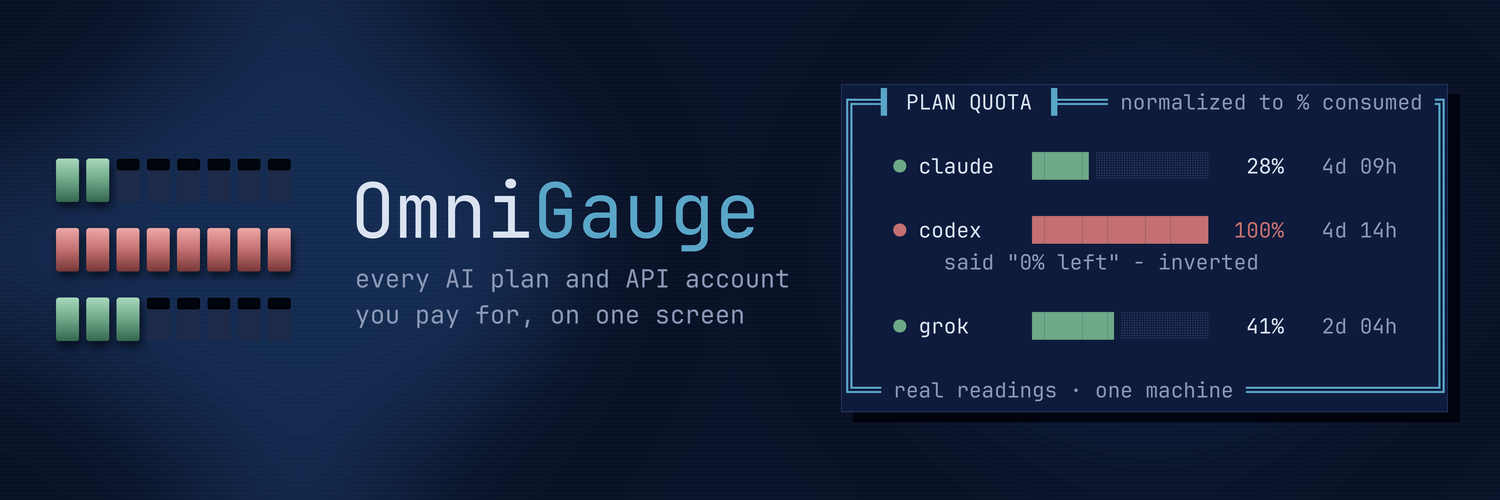
One gauge for every AI agent and API account you run.
Plan quota · token volume · burn rate · exhaustion forecast · spend — in your terminal



One dashboard for every AI plan and API account you pay for — Claude Code, Codex, Grok, Aider, Goose, OpenAI, X, OpenRouter, Moonshot, DeepSeek — plan quota and token volume, side by side, in your terminal.
No keys for the part that matters — plan quota and token volume come from files those tools already write to your disk, and from each CLI's own quota panel. API dollar spend is optional and does need a key for whichever vendor you want it from: stored 0600, never passed as an argument, refused outright if the file is group- or world-readable. Leave spend off and no credential — and no network call — is involved at all. No telemetry either way.
 ▐▌ OMNIGAUGE  one gauge, every provider                         my-box · 20:31 UTC
 ━━━━━━━━━━━━━━━━━━━━━━━━━━━━━━━━━━━━━━━━━━━━━━━━━━━━━━━━━━━━━━━━━━━━━━━━━━━━━━━━━━
 ▲  codex is at 97% — 5d 15h to reset · tightest window

 ╭─ PLAN QUOTA ────────────────────────────────────────── normalized to % consumed ╮
 │                                                                                 │
 │     AGENT            WINDOW                           USED RESETS IN  READ      │
 │  ●  claude           week    █████·················    24%    4d 13h   now      │
 │  ○  claude/fable     week    ······················     0%    4d 13h   now      │
 │  ●  claude           session █·····················     5%   12:19am   now      │
 │  ●  codex            week    █████████████████████·    97%    5d 15h    7m      │
 │                       vendor said "3% left" - inverted                          │
 │  ○  codex/spark      week    ······················     0%     7d 1h    7m      │
 │                       vendor said "100% left" - inverted                        │
 │  ●  grok/x premium+  week    ██████················    26%     2d 8h    7m      │
 │                                                                                 │
 ╰── subscription windows · no dollar balance exists for these plans ──────────────╯

 ╭─ TOKEN VOLUME ───────────────────────────────────────── local transcripts · 24h ╮
 │                                                                                 │
 │  AGENT       FILES    MSGS     OUTPUT     THINK   CACHE-RD      INPUT      TOTAL│
 │  claude          5   3,806      4.66M     1.32M      2.02B      7.16K      2.03B│
 │  codex         211     211    502.77M   229.01M    185.24B    193.51B    194.01B│
 │  grok            3       3          0         0          0          0      4.26M│
 │                                                                                 │
 ╰── not comparable to vendor counters · different denominators ───────────────────╯

 ╭─ WHAT IS DRIVING USAGE ───────────────────────────────── reported by the vendor ╮
 │                                                                                 │
 │  ▸ 100% of your usage came from sessions active for 8+ hours                    │
 │  ▸ 99% of your usage was at >150k context                                       │
 │  ▸ 19% of your usage was while 4+ sessions ran in parallel                      │
 │                                                                                 │
 ╰─────────────────────────────────────────────────────────────────────────────────╯
What this does that the others don't
The local-tracker space is well served — tokscale covers 50+ agents. Its own docs list what it does not do, and that list is this project's reason to exist:
| tokscale | enterprise SaaS | OmniGauge | |
|---|---|---|---|
| token + quota tracking | ✅ | ✅ | ✅ |
| burn rate & exhaustion forecast | ❌ "cannot predict" | ✅ | ✅ |
| budgets / alerts | ❌ | ✅ | ✅ --check, exit-coded for cron |
| non-agent APIs (org billing, X) | ❌ | partial | ✅ |
| multi-account per provider | ❌ "picks the active account" | ✅ | ✅ |
| runs with no runtime installed | ❌ Node/Bun | ❌ cloud | ✅ stdlib Python |
| local-only, nothing transmitted | ✅ | ❌ | ✅ |
The question every tracker answers is "how much have I used". The one that matters is "will I run out before it resets" — and answering it needs the quota series and the vendor's reset time together:
codex   week  ████████████████████▌  98%   1.4%/h   1h 26m   5d 1h
        ▲ runs dry 4d 21h BEFORE the window resets
Forecasting is deliberately conservative: two readings at least ten minutes apart or it says nothing, a detected reset truncates the series, and a flat or falling rate produces no estimate rather than a fabricated one.
Alerts
The part the incumbents disclaim. omnigauge --check evaluates every window,
notifies, and exits with a code so cron and CI can act on it:
omnigauge --check          # 0 = fine · 1 = warning · 2 = will run dry early
omnigauge --check --quiet  # silent unless something fires
WARNING:  codex at 98% of its week window, resets in 5d 0h
CRITICAL: codex runs dry in 1h 26m - 4d 21h BEFORE its window resets
Every fifteen minutes, from cron:
*/15 * * * * $HOME/.local/bin/omnigauge --check --quiet >/dev/null 2>&1
Configure in ~/.local/share/omnigauge/alerts.json:
{
  "pct_used": 85,
  "dry_before_reset": true,
  "notify": true,
  "webhook": "https://hooks.example.com/…",
  "quiet_hours": [23, 7]
}
Desktop notifications use whatever exists — notify-send, osascript,
wsl-notify-send.exe — and failure is never fatal. A monitor that crashes the
cron job it runs inside is worse than no monitor.
Why the numbers are kept apart
This is the whole design, and it is deliberate.
Codex reports percent remaining. Claude and Grok report percent used. Shown raw side by side, a Codex at "6%" looks healthier than a Claude at "23%" — when in fact Codex is nearly exhausted and Claude has three quarters left. OmniGauge normalizes everything to percent consumed and prints what the vendor actually said underneath, so you can check it.
Token volume is not the vendors' token count. Local transcripts record cache reads and per-turn context re-sends; vendors count something narrower. The figures differ by orders of magnitude and neither is wrong — they have different denominators. OmniGauge shows both kinds of number and never adds them together or reconciles them into one total.
Subscriptions have no dollar balance, so none is shown. Plan usage and API spend are different products; blending them into one "remaining" figure would be fiction.
Quickstart
pipx install omnigauge  # from PyPI (or: pip install omnigauge) — Python 3.8+, no dependencies
omnigauge --doctor      # what is connected, what is missing, how to fix it
omnigauge --refresh     # pull your plan quota (~30s per agent)
omnigauge               # the board — press ? for keys
From a clone instead: git clone https://github.com/omnigauge/omnigauge.git && cd omnigauge && ./install.sh
— the installer copies the file and its provider mirrors; a bare copy of the file leaves the mirrors behind.
--doctor is the one to run first. It checks each agent CLI, tells you whether
quota has ever been collected, shows which optional API credentials are set, and
prints the exact next command for every gap. Nothing else needs to be memorised.
Stores on another drive
Transcripts do not have to live in ~. If yours sit on a dev SSD, a second
profile, or anywhere else, point at the HOME-like directory that contains the
stores (.claude, .codex, …): one path per line in
~/.local/share/omnigauge/roots, or OMNIGAUGE_ROOTS (path-separated).
omnigauge --scan-roots hunts mounted drives for stores discovery is not
already reading and prints the exact line to add.
Roots are scanned like a second home. When the drive is unplugged, the board
and --check say its history is excluded this run — the numbers never just
quietly shrink — and --doctor shows every root as mounted or missing.
Install
Requires Python 3.8+ and tmux (only for quota scraping).
pipx install omnigauge      # or: pip install omnigauge
omnigauge --refresh
From source: git clone https://github.com/omnigauge/omnigauge.git && cd omnigauge && ./install.sh
(the file plus its provider mirrors, into ~/.local/bin and ~/.local/share/omnigauge/providers).
You stay logged in through your own CLIs — OmniGauge never sees or stores a credential. It only works for accounts you are already signed into on that machine.
Usage
Run it bare in a terminal and it is interactive — no flags to remember:
r refresh · w watch · t ink · s 24h · b full · ? help · q quit
| Key | Does |
|---|---|
r |
refresh quota, all agents |
1 2 3 |
refresh claude / codex / grok only |
w |
watch mode — auto redraw |
t |
cycle theme |
s |
cycle window (24h · 7d · 30d · today · all) |
b |
brief — hide lifetime and by-model |
l |
providers legend — what each source gets, and cannot |
d |
doctor |
y |
why this exists |
p |
privacy — what it refuses to do |
a |
about |
g |
donate |
? |
key help |
q |
quit |
Piped, redirected or given any flag, it prints once and exits, so scripts are
unaffected. --once forces that explicitly.
omnigauge                      # interactive board
omnigauge --once               # print and exit
omnigauge --refresh            # re-scrape quota from every installed CLI (~30s each)
omnigauge --refresh claude     # just one
omnigauge --lifetime           # all-time totals (incremental cache)
omnigauge --since 7d           # 24h | 7d | 30d | today | all
omnigauge --watch              # live redraw, 10s
omnigauge --watch 5 --quota-every 10m
omnigauge --json               # machine-readable
omnigauge --providers          # the legend: what each source gets, could get,
                               #   and cannot get - with the reasons
omnigauge --no-color
Two clocks
Token volume is read from local files (~2s) and can update every few seconds. Plan quota requires launching the vendor's TUI and reading its panel — ~30s per agent, and it spawns a real session — so it is cached and refreshed on a slow clock. Every quota row shows its own age, so a stale number looks stale.
How it gets the numbers
| Agent | Quota | Tokens |
|---|---|---|
| Claude Code | /usage panel |
~/.claude/projects/*/*.jsonl → per-message usage |
| OpenAI Codex | /status panel |
rollout info.total_token_usage |
| Grok CLI | /usage panel |
session updates.jsonl → totalTokens |
| Goose | — (key-based) | sessions.db → usage_ledger, the vendor's own accounting |
| Aider | — (key-based) | .aider.chat.history.md token lines, in the project roots you name via OMNIGAUGE_AIDER_DIRS |
Quota panels are rendered under tmux and read back with capture-pane. These CLIs draw
character-by-character with cursor moves; stripping ANSI from a raw pty gives you garbage.
tmux is a real terminal emulator, so it does the rendering and OmniGauge reads the finished
screen.
On WSL, Codex keeps two separate stores — ~/.codex and /mnt/c/Users/<you>/.codex.
Both are discovered. Searching only one and concluding "nothing here" is a real trap.
Workspace trust
Launching Claude in a directory it has not seen raises a blocking trust prompt, which
swallows the keystrokes. OmniGauge will not auto-accept it — trusting a folder is a
real security decision and it persists. It instead reuses a directory the CLI has
demonstrably run in before, read from Claude's own session registry, and detects the dialog
explicitly if one still appears. Override with --cwd DIR.
When a parse fails
Vendor TUIs change. OmniGauge treats a partial parse as a failure, because a plausible number with the headline missing is worse than no number:
  claude   scraping… PARTIAL — 2 row(s), missing [('week', 'all')]
           raw screen → ~/.local/share/omnigauge/last-scrape-claude.txt
Each agent declares the windows it must produce. Miss one and you get a loud warning plus the raw screen dumped for inspection. Stale rows are never silently reused as fresh.
Storage
Everything lives in ${XDG_DATA_HOME:-~/.local/share}/omnigauge/ (override with
OMNIGAUGE_HOME):
usage.db— SQLite.snapshotskeeps normalized quota with the vendor's raw string and acollected_at;filecachemakes lifetime totals incremental so a 140 GB rollout corpus is never rescanned;insightskeeps the vendor's own "what is driving usage" notes.
Nothing leaves the machine.
API spend and credits (optional)
Separate panel, separate product — never merged into plan quota. A subscription window is a time-based percentage; these are real money.
| Source | What you get | Credential |
|---|---|---|
| OpenAI | 30-day spend, requests, tokens | Admin key, Restricted, Usage API Scope = Read |
| X / Twitter | post consumption against your project cap | app Bearer Token, one per account |
| OpenRouter | credit dollars used, and % of the key's limit when one is set | API key |
| Moonshot / Kimi | available balance (blocks inference at zero) | API key |
| DeepSeek | total balance, per currency | API key |
omnigauge --setup # hidden input, written 0600, refuses to read looser modes
Two things worth knowing:
Checking X usage does not consume your post cap. Verified empirically rather
than from documentation — two consecutive calls to /2/usage/tweets left
project_usage unchanged. It has its own limit of 50 per window, so it is polled
on the slow clock, never per redraw.
X dollar balances are console-only. The developer console shows a balance; no public endpoint for it has been found, so OmniGauge reports post consumption and leaves the money figure to the console rather than inventing one.
Not implemented, on purpose
API dollar spend. OpenAI (/v1/organization/costs) and Anthropic (/v1/organization/cost_report)
both expose real spend, but they need an org admin key — a credential worth more than this
tool. The schema already carries cost_usd and a source column, so it is a clean addition if
you want it. It would be a separate panel, never merged into plan quota.
Donations
Optional, and it changes nothing about the tool — OmniGauge is MIT and always will be, with no paid tier and no telemetry.
Solana: HDDEfcYnLh4w8yG5Rn8chcm15xo1LavkvtRGeTRGAUGE
If you get more use out of this than it cost you to read the source, that is already the trade working.
There will be no OmniGauge token from the developer of OmniGauge. No presale, no airdrop, no community round, no Phase 3. You can launch one — someone always does. The ask is creator fees plus 3% of supply to the address above, and the token socials pointed at @OmniGauge and omnigauge.dev — the only two places this project exists. What you may not do is LARP as this project while you do it: no "official", no borrowed name, no invented team. Launch your own thing and be honest that it is yours.
X is the only place OmniGauge exists. No Discord, no Telegram, no Reddit, no group chat, no "community". If something calls itself OmniGauge anywhere other than @OmniGauge or omnigauge.dev, it is not us.
If you do launch one, come and say so. The email on the GitHub profile is the channel that counts. If it checks out — you are not a known scammer, and you met the terms above instead of pretending to be us — there is a good chance the contract address ends up on this page. A listing is not an endorsement. DYOR.
Contributing
Pull requests are open to anyone — you do not need permission, an invite, or to ask first. Fork it, change it, open a PR.
The shape of this project is that adding a source is one file. If you use a
tool this does not read yet, the whole job is a single file in providers/ that
answers four questions: are you installed, where are your files, how many tokens,
and what does your quota panel say. Eight providers ship as worked examples in
providers/ — five agents (claude.py, codex.py, grok.py, aider.py, goose.py)
and three spend sources — each a different parsing shape; copy the closest one.
CONTRIBUTING.md has the contract, the three rules that are not style preferences, and what gets rejected. Read the last one before you start — it will save you the work.
Everything here is MIT. Your contribution comes in under the same licence, and you keep the copyright to what you wrote.
Not a Python person? Chip in a Sol or two instead. It buys you nothing — no
tier, no badge, no priority support, no role in a Discord that does not exist —
which is precisely what makes it a donation and not a purchase. Details under
Donations, and the address is right there in the terminal too:
omnigauge → press F7.
Contact
- Bugs and provider requests → issues
- Security → security@omnigauge.dev (see SECURITY.md)
- Anything else → dev@omnigauge.dev
Authorship
Written end to end by Claude Opus 5.0 — every line of the CLI, the provider contract, the site, and this document. Maintained since by Claude Fable 5.
A usage meter for AI tools, written by one. The source is right there either way.
Licence
MIT. Use it, fork it, ship it. The code is yours under that licence — and with it
the look, which anyone may imitate. The name, the mark and the files under assets/
are not part of the grant — see TRADEMARK.md and assets/LICENSE.
1 maintainer

Download files
Download the file for your platform. If you're not sure which to choose, learn more about installing packages.
Source Distribution
Built Distribution
Filter files by name, interpreter, ABI, and platform.
If you're not sure about the file name format, learn more about wheel file names.
Copy a direct link to the current filters
File details
Details for the file omnigauge-1.0.1.tar.gz.
File metadata
- Download URL: omnigauge-1.0.1.tar.gz
- Upload date:
- Size: 96.7 kB
- Tags: Source
- Uploaded using Trusted Publishing? No
- Uploaded via:
twine/7.0.0 CPython/3.12.3
File hashes
| Algorithm | Hash digest | |
|---|---|---|
| SHA256 |
8c18a4b18388facc90092851c5a9179c46f205555eecd10183230b0c82ca7ef6
|
|
| MD5 |
516b3a4d0e5233de9917849e85e0b822
|
|
| BLAKE2b-256 |
9835c44b9cd1d5c24645a04c9abb7c0040460e7db84bb6440e07ab76579cb4d6
|
File details
Details for the file omnigauge-1.0.1-py3-none-any.whl.
File metadata
- Download URL: omnigauge-1.0.1-py3-none-any.whl
- Upload date:
- Size: 68.6 kB
- Tags: Python 3
- Uploaded using Trusted Publishing? No
- Uploaded via:
twine/7.0.0 CPython/3.12.3
File hashes
| Algorithm | Hash digest | |
|---|---|---|
| SHA256 |
bd53a0a8223084d95f9b9fbe2f5583392fdaf7c29b452744677f24ad49a62dbe
|
|
| MD5 |
97915f88e2fc85cbd0bac028816b54ae
|
|
| BLAKE2b-256 |
08fabc945b54b22d70cd2e09e300be6917ccada3f0572d501f94d8df6e8b16ab
|







