

An IPython/Jupyter cell magic to execute code after a cell succeeds or fails so you can receive an alert when your code terminates.
Installation
$ pip install on-done
Example
Start by launching an IPython session:
$ ipython
Then, load the extension:
In [1]: %load_ext on_done
Next, define a function to alert you that your code has terminated.
In [2]: def alert():
   ...:     from datetime import datetime
   ...:     print(f"Cell terminated at {str(datetime.now())}\n")
You can change this function to send yourself an email, Slack alert, etc.
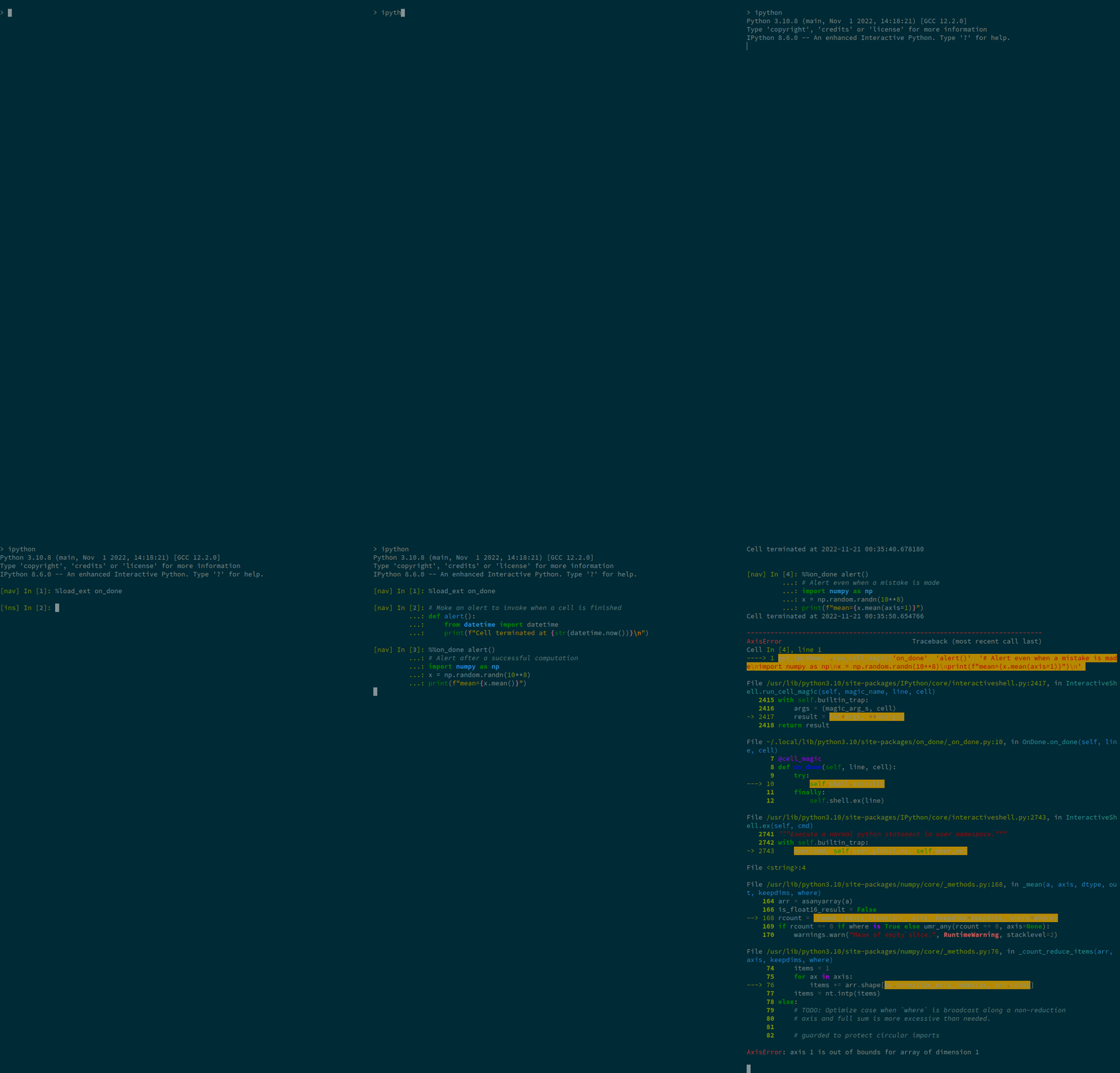
Putting %%on_done alert() at the top of a cell will cause it to alert:
In [3]: %%on_done alert()
   ...: import numpy as np
   ...: x = np.random.randn(10**8)
   ...: print(f"mean={x.mean()}")
mean=0.00021783589122321365
Cell terminated at 2022-11-21 00:35:40.678180
In particular, the alert will also occur if the cell failed:
In [4]: %%on_done alert()
   ...: import numpy as np
   ...: x = np.random.randn(10**8)
   ...: print(f"mean={x.mean(axis=1)}")
Cell terminated at 2022-11-21 00:35:50.654766

---------------------------------------------------------------------------
AxisError                                 Traceback (most recent call last)
...
Credit
on-done is inspired by this Stack Overflow answer by Colin Carroll
1 maintainer

Release files for on-done 0.1.1
For a detailed explanation of source distributions (sdists) and built distributions (wheels), please see the package formats documentation.
Source distribution (sdist)
| File | Size | Uploaded | |
|---|---|---|---|
| on-done-0.1.1.tar.gz | 3.0 kB | Details |
Built distribution (wheel)
| File | Interpreter | ABI | Platform | Reset |
|---|---|---|---|---|
| on_done-0.1.1-py3-none-any.whl | Python 3 | none | any | Details |
Total release size: 6.3 kB
Release files / on-done-0.1.1.tar.gz
| Download URL | on-done-0.1.1.tar.gz |
|---|---|
| Size | 3.0 kB |
| Tags | Source |
|
SHA-256 checksum How to use checksums |
a4ede12014668bdf94fe60f529c4ab1402d903c685e5a26d1c959e92d61b5d9b
|
|
BLAKE2b-256 checksum How to use checksums |
7ef6e4e8ac511a7b74456a5f60f3bb9f8e3af90bc75e2f7815f5f29f6dc907a5
|
| Upload date | |
|
Uploaded using Trusted Publishing? What is trusted publishing? |
No |
| Uploaded via |
twine/4.0.1 CPython/3.9.15
|
Release files / on_done-0.1.1-py3-none-any.whl
| Download URL | on_done-0.1.1-py3-none-any.whl |
|---|---|
| Size | 3.3 kB |
| Tags | Python 3 |
|
SHA-256 checksum How to use checksums |
82b6ae2a25ab87088e8cf0ac9b174393a0ba59889a4fc962bfb379bfc00bfa99
|
|
BLAKE2b-256 checksum How to use checksums |
9fa894767061595d38b011417530bced52de67367733a60a2da638c31ed502ad
|
| Upload date | |
|
Uploaded using Trusted Publishing? What is trusted publishing? |
No |
| Uploaded via |
twine/4.0.1 CPython/3.9.15
|














