
 💻 onboardme



Get your daily driver, or personalized 🐳 container, just the way you like it! From dot files management, to package installation, to setting up Neovim, to other little features you didn't know you needed, onboardme intends to save you time with initializing and maintaining your personal environments ✨
Features
Keep your Dot Files Up To Date Across multiple systems
onboardme can manage your dot files using a git by turning your home directory into a repo.
We even provide default dot files, so you don't have to manage them
- The default dot files are open source, and the maintainers use these themselves
- They cover a lot of common apps/tools you probably want anyway
- They have consistent color schemes across different CLI/TUI programs 😃
- They set all the helpful FISH and BASH aliases you could need
Package management accross multiple package managers
We install and upgrade libraries and apps using common package managers. We also provide a curated list of default packages.
- checkout the default packages
- supports
brew,apt,snap,flatpak, andpip(and you can add your own 😄) - group together packages for different kinds of environments
onboardmeprovides default package groups:- default (no desktop GUI apps installed by default, always installed)
- macOS (default apps for macOS only apps, always installed on macOS)
- gui (default GUI apps for Linux desktops, optionally installed)
- tablet (default GUI apps for Linux desktops, optionally installed)
- devops (devops related tooling, optionally installed)
Linux ARM Users NOTE: brew is currently unsupported on linux/arm64, and as we'd have to compile everything from source anyway, we don't support running the brew package manager via onboardme on linux/arm64 or (AArch64) at all right now._
We do have a docker image (jessebot/onboardme:latest-arm) optimized for arm though that you can run on AArch64 and it's perfect for a dockerized dev environment on an M1 or later mac or any other ARM 64 device that runs docker :)
Neovim Plugin Installation and Updates
onboardme keeps your Neovim plugins installed and up to date with lazy.nvim under the hood.
Why no vim though?
If you haven't already made the switch from Vim to NeoVim, you can try out Neovim today with onboardme :D We used to support both neovim and vim, but these days none of the primary developers of this repo use pure vim anymore, so we can't ensure it's up to standards. All of your knowledge from vim is still helpful in neovim though, and we highly recommend switching as neovim has a lot more features and a very active plugin community :) NeoVim maintains a guide on how to switch from vim here.
Easy yaml config files using XDG Base Directory Spec
yaml config files using XDG Base Directory SpecWe use use XDG Base Directory Spec for config files, so you always know where they are :)
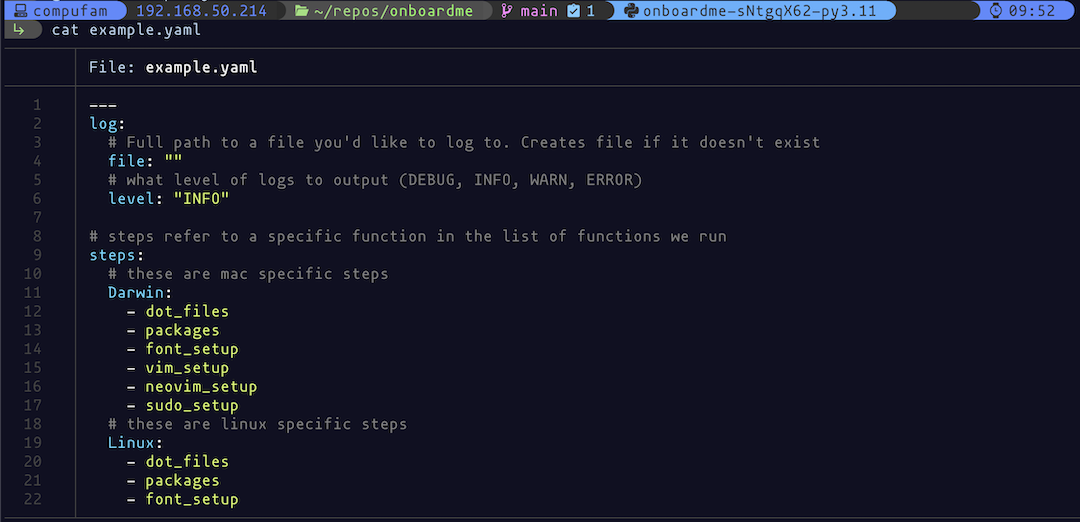
Config files are in $XDG_CONFIG_HOME/onboardme/, or ~/.config/onboardme/ if $XDG_CONFIG_HOME is not defined.
Learn more about configuration in the config docs.
Docker image for an on-the-go dev workspace
The docker image is built nightly, and on push to main via GHA. The base image is debian:trixie :)
See the dockerhub page for more info!
Other optional configurations
- Enable touchID for sudo on macOS
- Add your user to the docker group
- Install nerdfonts (defaults to mononoki and Symbols Only)
- Install cronjobs to keep everything up to date everywhere, everyday :)
Screenshots
Example of onboardme --help

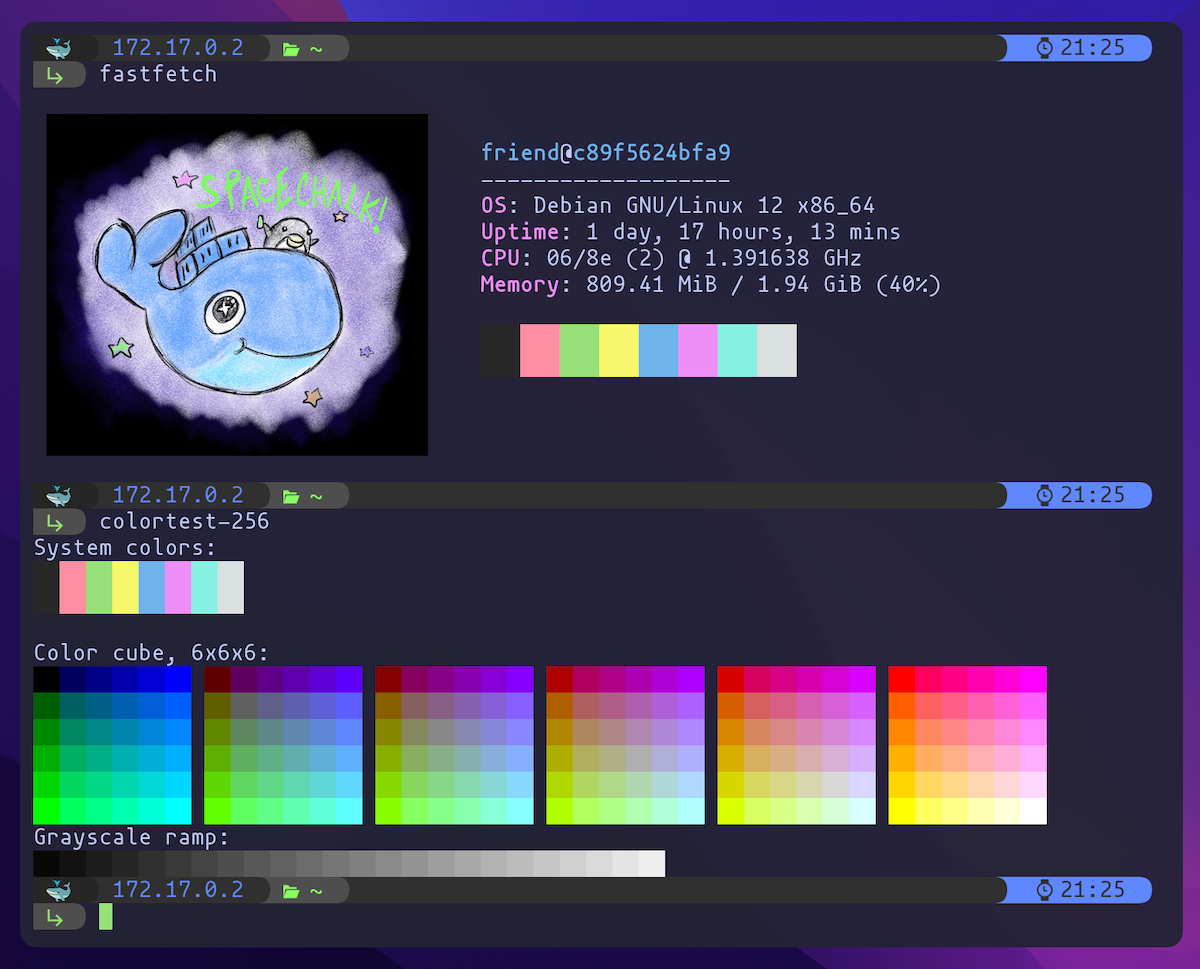
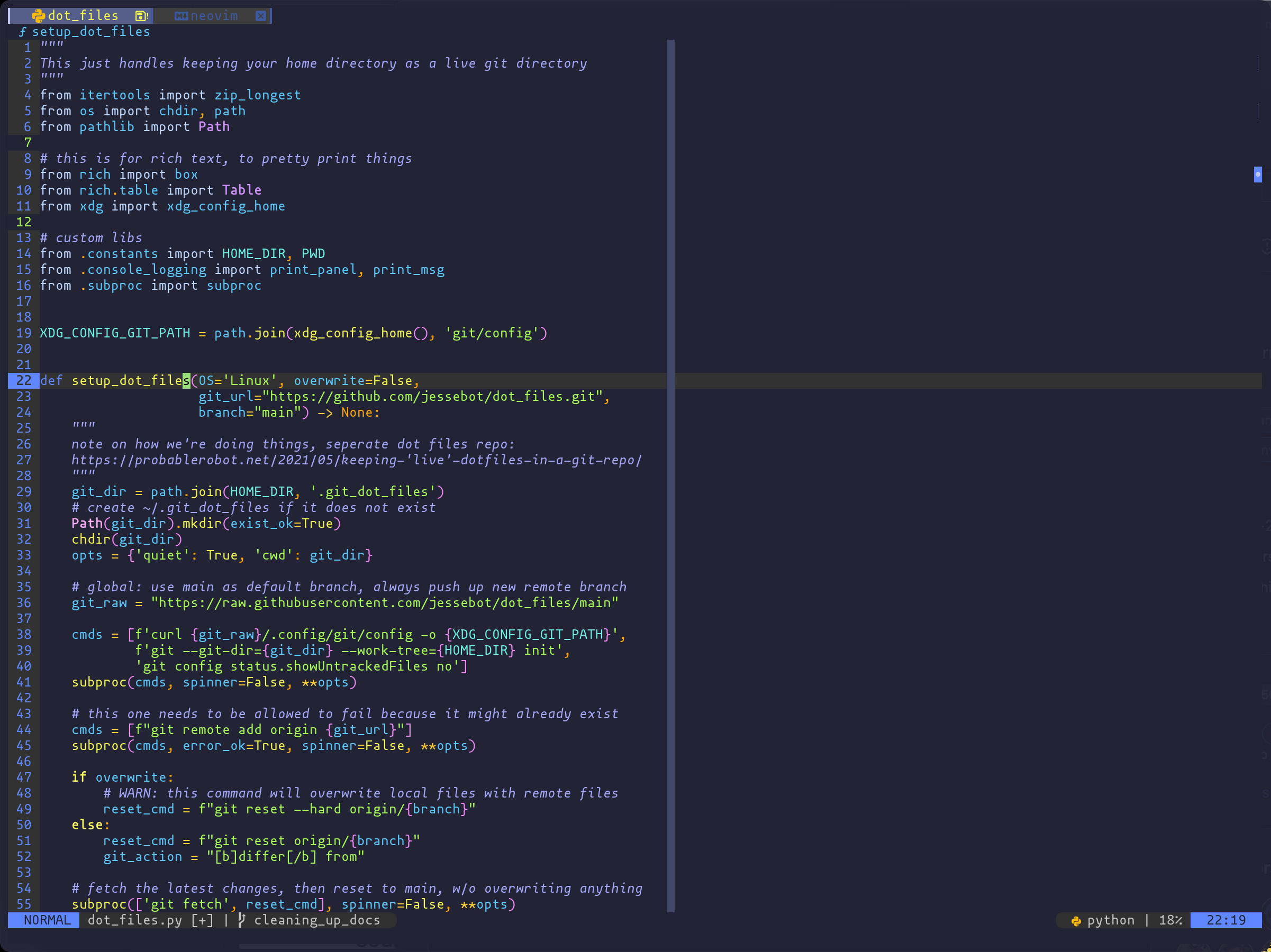
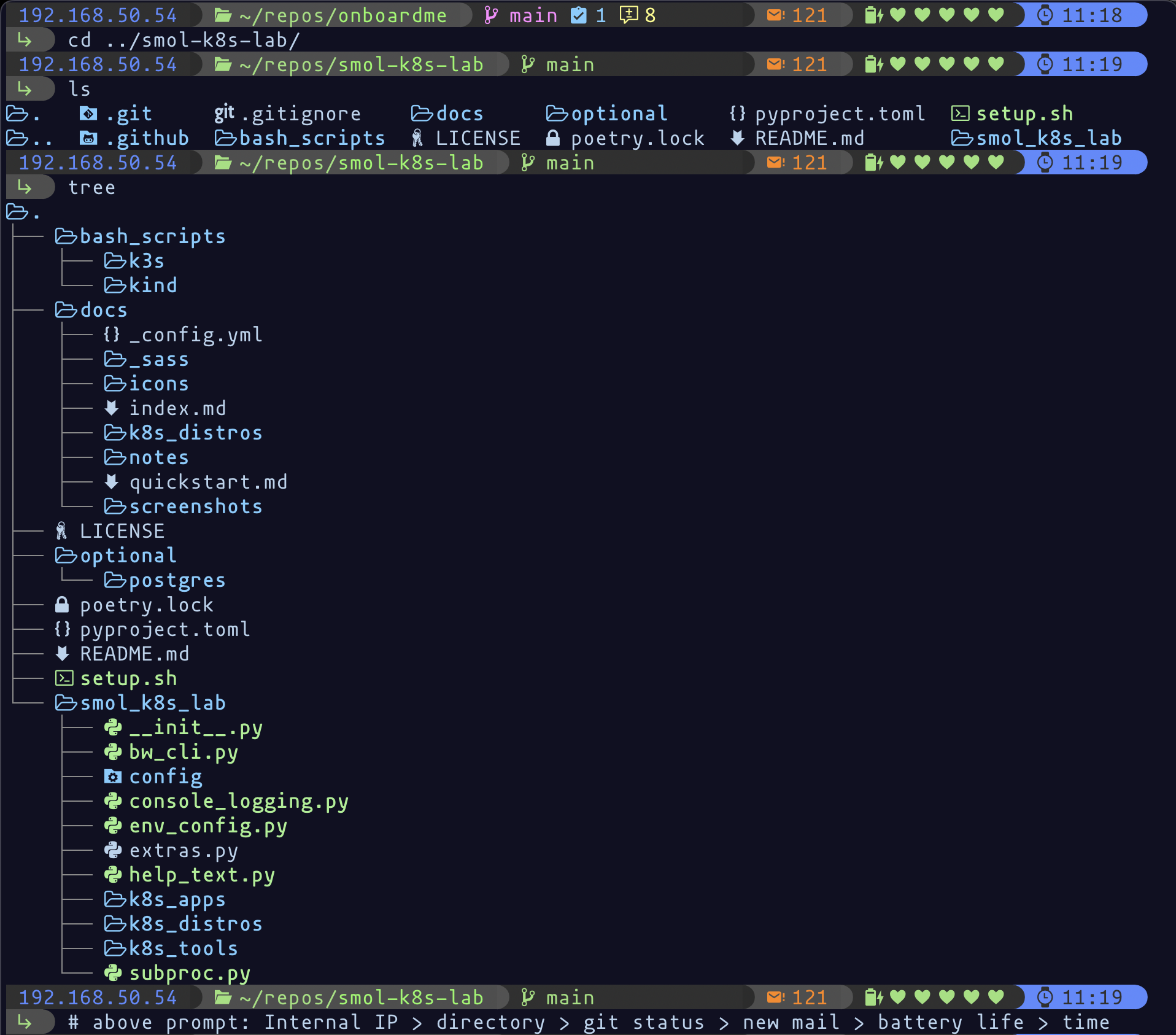
Examples of the terminal after onboardme runs
neovim
BASH Powerline and ls
BASH Powerline with git
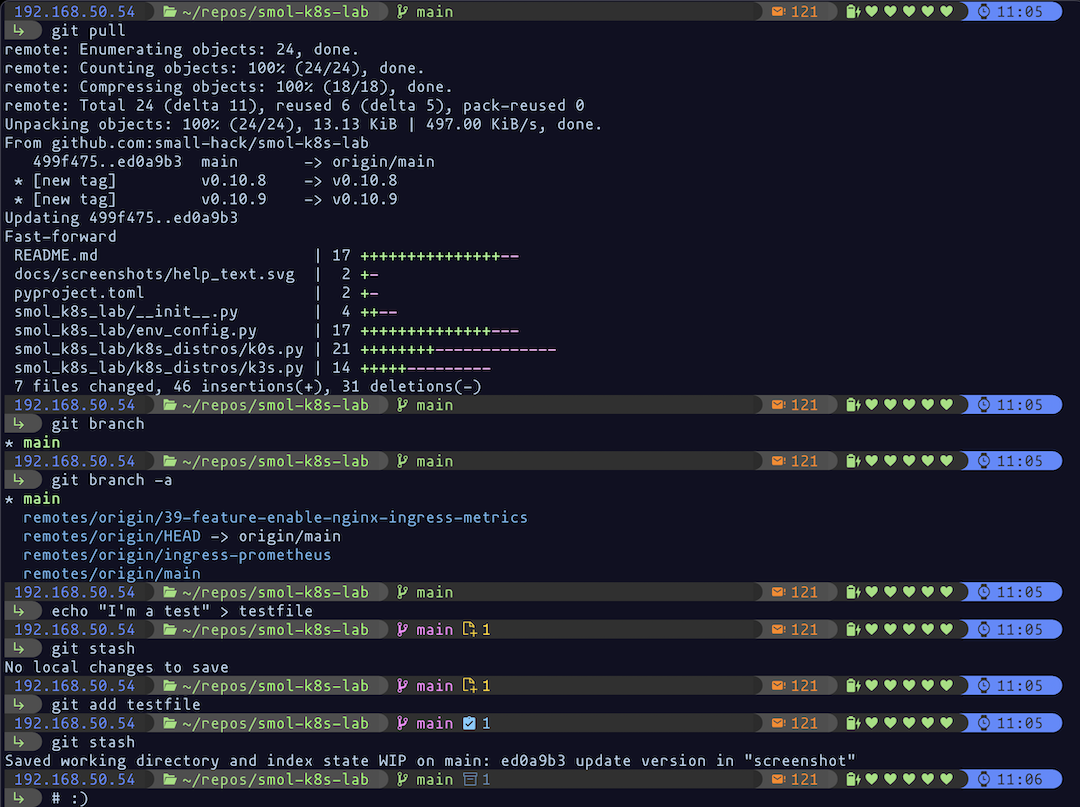
Image and colors
Python virtual env in powerline and cat
Installation
Install Locally
You'll need curl, brew, git, and Python 3.13 to get started. We have a setup script to install those (except curl) and help you get your environment to the XDG spec under Locally. For docker, see the section below.
Local prereq install script
.curl, a pre-prereq
# Debian/Ubuntu may not have curl installed depending on where you are, so this will install it for you
type -p curl >/dev/null || (sudo apt update && sudo apt install curl -y)
Make sure you have sudo access, otherwise we won't be able to install certain things. The quickest way to get started on a fresh macOS or distro of Debian (including Ubuntu) is:
# this will download setup.sh to your current directory and run it
/bin/bash -c "$(curl -fsSL https://git.open.engineering/jessebot/onboardme/raw/branch/main/setup.sh)"
# if the above fails you can use codeberg instead
/bin/bash -c "$(curl -fsSL https://codeberg.org/jessebot/onboardme/raw/branch/main/setup.sh)"
Linux
If you want to run BASH
Source your updated .bashrc:
# for linux
source ~/.bashrc
If you want to run fish
export shell=$(which fish)
chsh -s $shell
OR just reopen Konsole and it should launch FISH, which is the shell we use most these days.
MacOS
source your updated .bash_profile:
bash
source ~/.bash_profile
If you want to run fish
export shell=$(which fish)
chsh -s $shell
You will still have to set your default shell to FISH to if you want to take advantage of the default dot files for onboardme. You can do that like this:
# if you're on an M1 or newer:
echo "/opt/homebrew/bin/fish" >> /etc/shells && exit
chsh -s /opt/homebrew/bin/fish $(whoami)

# if you're on a mac earlier than the M1:
echo "/usr/local/bin/fish" >> /etc/shells && exit
chsh -s /usr/local/bin/fish $(whoami)
After that, you can also set the shell directly in your terminal app via the settings if it's not already configured (e.g. for konsole).
If you've already got all the above prereq on your machine, you can just do:
# should also work with pipx, if you'd like to use that instead
pip install --user --upgrade onboardme
Using the Docker image
Read more about our docker tags and how to use them at jessebot/onboardme on DockerHub.
Usage
Learn more about configuration in the config docs, but by default you can get started with:
# this will display the help text for onboardme
onboardme --help

# Running this won't overwrite any existing dot files, but it may add new ones
# and it may install new packages. Don't run this till you've looked at the files
# in ~/.config/onboardme/
onboardme
From here, if you want to completely wipe your existing dot files for a fresh start with with onboardme, you can run:
# WARNING: This will overwrite your local dotfiles,
# including your .bashrc and .bash_profile and ~/.config/fish directory
# can also be done with: onboardme -O
onboardme --overwrite
You can read more in depth at the Getting Started Docs 💙! There's also more docs on basically every program that onboardme touches.
Upgrades
pipx upgrade onboardme
if your version of pipx has changed, you may need to run:
pipx uninstall onboardme
pipx install onboardme
Under the Hood
Made and tested for these operating systems:


And optimized for the following programs:




Built using these great tools:


Status
Maintained 💙
Actively used by the maintainers daily, but software is always changing, so please report 🐛 in the Codeberg Issues, and we will collect them, and release them back into the wild, because we are vegan and nice. (Kidding, we will help! 😌)
⭐ If you like this project, please star it on codeberg.org to help us keep motivated :3
(We don't gain anything by you staring the project. It just makes us smile)
Contributors
We love contributors! Feel free to open a pull request on https://codeberg.org/jessebot/onboardme, and we will review it asap! :)
JesseBot |

Max! |
Shameless plugs for other projects
Get running on a machine using a bootable USB stick with pxeless.
Get started with testing Kubernetes on metal with smol-k8s-lab.
1 maintainer

Metadata
1 maintainer
Release files for onboardme 2.2.3
For a detailed explanation of source distributions (sdists) and built distributions (wheels), please see the package formats documentation.
Source distribution (sdist)
| File | Size | Uploaded | Provenance | Actions |
|---|---|---|---|---|
| onboardme-2.2.3.tar.gz | 40.1 kB | Without provenance | Details for onboardme-2.2.3.tar.gz |
Built distribution (wheel)
| File | Interpreter | ABI | Platform | Actions Reset |
|---|---|---|---|---|
| onboardme-2.2.3-py3-none-any.whl | Python 3 | none | any | Details for onboardme-2.2.3-py3-none-any.whl |
Total release size: 82.0 kB
Release files / onboardme-2.2.3.tar.gz
| Download URL | onboardme-2.2.3.tar.gz |
|---|---|
| Size | 40.1 kB |
| Tags | Source |
|
SHA-256 checksum How to use checksums |
5e03bce9eec99714b337ab29222b2cc46bb247e741005e1bb3ea6fb51121f219
|
|
BLAKE2b-256 checksum How to use checksums |
ed912088ef73a0c3e128b1c198b3159901f3b481bd47601e8c44a3085f4d9f6e
|
| Upload date | |
|
Uploaded using Trusted Publishing? What is trusted publishing? |
No |
| Uploaded via |
poetry/2.5.1 CPython/3.15.2 Linux/6.1.0-47-amd64
|
Release files / onboardme-2.2.3-py3-none-any.whl
| Download URL | onboardme-2.2.3-py3-none-any.whl |
|---|---|
| Size | 41.9 kB |
| Tags | Python 3 |
|
SHA-256 checksum How to use checksums |
b19e24d0f3cfb928420ea1d25e99c99f6782a2465c3ac4426cca65e6f15b3bca
|
|
BLAKE2b-256 checksum How to use checksums |
a829838f422572a082e3bcd024b88c0fbbd30a8ef96d90f2a64daf383f60df0e
|
| Upload date | |
|
Uploaded using Trusted Publishing? What is trusted publishing? |
No |
| Uploaded via |
poetry/2.5.1 CPython/3.15.2 Linux/6.1.0-47-amd64
|
Security for onboardme 2.2.3
Provenance
Provenance describes where a file came from. On PyPI, provenance is shared via attestations, which provide a verifiable record of the build or publishing details. View details, limitations and caveats.
No provenance found
None of the files in this release were uploaded with provenance metadata.
A note on package security
PyPI is a repository for distributing packages, not a service for auditing them. While third-party security researchers and our staff do their best to detect and remove malicious packages, PyPI cannot guarantee the quality, security or suitability of any given package.
To learn more about protecting yourself from malicious actors, visit our package security documentation.














