

Documentation, quality review and interoperability scores for OWL, RDFS, SKOS and LinkML ontologies. Pure Python, no Java. One app or one command; the result is a self-contained website you can publish anywhere.
Publication
This software is part of ongoing research for the following manuscript (in preparation):
OntoReview: From Ontology Quality Assessment to Publication with LLM-Assisted Repair and Documentation
Tek Raj Chhetri, Daniil Dobriy, Nandana Mihindukulasooriya, Satrajit S. Ghosh
The implementation, documentation and associated resources may change as the research progresses.
Citation. If you use OntoReview in your research, please acknowledge the software and its authors. A formal citation will be provided when the manuscript is published.
@software{chhetri2026ontoreview,
  author  = {Chhetri, Tek Raj and Dobriy, Daniil and Mihindukulasooriya, Nandana and Ghosh, Satrajit S.},
  title   = {{OntoReview}: Ontology Quality Assessment, {LLM}-Assisted Repair and Documentation},
  year    = {2026},
  version = {1.0.0},
  url     = {https://github.com/sensein/ontoreview}
}
Quick start
pip install "ontoreview[ui]"          # Python 3.11+; add [cdi] for the interoperability language model
ontoreview ui                         # opens the app at http://127.0.0.1:8765
Choose an ontology (file, folder or URL, or drag it in), keep Website, press Build docs.
For scripts and CI:
ontoreview build my-ontology.ttl -o docs          # the website
ontoreview check my-ontology.ttl --fail-on error  # quality checks only, CI exit code
Key features
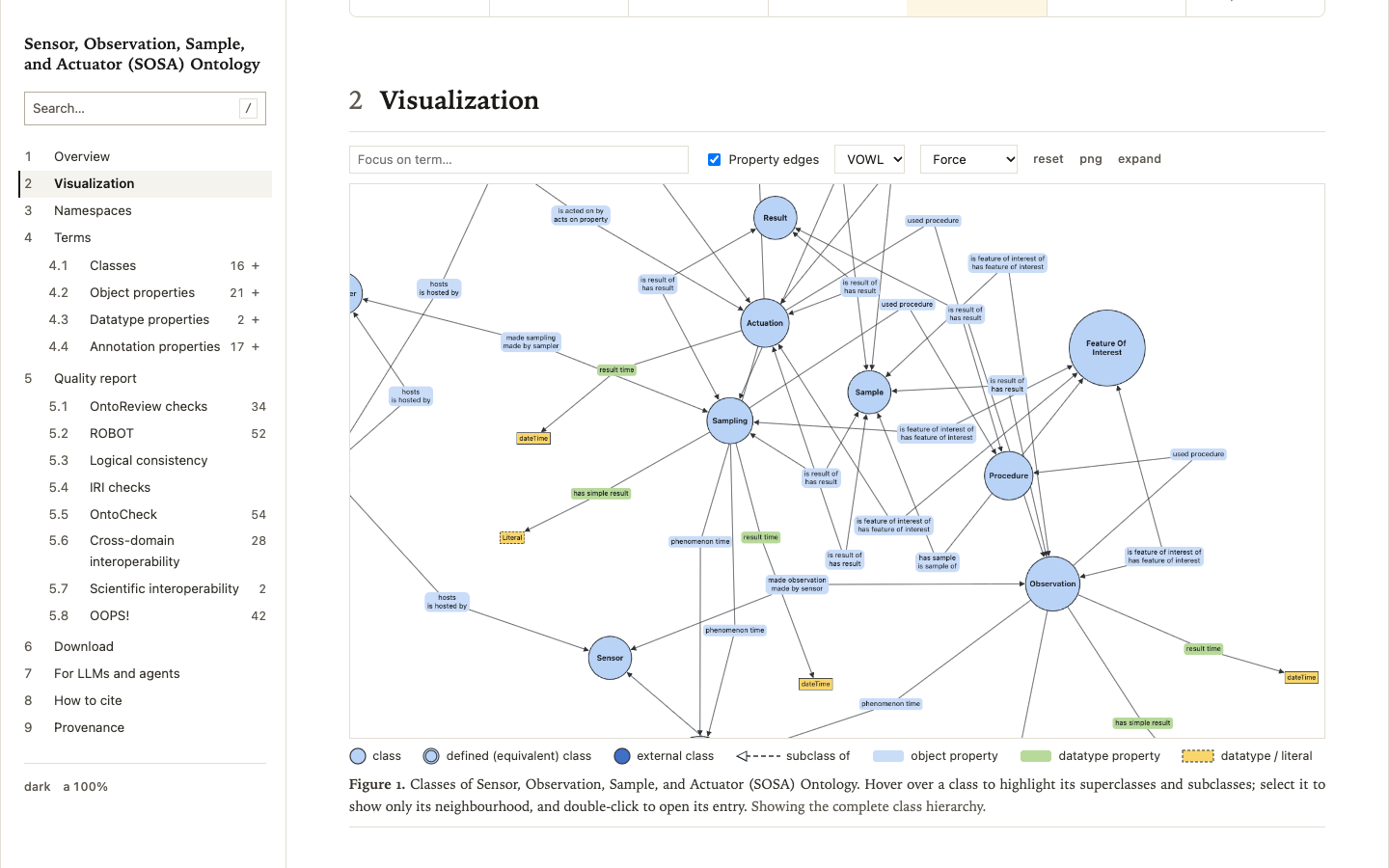
- Documentation website. Every class, property, individual and SKOS concept with labels, definitions, axioms in Manchester syntax and back-links; an overview with statistics; an interactive diagram (VOWL or UML); search; downloads in Turtle, RDF/XML, JSON-LD and N-Triples; how to cite. Works offline, in dark mode, on phones and in print. Also as one
standalone.html, Markdown or MyST. - Fix first, then document. Before the docs are built, review suggested fixes (exact rule fixes, your values, AI-drafted definitions) and required metadata; fixes go to a new file (
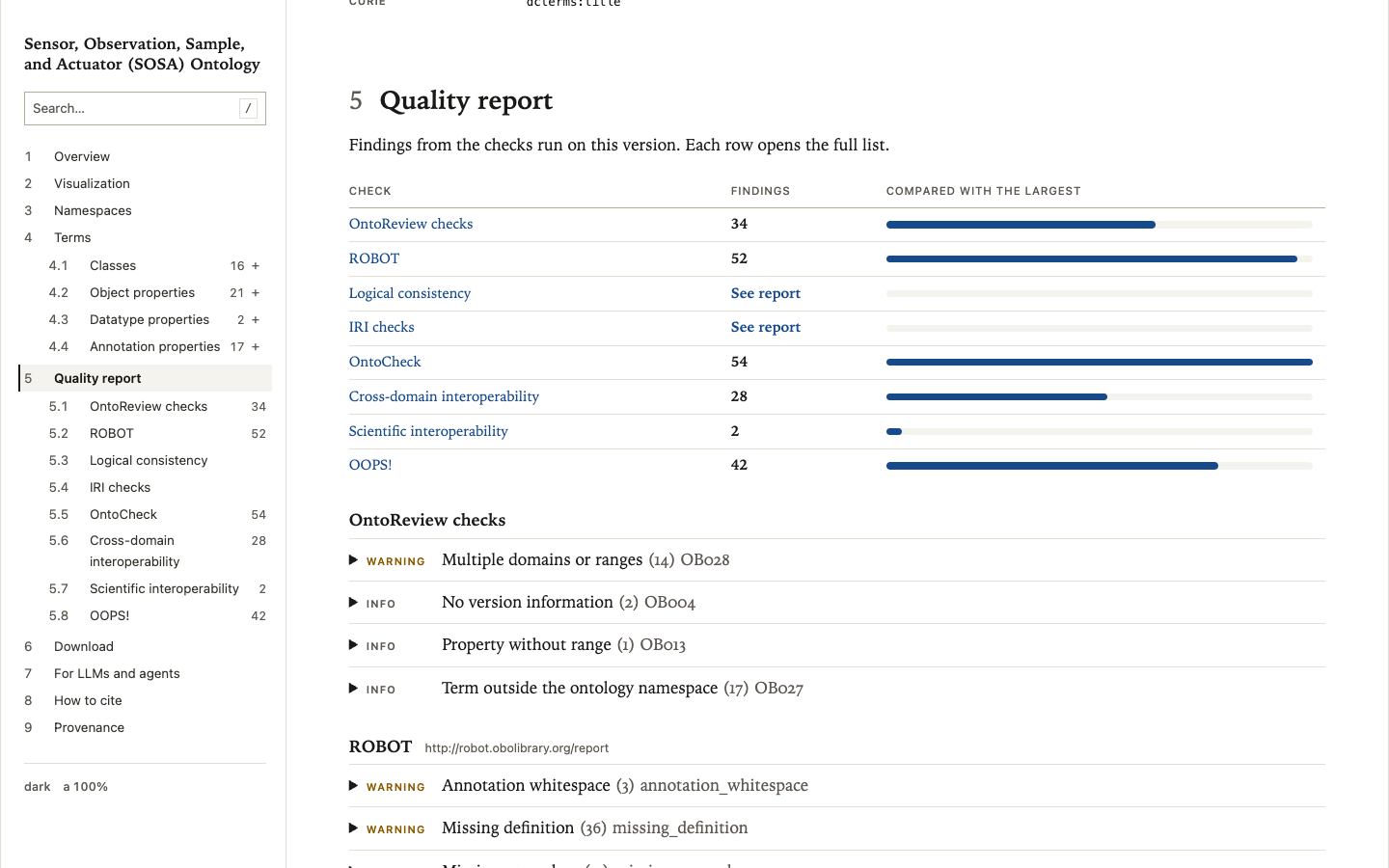
a-v1.ttl), never the original, and are recorded in the provenance. - Quality review. 25 built-in rules plus ROBOT, a reasoner (HermiT/ELK), IRI checks, OntoCheck metrics and OOPS!, in one report with a summary per check.
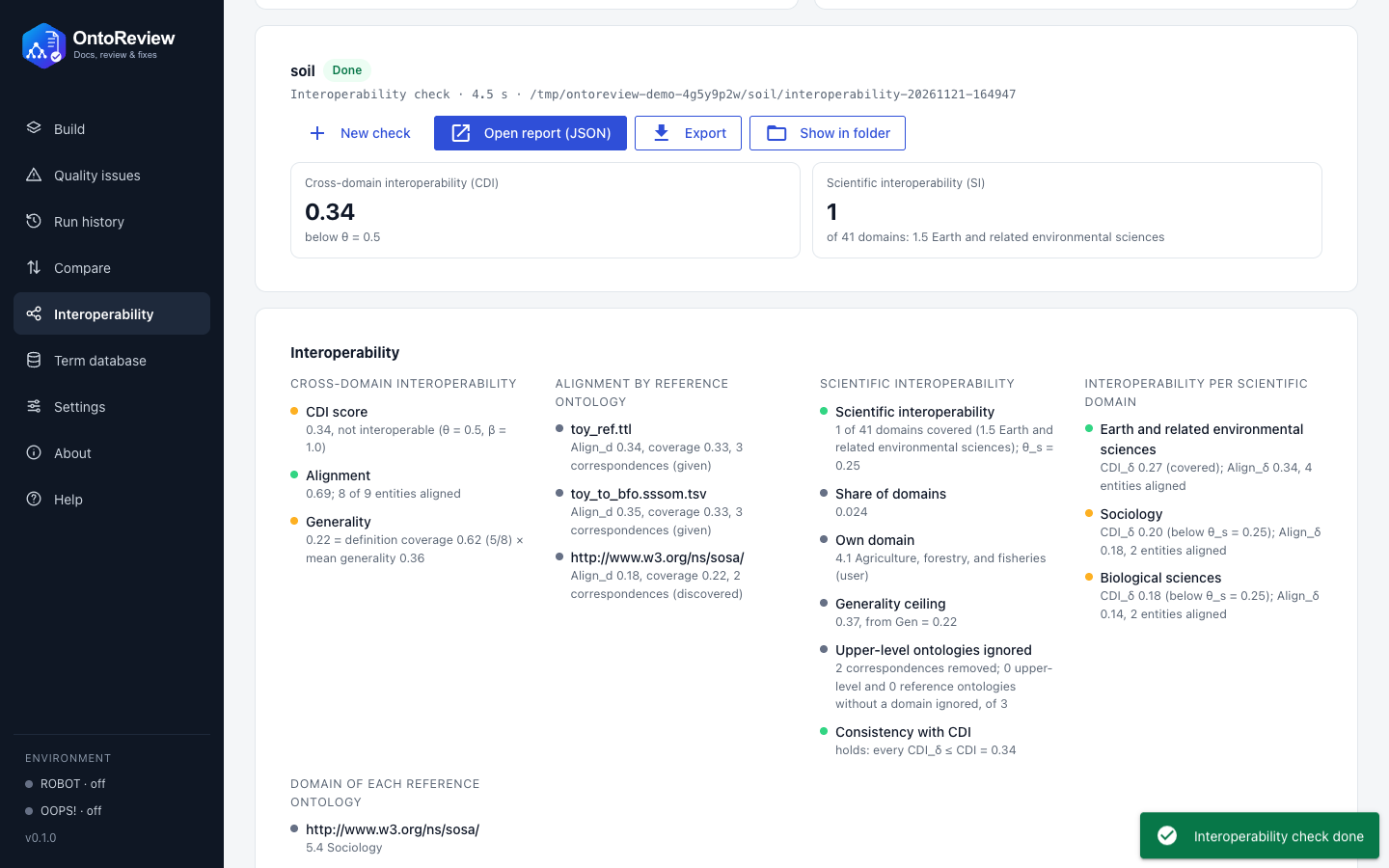
- Cross-domain interoperability (CDI). How well the ontology aligns with ontologies from other domains, and how general its definitions are.
- Scientific interoperability (SI). In how many scientific fields (the 41 OECD fields of science) it is interoperable, ignoring upper-level ontologies.
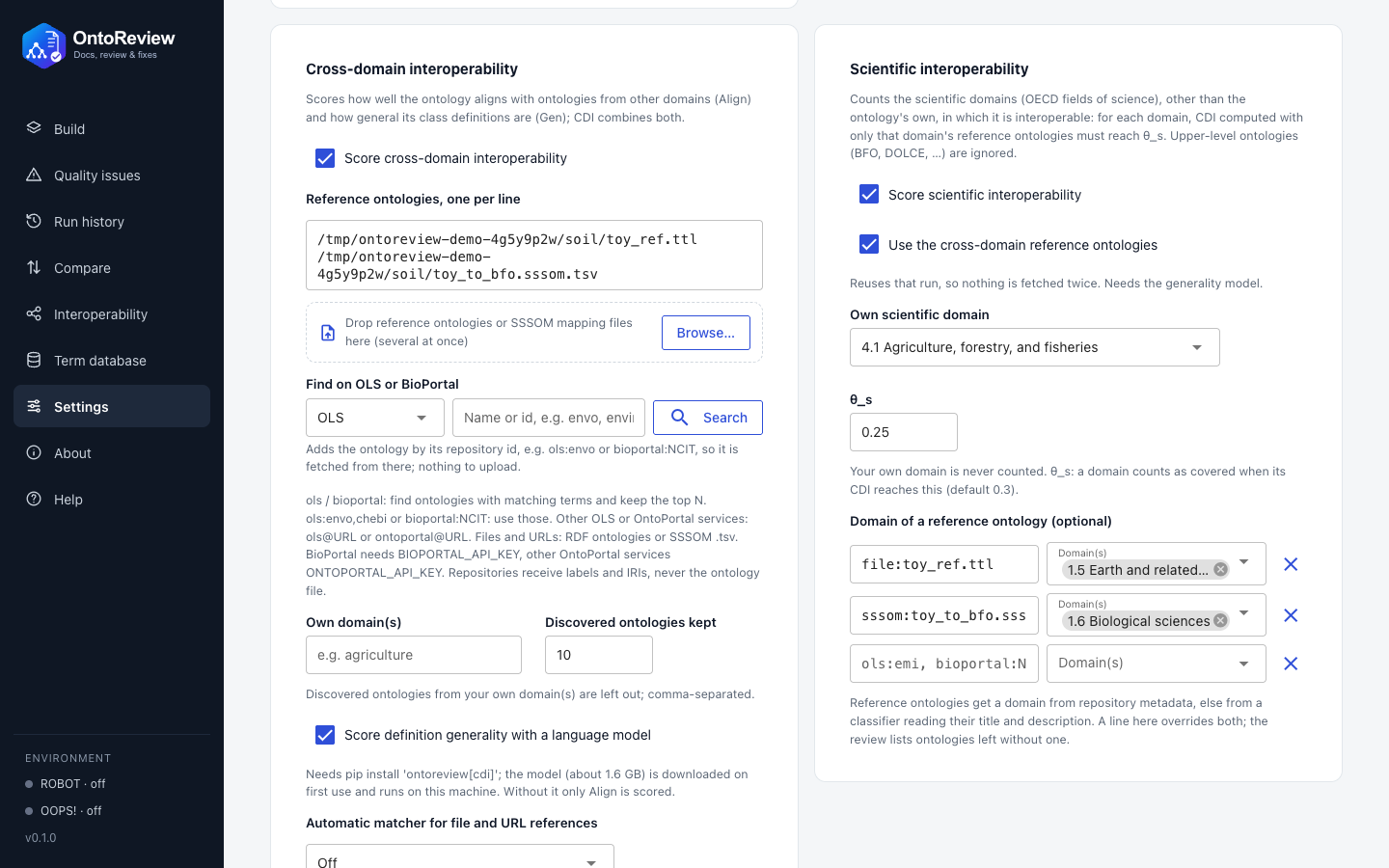
- Reference ontologies your way. Upload files or SSSOM mappings, find and add ontologies on OLS or BioPortal by name, or let OntoReview discover them.
- Provenance you can cite. Each run records when it ran, the source file's SHA-256, and the exact release of every reference ontology it was checked against (once, with what used it), as JSON and PROV-O.
- Compare versions. Added, removed and changed terms and axioms, as an HTML report or a changelog in the docs.
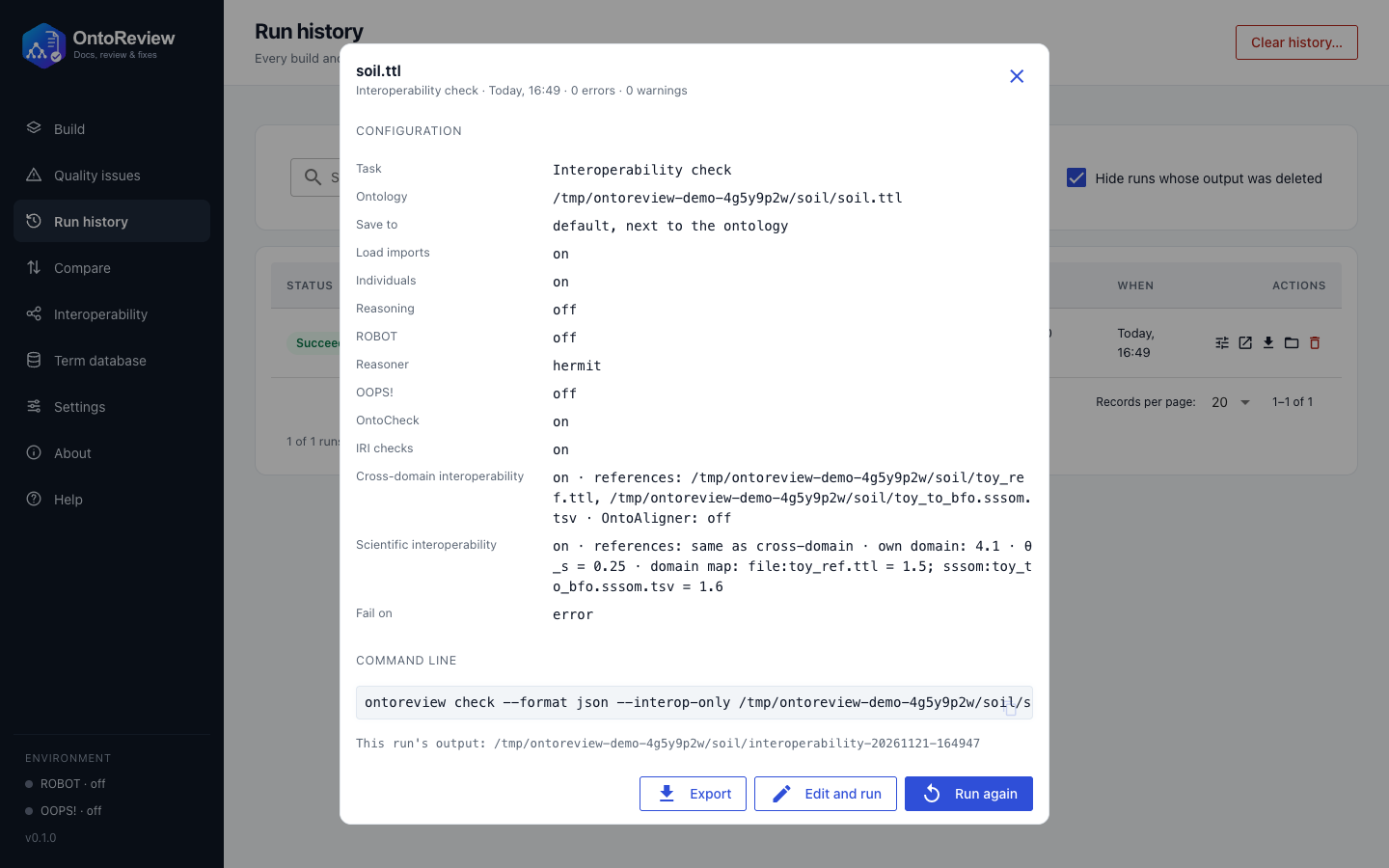
- Run history. Every run with its configuration: re-run it as is, change it and run again, or export it as a .zip. Each run gets its own folder and is never overwritten.
- Deploy in one click. Every website includes
DEPLOY.md, a Dockerfile, an nginx config and a GitHub Pages workflow. The app can push a website to GitHub and publish it on GitHub Pages. - Also: LinkML schemas, folders of ontologies, multilingual sites, competency questions, files for LLMs and agents (
llms.txt), themes and plugins.
Fixes and AI suggestions
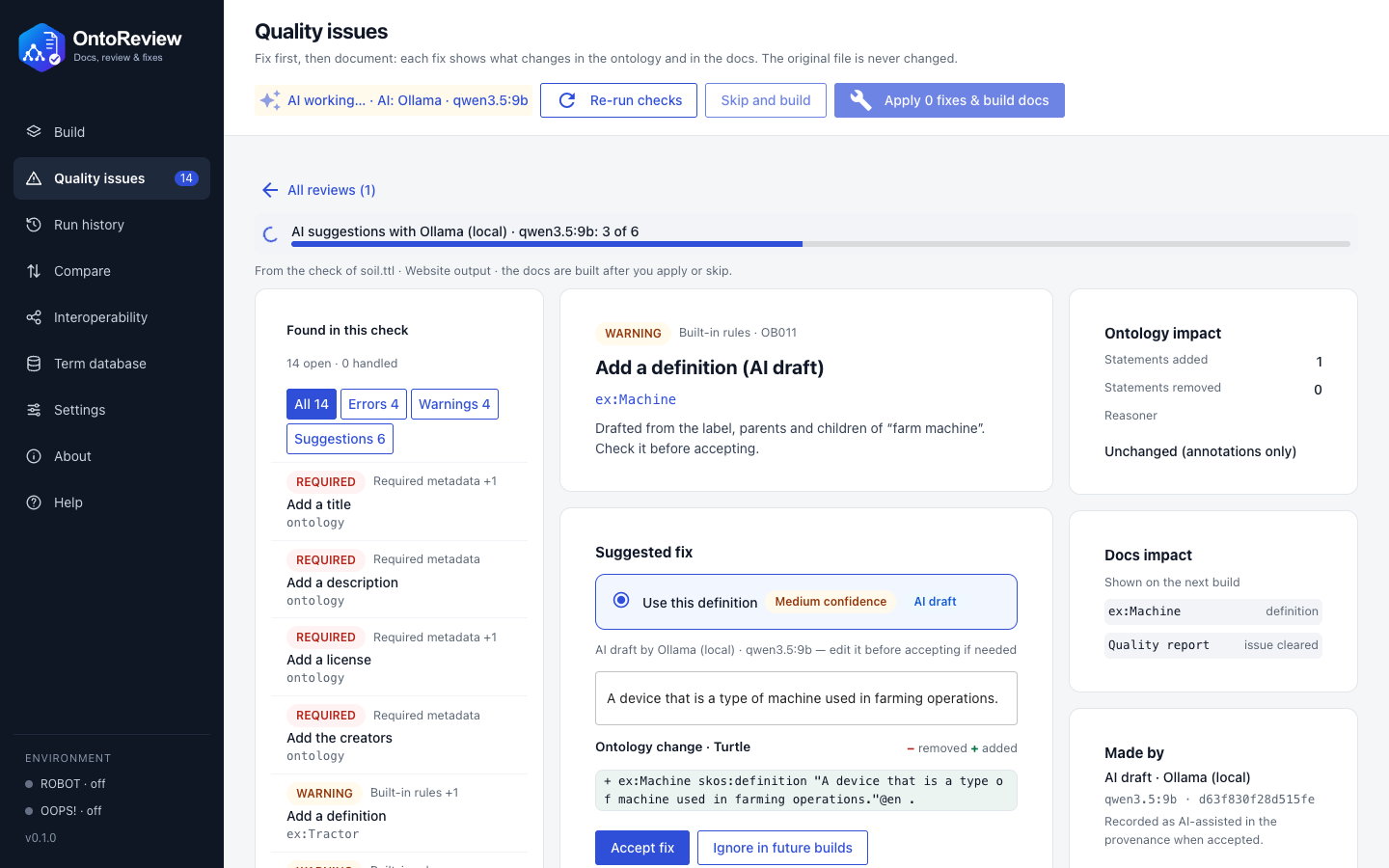
Before any docs are generated, Build docs opens the Quality issues page:
 |
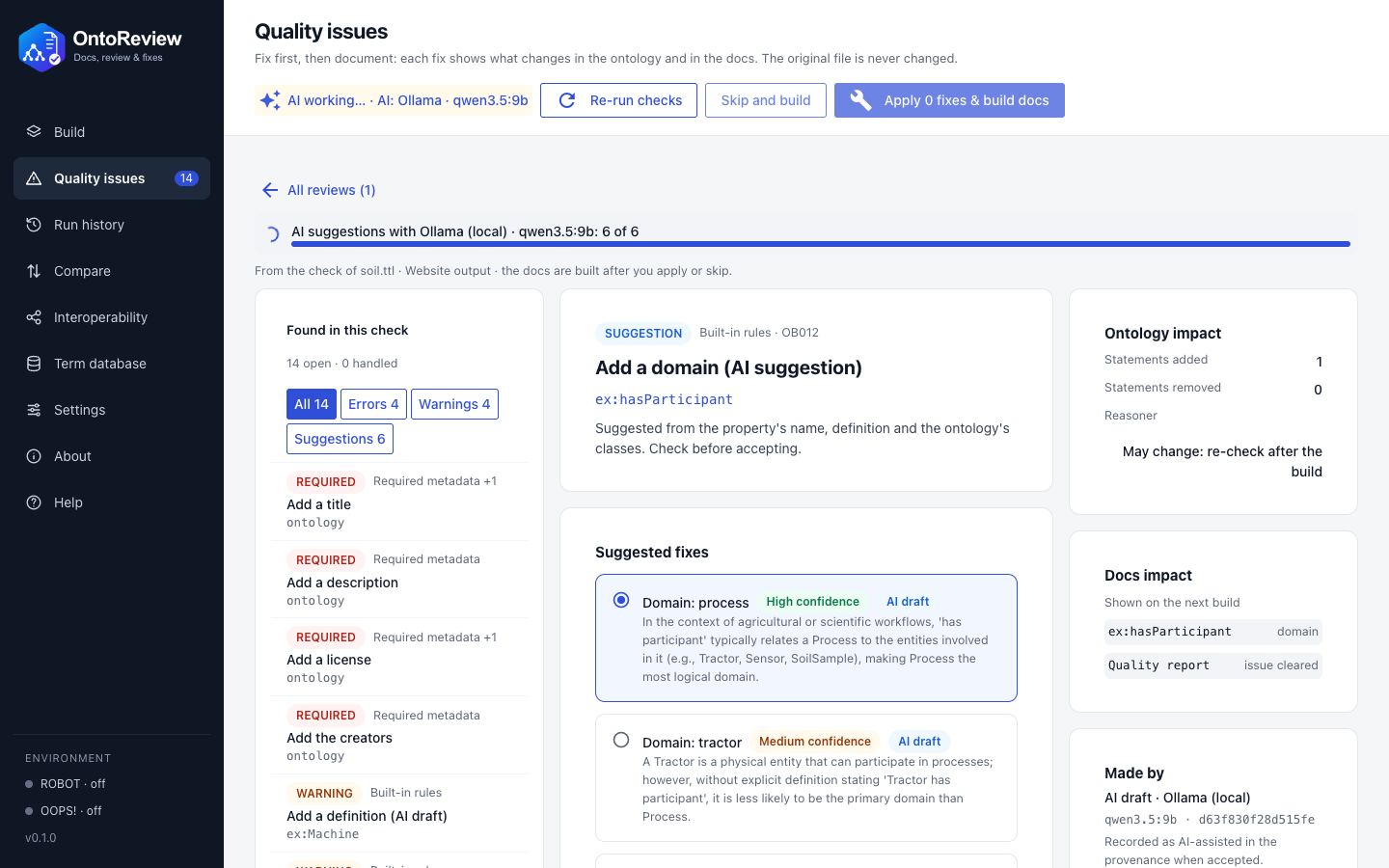 |
| AI draft – a definition to edit, the Turtle change, and which model wrote it (local Ollama here) | AI suggestion – ranked domains with reasons; pick one or choose your own |
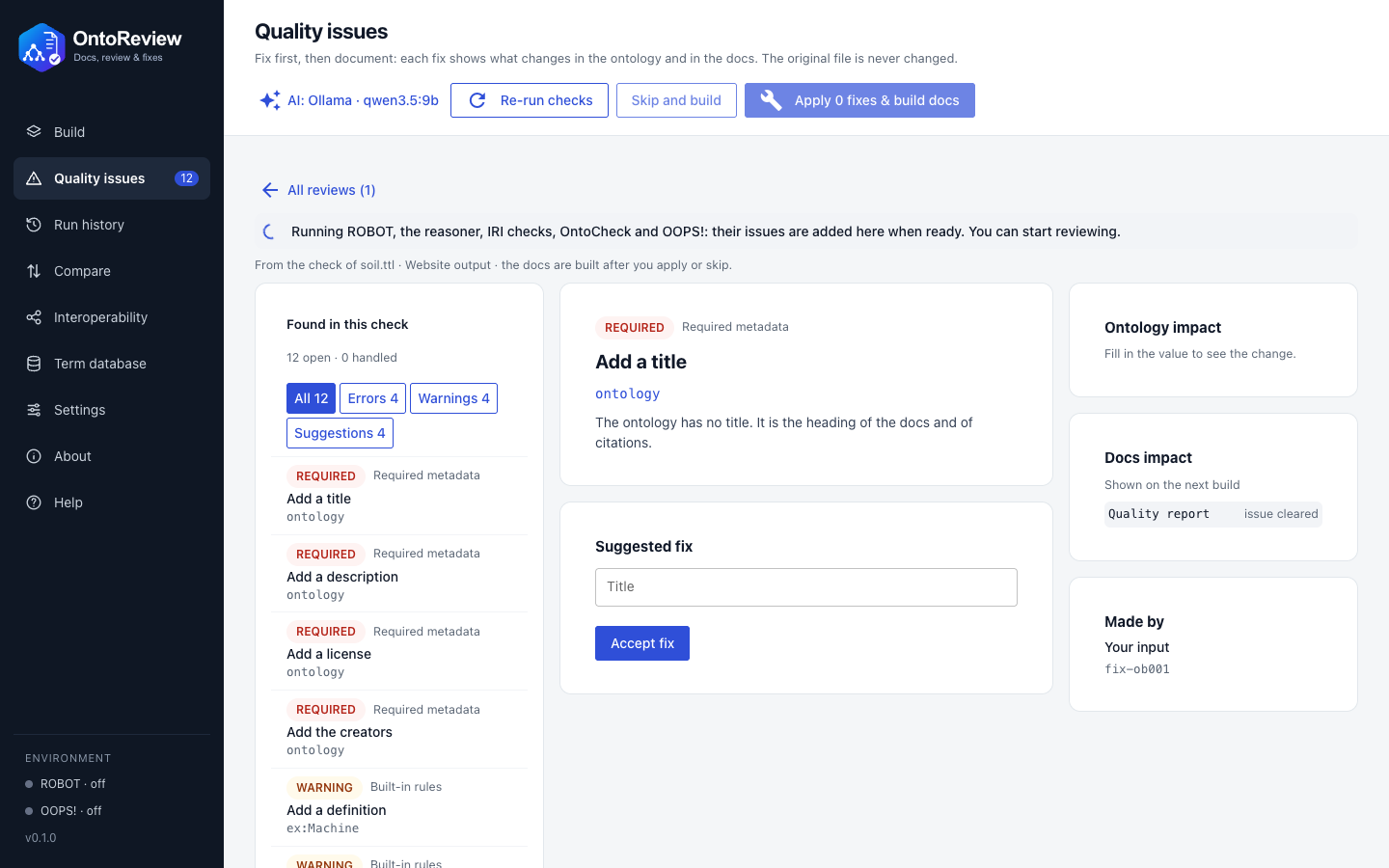
- Required metadata first: title, description, license and creators (name, ORCID, email; add as many as needed; the ORCID is looked up by name and you pick the right person). The docs are not generated without them.
- Suggested fixes for each issue, with a confidence and who made them: Rule (exact edits), Your input, Ranked candidates or AI. The centre shows the Turtle change, the right side what changes in the ontology and in the docs.
- AI suggestions (on by default, never applied without your acceptance): definitions to edit, ranked domains and ranges with reasons that you can pick or replace with your own choice, and a description. Accepted AI text is marked AI-assisted in the docs and in
provenance.ttl. - Where AI runs (Settings › AI & fixes, reorderable): a local Ollama first (installed models are listed, new ones can be pulled), then an open-source Hugging Face model (default
Qwen/Qwen3.5-4B, Apache-2.0, downloaded once with progress), then an API key (OpenAI, Anthropic, OpenRouter, …). - Come back later: the Quality issues page lists every checked ontology with its status (waiting / built), kept across restarts; each is built only when you apply or skip it, with its own settings.
- Apply N fixes & build writes a new file (
a-v1.ttl,a-v1.yamlfor LinkML) with a patch and a record; the original is never changed. Skip and build uses the original. - LinkML: definitions, titles, domains and ranges of classes, slots, enums and class attributes go into the YAML copy. A fix the YAML cannot hold (e.g. on an imported term) saves the fixed version as OWL (
a-v1.ttl, generated from the schema) plus a YAML patch of the rest. - Missed reuse: terms you defined that a standard vocabulary already has (e.g. your
:Sensornext tososa:Sensor) are found by label or name in the term database; you can link yours to it (owl:equivalentClass) or reuse the standard IRI. A shared name is not proof of the same meaning, so you decide. - Long lists: open issues stay on top; accepted or ignored ones move to the end.
- Prompts: the exact prompts sent to the model are in
src/ontoreview/fixes/ai/prompts.md; edit it, or pointONTOREVIEW_PROMPTSat your own copy.
Command line: ontoreview fix list a.ttl --ai -o fixes.json, then ontoreview fix apply a.ttl --from fixes.json --accept ID (see Integrate with other tools and sites).
Screenshots
 |
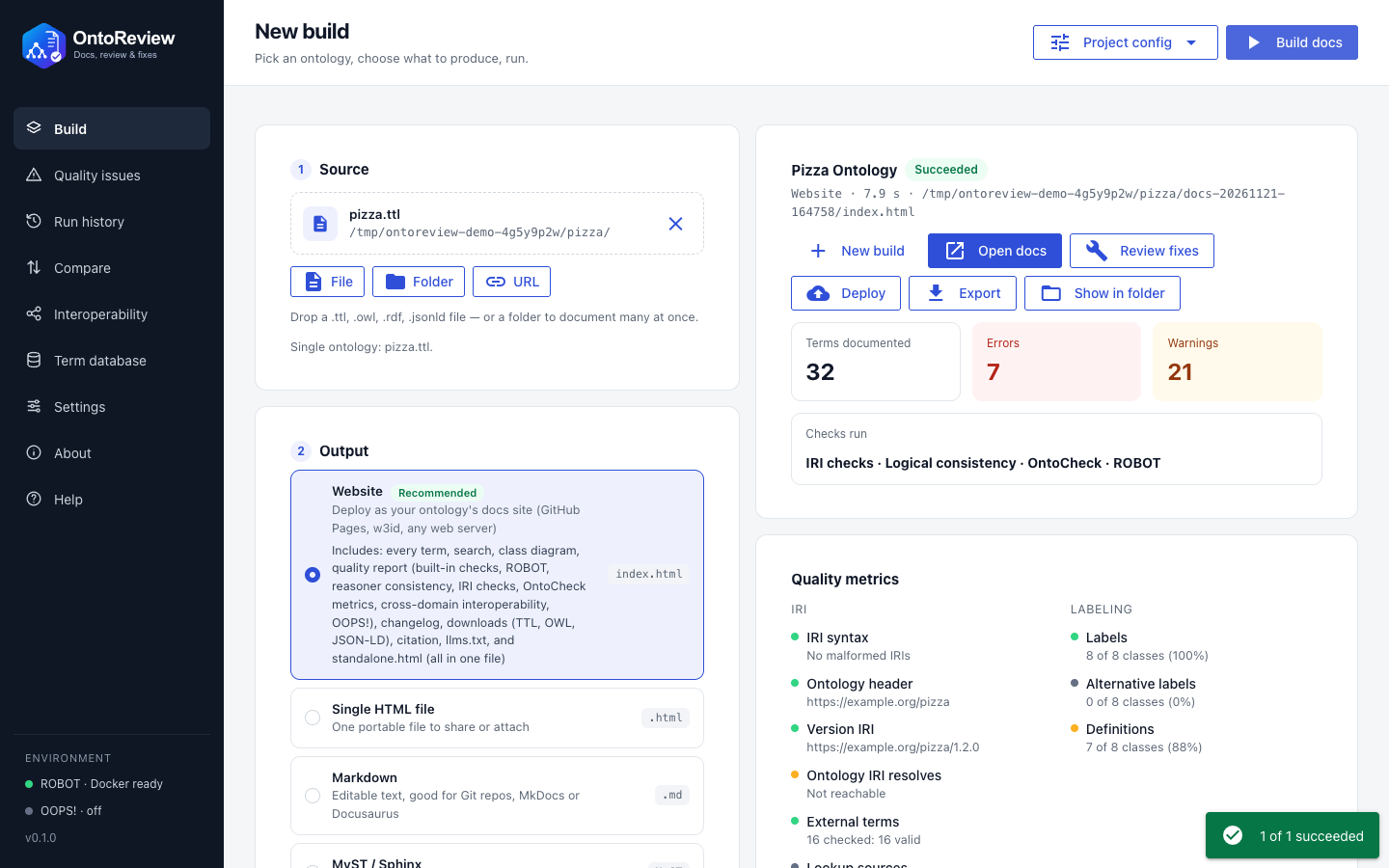 |
| Quality issues – fix first: required metadata, then suggested fixes | Build – results, quality metrics and issues |
 |
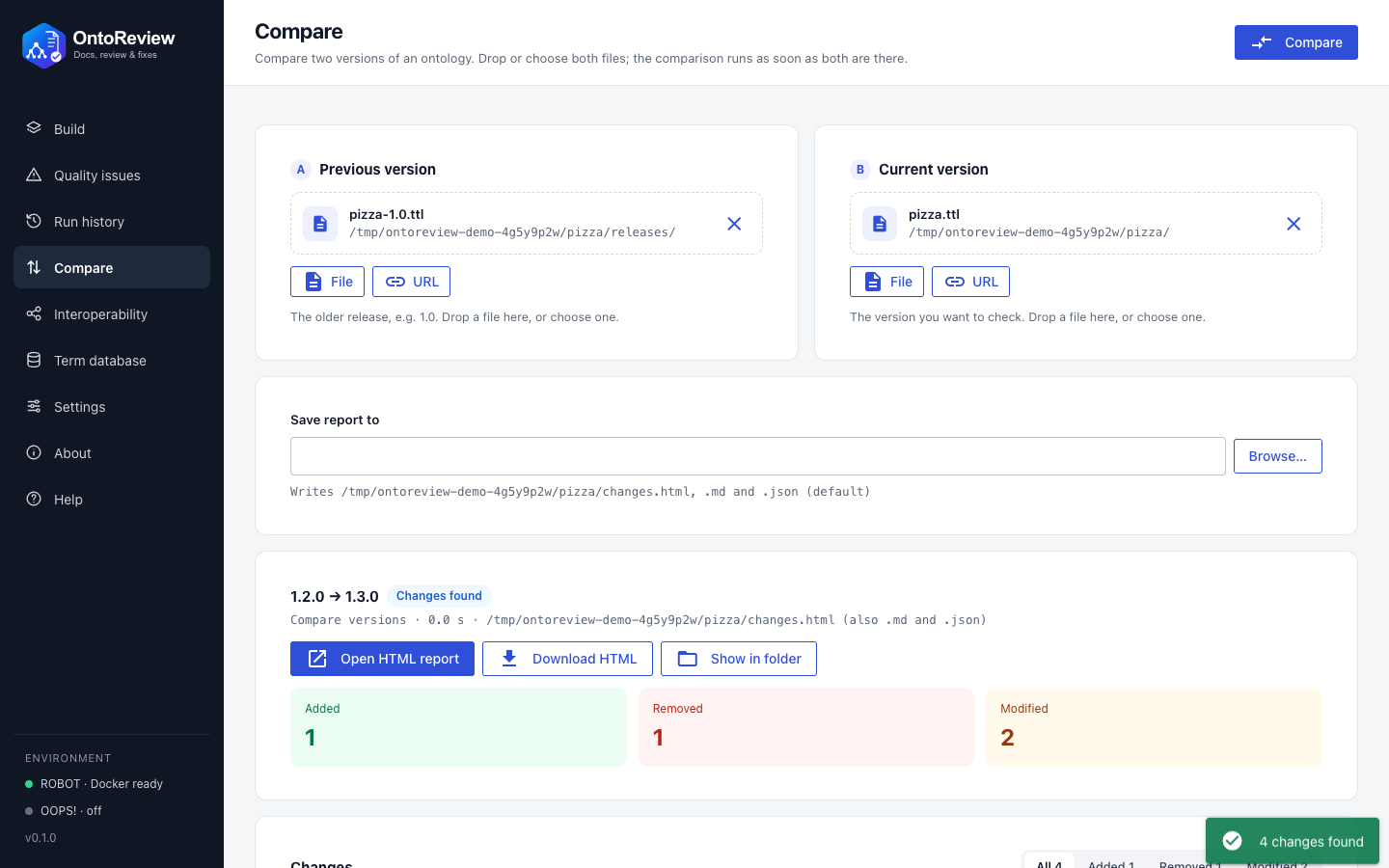 |
| Interoperability – CDI and SI for one ontology | Compare – what changed between versions |
 |
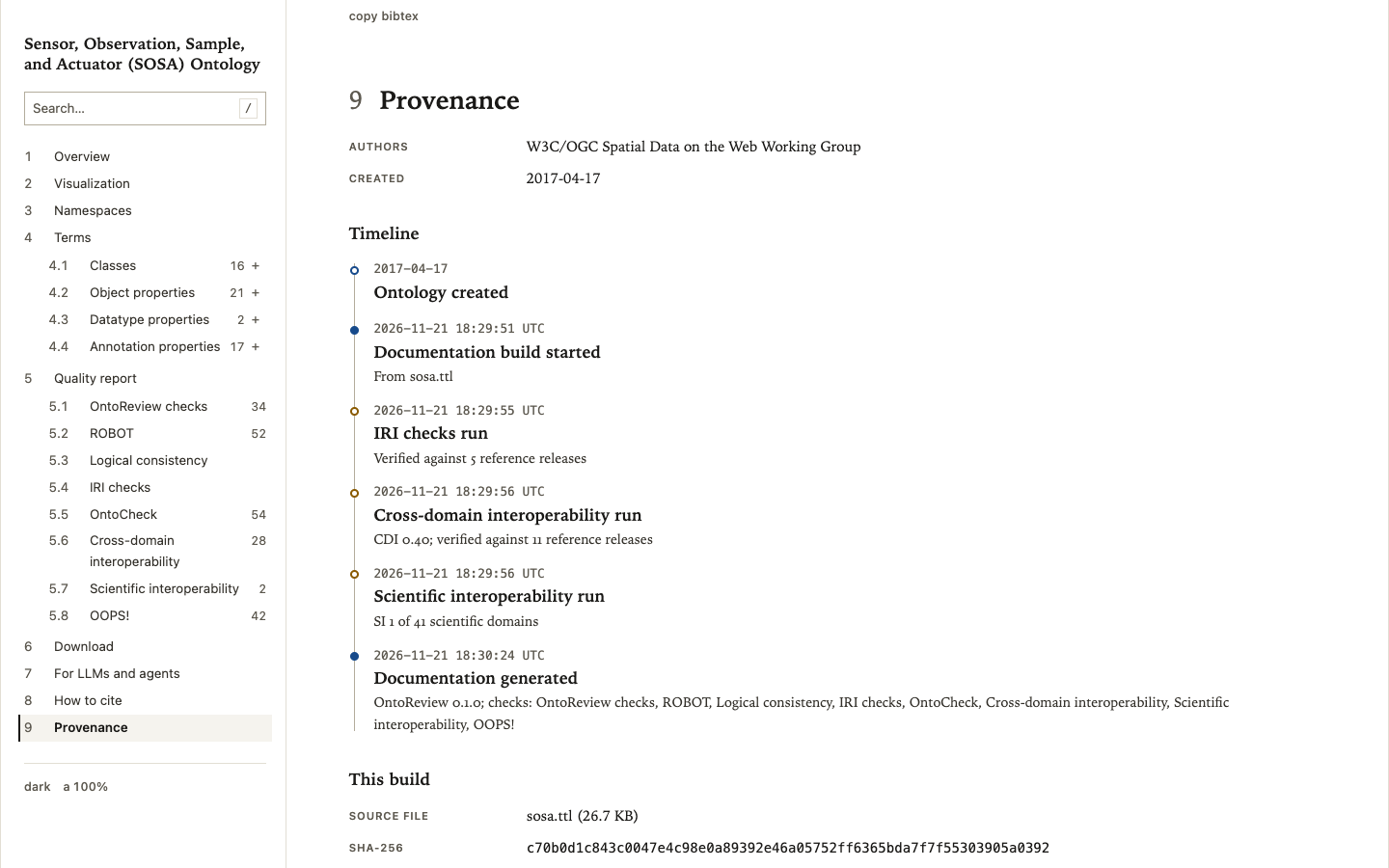 |
| Docs – quality report: a plain-language summary, each issue once (with the checks that found it), then each check's own report | Docs – provenance with timestamps |
 |
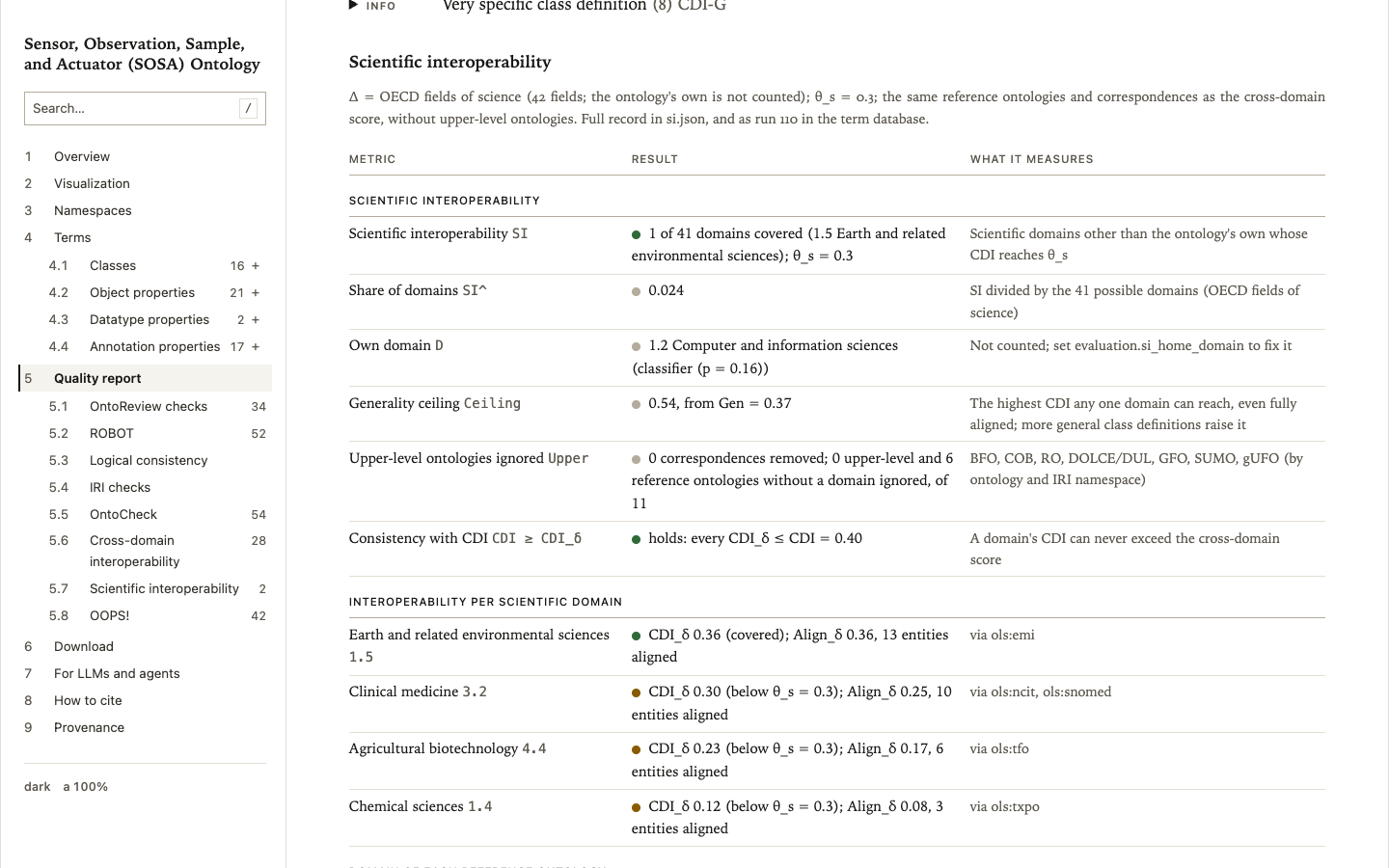 |
| Docs – interactive diagram | Docs – scientific interoperability per domain |
 |
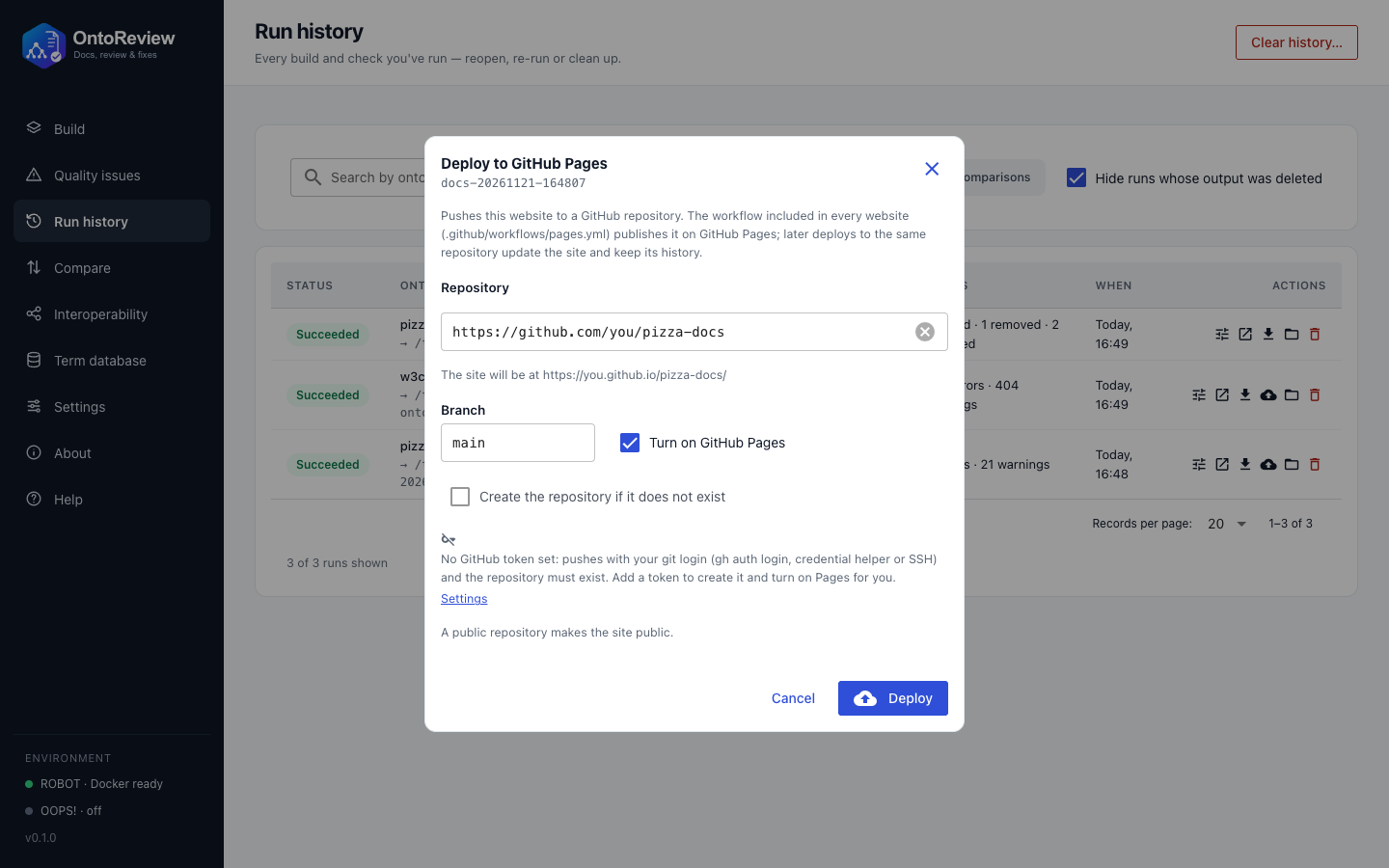 |
| Run history – re-run as is or changed, export | Deploy – push to GitHub Pages |
 |
|
| Settings – references, domains, OLS/BioPortal search |
Commands
| Command | What it does |
|---|---|
ontoreview ui |
The app (recommended) |
ontoreview build SOURCE -o docs |
Documentation website (--single-file for one HTML file) |
ontoreview check SOURCE |
Quality checks; --interop-only for CDI and SI only |
ontoreview evaluate SOURCE -f json |
Every evaluation and setting as an option, one JSON result (for integration) |
ontoreview fix list / apply SOURCE |
Suggested fixes, written to a new version |
ontoreview diff OLD NEW |
Compare two versions |
ontoreview export SOURCE --format markdown |
Markdown or MyST pages |
ontoreview serve SOURCE |
Live preview while you edit |
ontoreview init SOURCE |
Create ontoreview.toml and a CI workflow |
SOURCE is a file, a URL or a folder of ontologies. Settings can live in ontoreview.toml next to the
ontology, so the app, the command line and CI build exactly the same docs.
Integrate with other tools and sites
ontoreview evaluate runs the evaluations from a script, a CI job or a web service and prints one JSON
object, so another site (for example a schema or ontology catalogue) can show OntoReview's results.
pip install ontoreview                     # add [cdi] for the interoperability scores

# all evaluations, JSON to stdout (exit 1 on errors; --fail-on never to always exit 0)
ontoreview evaluate onto.ttl -f json

# only some: rules, robot, reasoner, iri, ontocheck, oops, cdi, si
ontoreview evaluate onto.ttl --only rules,iri,ontocheck --no-iri-network -f json -o result.json

# any setting: every [evaluation] key is an option (or use --set KEY=VALUE, also on build and check)
ontoreview evaluate onto.ttl --only cdi,si --cdi-references ols --cdi-tau 0.6 --si-theta-s 0.4 -f json
ontoreview evaluate onto.ttl --disable-rule OB019 --severity OB011=info -f json

# the options themselves, as JSON: build a form from it
ontoreview evaluate --list-options -f json
Result ("schema": "ontoreview.evaluation/1"):
| Key | Contents |
|---|---|
tool, source |
OntoReview version; the file or URL evaluated, with its SHA-256 |
ontology |
IRI, title, version, license, number of terms |
evaluations |
Per check: ran, off, skipped (e.g. no Docker for ROBOT) or error, with its finding count |
summary |
Distinct issues by severity, raw findings, overlaps between checks, consistency, CDI/SI scores |
issues |
Each problem once, with the checks that found it and the affected terms |
settings |
The effective settings (API keys and tokens shown as ***) |
report |
The full report: every finding and every check's own results and metrics |
Fixes, including AI suggestions (ontoreview fix): list suggestions (with --ai, drafted
definitions and ranked domains/ranges), save them, let a person choose, then apply exactly those. AI
output is never applied unless its id is passed to apply.
# 1. suggestions (+ AI) → fixes.json  (schema ontoreview.fixes/1)
ontoreview fix list onto.ttl --ai --ai-priority ollama,api --ai-ollama-model qwen3.5:4b -o fixes.json
ontoreview fix list onto.ttl --refine "soil sample" --refine-instruction "for non-experts" -o fixes.json

# 2. apply the chosen ones → onto-v1.ttl + patch + record  (schema ontoreview.fix-result/1)
ontoreview fix apply onto.ttl --from fixes.json --accept 3f2a9c1b7d0e --text 3f2a9c1b7d0e="Edited wording." \
    --value 9b1c…="A definition you typed." --set license=https://creativecommons.org/licenses/by/4.0/ --json
--from refuses suggestions made for another version of the file. API keys come from the provider's
environment variable (OPENAI_API_KEY, ANTHROPIC_API_KEY, …) and are never written to the results.
Accepted AI text is counted as ai_assisted and recorded with its model in the .fixes.json record.
Notes for services:
- Network and uploads. OOPS! uploads the ontology to oops.linkeddata.es, and CDI/SI query OLS or
BioPortal. Use
--onlyor--oops offto keep an evaluation local, and--no-iri-networkfor offline IRI checks. - Keys. Pass them through the environment (
BIOPORTAL_API_KEY,HF_TOKEN), not on the command line. - Records.
--records DIRalso writescdi.json,si.json,iri-checks.jsonandprovenance.ttl. - Python. The same in Python:
from ontoreview.build import check; onto, report = check("onto.ttl", evaluation={"cdi": "off"}).
Learn more
- Guide: every feature, option, check and configuration key.
- In the app: Help (searchable, with screenshots).
- Examples:
examples/toy_onto.ttl; build the full set withpython scripts/build_examples.py && python -m http.server -d examples/site.
Contact
Development
python -m venv .venv && .venv/bin/pip install -e '.[dev]'
.venv/bin/pytest
MIT License.
1 maintainer

Metadata
1 maintainer
Release files for ontoreview 1.0.0
For a detailed explanation of source distributions (sdists) and built distributions (wheels), please see the package formats documentation.
Source distribution (sdist)
| File | Size | Uploaded | Provenance | Actions |
|---|---|---|---|---|
| ontoreview-1.0.0.tar.gz | 5.9 MB | Without provenance | Details for ontoreview-1.0.0.tar.gz |
Built distribution (wheel)
| File | Interpreter | ABI | Platform | Actions Reset |
|---|---|---|---|---|
| ontoreview-1.0.0-py3-none-any.whl | Python 3 | none | any | Details for ontoreview-1.0.0-py3-none-any.whl |
Total release size: 10.0 MB
Release files / ontoreview-1.0.0.tar.gz
| Download URL | ontoreview-1.0.0.tar.gz |
|---|---|
| Size | 5.9 MB |
| Tags | Source |
|
SHA-256 checksum How to use checksums |
1e55d2a7da67fd2b0a22909aaf39c8eebff17d8520fc4e3d1273d07d4c571508
|
|
BLAKE2b-256 checksum How to use checksums |
497313cd759d58b1ea3ce747f3332945a26e6d99fab932e87dc7fe146a778bfd
|
| Upload date | |
|
Uploaded using Trusted Publishing? What is trusted publishing? |
No |
| Uploaded via |
uv/0.9.15 {"installer":{"name":"uv","version":"0.9.15","subcommand":["publish"]},"python":null,"implementation":{"name":null,"version":null},"distro":{"name":"macOS","version":null,"id":null,"libc":null},"system":{"name":null,"release":null},"cpu":null,"openssl_version":null,"setuptools_version":null,"rustc_version":null,"ci":null}
|
Release files / ontoreview-1.0.0-py3-none-any.whl
| Download URL | ontoreview-1.0.0-py3-none-any.whl |
|---|---|
| Size | 4.1 MB |
| Tags | Python 3 |
|
SHA-256 checksum How to use checksums |
f1a5f1dc1bfa31e3d45c12b86c5cfdb46a024036f09d23b88e6ce7620fb37107
|
|
BLAKE2b-256 checksum How to use checksums |
b15055d251f9975327de4261b2ebcaefaaf96215ae7d3053c8d74ae3b9e2d62f
|
| Upload date | |
|
Uploaded using Trusted Publishing? What is trusted publishing? |
No |
| Uploaded via |
uv/0.9.15 {"installer":{"name":"uv","version":"0.9.15","subcommand":["publish"]},"python":null,"implementation":{"name":null,"version":null},"distro":{"name":"macOS","version":null,"id":null,"libc":null},"system":{"name":null,"release":null},"cpu":null,"openssl_version":null,"setuptools_version":null,"rustc_version":null,"ci":null}
|
Security for ontoreview 1.0.0
Provenance
Provenance describes where a file came from. On PyPI, provenance is shared via attestations, which provide a verifiable record of the build or publishing details. View details, limitations and caveats.
No provenance found
None of the files in this release were uploaded with provenance metadata.
A note on package security
PyPI is a repository for distributing packages, not a service for auditing them. While third-party security researchers and our staff do their best to detect and remove malicious packages, PyPI cannot guarantee the quality, security or suitability of any given package.
To learn more about protecting yourself from malicious actors, visit our package security documentation.














