
Onzr, the one-hour-late Deezer 💜 CLI.
Pronounced onze heure (11 O-Clock à-la-française) 🤡


!!! warning
This project is still at an early stage. It works in its core parts, but
will not meet standard requirements for a decent player.
Requirements
Quick start guide
Onzr is a python package, it can be installed using Pip (or any other package manager you may use):
pip install --user onzr
Once installed the onzr command should be available (if not check your PATH
definition). Before using Onzr, you should configure it (once for all):
onzr init
This command will prompt for an ARL token. If you don't know how to find it,
please follow
this guide.
You may now explore commands and their usage:
onzr --help
Onzr is based on an HTTP client/server architecture, hence, once installed, you should run the server before starting to use it:
onzr serve --log-level error &
In this case, the server is ran as a background job; see the serve command
documentation for details about running Onzr server.
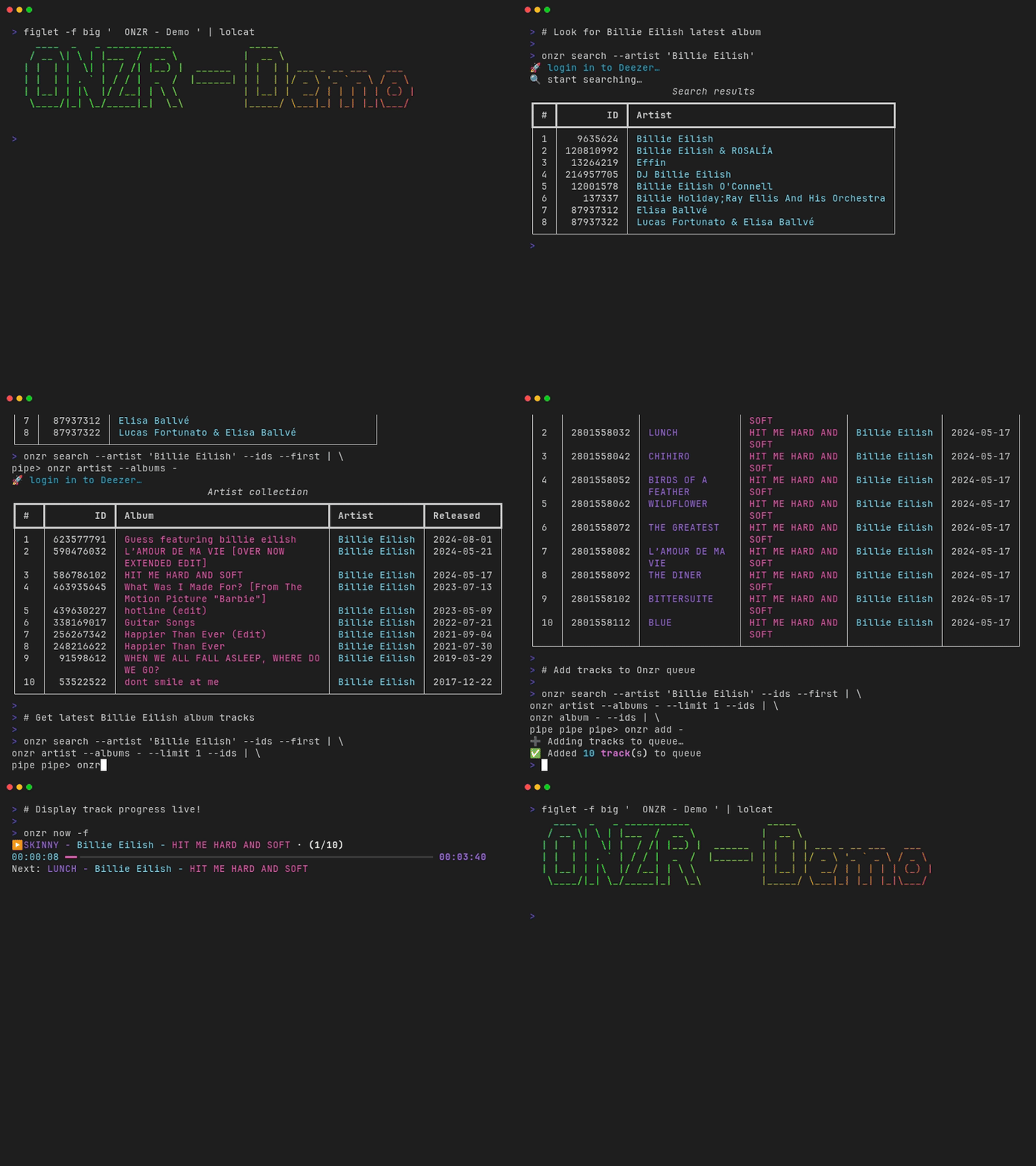
Play your first album:
onzr search --artist "Billie Eilish" --ids --first | \
    onzr artist --albums --ids --limit 1 - | \
    onzr album --ids - | \
    onzr add - && \
    onzr play
Aaand, tada 🎉
In this command, we look for the latest Billie Eilish album, add it to the queue and play it instantly!
Documentation
The complete documentation of the project is available at: https://jmaupetit.github.io/onzr/
License
This work is released under the MIT License.
1 maintainer

Metadata
1 maintainer
Release files for onzr 0.6.0
For a detailed explanation of source distributions (sdists) and built distributions (wheels), please see the package formats documentation.
Source distribution (sdist)
| File | Size | Uploaded | |
|---|---|---|---|
| onzr-0.6.0.tar.gz | 7.2 MB | Details |
Built distribution (wheel)
| File | Interpreter | ABI | Platform | Reset |
|---|---|---|---|---|
| onzr-0.6.0-py3-none-any.whl | Python 3 | none | any | Details |
Total release size: 7.2 MB
Release files / onzr-0.6.0.tar.gz
| Download URL | onzr-0.6.0.tar.gz |
|---|---|
| Size | 7.2 MB |
| Tags | Source |
|
SHA-256 checksum How to use checksums |
2c644441802bccc68908297627c8f9c424c20a0a4479d41af7465614cfe14ed4
|
|
BLAKE2b-256 checksum How to use checksums |
24a0a3a5cc28275edbf0b3cc6a049d84fab8369d683ab3e995deca8b31cec22b
|
| Upload date | |
|
Uploaded using Trusted Publishing? What is trusted publishing? |
Yes |
| Uploaded via |
twine/6.1.0 CPython/3.13.7
|
Provenance
Provenance describes where a file came from. On PyPI, provenance is shared via attestations, which provide a verifiable record of the build or publishing details. View details, limitations and caveats.


PyPI Publish Attestation
PyPI verified that this artifact, at this checksum, originated from the publisher listed below.
Signed by GitHub Actions, verified by PyPI on Dec 12, 2025.
Transparency logRelease files / onzr-0.6.0-py3-none-any.whl
| Download URL | onzr-0.6.0-py3-none-any.whl |
|---|---|
| Size | 24.7 kB |
| Tags | Python 3 |
|
SHA-256 checksum How to use checksums |
98be43e2fdf310aa65e77f485850a6498895a52e7eb385314d265b964ee57160
|
|
BLAKE2b-256 checksum How to use checksums |
32d106c5445ac2adfdd0f5f46b5816d981c0faa128fbbcef0c3a8f0cb524e5c8
|
| Upload date | |
|
Uploaded using Trusted Publishing? What is trusted publishing? |
Yes |
| Uploaded via |
twine/6.1.0 CPython/3.13.7
|
Provenance
Provenance describes where a file came from. On PyPI, provenance is shared via attestations, which provide a verifiable record of the build or publishing details. View details, limitations and caveats.
PyPI Publish Attestation
PyPI verified that this artifact, at this checksum, originated from the publisher listed below.
Signed by GitHub Actions, verified by PyPI on Dec 12, 2025.
Transparency log













