
oom-notifier













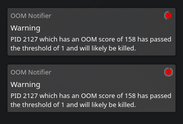
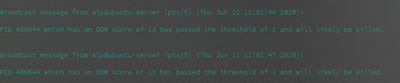
oom-notifier is a program and a library used to track oom scores for Linux.
Description
oom-notifier gets the oom score of each process by getting the /proc/<PID>/oom_score value. As a program, it tracks
the oom scores of each process (by default) every 5 seconds and the threshold is set to 1000. If you want to change these
values, refer to the configuration header below.
But what is an oom_score?
An oom_score is basically a score assigned to a process by the Linux kernel which is the likelihood that a process will
be terminated in case a computer is out of memory. If a process oom score is high, it means it will be one of the first processes to be killed in case
of low memory resources. If a process oom score is low, it means it will be the least likely to be killed in case of low memory
resources.
Getting Started
Dependencies
- Any Linux-based distribution
- Python>=3.6
- pip
Installing
- Install
oom-notifierusing pip.
$ pip install oom-notifier
Usage
As a library:
import oom_notifier

oom = oom_notifier.OOM()

# to get all pids and oom scores of each process, use this:
all_oom_scores = oom.info  # this is a dictionary

# to get the maximum oom score of all processes, use this:
max_oom_score = oom.max  # this is also a dictionary
As a program:
$ oom-notifier # launches oom-notifier in the background
Configuration
In ~/.config/oom-notifier/config.ini:
[Main]
; this sets the threshold to where oom-notifier will trigger a notification if it passes this value
threshold = <NUMBER_HERE>
; this sets the time where oom-notifier will wait to refresh the oom-scores
wait_time = <NUMBER_HERE>
Help
oom-notifier only displays in the command line
This usually means that the dbus can't contact the notification service (as, internally, dbus-python raises an exception incase of failure).
AFAIK, most of the time the reason this happens is because the notification service isn't installed.
In XFCE:
Check if xfce4-notifyd is running in the background.
$ ps cax | grep xfce4-notifyd
if there's no output, it means xfce4-notifyd isn't running and means it isn't started or isn't installed. If it isn't installed, you can install using your distribution's package manager.
License
This project is licensed under the GNU GPLv3 License - see the LICENSE file for details
1 maintainer

Metadata
1 maintainer
Release files for oom-notifier 1.1.0
For a detailed explanation of source distributions (sdists) and built distributions (wheels), please see the package formats documentation.
Source distribution (sdist)
| File | Size | Uploaded | |
|---|---|---|---|
| oom-notifier-1.1.0.tar.gz | 7.5 kB | Details |
Built distribution (wheel)
| File | Interpreter | ABI | Platform | Reset |
|---|---|---|---|---|
| oom_notifier-1.1.0-py3-none-any.whl | Python 3 | none | any | Details |
Total release size: 27.7 kB
Release files / oom-notifier-1.1.0.tar.gz
| Download URL | oom-notifier-1.1.0.tar.gz |
|---|---|
| Size | 7.5 kB |
| Tags | Source |
|
SHA-256 checksum How to use checksums |
97f048fe051cced052af24c1f8f17095acb3afe48e155d3016fa93ccdcb9e0da
|
|
BLAKE2b-256 checksum How to use checksums |
55f82e58df6ac993f11d87e57fb134831e8a72446830d20e05046f206990cb1b
|
| Upload date | |
|
Uploaded using Trusted Publishing? What is trusted publishing? |
No |
| Uploaded via |
twine/3.1.1 pkginfo/1.5.0.1 requests/2.23.0 setuptools/41.2.0 requests-toolbelt/0.9.1 tqdm/4.46.1 CPython/3.8.3
|
Release files / oom_notifier-1.1.0-py3-none-any.whl
| Download URL | oom_notifier-1.1.0-py3-none-any.whl |
|---|---|
| Size | 20.2 kB |
| Tags | Python 3 |
|
SHA-256 checksum How to use checksums |
758594fe6338ca06544561bba64b2e2efbb979d620ce46f6f7a16413285b769a
|
|
BLAKE2b-256 checksum How to use checksums |
85433f0efe858ef159823232d6a919d2c86929530eeea40982282ba0f23a7146
|
| Upload date | |
|
Uploaded using Trusted Publishing? What is trusted publishing? |
No |
| Uploaded via |
twine/3.1.1 pkginfo/1.5.0.1 requests/2.23.0 setuptools/41.2.0 requests-toolbelt/0.9.1 tqdm/4.46.1 CPython/3.8.3
|














