
LibreOffice Developer Tools

Project description





OOO Development Tools (OooDev) is intended for programmers who want to learn and use the Python version of the LibreOffice API.
This allows Python to control and manipulate LibreOffice’s text, drawing, presentation, spreadsheet, and database applications, and a lot more (e.g. its spell checker, forms designer, and charting tools).
One of the aims is to develop utility code to help flatten the steep learning curve for the API. For example, The Lo class simplifies the steps needed to initialize the API (by creating a connection to a LibreOffice process), to open/create a document, save it, and close down LibreOffice.
Currently this project has been tested on LibreOffice in Windows and Linux (Ubuntu).
Advantages of Python
Macros are pieces of programming code that runs in office suites and helps automate routine tasks. Specifically, in LibreOffice API these codes can be written with so many programming languages thanks to the Universal Network Objects (UNO).
Since LibreOffice is multi-platform we can use our documents at different platforms like Mac, Windows, and Linux. So we need a cross-platform language to run our macros at different platforms.
Python has the advantage that it is cross-platform and can run inside the office environment as macros and outside office environment on the command line.
Python has a vast set libraries that can be used in a project, including Numpy and Numexpr which are excellent and powerful at numeric computation.
This makes Python and excellent choice with maximum flexibility.
Documentation
Docs
Read documentation
Command Line Help
There are many classes and methods in this project. For this reason OooDev has a command line tool OooDev CLI Help. that can be used to search the documentation for classes and methods this project. Choosing a number from a search result opens you web browser to that class or method in the documentation.
OooDev CLI Help is built from Sphinx CLI Help, so see the Wiki Searching help and substitute cli-hlp with odh on command line instructions.
Example Usage:
odh hlp -s Write.append

Choose an option (default 1):
[0],  Cancel (or press q followed by enter)
[1],  ooodev.office.write.Write.append                                 - method     - py
[2],  ooodev.office.write.Write.append_date_time                       - method     - py
[3],  ooodev.office.write.Write.append_line                            - method     - py
[4],  ooodev.office.write.Write.append_para                            - method     - py
Note that OooDev CLI Help is a separate project and is not required to use this project. Also OooDev CLI Help use python built in sqlite which is not shipped with LibreOffices’s python on Windows. This means some configurations will not allow OooDev CLI Help to run on Windows. In this case you can install OooDev CLI Help on a global scope and use it that way if needed.
See Also: LibreOffice Developer Search
Installation
EXTENSION
This project is also available as an extension for LibreOffice. The OOO Development Tools extension is available on GitHub and LibreOffice Extensions.
See the Guide for installation and usage.
PIP
ooo-dev-tools PyPI
pip install ooo-dev-toolsNote: Support for python 3.7 was dropped in version 0.10.0
Modules
Currently there are more than 4,000 classes in this framework.
- Include modules:
Calc (Calc)
Write (Write)
Draw (LibreOffice Draw/Impress)
Forms (Support for building forms)
Dialogs (Build dialog forms)
GUI (Various GUI methods for manipulating LO Windows)
Lo (Various methods common to LO applications)
FileIO (File Input and Output for working with LO)
Format (Format Module — hundreds of classes — for Styling and modifying the many Documents and Sheets properties.)
Props (Various methods setting and getting the many properties of Office objects)
Info (Various method for getting information about LO applications)
Color (Various color utils)
DateUtil (Date Time utilities)
ImagesLo (Various methods for working with Images)
Props (Various methods for working with the many API properties)
Chart2 (charting)
Chart (charting)
Gallery (Methods for accessing and reporting on the Gallery)
Theme (Access to LibreOffice Theme Properties)
Units (Various unit methods and classes for passing different kinds of units in LibreOffice such as inches, millimeters, points, pixels.)
And more …
- Future releases will add:
Base (LibreOffice Base)
Clip (clipboard support)
Mail (Mail service provider)
Print (Print service provider)
And more …
Inspiration
Much of this project is inspired by the work of Dr. Andrew Davison. An archive archive of the Java code is available at GitHub - LibreOffice Java Programming.
See Also:
LibreOffice Programming that aims to gradually explain this content in a python context.
Other
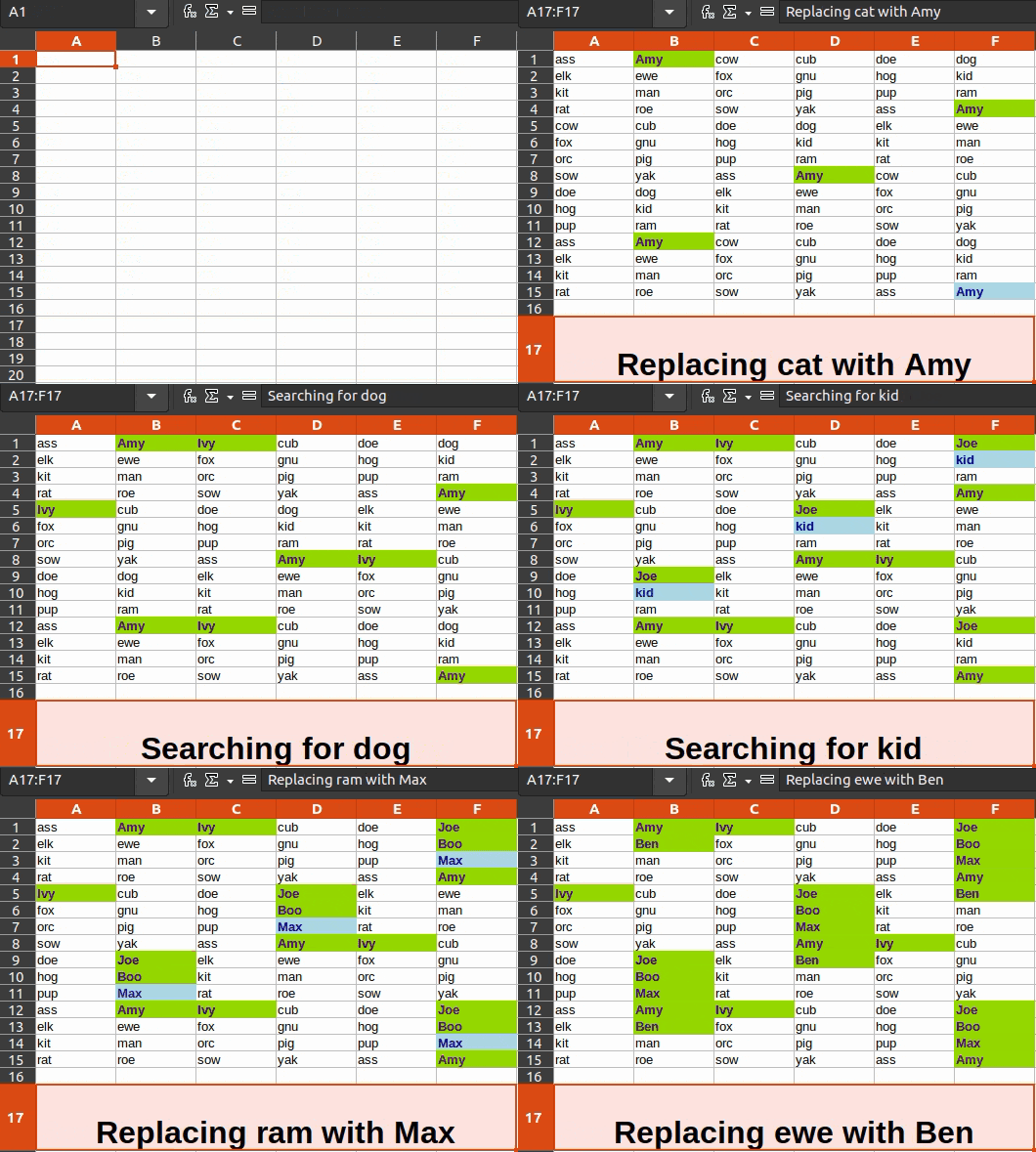
Figure 1: Calc Find and Replace Automation Example
Release history Release notifications | RSS feed


Download files
Download the file for your platform. If you're not sure which to choose, learn more about installing packages.
Source Distribution
Built Distribution
Filter files by name, interpreter, ABI, and platform.
If you're not sure about the file name format, learn more about wheel file names.
Copy a direct link to the current filters
File details
Details for the file ooo_dev_tools-0.28.3.tar.gz.
File metadata
- Download URL: ooo_dev_tools-0.28.3.tar.gz
- Upload date:
- Size: 2.1 MB
- Tags: Source
- Uploaded using Trusted Publishing? No
- Uploaded via: poetry/1.7.1 CPython/3.10.5 Linux/6.5.0-17-generic
File hashes
| Algorithm | Hash digest | |
|---|---|---|
| SHA256 |
f156c4fe8b3e93d993b23b88a5955f5c0d70f701063b32d8e225f3aa3e27c0ce
|
|
| MD5 |
d221caa31a4692584f2179e5fcac443c
|
|
| BLAKE2b-256 |
9e4437608d97a4196f1f5514a1725bdd97fd62f2f0fd4259c3ae8916a529c942
|
File details
Details for the file ooo_dev_tools-0.28.3-py3-none-any.whl.
File metadata
- Download URL: ooo_dev_tools-0.28.3-py3-none-any.whl
- Upload date:
- Size: 3.2 MB
- Tags: Python 3
- Uploaded using Trusted Publishing? No
- Uploaded via: poetry/1.7.1 CPython/3.10.5 Linux/6.5.0-17-generic
File hashes
| Algorithm | Hash digest | |
|---|---|---|
| SHA256 |
c234d376bdae6e9ed64f829c6954d172ac31ee4921269fba07011e6d309524ef
|
|
| MD5 |
ed70b5381205f3ae11d8db6ee5fc2612
|
|
| BLAKE2b-256 |
656b3cdc12fa8a4ea1b6ed511a9d16edd8eee965a0576ba3eb525e32cc57dddc
|






