
op-img
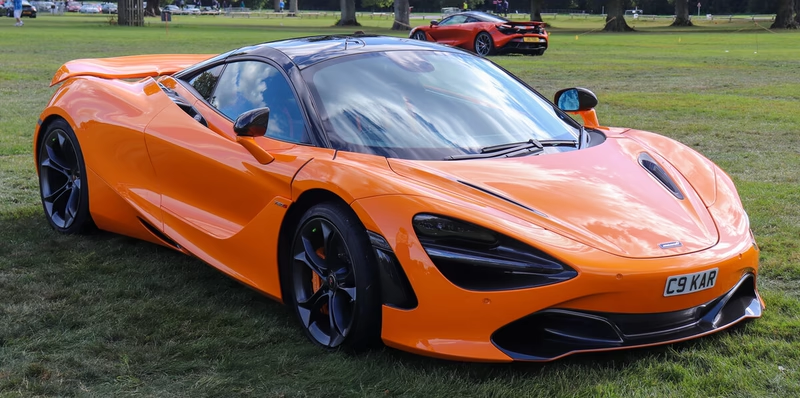
op-img is a composable image manipulation CLI:
op-img <patch> <input> [--args]
Quick start
Install op-img with pipx, which also installs Pillow, numpy and scipy:
pipx install op-img
Or run it from a clone. Clone the repository:
git clone https://github.com/service-dept/op-img.git
Move into it:
cd op-img
Install Python3 with Pillow, numpy and scipy:
pip3 install Pillow numpy scipy
Add op-img to your PATH (one-time setup, from the op-img folder):
ln -s "$(pwd)/op-img" /usr/local/bin/op-img
Use it from anywhere on your machine.
Show the usage and three patches at random:
op-img
Crush the colors to 1 bit per channel:
op-img bit-crush photo.jpg
Sort the pixels, saving photo-psort.jpg next to photo.jpg because no output is given:
op-img pixel-sort photo.jpg
Draw halftone dots 8 px apart and save them as out.png:
op-img dot-halftone photo.jpg out.png --spacing 8
Snap every pixel to black, white or red:
op-img closest-palette photo.jpg --palette "#000,#fff,#f00"
The input comes first, then an optional output. Omit the output to save the result next to the input with the patch's suffix.
Patches
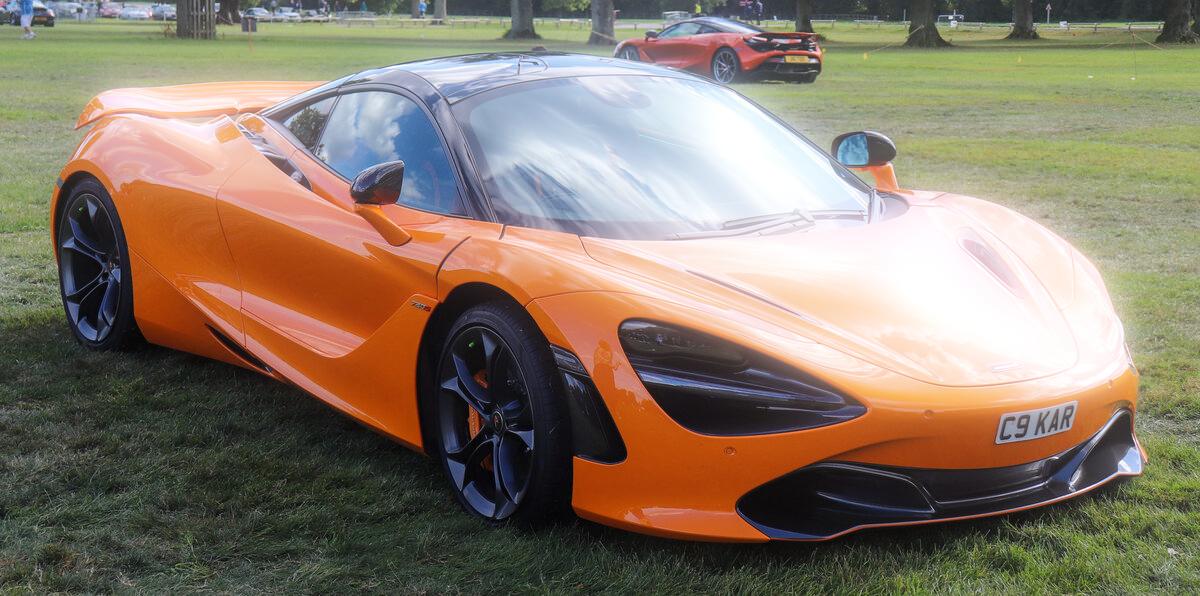
All examples below use this image as input:
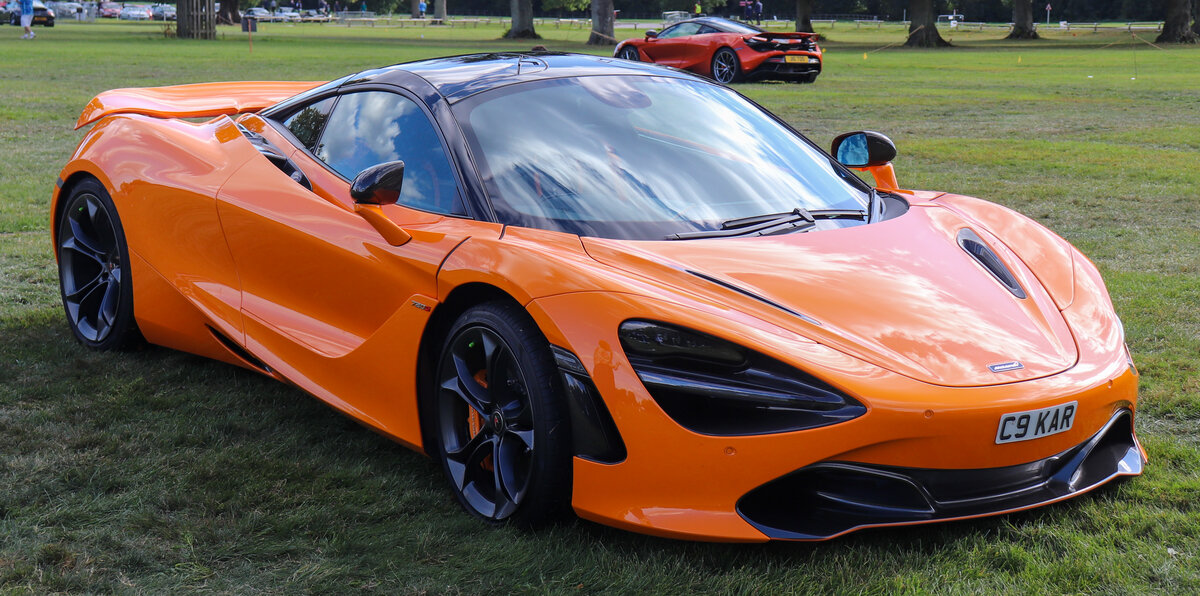
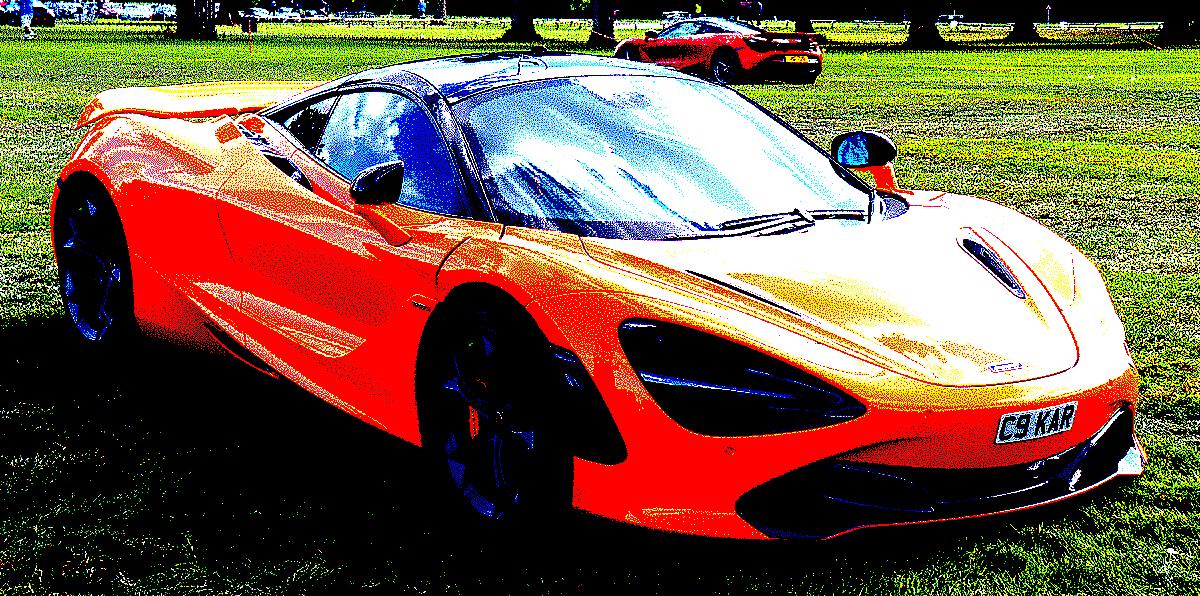
bit-crush
Reduce color depth to N bits per channel, with a light dither that leaves flat, saturated blotches.
python3 ./patches/bit-crush/bit-crush.py <input> [output] [--bits N]
Default: --bits 1 (2 levels per channel, 8 colors)
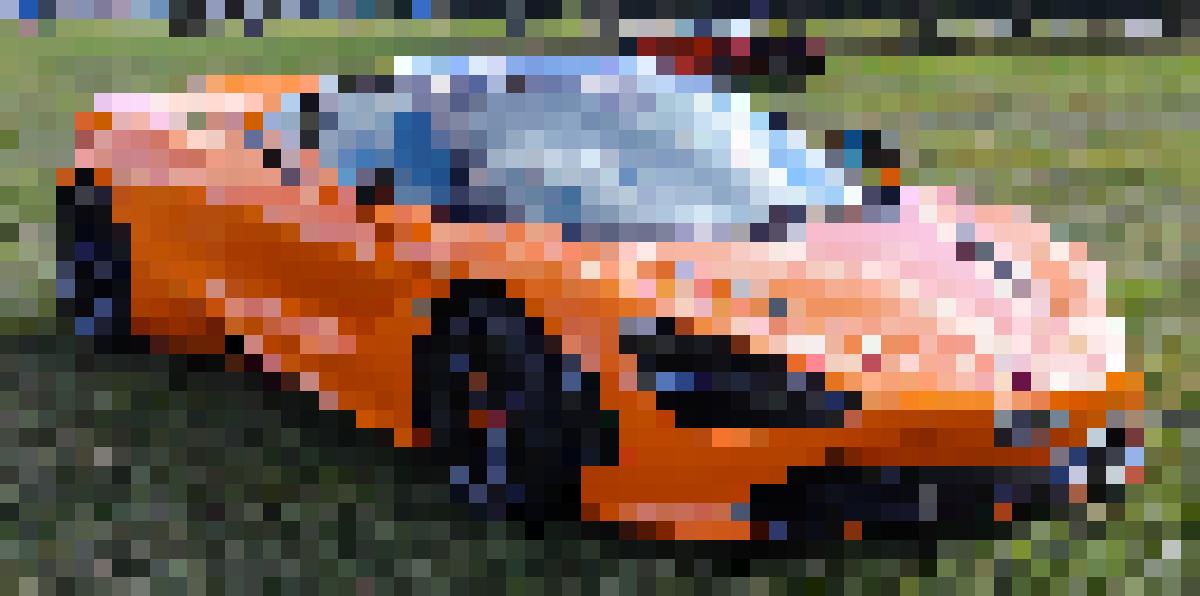
res-crush
Downscale to a tiny resolution and upscale back with nearest-neighbor for a chunky pixel look.
python3 ./patches/res-crush/res-crush.py <input> [output] [--size N]
Default: --size 64
channel-offset
Shift R, G, B channels by independent pixel amounts for a misregistered print / chromatic aberration look.
python3 ./patches/channel-offset/channel-offset.py <input> [output] [--r X,Y] [--g X,Y] [--b X,Y]
Default: --r 140,50 --g -20,40 --b -120,-40
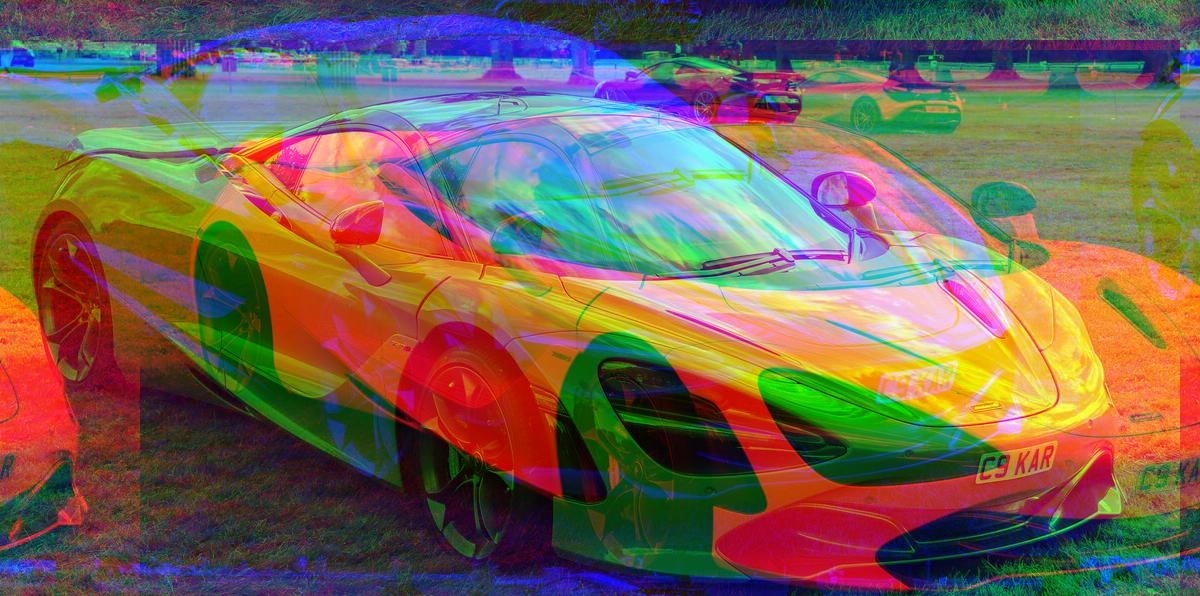
fold
Mirror or repeat one half of the image across a fold line.
python3 ./patches/fold/fold.py <input> [output] [--axis x|y] [--position N] [--mode mirror|repeat]
Default: --axis x --position center --mode mirror
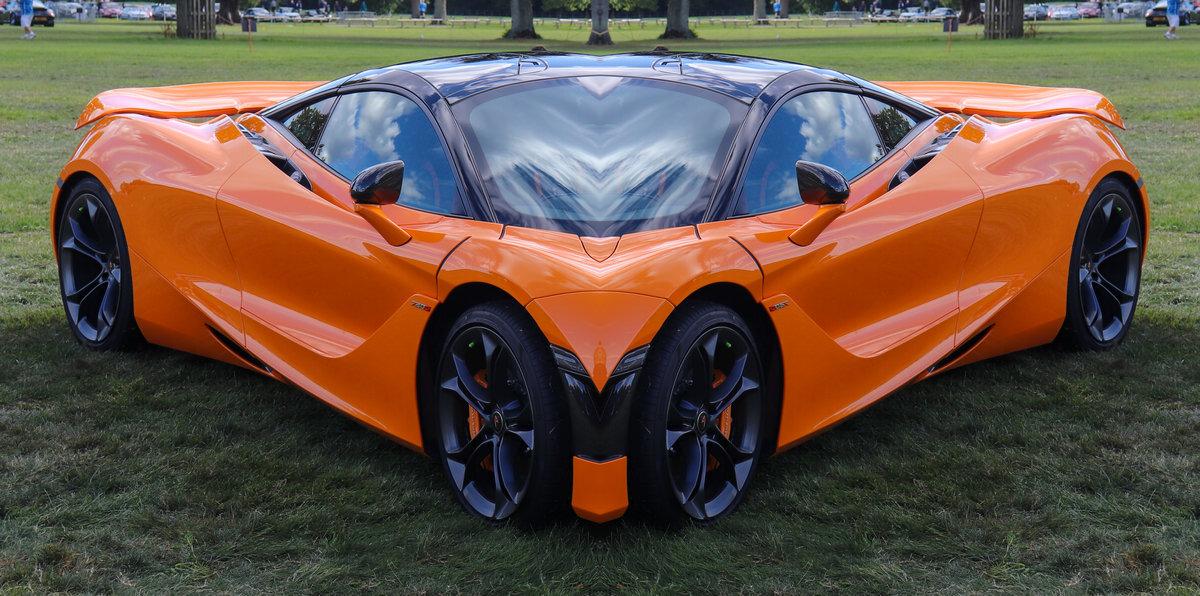
pixel-sort
Sort contiguous runs of pixels by brightness, hue, or saturation.
python3 ./patches/pixel-sort/pixel-sort.py <input> [output] [--by brightness|hue|saturation] [--threshold N] [--direction row|column]
Default: --threshold 200
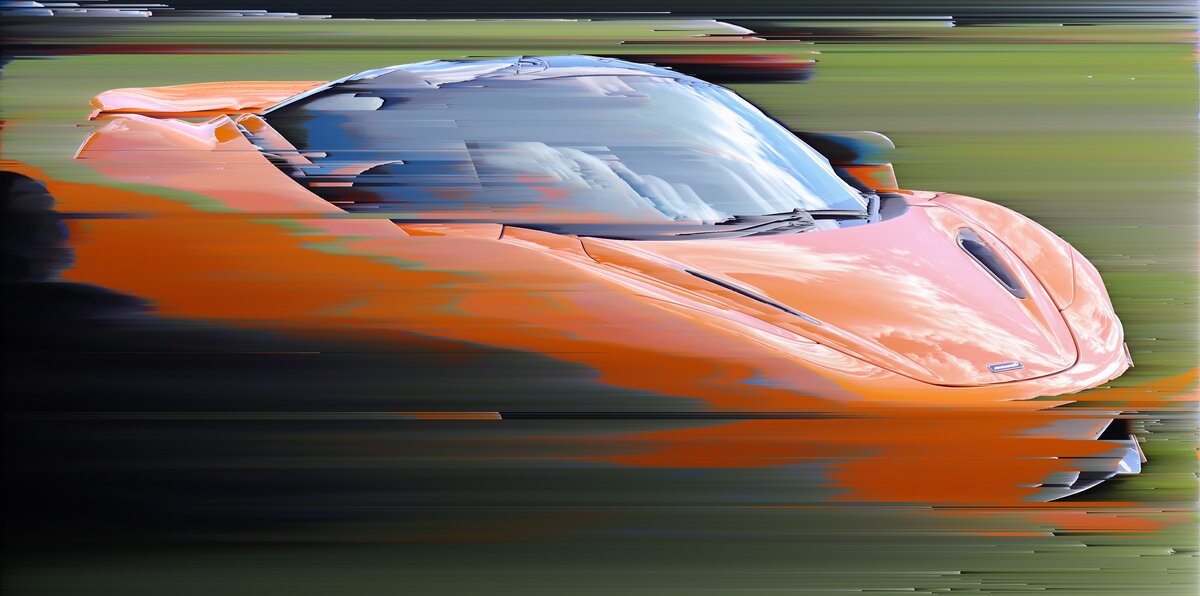
scan-glitch
Randomly shift horizontal slices of the image for a broken-signal effect.
python3 ./patches/scan-glitch/scan-glitch.py <input> [output] [--severity N] [--seed N]
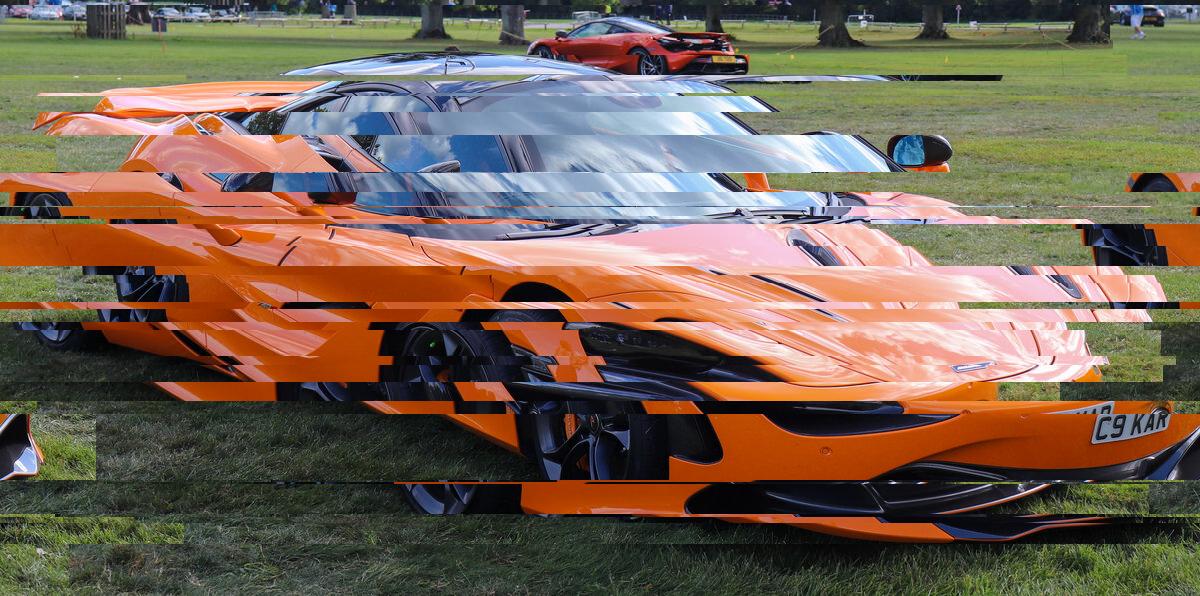
echo
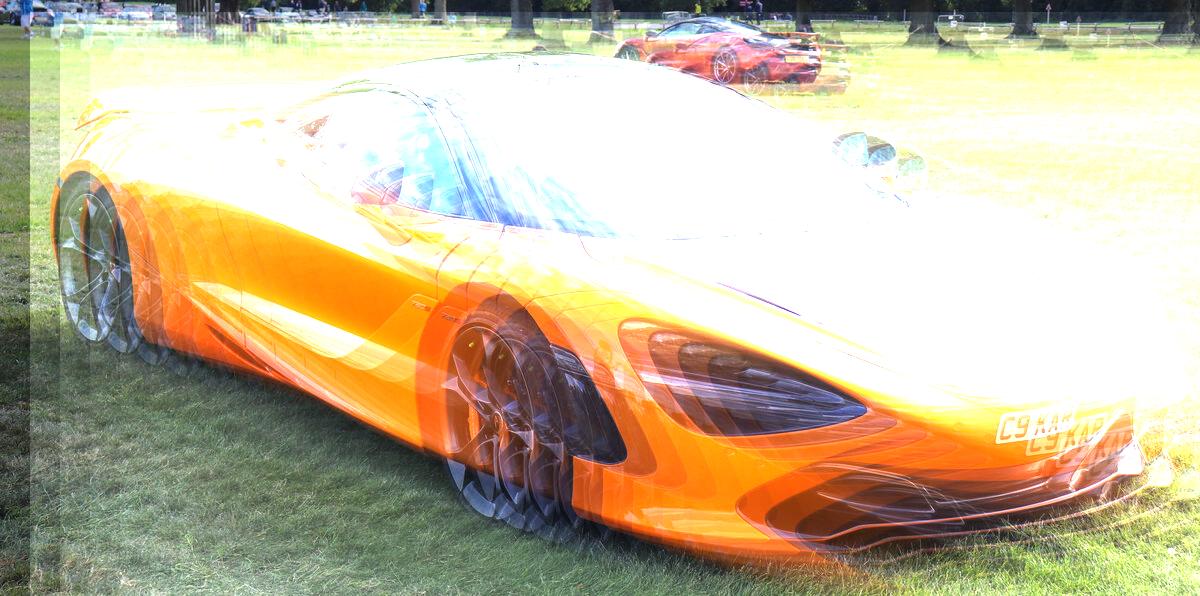
Composite the image on itself with offset and fade for a ghosting/echo effect.
python3 ./patches/echo/echo.py <input> [output] [--count N] [--offset-x N] [--offset-y N] [--decay N] [--blend additive|screen|multiply]
Default: --count 12 --offset-x 30 --offset-y 12 --decay 0.6 --blend additive
kaleidoscope
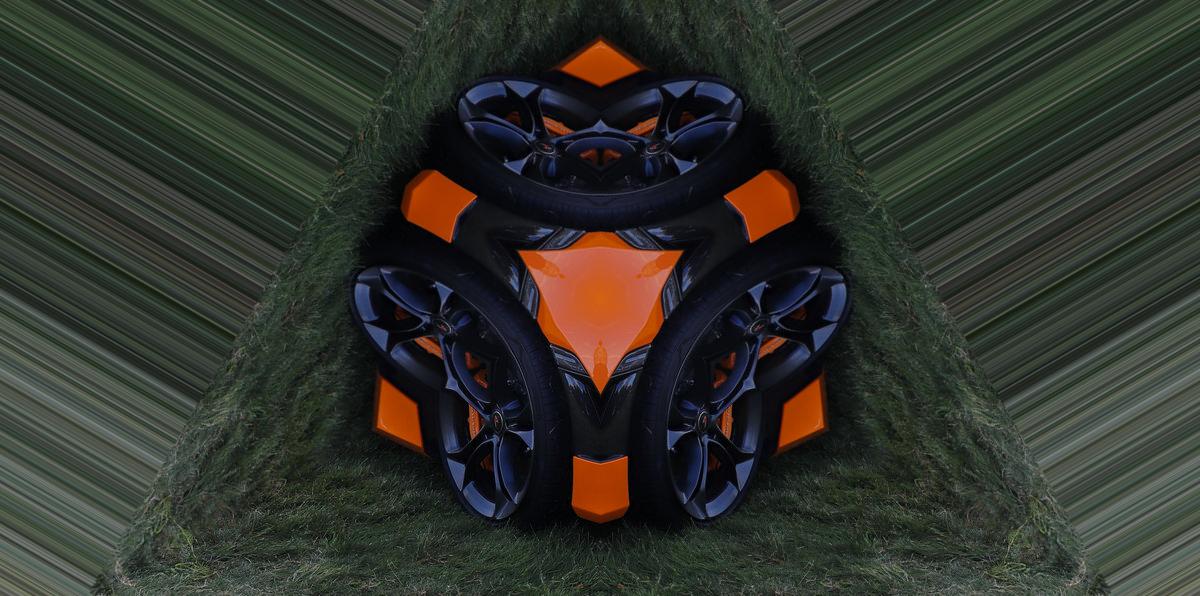
Extract a wedge from the image and mirror/rotate it around the center for a kaleidoscope effect.
python3 ./patches/kaleidoscope/kaleidoscope.py <input> [output] [--segments N] [--angle N]
Default: --segments 6 --angle 90
polar
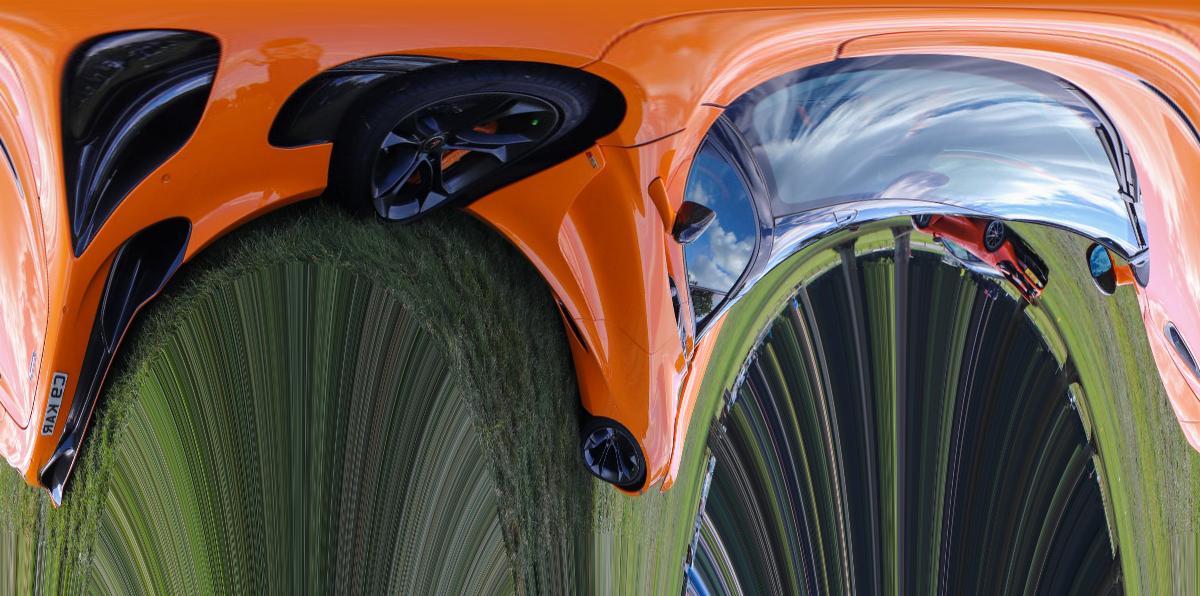
Remap image between Cartesian and polar coordinates. --center moves the pole, --rotate turns where the seam falls, and --radius sets how far out the rings reach. Use the same values for to-polar and from-polar to map back.
python3 ./patches/polar/polar.py <input> [output] [--mode to-polar|from-polar] [--center X,Y] [--rotate DEG] [--radius N]
Default: --mode to-polar --center 0.5,0.5 --rotate 0 --radius 1
raw-bend
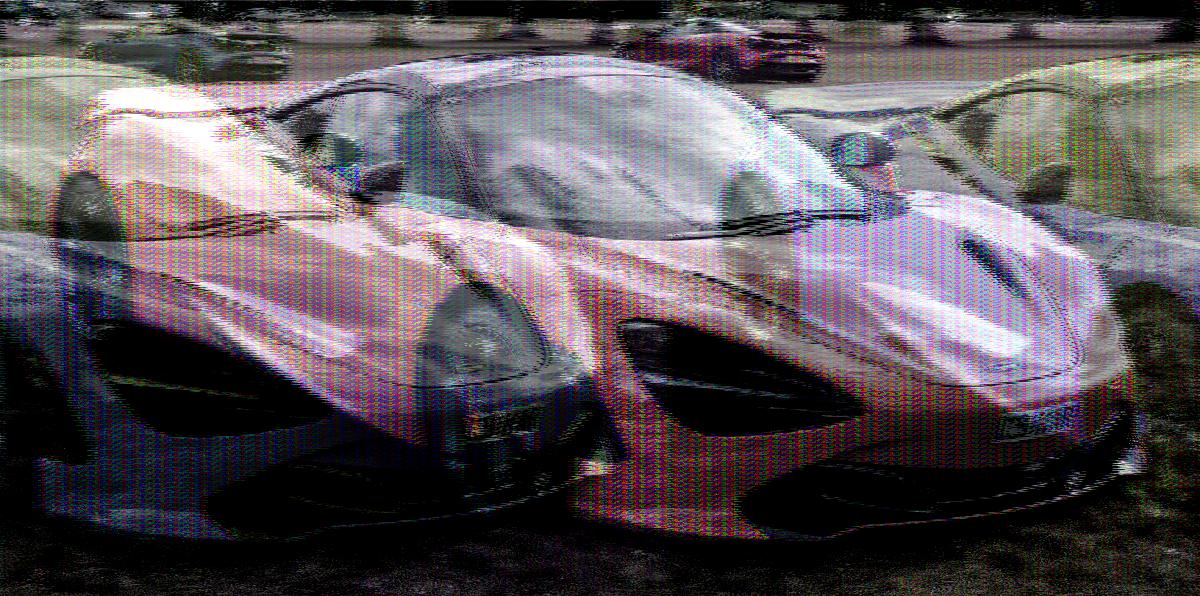
Treat pixel data as a raw audio signal and apply echo, chorus, and bitcrush distortion.
python3 ./patches/raw-bend/raw-bend.py <input> [output] [--echo-strength N] [--echo-delay N] [--chorus N] [--bitcrush N]
Default: --echo-strength 0.8 --echo-delay 2000 --chorus 0.7 --bitcrush 0
seam-carve
Content-aware image resizing by removing low-energy vertical seams.
python3 ./patches/seam-carve/seam-carve.py <input> [output] [--percent N] [--energy gradient|sobel]
Default: --percent 35 --energy sobel
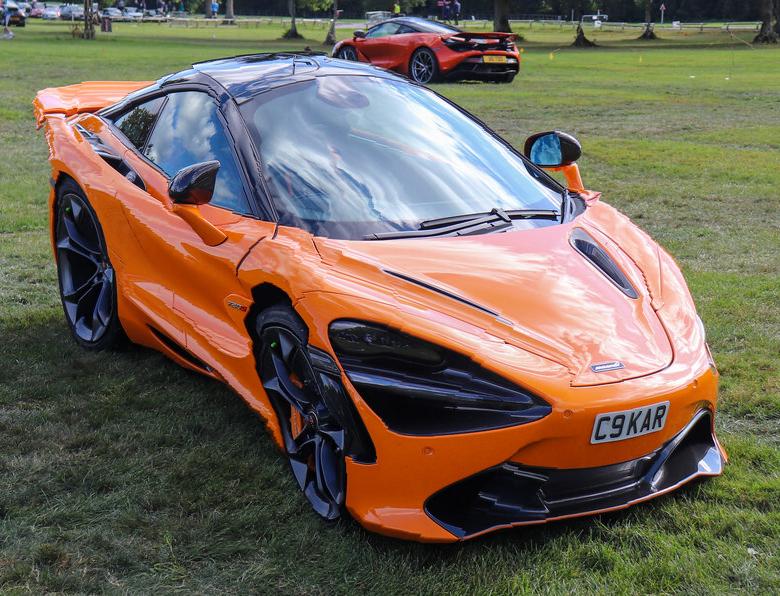
slit-scan
Take one column from each rotation of the image and stitch them together for a slit-scan effect.
python3 ./patches/slit-scan/slit-scan.py <input> [output] [--slits N] [--max-angle N]
Default: --slits <width> --max-angle 180
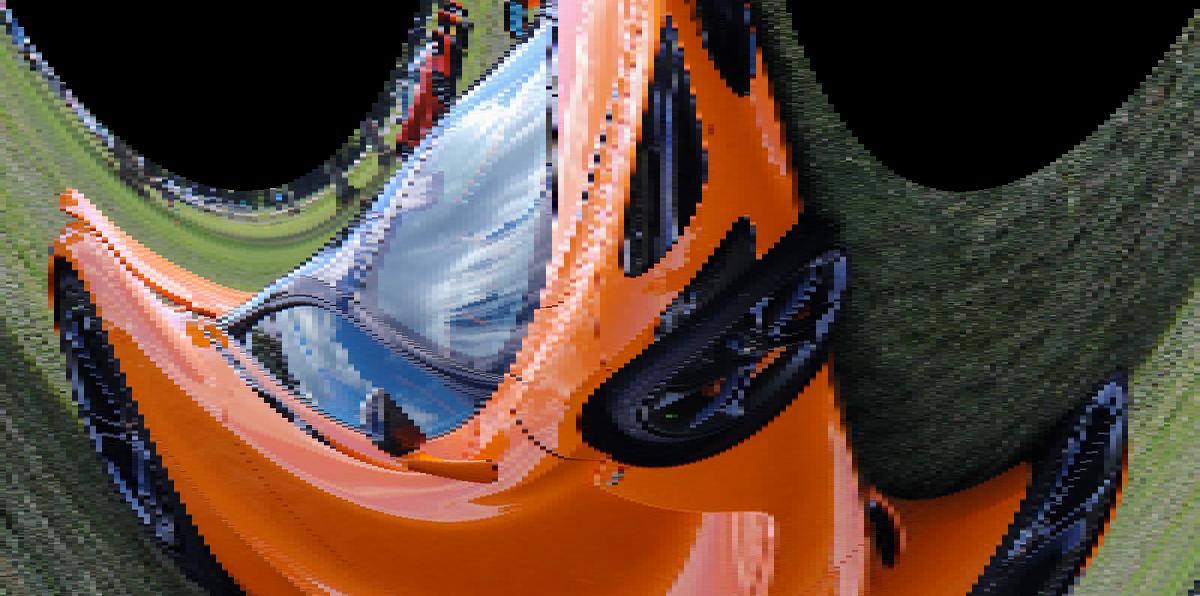
tile-shuffle
Chop the image into an NxN grid and randomly permute the tiles.
python3 ./patches/tile-shuffle/tile-shuffle.py <input> [output] [--grid N] [--seed N]
Default: --grid 8
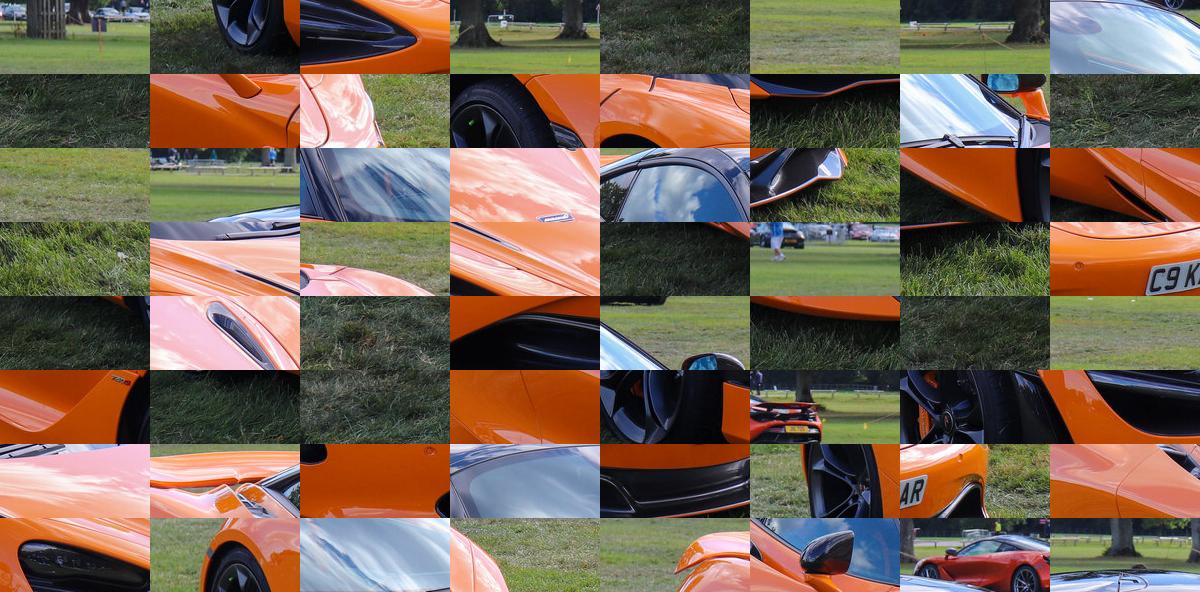
wrong-stride
Flatten the pixel buffer and reshape with a wrong row width for a diagonal shear glitch.
python3 ./patches/wrong-stride/wrong-stride.py <input> [output] [--offset N]
Default: --offset 1
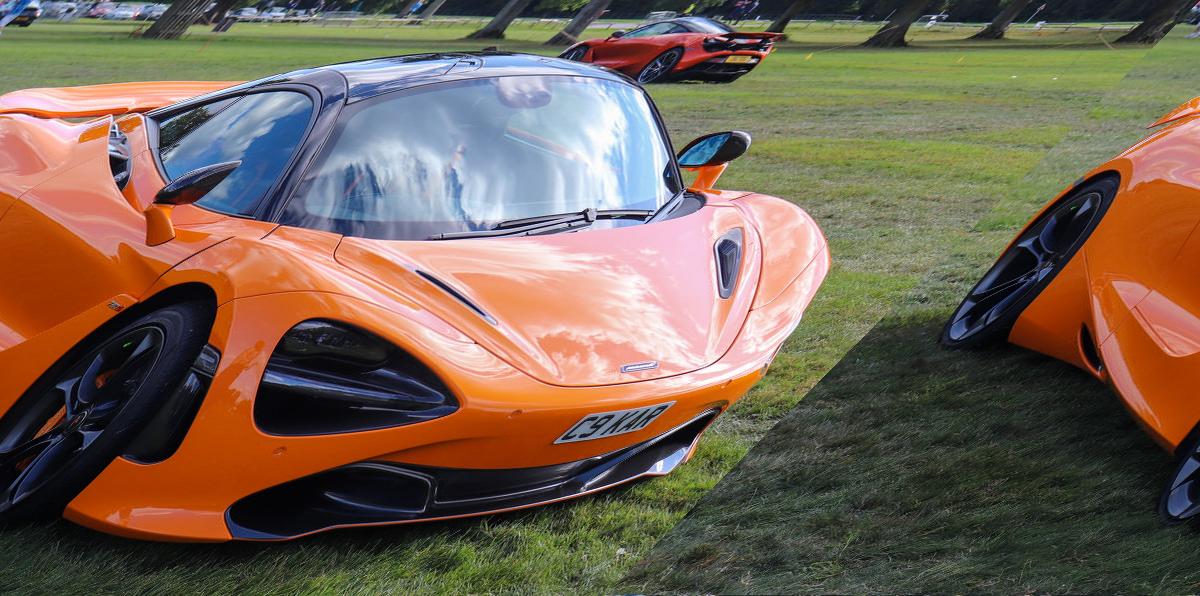
fft-phase
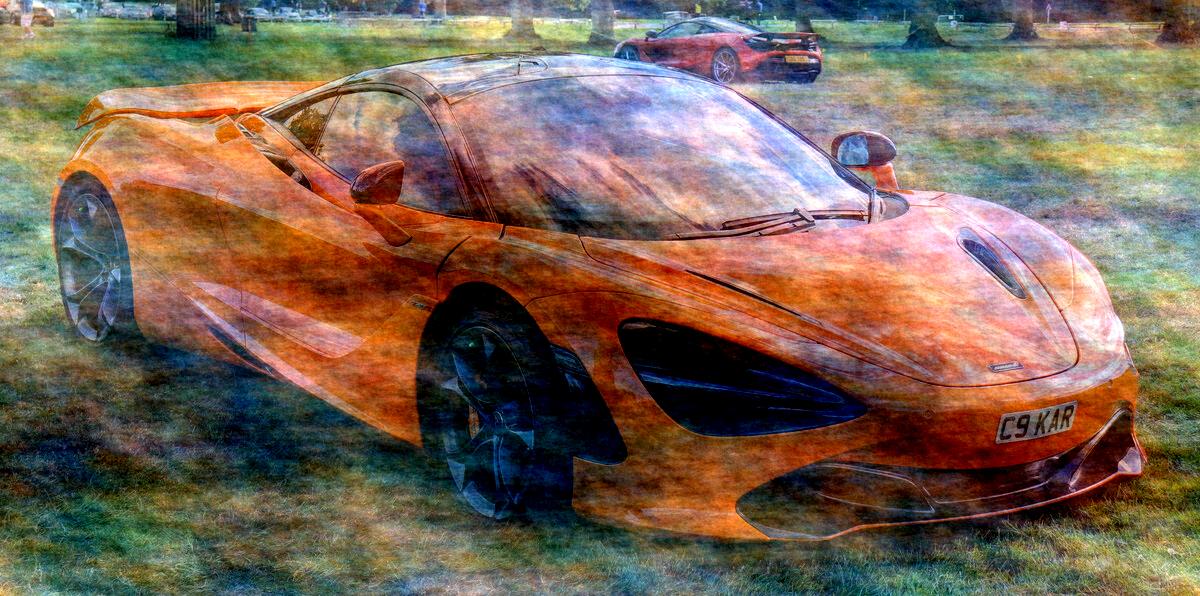
Keep each channel's Fourier magnitude and blend in random phase, so the image dissolves into a texture with the same spectrum.
python3 ./patches/fft-phase/fft-phase.py <input> [output] [--amount N] [--seed N]
Default: --amount 0.35
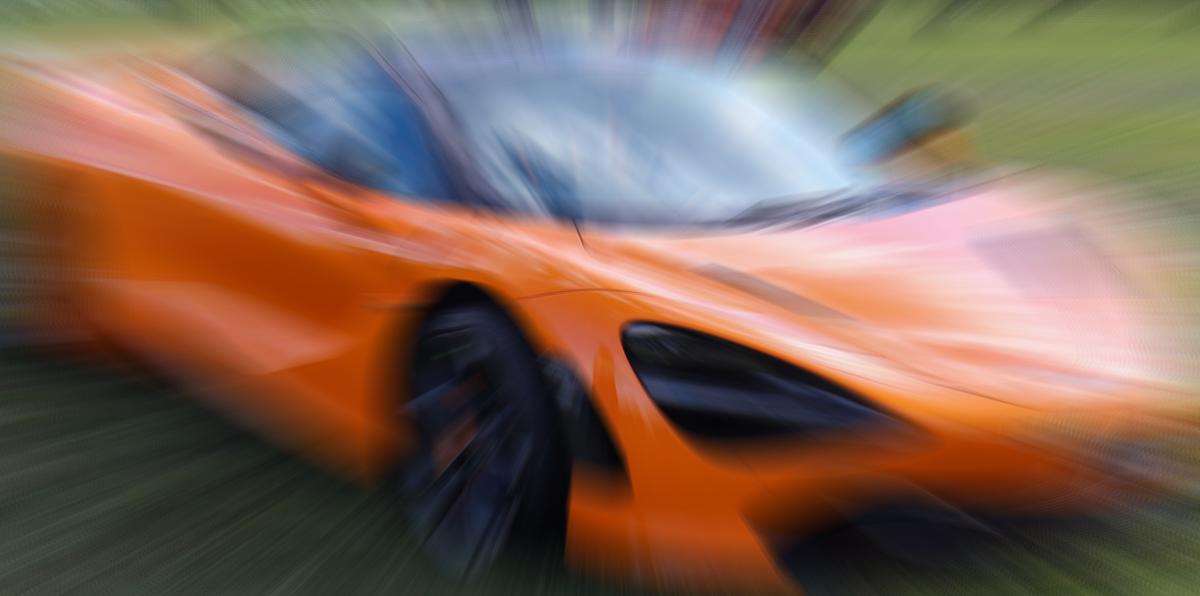
zoom-blur
Average copies of the image scaled up about a center point, for radial warp-speed streaks.
python3 ./patches/zoom-blur/zoom-blur.py <input> [output] [--amount N] [--center X,Y] [--samples N]
Default: --amount 0.3 --center 0.5,0.5 --samples 32
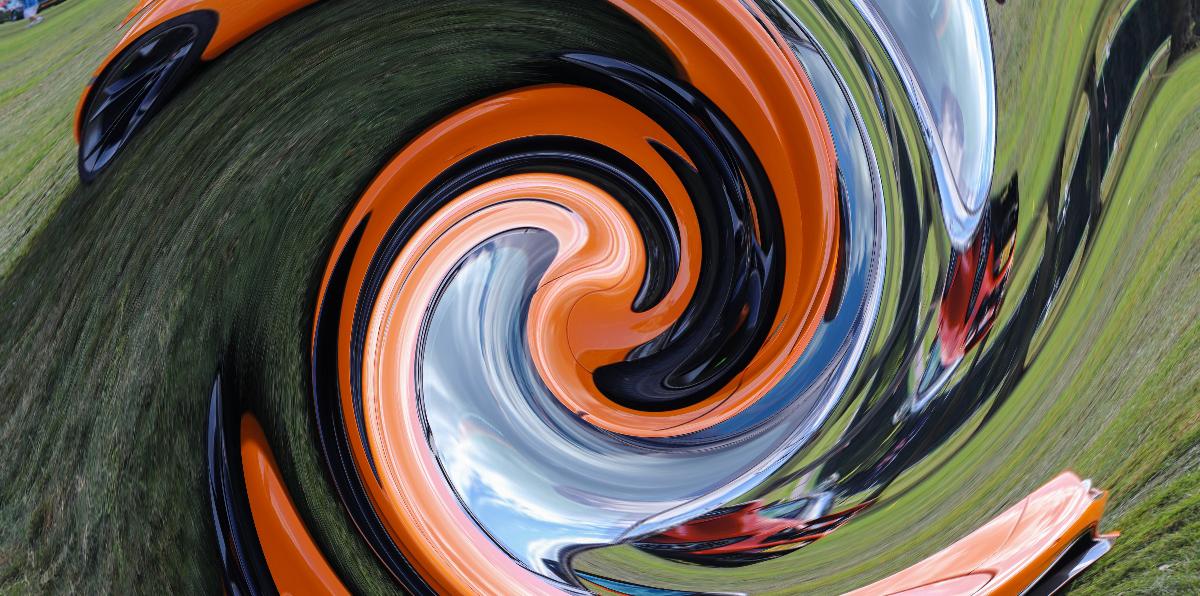
swirl
Twist the image around a center, with the rotation fading out toward a radius.
python3 ./patches/swirl/swirl.py <input> [output] [--angle DEG] [--radius N] [--center X,Y]
Default: --angle 360 --radius 1.0 --center 0.5,0.5
displace
Move each pixel along an angle by an amount taken from its own blurred brightness, so light and dark areas tear apart in opposite directions.
python3 ./patches/displace/displace.py <input> [output] [--amount PX] [--angle DEG] [--blur N]
Default: --amount 150 --angle 0 --blur 3
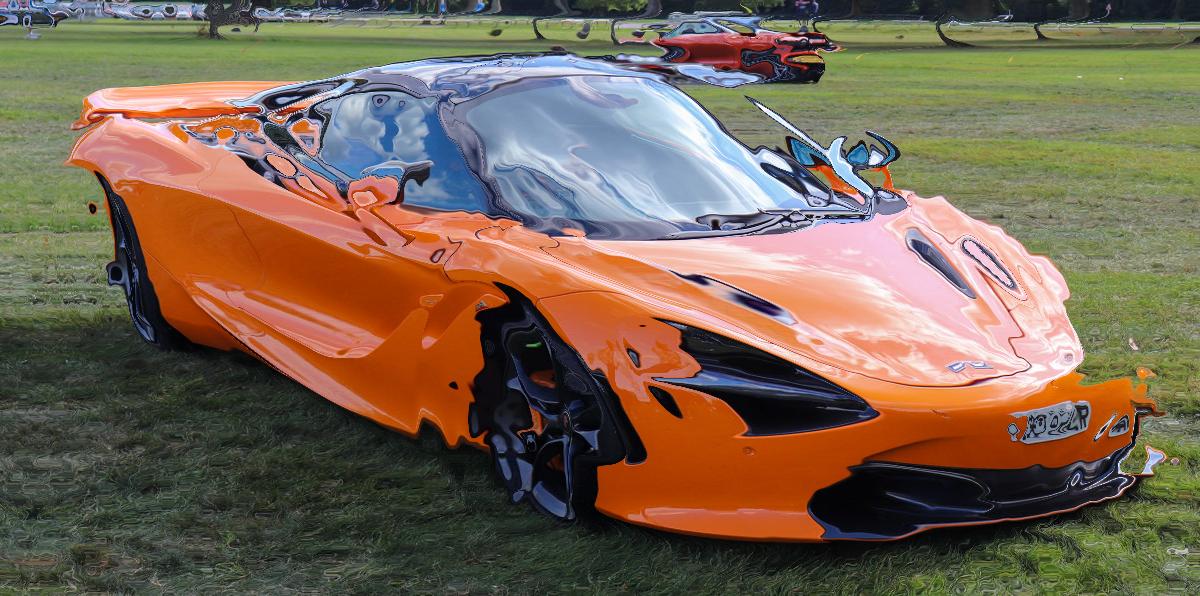
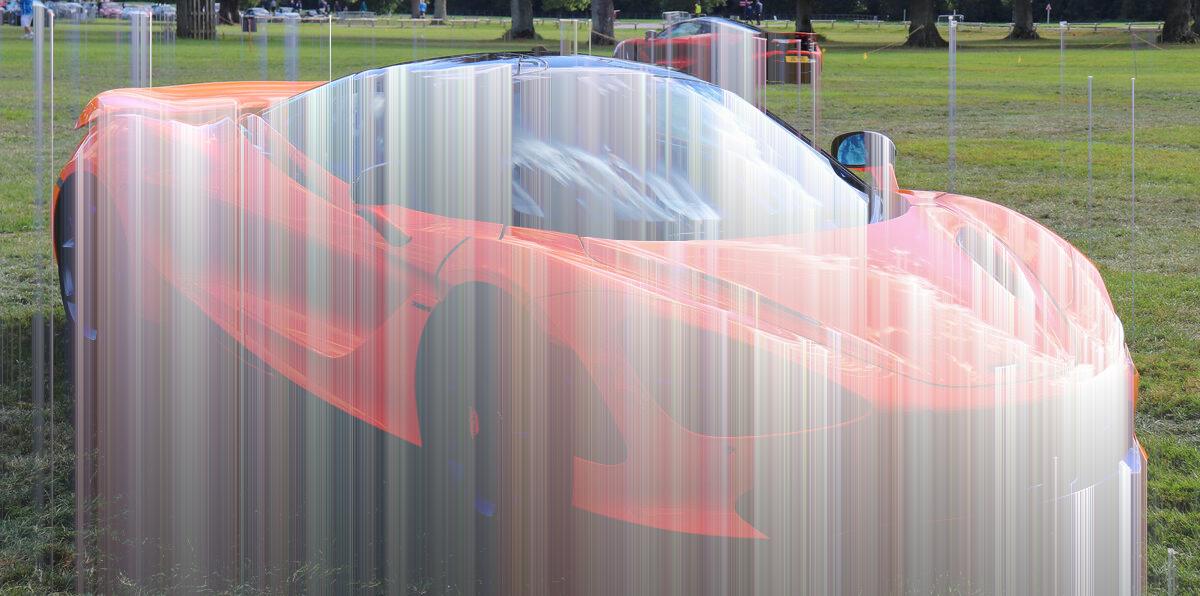
drip
Bleed bright pixels in one direction with a fading tail, like wet paint running.
python3 ./patches/drip/drip.py <input> [output] [--length PX] [--threshold N] [--direction down|up|left|right]
Default: --length 500 --threshold 120 --direction down
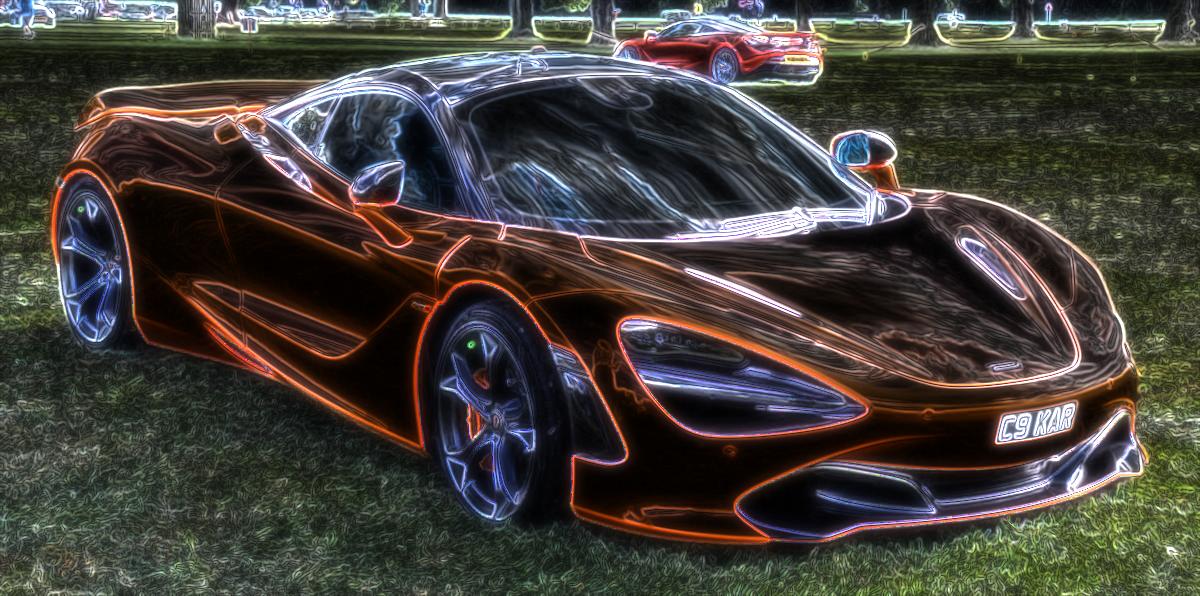
edge-glow
Turn edges into neon lines in each pixel's own hue, with a soft halo, over a darkened base.
python3 ./patches/edge-glow/edge-glow.py <input> [output] [--amount N] [--radius N]
Default: --amount 1 --radius 6
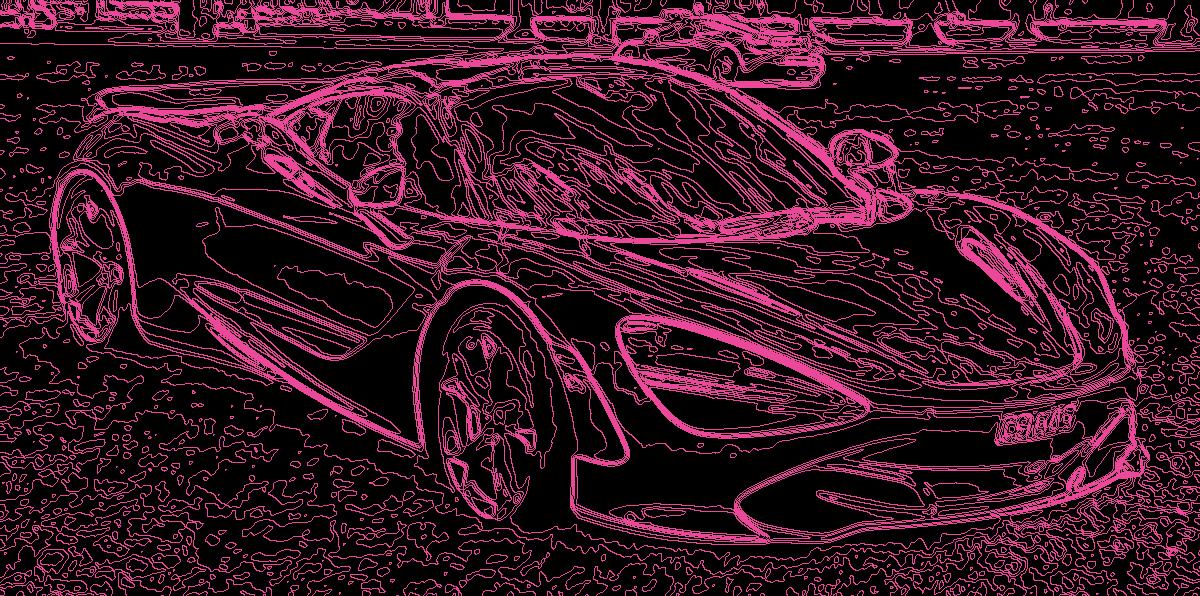
contour
Draw lines where brightness crosses N levels, like a topographic map of the photo. Pink lines on black by default.
python3 ./patches/contour/contour.py <input> [output] [--levels N] [--blur N] [--width PX] [--color HEX] [--amount N]
Default: --levels 16 --blur 2 --width 1 --color #ec4899 --amount 1
bloom
Pull out the highlights, blur them at three radii and screen them back for a soft glow.
python3 ./patches/bloom/bloom.py <input> [output] [--amount N] [--threshold N] [--radius N]
Default: --amount 2 --threshold 110 --radius 16
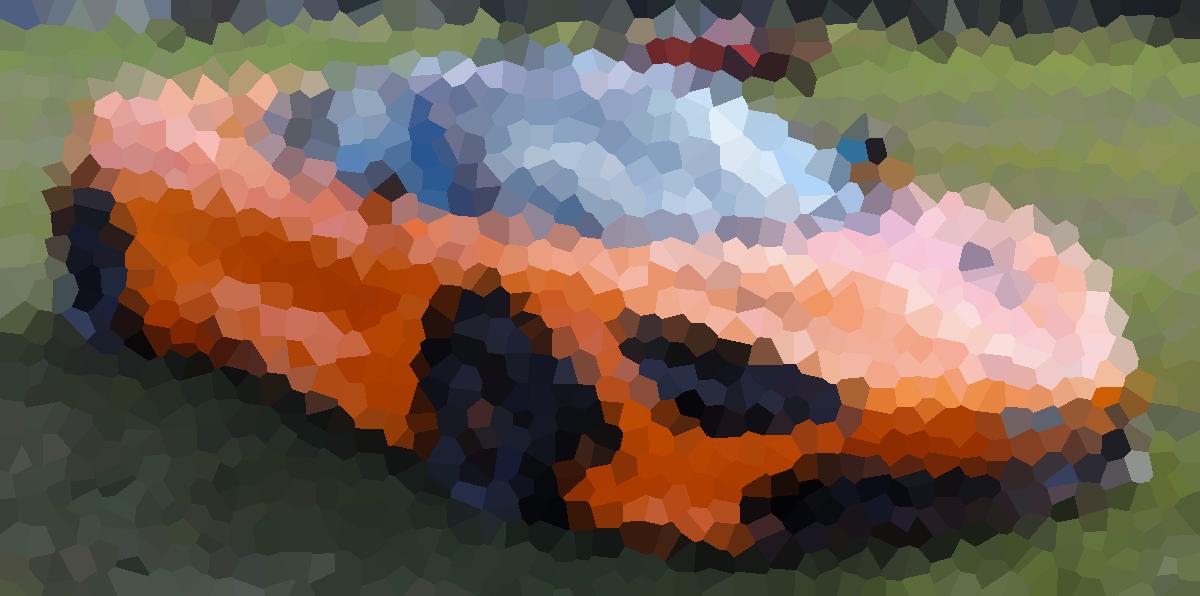
voronoi-mosaic
Split the image into irregular Voronoi cells filled with their average color, with optional dark leading like stained glass.
python3 ./patches/voronoi-mosaic/voronoi-mosaic.py <input> [output] [--size PX] [--jitter N] [--edges PX] [--seed N]
Default: --size 24 --jitter 1 --edges 0
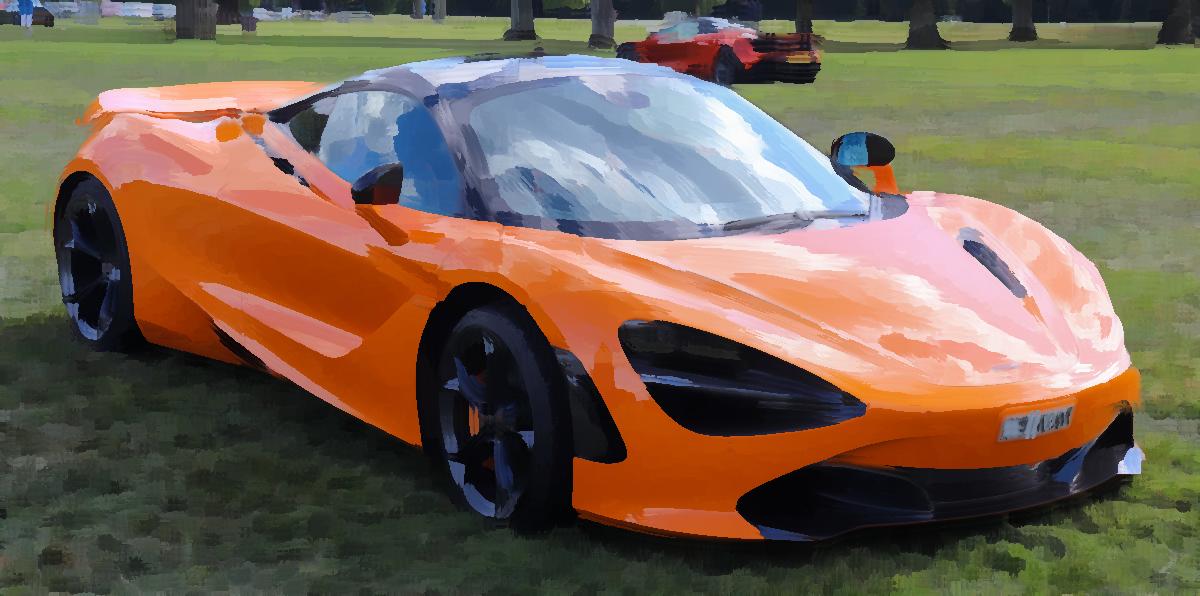
oil-paint
Kuwahara filter: smooth into flat painterly patches while keeping edges crisp.
python3 ./patches/oil-paint/oil-paint.py <input> [output] [--radius N]
Default: --radius 6
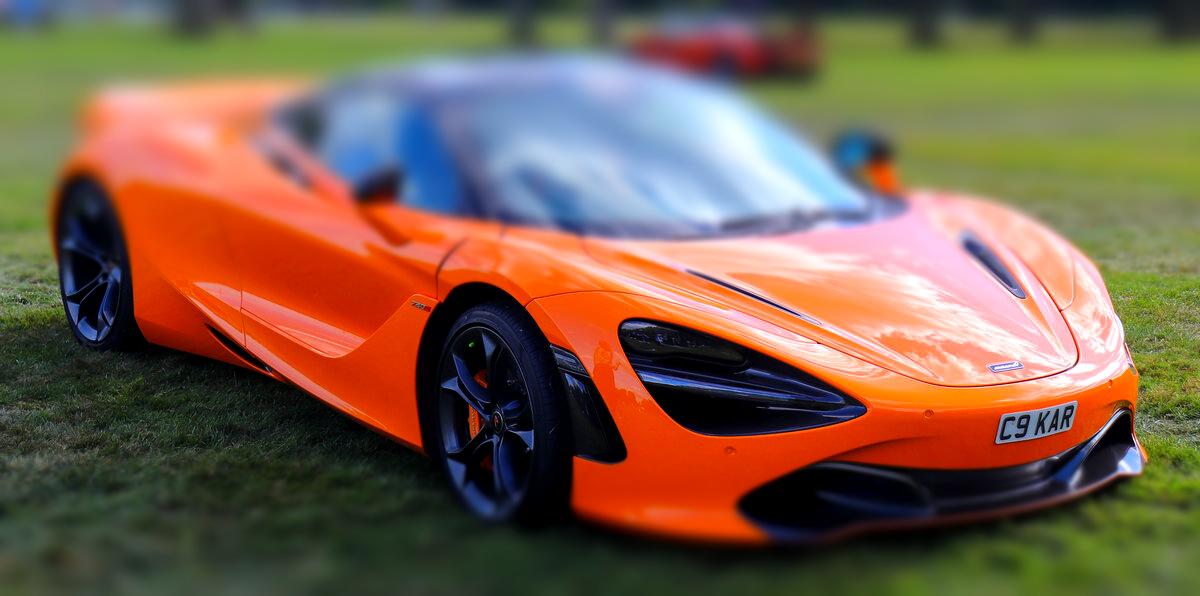
tilt-shift
Blur away from a horizontal focus band and lift the color, so the scene looks like a miniature.
python3 ./patches/tilt-shift/tilt-shift.py <input> [output] [--blur N] [--focus N] [--band N]
Default: --blur 10 --focus 0.62 --band 0.25
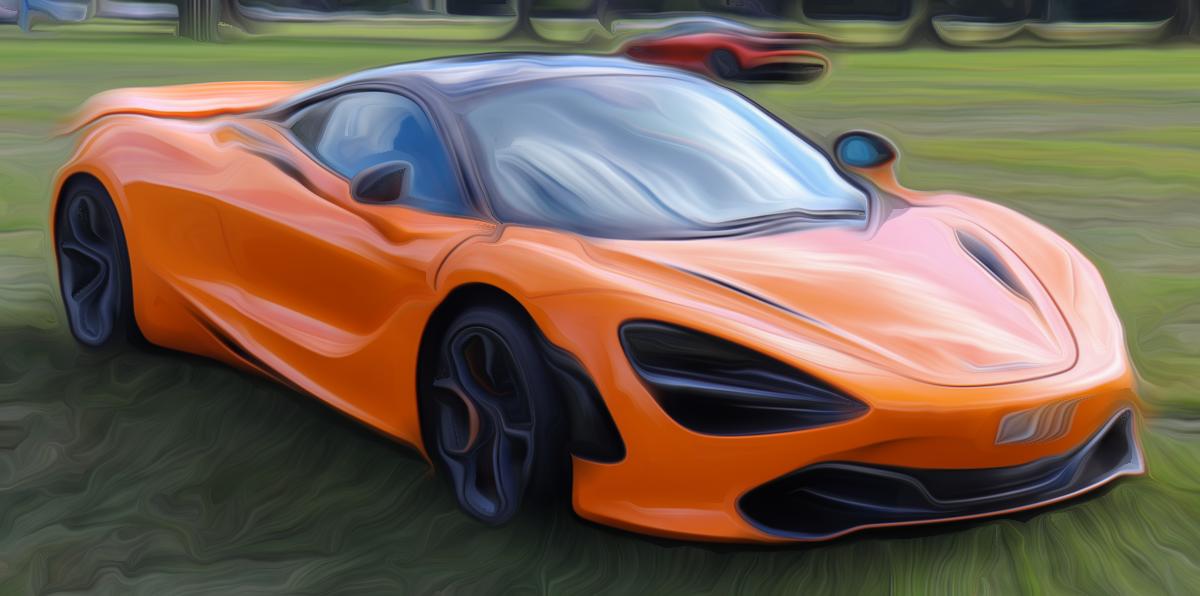
flow-streak
Smear the image along its own contours for brushed, combed strokes.
python3 ./patches/flow-streak/flow-streak.py <input> [output] [--length N] [--sigma N]
Default: --length 36 --sigma 6
dither
Dither to N levels per channel with a Bayer matrix, or with Floyd–Steinberg or Atkinson error diffusion. Error diffusion takes a few seconds on the README image.
python3 ./patches/dither/dither.py <input> [output] [--method bayer|floyd|atkinson] [--levels N] [--matrix 2|4|8]
Default: --method bayer --levels 2 --matrix 8
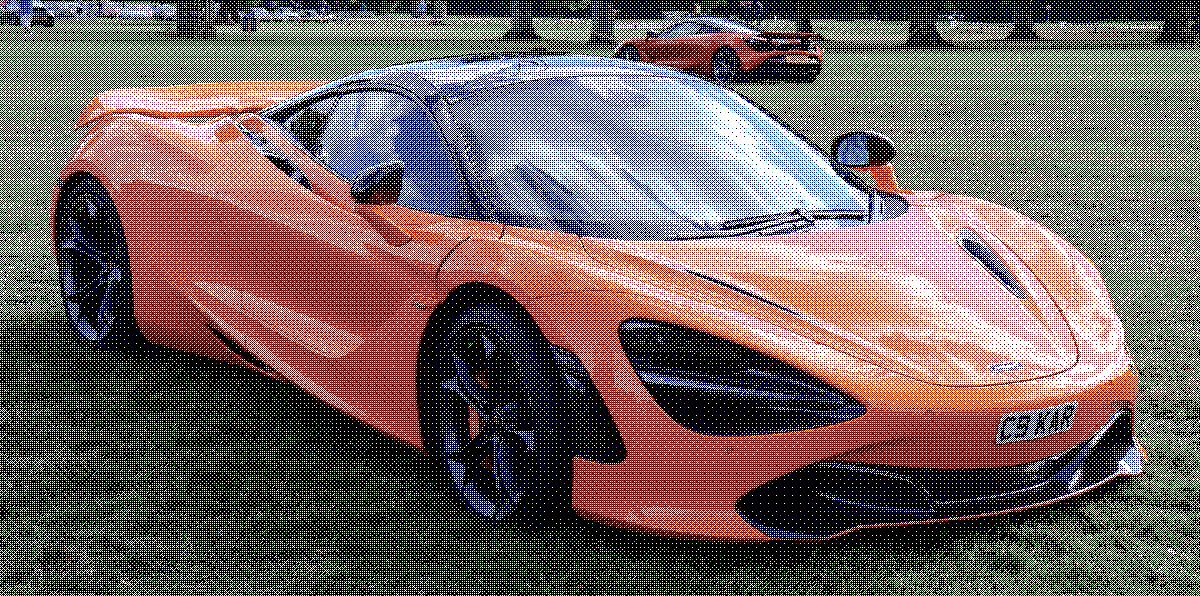
jpeg-rot
Re-save as a low-quality JPEG many times, shifting a pixel each time so the damage piles up instead of settling.
python3 ./patches/jpeg-rot/jpeg-rot.py <input> [output] [--quality N] [--generations N]
Default: --quality 5 --generations 80
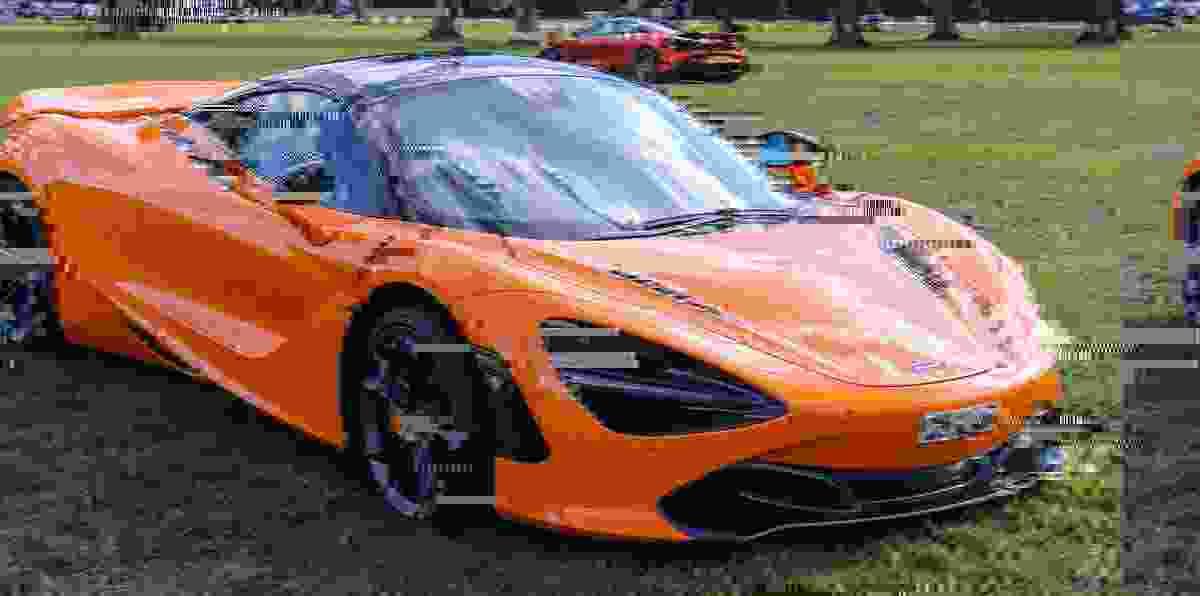
ascii
Replace each cell with a bold character chosen by brightness, stretched to the image's own range, drawn in the cell's hue on black.
python3 ./patches/ascii/ascii.py <input> [output] [--cell PX] [--charset CHARS]
Default: --cell 10 --charset " .:-=+*#%@"
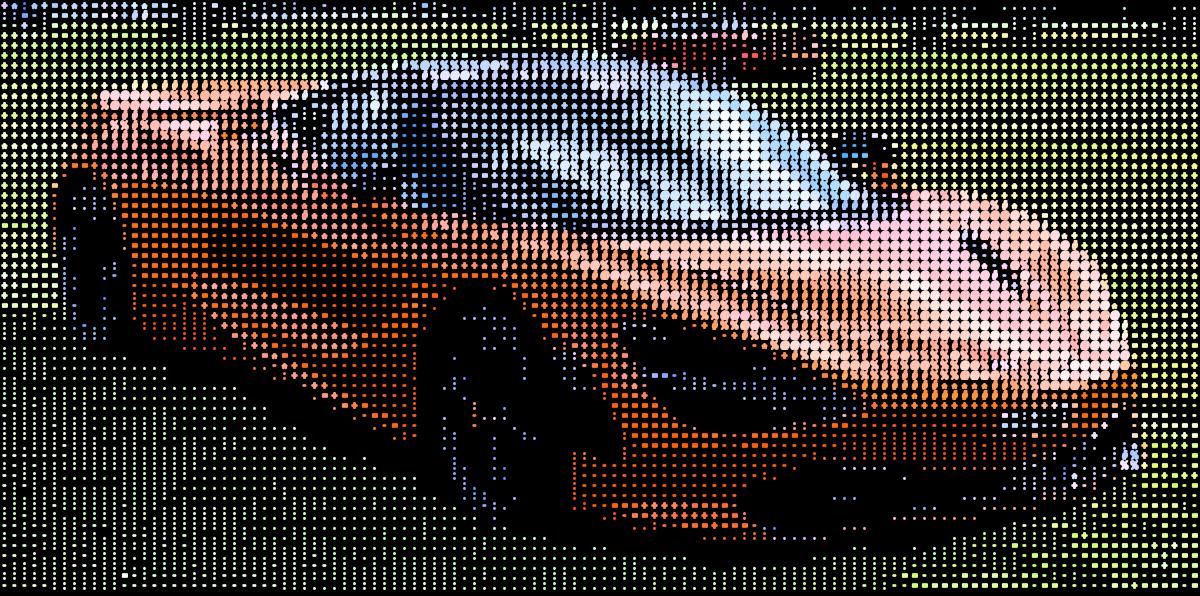
isolate-threshold
Keep the pixels brighter than a threshold as a flat color on a transparent background, optionally upscaled with nearest-neighbor. The default output is PNG; a JPEG output gets a white background.
python3 ./patches/isolate-threshold/isolate-threshold.py <input> [output] [--threshold N] [--color "#hex"] [--scale N]
Default: --threshold 50 --color "#ff0000" --scale 1
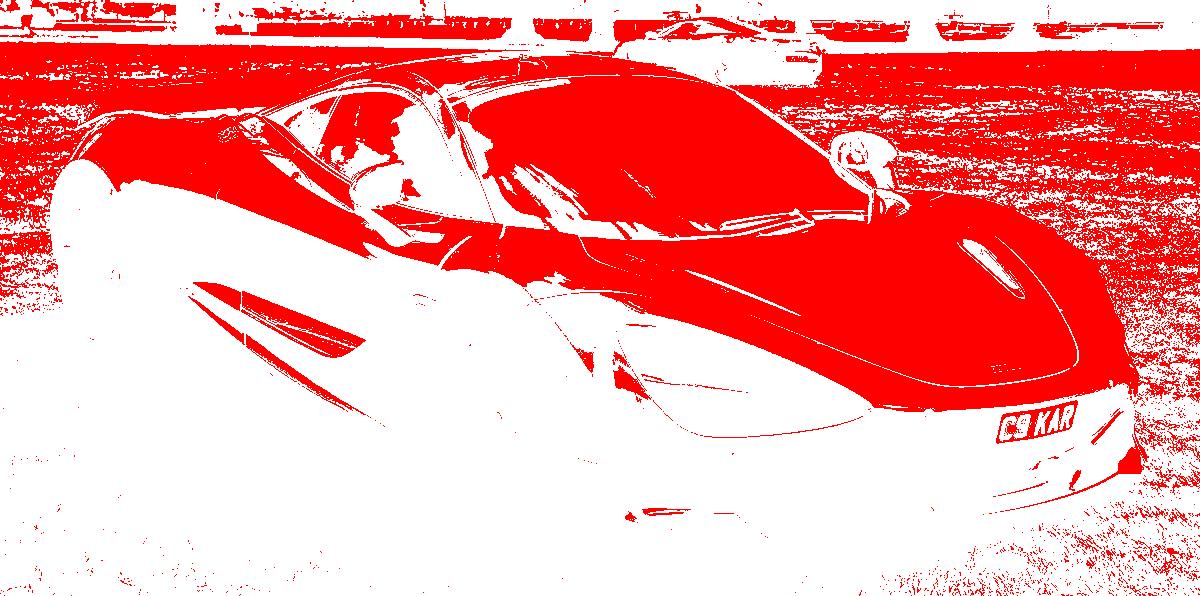
closest-palette
Snap every pixel to its nearest color in a given palette. No dithering -- hard color boundaries.
python3 ./patches/closest-palette/closest-palette.py <input> [output] --palette "#hex,#hex,..."
python3 ./patches/closest-palette/closest-palette.py <input> [output] --from-image ref.png --colors N
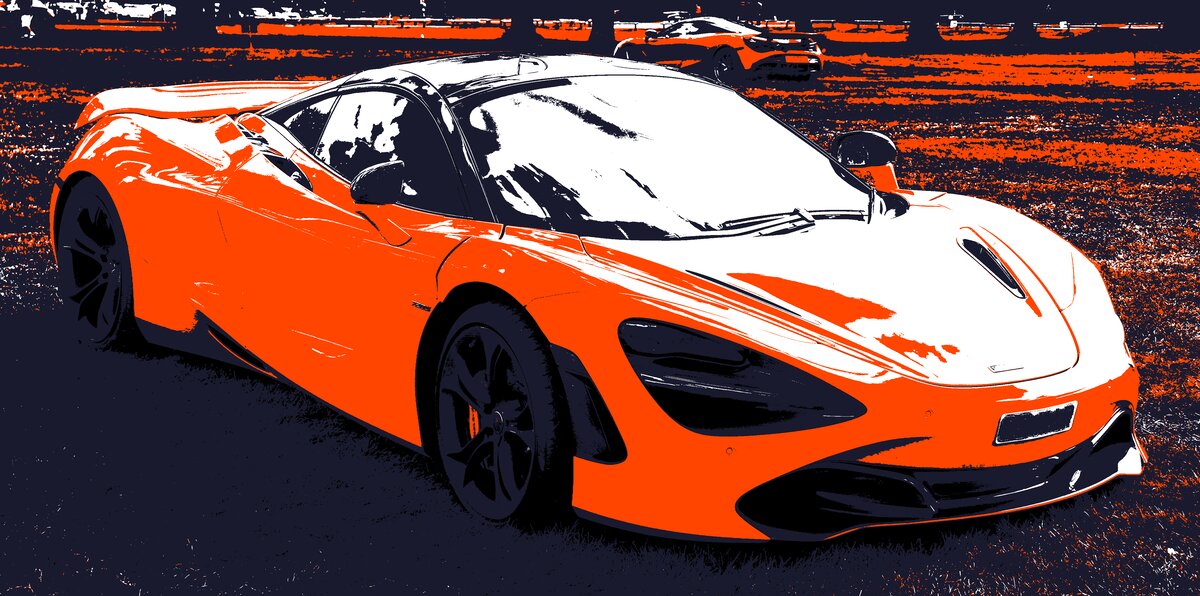
invert-lightness
Invert the lightness channel in LAB color space — dark becomes light and vice versa, while hue and saturation are preserved.
python3 ./patches/invert-lightness/invert-lightness.py <input> [output]
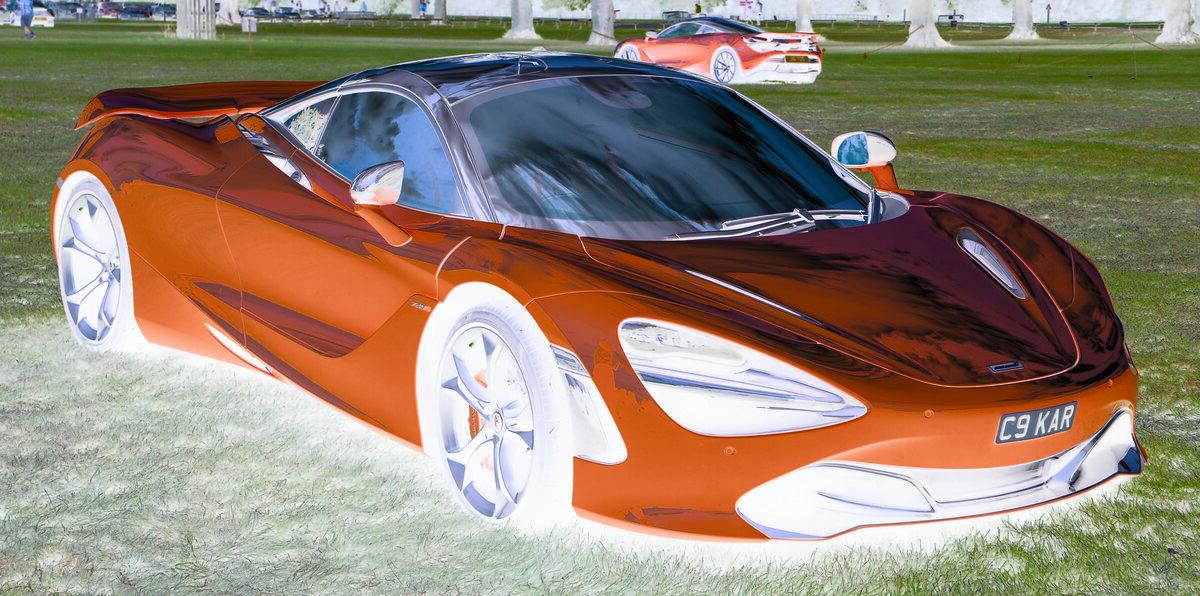
posterize-hsv
Quantize HSV channels independently for a posterized look with hue control.
python3 ./patches/posterize-hsv/posterize-hsv.py <input> [output] [--h-levels N] [--s-levels N] [--v-levels N]
Default: --h-levels 8 --s-levels 4 --v-levels 4
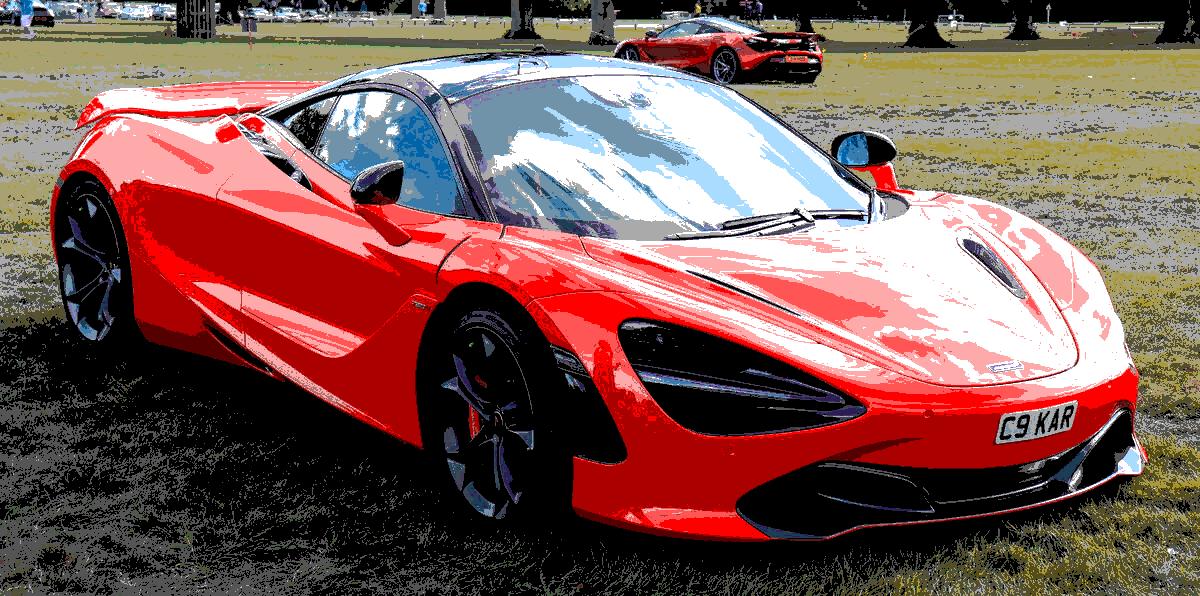
thermal
Map brightness to a false-color thermal palette (black to blue to red to yellow to white).
python3 ./patches/thermal/thermal.py <input> [output]
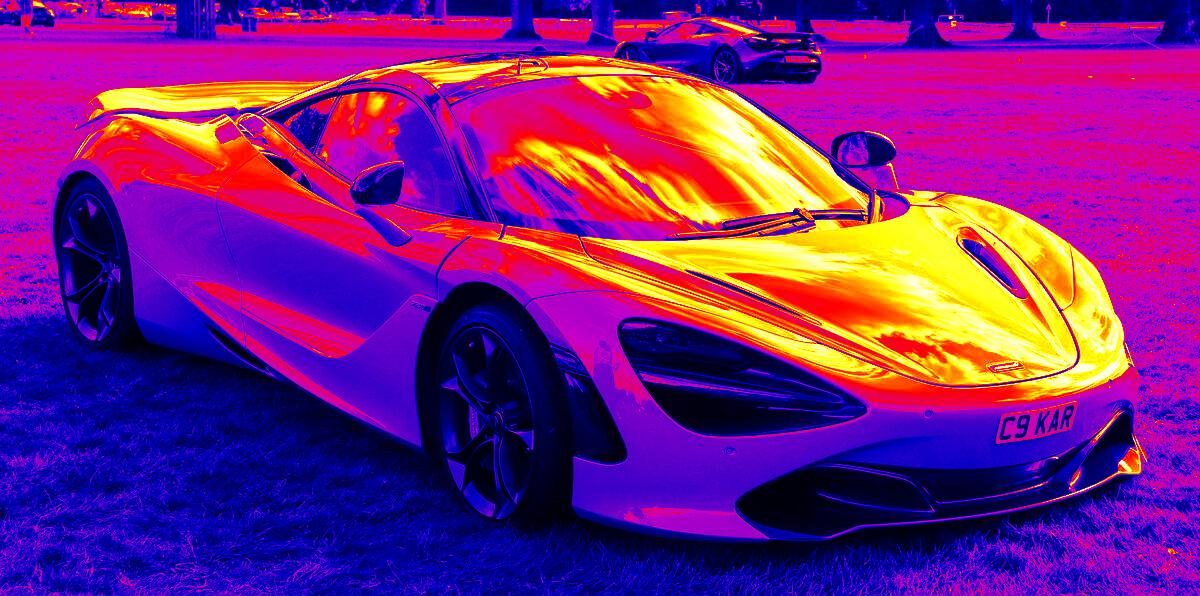
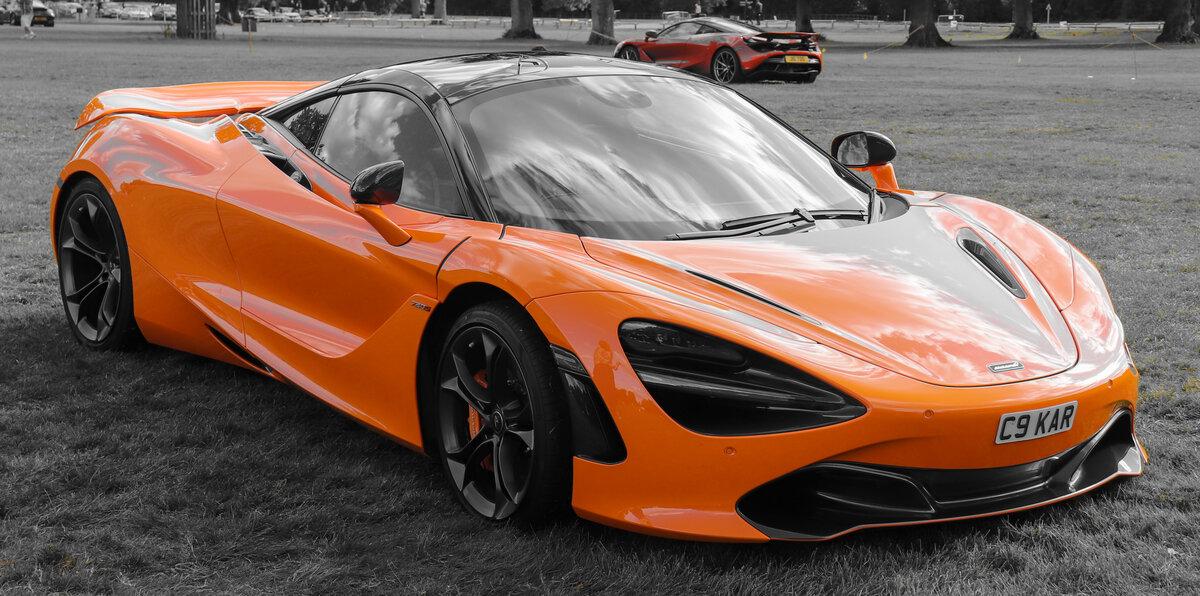
hue-isolate
Keep one hue band in full color and turn everything else gray.
python3 ./patches/hue-isolate/hue-isolate.py <input> [output] [--hue DEG] [--width DEG] [--amount N]
Default: --hue 25 --width 20 --amount 1 (orange)
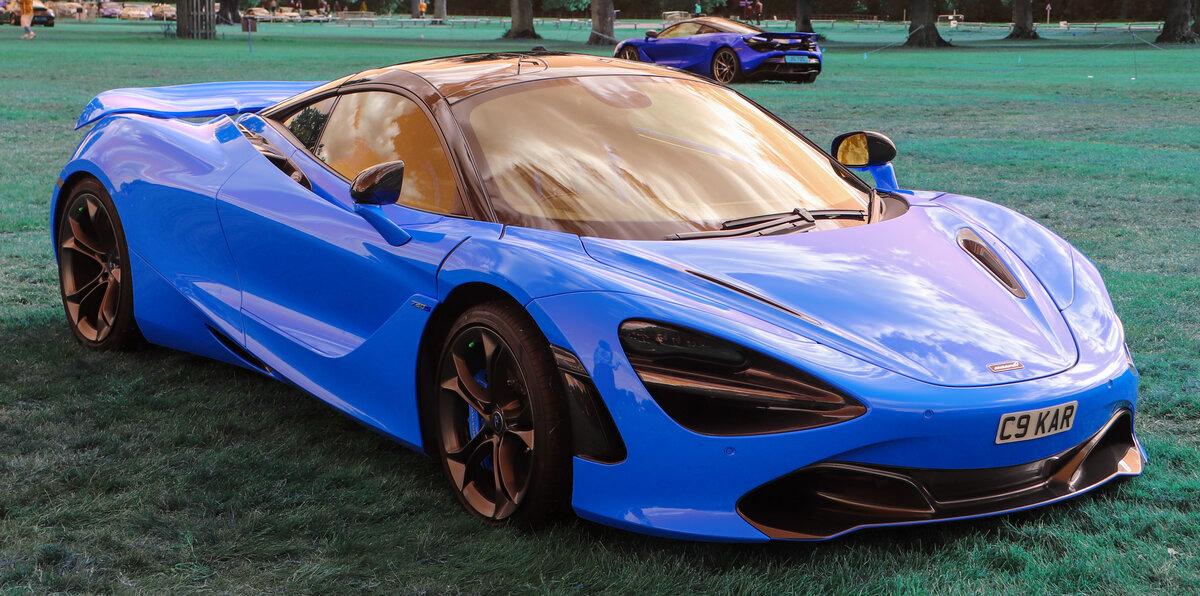
channel-swap
Rearrange RGB channels — swap, duplicate, or reorder color channels.
python3 ./patches/channel-swap/channel-swap.py <input> [output] [--map B,G,R]
Default: --map B,G,R (swaps red and blue)
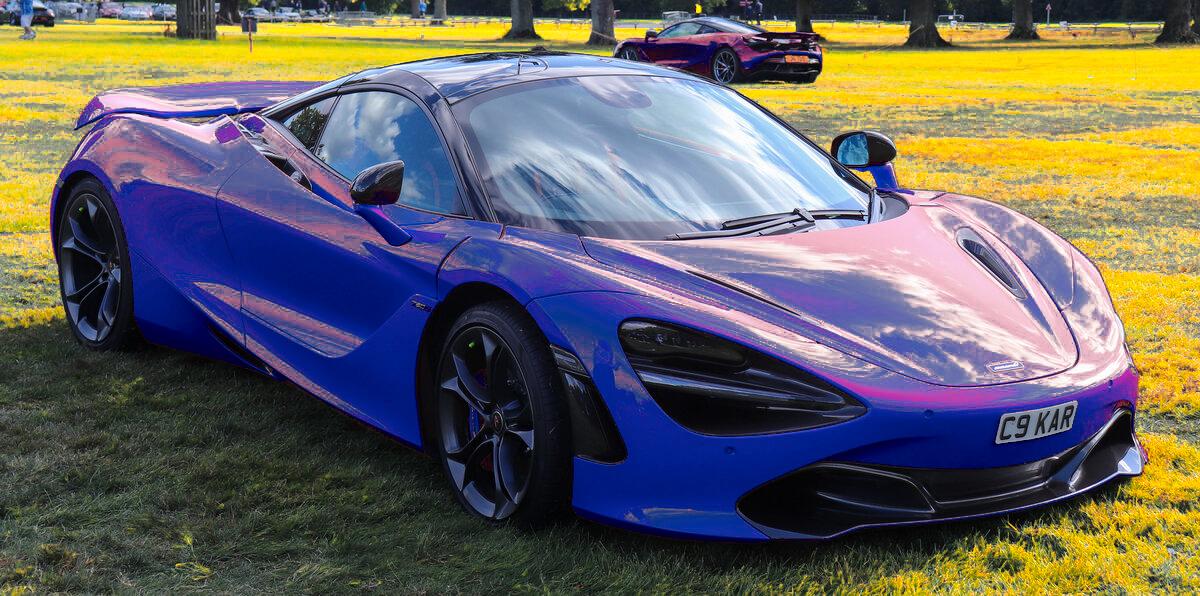
recolor
Repaint the image's most prevalent colors with the colors you give, most prevalent first, keeping their light and shade. Grays, black and white are left alone.
python3 ./patches/recolor/recolor.py <input> [output] [--colors C1,C2] [--amount N] [--clusters N]
Default: --colors "#1e3a8a,#facc15" --amount 1 --clusters 6
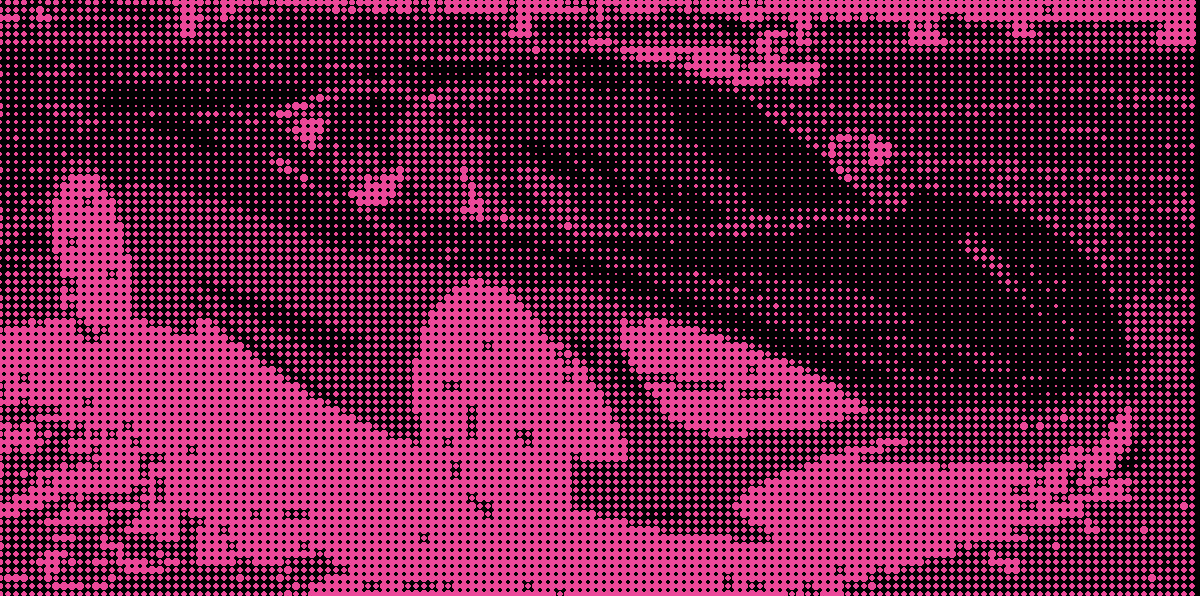
dot-halftone
Convert to a halftone dot grid where dot size varies with brightness. Pink dots on transparent background.
python3 ./patches/dot-halftone/dot-halftone.py <input> [output] [--spacing N] [--min-dot N] [--max-dot N] [--angle N]
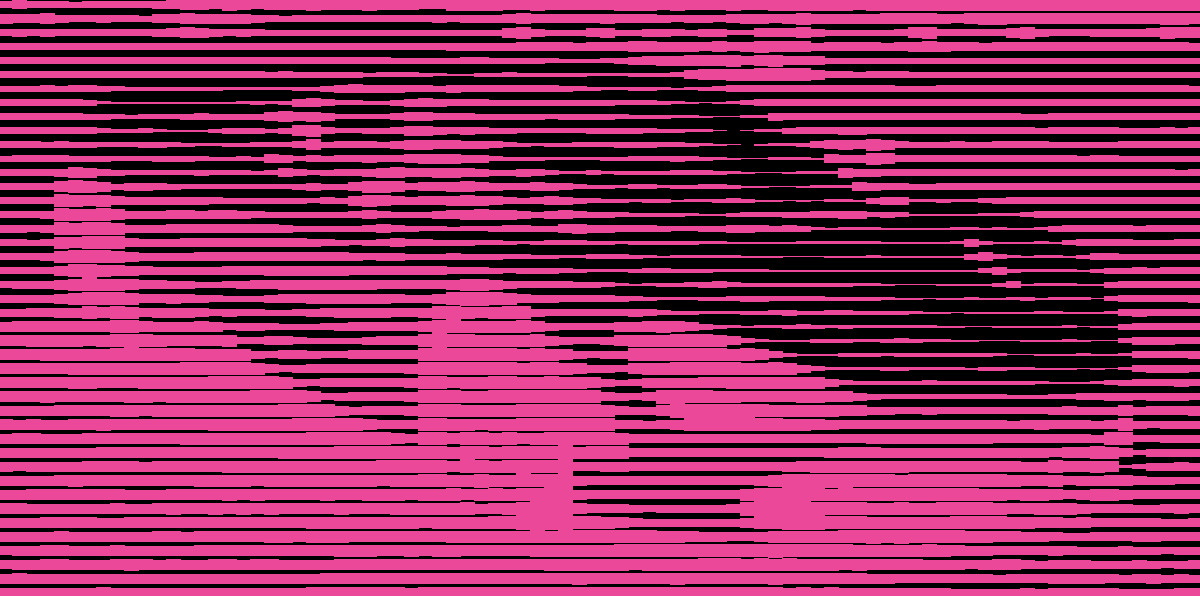
line-halftone
Variable-width lines whose thickness maps to brightness. Pink lines on transparent background.
python3 ./patches/line-halftone/line-halftone.py <input> [output] [--spacing N] [--min-width N] [--max-width N] [--angle N]
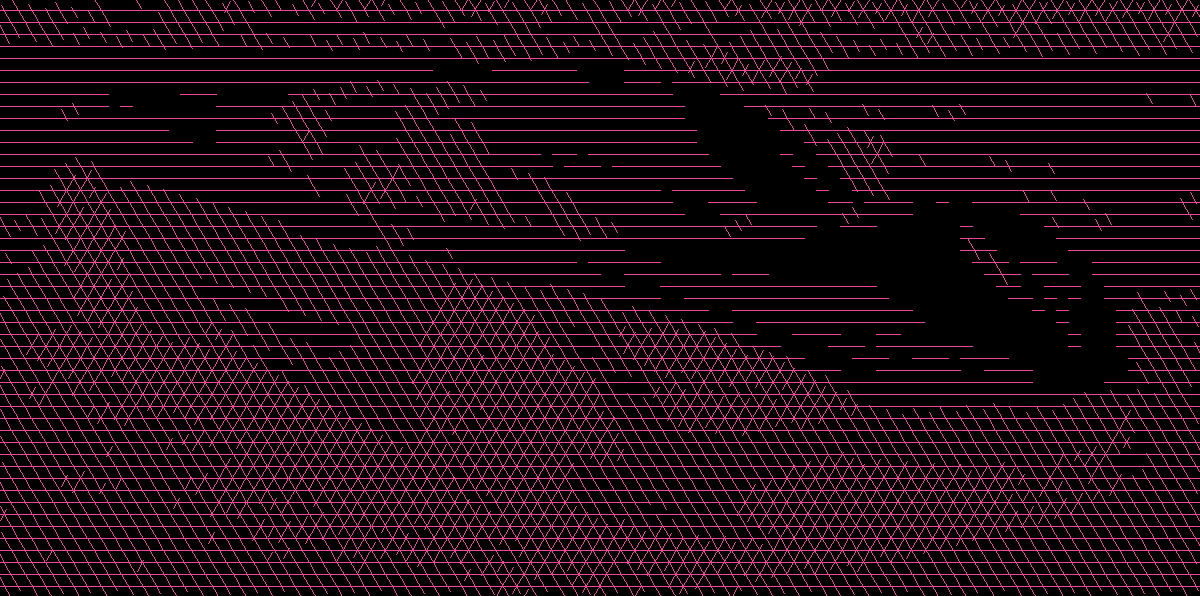
cross-hatch
Multiple line-halftone passes at different angles, each gated by a brightness threshold. Darker areas get more layers of hatching. Pink lines on transparent background.
python3 ./patches/cross-hatch/cross-hatch.py <input> [output] [--layers N] [--spacing N] [--thresholds N,N,N]
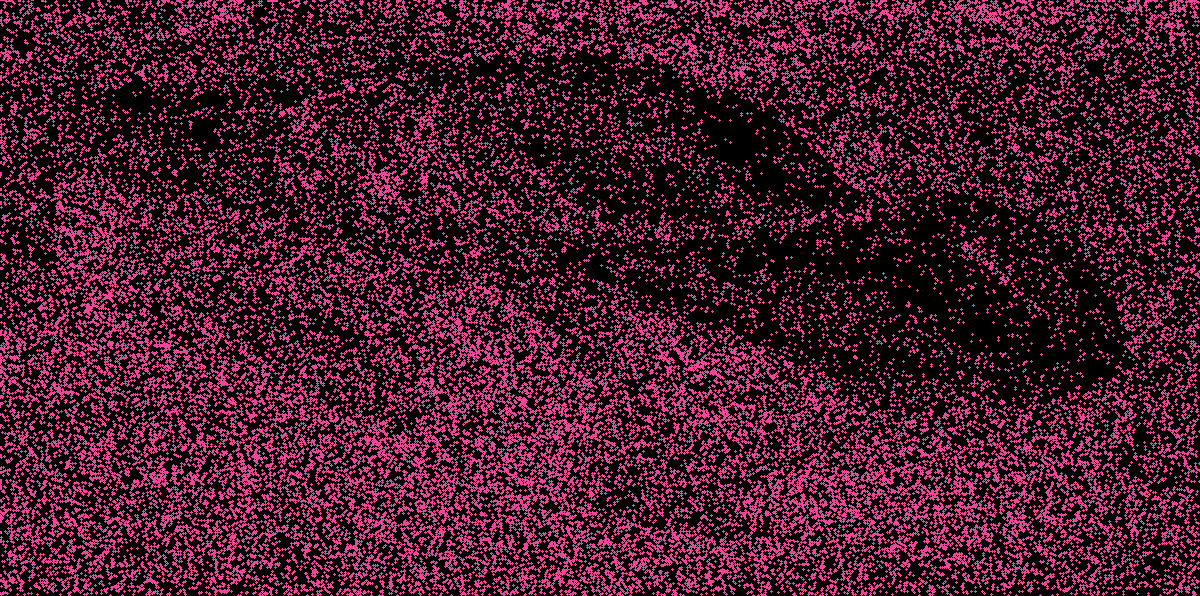
stipple
Random dot placement where density maps to brightness. Pink dots on transparent background.
python3 ./patches/stipple/stipple.py <input> [output] [--dots N] [--dot-size N] [--seed N]
Stacking patches
Join patches with + to run them one after another, each one building on the previous result:
op-img <patch> <input> [output] [--args] + <patch> [--args] + ...
op-img pixel-sort photo.jpg + fold + polar            # writes photo-psort-fold-polar.jpg
op-img pixel-sort photo.jpg --by hue + channel-swap   # options follow the patch they belong to
op-img seam-carve photo.jpg out.jpg + thermal         # an output after the input names the final file
The input, and the output if you give one, come right after the first patch. Subsequent patches only take arguments. Omit the output path to save the result in the same directory as the input, with each patch's suffix applied in order.
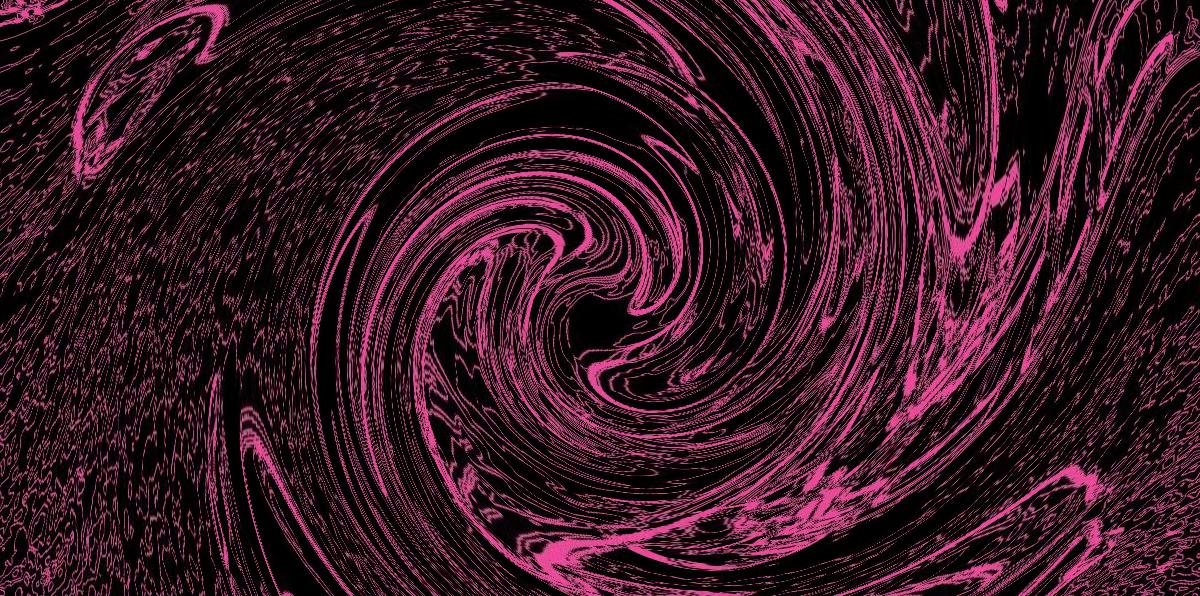
contour + swirl
Contour traces the photo's brightness bands in pink lines, and swirl twists them into a vortex.
op-img contour photo.jpg + swirl
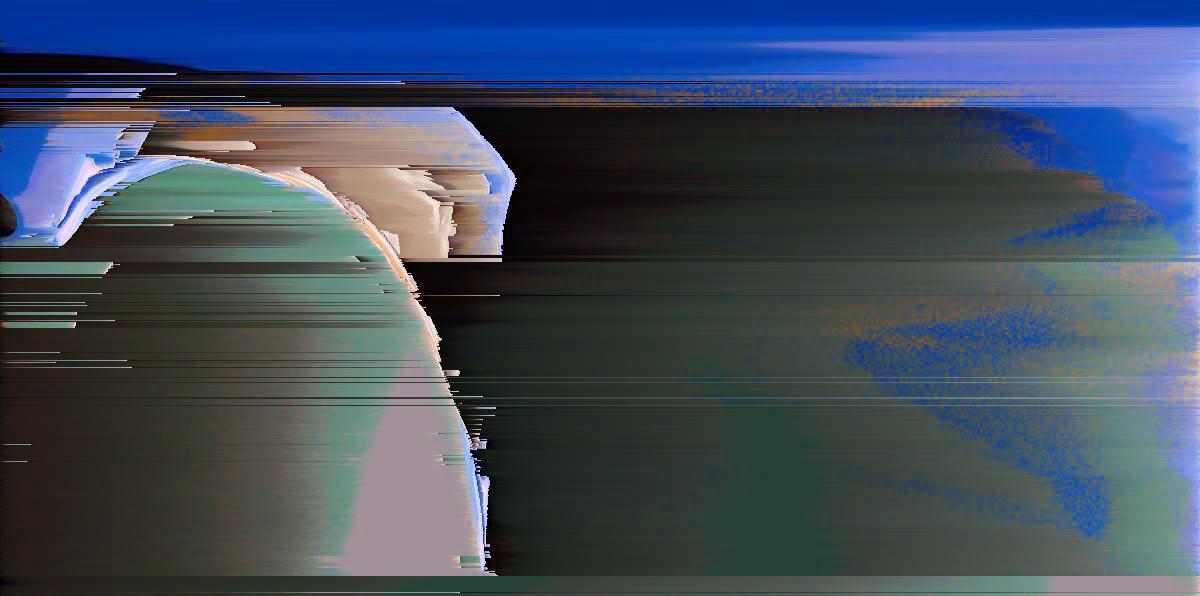
fold + polar + pixel-sort + channel-swap
Fold mirrors the car, polar wraps it into an arch, pixel-sort streaks it, and channel-swap turns the orange blue.
op-img fold photo.jpg + polar --center 0.3,0.5 --rotate 200 --radius 0.9 + pixel-sort + channel-swap
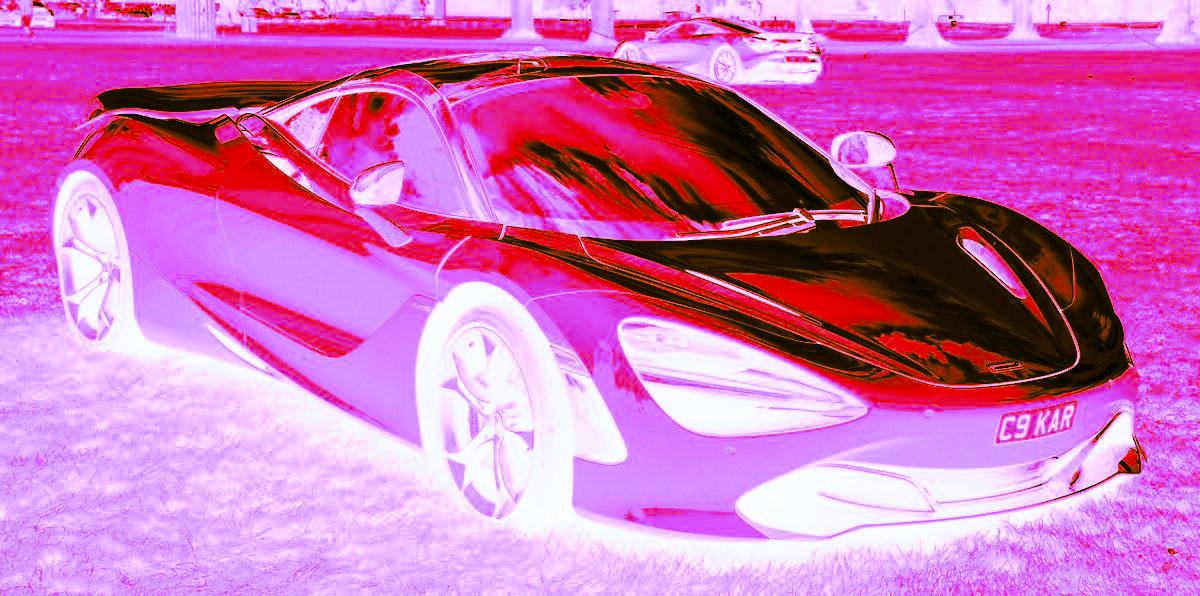
thermal + invert-lightness
Heat colors first, then the lightness flipped, which turns the car magenta and pink.
op-img thermal photo.jpg + invert-lightness
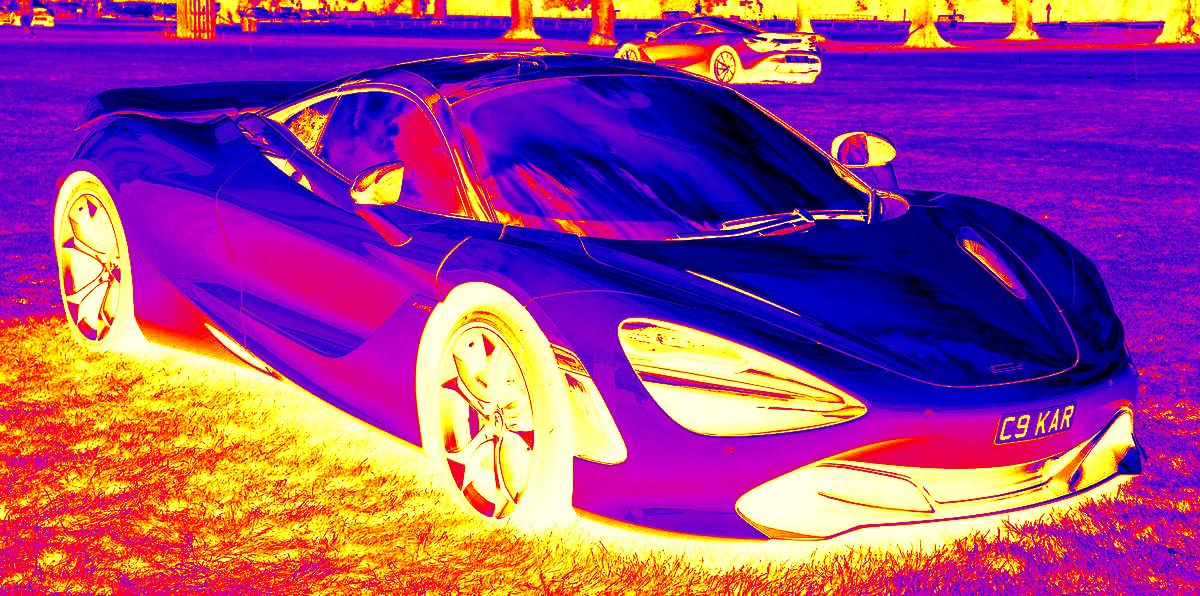
invert-lightness + thermal
The same two patches the other way round: with the lightness flipped first, the paint reads cold and the tires and grass run white-hot.
op-img invert-lightness photo.jpg + thermal
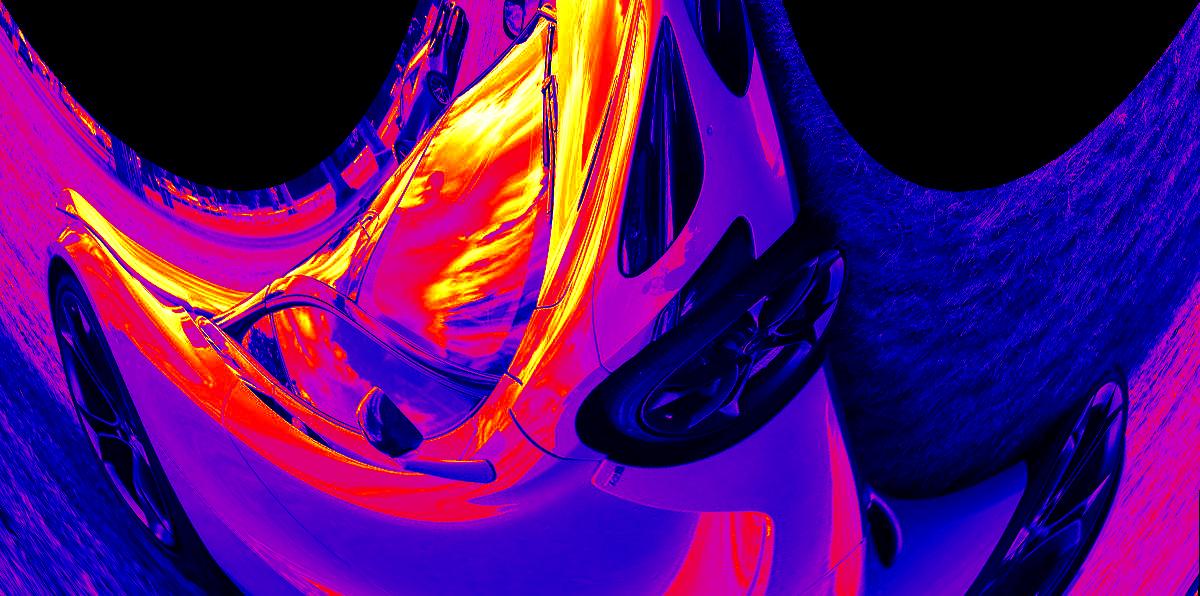
slit-scan + thermal
Slit-scan melts the car into curves, and thermal paints them in heat colors.
op-img slit-scan photo.jpg + thermal
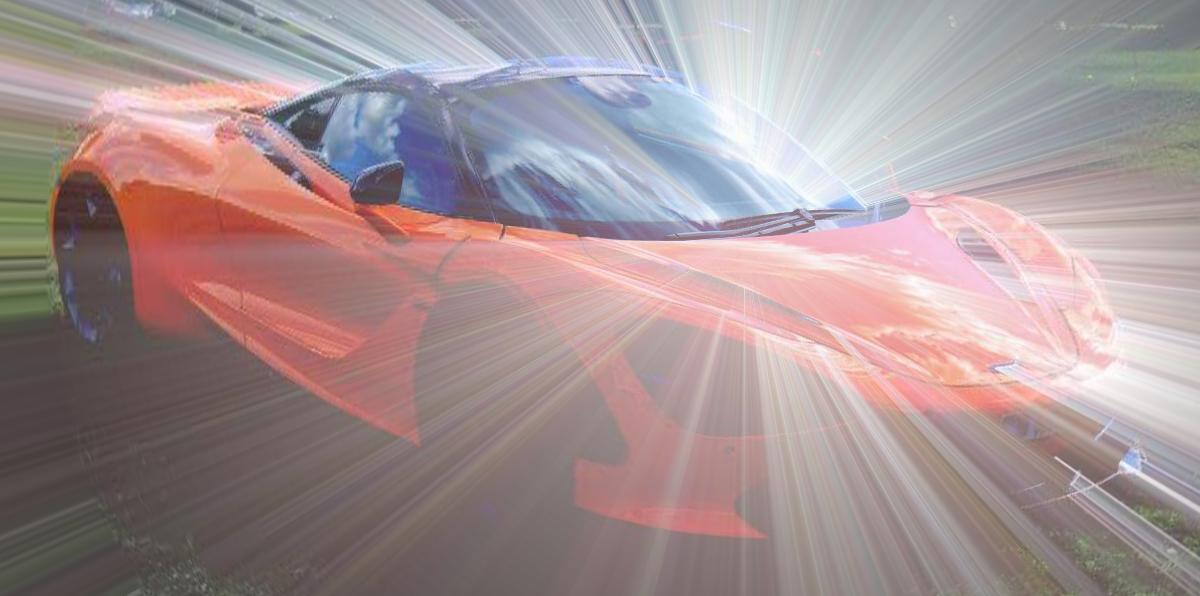
polar + drip + polar
Drips run straight down in polar space, so they come back as rays bursting from an off-center pole.
op-img polar photo.jpg --center 0.62,0.4 --rotate 150 --radius 0.85 + drip --length 500 --threshold 120 + polar --mode from-polar --center 0.62,0.4 --rotate 150 --radius 0.85
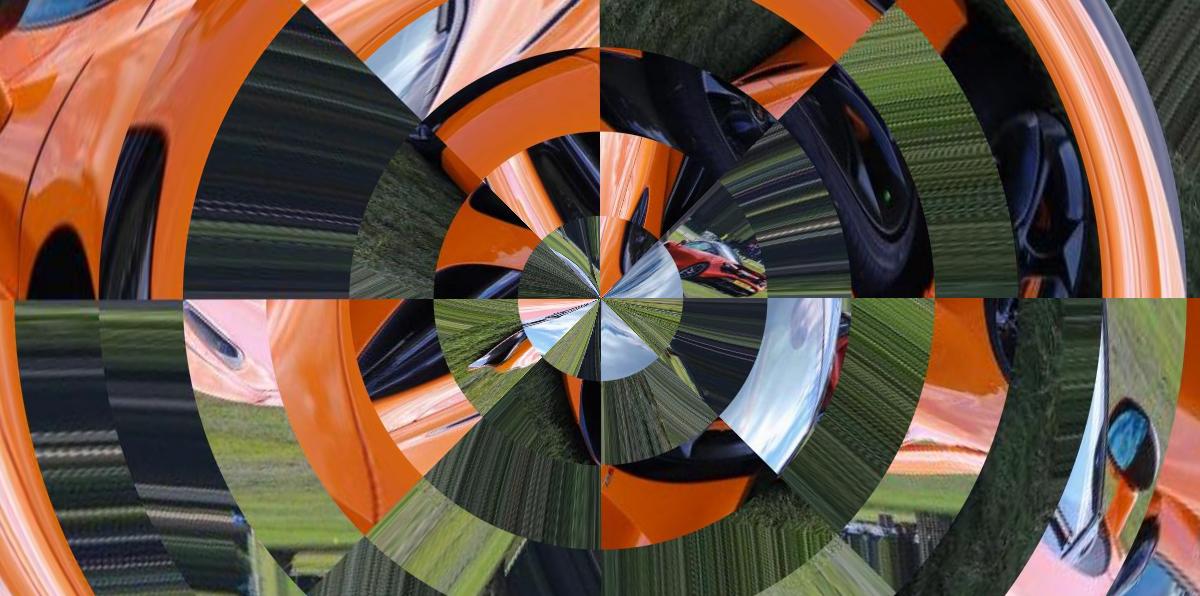
polar + tile-shuffle + polar
Tiles shuffled in polar space come back as rings of turned wedges.
op-img polar photo.jpg + tile-shuffle --grid 8 + polar --mode from-polar
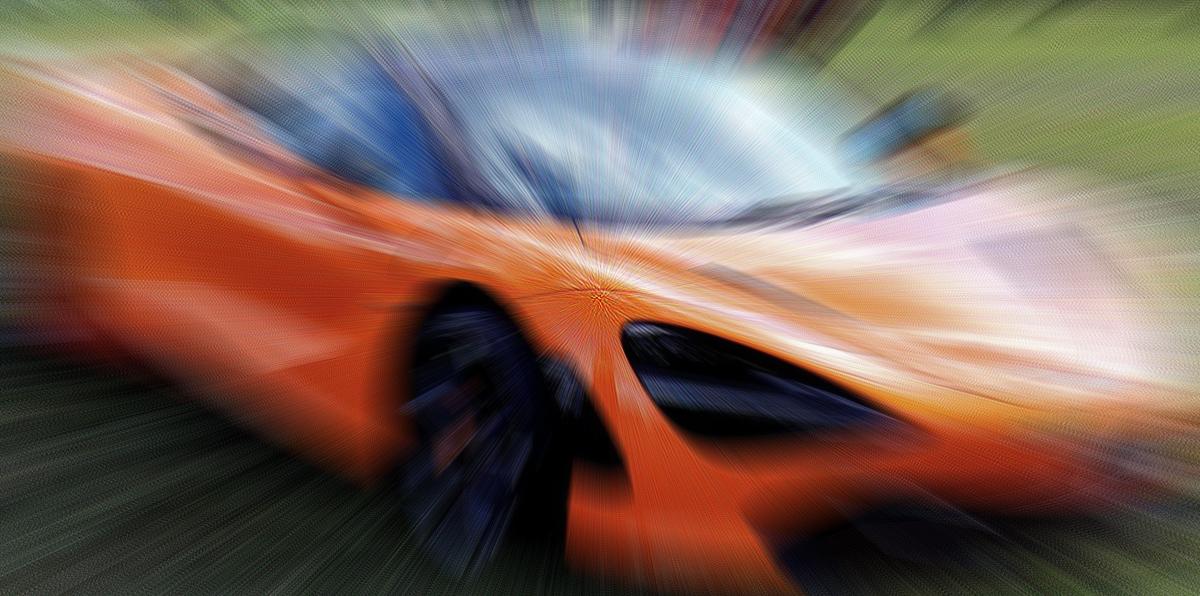
dither + zoom-blur
Atkinson dithering, then a zoom blur that smears the dots into speed streaks.
op-img dither photo.jpg --method atkinson + zoom-blur
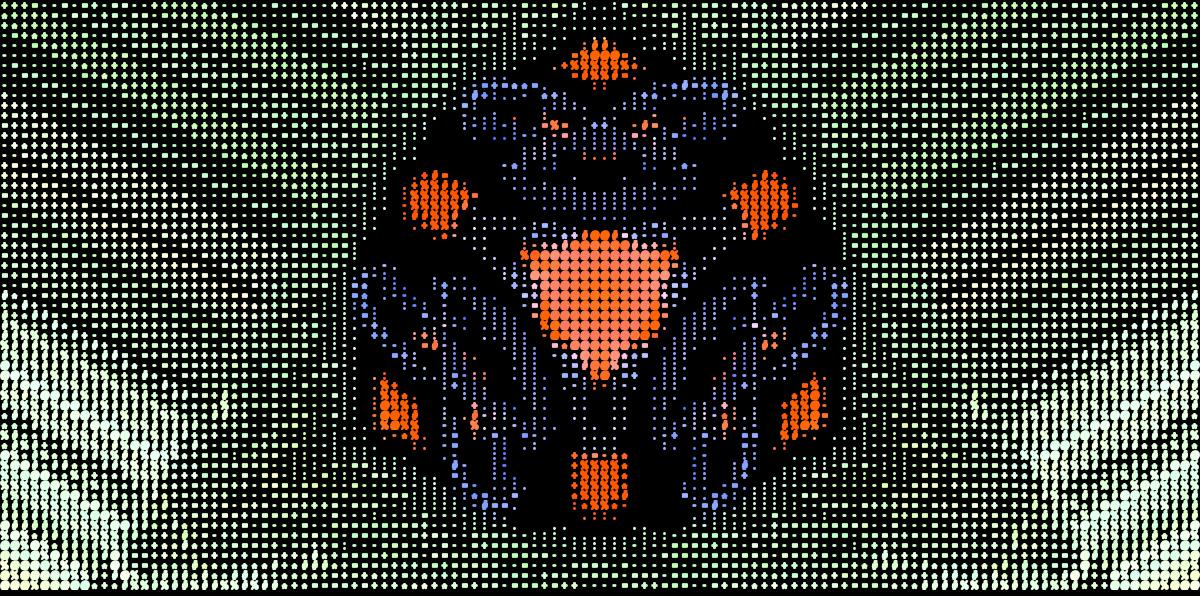
kaleidoscope + ascii
A kaleidoscope emblem, redrawn in characters.
op-img kaleidoscope photo.jpg + ascii
scan-glitch + polar
Scan-glitch's torn rows, wrapped into arches around a shifted pole.
op-img scan-glitch photo.jpg + polar --center 0.72,0.3 --rotate 105 --radius 0.7
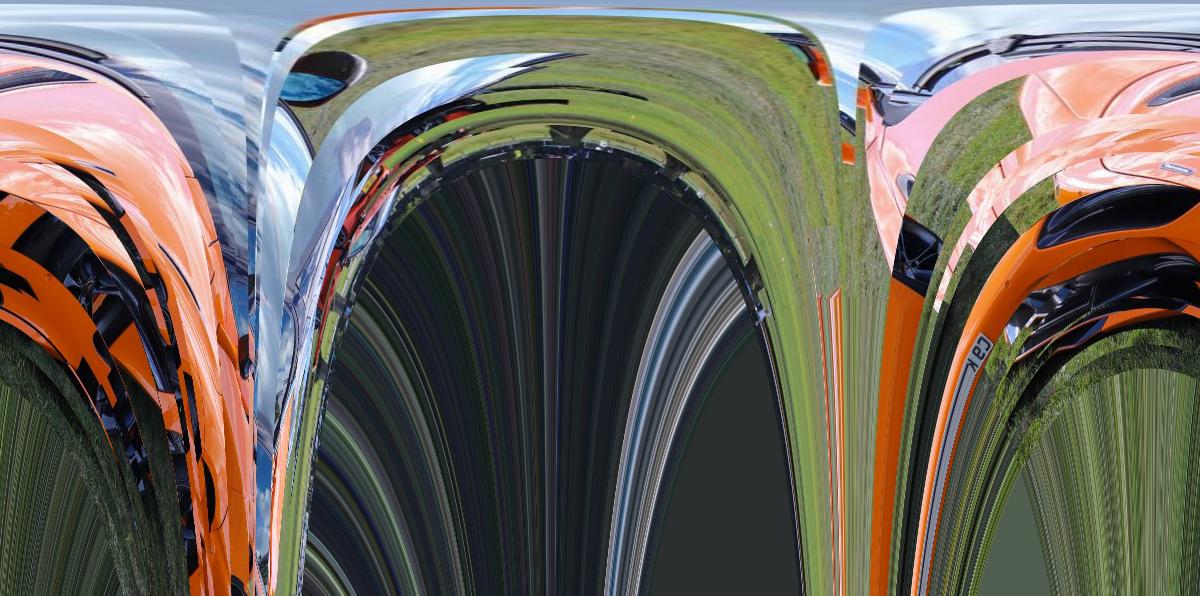
swirl + kaleidoscope
A swirl, mirrored into a chrome mandala.
op-img swirl photo.jpg + kaleidoscope
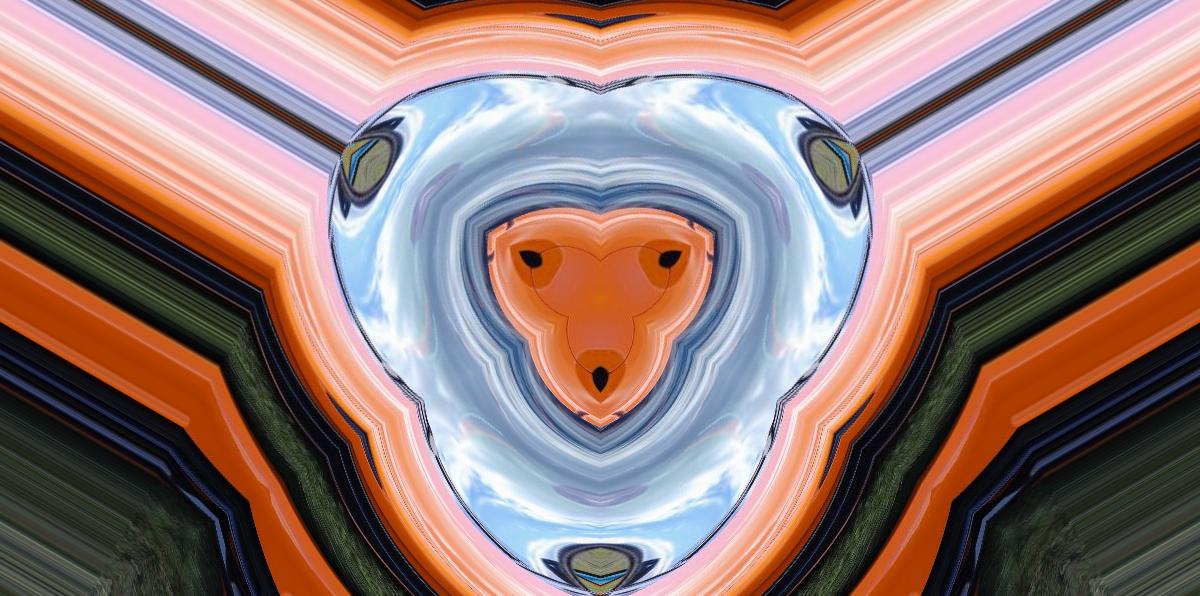
res-crush + zoom-blur
Big pixels, then a zoom blur that streaks them outward.
op-img res-crush photo.jpg --size 32 + zoom-blur
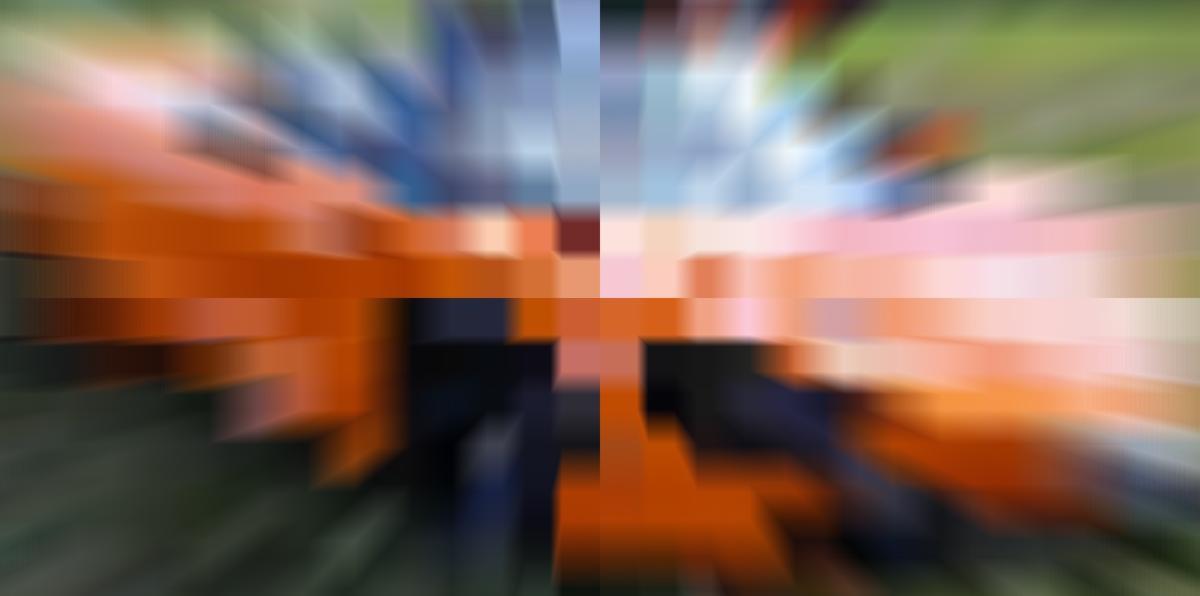
bit-crush + flow-streak
A 1-bit crush, brushed back into painterly strokes.
op-img bit-crush photo.jpg --bits 1 + flow-streak
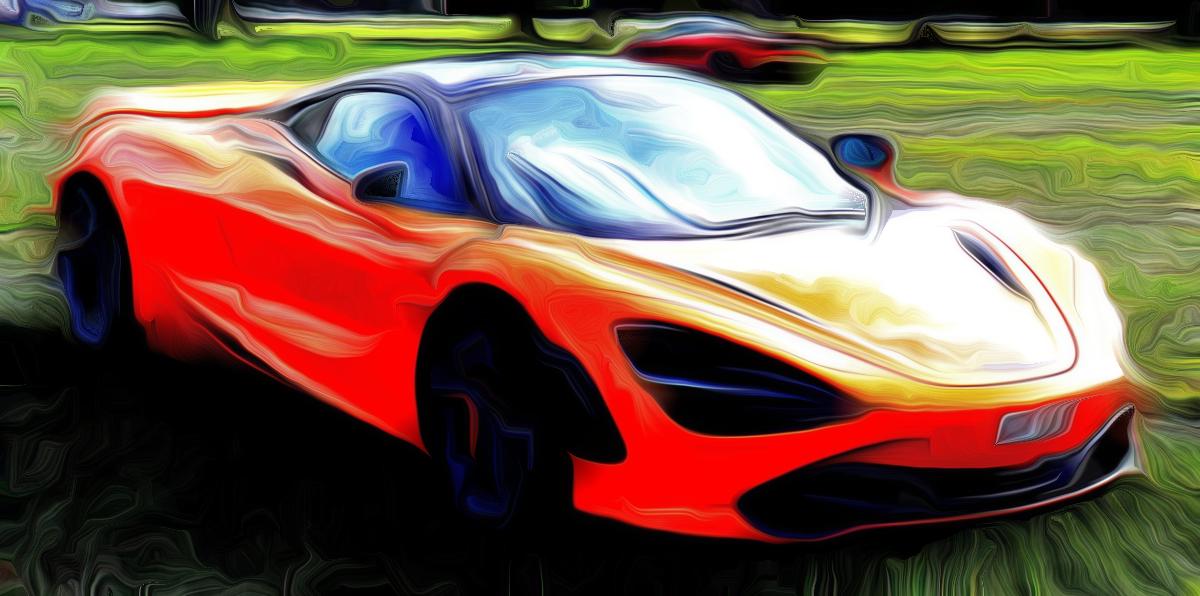
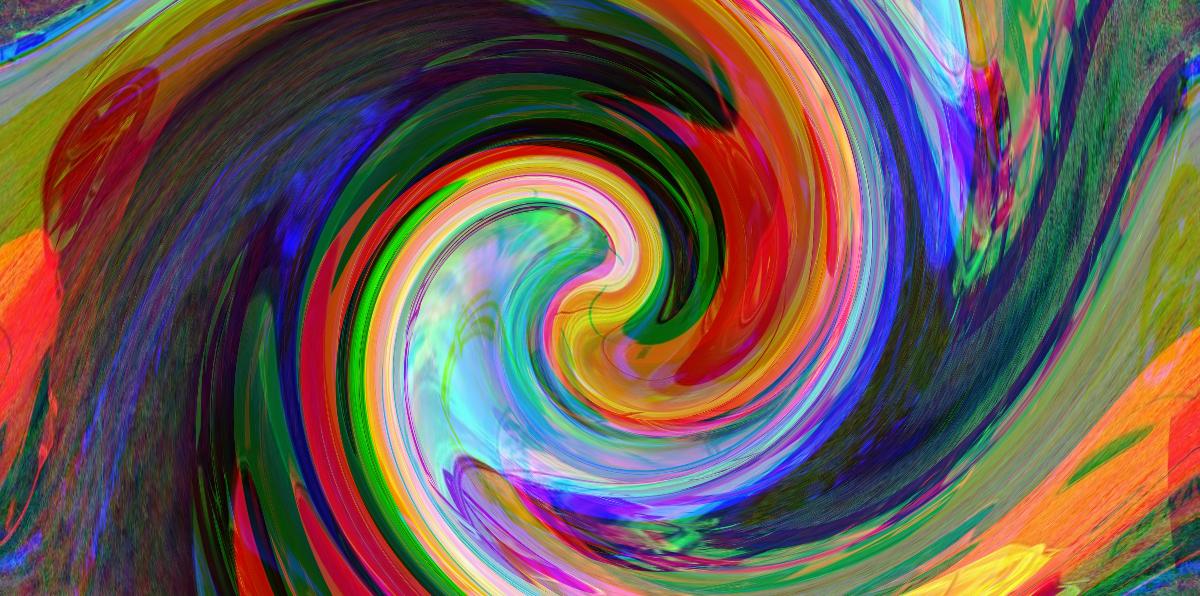
channel-offset + swirl
Split color channels, twisted into a swirl.
op-img channel-offset photo.jpg --r 140,50 --g -20,40 --b -120,-40 + swirl
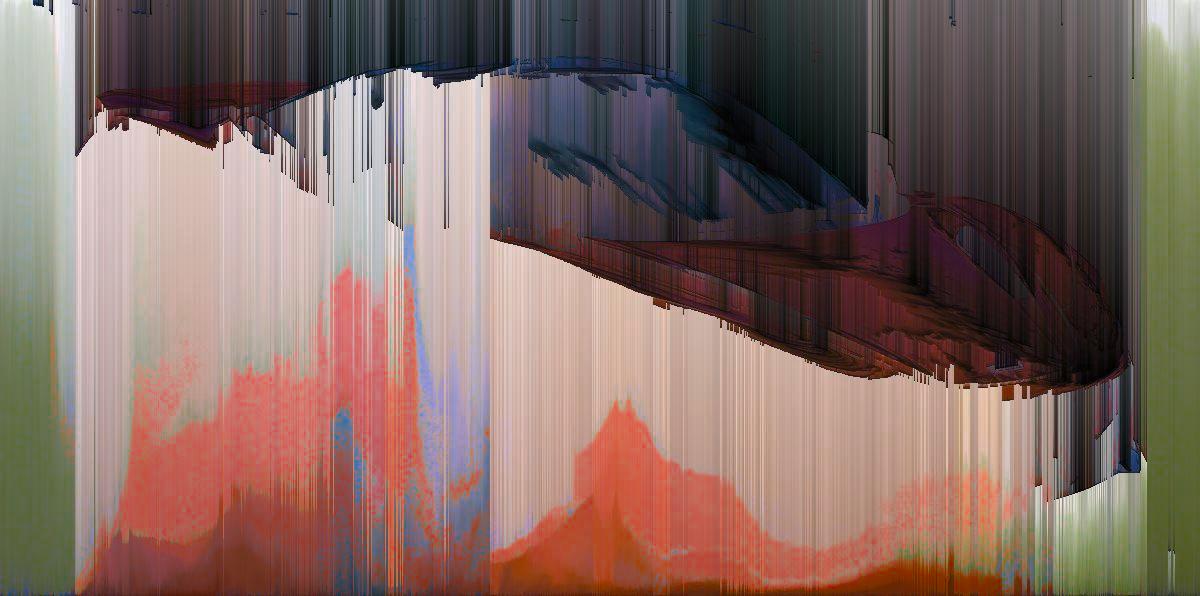
pixel-sort + drip + invert-lightness
Columns sorted, bright pixels dripping upward, then the lightness flipped.
op-img pixel-sort photo.jpg --direction column + drip --length 500 --threshold 120 --direction up + invert-lightness
Adding a patch
A patch is a directory in patches/, named after the patch. It holds either a Python script with its requirements.txt, or a shell script. op-img finds patches by name, so there's nothing to register. A missing input prints Error: file not found. Its own tests go in tests/test_<name>.py. The name goes in ALL_PATCHES in tests/test_op_cli.py, and its default output name in DEFAULT_NAMES in tests/test_conventions.py, which checks the shared conventions for every patch.
License
MIT. See LICENSE.
1 maintainer

Release files for op-img 0.1.0
For a detailed explanation of source distributions (sdists) and built distributions (wheels), please see the package formats documentation.
Source distribution (sdist)
| File | Size | Uploaded | |
|---|---|---|---|
| op_img-0.1.0.tar.gz | 60.9 kB | Details |
Built distribution (wheel)
| File | Interpreter | ABI | Platform | Reset |
|---|---|---|---|---|
| op_img-0.1.0-py3-none-any.whl | Python 3 | none | any | Details |
Total release size: 137.6 kB
Release files / op_img-0.1.0.tar.gz
| Download URL | op_img-0.1.0.tar.gz |
|---|---|
| Size | 60.9 kB |
| Tags | Source |
|
SHA-256 checksum How to use checksums |
23ab800c8fb4b2707e8ed4cb0057ec4b13a821e2e49cb3ec28e7dc00f6511fe5
|
|
BLAKE2b-256 checksum How to use checksums |
7af7c91d5a75b9813568b9d3d1f90a87e372af297e113c81ca456bc0e61bb251
|
| Upload date | |
|
Uploaded using Trusted Publishing? What is trusted publishing? |
Yes |
| Uploaded via |
twine/7.0.0 CPython/3.13.14
|
Provenance
Provenance describes where a file came from. On PyPI, provenance is shared via attestations, which provide a verifiable record of the build or publishing details. View details, limitations and caveats.


PyPI Publish Attestation
PyPI verified that this artifact, at this checksum, originated from the publisher listed below.
Signed by GitHub Actions, verified by PyPI on Sep 27, 2026.
Transparency logRelease files / op_img-0.1.0-py3-none-any.whl
| Download URL | op_img-0.1.0-py3-none-any.whl |
|---|---|
| Size | 76.7 kB |
| Tags | Python 3 |
|
SHA-256 checksum How to use checksums |
49a736e6872329b99a10d6302f2f805e0134da253f9c0ba8ae8fc12c579c4eb3
|
|
BLAKE2b-256 checksum How to use checksums |
c18781d10567992abf94a6d3bd4257c878c8ded9ffde408cc481a4dbd06d2cbd
|
| Upload date | |
|
Uploaded using Trusted Publishing? What is trusted publishing? |
Yes |
| Uploaded via |
twine/7.0.0 CPython/3.13.14
|
Provenance
Provenance describes where a file came from. On PyPI, provenance is shared via attestations, which provide a verifiable record of the build or publishing details. View details, limitations and caveats.
PyPI Publish Attestation
PyPI verified that this artifact, at this checksum, originated from the publisher listed below.
Signed by GitHub Actions, verified by PyPI on Sep 27, 2026.
Transparency log












