
A taxonomy of crypto and decentralized web ecosystems and repositories

Project description

How to use this taxonomy
The taxonomy can be used to generate the set of crypto ecosystems, their corresponding sub ecosystems, and repositories at a particular time.
🖼️ GUI Mode
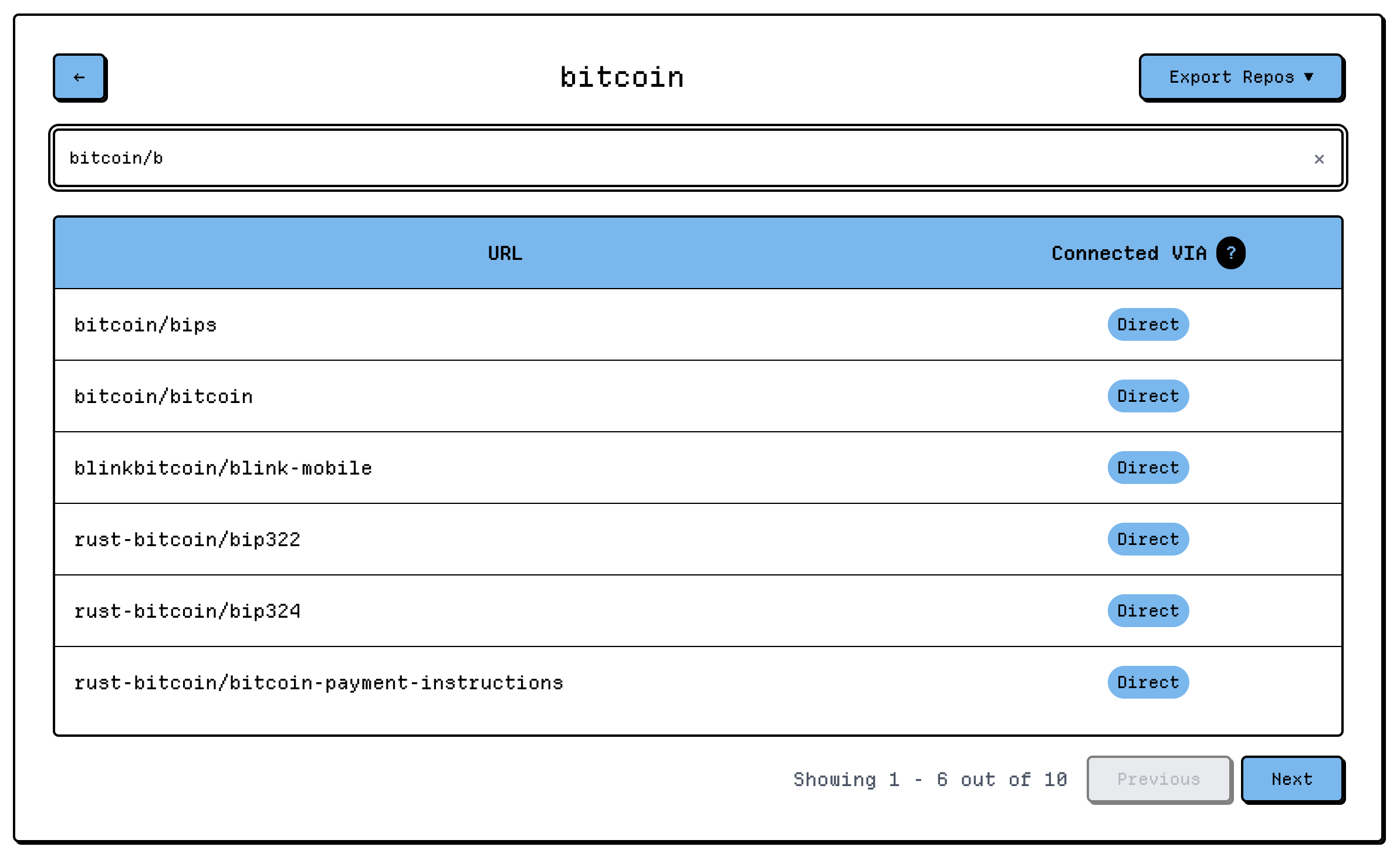
You can use the taxonomy viewer at Open Dev Data. Here you can query for ecosystems and repos as well as export all of the repos for specific ecosystems.
💻 CLI Mode
Installation
The easiest way to use the CLI tools is with uvx (no installation required):
# Run directly with uvx (downloads and runs the latest version)
uvx open-dev-data --help
Or install with uv:
# Install with uv
uv tool install open-dev-data

# Run after installation
open-dev-data --help
Alternatively, install from source:
# Clone the repository
git clone https://github.com/electric-capital/open-dev-data.git
cd open-dev-data

# Install with uv
uv sync

# Run commands
uv run open-dev-data --help
Available Commands
Taxonomy Commands
Validate
Validate all migrations in the taxonomy:
open-dev-data validate
open-dev-data validate -r ./migrations  # Specify custom migrations directory
Export
Export the taxonomy to JSON format:
# Export all ecosystems
open-dev-data export output.jsonl

# Export a single ecosystem
open-dev-data export -e Bitcoin bitcoin.jsonl

# Export with custom migrations directory
open-dev-data export -r ./migrations output.jsonl

# Export taxonomy state at a specific date
open-dev-data export -m 2023-12-31 output.jsonl
The export format is one json entry per line like the following:
{"eco_name":"Bitcoin","branch":["Lightning"],"repo_url":"https://github.com/alexbosworth/balanceofsatoshis","tags":["#developer-tool"]}
{"eco_name":"Bitcoin","branch":["Lightning"],"repo_url":"https://github.com/bottlepay/lnd","tags":[]}
By using the branch attribute, you can see how particular repos are attributed to the parent ecosystem.
Data Commands
Download
Download parquet files from the Open Dev Data manifest:
# Download all files to a directory (creates version-specific subfolder)
open-dev-data download -o ./data

# Download with 8 concurrent workers
open-dev-data download -o ./data -w 8

# Resume interrupted download (skips existing files with matching checksums)
open-dev-data download -o ./data --resume
Downloads are organized by version (e.g., ./data/20251119T124952/) and validated using blake3 checksums.
Duckify
Import parquet files into a DuckDB database:
# Import all parquet files from a directory
open-dev-data duckify -i ./data/20251119T124952 -o odd.duckdb
DuckDB is a fantastic database product for local analytics. Please reserve about 100GB to work with both the parquet files and duckdb.
TUI (Interactive SQL Interface)
Launch an interactive SQL interface powered by Harlequin:
# Download lite dataset and open interactive SQL interface
open-dev-data tui --lite

# Force refresh cached data
open-dev-data tui --lite --refresh

# Open existing DuckDB file
open-dev-data tui --db ./database.duckdb

# Clear cached data
open-dev-data tui --clear-cache
The TUI provides an interactive interface to explore the data with:
- SQL query editor with syntax highlighting
- Results viewer with sorting and filtering
- Schema browser
- Query history
Quick Start Example
Here's a complete workflow to download and explore the data:
# 1. Download the lite dataset and launch interactive SQL interface
uvx open-dev-data tui --lite

# Or, for full control:

# 2. Download all parquet files
uvx open-dev-data download -o ./data --resume

# 3. Import into DuckDB
uvx open-dev-data duckify -i ./data/20251119T124952 -o ecosystem.duckdb --show-schema

# 4. Open in interactive SQL interface
uvx open-dev-data tui --db ecosystem.duckdb
How to update the taxonomy
There is a domain specific language (DSL) containing the keywords that can make changes to the taxonomy. You specify migrations by using files of the format
migrations/YYYY-MM-DDThhmmss_description_of_your_migration
The datetime format is a loosely ISO8601 but without the ':' characters to make them valid files on Windows.
Some examples migration filenames could be:
migrations/2009-01-03T181500_add_bitcoin
migrations/2015-07-30T152613_add_ethereum
Simply create your new migration and add changes to the taxonomy using the keywords discussed below.
Data Format
Example: Adding an ecosystem and connecting it.
-- Add ecosystems with the ecoadd keyword.  You can start a line with -- to denote a comment.
ecoadd Lightning
-- Add repos to ecosystems using the repadd keyword
repadd Lightning https://github.com/lightningnetwork/lnd #protocol
-- Connect ecosystems using the ecocon keyword.
-- The following connects Lighting as a sub ecosystem of Bitcoin.
ecocon Bitcoin Lighting
License and Attribution
Dual Licensing
Open Dev Data uses dual licensing to cover different types of content:
Code - MIT License
All software code in this project is licensed under the MIT License.
This includes:
- All source code files (.py, .js, etc.)
- Scripts and build configurations
- Software libraries and modules
Data and Documentation - CC BY 4.0
All data, documentation, and creative works in this project are licensed under the Creative Commons Attribution 4.0 International License (CC BY 4.0).
This includes:
- Ecosystem taxonomy data and parquet files
- Documentation files
- Examples and tutorials
See the full LICENSE.md for complete details and disclaimers.
How to Give Attribution for Open Dev Data
When using Open Dev Data in your project:
For Code Usage (MIT License):
- Include a copy of the MIT License
- Provide attribution to Electric Capital
For Data Usage (CC BY 4.0):
Attribution needs to have 3 components:
- Source: "Open Dev Data by Electric Capital"
- Link: https://github.com/electric-capital/open-dev-data
- License: CC BY 4.0 (https://creativecommons.org/licenses/by/4.0/)
Optional but encouraged: Everyone in the crypto ecosystem benefits from additions to this repository. It is a help to everyone to include an ask to contribute next to your attribution.
Sample request language: "If you're working in open source crypto, submit your repository here to be counted."
Release history Release notifications | RSS feed


Download files
Download the file for your platform. If you're not sure which to choose, learn more about installing packages.
Source Distribution
Built Distribution
Filter files by name, interpreter, ABI, and platform.
If you're not sure about the file name format, learn more about wheel file names.
Copy a direct link to the current filters
File details
Details for the file open_dev_data-1.4.tar.gz.
File metadata
- Download URL: open_dev_data-1.4.tar.gz
- Upload date:
- Size: 28.7 kB
- Tags: Source
- Uploaded using Trusted Publishing? No
- Uploaded via: uv/0.7.19
File hashes
| Algorithm | Hash digest | |
|---|---|---|
| SHA256 |
c241e69dc3514246a6e5f98a381328bc05e0deaec2c7b4851a4a151203fff4c6
|
|
| MD5 |
1161eef86362063a62e5890fb957c9f6
|
|
| BLAKE2b-256 |
86133d05a7479377ec106eefc0db393fe7c6d788739e33558083a867ada03882
|
File details
Details for the file open_dev_data-1.4-py3-none-any.whl.
File metadata
- Download URL: open_dev_data-1.4-py3-none-any.whl
- Upload date:
- Size: 29.9 kB
- Tags: Python 3
- Uploaded using Trusted Publishing? No
- Uploaded via: uv/0.7.19
File hashes
| Algorithm | Hash digest | |
|---|---|---|
| SHA256 |
104c563dfba3cbd98fe996d7e13fe3fe2577878f2fba717733a2894f62413e16
|
|
| MD5 |
d7ed135bf9e6b7ae9fd1ce27c199b5f0
|
|
| BLAKE2b-256 |
2ec2df0cf00cf4d8eacbd31e9a05e53b070ee3e8f1c8e4ae595e76c0cd805357
|






