
open-diagram
Python building blocks for dense architecture diagrams that check their own layout.
You describe panels, tiles, lines and groups in a short Python script. open-diagram measures every label from the font, places the blocks, and checks the result. If two panels collide or a line runs through a panel, the build says so by name. The output is an SVG (a picture made of shapes, sharp at any size) and a PNG.
The same blocks draw software systems, release pipelines, layered stacks, data models and business processes. It is built to be written by an AI agent such as Claude, Codex or Cursor, as well as by people. The checks catch layout mistakes before anyone looks at the picture, so a first attempt usually comes out clean.
Install
pip install open-diagram
For the newest unreleased code: pip install git+https://github.com/lukendeasy/open-diagram.
open-diagram needs Python 3.9 or later and fontTools, which pip installs for you. To make PNG files it also needs Google Chrome, Chromium or Microsoft Edge. If yours is not in the usual place, set the CHROME environment variable to its path. The SVG is always written, browser or not.
Quick start
from open_diagram import Diagram, Panel, Tile

d = Diagram("How a search request is answered", tag="EXAMPLE")
app = d.add(Panel("Web app", ["Search box", "Results page", "Filters"], footer="Owner: Web team"))
api = d.right_of(app, Panel("Search API", [Tile("Checks access"), Tile("Caches results", status="building")],
                            footer="Owner: Platform team"), align="center")
index = d.right_of(api, Panel("Search index", ["Product text", Tile("Spelling fixes", status="planned")],
                              status="planned"), align="center")
d.link(app, api)
d.link(api, index, kind="planned", label="new")
d.save("quickstart")   # writes quickstart.svg and quickstart.png
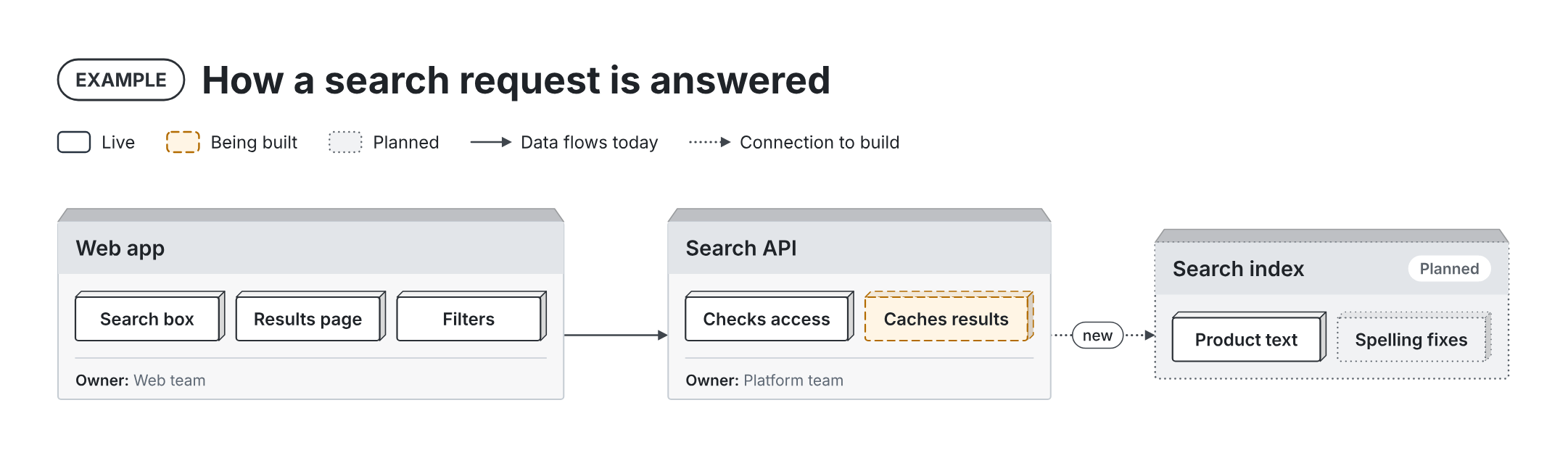
The key at the top lists only the statuses and line kinds the picture uses.
Why a first attempt comes out clean
- Every label is measured before it is placed. Widths come from the font's own spacing and kerning, so each box fits its words.
- The build checks the layout and names each problem. For example:
'Storage' and 'Recommendations' are only 9 px apart (minimum 16)orline 'Where videos come from' -> 'Storage' crosses 'Processing'; route it with via_x/via_y, move a block, or pass cross_ok=True.save()writes the files, prints a summary, then raisesLayoutErrorwith the full list. - Text is drawn as shapes. The SVG looks the same in a browser, PowerPoint, Keynote or Figma, with or without the font installed. Inter comes bundled.
- Words stay apart from layout. Keep labels in lists at the top of the script. Changing a word does not move anything by hand.
Examples
Each example is one script in examples/. Run any of them with python3 examples/<name>.py.
| Example | Shows |
|---|---|
systems_map.py |
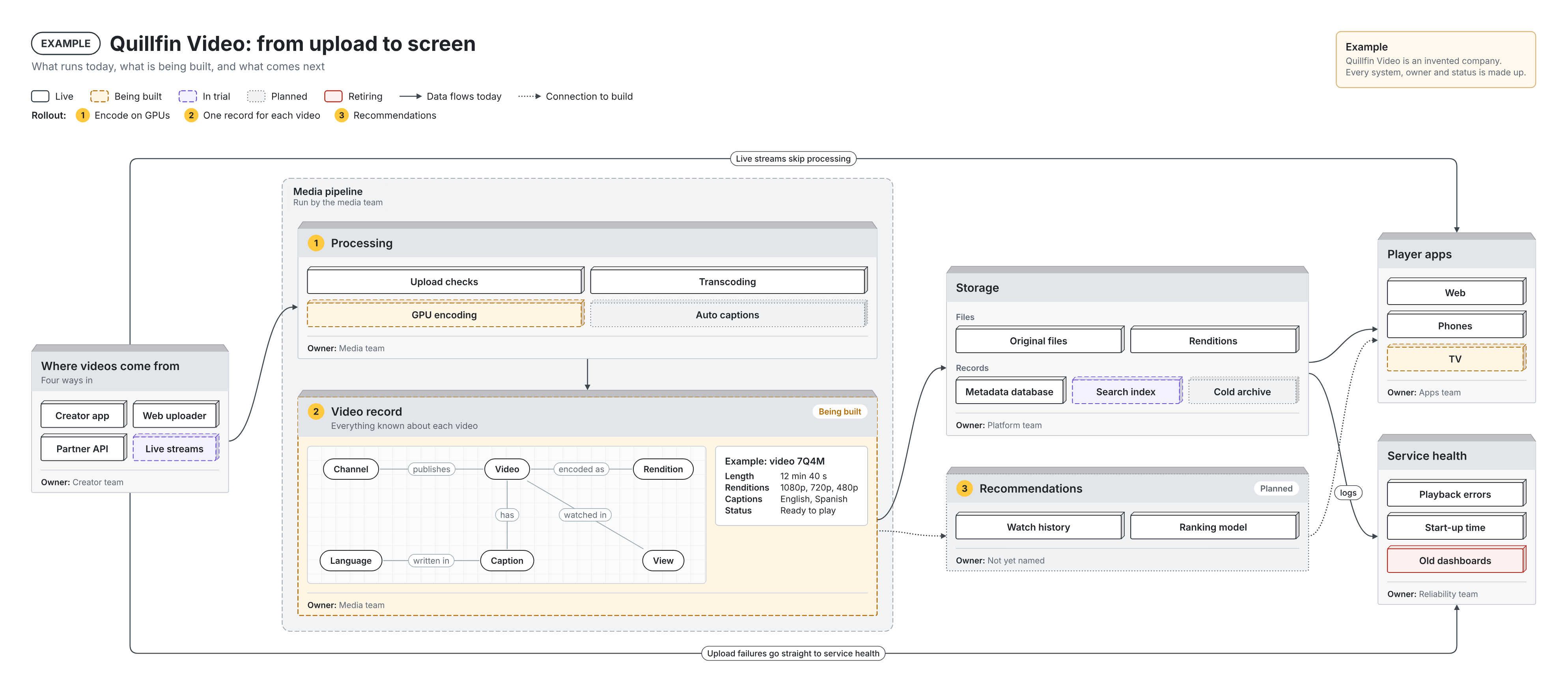
A video platform from upload to screen: columns, a group, steps, statuses, owners, a small data map with a worked example, and lanes above and below the picture |
how_it_works.py |
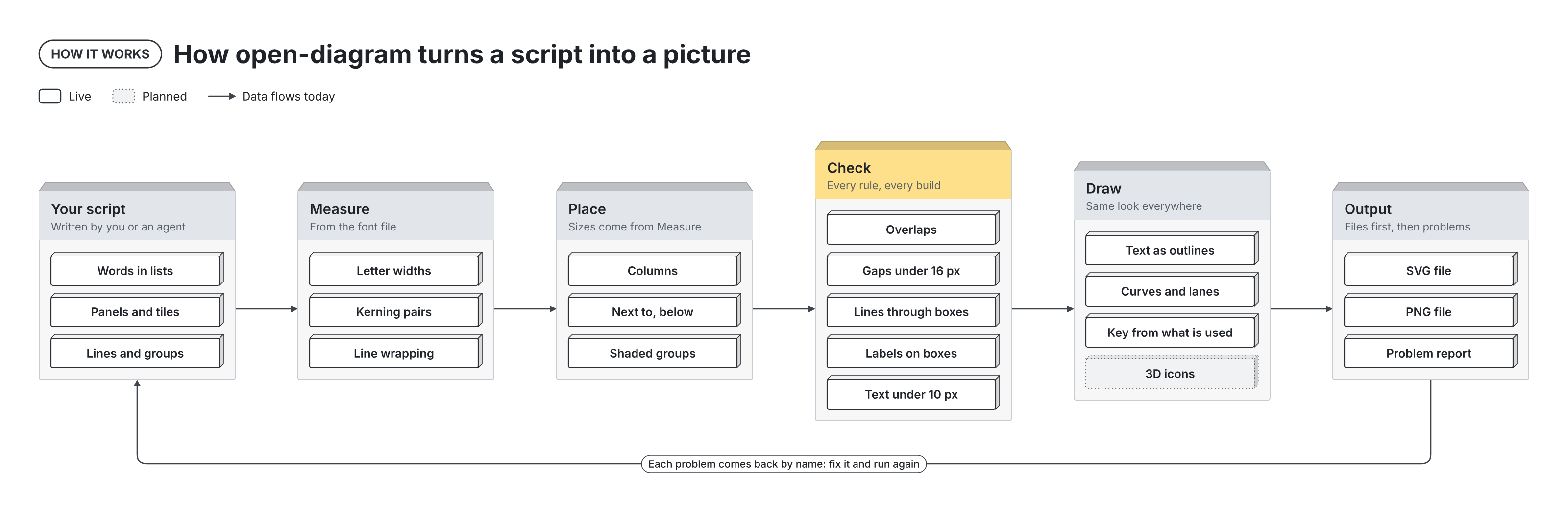
How open-diagram itself works, drawn with open-diagram |
pipeline.py |
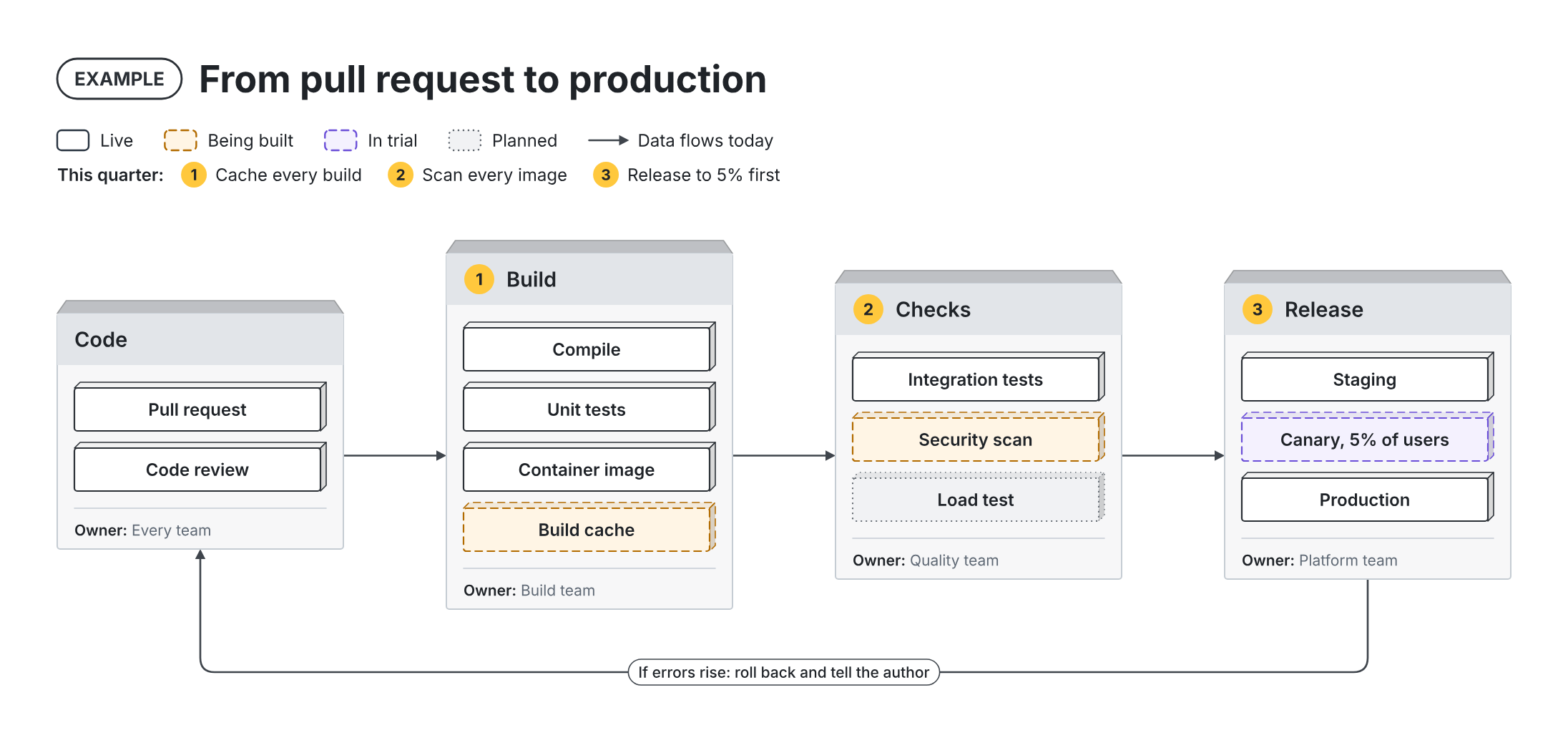
A release pipeline from pull request to production, with a rollback lane |
card_payment.py |
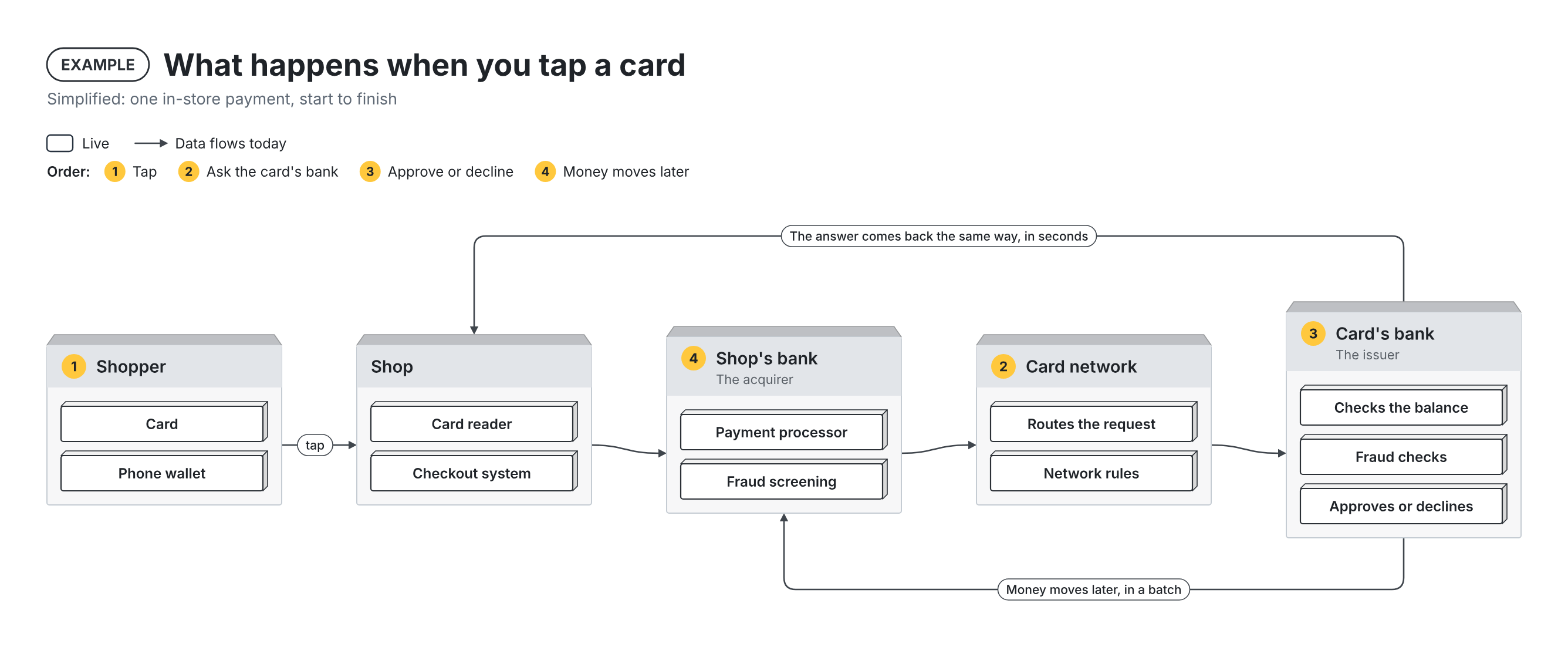
What happens when you tap a card: numbered steps for the order of events, return paths above and below |
layers.py |
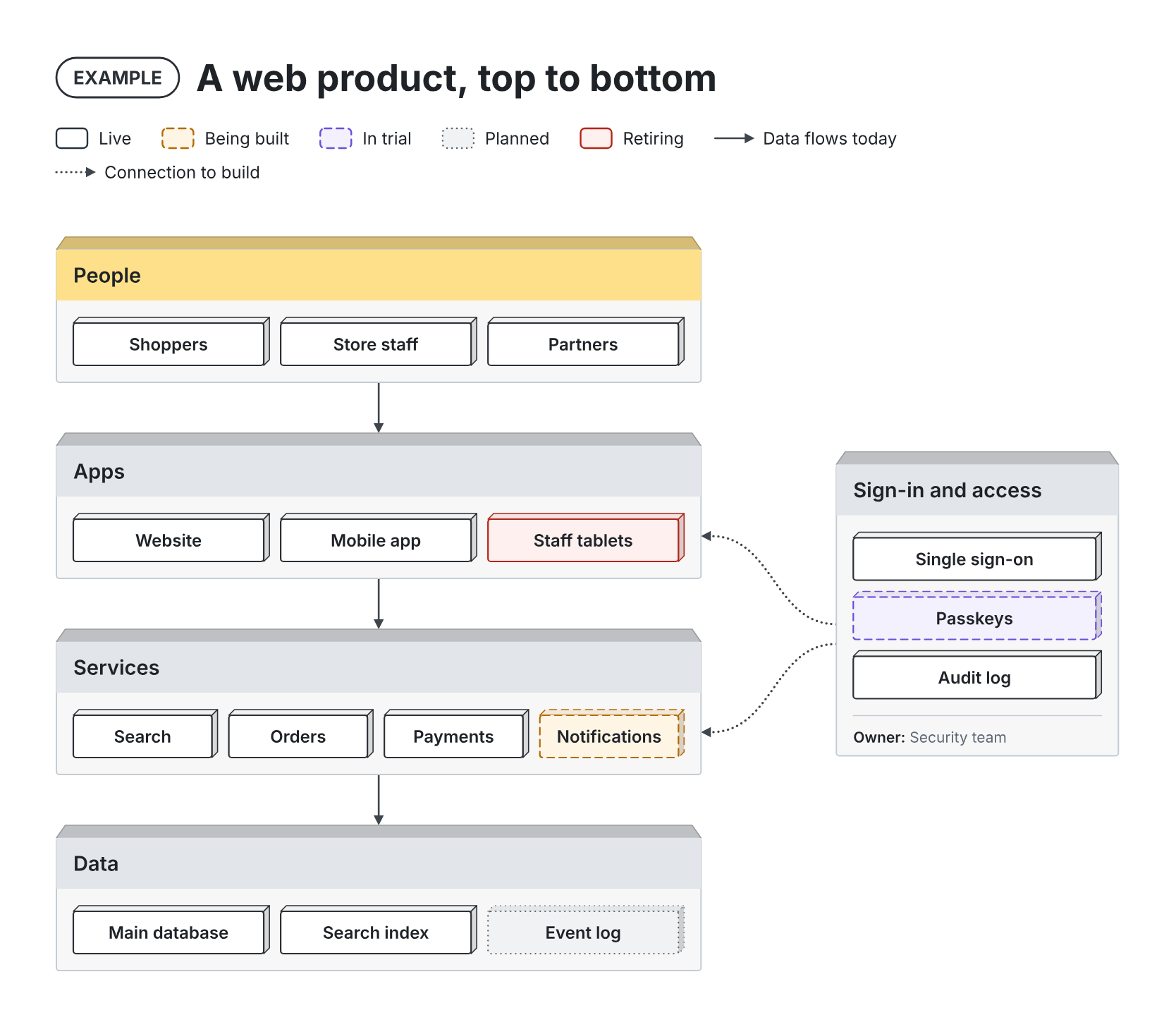
A web product as stacked layers, with a side panel |
concept_map.py |
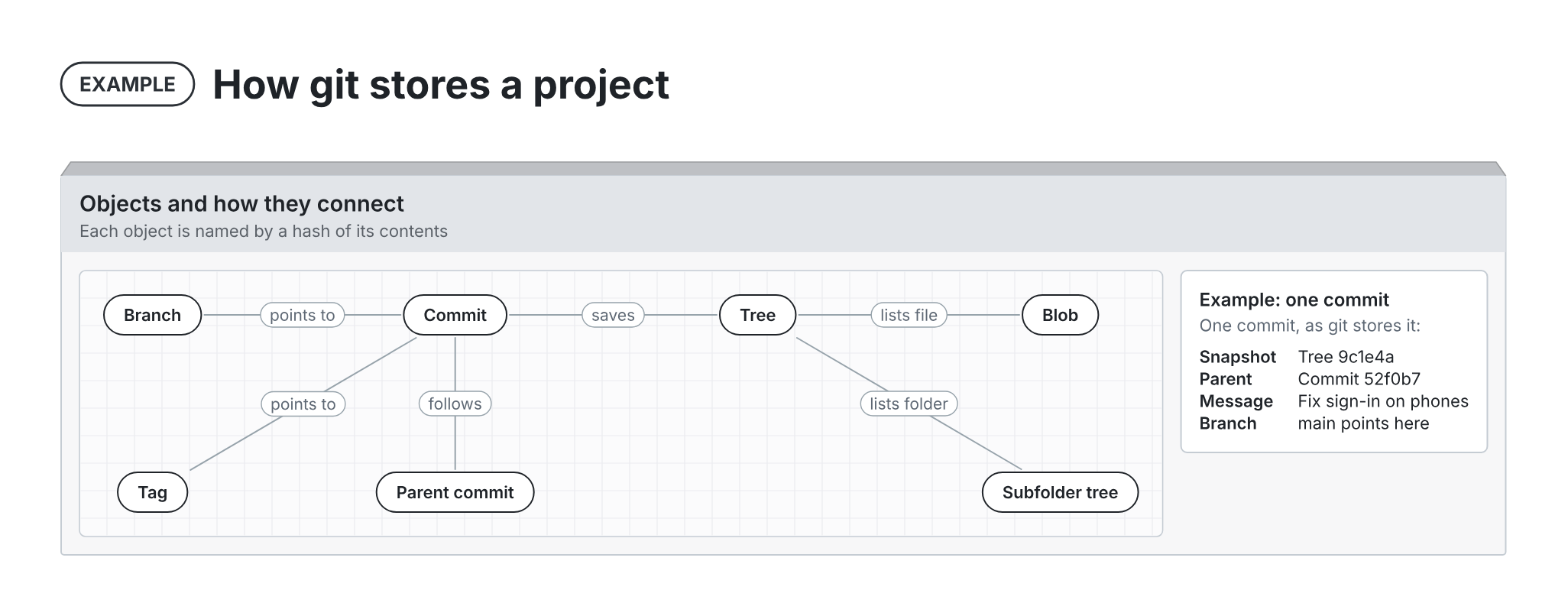
How git stores a project: its objects and links, with a worked example |
smart_home.py |
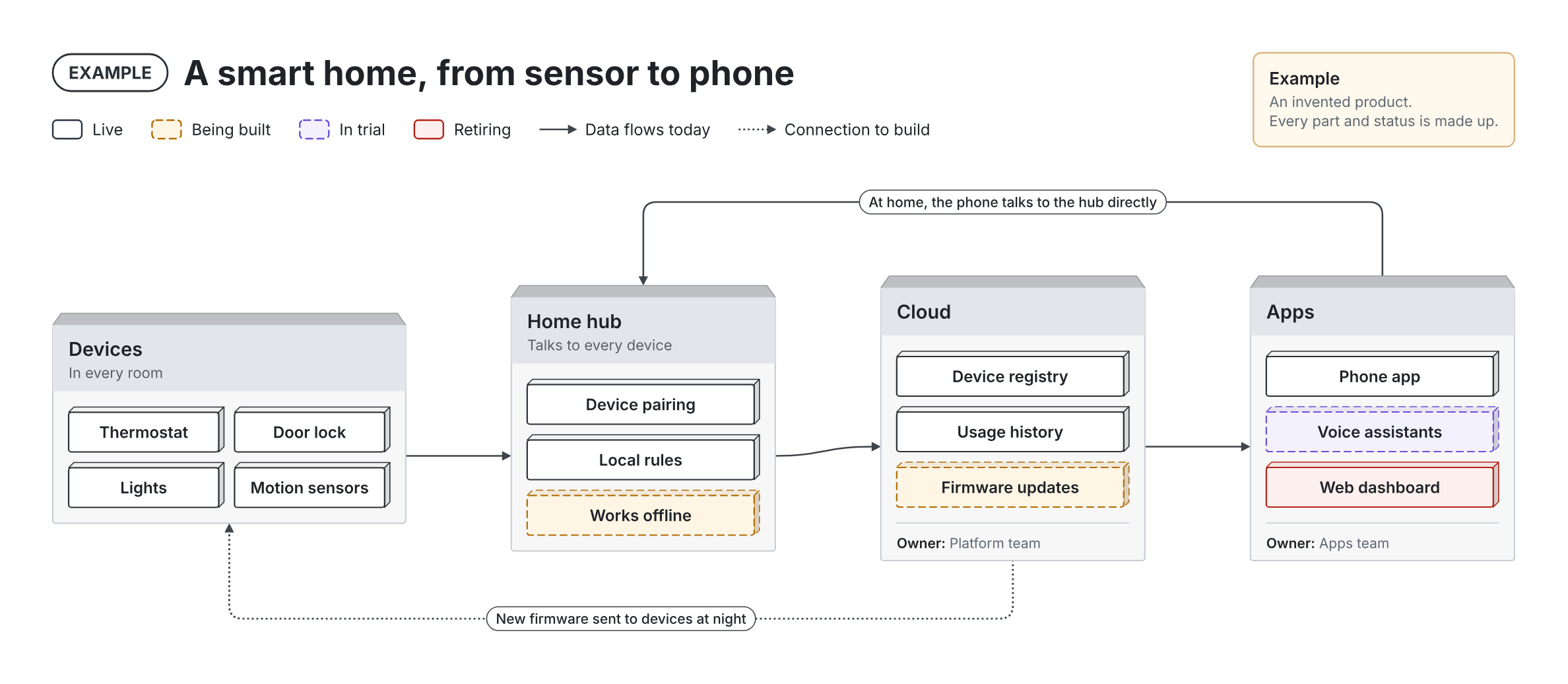
A smart home from sensor to phone, with a planned overnight update path |
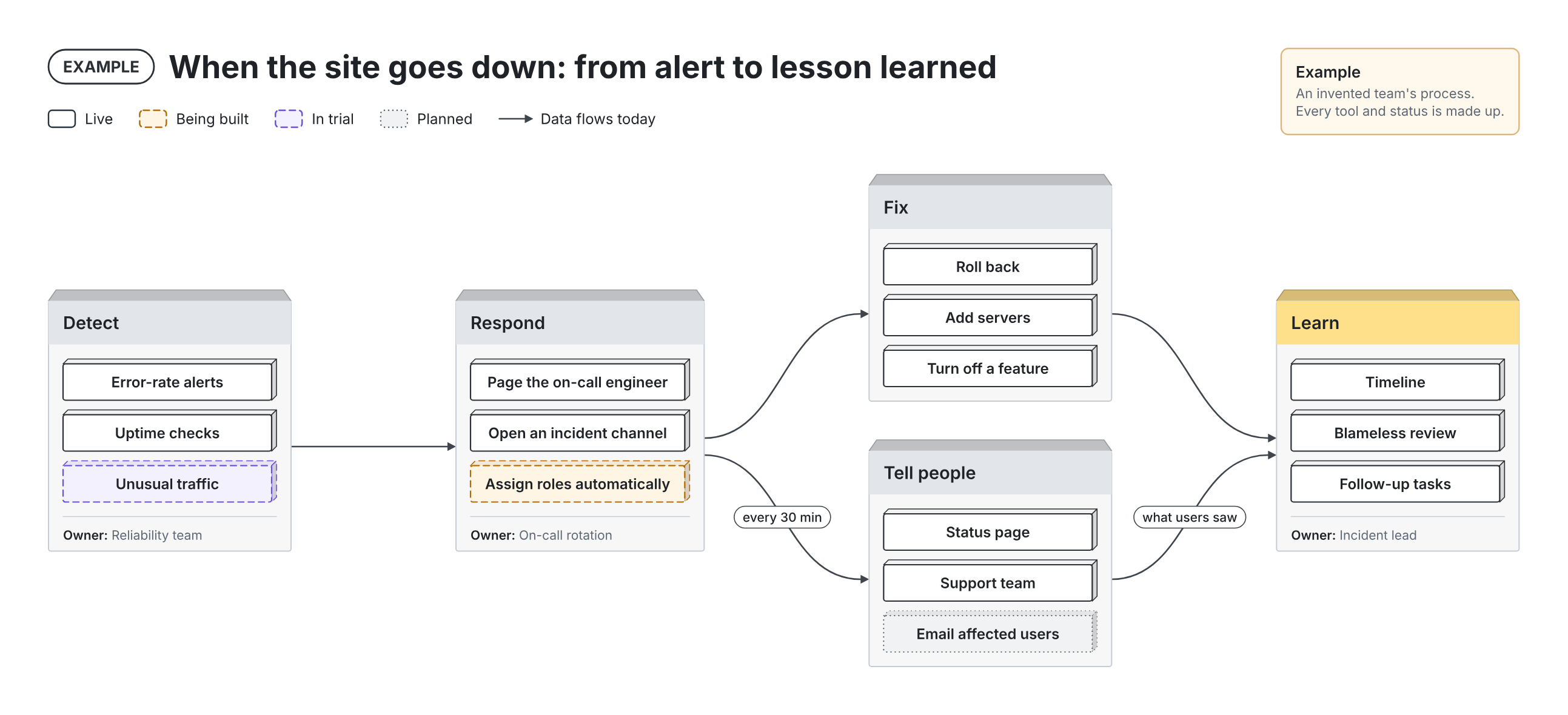
incident_response.py |
How a team handles an outage, from the first alert to the lessons learned |
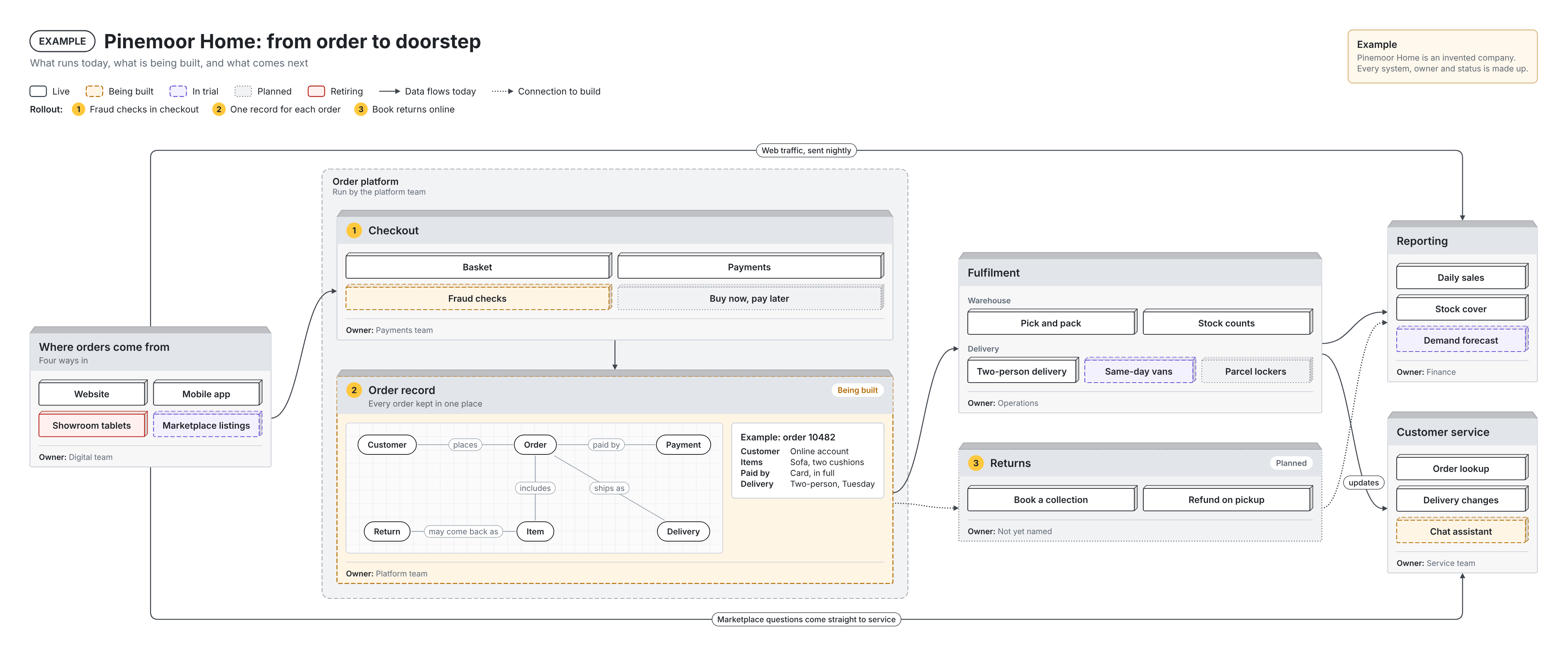
business_map.py |
Not only software: a furniture store from order to doorstep |
quickstart.py |
The code above |
Building blocks
| Block | What it draws |
|---|---|
Panel(title, *sections, sub=, status=, step=, footer=, tone=) |
The main box: a colored header, sections stacked inside, an optional footer such as "Owner: Data team" |
Tiles(items, cols=, label=) |
A grid of tiles with one cell size. A plain list of labels inside a Panel becomes Tiles |
Tile(label, sub=, status=, icon=) |
One small box. icon takes a PNG or SVG file you supply |
Card(title, rows, intro=) |
A worked example: rows of name and value |
Graph(nodes, links, at) |
Things on a grid, joined by labelled lines. The build reports labels that touch nodes |
Row(*sections) |
Sections side by side inside a panel |
Text(text) |
A wrapped paragraph |
Note(title, *lines) |
A boxed note for the top right, such as "Draft" |
| Diagram method | What it does |
|---|---|
add(block, x, y) |
Place a block at a position |
right_of(ref, block, align=) and below(ref, block, align=) |
Place a block next to another, with the theme's gap |
columns([[...], [...]]) and stack([...]) |
Place columns left to right, each one top to bottom |
group(label, members, sub=) |
A shaded, dashed area around some blocks |
link(a, b, kind=, label=, start=, end=, via_x=, via_y=) |
An arrow. kind="planned" is dotted. via_y routes it through a lane, for example above everything |
save(path) |
Write the SVG and PNG, print a summary, raise LayoutError if there are problems |
render() |
Return the SVG text and a report without writing files |
Statuses, colors and sizes
Panels have light gray headers and yellow step numbers. Each panel has a sloped top and each tile a raised edge, for a light 3D look; Theme(lid=0, depth=0) turns it off. tone="accent" gives a panel a soft yellow header, and tone="dark" a charcoal one. Header text turns white by itself on a dark header.
Statuses are shown by color and by word: Live, Being built, In trial, Planned and Retiring. Change them, or anything else, with a Theme:
from open_diagram import Diagram, Status, Theme

theme = Theme(tones={"default": "#2B3036", "neutral": "#6A7078", "accent": "#FFC83D", "dark": "#111418"})
theme.statuses["pilot"] = Status("Pilot", stroke="#8E24AA", fill="#F6EDF9", dash="dashed")
d = Diagram("My picture", theme=theme)
Use it with an AI agent
The folder skills/open-diagram/ is an Agent Skill: instructions an agent loads when it needs them. For Claude Code, copy it into your skills folder:
cp -r skills/open-diagram ~/.claude/skills/
Then ask for a picture in plain words, for example: "Draw a systems map of our checkout, warehouse and reporting, with what is live and what is planned." The skill tells the agent to plan the columns, write the script, run it, fix each named problem, and look at the PNG before it answers.
Agents changing the library itself should start with AGENTS.md.
Run the tests
python3 -m unittest discover -s tests
Soundtrack
We recommend listening to music by The Gathering Field while you build.
License
MIT, in LICENSE. The bundled Inter font is by The Inter Project Authors, under the SIL Open Font License 1.1, in src/open_diagram/fonts/OFL.txt.
1 maintainer

Metadata
1 maintainer
Release files for open-diagram 0.1.0
For a detailed explanation of source distributions (sdists) and built distributions (wheels), please see the package formats documentation.
Source distribution (sdist)
| File | Size | Uploaded | Provenance | Actions |
|---|---|---|---|---|
| open_diagram-0.1.0.tar.gz | 840.5 kB | With provenance | Details for open_diagram-0.1.0.tar.gz |
Built distribution (wheel)
| File | Interpreter | ABI | Platform | Actions Reset |
|---|---|---|---|---|
| open_diagram-0.1.0-py3-none-any.whl | Python 3 | none | any | Details for open_diagram-0.1.0-py3-none-any.whl |
Total release size: 1.7 MB
Release files / open_diagram-0.1.0.tar.gz
| Download URL | open_diagram-0.1.0.tar.gz |
|---|---|
| Size | 840.5 kB |
| Tags | Source |
|
SHA-256 checksum How to use checksums |
81502d50afc1f99a583e0adcdb3e26ae6b94706fb2eabaf25fe67fe2b4580da9
|
|
BLAKE2b-256 checksum How to use checksums |
ef42f1a1dae303851ddce7a941fd82c18533c5835867f67b18d1196ba7c838db
|
| Upload date | |
|
Uploaded using Trusted Publishing? What is trusted publishing? |
Yes |
| Uploaded via |
twine/7.0.0 CPython/3.13.16
|
Provenance
Provenance describes where a file came from. On PyPI, provenance is shared via attestations, which provide a verifiable record of the build or publishing details. View details, limitations and caveats.


PyPI Publish Attestation
PyPI verified that this artifact, at this checksum, originated from the publisher listed below.
Signed by GitHub Actions, verified by PyPI on Nov 18, 2026.
Transparency logRelease files / open_diagram-0.1.0-py3-none-any.whl
| Download URL | open_diagram-0.1.0-py3-none-any.whl |
|---|---|
| Size | 834.6 kB |
| Tags | Python 3 |
|
SHA-256 checksum How to use checksums |
65be16028a5b5983cf3cfe11a5858ec63ff7075de56f8fc130ba84293665852d
|
|
BLAKE2b-256 checksum How to use checksums |
be13264c86c086253fecc2611a706a7152b67f372e84363981b1f7da1aeffeed
|
| Upload date | |
|
Uploaded using Trusted Publishing? What is trusted publishing? |
Yes |
| Uploaded via |
twine/7.0.0 CPython/3.13.16
|
Provenance
Provenance describes where a file came from. On PyPI, provenance is shared via attestations, which provide a verifiable record of the build or publishing details. View details, limitations and caveats.
PyPI Publish Attestation
PyPI verified that this artifact, at this checksum, originated from the publisher listed below.
Signed by GitHub Actions, verified by PyPI on Nov 18, 2026.
Transparency logSecurity for open-diagram 0.1.0
Provenance
Provenance describes where a file came from. On PyPI, provenance is shared via attestations, which provide a verifiable record of the build or publishing details. View details, limitations and caveats.
Full provenance
Both files in this release have been uploaded with provenance metadata.
Attestation for open_diagram-0.1.0.tar.gz
PyPI Publish Attestation
PyPI verified that this artifact, at this checksum, originated from the publisher listed below.
Signed by GitHub Actions, verified by PyPI on Nov 18, 2026.
Transparency logA note on package security
PyPI is a repository for distributing packages, not a service for auditing them. While third-party security researchers and our staff do their best to detect and remove malicious packages, PyPI cannot guarantee the quality, security or suitability of any given package.
To learn more about protecting yourself from malicious actors, visit our package security documentation.














