
VVV
VVV is a fast, research-oriented, and "minimalist" 3D/4D (medical) image viewer, conceived as a successor to VV.
📖 Complete User Documentation | Getting Started Guide | CLI Reference
Highlights
- Fast & Minimalist: Instant startup, keyboard and command-line driven.
- Multi-Planar Reconstruction (MPR): Seamless switching between Axial (
F1), Coronal (F2), and Sagittal (F3) planes. - Formats & 4D Support: Reads standard medical formats (
.nii,.nii.gz,.mha,.mhd,.nrrd,.dcm, etc.) and multi-frame 4D series (cardiac/respiratory phases). - Sub-Pixel Synchronization: Synchronize pan, zoom, and crosshair slices across multiple image viewers.
- Image Fusion & Overlays: Alpha blending, checkerboard, difference maps, colormaps, and displacement vector fields (DVF).
- ROIs & RT-STRUCT: Native sub-pixel RT-STRUCT contour rendering, binary masks, and interactive thresholding.
- Radiotherapy Tools: Quantitative dose visualization, isodose contours/wash, and interactive Dose-Volume Histograms (DVH).
- Measurement & Alignment: 1D line profiles (
P), 3D point landmarks, publication legends (L), and 6-DOF manual rigid registration. - Sessions & Workspaces: Save and reload full multi-viewer workspaces (
.vvw), with automatic history.
In-App Help: Click the "baby" icon at the bottom-left of the application to display interactive guides, shortcuts, and tooltips directly inside the UI.
Installation
pip install open-vvv
The package is
open-vvv:pip install vvvinstalls an unrelated project (a 2012 code-validation tool) that happens to own thevvvname on PyPI. The installed command isvvv.
Requires Python 3.10 to 3.14, on Linux (x64), Windows (x64) or macOS 13+ on Apple Silicon. Intel Macs and Windows on ARM are not supported: DearPyGui (and SimpleITK on Windows ARM) provide no wheels for them.
Or install the development version from source:
git clone https://github.com/dsarrut/vvv
cd vvv
pip install -e .          # or pip install -e ".[dev]" to also get the test tools (pytest, fonttools)
Linux Note (Clipboard support for screenshots)
On Linux, copying screenshots directly to the system clipboard requires xclip (X11) or wl-clipboard (Wayland):
sudo apt install xclip         # Ubuntu / Debian (X11)
# or: sudo apt install wl-clipboard   # Ubuntu / Debian (Wayland)
# or: sudo dnf install xclip          # Fedora / RHEL
If neither is installed, screenshots are automatically saved to ~/Pictures/vvv_screenshot_<timestamp>.png (or ~/vvv_screenshot_...png).
Quick Start (CLI)
# View a single image
vvv ct.nii.gz

# Open two images synchronized
vvv ct.nii.gz spect.nii.gz -s

# Fuse two images with a colormap
vvv ct.nii.gz, spect.nii.gz, jet

# Overlay an image with a binary mask
vvv ct.nii.gz + labels.nii.gz

# Restore a saved session
vvv my_session.vvw
For more CLI options and syntax, see the CLI Documentation.
Screenshots
| Single 3D Image | Image Fusion |
|---|---|
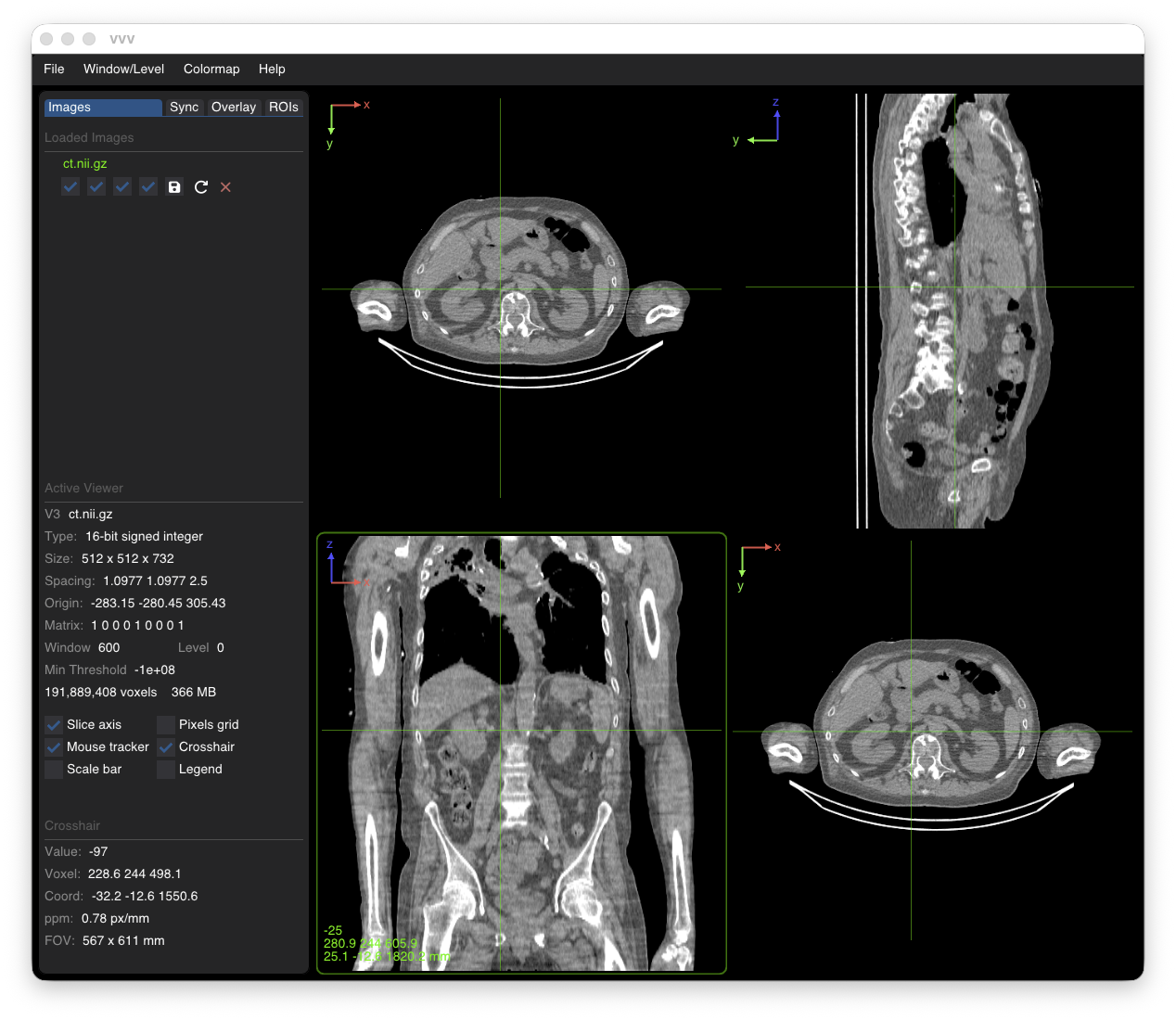 |
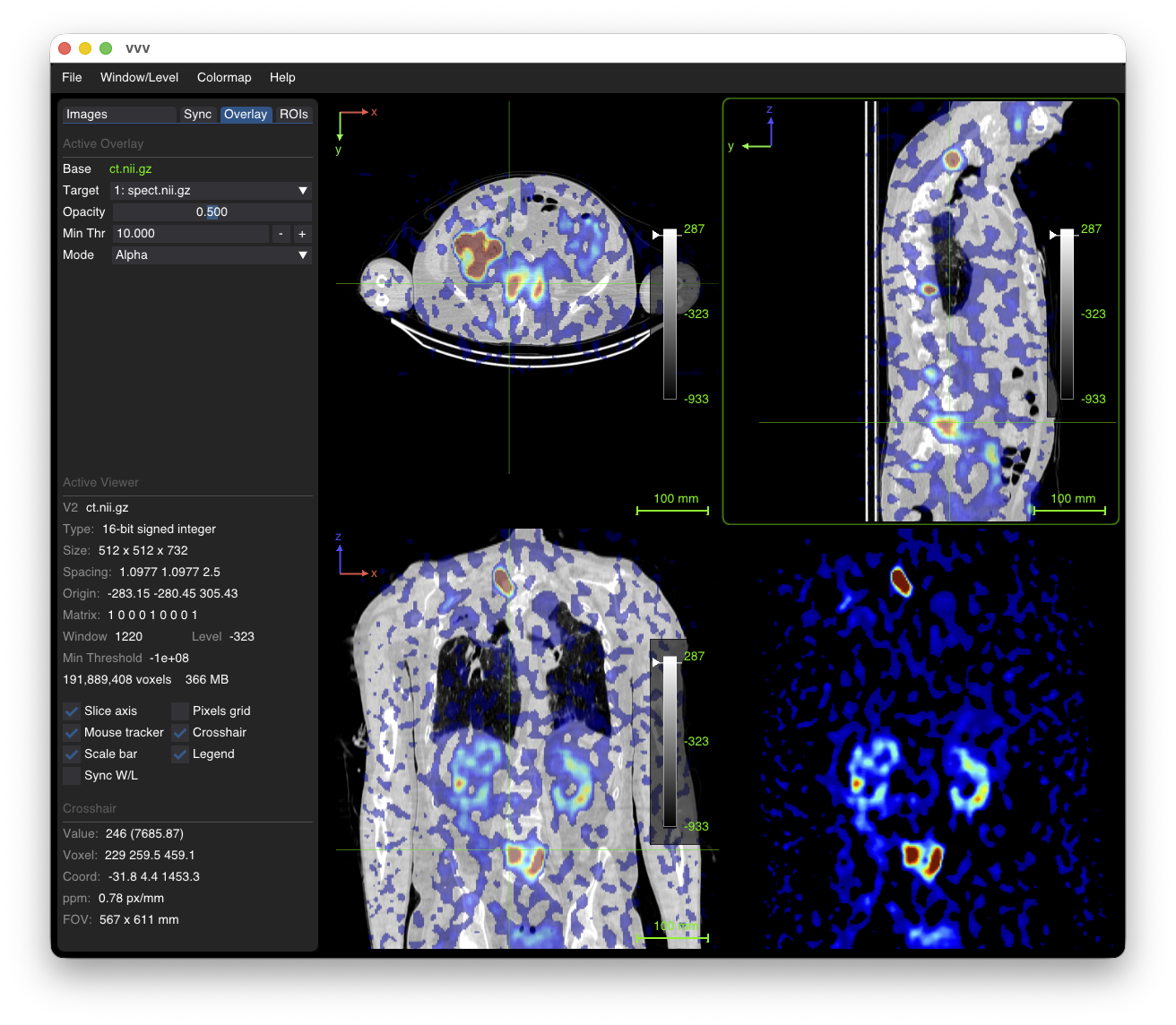 |
| 4D Sequence | ROI Contours |
|---|---|
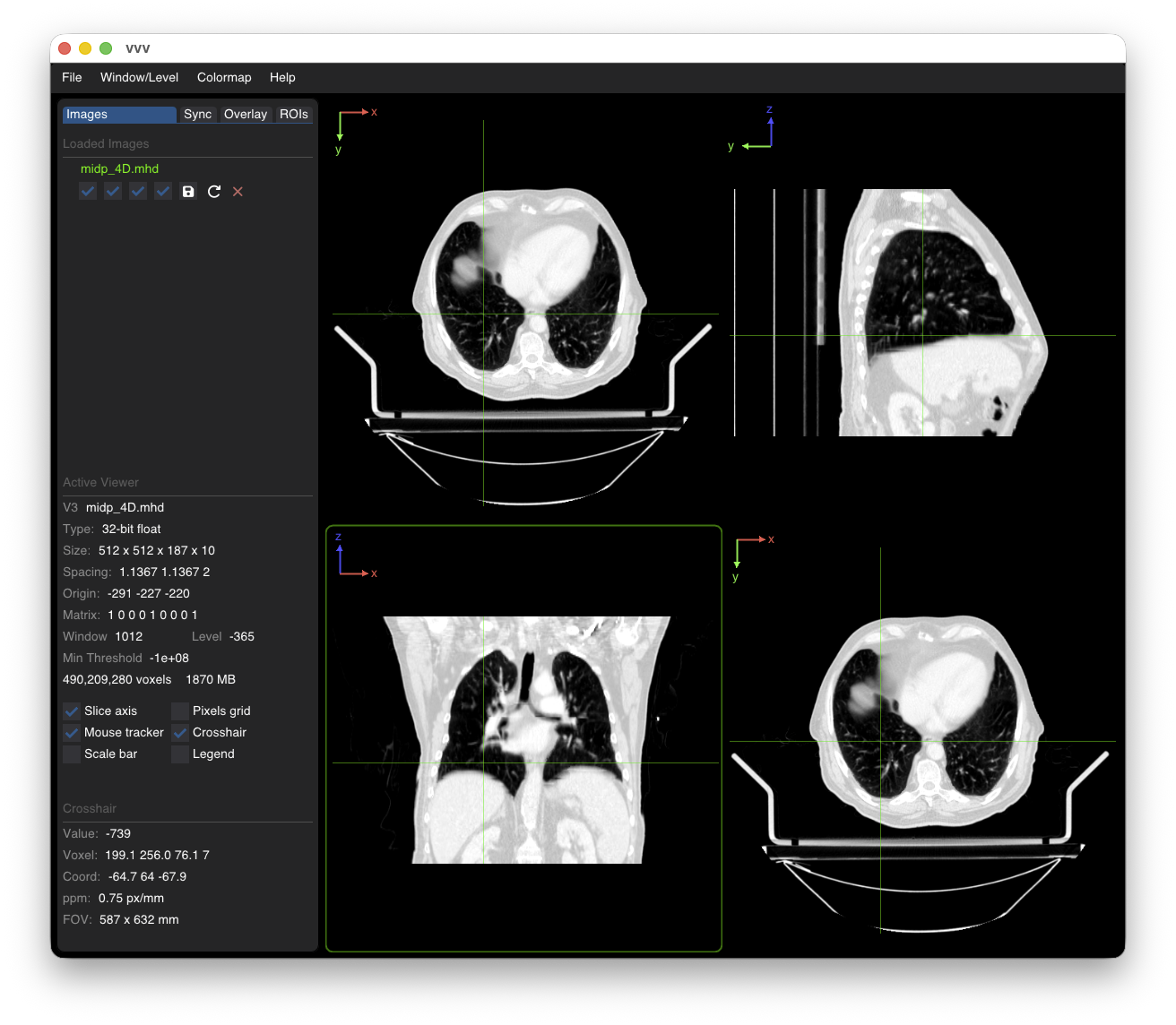 |
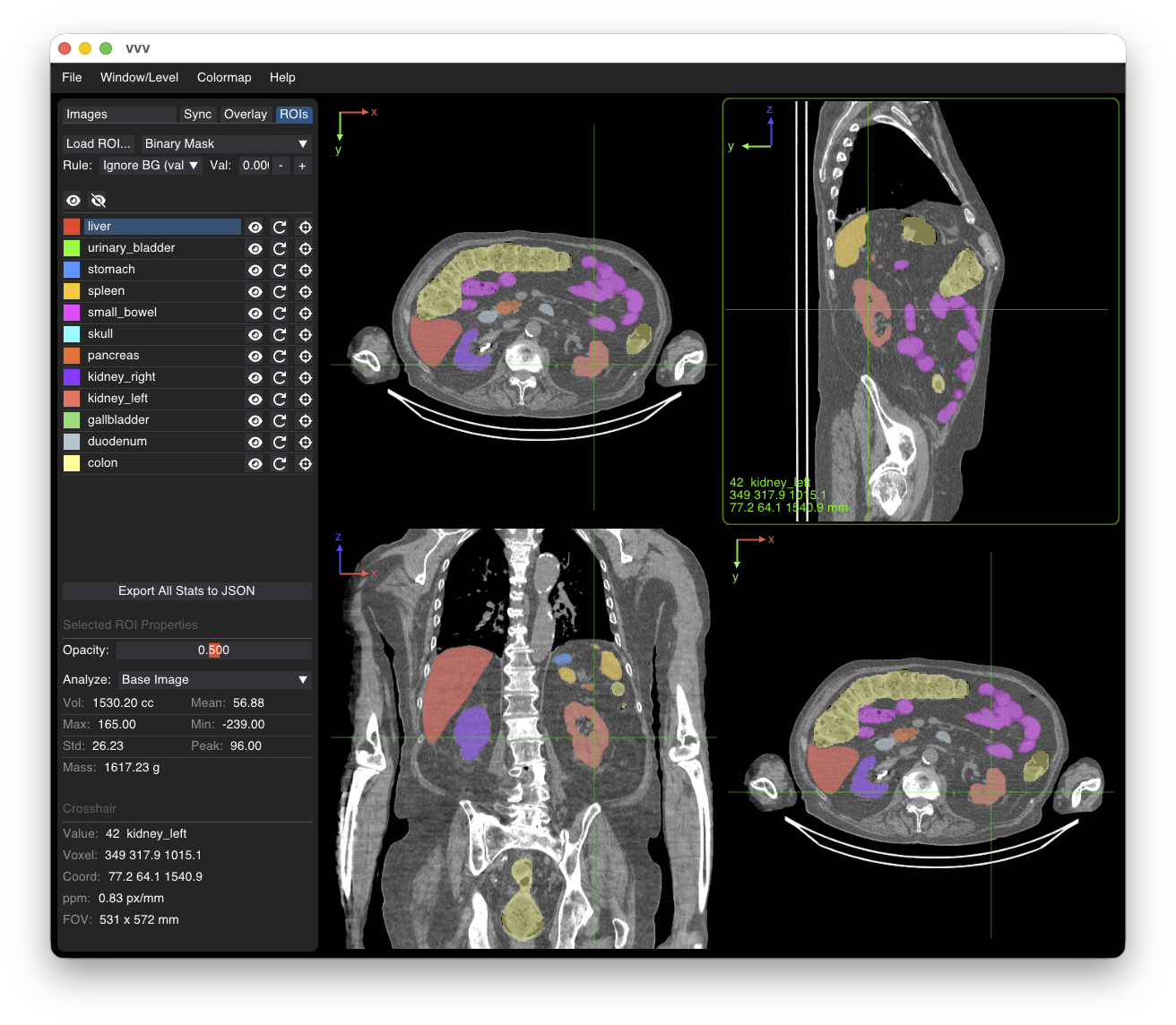 |
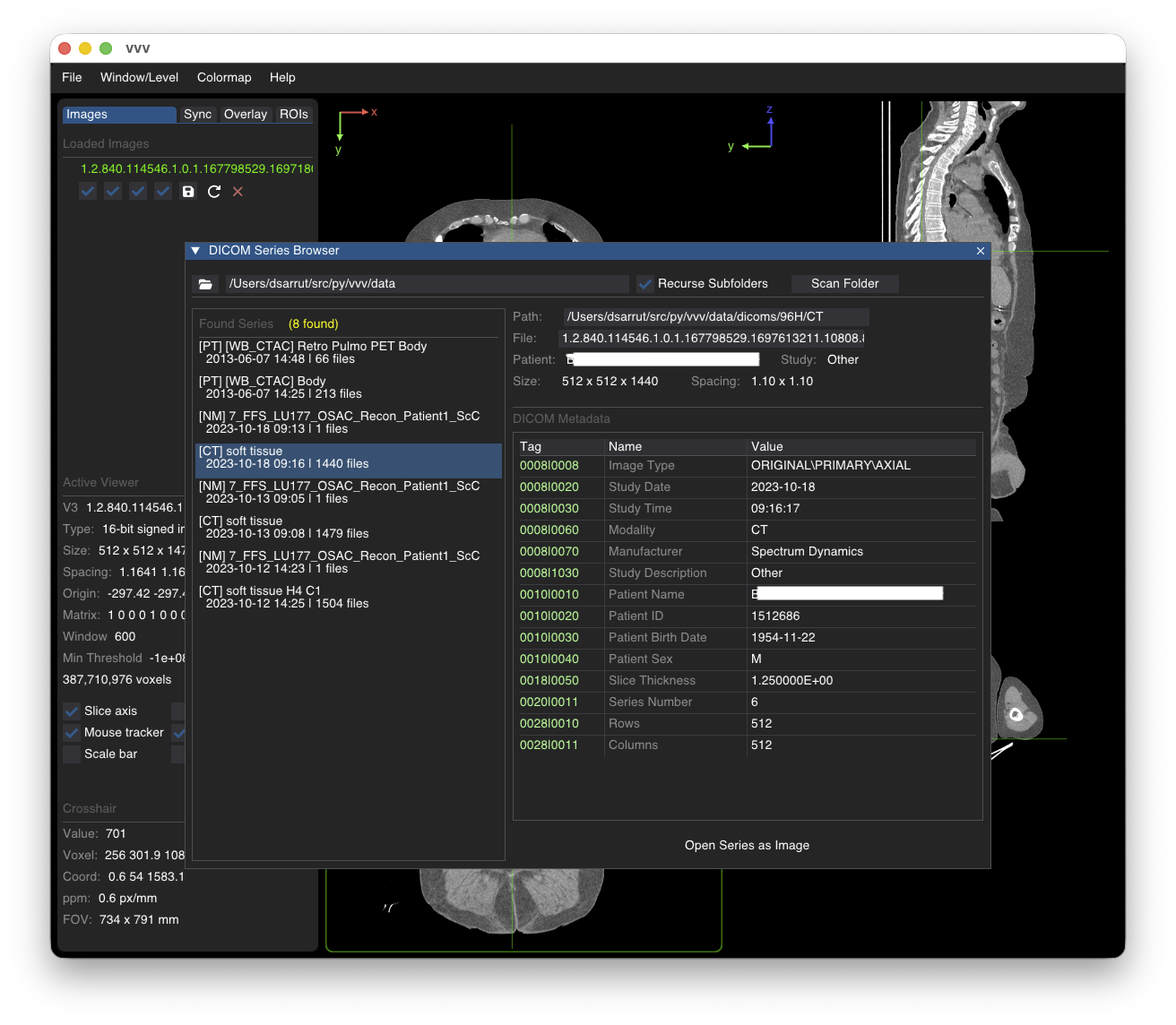
| DICOM Series Browser |
|---|
 |
User Documentation
Explore the detailed topic guides in user_docs/:
- 01. Overview & Interface
- 02. Working with Images
- 03. Command-Line Interface
- 04. Workspaces & Sessions
- 05. Multi-Viewer Synchronization
- 06. Fusion & Overlays
- 07. Intensity, Units & Colormaps
- 08. ROIs & Contours
- 09. Interactive Thresholding
- 10. Line Profiles
- 11. 3D Landmarks
- 12. Rigid Registration
- 13. Maximum Intensity Projection (MIP)
- 14. Displacement Vector Fields (DVF)
- 15. DICOM Browser
- 16. Radiation Dose & DVH
VVV has been carefully crafted with AI assistance (mostly Gemini, Claude) following the spirit of VV, focusing on performance, clean architecture, and research productivity.
1 maintainer

Metadata
1 maintainer
Release files for open-vvv 0.8.0
For a detailed explanation of source distributions (sdists) and built distributions (wheels), please see the package formats documentation.
Source distribution (sdist)
| File | Size | Uploaded | Provenance | Actions |
|---|---|---|---|---|
| open_vvv-0.8.0.tar.gz | 1.1 MB | Without provenance | Details for open_vvv-0.8.0.tar.gz |
Built distribution (wheel)
| File | Interpreter | ABI | Platform | Actions Reset |
|---|---|---|---|---|
| open_vvv-0.8.0-py3-none-any.whl | Python 3 | none | any | Details for open_vvv-0.8.0-py3-none-any.whl |
Total release size: 2.1 MB
Release files / open_vvv-0.8.0.tar.gz
| Download URL | open_vvv-0.8.0.tar.gz |
|---|---|
| Size | 1.1 MB |
| Tags | Source |
|
SHA-256 checksum How to use checksums |
b08970ef5c23c3e6b137c1e987eecb42345642e182dfa37aca259e868bf2e429
|
|
BLAKE2b-256 checksum How to use checksums |
d8ddfb7b2f0aa659b0021ab5b86ac3a7713af2f642e0f3a9af4228d07ea159fd
|
| Upload date | |
|
Uploaded using Trusted Publishing? What is trusted publishing? |
No |
| Uploaded via |
twine/7.0.0 CPython/3.13.16
|
Release files / open_vvv-0.8.0-py3-none-any.whl
| Download URL | open_vvv-0.8.0-py3-none-any.whl |
|---|---|
| Size | 997.0 kB |
| Tags | Python 3 |
|
SHA-256 checksum How to use checksums |
eec178644ca02764628cfb1340fa73c7cecc8b874265c5dc0cd5acd0c599858f
|
|
BLAKE2b-256 checksum How to use checksums |
aa21dbbec98290033f547e4cc17c4703c2cf8d8698ac1449749309d2d6cc04b7
|
| Upload date | |
|
Uploaded using Trusted Publishing? What is trusted publishing? |
No |
| Uploaded via |
twine/7.0.0 CPython/3.13.16
|
Security for open-vvv 0.8.0
Provenance
Provenance describes where a file came from. On PyPI, provenance is shared via attestations, which provide a verifiable record of the build or publishing details. View details, limitations and caveats.
No provenance found
None of the files in this release were uploaded with provenance metadata.
A note on package security
PyPI is a repository for distributing packages, not a service for auditing them. While third-party security researchers and our staff do their best to detect and remove malicious packages, PyPI cannot guarantee the quality, security or suitability of any given package.
To learn more about protecting yourself from malicious actors, visit our package security documentation.














