
Open Accelerated Discovery Client


Project description
OpenAD
Open-source framework for molecular and materials discovery




Open Accelerated Discovery (aka OpenAD) is an open-source framework for molecular and materials discovery developed at IBM Research.
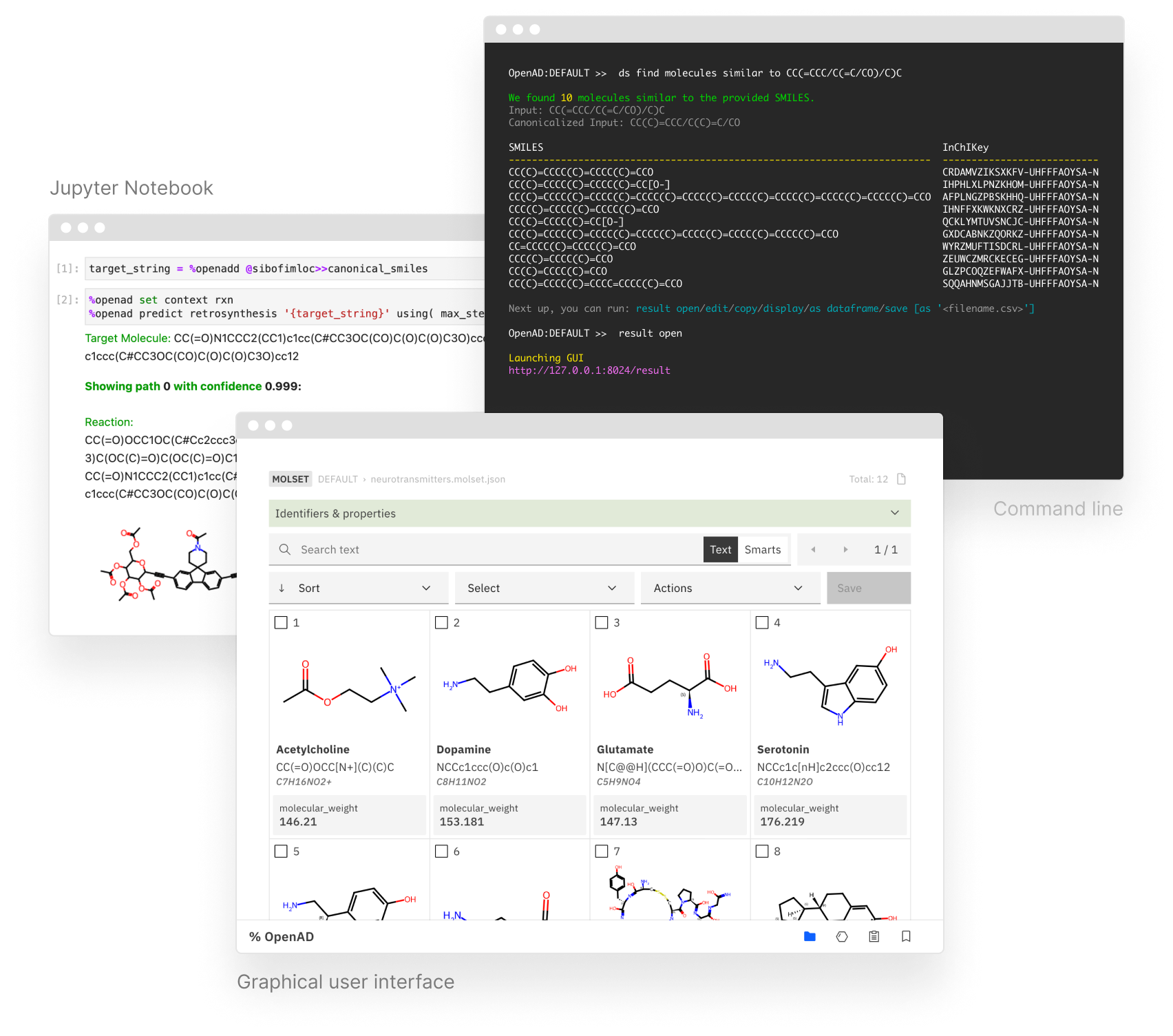
The OpenAD client is accessible from our command line interface, via Jupyter Notebook or our API. It provides unified access to a variety of tools and AI models for literature knowledge extraction, forward and retrosynthesis prediction, generative methods and property inference. OpenAD lets you train models on your own data, to then visualize and filter your candidate molecules.
INSTALLATION GETTING STARTED COMMANDS MODELS SERVICE
PLUGINS AI ASSISTANT DEVELOPERS
Useful links
- Homepage
accelerate.science/projects/openad - GitHub
github.com/acceleratedscience/open-ad-toolkit - Pip install
pypi.org/project/openad - Documentation
acceleratedscience.github.io/openad-docs
Quick Install
[!IMPORTANT] This will install OpenAD in your global space. If you wish to use a virtual environment (recommended), please refer to the Installation page.
pip install openad
openad
Get started with Jupyter Notebook examples:
init_magic
init_examples
jupyter lab ~/openad_notebooks/Table_of_Contents.ipynb
If you get an error when running init_magic, you may first need to setup the default iPython profile for magic commands.
ipython profile create
What's New
-
%Openaddhas been added to the magic commands for commands that return data. -
Upgraded SkyPilot to 0.6.0
-
Support for deploying in OpenShift AI/Open Data hub workbench or Podman/Docker image. See the workbench repo.
-
Support for application API
-
New property and dataset generation services. See OpenAD Models Service
- GT4SD Generation Services
- GT4SD Property Services
- GT4SD MoleR Generation
- GT4SD Molformer
You'll need an AWS account and the ability to launch your own EC2 instances and catalog a remote service via URL. Instructions provided.
Feedback
- Feature requests, feedback and questions:
phil.downey1@ibm.com - Bug reports:
Create issue on GitHub
Learn
- OpenAD blog
- Demo Notebooks: See
init_examplesunder installation
Contribute
Stay tuned for detailed instructions on how to build your own OpenAD plugins.
Check the Developers section for guidance with other contributions.
Release history Release notifications | RSS feed


Download files
Download the file for your platform. If you're not sure which to choose, learn more about installing packages.
Source Distribution
Built Distribution
Filter files by name, interpreter, ABI, and platform.
If you're not sure about the file name format, learn more about wheel file names.
Copy a direct link to the current filters
File details
Details for the file openad-0.7.1.tar.gz.
File metadata
- Download URL: openad-0.7.1.tar.gz
- Upload date:
- Size: 38.6 MB
- Tags: Source
- Uploaded using Trusted Publishing? No
- Uploaded via: poetry/1.8.2 CPython/3.10.10 Darwin/23.6.0
File hashes
| Algorithm | Hash digest | |
|---|---|---|
| SHA256 |
9f0e62958fb18f5e1af5a724f50096d1138302b7c9617ea9ef5e6c5736115698
|
|
| MD5 |
01eade7326c2dc2ddfa71f3cbd00648e
|
|
| BLAKE2b-256 |
5a0a032c323240378866a5933df2f6d9abf023b3e632662fc0a9c139cf4158e9
|
File details
Details for the file openad-0.7.1-py3-none-any.whl.
File metadata
- Download URL: openad-0.7.1-py3-none-any.whl
- Upload date:
- Size: 38.9 MB
- Tags: Python 3
- Uploaded using Trusted Publishing? No
- Uploaded via: poetry/1.8.2 CPython/3.10.10 Darwin/23.6.0
File hashes
| Algorithm | Hash digest | |
|---|---|---|
| SHA256 |
19526dfd0db3b9b3ee2992f0a71b6c5bd46aadcaf04a832dfc3617622b5777f2
|
|
| MD5 |
60bde6c48efa80d3a24bd0f02ab609df
|
|
| BLAKE2b-256 |
1efa250d5b492c61c2b7a0e637158d059f093489972aed998165a365645e65d3
|






