
This release is a pre-release and may not be stable for production use.
OpenAI API Server via Codex
💰 Your ChatGPT subscription includes Codex, but that backend normally only
talks to Codex clients. This server puts an OpenAI-compatible API in front of
it, so any tool that already speaks to api.openai.com can use it by changing
one environment variable.
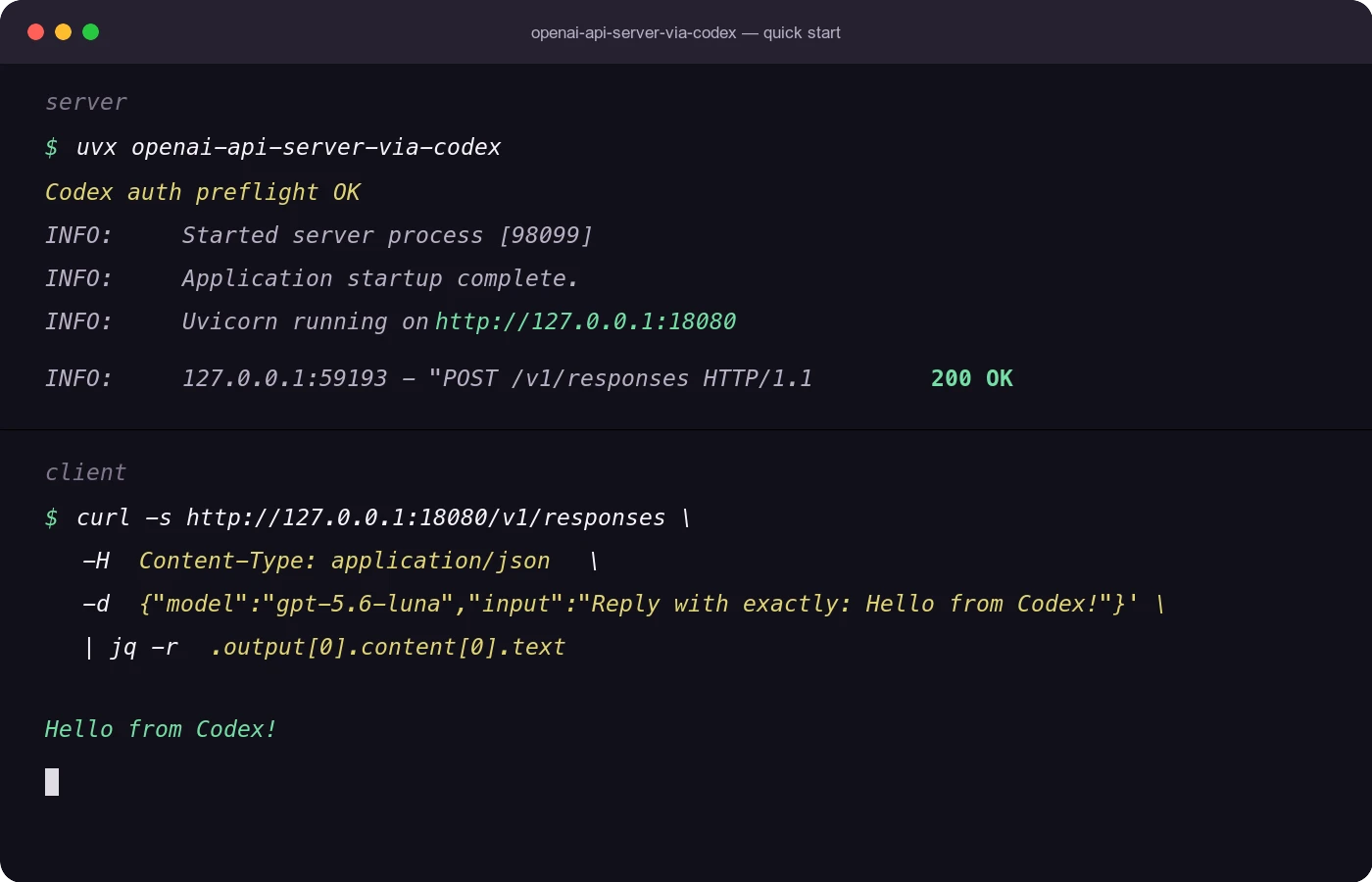
$ uvx openai-api-server-via-codex
$ export OPENAI_BASE_URL=http://127.0.0.1:18080/v1
$ # this server requires no key by default, but the OpenAI SDK
$ # fails its own validation without one, so any value works
$ export OPENAI_API_KEY=dummy
Existing code keeps working as written:
from openai import OpenAI

client = OpenAI()
response = client.responses.create(model="gpt-5.6-luna", input="Hello")
🎯 Why use it
- No platform API key, no per-token bill. Requests go through the Codex access already included in your ChatGPT plan, not through OpenAI Platform billing.
- No client changes.
openai-python, LangChain, LiteLLM, and any tool with a configurable base URL work as-is. - Both APIs, not just chat. Responses and Chat Completions, streaming, tool calling, structured outputs, image input, and image generation.
- Local by default. It binds to
127.0.0.1and reads your existing~/.codex/auth.json. Credentials go to the Codex backend and nowhere else. - One command.
uvxruns it without installing anything permanent, and supported platform wheels contain a standalone Go server;start/stop/statusmanage it as a background daemon.
Use cases
- Call Codex-only models such as GPT-5.6 Luna from a notebook or a throwaway script without setting up Platform billing.
- Run an agent, eval, or batch job you already wrote for the OpenAI SDK against
Codex models by switching
OPENAI_BASE_URL. - Drive editors and CLI tools that accept an OpenAI-compatible endpoint.
- Give a trusted machine on your LAN access with
--host 0.0.0.0 --api-key ....
It does not raise or bypass your Codex or ChatGPT plan limits, and it is not the official OpenAI Platform API. Use it only with accounts you are allowed to use, and follow OpenAI's terms and usage policies. Do not resell access, expose it publicly, or point third-party services at it.
Usage
Start with uvx
If Codex is already logged in on the machine, start the server with one command:
$ uvx openai-api-server-via-codex
2026/08/12 12:34:56 openai-api-server-via-codex 0.1.6b1 (Go) listening on http://127.0.0.1:18080
The default server URL is http://127.0.0.1:18080. OpenAI-compatible API
endpoints are served under /v1, for example
http://127.0.0.1:18080/v1/responses.
[!TIP]
uvxis uv's tool-run command. If you do not have uv installed yet, follow the official uv documentation: https://docs.astral.sh/uv/.To force
uvxto use the latest published package instead of a cached copy, runuvx --refresh-package openai-api-server-via-codex openai-api-server-via-codex.
[!NOTE] This is a compatibility server for local or trusted environments. By default, it accepts any incoming OpenAI API key value because
openai-pythonrequires one even when this server does not. Set--api-keyif you want the server to authenticate incoming requests, especially when binding to anything other than localhost.
Call the Responses API
Point openai-python at the local server with the standard OpenAI client
environment variables:
$ export OPENAI_BASE_URL=http://127.0.0.1:18080/v1
$ export OPENAI_API_KEY=dummy
from openai import OpenAI

client = OpenAI()

response = client.responses.create(
    model="gpt-5.6-luna",
    input="Reply in one sentence.",
    reasoning={"effort": "low"},
)
print(response.output_text)
OPENAI_API_KEY=dummy is only a placeholder required by the OpenAI SDK. Unless
you configure --api-key, the local server accepts any incoming API key value.
Use chat completions
chat = client.chat.completions.create(
    model="gpt-5.6-luna",
    messages=[{"role": "user", "content": "Hello"}],
    reasoning_effort="low",
)
print(chat.choices[0].message.content)
Stream a response
stream = client.responses.create(
    model="gpt-5.6-luna",
    input="Stream a short reply.",
    stream=True,
    reasoning={"effort": "low"},
)

for event in stream:
    if event.type == "response.output_text.delta":
        print(event.delta, end="")
Generate an image
import base64

image = client.images.generate(
    model="gpt-image-2",
    prompt="A cozy pixel art bowl of ramen, no text.",
    size="1024x1024",
    quality="medium",
    output_format="png",
)

png_bytes = base64.b64decode(image.data[0].b64_json)
with open("ramen.png", "wb") as file:
    file.write(png_bytes)
The image generation endpoint returns OpenAI-compatible base64 image results.
The server does not host generated files or return temporary image URLs. Do not
pass response_format; GPT image generations are returned as b64_json.
Run as a background daemon
$ uvx openai-api-server-via-codex start
Codex auth preflight OK: /home/you/.codex/auth.json (account_id_present=True)
Started openai-api-server-via-codex on 127.0.0.1:18080
PID: 12345
PID file: /home/you/.config/openai-api-server-via-codex/run/server-127.0.0.1-18080.pid
Log file: /home/you/.config/openai-api-server-via-codex/run/server-127.0.0.1-18080.log

$ uvx openai-api-server-via-codex status
$ uvx openai-api-server-via-codex stop
On Linux and macOS, stop drains in-flight HTTP requests up to
--stop-timeout. Windows stops the daemon process tree on a best-effort basis;
in-flight streams may be interrupted.
Expose the server to other machines only with access control:
$ uvx openai-api-server-via-codex start \
  --host 0.0.0.0 \
  --api-key local-secret
Then connect clients to http://<server-host>:18080/v1 and pass
api_key="local-secret" to the OpenAI client.
Installation options
Run without installing:
$ uvx openai-api-server-via-codex
Install the command onto your standard user tool path:
$ uv tool install openai-api-server-via-codex
$ openai-api-server-via-codex --help
Upgrade an installed tool:
$ uv tool upgrade openai-api-server-via-codex
$ openai-api-server-via-codex --version
For development from this checkout:
$ uv sync --dev
$ uv run openai-api-server-via-codex --help
Run with Docker
From this checkout, run the server with nothing but Docker installed:
$ docker compose run --rm --service-ports codex-login   # once, if ~/.codex/auth.json does not exist yet
$ docker compose up --build -d
$ curl http://127.0.0.1:18080/healthz
The Compose setup bind-mounts ~/.codex so the container borrows the Codex
login and writes refreshed tokens back. The one-shot codex-login helper
bundles the official Codex CLI for interactive login when Codex is not
installed on the host; an existing login also works as-is, since auth.json
can be copied from any machine. See docs/docker.md for the
login options, configuration, plain docker run usage, and permission notes
for Linux hosts.
Requirements
uv- A working Codex login, usually at
~/.codex/auth.json
Published wheels include the Go server for Linux (x86_64/ARM64), macOS
(Intel/Apple silicon), and Windows (x86_64/ARM64). uvx installs one small
platform wheel and its lightweight Python entry point immediately replaces
itself with the bundled Go executable. A system Go installation is not needed.
There is no Python server fallback. Source installations and platforms without
a published wheel require building ./cmd/openai-api-server-via-codex with Go.
Use an explicit Codex auth file when needed:
$ uvx openai-api-server-via-codex --auth-json ~/.codex/auth.json
$ OPENAI_VIA_CODEX_AUTH_JSON=~/.codex/auth.json uvx openai-api-server-via-codex
serve and start validate the Codex auth file before starting. If the file is
missing, not valid JSON, not a ChatGPT Codex auth file, missing tokens, expired
without a refresh token, or fails token refresh, the server exits before it
binds the HTTP port.
[!NOTE] The incoming OpenAI-compatible API key and the Codex auth file are separate.
--api-keyprotects this local server.--auth-jsonselects the Codex credentials used by the server when it calls the Codex backend.
Disclaimer
Use this project at your own risk. It is not the official OpenAI Platform API
and is not endorsed or supported by OpenAI. It forwards requests to the Codex
HTTP backend used by the Codex CLI and ChatGPT subscription flow instead of
api.openai.com.
For reference, Simon Willison describes this route as a semi-official OpenAI Codex backdoor API. That matches this project's practical model: it uses the ChatGPT/Codex backend available through your own logged-in Codex credentials, and that backend may change without notice.
Use this server only with accounts and subscriptions you are allowed to use. Do
not use it to evade limits, share account access, resell access, or power
third-party services. Do not expose it to untrusted networks without --api-key
or another access control layer, and follow OpenAI's
Terms of Use and
Usage Policies.
API endpoints
The endpoints below are implemented locally for OpenAI-compatible behavior. They normalize Codex HTTP requests, translate streaming events, and maintain the in-memory compatibility stores used by Responses and stored Chat Completions.
| Method | Path |
|---|---|
GET |
/healthz |
GET |
/v1/models |
POST |
/v1/responses |
GET |
/v1/responses/{response_id} |
DELETE |
/v1/responses/{response_id} |
POST |
/v1/responses/{response_id}/cancel |
POST |
/v1/responses/input_tokens |
POST |
/v1/audio/transcriptions |
POST |
/v1/images/generations |
POST |
/v1/chat/completions |
GET |
/v1/chat/completions |
GET |
/v1/chat/completions/{completion_id} |
POST |
/v1/chat/completions/{completion_id} |
DELETE |
/v1/chat/completions/{completion_id} |
GET |
/v1/chat/completions/{completion_id}/messages |
For any other /v1/... request, the server falls back to a best-effort proxy:
it forwards the method, path, query string, safe OpenAI-style request headers,
and raw request body to the Codex HTTP backend, then returns the upstream status,
body, and safe response headers. This allows endpoints that are not implemented
locally, including Codex-specific or newly added OpenAI-style paths, to be tried
without adding a compatibility shim for each endpoint.
The fallback proxy uses the local Codex credentials selected by this server. It
does not forward the incoming Authorization header, local --api-key, or
cookies to Codex HTTP. Successful behavior still depends on what the upstream
Codex HTTP backend accepts for that path; unsupported upstream paths may return
Codex HTTP errors such as 400, 403, or 404.
Compatibility
The server supports both sync and async openai-python clients for the main
OpenAI APIs:
client.responses.create(...)client.chat.completions.create(...)
Supported behavior includes:
stream=Truefor Responses and Chat Completionsprevious_response_idfor Responses, backed by local in-memory context- standard Chat Completions multi-turn through the
messageslist - function and tool calling, including streaming tool-call arguments
- image generation through
client.images.generate(...)with base64 image data - JSON mode and structured outputs
- URL and data URL image parts
- reasoning effort fields where the selected model accepts them
- stored Chat Completions compatibility APIs backed by local in-memory storage
For Codex compatibility, backend requests are normalized to streaming
Responses calls with store=false, low text verbosity by default, automatic
tool choice defaults, and reasoning.encrypted_content included for reasoning
context. Public store=true behavior is implemented locally.
Image generations are implemented by translating client.images.generate(...)
requests into a Codex Responses call with the hosted image_generation tool,
then returning the generated image bytes as data[].b64_json. The public image
model parameter is accepted for OpenAI SDK compatibility, but the backend call
uses this server's configured Codex model because hosted image generation runs
inside a Responses request. The endpoint supports non-streaming generation only;
response_format, URL results, streamed partial images, style, and
client.images.edit(...) are not implemented. n is handled by making one
Codex image generation call per requested image. Supported GPT image controls
such as size, quality, background, moderation, output_compression,
and output_format are forwarded directly into the hosted image_generation
tool spec instead of being rewritten into the prompt. Arbitrary WIDTHxHEIGHT
size strings are accepted and forwarded, though the top-level
OpenAI-compatible response echoes only SDK-compatible standard sizes.
[!NOTE] Model listing is best-effort because the upstream Codex HTTP model catalog can differ from the models that a subscription can actually run. As of 2026-05-06, with a ChatGPT Pro subscription,
gpt-5.3-codex-sparkdid not appear inGET /v1/modelsin our live test, but direct requests usingmodel="gpt-5.3-codex-spark"succeeded. OpenAI also describes GPT-5.3-Codex-Spark as a research preview for ChatGPT Pro users.
Configuration
Generate a default config file:
$ uvx openai-api-server-via-codex config-generate
$ uvx openai-api-server-via-codex config-generate --stdout
The default config path is:
$XDG_CONFIG_HOME/openai-api-server-via-codex/config.toml
If XDG_CONFIG_HOME is unset, this becomes:
~/.config/openai-api-server-via-codex/config.toml
You can also set OPENAI_VIA_CODEX_CONFIG or pass --config to serve,
start, stop, and status.
Resolution order is:
CLI flag -> environment variable -> config file -> default
Example config:
[server]
host = "127.0.0.1"
port = 18080
default_model = "gpt-5.6-luna"
timeout = 300.0
verbose = false
max_stored_items = 1000
max_concurrent_requests = 10
# api_key = "change-me"

[codex]
auth_json = "~/.codex/auth.json"
backend_base_url = "https://chatgpt.com/backend-api/codex"
client_version = "1.0.0"

[compat]
drop_params = []

[daemon]
state_dir = "~/.config/openai-api-server-via-codex/run"
# pid_file = "/path/to/openai-api-server-via-codex.pid"
# log_file = "/path/to/openai-api-server-via-codex.log"
stop_timeout = 10.0
server.host
Default: 127.0.0.1
$ uvx openai-api-server-via-codex --host 0.0.0.0
server.default_model
Default: gpt-5.6-luna
This model is used when a Responses or Chat Completions request omits model.
Set default_model, OPENAI_VIA_CODEX_DEFAULT_MODEL, or --default-model to
override it. Explicit request models are forwarded unchanged.
[!IMPORTANT] If you bind to
0.0.0.0, set--api-keyor put the server behind another trusted access-control layer. Otherwise anyone who can reach the port can use your Codex credentials through this server.
server.port
Default: 18080
$ uvx openai-api-server-via-codex --port 18080
server.api_key
Default: unset
When unset, incoming Authorization headers are accepted and ignored.
When set, /v1/... routes require:
Authorization: Bearer <api_key>
/healthz remains unauthenticated.
$ uvx openai-api-server-via-codex --api-key local-secret
$ OPENAI_VIA_CODEX_API_KEY=local-secret uvx openai-api-server-via-codex
start passes the API key to the background serve process through the child
environment, not through the child command-line arguments.
server.max_stored_items
Default: 1000
This bounds the in-memory stores used for Responses context and stored Chat Completions compatibility. Older entries are evicted first.
Set 0 to disable these stores. That also disables local
previous_response_id chaining and stored-object retrieval.
server.max_concurrent_requests
Default: 10
This bounds concurrent Codex backend calls. Streaming responses hold a slot until the stream ends.
Set 0 to remove the local concurrency cap.
server.timeout
Default: 300.0
Timeout in seconds for Codex backend calls.
server.verbose
Default: false
Verbose mode enables Go server debug logs and application diagnostics:
- resolved settings
- request start/end status and latency
- endpoint-level summaries
- model-list fallback reasons
- Codex HTTP stream/auth activity
Raw auth tokens are not logged. Token-like values in upstream errors or query
strings are redacted to a short prefix plus ******.
$ uvx openai-api-server-via-codex --verbose
$ uvx openai-api-server-via-codex status --verbose
$ uvx openai-api-server-via-codex stop --verbose
codex.auth_json
Default: ~/.codex/auth.json
Selects the Codex ChatGPT OAuth credentials that the server borrows when it calls the Codex backend.
compat.drop_params
Default: no rules
Use this setting when the Codex backend rejects otherwise valid top-level OpenAI-compatible request parameters:
[compat]
drop_params = ["temperature", "top_p"]
Configured fields are silently removed from requests for every model before the Responses request is sent to Codex, for both native Responses and translated Chat Completions requests. Only configure parameters known to be unsupported by the Codex backend.
daemon.state_dir
Default:
~/.config/openai-api-server-via-codex/run
start, stop, and status resolve PID and log paths from this directory by
default. The default PID/log stem is derived from host and port.
If stop or status is run without --host and the exact default PID file is
missing, the command looks for a single PID file matching the selected port. If
multiple matches exist, it refuses to guess and asks for --host or
--pid-file.
Recipes
Require an API key
$ uvx openai-api-server-via-codex --api-key local-secret
from openai import OpenAI

client = OpenAI()
Run the client with OPENAI_BASE_URL=http://127.0.0.1:18080/v1 and
OPENAI_API_KEY=local-secret.
Start on all interfaces
$ uvx openai-api-server-via-codex start \
  --host 0.0.0.0 \
  --port 18080 \
  --api-key local-secret \
  --verbose
Use a custom config
$ uvx openai-api-server-via-codex config-generate --config ./config.toml
$ uvx openai-api-server-via-codex --config ./config.toml
Use Chat Completions streaming
stream = client.chat.completions.create(
    model="gpt-5.6-luna",
    messages=[{"role": "user", "content": "Stream a short reply."}],
    stream=True,
    reasoning_effort="low",
)

for chunk in stream:
    if chunk.choices and chunk.choices[0].delta.content:
        print(chunk.choices[0].delta.content, end="")
Send image input
response = client.responses.create(
    model="gpt-5.6-luna",
    input=[
        {
            "role": "user",
            "content": [
                {"type": "input_text", "text": "Describe this image."},
                {
                    "type": "input_image",
                    "image_url": "data:image/png;base64,...",
                },
            ],
        }
    ],
)
Use tool calling
response = client.chat.completions.create(
    model="gpt-5.6-luna",
    messages=[{"role": "user", "content": "What is the weather in Tokyo?"}],
    tools=[
        {
            "type": "function",
            "function": {
                "name": "get_weather",
                "description": "Get weather for a city.",
                "parameters": {
                    "type": "object",
                    "properties": {"city": {"type": "string"}},
                    "required": ["city"],
                },
            },
        }
    ],
)
Development
Run the full local validation suite:
$ uv run tox
Run focused tests while changing request/response compatibility:
$ uv run python -m pytest tests/test_openai_client_contract.py -q
$ go test ./internal/app
$ uv run ruff check .
$ uv run ty check
Go runtime and client compatibility gate
The only HTTP server implementation is Go under
cmd/openai-api-server-via-codex. Build and run it directly with:
$ go build -o ./openai-api-server-via-codex-go ./cmd/openai-api-server-via-codex
$ ./openai-api-server-via-codex-go serve
The process-level contract suite starts the real Go binary, puts a deterministic
fake Codex HTTP backend behind it, and calls every supported route through
openai-python:
$ uv run python -m pytest tests/test_openai_client_contract.py -q
$ go test ./...
Go also owns deterministic HTTP/SSE contracts and a spawned-binary E2E suite. These exercise auth refresh, downstream request normalization, Responses and Chat lifecycle APIs, streaming, tools, structured outputs, Images, Audio, fallback proxying, redaction, concurrency limits, dynamic-port startup, and graceful shutdown:
$ go test ./internal/app
$ go test ./test/e2e -v
$ go test -race ./...
New public API behavior should be added to both the Go contract suite and the
openai-python process suite. The former is the runtime's fast canonical
wire-level contract; the latter verifies the public SDK surface independently.
For proxy CPU, memory, latency, and throughput measurements, see the historical runtime performance report.
Run live Codex integration tests only when real network/auth testing is intended:
$ RUN_CODEX_LIVE_TESTS=1 uv run python -m pytest tests/test_live_integration.py -q
$ RUN_CODEX_LIVE_TESTS=1 uv run python -m pytest tests/test_live_codex_http_compatibility.py -q -s
$ RUN_CODEX_LIVE_TESTS=1 go test ./test/live -v -count=1 -timeout=20m
The live tests use the machine's existing Codex credentials and make real model
requests. The main live integration test also exercises image generation through
client.images.generate(...): it decodes the returned base64 PNG, verifies the
image dimensions from the PNG header, then sends the generated image back through
Responses vision input and checks that the model describes the expected subject.
The Go-authored live matrix starts a freshly built Go binary on an OS-assigned
port and covers the same major API categories without a Python test runner. Set
OPENAI_VIA_CODEX_TEST_MODEL to override its default live model.
The post-removal ownership and test invariants are documented in the Go migration test policy.
Release
The package is released to PyPI through GitHub Actions Trusted Publishing. Use the release checklist in docs/release.md.
The recommended production path is PyPI Trusted Publishing from GitHub Actions
with the pypi environment. Local release work should build, inspect, and smoke
test the artifacts before the tag is pushed.
License
Apache License 2.0. See LICENSE.
Acknowledgements
- Simon Willison's article, A pelican for GPT-5.5 via the semi-official Codex backdoor API, and the implementation described there were the key references for this project. Without that article, this approach likely would not have been implemented here. Thank you to Simon for documenting the route clearly.
- OpenClaw was a useful reference for understanding Codex backend integration patterns.
- Pi Monorepo was a useful reference for Codex backend API behavior and compatibility details.
Author
- Yuichi Tateno (@hotchpotch)

1 maintainer

Download files
Download the file for your platform. If you're not sure which to choose, learn more about installing packages.
Source Distributions
Built Distributions
Filter files by name, interpreter, ABI, and platform.
If you're not sure about the file name format, learn more about wheel file names.
Copy a direct link to the current filters
File details
Details for the file openai_api_server_via_codex-0.1.6b1-py3-none-win_arm64.whl.
File metadata
- Download URL: openai_api_server_via_codex-0.1.6b1-py3-none-win_arm64.whl
- Upload date:
- Size: 2.7 MB
- Tags: Python 3, Windows ARM64
- Uploaded using Trusted Publishing? Yes
- Uploaded via:
twine/6.1.0 CPython/3.13.13
File hashes
| Algorithm | Hash digest | |
|---|---|---|
| SHA256 |
1e588b89dd73b4e6361b9fdeb25efe9f3b9919a79ac8ea6b26c51e44b56c6b84
|
|
| MD5 |
619279575426124f52edc0d2d2ac0ca4
|
|
| BLAKE2b-256 |
72962a0500e59b315721736072ab067dbead560babe679f453726e5f0bcec05c
|
Provenance
The following attestation bundles were made for openai_api_server_via_codex-0.1.6b1-py3-none-win_arm64.whl:
Publisher:
release.yml on hotchpotch/openai-api-server-via-codex
-
Statement:
-
Statement type:
https://in-toto.io/Statement/v1 -
Predicate type:
https://docs.pypi.org/attestations/publish/v1 -
Subject name:
openai_api_server_via_codex-0.1.6b1-py3-none-win_arm64.whl -
Subject digest:
1e588b89dd73b4e6361b9fdeb25efe9f3b9919a79ac8ea6b26c51e44b56c6b84 - Sigstore transparency entry: 2433122383
- Sigstore integration time:
-
Permalink:
hotchpotch/openai-api-server-via-codex@adfc25c47801e0d502ed88dfd79e542cbc19026f -
Branch / Tag:
refs/tags/v0.1.6b1 - Owner: https://github.com/hotchpotch
-
Access:
public
-
Token Issuer:
https://token.actions.githubusercontent.com -
Runner Environment:
github-hosted -
Publication workflow:
release.yml@adfc25c47801e0d502ed88dfd79e542cbc19026f -
Trigger Event:
push
-
Statement type:
File details
Details for the file openai_api_server_via_codex-0.1.6b1-py3-none-win_amd64.whl.
File metadata
- Download URL: openai_api_server_via_codex-0.1.6b1-py3-none-win_amd64.whl
- Upload date:
- Size: 3.0 MB
- Tags: Python 3, Windows x86-64
- Uploaded using Trusted Publishing? Yes
- Uploaded via:
twine/6.1.0 CPython/3.13.13
File hashes
| Algorithm | Hash digest | |
|---|---|---|
| SHA256 |
3bb74700a61bcdd0d243643fb26dac36d3fdd53873036cdd55c12e4b6633b363
|
|
| MD5 |
06bcc6badb0a782b0a24f731ca683793
|
|
| BLAKE2b-256 |
4a727326cdf3f409746c8aa26619e2ed5156f6b1c4e26a6e371fae67e78fc4b9
|
Provenance
The following attestation bundles were made for openai_api_server_via_codex-0.1.6b1-py3-none-win_amd64.whl:
Publisher:
release.yml on hotchpotch/openai-api-server-via-codex
-
Statement:
-
Statement type:
https://in-toto.io/Statement/v1 -
Predicate type:
https://docs.pypi.org/attestations/publish/v1 -
Subject name:
openai_api_server_via_codex-0.1.6b1-py3-none-win_amd64.whl -
Subject digest:
3bb74700a61bcdd0d243643fb26dac36d3fdd53873036cdd55c12e4b6633b363 - Sigstore transparency entry: 2433125161
- Sigstore integration time:
-
Permalink:
hotchpotch/openai-api-server-via-codex@adfc25c47801e0d502ed88dfd79e542cbc19026f -
Branch / Tag:
refs/tags/v0.1.6b1 - Owner: https://github.com/hotchpotch
-
Access:
public
-
Token Issuer:
https://token.actions.githubusercontent.com -
Runner Environment:
github-hosted -
Publication workflow:
release.yml@adfc25c47801e0d502ed88dfd79e542cbc19026f -
Trigger Event:
push
-
Statement type:
File details
Details for the file openai_api_server_via_codex-0.1.6b1-py3-none-manylinux_2_17_x86_64.whl.
File metadata
- Download URL: openai_api_server_via_codex-0.1.6b1-py3-none-manylinux_2_17_x86_64.whl
- Upload date:
- Size: 2.9 MB
- Tags: Python 3, manylinux: glibc 2.17+ x86-64
- Uploaded using Trusted Publishing? Yes
- Uploaded via:
twine/6.1.0 CPython/3.13.13
File hashes
| Algorithm | Hash digest | |
|---|---|---|
| SHA256 |
9b5fe7d9a31f559c8c0e9a4a66e90de9f286b5d930b53c6c431dfbaccea589ab
|
|
| MD5 |
20be6b4a1e69f5df59b19899226e149b
|
|
| BLAKE2b-256 |
7dd42b736fec15e8131c5db87ed89251514b59ec00f6414a374d5251818060d1
|
Provenance
The following attestation bundles were made for openai_api_server_via_codex-0.1.6b1-py3-none-manylinux_2_17_x86_64.whl:
Publisher:
release.yml on hotchpotch/openai-api-server-via-codex
-
Statement:
-
Statement type:
https://in-toto.io/Statement/v1 -
Predicate type:
https://docs.pypi.org/attestations/publish/v1 -
Subject name:
openai_api_server_via_codex-0.1.6b1-py3-none-manylinux_2_17_x86_64.whl -
Subject digest:
9b5fe7d9a31f559c8c0e9a4a66e90de9f286b5d930b53c6c431dfbaccea589ab - Sigstore transparency entry: 2433123286
- Sigstore integration time:
-
Permalink:
hotchpotch/openai-api-server-via-codex@adfc25c47801e0d502ed88dfd79e542cbc19026f -
Branch / Tag:
refs/tags/v0.1.6b1 - Owner: https://github.com/hotchpotch
-
Access:
public
-
Token Issuer:
https://token.actions.githubusercontent.com -
Runner Environment:
github-hosted -
Publication workflow:
release.yml@adfc25c47801e0d502ed88dfd79e542cbc19026f -
Trigger Event:
push
-
Statement type:
File details
Details for the file openai_api_server_via_codex-0.1.6b1-py3-none-manylinux_2_17_aarch64.whl.
File metadata
- Download URL: openai_api_server_via_codex-0.1.6b1-py3-none-manylinux_2_17_aarch64.whl
- Upload date:
- Size: 2.6 MB
- Tags: Python 3, manylinux: glibc 2.17+ ARM64
- Uploaded using Trusted Publishing? Yes
- Uploaded via:
twine/6.1.0 CPython/3.13.13
File hashes
| Algorithm | Hash digest | |
|---|---|---|
| SHA256 |
bc2ebff20c5bb0eec6e14438492ee8ef8b23be34b10ca9c33529628b74bc6c5c
|
|
| MD5 |
12009772f223d9905dde603afbc75914
|
|
| BLAKE2b-256 |
b1093d6a487d72f5da9b89386c327e2caba90751628226a27868a6a34533dfe0
|
Provenance
The following attestation bundles were made for openai_api_server_via_codex-0.1.6b1-py3-none-manylinux_2_17_aarch64.whl:
Publisher:
release.yml on hotchpotch/openai-api-server-via-codex
-
Statement:
-
Statement type:
https://in-toto.io/Statement/v1 -
Predicate type:
https://docs.pypi.org/attestations/publish/v1 -
Subject name:
openai_api_server_via_codex-0.1.6b1-py3-none-manylinux_2_17_aarch64.whl -
Subject digest:
bc2ebff20c5bb0eec6e14438492ee8ef8b23be34b10ca9c33529628b74bc6c5c - Sigstore transparency entry: 2433125335
- Sigstore integration time:
-
Permalink:
hotchpotch/openai-api-server-via-codex@adfc25c47801e0d502ed88dfd79e542cbc19026f -
Branch / Tag:
refs/tags/v0.1.6b1 - Owner: https://github.com/hotchpotch
-
Access:
public
-
Token Issuer:
https://token.actions.githubusercontent.com -
Runner Environment:
github-hosted -
Publication workflow:
release.yml@adfc25c47801e0d502ed88dfd79e542cbc19026f -
Trigger Event:
push
-
Statement type:
File details
Details for the file openai_api_server_via_codex-0.1.6b1-py3-none-macosx_11_0_arm64.whl.
File metadata
- Download URL: openai_api_server_via_codex-0.1.6b1-py3-none-macosx_11_0_arm64.whl
- Upload date:
- Size: 2.7 MB
- Tags: Python 3, macOS 11.0+ ARM64
- Uploaded using Trusted Publishing? Yes
- Uploaded via:
twine/6.1.0 CPython/3.13.13
File hashes
| Algorithm | Hash digest | |
|---|---|---|
| SHA256 |
00343f2fe17ab8681e98ea9cab278be9ae5e59a805b516aabf364f5563728cd1
|
|
| MD5 |
83dcf9f21c2ebc0d5fe61eb461777fdc
|
|
| BLAKE2b-256 |
232852e819668f7f68bcb95611068be2cb283d38433e0007606664133dda07ef
|
Provenance
The following attestation bundles were made for openai_api_server_via_codex-0.1.6b1-py3-none-macosx_11_0_arm64.whl:
Publisher:
release.yml on hotchpotch/openai-api-server-via-codex
-
Statement:
-
Statement type:
https://in-toto.io/Statement/v1 -
Predicate type:
https://docs.pypi.org/attestations/publish/v1 -
Subject name:
openai_api_server_via_codex-0.1.6b1-py3-none-macosx_11_0_arm64.whl -
Subject digest:
00343f2fe17ab8681e98ea9cab278be9ae5e59a805b516aabf364f5563728cd1 - Sigstore transparency entry: 2433124230
- Sigstore integration time:
-
Permalink:
hotchpotch/openai-api-server-via-codex@adfc25c47801e0d502ed88dfd79e542cbc19026f -
Branch / Tag:
refs/tags/v0.1.6b1 - Owner: https://github.com/hotchpotch
-
Access:
public
-
Token Issuer:
https://token.actions.githubusercontent.com -
Runner Environment:
github-hosted -
Publication workflow:
release.yml@adfc25c47801e0d502ed88dfd79e542cbc19026f -
Trigger Event:
push
-
Statement type:
File details
Details for the file openai_api_server_via_codex-0.1.6b1-py3-none-macosx_10_15_x86_64.whl.
File metadata
- Download URL: openai_api_server_via_codex-0.1.6b1-py3-none-macosx_10_15_x86_64.whl
- Upload date:
- Size: 2.9 MB
- Tags: Python 3, macOS 10.15+ x86-64
- Uploaded using Trusted Publishing? Yes
- Uploaded via:
twine/6.1.0 CPython/3.13.13
File hashes
| Algorithm | Hash digest | |
|---|---|---|
| SHA256 |
6acbbea91ffa1632e214c2ece9baca304d7b95728a9e8a45d5dc330e46b2df4e
|
|
| MD5 |
6a852567803b4d5cabe97ee93833d5c0
|
|
| BLAKE2b-256 |
a59209b312d7302f5a51158374a3afbe299c3d853d649ba52f299eec6be27970
|
Provenance
The following attestation bundles were made for openai_api_server_via_codex-0.1.6b1-py3-none-macosx_10_15_x86_64.whl:
Publisher:
release.yml on hotchpotch/openai-api-server-via-codex
-
Statement:
-
Statement type:
https://in-toto.io/Statement/v1 -
Predicate type:
https://docs.pypi.org/attestations/publish/v1 -
Subject name:
openai_api_server_via_codex-0.1.6b1-py3-none-macosx_10_15_x86_64.whl -
Subject digest:
6acbbea91ffa1632e214c2ece9baca304d7b95728a9e8a45d5dc330e46b2df4e - Sigstore transparency entry: 2433123152
- Sigstore integration time:
-
Permalink:
hotchpotch/openai-api-server-via-codex@adfc25c47801e0d502ed88dfd79e542cbc19026f -
Branch / Tag:
refs/tags/v0.1.6b1 - Owner: https://github.com/hotchpotch
-
Access:
public
-
Token Issuer:
https://token.actions.githubusercontent.com -
Runner Environment:
github-hosted -
Publication workflow:
release.yml@adfc25c47801e0d502ed88dfd79e542cbc19026f -
Trigger Event:
push
-
Statement type:














