
openbb-agent-server
Pluggable, multi-tenant agent backend that speaks the OpenBB Workspace custom-agent SSE protocol and runs the agent loop on top of the LangChain DeepAgents harness. One process hosts many agent profiles; auth, model provider, tools, sub-agents, middleware, checkpointer, and persistence are independent plugin axes — anything can be swapped without forking the package.
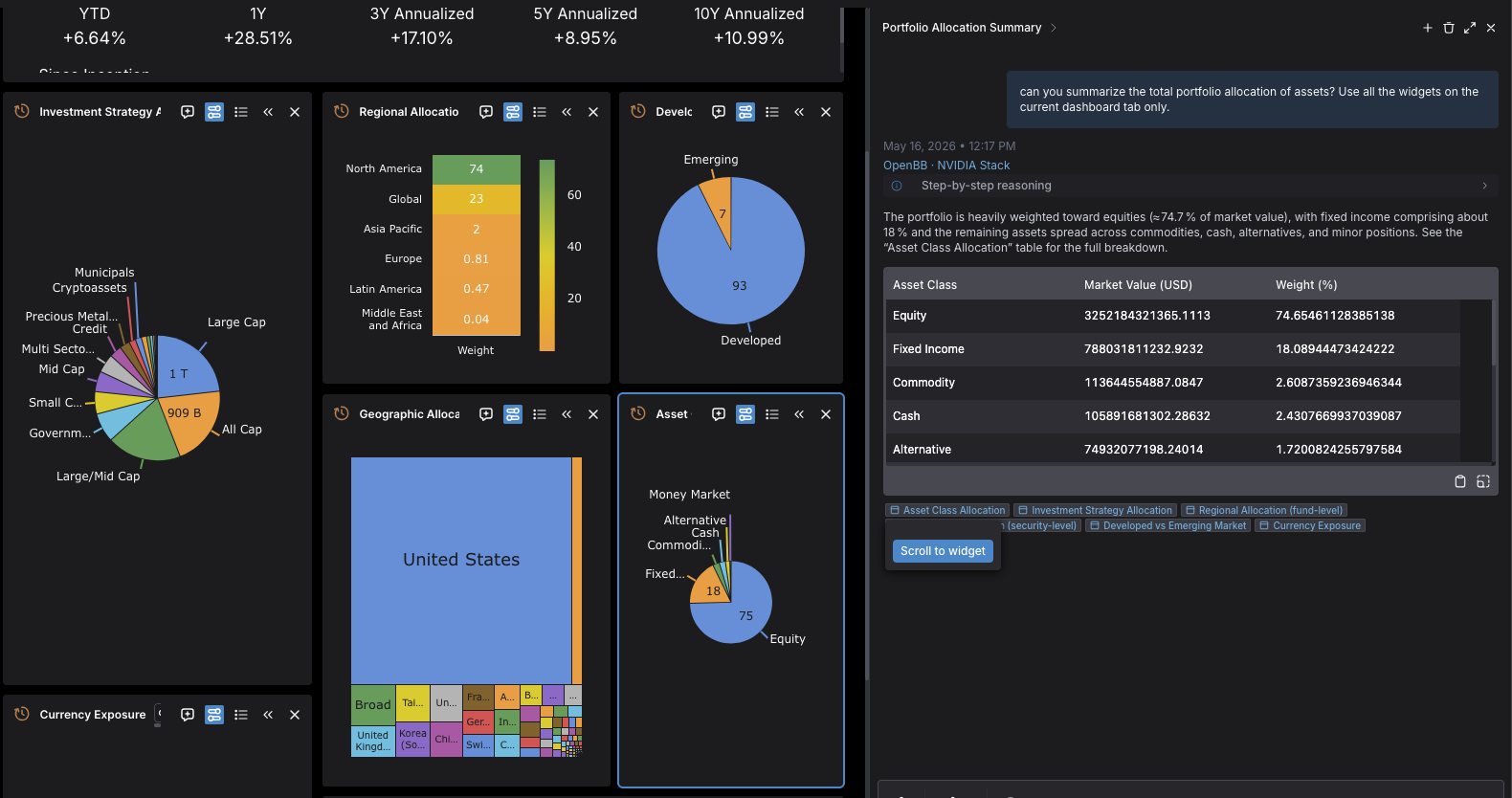
The full OpenBB Platform — every command across every installed
provider — is reachable via the optional mcp_local tool source,
which spawns the
openbb-mcp-server
extension over stdio.
The default setup uses 100% free tokens and embedding models available from NVIDIA by registering for an API key here
Install & run
# from PyPI
pip install openbb-agent-server

# from a checkout of this repository
pip install -e '.[workspace-mcp]'
# add or combine more extras: [anthropic] [openai] [bedrock]
#                             [vertex] [google_genai] [groq]
#                             [tavily] [postgres]
#                             [pywry]  (desktop chat embedding)

export NVIDIA_API_KEY=...

openbb-agent-server
In OpenBB Workspace, add a custom agent pointing at
http://localhost:8010. Workspace fetches this once and
reads every agent profile the server registers in a single payload.
The [workspace-mcp] extra installs
openbb-workspace-mcp
from its GitHub zip (Python ≥3.13 only). To run it in-process and skip
the separate workspace-mcp sidecar, set mount_workspace_mcp = true
in openbb.toml after installing the extra, then point the Workspace
UI's MCP-servers setting at http://localhost:8010/mcp/workspace/mcp.
The mount is opt-in (default false) so installing the extra alone
does not change the server's behavior.
For production, generate the config template and edit it:
openbb-agent-server --generate-config /etc/openbb/openbb.toml
openbb-agent-server --config-file /etc/openbb/openbb.toml --host 0.0.0.0
Documentation
Documentation currently lives in docs/, and may move in the future:
| Audience | Start here |
|---|---|
| First-time user | Getting started → Architecture → Workspace integration |
| Desktop embedding | PyWry chat (ACP) — openbb-agent-canvas opens a window whose main page is the agent's live canvas (charts, tables, HTML) with the chat attached; or attach the chat to any PyWry widget via the [pywry] extra. Same openbb.toml, same loop, no HTTP server |
| Operator / SRE | Configuration → Auth → Persistence → Observability |
| Plugin author | Plugin system → writing a tool source / model provider / middleware / sub-agent / auth backend → Conventions → Testing |
| API lookup | Reference — module-by-module, mirrors the package tree |
1 maintainer

Release files for openbb-agent-server 0.1.1
For a detailed explanation of source distributions (sdists) and built distributions (wheels), please see the package formats documentation.
Source distribution (sdist)
| File | Size | Uploaded | |
|---|---|---|---|
| openbb_agent_server-0.1.1.tar.gz | 274.8 kB | Details |
Built distribution (wheel)
| File | Interpreter | ABI | Platform | Reset |
|---|---|---|---|---|
| openbb_agent_server-0.1.1-py3-none-any.whl | Python 3 | none | any | Details |
Total release size: 623.8 kB
Release files / openbb_agent_server-0.1.1.tar.gz
| Download URL | openbb_agent_server-0.1.1.tar.gz |
|---|---|
| Size | 274.8 kB |
| Tags | Source |
|
SHA-256 checksum How to use checksums |
1fe9bfa7ae5615a7178504570c49e5a3934556998c86f2792d4bb1ca1189cfc7
|
|
BLAKE2b-256 checksum How to use checksums |
240867098cdf4fdc1f78177a94771f140789008e61e6df24738c3a7a638407dd
|
| Upload date | |
|
Uploaded using Trusted Publishing? What is trusted publishing? |
Yes |
| Uploaded via |
twine/6.1.0 CPython/3.13.12
|
Provenance
Provenance describes where a file came from. On PyPI, provenance is shared via attestations, which provide a verifiable record of the build or publishing details. View details, limitations and caveats.


PyPI Publish Attestation
PyPI verified that this artifact, at this checksum, originated from the publisher listed below.
Signed by GitHub Actions, verified by PyPI on Jun 30, 2026.
Transparency logRelease files / openbb_agent_server-0.1.1-py3-none-any.whl
| Download URL | openbb_agent_server-0.1.1-py3-none-any.whl |
|---|---|
| Size | 349.0 kB |
| Tags | Python 3 |
|
SHA-256 checksum How to use checksums |
2dcbddc6bd23eaa4bb4e2a8c50793b2f4e9291991b56a26b9a3c19a272db7dc0
|
|
BLAKE2b-256 checksum How to use checksums |
5214e48dca7c07333ca4fb76234c20b2a2f574bd1608b638b8fe105d5a195a8f
|
| Upload date | |
|
Uploaded using Trusted Publishing? What is trusted publishing? |
Yes |
| Uploaded via |
twine/6.1.0 CPython/3.13.12
|
Provenance
Provenance describes where a file came from. On PyPI, provenance is shared via attestations, which provide a verifiable record of the build or publishing details. View details, limitations and caveats.
PyPI Publish Attestation
PyPI verified that this artifact, at this checksum, originated from the publisher listed below.
Signed by GitHub Actions, verified by PyPI on Jun 30, 2026.
Transparency log













