
opencv_jupyter_ui
As you know it is not possible to use cv2.imshow in the remote jupyter notebook or colab.
This is the replacement of cv2.imshow for jupyter. you need only to replace cv2.imshow to jcv2.imshow. It will works in jupyter or python.
Live Demo:


Installation
pip install -U opencv_jupyter_ui
Then activate extension
jupyter nbextension install --user --py ipycanvas
jupyter nbextension enable --user --py ipycanvas
or
jupyter nbextension install --py --symlink --sys-prefix ipycanvas
jupyter nbextension enable --py --sys-prefix ipycanvas
For jupyter lab please make sure that you have nodejs or install it by conda install -c conda-forge nodejs Then run
jupyter labextension install @jupyter-widgets/jupyterlab-manager ipycanvas
please upgrade ipycanvas to version 0.12 for higher performance !pip install -q ipycanvas>=0.12
Installation on Colab
For google colab please add the following codes and restart all the cells.
!pip install -q ipycanvas==0.11
from google.colab import output
output.enable_custom_widget_manager()
Usage
import
import opencv_jupyter_ui as jcv2
Showing Frame
It is exactly like cv2.imshow you just need to change cv2 to jcv2.
jcv2.imshow('test',frame)
more options for showing frame
you can specify target width or height:
jcv2.imshow('test',frame,width=100) # scale down/up your image to fit this width
jcv2.imshow('test',frame,100) similar to previous example
jcv2.imshow('test',frame,height=150) # scale down/up your image to fit this height
jcv2.imshow('test',frame,width=100,height=150) # skretch your image to this size
jcv2.imshow('test',frame,color_space='rgb') # color_space=rgb or bgr, default: bgr
Please note that you can also put CSS string instead e.g., width='100%' but it has higher overhead
cv2.waitKey
When you use cv2.waitKey, you need to change it to jcv2.waitKey.
jcv2.waitKey(1000) # to wait for a button press in one second
define more keys:
you can define custom keys with this command
jcv2.setKeys(['q','esc','enter','space'])
Supported special keys are: esc:27,space:32,enter:10,left:2424832,right:2555904,up:2490368,down:2621440,del:3014656
reseting and destroying windows:
The following line where you clear the output
jcv2.destroyAllWindows()
Example
def getTestCV2Frame(i): # it generate an example image frame
	import numpy as np
	x = np.linspace(-1, 1, 200)
	y = np.linspace(-1, 1, 200)
	x_grid, y_grid = np.meshgrid(x, y)
	blue_channel = np.array(np.sin(x_grid**2 + y_grid**2) * 255, dtype=np.int32)
	red_channel = (np.zeros_like(blue_channel) + 200*i)%222
	green_channel = np.zeros_like(blue_channel) + 50
	return np.stack((red_channel, blue_channel, green_channel), axis=2)


import opencv_jupyter_ui as jcv2
for i in range(200):
	frame= getTestCV2Frame(i)
	jcv2.imshow('test',frame)
	if jcv2.waitKey(1000)=='q':
		break
jcv2.destroyAllWindows() #optinal, only needed if you don't run it in notebook
Output:
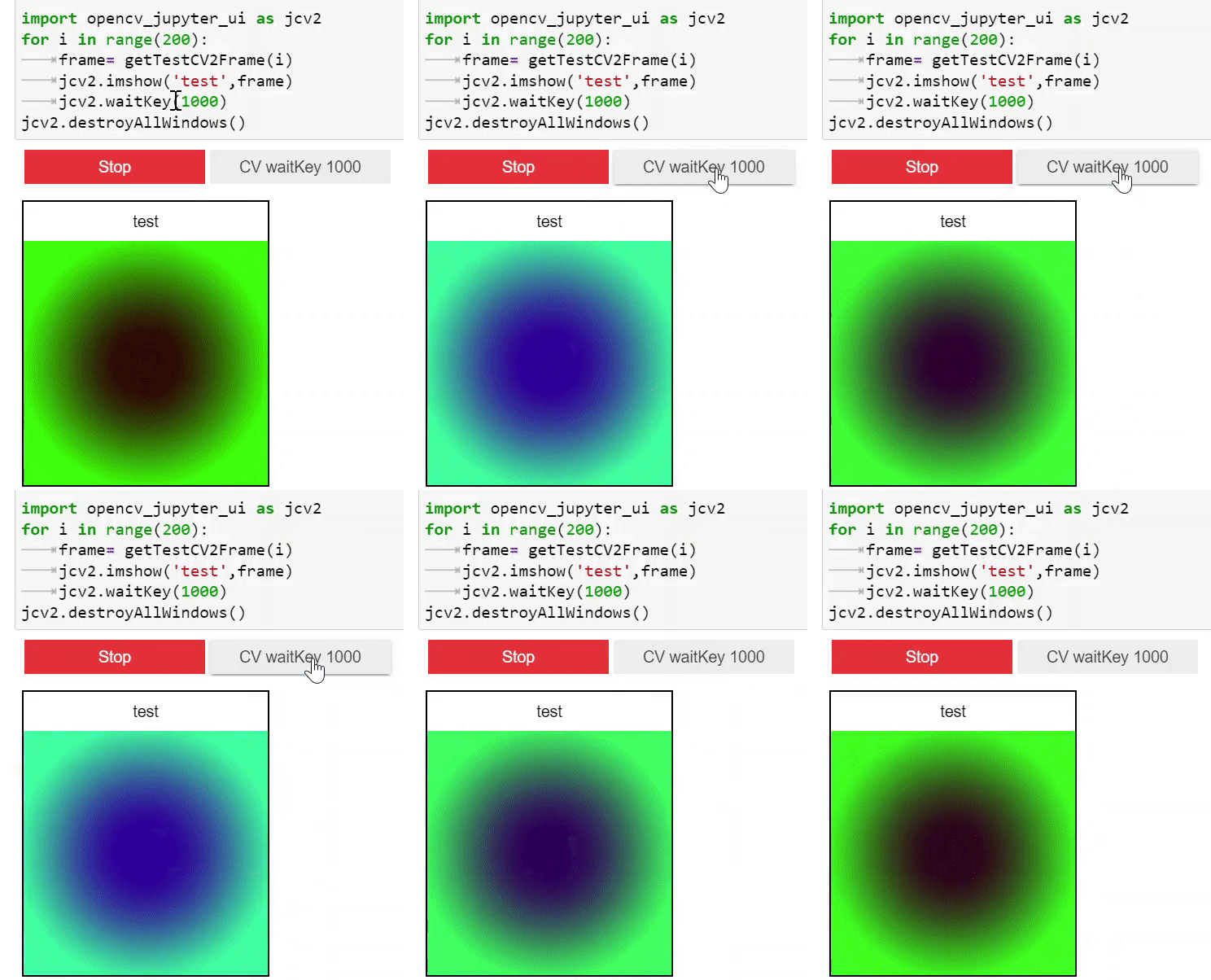
running in normal python
if it is not in jupyter it will display an opencv window. please don't forget to call jcv2.destroyAllWindows() and jcv2.waitkey(100) if it is not in jupyter
1 maintainer

Release files for opencv-jupyter-ui 1.4.2
For a detailed explanation of source distributions (sdists) and built distributions (wheels), please see the package formats documentation.
Source distribution (sdist)
| File | Size | Uploaded | |
|---|---|---|---|
| opencv_jupyter_ui-1.4.2.tar.gz | 8.8 kB | Details |
Built distribution (wheel)
| File | Interpreter | ABI | Platform | Reset |
|---|---|---|---|---|
| opencv_jupyter_ui-1.4.2-py3-none-any.whl | Python 3 | none | any | Details |
Total release size: 18.2 kB
Release files / opencv_jupyter_ui-1.4.2.tar.gz
| Download URL | opencv_jupyter_ui-1.4.2.tar.gz |
|---|---|
| Size | 8.8 kB |
| Tags | Source |
|
SHA-256 checksum How to use checksums |
12764484c1a3bdbc137e481cfaa056f6cb753513a066299fcf6bfff36be4d0c5
|
|
BLAKE2b-256 checksum How to use checksums |
809f710fa0c31bbb45d25130ae50ca409cab68f4877877a1109d1a3739fa0552
|
| Upload date | |
|
Uploaded using Trusted Publishing? What is trusted publishing? |
No |
| Uploaded via |
twine/4.0.1 CPython/3.9.13
|
Release files / opencv_jupyter_ui-1.4.2-py3-none-any.whl
| Download URL | opencv_jupyter_ui-1.4.2-py3-none-any.whl |
|---|---|
| Size | 9.4 kB |
| Tags | Python 3 |
|
SHA-256 checksum How to use checksums |
4120764c6227385f6de2ea936a02137adb1fcd6c26a3fea84a316e99c03b5265
|
|
BLAKE2b-256 checksum How to use checksums |
2ba957b6db0662a1f6bdb5982630c18fb486fb8c5bdfea110f9df85beab2bceb
|
| Upload date | |
|
Uploaded using Trusted Publishing? What is trusted publishing? |
No |
| Uploaded via |
twine/4.0.1 CPython/3.9.13
|














