




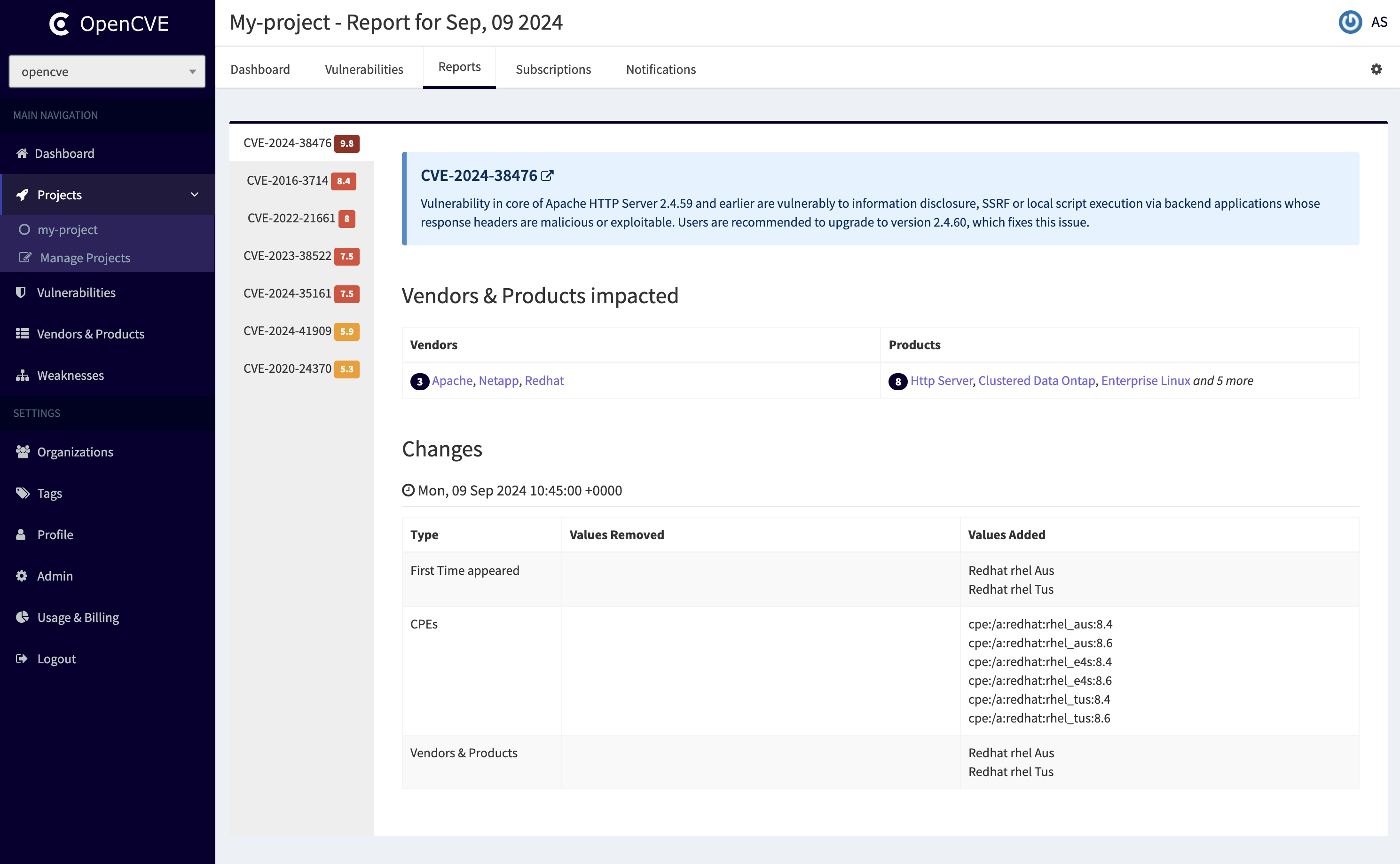
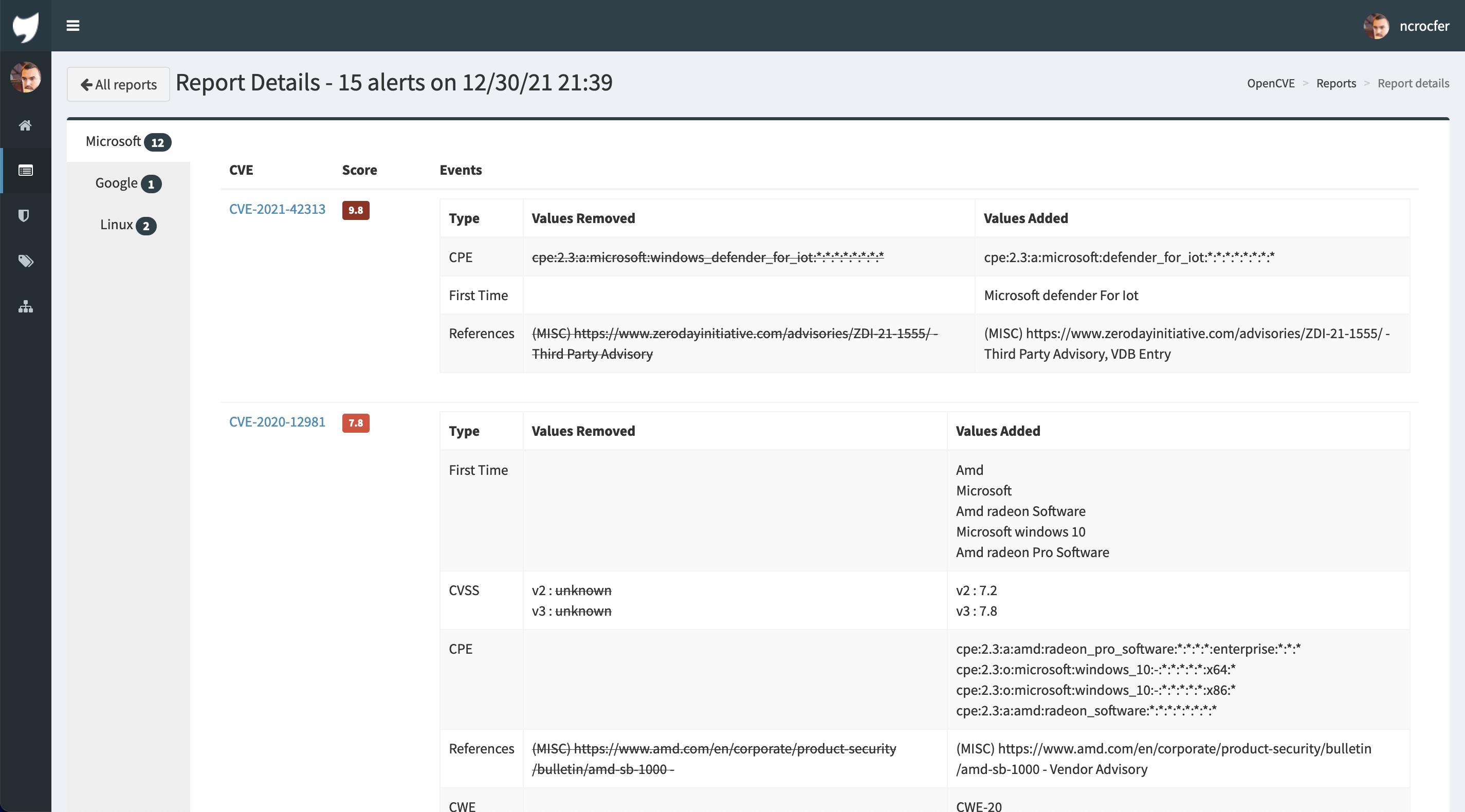
Try for free OpenCVE on https://www.opencve.io or check documentation to install it yourself.
What is OpenCVE
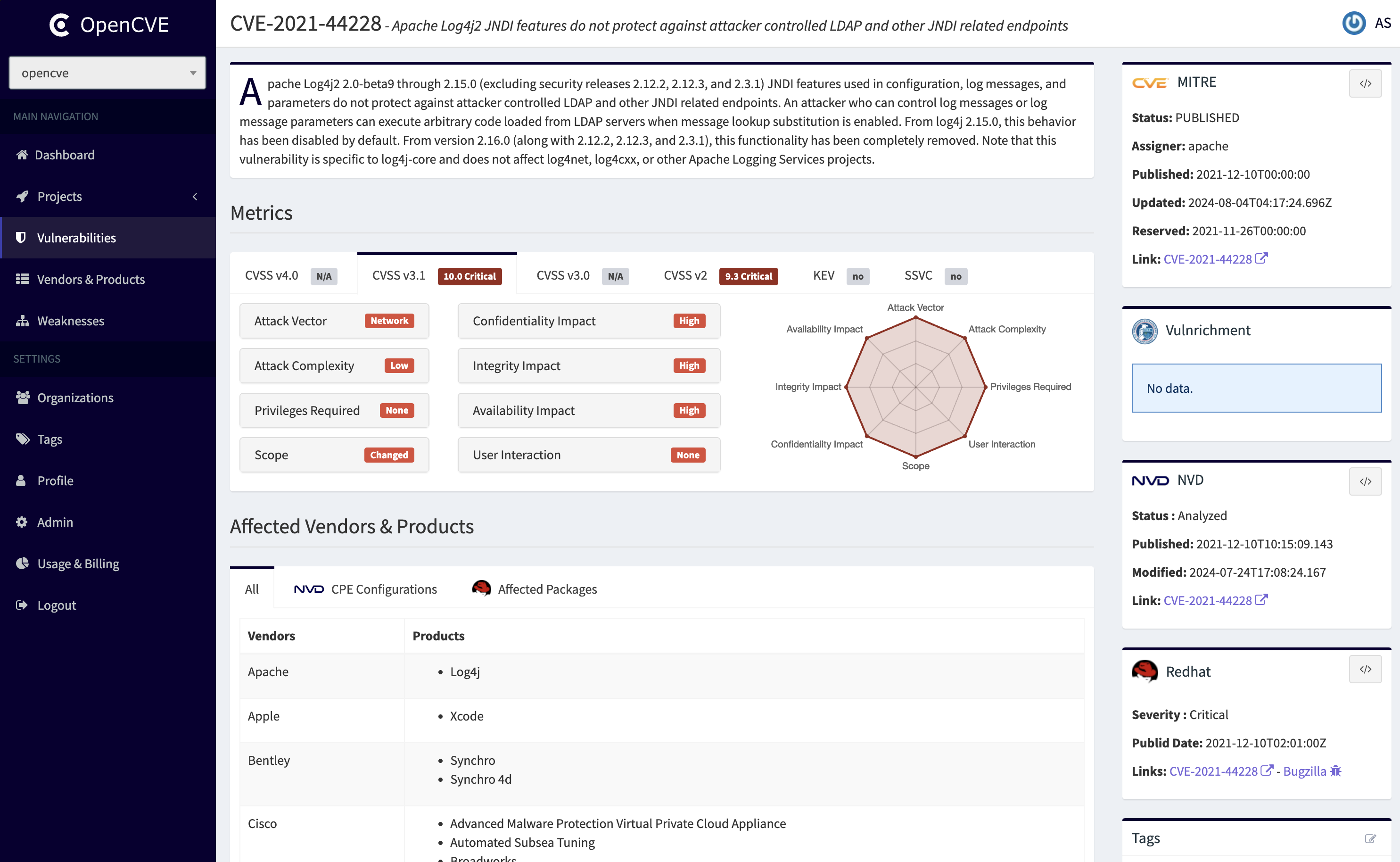
OpenCVE is a platform used to locally import the list of CVEs and perform searches on it (by vendors, products, CVSS, CWE...).
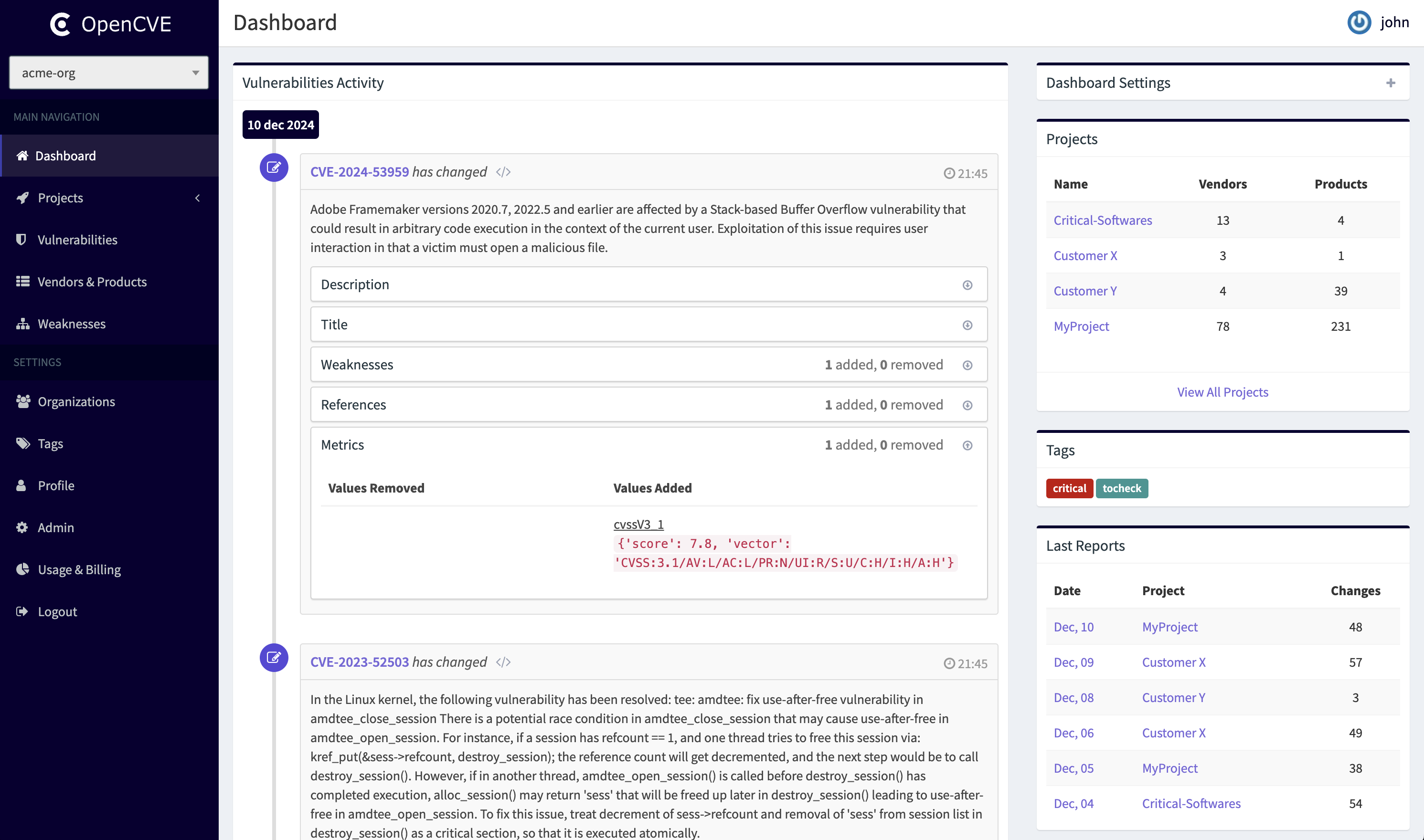
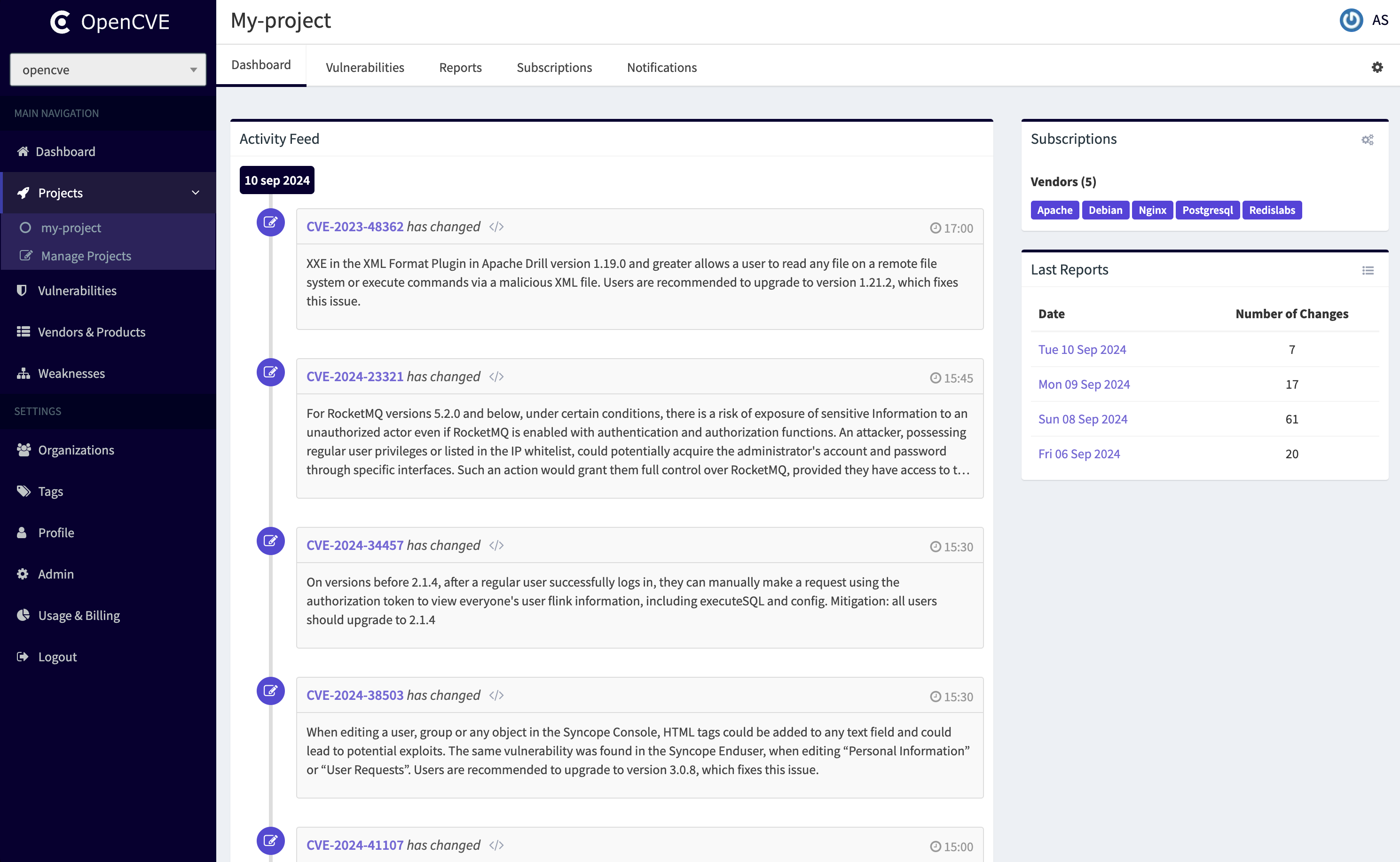
Users subscribe to vendors or products, and OpenCVE alerts them when a new CVE is created or when an update is done in an existing CVE.
Features
- Explore the CVE database and filter the results by Vendor, Product, CVSS score or CWE
- Subscribe to vendors and products extracted from CPE
- Be notified for new CVE and for CVE updates based on subscriptions
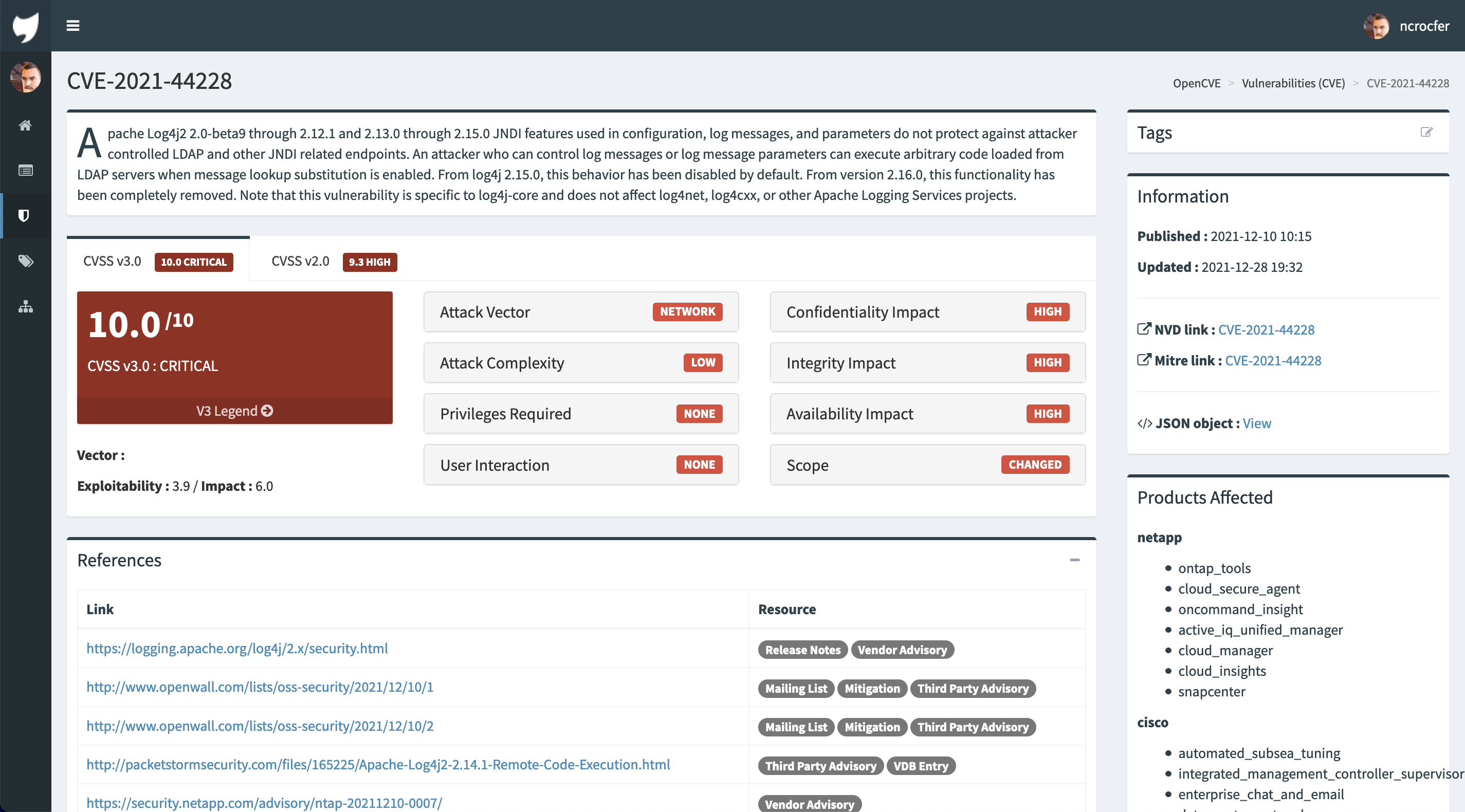
- Analyse all CVE details (vendors, products, CVSS score, CPE, CWE, References...)
- Create custom tags (unread, important, devteam...) to organize the CVE list
- Display the history of each CVE and see their last changes in the homepage
- Retrieve the last changes in custom reports
- Customize the notification settings (frequency, filter by CVSS score...)
- Integrate OpenCVE with your own tools using the Rest API
You can use for free these features on the public instance: https://www.opencve.io.
How does it work
OpenCVE uses the JSON feed provided by the NVD to update the local list of CVEs.
After an initial import, a background task is regularly executed to synchronize the local copy with the NVD feed. If a new CVE is added, or if a change is detected, the subscribers of the related vendors and products are alerted.
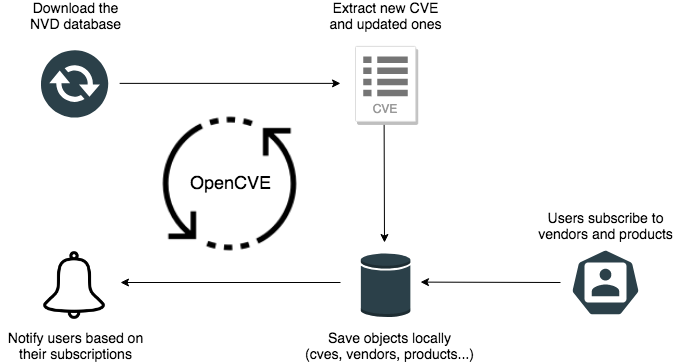
Read the How It Works guide to learn in details how OpenCVE works.
Requirements
OpenCVE works with Python >=3.7.
It uses the JSONB feature for performance, so you will need a PostgreSQL instance to store the data (CVE, Users, Vendors, Products, Subscriptions, ...). Other engines are not supported.
The pg_trgm module of PostgreSQL is required to let you search in the CVEs list. The upgrade-db command will enable it for you, but you can also do it yourself if you prefer (CREATE EXTENSION pg_trgm). From PostgreSQL 13 this module is considered as trusted, meaning it can be installed by non-superusers with the CREATE privilege.
Celery is used to periodically fetch the NVD database and update the list of CVEs. For that you will need a broker : we recommend you Redis for the ease of installation. Futhermore it is possible that future versions of OpenCVE will use a cache feature, in that case the Redis requirement will already be filled for you.
During the import of initial data OpenCVE will download and parse huge files, like the CPE dictionnary. For that we recommend you 3.5G RAM at least.
Installation
We provide 2 methods to install OpenCVE :
The second method can be useful if you don't want to manage the dependencies (like PostgreSQL, Redis or Celery).
Check these documentations for the details of each step (initial import, admin creation, etc).
1 maintainer

Metadata
1 maintainer
Release files for opencve 1.5.0
For a detailed explanation of source distributions (sdists) and built distributions (wheels), please see the package formats documentation.
Source distribution (sdist)
| File | Size | Uploaded | |
|---|---|---|---|
| opencve-1.5.0.tar.gz | 1.4 MB | Details |
Built distribution (wheel)
| File | Interpreter | ABI | Platform | Reset |
|---|---|---|---|---|
| opencve-1.5.0-py3-none-any.whl | Python 3 | none | any | Details |
Total release size: 2.8 MB
Release files / opencve-1.5.0.tar.gz
| Download URL | opencve-1.5.0.tar.gz |
|---|---|
| Size | 1.4 MB |
| Tags | Source |
|
SHA-256 checksum How to use checksums |
c14027be26544583b90f7e207596825a0961d232379b1b45aa62c652b08a9ba8
|
|
BLAKE2b-256 checksum How to use checksums |
6c9c48bdfe6831b289935574e316722f3d49eadcbf681bc58d6443ad2808090e
|
| Upload date | |
|
Uploaded using Trusted Publishing? What is trusted publishing? |
No |
| Uploaded via |
twine/4.0.2 CPython/3.10.0
|
Release files / opencve-1.5.0-py3-none-any.whl
| Download URL | opencve-1.5.0-py3-none-any.whl |
|---|---|
| Size | 1.5 MB |
| Tags | Python 3 |
|
SHA-256 checksum How to use checksums |
3823f4843737491434c4ae15e0c7da083bfd8f66b0e374cd187027aa59a2efc1
|
|
BLAKE2b-256 checksum How to use checksums |
7033bd7962952038761f4906fa05a10a592d9216af1986d5518b3c0c841fc414
|
| Upload date | |
|
Uploaded using Trusted Publishing? What is trusted publishing? |
No |
| Uploaded via |
twine/4.0.2 CPython/3.10.0
|














