
Scorm XBlock for Open edX


Project description
This is an XBlock to display SCORM content within the Open edX LMS and Studio. It will save student state and report scores to the progress tab of the course. Currently supports SCORM 1.2 and SCORM 2004 standard.
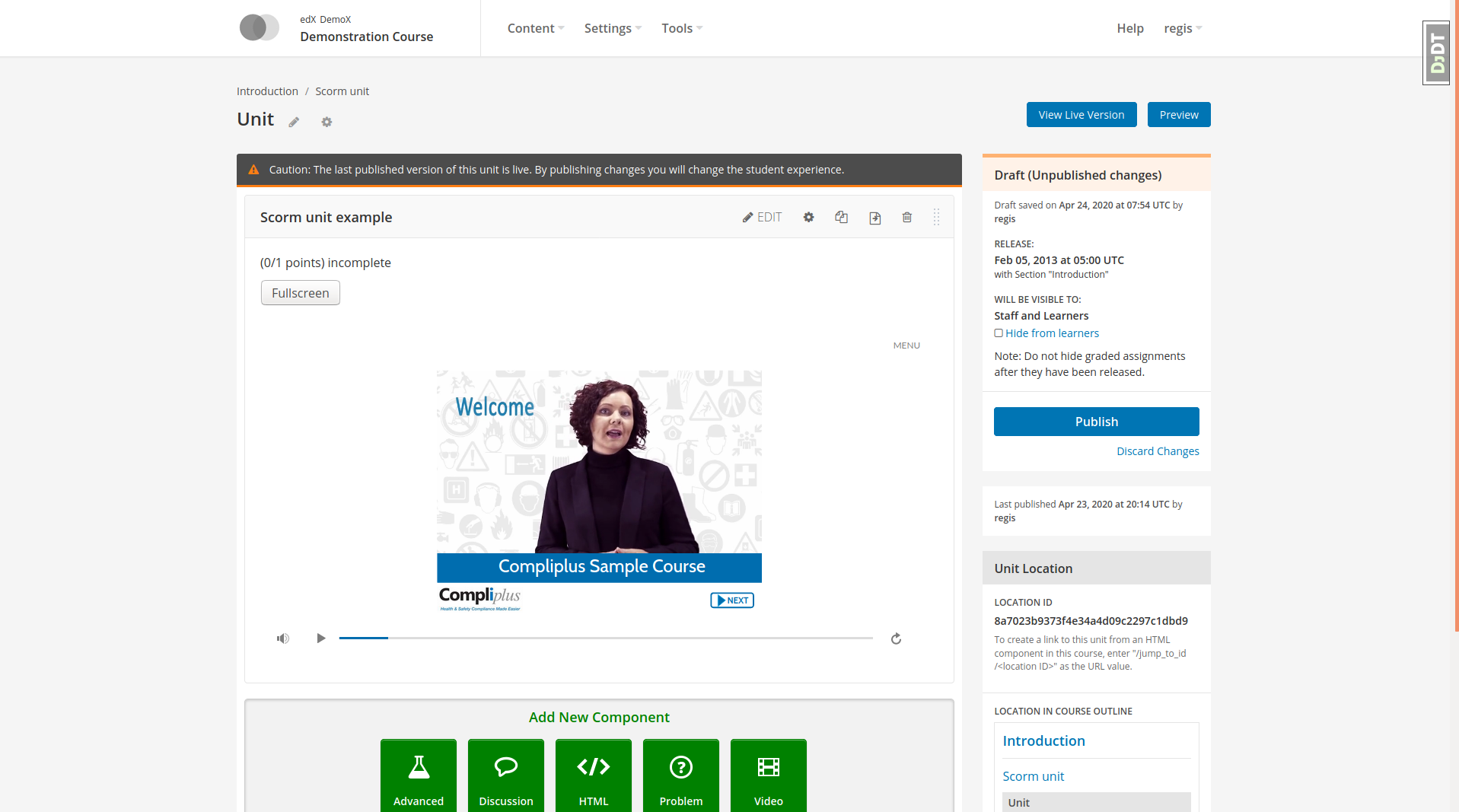
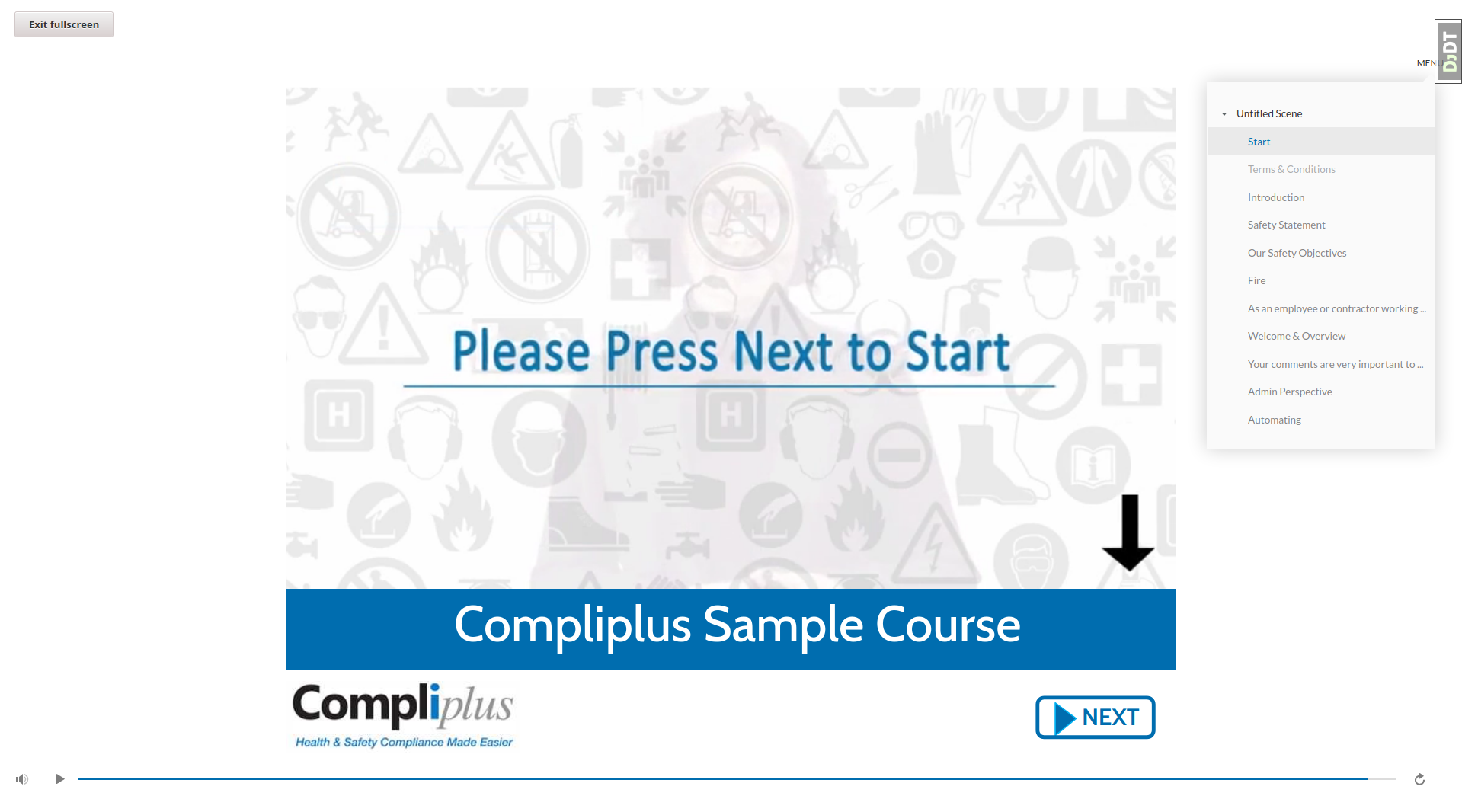
This XBlock was initially developed by Raccoon Gang and published as edx_xblock_scorm. It was later improved, published on Pypi and relicensed as AGPLv3 thanks to the support of Compliplus Ltd.
This XBlock is not compatible with its ancestor: older xblocks cannot be simply migrated to the newer one. However, this xblock can be installed next to the other one and run on the same platform for easier transition.
Features
Optional auto-fullscreen
Integrated grading, compatible with rescoring
Compatibility with Django storages, customizable storage backend
Works with Juniper, the latest Open edX release
Installation
This XBlock was designed to work out of the box with Tutor (Ironwood release). It comes bundled by default in the official Tutor releases, such that there is no need to install it manually.
For non-Tutor platforms, you should install the Python package from Pypi:
pip install openedx-scorm-xblock
Usage
In the Studio, go to the advanced settings of your course (“Settings” 🡒 “Advanced Settings”). In the “Advanced Module List” add “scorm”. Then hit “Save changes”.
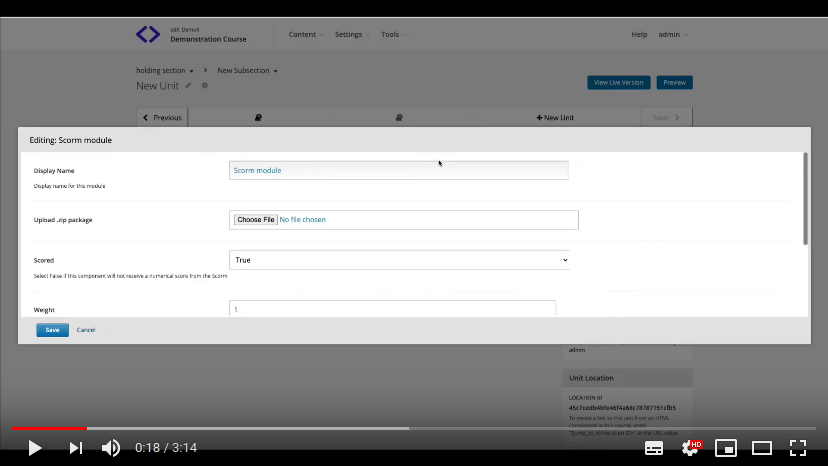
Go back to your course content. In the “Add New Component” section, click “Advanced”, and then “Scorm module”. Click “Edit” on the newly-created module: this is where you will upload your content package. It should be a .zip file containing an imsmanifest.xml file at the root. The content of the package will be displayed in the Studio and the LMS after you click “Save”.
The people at Appsembler have created a great video that showcases some of the features of this XBlock:
Advanced configuration
Asset url
By default, SCORM modules will be accessible at “/scorm/” urls and static assets will be stored in “scorm” media folders – either on S3 or in the local storage, depending on your platform configuration. To change this behaviour, modify the xblock-specific LOCATION setting:
XBLOCK_SETTINGS["ScormXBlock"] = {
    "LOCATION": "alternatevalue",
}
Custom storage backends
By default, static assets are stored in the default Django storage backend. To override this behaviour, you should define a custom storage function. This function must take the xblock instance as its first and only argument. For instance, you can store assets in different directories depending on the XBlock organisation with:
def scorm_storage(xblock):
    from django.conf import settings
    from django.core.files.storage import get_storage_class
    from openedx.core.djangoapps.site_configuration.models import SiteConfiguration

    subfolder = SiteConfiguration.get_value_for_org(
        xblock.location.org, "SCORM_STORAGE_NAME", "default"
    )
    storage_location = os.path.join(settings.MEDIA_ROOT, subfolder)
    return get_storage_class(settings.DEFAULT_FILE_STORAGE)(
        location=storage_location, base_url=settings.MEDIA_URL + "/" + subfolder
    )

XBLOCK_SETTINGS["ScormXBlock"] = {
    "STORAGE_FUNC": scorm_storage,
}
This should be added both to the LMS and the CMS settings. Instead of a function, a string that points to an importable module may be passed:
XBLOCK_SETTINGS["ScormXBlock"] = {
    "STORAGE_FUNC": "my.custom.storage.module.get_scorm_storage_function",
}
Development
Run unit tests with:
$ NO_PREREQ_INSTALL=1 paver test_system -s lms -t openedxscorm
License
This work is licensed under the terms of the GNU Affero General Public License (AGPL).
Release history Release notifications | RSS feed


Download files
Download the file for your platform. If you're not sure which to choose, learn more about installing packages.
Source Distribution
File details
Details for the file openedx-scorm-xblock-10.1.0.tar.gz.
File metadata
- Download URL: openedx-scorm-xblock-10.1.0.tar.gz
- Upload date:
- Size: 14.1 kB
- Tags: Source
- Uploaded using Trusted Publishing? No
- Uploaded via: twine/3.2.0 pkginfo/1.5.0.1 requests/2.24.0 setuptools/44.0.0 requests-toolbelt/0.9.1 tqdm/4.50.0 CPython/3.7.9
File hashes
| Algorithm | Hash digest | |
|---|---|---|
| SHA256 |
fa70476adb645b05ef1ee2819f9f2d5782aaa2c5cfa00186c99950be92b63cd2
|
|
| MD5 |
6c050b1ee46da9d189aa2a6e3d3a4238
|
|
| BLAKE2b-256 |
50d3470ebe60e6921d7a1b812b2affc197d36949ac62ab1acc6851886e13e2fe
|






