

Enterprise-grade self-hosted AI assistant
Feishu · WeChat iLink (WxClaw) · Built-in Web console · LiteLLM multi-model



What it is
OpenFox runs on your own machine: it brings LLM chat, scheduled jobs, Feishu bot, WeChat iLink (WxClaw) bot, browser tools, MCP, and local skills together in one HTTP service. It ships with an embedded Web UI at /web, and you can chat from Feishu or WeChat when WxClaw is enabled.
| Path | Description |
|---|---|
~/.openfox/config.json |
Main JSON config (validated at load time); see Configuration below |
~/.openfox/storage.db |
SQLite storage for sessions and scheduling |
~/.openfox/skills |
Local Skills root (SKILLS_PATH in openfox/utils/const.py); on first run, if missing, copied from packaged openfox/skills (see openfox/core/skills.py) |
Configuration (~/.openfox/config.json)
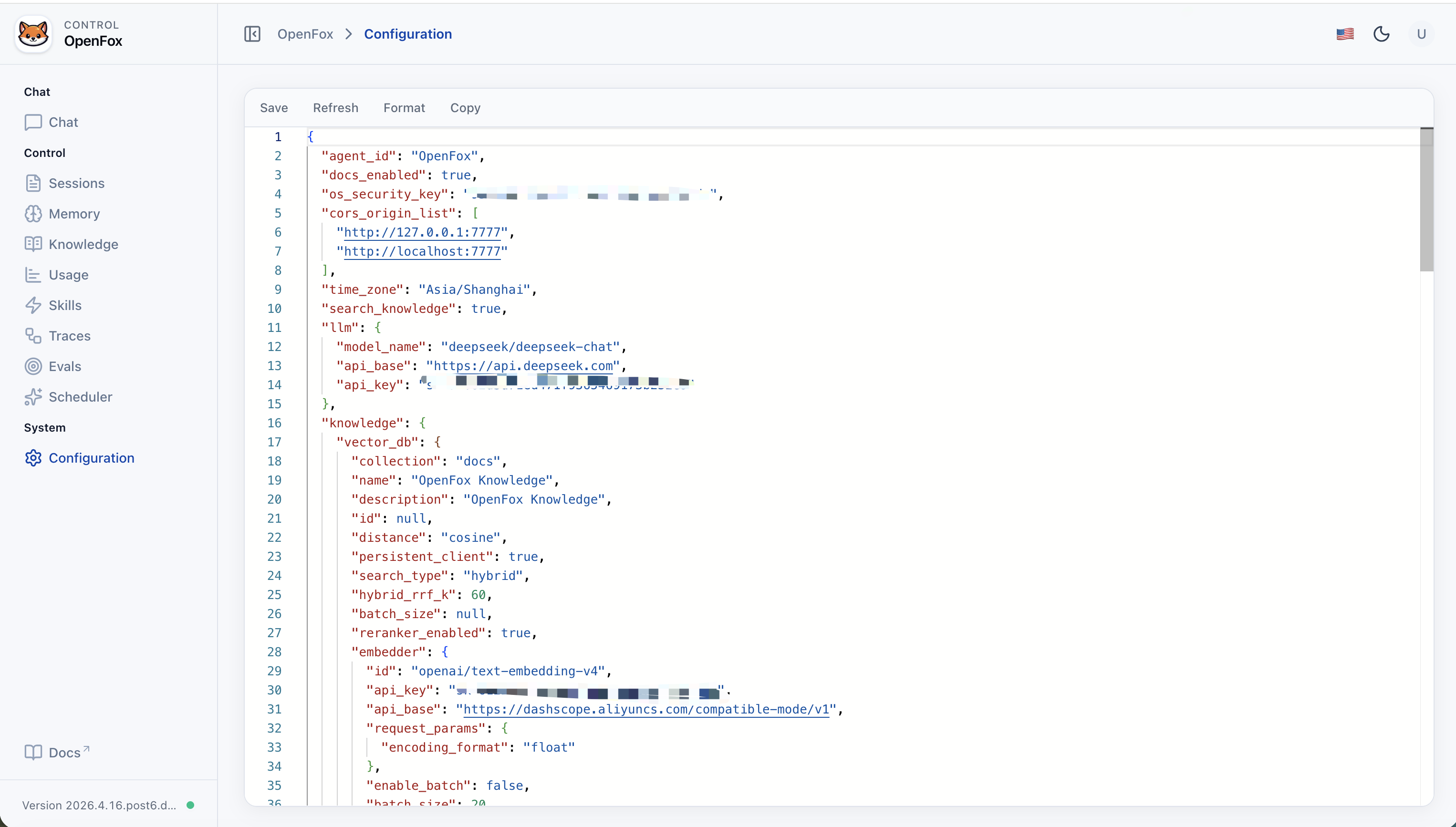
OpenFox reads a single JSON file at ~/.openfox/config.json. Fields map to the Config model in openfox/schemas/config.py (unknown keys are ignored where applicable; invalid values fail at startup). Do not commit real API keys or tokens—treat this file like a secret.
| Key | Purpose |
|---|---|
agent_id |
Agent identifier shown in AgentOS / Web UI (default OpenFox). |
docs_enabled |
Whether FastAPI OpenAPI docs are exposed. |
os_security_key |
Shared secret for Web UI and protected HTTP APIs (Bearer token). |
cors_origin_list |
Allowed browser origins (e.g. embedded /web). Add your host/port if not using default 7777. |
time_zone |
Default timezone string (e.g. Asia/Shanghai). |
search_knowledge |
When true, enables RAG (Chroma under ~/.openfox/chromadb; path is not configured here). |
llm |
Chat model: model_name, api_base, api_key (LiteLLM-style id). |
knowledge |
RAG details when search_knowledge is true: vector_db (collection, search_type, embedder, reranker, …), max_results, isolate_vector_search. |
channels |
Integrations: channels.feishu (activate, app_id, app_secret, …) and channels.wxclaw (activate, optional include_tools / exclude_tools for WxClawTools). WxClaw uses QR login; tokens persist under ~/.openfox/channels/wxclaw/ (see WxClawTools / OPENFOX_HOME_PATH). |
mcps |
List of MCP server entries (command/args/env or url/headers). |
tools |
Per-toolkit switches and options (mcp, scheduler, shell, websearch, arxiv, …); each may include activate, include_tools, exclude_tools, and toolkit-specific fields. |
Valid on-disk JSON: ~/.openfox/config.json must be standard JSON (double quotes, no // comments). The jsonc snippet below is documentation only—remove comments before saving, or paste the object into the Web Config editor.
Full reference example (JSONC; documentation only)
The key order, nesting, and non-secret values match a full on-disk layout; secrets are placeholders. On disk the file must be plain JSON (no // comments).
{
  // Agent identity
  "agent_id": "OpenFox",
  "docs_enabled": true,
  "os_security_key": "<os_security_key>",
  // Browser / API origins (update if you change the listen port)
  "cors_origin_list": [
    "http://127.0.0.1:7777",
    "http://localhost:7777"
  ],
  "time_zone": "Asia/Shanghai",
  // Enable RAG / knowledge search
  "search_knowledge": true,
  // Main chat model (LiteLLM)
  "llm": {
    "model_name": "deepseek/deepseek-chat",
    "api_base": "https://api.deepseek.com",
    "api_key": "<llm_api_key>"
  },
  // Channel integrations (Feishu + optional WeChat iLink)
  "channels": {
    "feishu": {
      "activate": true,
      "app_id": "<feishu_app_id>",
      "app_secret": "<feishu_app_secret>"
    },
    "wxclaw": {
      "activate": false
    }
  },
  // MCP servers: each entry is stdio (command+args) or HTTP (url+headers)
  "mcps": [
    {
      // Display name
      "name": "weibo",
      // stdio: uvx --from Git runs the MCP without a prior install
      "command": "uvx",
      "args": [
        "--from",
        "git+https://github.com/InfernalAzazel/mcp-server-weibo.git",
        "mcp-server-weibo"
      ],
      "env": {},
      // stdio: leave url empty
      "url": "",
      "headers": {},
      "tool_timeout": 60
    },
    {
      "name": "chrome-devtools",
      // stdio: npx runs a published Node MCP package
      "command": "npx",
      "args": ["chrome-devtools-mcp@latest"],
      "env": {},
      "url": "",
      "headers": {},
      "tool_timeout": 60
    }
  ],
  // RAG: Chroma + embedder + reranker
  "knowledge": {
    "vector_db": {
      "collection": "docs",
      "name": "OpenFox Knowledge",
      "description": "OpenFox Knowledge",
      "id": null,
      "distance": "cosine",
      "persistent_client": true,
      "search_type": "hybrid",
      "hybrid_rrf_k": 60,
      "batch_size": null,
      "reranker_enabled": true,
      "embedder": {
        "id": "openai/text-embedding-v4",
        "api_key": "<embedder_api_key>",
        "api_base": "https://dashscope.aliyuncs.com/compatible-mode/v1",
        "request_params": {
          "encoding_format": "float"
        },
        "enable_batch": false,
        "batch_size": 20
      },
      "reranker": {
        "model": "dashscope/qwen3-rerank",
        "api_key": "<reranker_api_key>",
        "api_base": "https://dashscope.aliyuncs.com/compatible-api/v1/reranks",
        "top_n": null,
        "request_params": null
      }
    },
    "max_results": 10,
    "isolate_vector_search": false
  },
  // Toolkit toggles and options
  "tools": {
    "mcp": {
      "include_tools": null,
      "exclude_tools": null,
      "activate": true
    },
    "scheduler": {
      "include_tools": null,
      "exclude_tools": null,
      "activate": true
    },
    "shell": {
      "include_tools": null,
      "exclude_tools": null,
      "activate": true,
      "base_dir": null,
      "enable_run_shell_command": true,
      "all": false
    },
    "websearch": {
      "include_tools": null,
      "exclude_tools": null,
      "activate": true,
      "enable_search": true,
      "enable_news": true,
      "backend": "auto",
      "modifier": null,
      "fixed_max_results": null,
      "proxy": null,
      "timeout": 10,
      "verify_ssl": true,
      "timelimit": null,
      "region": null
    },
    "arxiv": {
      "include_tools": null,
      "exclude_tools": null,
      "activate": true,
      "enable_search_arxiv": true,
      "enable_read_arxiv_papers": true,
      "download_dir": null
    },
    "hackernews": {
      "include_tools": null,
      "exclude_tools": null,
      "activate": true,
      "enable_get_top_stories": true,
      "enable_get_user_details": true,
      "all": false
    },
    "pubmed": {
      "include_tools": null,
      "exclude_tools": null,
      "activate": true,
      "email": "your_email@example.com",
      "max_results": null,
      "enable_search_pubmed": true,
      "all": false
    },
    "wikipedia": {
      "include_tools": null,
      "exclude_tools": null,
      "activate": true
    },
    "crawl4ai": {
      "include_tools": null,
      "exclude_tools": null,
      "activate": true,
      "max_length": 1000,
      "timeout": 60,
      "use_pruning": false,
      "pruning_threshold": 0.48,
      "bm25_threshold": 1.0,
      "headless": true,
      "wait_until": "domcontentloaded",
      "enable_crawl": true,
      "all": false
    },
    "calculator": {
      "include_tools": null,
      "exclude_tools": null,
      "activate": true
    },
    "docker": {
      "include_tools": null,
      "exclude_tools": null,
      "activate": false
    },
    "youtube": {
      "include_tools": null,
      "exclude_tools": null,
      "activate": true,
      "get_video_captions": true,
      "get_video_data": true,
      "languages": null,
      "enable_get_video_captions": true,
      "enable_get_video_data": true,
      "enable_get_video_timestamps": true,
      "all": false
    },
    "webbrowser": {
      "include_tools": null,
      "exclude_tools": null,
      "activate": true,
      "enable_open_page": true,
      "all": false
    }
  }
}
If you use the stdio MCP entries above, the host running OpenFox needs uv / uvx and Node.js (with npx) installed, as applicable.
You can edit the live file in the Web Config page or via the expand/config HTTP API when authenticated. After manual edits on disk, restart python -m openfox if the process is already running.
Features
| Capability | Description |
|---|---|
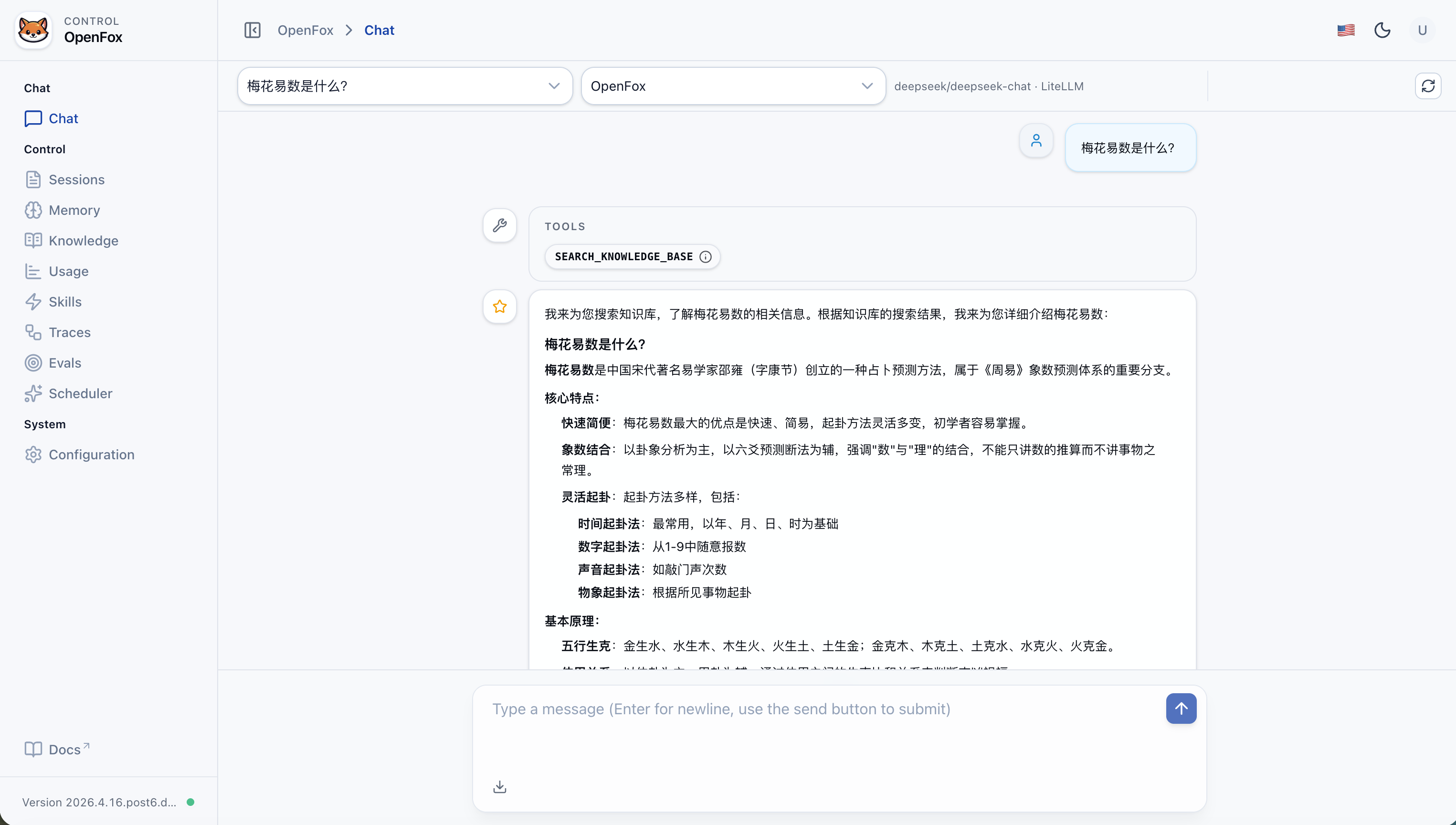
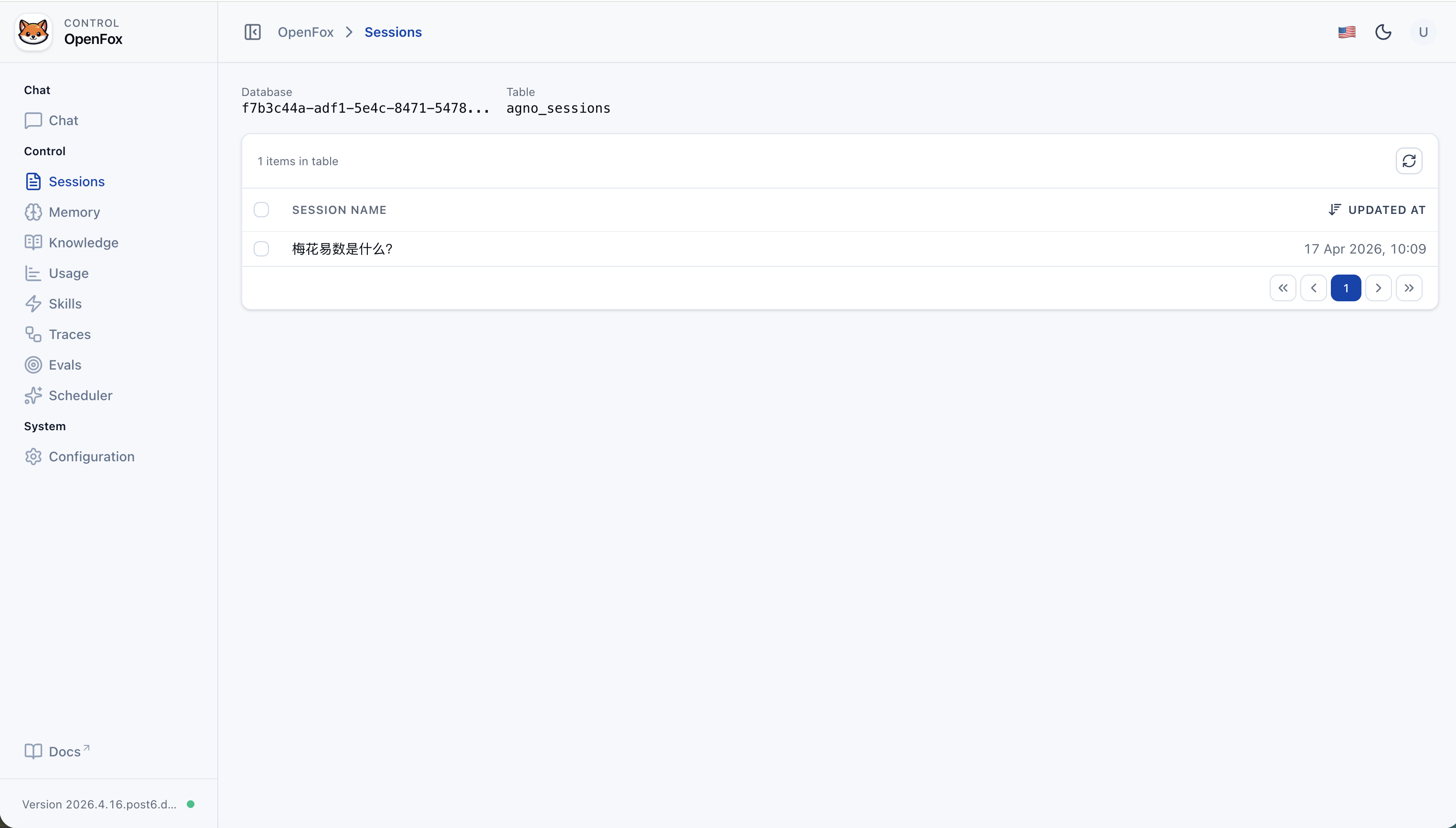
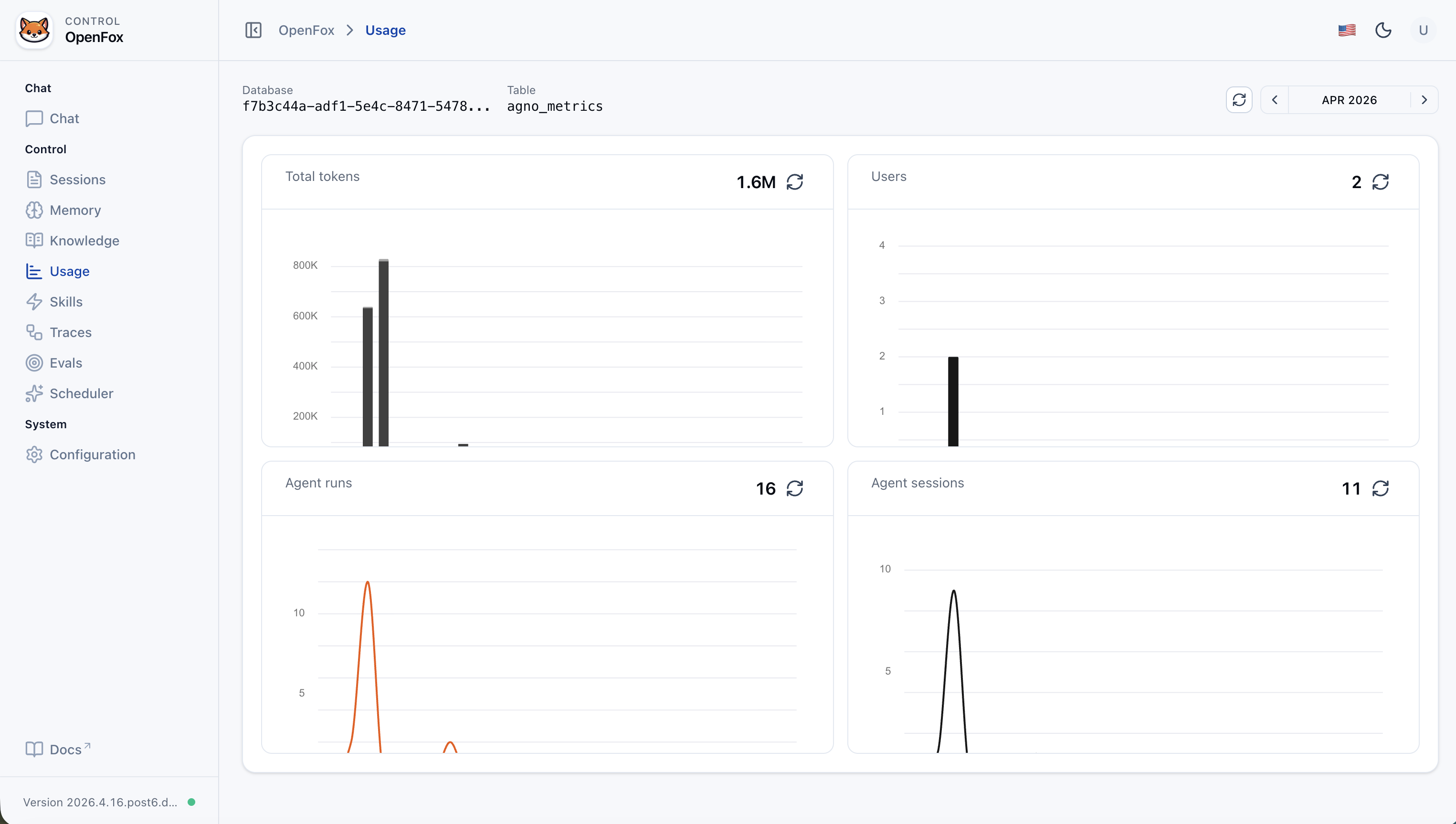
| Web console | Chat, session list, usage metrics, knowledge (/knowledge), memory (/memory), evaluations (/evals), run tracing (/traces), skill upload/management, Cron scheduling, JSON config editor (login required; use os_security_key from config) |
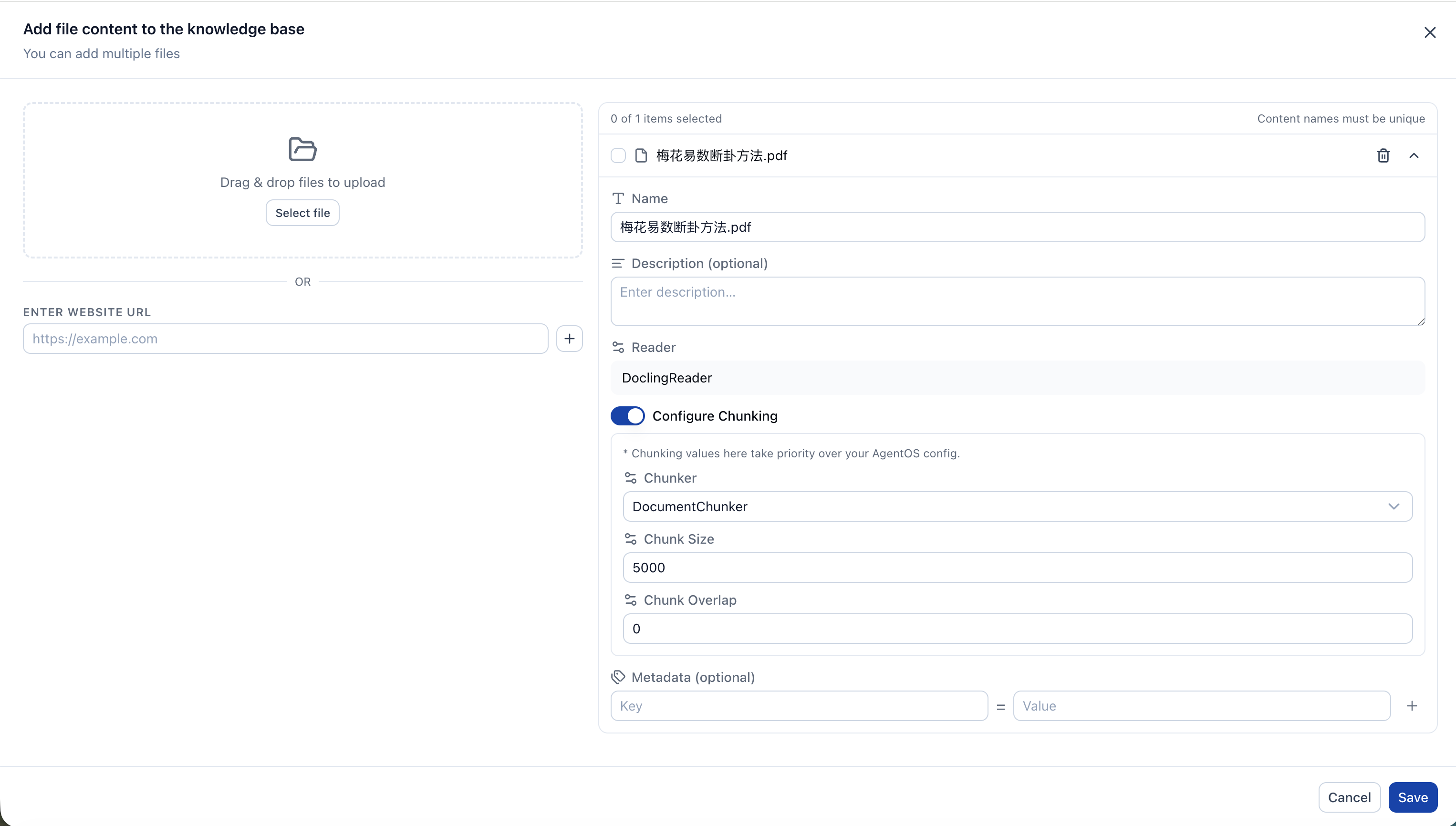
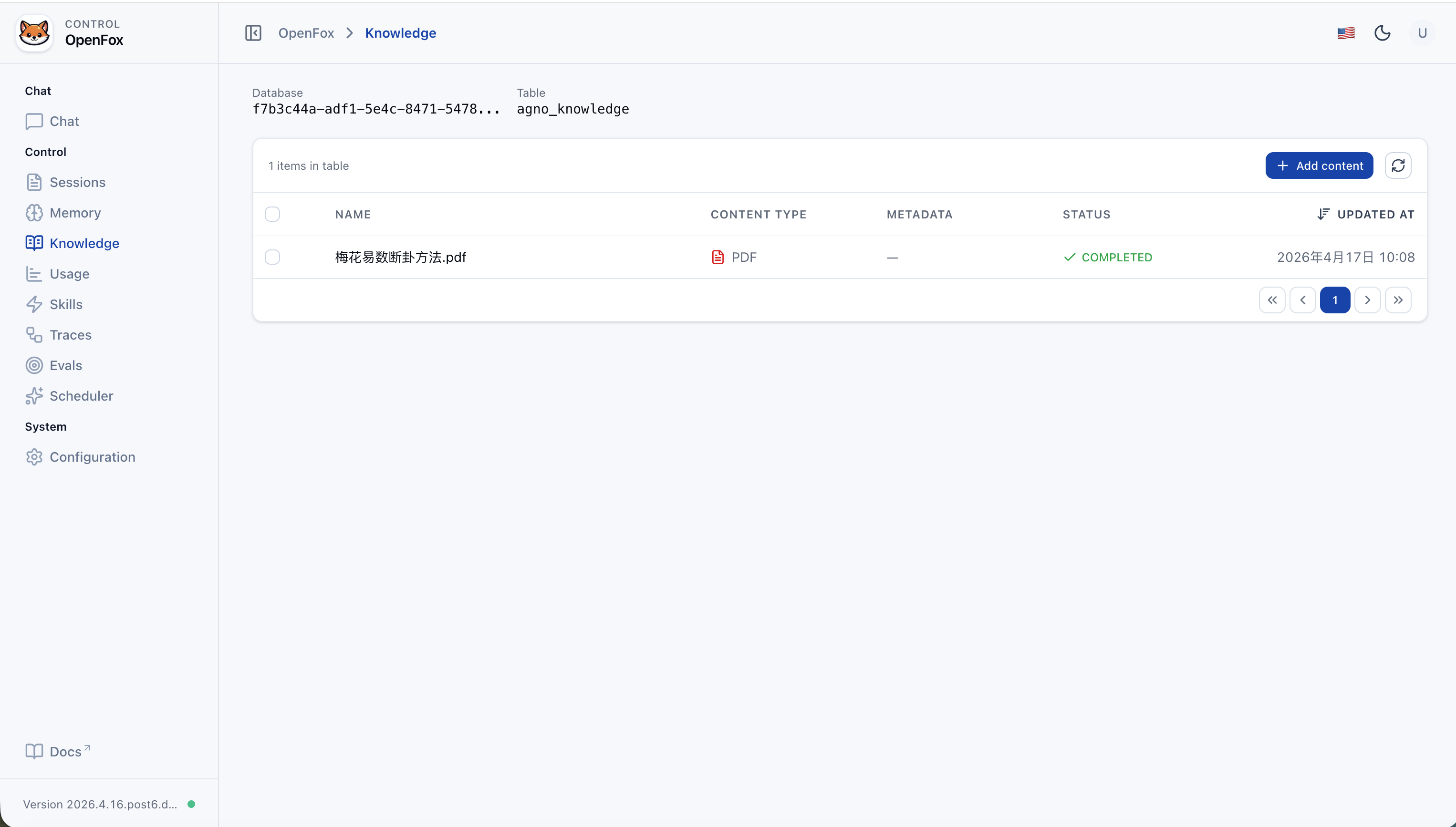
| Knowledge base | RAG over your documents when search_knowledge is enabled: Chroma vector store under ~/.openfox/chromadb, embedder/reranker via LiteLLM; manage content in the Web UI (/knowledge). |
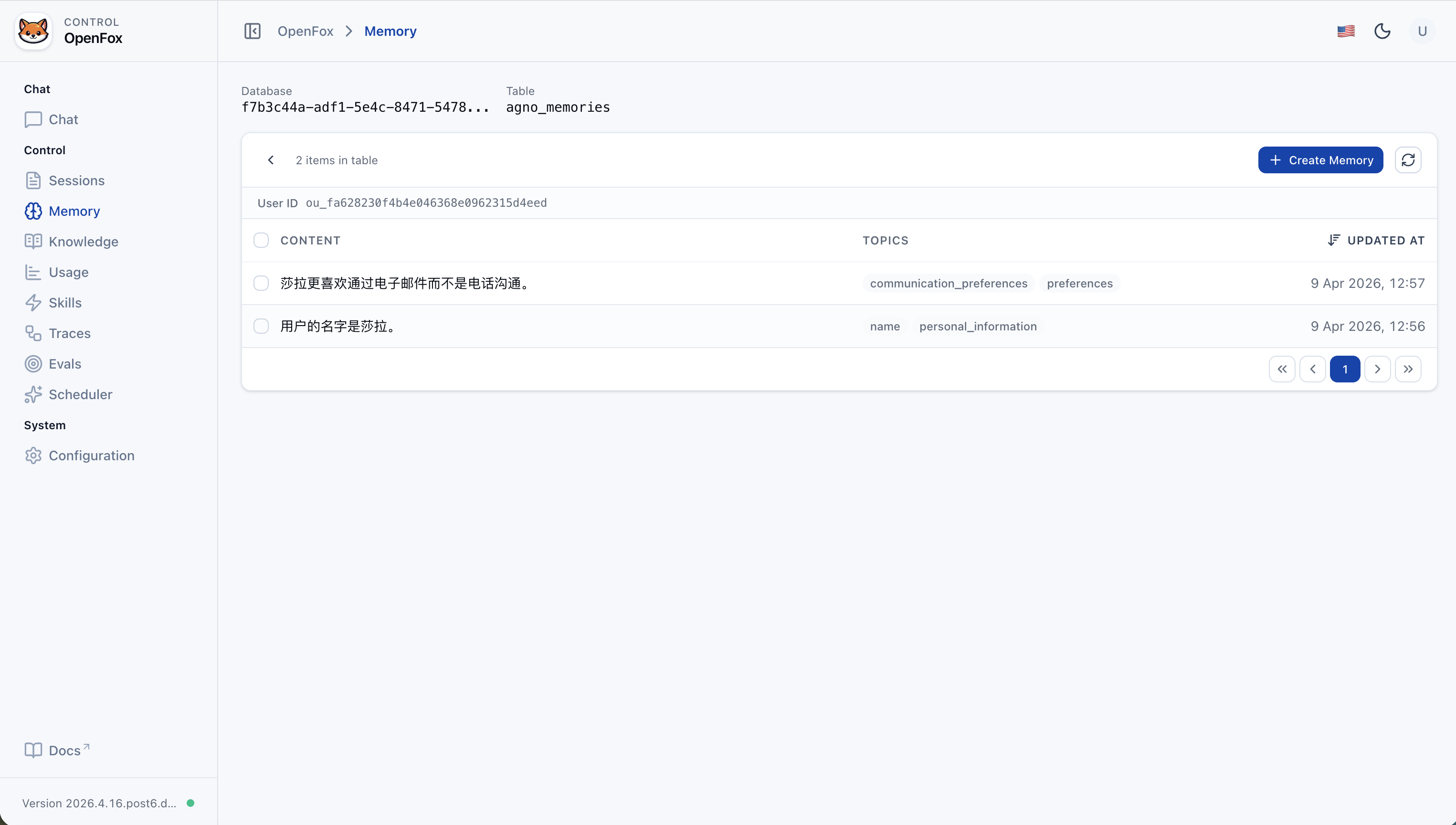
| Memory | Agent memory persisted with sessions (e.g. update_memory_on_run); browse and manage via the Web UI (/memory, backed by ~/.openfox/storage.db). |
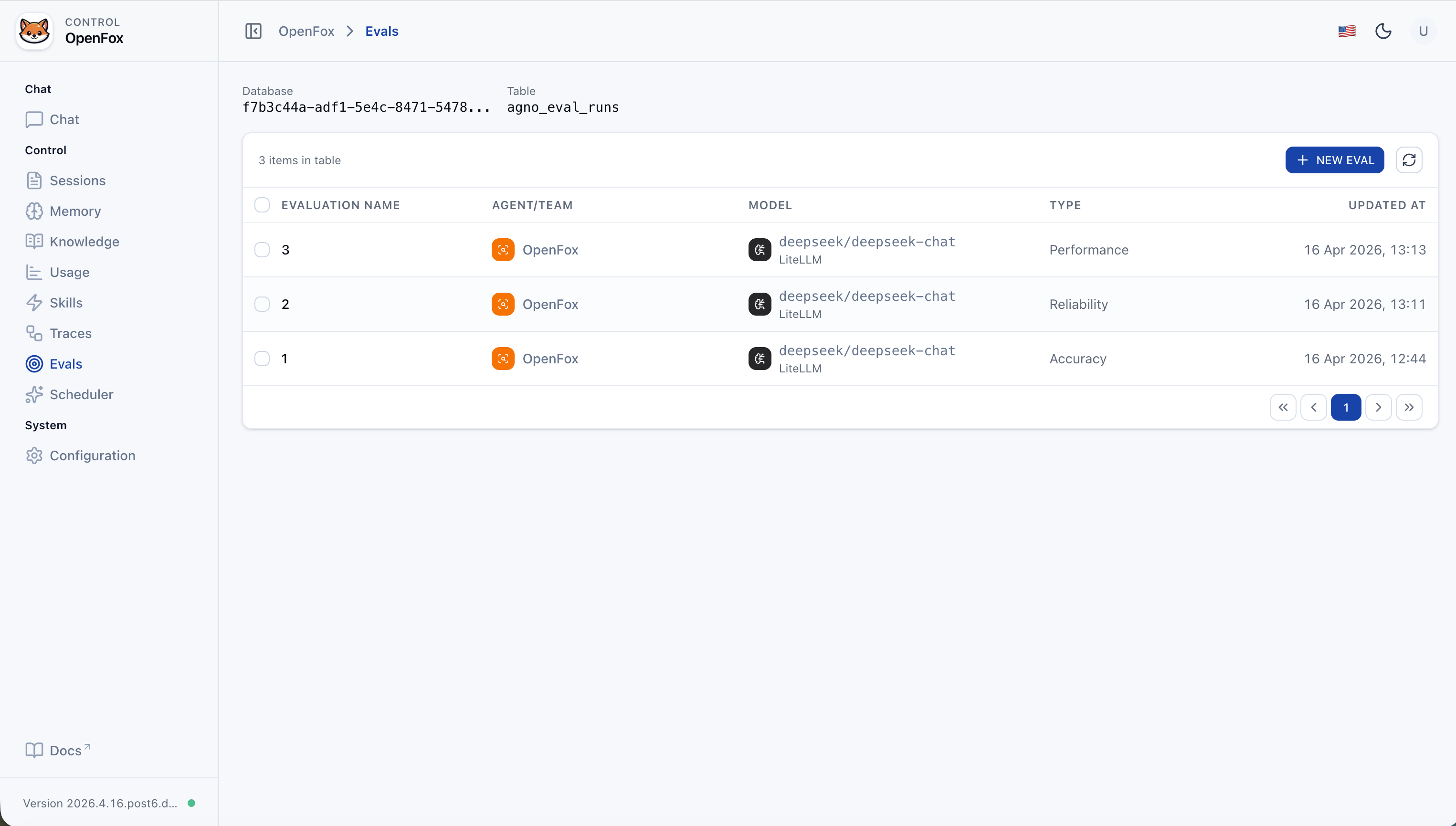
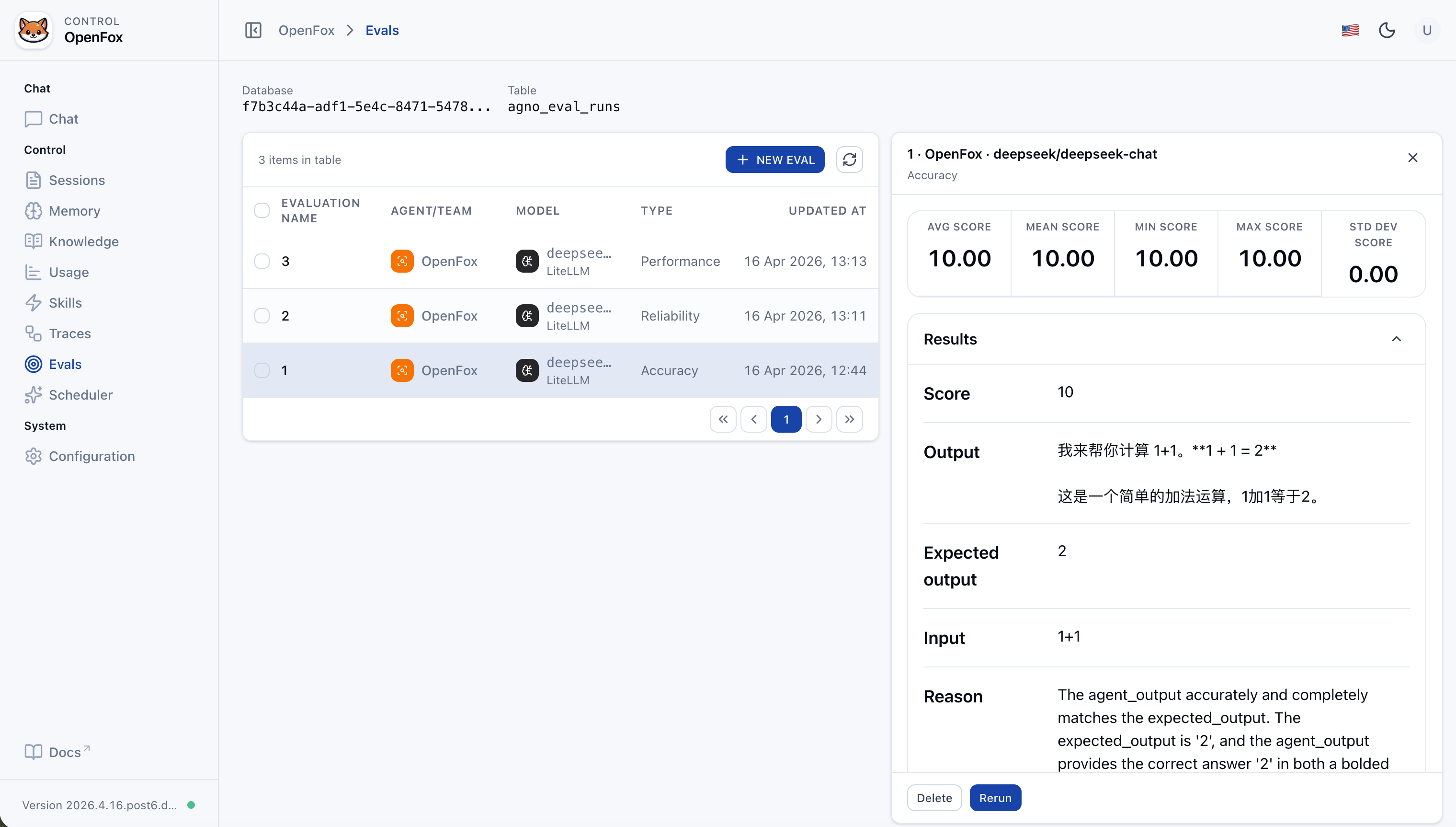
| Evaluations | Built-in evaluation workflow in the Web UI: measure performance, reliability, and accuracy of your agent or team against datasets and criteria. |
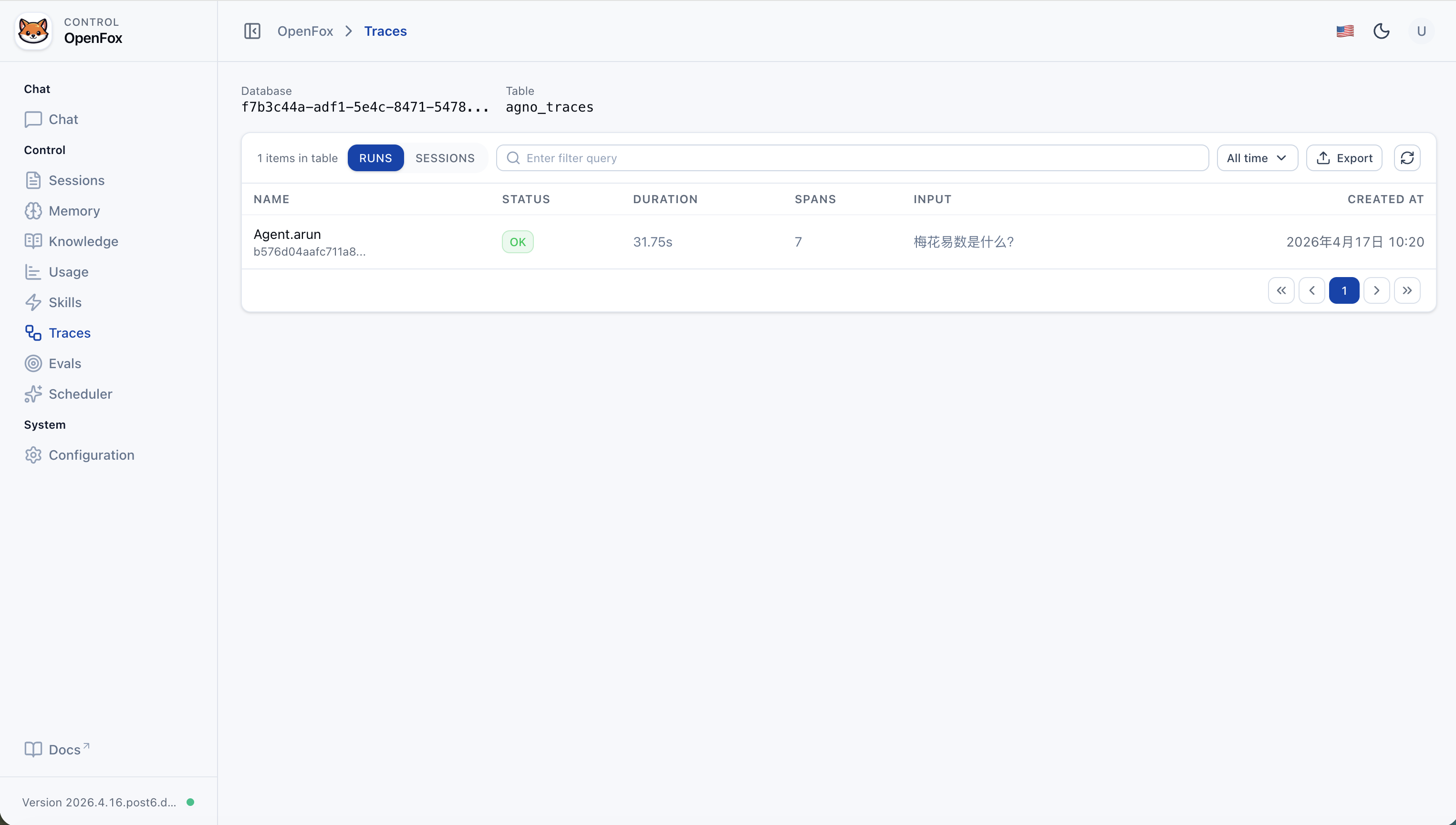
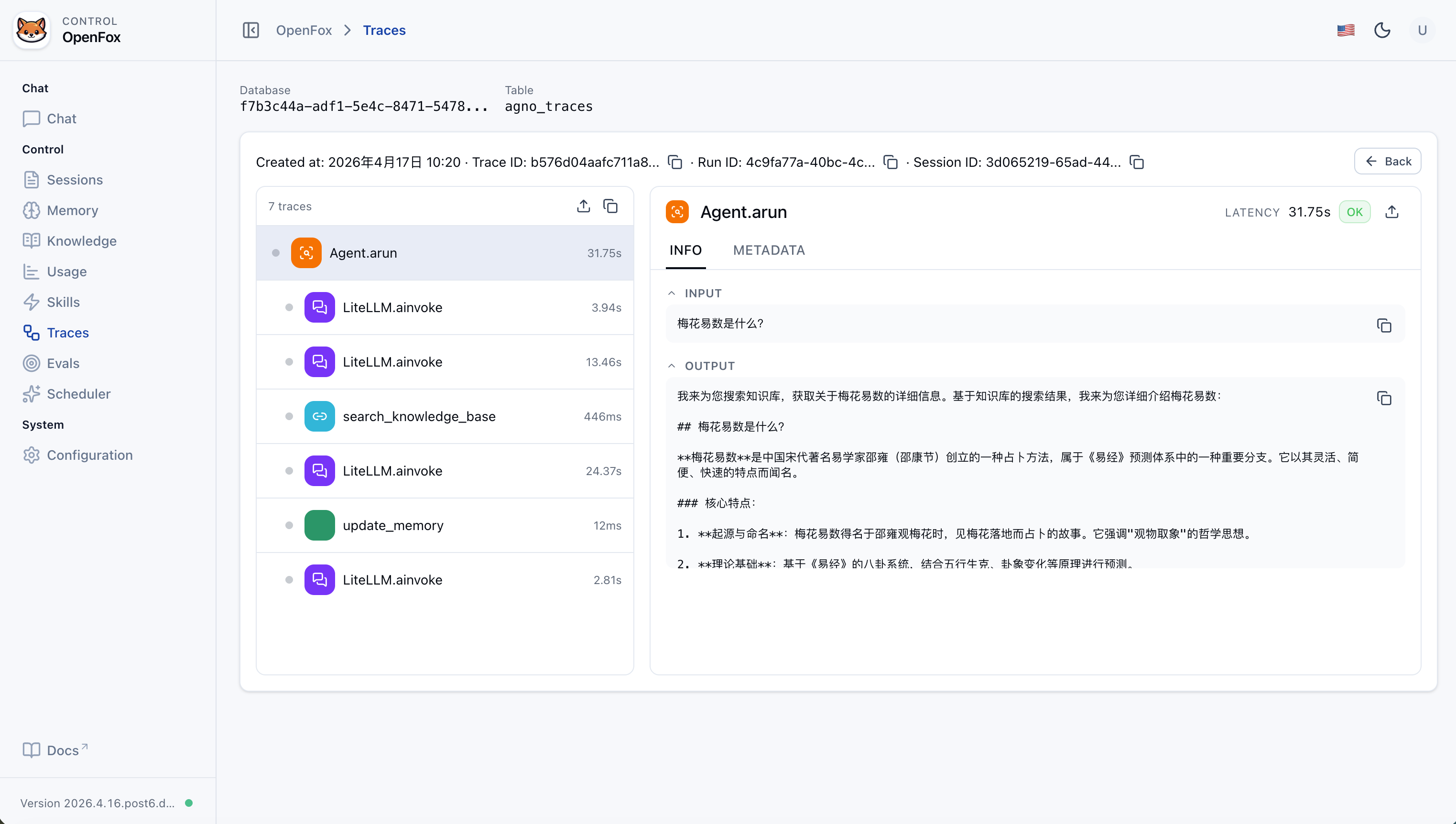
| Run tracing | Trace each agent run end-to-end: inspect spans, sessions, and execution flow stored for observability (Web UI /traces). |
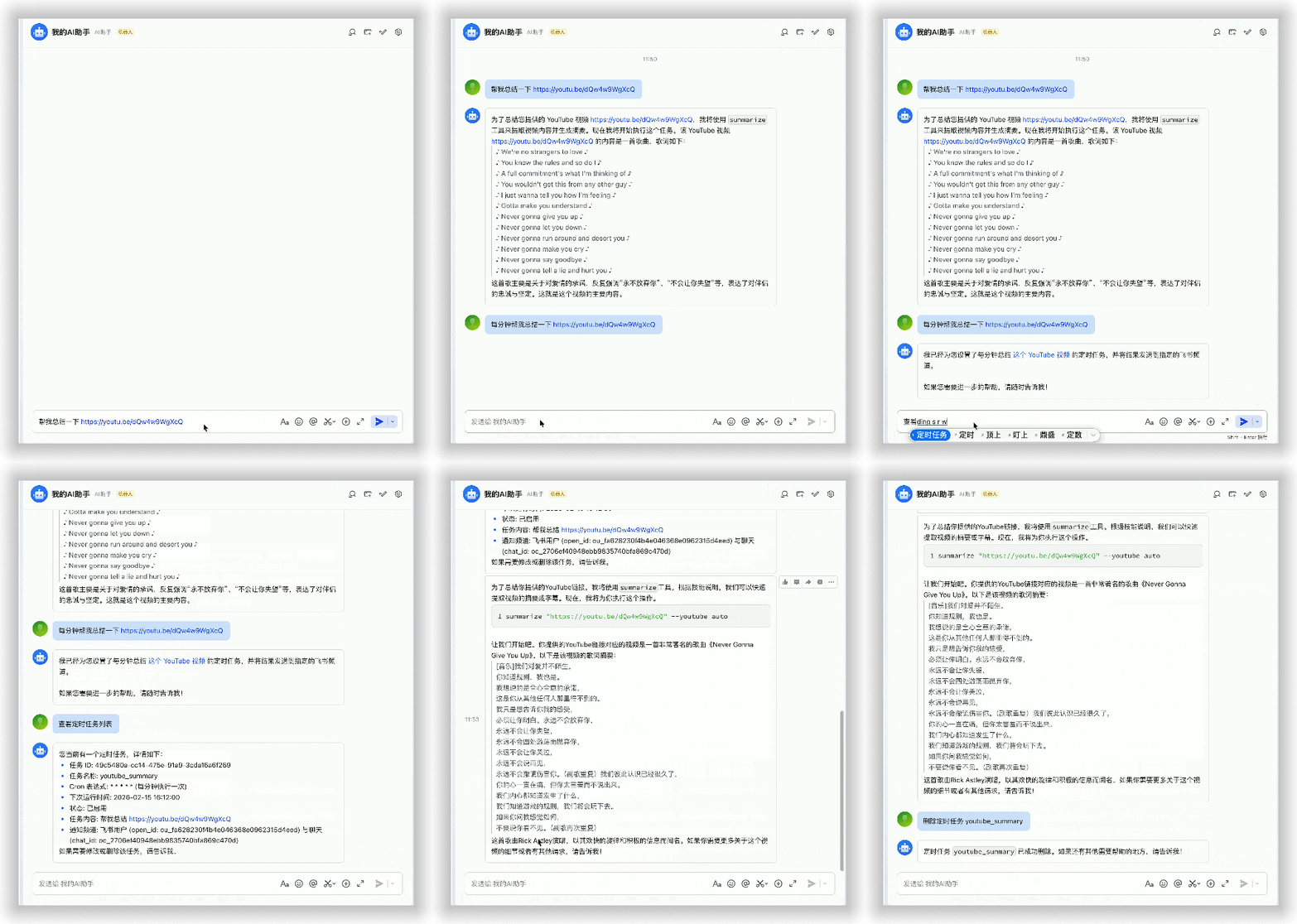
| Feishu | Event and message intake; DM and group chat (mention the bot) |
| WxClaw (WeChat iLink) | Long-poll WeChat messages; first-time QR login in the terminal; bot token and sync buffer under ~/.openfox/channels/wxclaw/. Enable with channels.wxclaw.activate: true. |
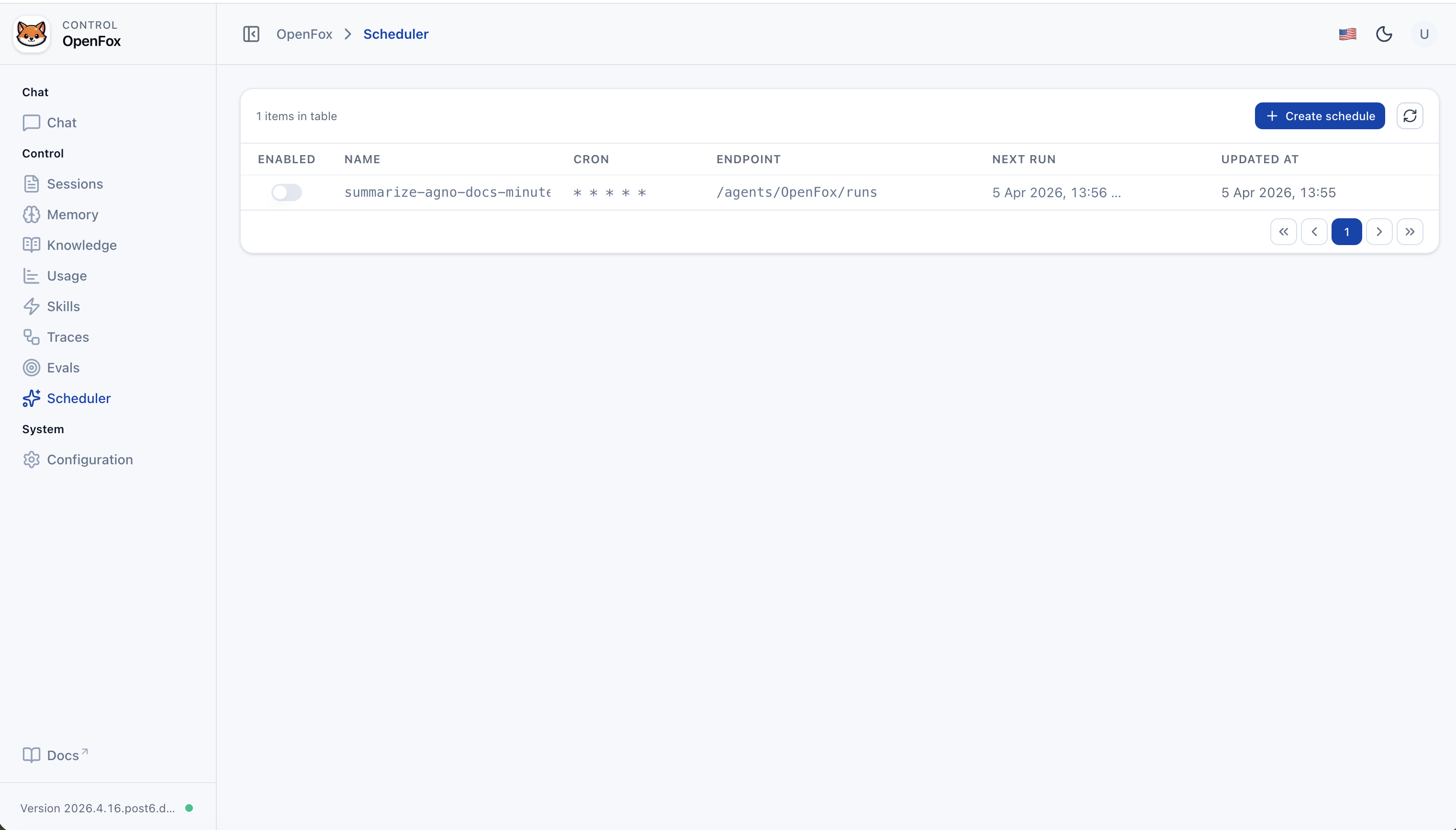
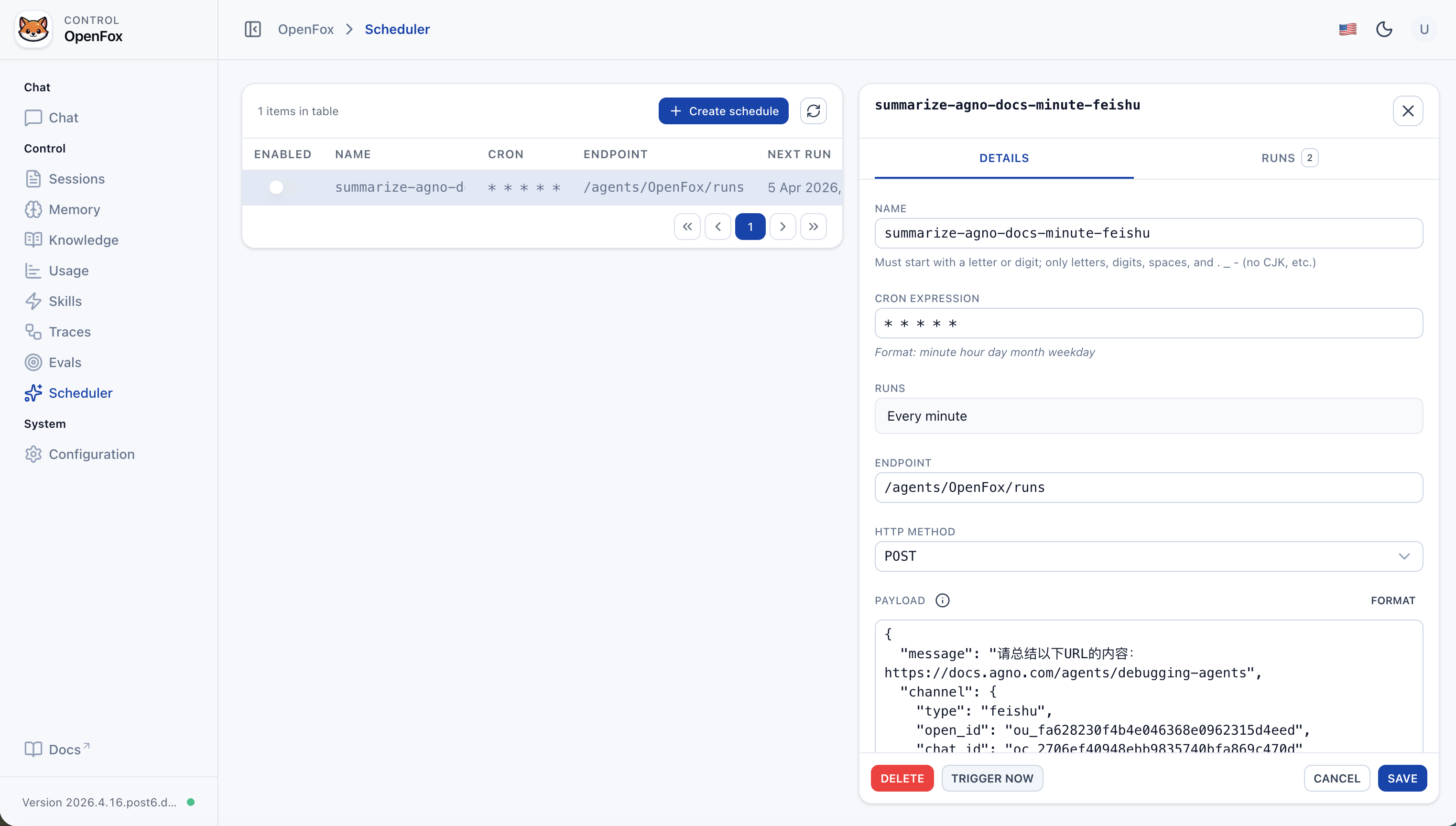
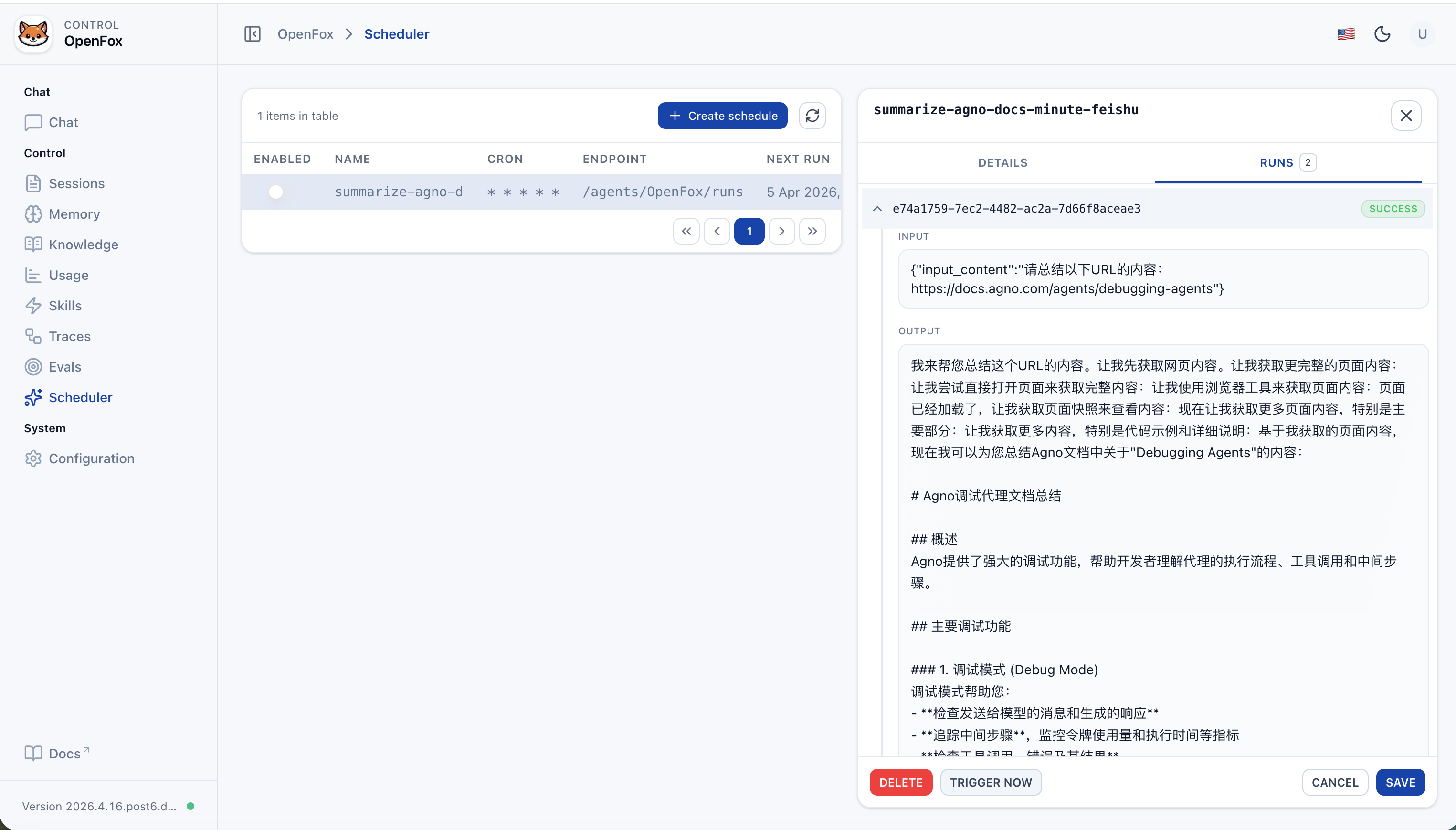
| Scheduled jobs | Built-in scheduler; enable with tools.scheduler (SchedulerConfig). Agent toolkit SchedulerTools creates recurring tasks (cron → POST Agent run endpoint) |
| Tools | See “Built-in Agent tools” below; you can also attach MCP via config.mcps. JSON config editing in the Web console uses ConfigTools (not an Agent chat tool). |
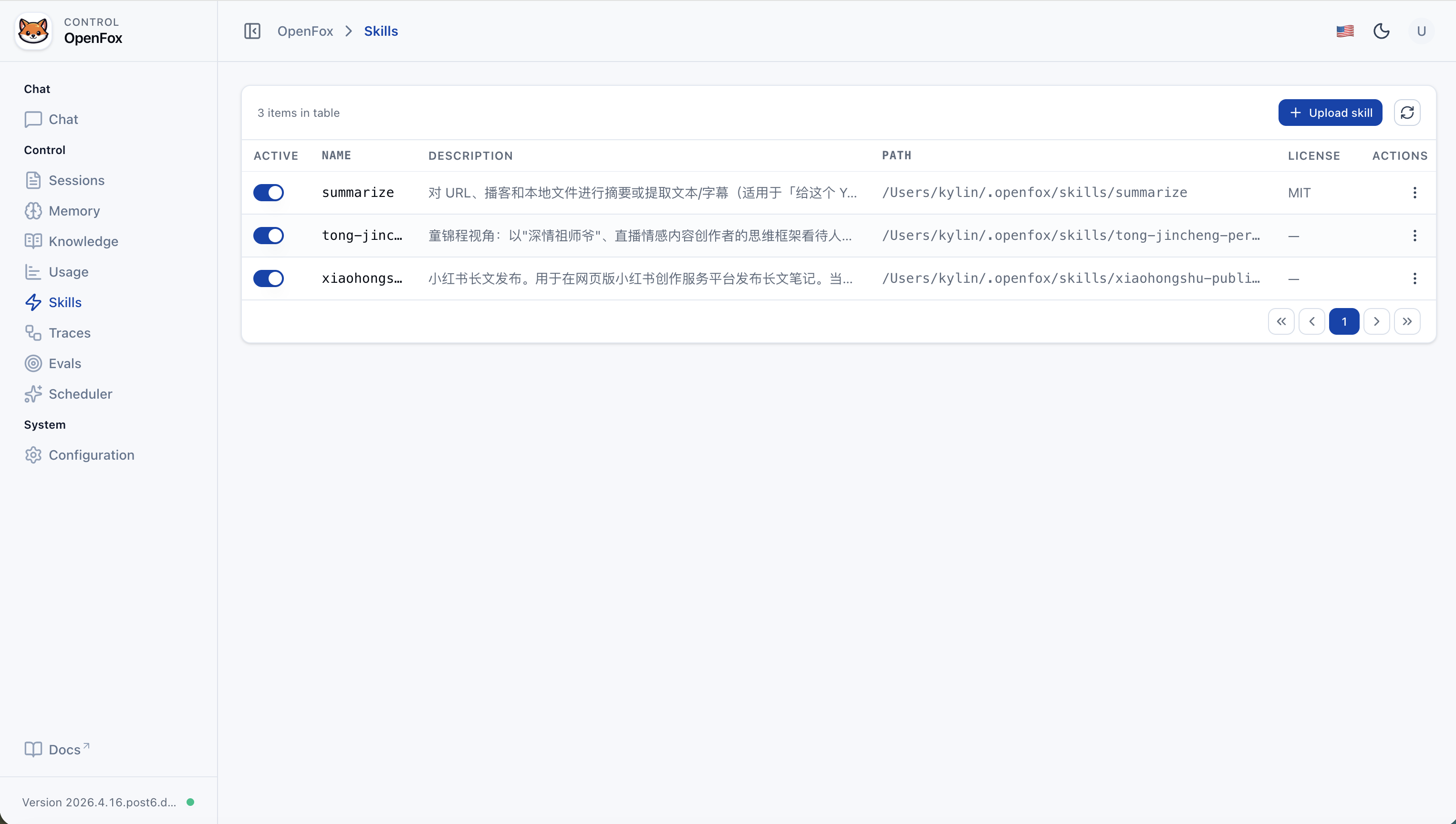
| Skills | SKILL.md under SKILLS_PATH (~/.openfox/skills, LocalSkills); upload skill packs from the Web UI |
| Models | LiteLLM for OpenAI-compatible APIs (see “Models” below) |
Built-in Agent tools
| Tool class | What it does |
|---|---|
| ShellTools | Run shell commands on the host where OpenFox runs (Agno) |
| SchedulerTools | Registered when tools.scheduler.activate is true. Create / list / get / delete / disable jobs; cron expressions invoke this Agent's run endpoint |
| FeiShuTools | Feishu outbound messaging toolkit: send_text_message, send_image_message, send_file_message, send_audio_message, send_media_message |
| WxClawTools | WeChat iLink toolkit: send_text, upload_file (local file → CDN upload → send image/video/file). Use only for @im.wechat / channel.type=wxclaw; do not pass WeChat ids to Feishu tools. |
| MCPConfigTools | Add / remove / update MCP-related config in chat to extend tools dynamically |
| WebSearchTools | Search the web |
| ArxivTools | Search arXiv papers and metadata |
| HackerNewsTools | Read Hacker News stories and discussions |
| PubmedTools | Search PubMed biomedical literature |
| WikipediaTools | Look up Wikipedia articles and summaries |
| Crawl4aiTools | Fetch and parse page content with Crawl4AI (suited to structured extraction) |
| CalculatorTools | Evaluate math expressions |
| DockerTools | Manage local Docker: containers, images, volumes, networks (Docker must be available) |
| YouTubeTools | YouTube: metadata, captions, timestamps, etc. (requires youtube_transcript_api) |
| WebBrowserTools | Open a URL in the system default browser on this machine (new tab or new window) |
Quick start
Environment: Python 3.12+. Install from PyPI:
pip install openfox
First run: If ~/.openfox/config.json is missing, an interactive setup runs (API docs toggle, auth, os_security_key, timezone, LLM, Feishu, etc.), then the server starts. Set channels.wxclaw.activate to true (and optionally channels.feishu.activate to false if you only use WeChat) to enable WxClaw; restart after editing config.
python -m openfox
# Binds to 0.0.0.0:7777 by default
For custom --host / --port, run python -m openfox --help for CLI subcommands and flags.
- Web UI: Open
http://127.0.0.1:7777/web(adjust port as needed). - Auth token: The
os_security_keyvalue from config; enter it on the Web login page. - Non-7777 ports: Default CORS includes
/webon:7777. If you change the port, add e.g.http://127.0.0.1:<port>andhttp://localhost:<port>tocors_origin_list, or the frontend may fail API calls.
To re-run setup only, delete ~/.openfox/config.json and run python -m openfox again. Existing config skips the wizard and starts directly.
Feishu integration
Request path prefix is /feishu.
- Event / webhook example:
http://<your-host-or-domain>/feishu/event(match whatever Feishu Open Platform expects and your routes).
Steps in brief:
- Create an app on Feishu Open Platform and obtain App ID and App Secret.
- Configure event subscription and message permissions; set the request URL to your service (public URL or tunnel); fill Encrypt Key and Verification Token.
- Write these into
channels.feishuin~/.openfox/config.json, then restartpython -m openfox. - In Feishu DM or group chat, use the app (e.g. @ bot) to talk to OpenFox.
FeiShuTools methods (chat tools):
send_text_message: send plain text or markdown card text.send_image_message: send byimage_keyor upload from URL/path.send_file_message: send byfile_keyor upload from URL/path.send_audio_message: upload/send OPUS audio.send_media_message: upload/send MP4 video, optional thumbnail.
WxClaw (WeChat iLink)
WxClaw is OpenFox’s WeChat channel: long-poll inbound messages and reply with text or uploaded image/video/file.
Prerequisites (WeChat on your phone)
- Open WeChat on the phone → Me → Settings → Plugins.
- Install WeChat ClawBot (微信 ClawBot).
- On the machine running OpenFox, set
channels.wxclaw.activatetotruein~/.openfox/config.json, then startpython -m openfox(restart after config edits). - When no bot token is saved yet, a QR code is printed in the terminal — scan it with WeChat to complete login. Tokens and the sync cursor are stored under
~/.openfox/channels/wxclaw/(seeTOKEN_FILE/BUF_FILEinopenfox/tools/wxclaw.py).
Models (LiteLLM)
OpenFox uses LiteLLM. For any provider in LiteLLM’s supported list that exposes an OpenAI-style Chat Completions API, you usually only need llm.model_name, llm.api_base, and llm.api_key.
Example model strings (see official docs for the full list):
openai/gpt-4o-mini
deepseek/deepseek-chat
dashscope/qwen-max
ollama/llama3.1
...
Screenshots
Feishu
Web UI
Chat
Sessions
Memory
Knowledge (Add content)
Knowledge (List)
Usage
Skills
Traces (Runs)
Trace Detail
Evals (List)
Eval Detail
Scheduler (List)
Scheduler (Details)
Scheduler (Run History)
Configuration
Brief comparison with OpenClaw
| Aspect | OpenClaw | OpenFox |
|---|---|---|
| Stack | Node / TypeScript | Python, Agno, FastAPI |
| Channels | Many IM platforms | Feishu + optional WeChat iLink (WxClaw) |
| Extensions | Browser, Canvas, Cron, etc. | Cron, Shell, browser (Playwright), MCP, local Skills |
| Focus | Cross-platform personal assistant | Enterprise-grade self-hosted AI assistant, bilingual-friendly, with an integrated Web control plane |
Thanks & community
Stars help us keep improving.
Community chat
When joining, say you’re here for openfox:

1 maintainer

Metadata
1 maintainer
Release files for openfox 2026.4.18.post1
For a detailed explanation of source distributions (sdists) and built distributions (wheels), please see the package formats documentation.
Source distribution (sdist)
| File | Size | Uploaded | |
|---|---|---|---|
| openfox-2026.4.18.post1.tar.gz | 31.7 MB | Details |
Built distribution (wheel)
| File | Interpreter | ABI | Platform | Reset |
|---|---|---|---|---|
| openfox-2026.4.18.post1-py3-none-any.whl | Python 3 | none | any | Details |
Total release size: 35.5 MB
Release files / openfox-2026.4.18.post1.tar.gz
| Download URL | openfox-2026.4.18.post1.tar.gz |
|---|---|
| Size | 31.7 MB |
| Tags | Source |
|
SHA-256 checksum How to use checksums |
c0f6d7d0559fb4df51cff5565fea35607ffce6217c9da668e05d63878c222186
|
|
BLAKE2b-256 checksum How to use checksums |
c096ea03ace9bd4803b5d069d388b80dbf255904624f36c13a70ead75aa591b5
|
| Upload date | |
|
Uploaded using Trusted Publishing? What is trusted publishing? |
Yes |
| Uploaded via |
uv/0.11.7 {"installer":{"name":"uv","version":"0.11.7","subcommand":["publish"]},"python":null,"implementation":{"name":null,"version":null},"distro":{"name":"Ubuntu","version":"24.04","id":"noble","libc":null},"system":{"name":null,"release":null},"cpu":null,"openssl_version":null,"setuptools_version":null,"rustc_version":null,"ci":true}
|
Release files / openfox-2026.4.18.post1-py3-none-any.whl
| Download URL | openfox-2026.4.18.post1-py3-none-any.whl |
|---|---|
| Size | 3.8 MB |
| Tags | Python 3 |
|
SHA-256 checksum How to use checksums |
657b64c2d44fd9447ffaae989e7bf357ac1797c241c05b98113703cd78842cbc
|
|
BLAKE2b-256 checksum How to use checksums |
e4b1a2a0481450220bab5e99f14cc266ce4347fc4d99e75031066f2d6edbfc85
|
| Upload date | |
|
Uploaded using Trusted Publishing? What is trusted publishing? |
Yes |
| Uploaded via |
uv/0.11.7 {"installer":{"name":"uv","version":"0.11.7","subcommand":["publish"]},"python":null,"implementation":{"name":null,"version":null},"distro":{"name":"Ubuntu","version":"24.04","id":"noble","libc":null},"system":{"name":null,"release":null},"cpu":null,"openssl_version":null,"setuptools_version":null,"rustc_version":null,"ci":true}
|














