
🛠️ openllm-func-call-synthesizer


Lightweight toolkit to synthesize function-call datasets and convert them to formats compatible with OpenAI-style function-call training and downstream tooling (including Llama Factory compatible exports).
✨ Features
- 📝 Generate synthetic function call datasets for LLM training and evaluation
- ⚙️ Flexible configuration via YAML and Hydra
- 💻 CLI interface powered by Typer & Rich
- 🔧 Utility functions for dataset manipulation
- 🔄 Extensible and easy to integrate into your own pipeline
- 🌐 Supports multiple LLM backends (OpenAI, Google, etc.)
- 📊 Export formats: JSONL, CSV, Parquet, LlamaFactory-compatible
🛠 Installation
Prerequisites
-
Python 3.12+ (match environment used by the project)
-
API credentials for any LLM backend (set via environment variables or
.envfile)- Example:
OPENAI_API_KEY - See
.env.examplefor reference
- Example:
-
🔌 MCP Server (Required)
This project relies on an MCP server to provide tool/function metadata.
Before running the synthesizer, you must start an MCP server.
▶ Start the example MCP server
An example MCP server is included in the repository:
python examples/mcp_example_sserver/server.py
This will start a local MCP server that the synthesizer can connect to.
Make sure your configuration (e.g. mcp_servers.transport) matches the server address.
⸻
⚠ Important
- The synthesizer will fail if no MCP server is available.
- Ensure the server is running before executing:
python -m apps.main
* If you see connection errors, verify:
* The server is running
* The transport URL in your config is correct
* Network/firewall settings allow local connections
⸻
Install from PyPI
pip install openllm-func-call-synthesizer
# or using uv
uv add openllm-func-call-synthesizer
Install from source
git clone https://github.com/diqiuzhuanzhuan/openllm-func-call-synthesizer.git
cd openllm-func-call-synthesizer
uv sync
Is there no tool named 'uv'? You can install it with just one command:
curl -LsSf https://astral.sh/uv/install.sh | sh
⸻
⚡ Quickstart
Run the synthesizer with default config:
python -m apps.main
Enable only query generation:
python -m apps.main synthesizer.query_generation.enable=True
Enable function-call generation with custom name:
python -m apps.main synthesizer.function_call_generation.enable=True synthesizer.function_call_generation.name=function_call_gpt_4o
Override languages dynamically:
python -m apps.main synthesizer.query_generation.languages=[English,Spanish]
⸻
📂 Outputs
- Generated datasets are written to data//
- Each run produces:
- train.jsonl
- output.csv
- output.parquet
- llama_factory step creates LlamaFactory-compatible train.jsonl
⸻
🧪 Testing
Run the test suite:
pytest -q
⸻
📝 Configuration Highlights
Configuration file: examples/conf/synthesizer/default.yaml
- mcp_servers — MCP server(s) to query for available tools
- choose_part_tools — filter toolset to a subset
- query_generation — generate seed queries from function docs
- function_call_generation — generate function-call pairs from queries
- critic — optional scoring/critique step
- llama_factory — export to LlamaFactory-compatible dataset
- verl - export to verl-compatible dataset
See docs for full field descriptions.
Default pipeline walk-through
The provided examples/conf/synthesizer/default.yaml wires every stage together:
- MCP bootstrap: points to a local
ugreen_mcpserver onhttp://localhost:8000/mcp; leave it running before launching the synth job or queries will fail. - Tool filtering:
choose_part_tools: falsekeeps the full toolset; set it to a list (e.g.["search_photos"]) to restrict generations to specific tools. - Query generation: reads
examples/function_docs.json, emits multilingual prompts (English/Chinese/Japanese/German) underdata/function_queryvia parallel OpenAI + Google model pools, each with generous TPM throttles for high-throughput runs. - Function-call synthesis: consumes the query dataset, calls
gpt-4othrough the OpenAI backend, and writesdata/function_call_gpt_4o/*.jsonl(setmax_numto limit volume or switchoutput_format). - Critic pass: re-scores every call with
gpt-5-mini-2025-08-07, expectingquery/prompt/function_call/functions/answerfields and emitting a scored dataset namedfunction_call_gpt_4o_critiqued_by_gpt_5_mini_2025_08_07. - Downstream exports: both
llama_factoryandverlblocks draw from the critic output, keep only rows withscore >= 8, and materialize ready-to-train JSONL files plus optional train/val splits.
Feel free to copy the default file, tweak model lists or directories, and pass it via python -m apps.main synthesizer=@your_config.yaml for customized runs. For custom configurations, please refer to example/conf/synthesizer/default.yaml.
⸻
🐚 Parallel Runner
Helper script: bin/run_pipeline.sh
- Launch multiple synthesizer runs in parallel
- Requires .venv virtual environment
- Example usage:
chmod +x bin/run_pipeline.sh
bin/run_pipeline.sh default other
- Logs are printed to console; returns non-zero if any run fails
- Can also run manually using:
python -m apps.main synthesizer=default &
python -m apps.main synthesizer=other &
wait
⸻
Contributing
Welcome to contribute!Please refer to CONTRIBUTING.md for details.
License
MIT License. See LICENSE for details.
Links
⸻
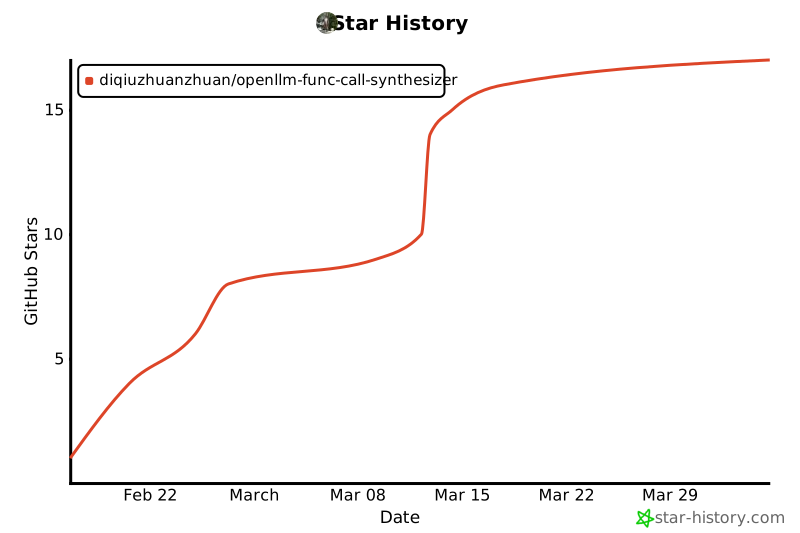
🌟 Star History
1 maintainer

Metadata
1 maintainer
Release files for openllm-func-call-synthesizer 0.1.2
For a detailed explanation of source distributions (sdists) and built distributions (wheels), please see the package formats documentation.
Source distribution (sdist)
| File | Size | Uploaded | Provenance | Actions |
|---|---|---|---|---|
| openllm_func_call_synthesizer-0.1.2.tar.gz | 23.4 kB | Without provenance | Details for openllm_func_call_synthesizer-0.1.2.tar.gz |
Built distribution (wheel)
| File | Interpreter | ABI | Platform | Actions Reset |
|---|---|---|---|---|
| openllm_func_call_synthesizer-0.1.2-py3-none-any.whl | Python 3 | none | any | Details for openllm_func_call_synthesizer-0.1.2-py3-none-any.whl |
Total release size: 55.2 kB
Release files / openllm_func_call_synthesizer-0.1.2.tar.gz
| Download URL | openllm_func_call_synthesizer-0.1.2.tar.gz |
|---|---|
| Size | 23.4 kB |
| Tags | Source |
|
SHA-256 checksum How to use checksums |
d1641a71151f74360083d525f505c1d3871455a8b93bb912217bce7c203515da
|
|
BLAKE2b-256 checksum How to use checksums |
4d1daf990cb8bbe49aca0d516c232566a7e147146183579740292cf4965cae14
|
| Upload date | |
|
Uploaded using Trusted Publishing? What is trusted publishing? |
No |
| Uploaded via |
uv/0.9.18 {"installer":{"name":"uv","version":"0.9.18","subcommand":["publish"]},"python":null,"implementation":{"name":null,"version":null},"distro":{"name":"Ubuntu","version":"22.04","id":"jammy","libc":null},"system":{"name":null,"release":null},"cpu":null,"openssl_version":null,"setuptools_version":null,"rustc_version":null,"ci":null}
|
Release files / openllm_func_call_synthesizer-0.1.2-py3-none-any.whl
| Download URL | openllm_func_call_synthesizer-0.1.2-py3-none-any.whl |
|---|---|
| Size | 31.8 kB |
| Tags | Python 3 |
|
SHA-256 checksum How to use checksums |
c8e710d5dcb0e620bc56696efcf21d7785579830071bbf74bb3634538a61041b
|
|
BLAKE2b-256 checksum How to use checksums |
8deb53004662e324e03cf6ffcc34cc9aa00cde5408f1fff5138793e3ae0986fb
|
| Upload date | |
|
Uploaded using Trusted Publishing? What is trusted publishing? |
No |
| Uploaded via |
uv/0.9.18 {"installer":{"name":"uv","version":"0.9.18","subcommand":["publish"]},"python":null,"implementation":{"name":null,"version":null},"distro":{"name":"Ubuntu","version":"22.04","id":"jammy","libc":null},"system":{"name":null,"release":null},"cpu":null,"openssl_version":null,"setuptools_version":null,"rustc_version":null,"ci":null}
|
Security for openllm-func-call-synthesizer 0.1.2
Provenance
Provenance describes where a file came from. On PyPI, provenance is shared via attestations, which provide a verifiable record of the build or publishing details. View details, limitations and caveats.
No provenance found
None of the files in this release were uploaded with provenance metadata.
A note on package security
PyPI is a repository for distributing packages, not a service for auditing them. While third-party security researchers and our staff do their best to detect and remove malicious packages, PyPI cannot guarantee the quality, security or suitability of any given package.
To learn more about protecting yourself from malicious actors, visit our package security documentation.














