
openmd - by Rufus Lin
Markdown viewer for humans (not AI models).
I got tired of reading raw Markdown with less or opening VS Code/Cursor just to see it nicely rendered. So I built openmd.
Run openmd *.md (or any Markdown file) from the shell and a window pops up instantly. Independent Qt window, ESC closes it. Think of it as "less" but for markdown files.




GitHub: RufusLin/openmd
Warning - Lazy Maintainer: Yeah, not a fan of reading PRs, but will pay attention to issues to fix bugs. Feel free to fork, but remember to give credit, please.🙏🏻
X: @rufuslinjapan
What it looks like
Mobile app users: Tap here to watch the demo video
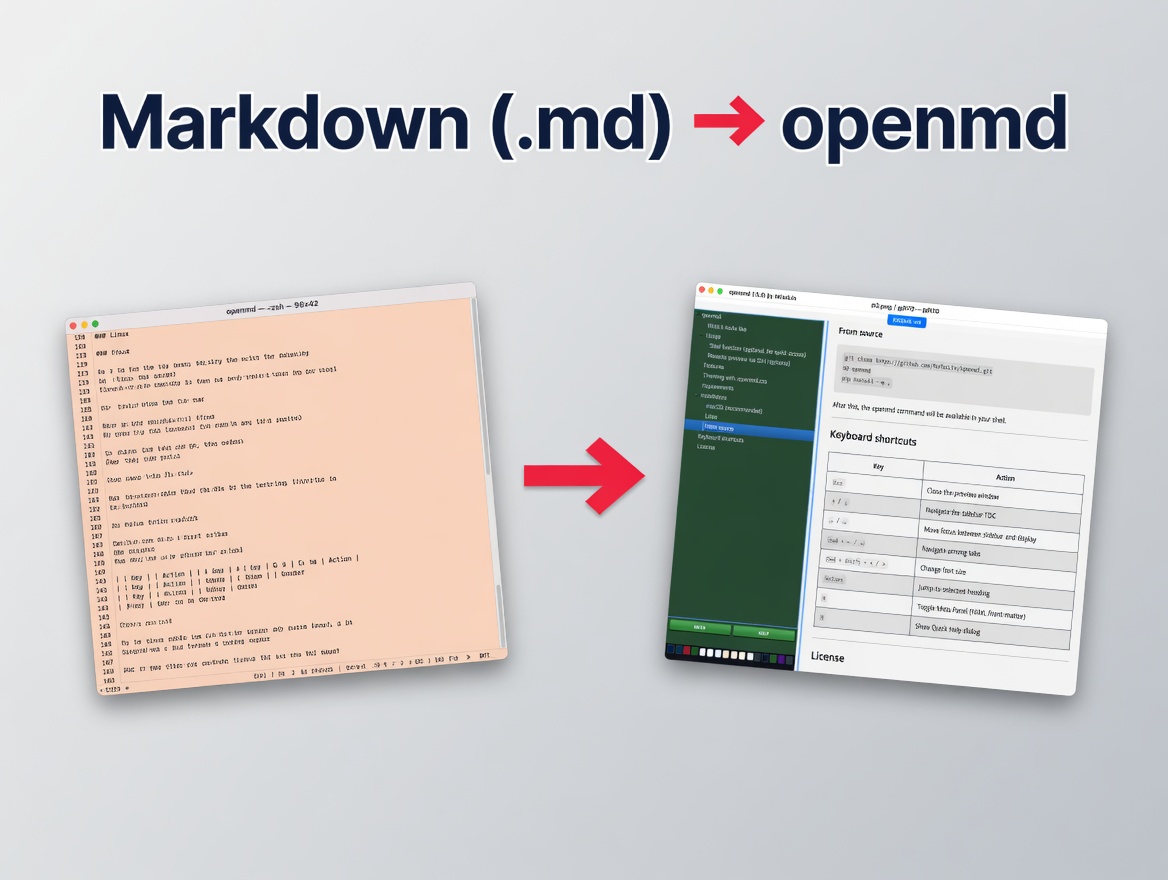
###openmd renders markdown
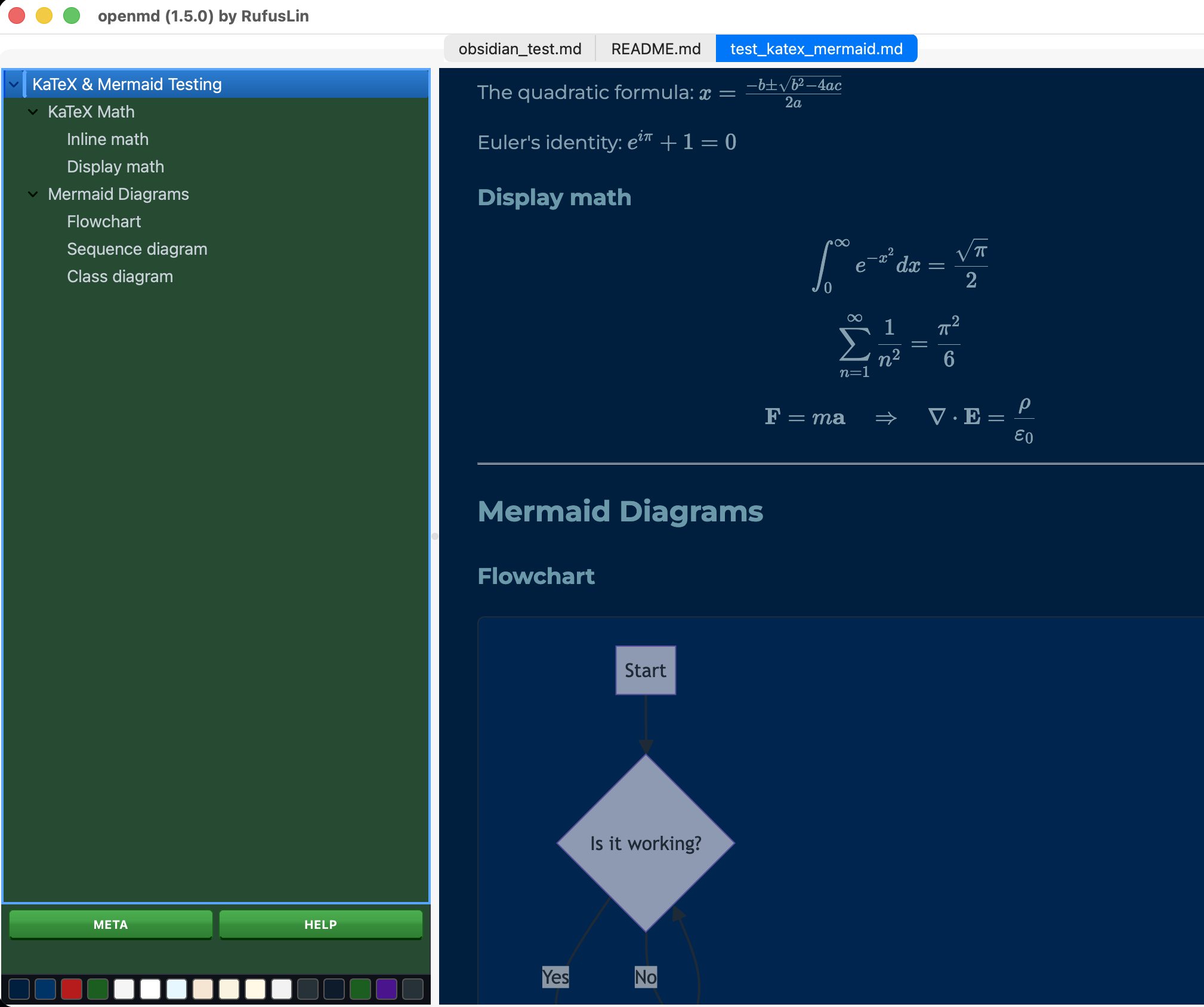
###CSS themes (customizable)
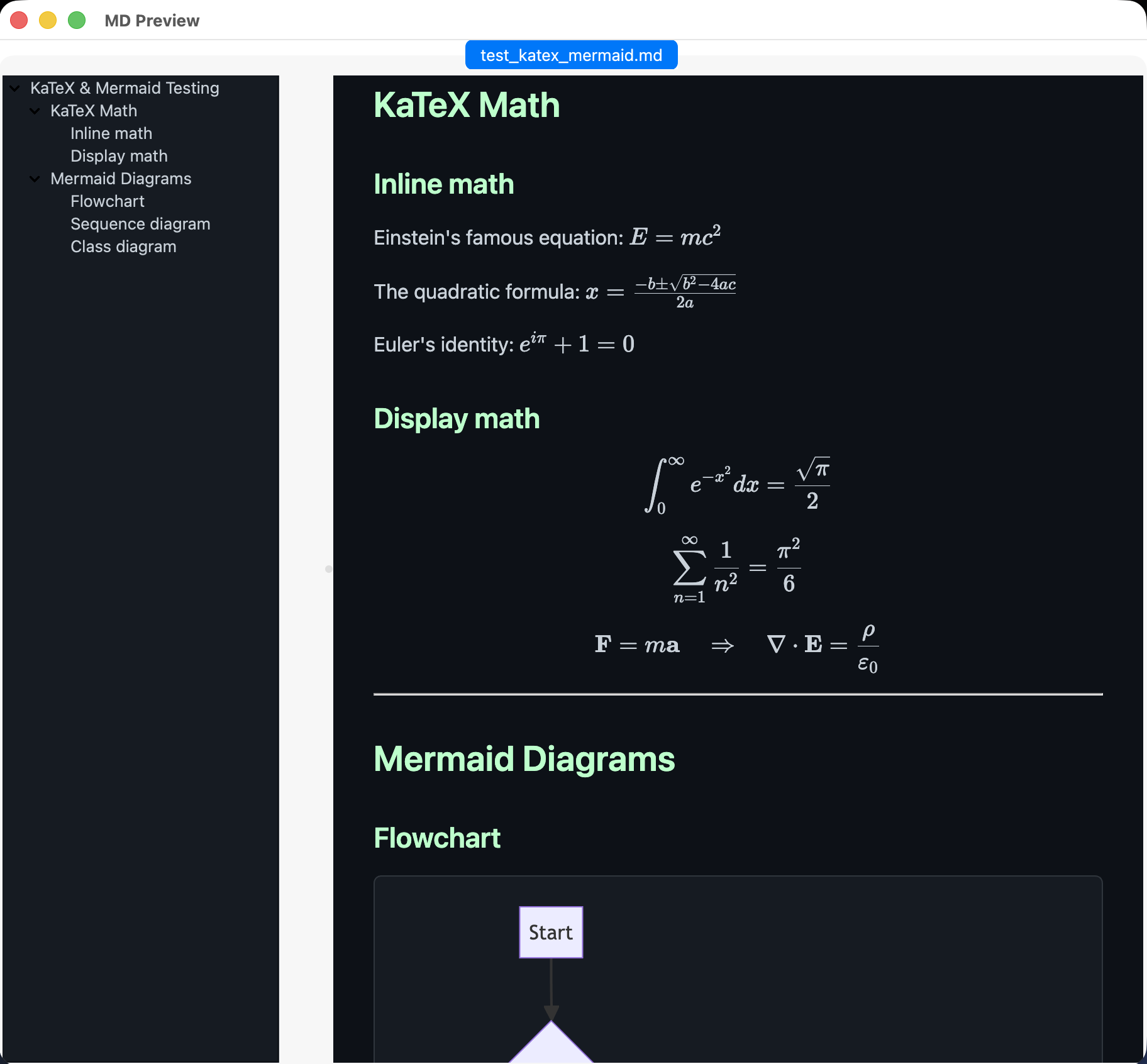
###Mermaid, KaTeX too!
Usage
# Open a single file (extension optional!)
openmd README
openmd README.md

# Open most recently viewed file
openmd -r

# Open multiple files (each in its own tab, up to 12)
openmd doc1 doc2.markdown doc3

# No arguments — interactive picker (choose from .md files in current directory)
openmd

# Glob expansion (works on Windows & POSIX shells)
openmd docs/*.md

# Check CLI version or help
openmd -v
openmd --help

# Pipe stdio
tail -100 x.md | openmd

# on MacOS, render selected markdown
Select text, right click, Services, "Open in openmd"
Remote preview via SSH (optional)
remotemd() {
    local remote_path="$1"
    local filename=$(basename "$remote_path")
    local tmp_file="/tmp/remote_preview_${filename}.md"
    scp "home:$remote_path" "$tmp_file" && openmd "$tmp_file"
}
Features
- Auto
.mdExtension & Path Resolution — runopenmd filenamewithout.mdand openmd automatically resolves.md,.markdown,.mdown, or.mkdfiles (with case-insensitive fallback) - Local & Remote Link Navigation — click relative links (
[Doc](./doc.md)) or remote Markdown URLs (https://.../file.md) and openmd opens them directly in new tabs - Re-open Last Viewed File — run
openmd -r(or--recent/--last) to instantly reopen your most recently viewed document - Closable Multi-file Tabs (up to 12) — open up to 12 files at once; tabs feature close buttons and
Cmd+W/Ctrl+Wclosing shortcuts - Native CLI Flags — fast terminal stdout output for
openmd -v/--versionandopenmd -h/--helpwithout launching GUI windows - Cross-Platform Glob Expansion — wildcards like
openmd docs/*.mdwork on Windowscmd.exe/PowerShell as well as POSIX shells - Quick Clipboard Shortcuts —
Cmd+Shift+Ccopies absolute file path,Cmd+Alt+Ccopies document text - Meta panel — shows YAML front‑matter in a hidden-by-default div; toggle via the META button or the M shortcut key
- Quick Help — access a concise help dialog with navigation and shortcuts via the HELP button or the H shortcut key
- Instant launch — the shell prompt returns immediately; openmd runs as a fully detached GUI app (no
&needed, no blocking) - GitHub-dark theme by default — comfortable reading in low-light environments
- 16 built-in themes — dark and light, switch instantly via the swatch bar at the bottom of the sidebar; fully customizable via
.openmd.css - Live reload — the display pane updates instantly when the file is saved; no manual refresh needed
- Mermaid diagrams — fenced mermaid blocks render automatically via CDN
- KaTeX math — inline
$…$and display$$…$$expressions render out of the box - Sidebar TOC — hierarchical (H1 → H2 → H3); click or press Return to jump to any heading. The sidebar takes up 20% of your screen, and you can easily jump between the sidebar and display using the left/right arrow keys.
- Dynamic Pane Focus — unselected panes automatically dim to 60% opacity so you always know exactly where your keyboard focus is.
- Unix pipes - accepts markdown from stdin, e.g.
echo 'markdown string here' | openmd - Interactive file picker — run with no arguments and choose from
.mdfiles in the current directory via a curses-based picker - Remote image caching — remote images in your Markdown are downloaded to a local temp cache so they render correctly in the Qt WebEngine view
- External link handling — clicking general
http/httpsweb links opens them in your default browser; the display window never navigates away - Update notifications — on startup, openmd quietly checks PyPI (at most once every 6 hours) and shows a non-intrusive popup if a newer version is available
- Version in title bar — the window title shows the running version for quick reference
- Keyboard shortcuts —
Esccloses the window; Up/Down arrows and Return navigate the sidebar, Left/Right switch panes, Cmd+Left/Right switch tabs, Cmd+W closes tabs, and Cmd+Shift+C copies paths
Theming with .openmd.css
Preview: Open openmd-preview-themes.html in a browser to see what the 16 themes look like.
Customization: On first launch, openmd automatically populates your home directory with the default CSS ($HOME/.openmd.css #note the dot). Edit this file to customize your themes.
openmd ships with 16 built-in themes (8 dark, 8 light) selectable from the swatch bar. On first run, default theme CSS is auto-seeded to $HOME/.openmd.css. To customize further, edit .openmd.css — any rule you write overrides or extends the defaults via normal CSS cascade.
Lookup order (first match wins):
| Priority | Location |
|---|---|
| 1 | Current working directory (./) |
| 2 | openmd install directory |
| 3 | Home directory (~/) |
| 4 | Bundled default theme CSS |
To make your own CSS themes, add body.theme-yourname { ... } blocks to your .openmd.css. The swatch bar automatically discovers and displays the first 16 themes defined there.
Requirements
- macOS or Linux (POSIX)
- Python 3.10+
- PySide6 + PySide6-WebEngine
- Markdown
- BeautifulSoup4
- PyYAML
Note: Mermaid and KaTeX require an internet connection to load from CDN.
Installation
The easiest way to install openmd (recommended, just two steps):
- Install uv (the fastest Python tool manager):
curl -LsSf https://astral.sh/uv/install.sh | sh
(Windows users: use the same curl command in PowerShell or run winget install astral-sh.uv)
- Install openmd:
uv tool install openmd
That’s it! You can now run openmd like this:
openmd <filename(s)>
###From source
git clone https://github.com/RufusLin/openmd.git
cd openmd
pip install -e .
After this, the openmd command will be available in your shell.
Keyboard shortcuts
| Key | Action |
|---|---|
Esc |
Close the preview window |
↑ / ↓ |
Navigate the sidebar TOC |
← / → |
Move focus between sidebar and display |
Cmd + ← / → |
Navigate among tabs |
Cmd + W |
Close current active tab |
Cmd + Shift + C |
Copy active file path to clipboard |
Cmd + Alt + C |
Copy active document text to clipboard |
Cmd + Shift + < / > |
Change font size |
Return |
Jump to selected heading |
M |
Toggle Meta Panel (YAML front-matter) |
H |
Show Quick Help dialog |
License
MIT
Troubleshooting
If you still see an old version after upgrading
This happens if you previously installed with pip install -e . or plain pip.
Run this once:
rm -f ~/Library/Python/*/bin/openmd          # remove old pip executable (macOS)
uv tool uninstall openmd
uv tool install openmd
1 maintainer

Download files
Download the file for your platform. If you're not sure which to choose, learn more about installing packages.
Source Distribution
Built Distribution
Filter files by name, interpreter, ABI, and platform.
If you're not sure about the file name format, learn more about wheel file names.
Copy a direct link to the current filters
File details
Details for the file openmd-1.6.1.tar.gz.
File metadata
- Download URL: openmd-1.6.1.tar.gz
- Upload date:
- Size: 38.7 kB
- Tags: Source
- Uploaded using Trusted Publishing? No
- Uploaded via:
twine/7.0.0 CPython/3.11.15
File hashes
| Algorithm | Hash digest | |
|---|---|---|
| SHA256 |
9e8f592637a409374dfc5a139385df810a4cb7dd2b590ffc0f5cec57b37ac11b
|
|
| MD5 |
9c18a98f775e352afaaad76735e2ac7e
|
|
| BLAKE2b-256 |
7680c0f558ccbb2929fbca216d87f76ae9d31987ced8acb1949a10980cc209a4
|
File details
Details for the file openmd-1.6.1-py3-none-any.whl.
File metadata
- Download URL: openmd-1.6.1-py3-none-any.whl
- Upload date:
- Size: 35.1 kB
- Tags: Python 3
- Uploaded using Trusted Publishing? No
- Uploaded via:
twine/7.0.0 CPython/3.11.15
File hashes
| Algorithm | Hash digest | |
|---|---|---|
| SHA256 |
c137f3733a514be9da94fba167cb41db1d1225a1fe626814c0c17cda271417ce
|
|
| MD5 |
99f398c449b8e2751b4cfcffe9e374f6
|
|
| BLAKE2b-256 |
fe80e607c20c3b73fab0e06639605eec58a860af980873d5911cfd4459c2da7e
|







