
openmd - by Rufus Lin
Markdown viewer for humans (not AI models).
I got tired of reading raw Markdown with less or opening VS Code/Cursor just to see it nicely rendered. So I built openmd.
Run openmd *.md (or any Markdown file) from the shell and a window pops up instantly. Independent Qt window, ESC closes it. Think of it as "less" but for markdown files.




GitHub: RufusLin/openmd
Warning - Lazy Maintainer: Yeah, not a fan of reading PRs, but will pay attention to issues to fix bugs. Feel free to fork, but remember to give credit, please.🙏🏻
X: @rufuslinjapan
What it looks like
Mobile app users: Tap here to watch the demo video
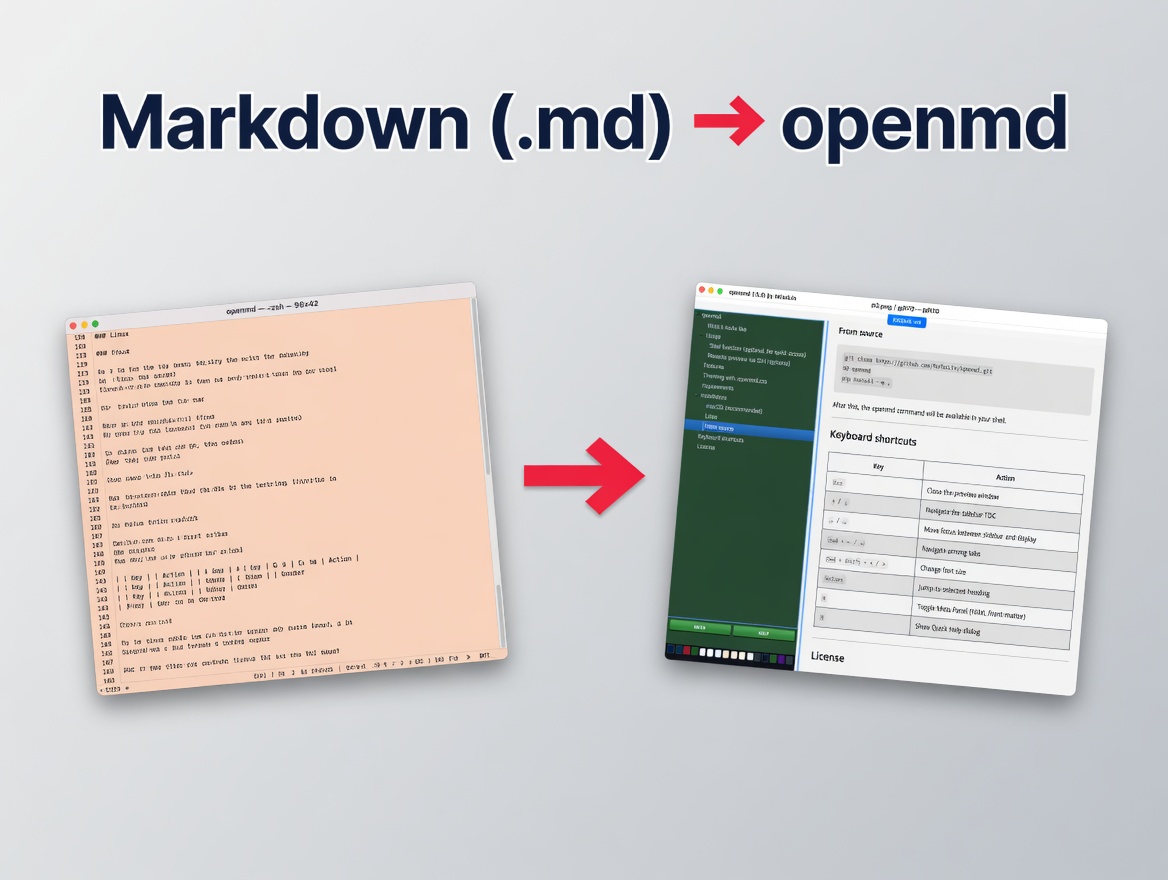
###openmd renders markdown
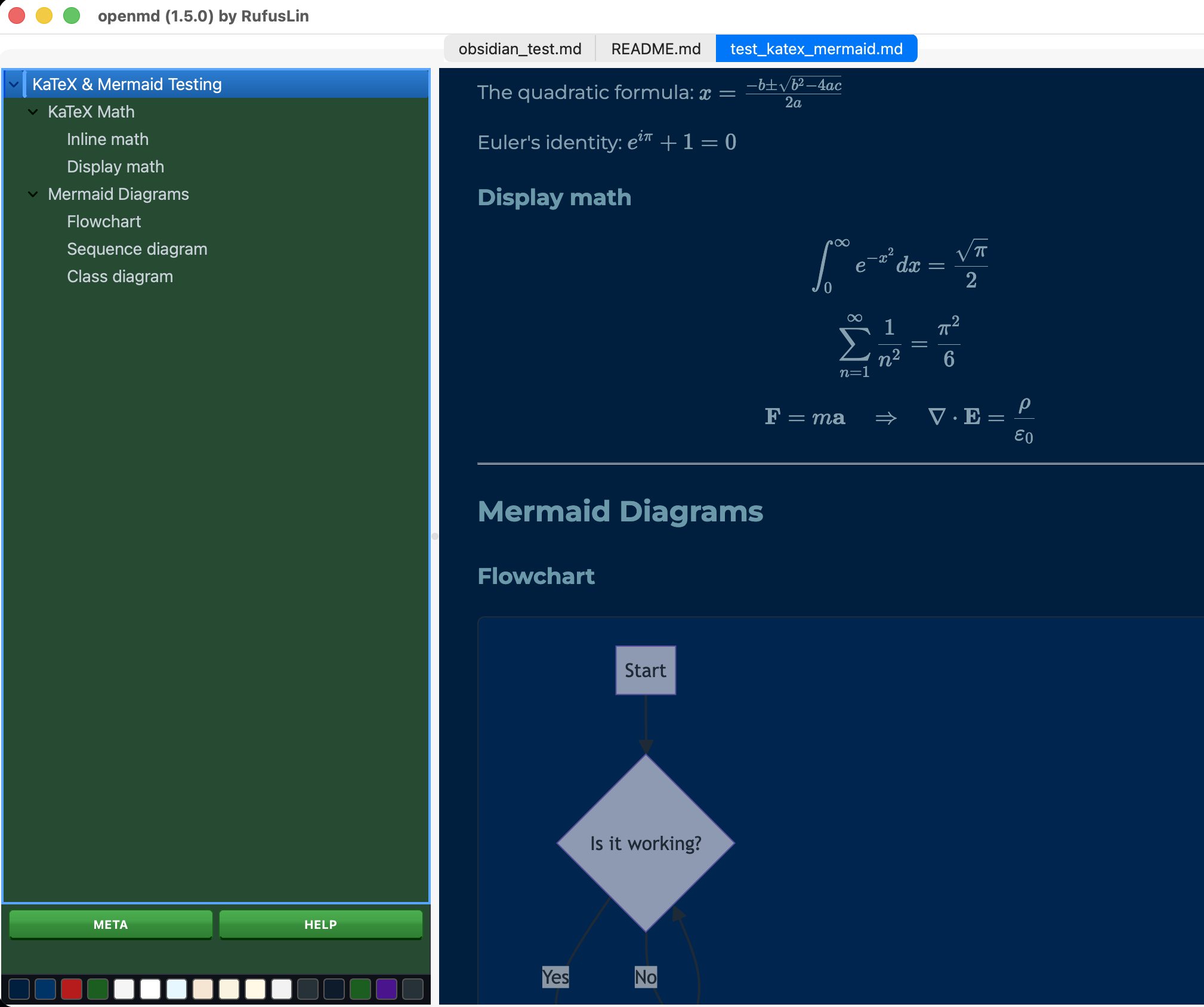
###CSS themes (customizable)
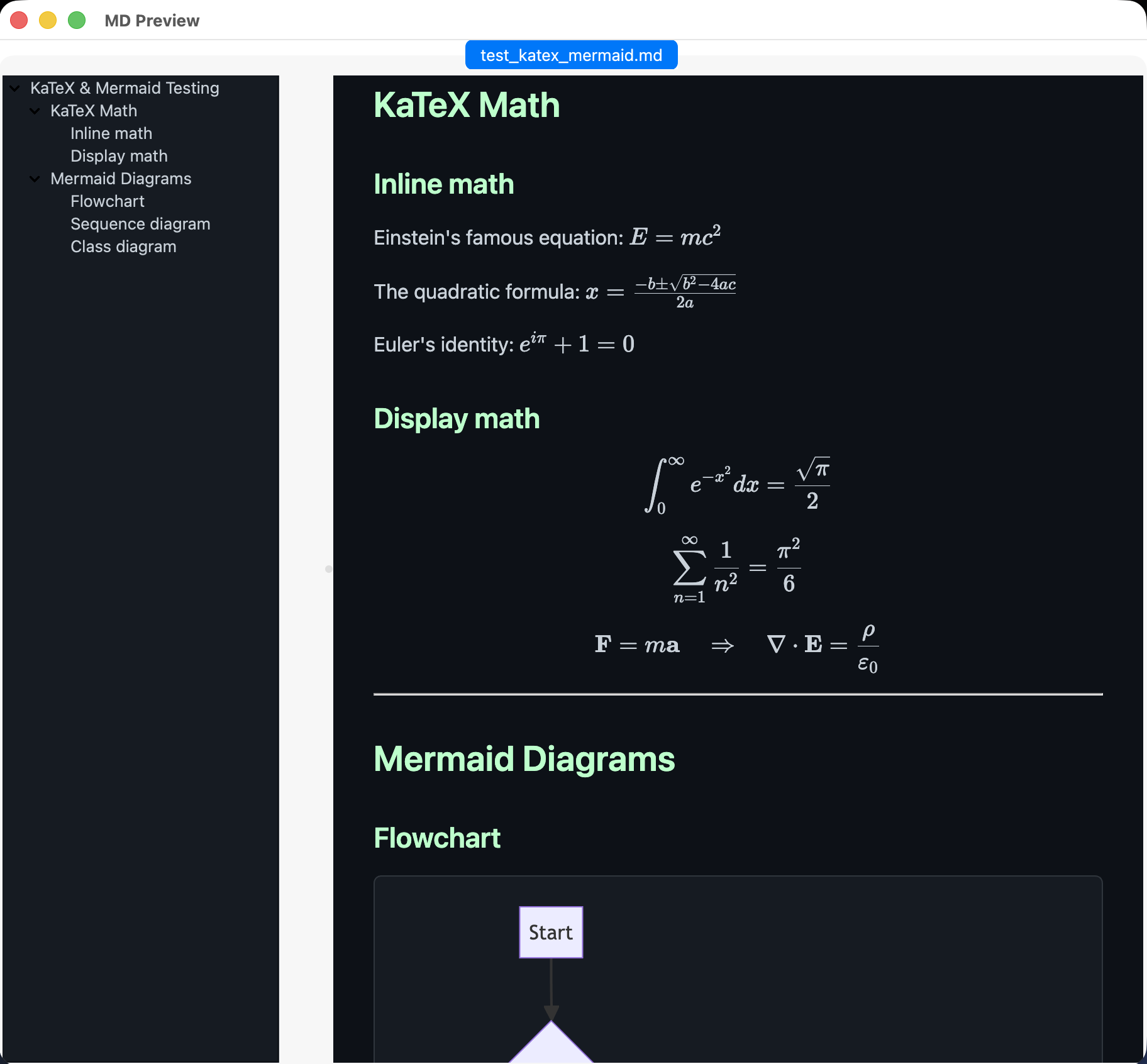
###Mermaid, KaTeX too!
Usage
# Open a single file (extension optional!)
openmd README
openmd README.md

# Open most recently viewed file
openmd -r

# Open multiple files (each in its own tab, up to 12)
openmd doc1 doc2.markdown doc3

# No arguments — interactive picker (choose from .md files in current directory)
openmd

# Glob expansion (works on Windows & POSIX shells)
openmd docs/*.md

# Check CLI version or help
openmd -v
openmd --help

# Pipe stdio
tail -100 x.md | openmd

# on MacOS, render selected markdown
Select text, right click, Services, "Open in openmd"
Remote preview via SSH (optional)
remotemd() {
    local remote_path="$1"
    local filename=$(basename "$remote_path")
    local tmp_file="/tmp/remote_preview_${filename}.md"
    scp "home:$remote_path" "$tmp_file" && openmd "$tmp_file"
}
Features
- Auto
.mdExtension & Path Resolution — runopenmd filenamewithout.mdand openmd automatically resolves.md,.markdown,.mdown, or.mkdfiles (with case-insensitive fallback) - Local & Remote Link Navigation — click relative links (
[Doc](./doc.md)) or remote Markdown URLs (https://.../file.md) and openmd opens them directly in new tabs - Re-open Last Viewed File — run
openmd -r(or--recent/--last) to instantly reopen your most recently viewed document - Closable Multi-file Tabs (up to 12) — open up to 12 files at once; tabs feature close buttons and
Cmd+W/Ctrl+Wclosing shortcuts - Native CLI Flags — fast terminal stdout output for
openmd -v/--versionandopenmd -h/--helpwithout launching GUI windows - Cross-Platform Glob Expansion — wildcards like
openmd docs/*.mdwork on Windowscmd.exe/PowerShell as well as POSIX shells - Quick Clipboard Shortcuts —
Cmd+Shift+Ccopies absolute file path,Cmd+Alt+Ccopies document text - Meta panel — shows YAML front‑matter in a hidden-by-default div; toggle via the META button or the M shortcut key
- Quick Help — access a concise help dialog with navigation and shortcuts via the HELP button or the H shortcut key
- Instant launch — the shell prompt returns immediately; openmd runs as a fully detached GUI app (no
&needed, no blocking) - GitHub-dark theme by default — comfortable reading in low-light environments
- 16 built-in themes — dark and light, switch instantly via the swatch bar at the bottom of the sidebar; fully customizable via
.openmd.css - Live reload — the display pane updates instantly when the file is saved; no manual refresh needed
- Mermaid diagrams — fenced mermaid blocks render automatically via CDN
- KaTeX math — inline
$…$and display$$…$$expressions render out of the box - Sidebar TOC — hierarchical (H1 → H2 → H3); click or press Return to jump to any heading. The sidebar takes up 20% of your screen, and you can easily jump between the sidebar and display using the left/right arrow keys.
- Dynamic Pane Focus — unselected panes automatically dim to 60% opacity so you always know exactly where your keyboard focus is.
- Unix pipes - accepts markdown from stdin, e.g.
echo 'markdown string here' | openmd - Interactive file picker — run with no arguments and choose from
.mdfiles in the current directory via a curses-based picker - Remote image caching — remote images in your Markdown are downloaded to a local temp cache so they render correctly in the Qt WebEngine view
- External link handling — clicking general
http/httpsweb links opens them in your default browser; the display window never navigates away - Update notifications — on startup, openmd quietly checks PyPI (at most once every 6 hours) and shows a non-intrusive popup if a newer version is available
- Version in title bar — the window title shows the running version for quick reference
- Keyboard shortcuts —
Esccloses the window; Up/Down arrows and Return navigate the sidebar, Left/Right switch panes, Cmd+Left/Right switch tabs, Cmd+W closes tabs, and Cmd+Shift+C copies paths
Theming with .openmd.css
Preview: Open openmd-preview-themes.html in a browser to see what the 16 themes look like.
Customization: On first launch, openmd automatically populates your home directory with the default CSS ($HOME/.openmd.css #note the dot). Edit this file to customize your themes.
openmd ships with 16 built-in themes (8 dark, 8 light) selectable from the swatch bar. On first run, default theme CSS is auto-seeded to $HOME/.openmd.css. To customize further, edit .openmd.css — any rule you write overrides or extends the defaults via normal CSS cascade.
Lookup order (first match wins):
| Priority | Location |
|---|---|
| 1 | Current working directory (./) |
| 2 | openmd install directory |
| 3 | Home directory (~/) |
| 4 | Bundled default theme CSS |
To make your own CSS themes, add body.theme-yourname { ... } blocks to your .openmd.css. The swatch bar automatically discovers and displays the first 16 themes defined there.
Requirements
- macOS or Linux (POSIX)
- Python 3.10+
- PySide6 + PySide6-WebEngine
- Markdown
- BeautifulSoup4
- PyYAML
Note: Mermaid and KaTeX require an internet connection to load from CDN.
Installation
The easiest way to install openmd (recommended, just two steps):
- Install uv (the fastest Python tool manager):
curl -LsSf https://astral.sh/uv/install.sh | sh
(Windows users: use the same curl command in PowerShell or run winget install astral-sh.uv)
- Install openmd:
uv tool install openmd
That’s it! You can now run openmd like this:
openmd <filename(s)>
###From source
git clone https://github.com/RufusLin/openmd.git
cd openmd
pip install -e .
After this, the openmd command will be available in your shell.
Keyboard shortcuts
| Key | Action |
|---|---|
Esc |
Close the preview window |
↑ / ↓ |
Navigate the sidebar TOC |
← / → |
Move focus between sidebar and display |
Cmd + ← / → |
Navigate among tabs |
Cmd + W |
Close current active tab |
Cmd + Shift + C |
Copy active file path to clipboard |
Cmd + Alt + C |
Copy active document text to clipboard |
Cmd + Shift + < / > |
Change font size |
Return |
Jump to selected heading |
M |
Toggle Meta Panel (YAML front-matter) |
H |
Show Quick Help dialog |
License
MIT
Troubleshooting
If you still see an old version after upgrading
This happens if you previously installed with pip install -e . or plain pip.
Run this once:
rm -f ~/Library/Python/*/bin/openmd          # remove old pip executable (macOS)
uv tool uninstall openmd
uv tool install openmd
1 maintainer

Metadata
1 maintainer
Release files for openmd 1.6.1
For a detailed explanation of source distributions (sdists) and built distributions (wheels), please see the package formats documentation.
Source distribution (sdist)
| File | Size | Uploaded | |
|---|---|---|---|
| openmd-1.6.1.tar.gz | 38.7 kB | Details |
Built distribution (wheel)
| File | Interpreter | ABI | Platform | Reset |
|---|---|---|---|---|
| openmd-1.6.1-py3-none-any.whl | Python 3 | none | any | Details |
Total release size: 73.9 kB
Release files / openmd-1.6.1.tar.gz
| Download URL | openmd-1.6.1.tar.gz |
|---|---|
| Size | 38.7 kB |
| Tags | Source |
|
SHA-256 checksum How to use checksums |
9e8f592637a409374dfc5a139385df810a4cb7dd2b590ffc0f5cec57b37ac11b
|
|
BLAKE2b-256 checksum How to use checksums |
7680c0f558ccbb2929fbca216d87f76ae9d31987ced8acb1949a10980cc209a4
|
| Upload date | |
|
Uploaded using Trusted Publishing? What is trusted publishing? |
No |
| Uploaded via |
twine/7.0.0 CPython/3.11.15
|
Release files / openmd-1.6.1-py3-none-any.whl
| Download URL | openmd-1.6.1-py3-none-any.whl |
|---|---|
| Size | 35.1 kB |
| Tags | Python 3 |
|
SHA-256 checksum How to use checksums |
c137f3733a514be9da94fba167cb41db1d1225a1fe626814c0c17cda271417ce
|
|
BLAKE2b-256 checksum How to use checksums |
fe80e607c20c3b73fab0e06639605eec58a860af980873d5911cfd4459c2da7e
|
| Upload date | |
|
Uploaded using Trusted Publishing? What is trusted publishing? |
No |
| Uploaded via |
twine/7.0.0 CPython/3.11.15
|














