
openneuro-py
A Python client for accessing OpenNeuro datasets.
Run without installation (uvx)
You can run openneuro-py directly without installing it using uvx:
# Download a dataset without installing the package
uvx openneuro-py@latest download --dataset=ds000246

# Get help
uvx openneuro-py@latest --help
Installation into a Python project
Choose one of the following methods:
# via uv (recommended):
uv add openneuro-py

# via conda:
conda install -c conda-forge openneuro-py

# via pip:
pip install openneuro-py
Optional: Jupyter and IPython support
For enhanced support in Jupyter Lab, Jupyter Notebook, IPython interactive
sessions, and VS Code's interactive Jupyter interface, install ipywidgets:
# via uv:
uv add ipywidgets

# via conda:
conda install -c conda-forge ipywidgets

# via pip:
pip install ipywidgets
Basic usage – command line interface
Note: If you're using
uvxinstead of installing the package, prefix all commands below withuvxand invokeopenneuro-py@latestto use the latest released version. For example,openneuro-py --helpbecomesuvx openneuro-py@latest --help.
Getting help
openneuro-py --help
openneuro-py download --help
openneuro-py login --help
Download an entire dataset
openneuro-py download --dataset=ds000246
Specify a target directory
To store the downloaded files in a specific directory, use the
--target-dir switch. The directory will be created if it doesn't exist
already.
openneuro-py download --dataset=ds000246 \
                      --target-dir=data/bids
Continue an interrupted download
Interrupted downloads will resume where they left off when you run the command again.
Advanced usage – command line interface
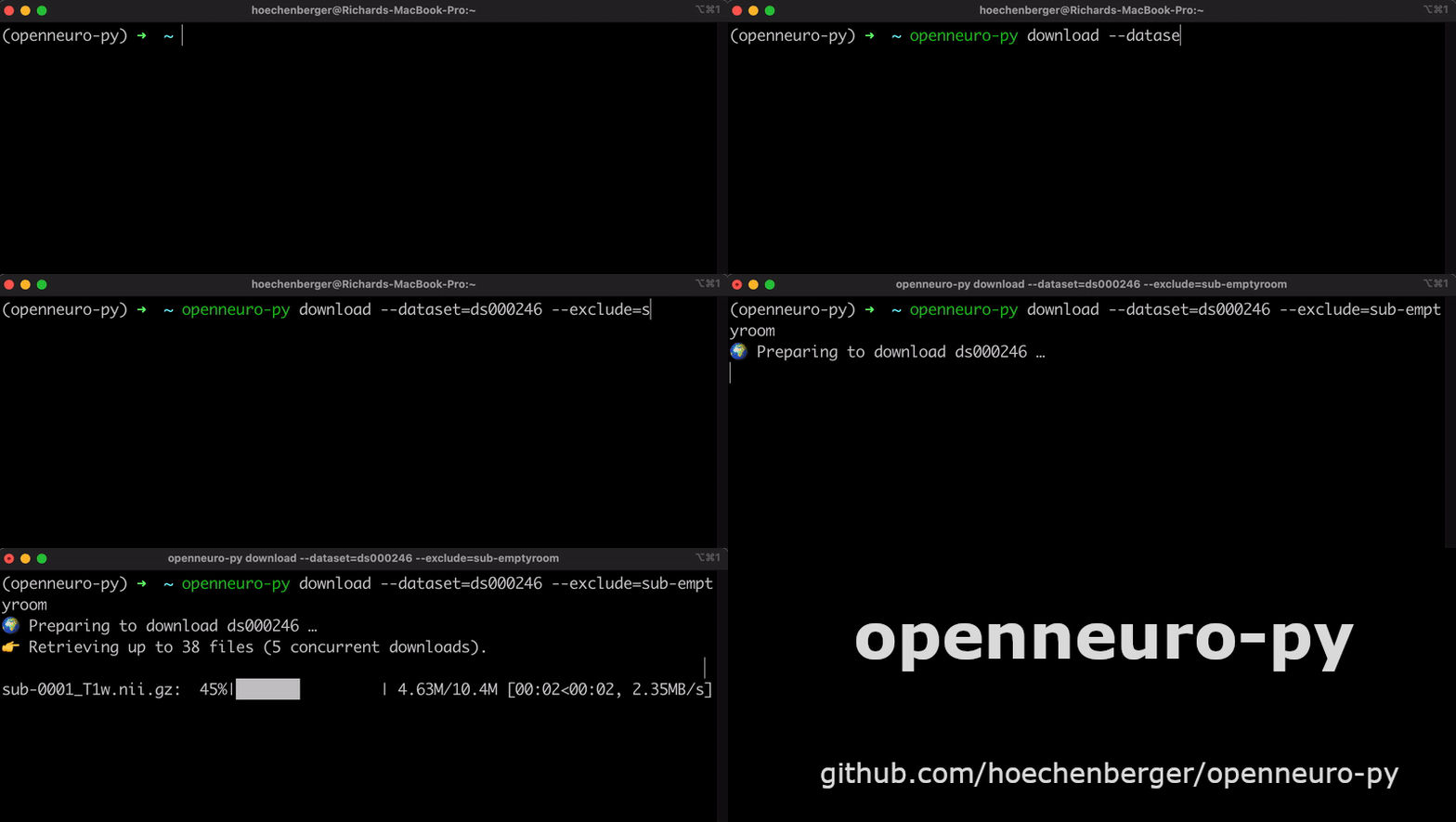
Exclude a directory from the download
openneuro-py download --dataset=ds000246 \
                      --exclude=sub-emptyroom
Download only a single file
openneuro-py download --dataset=ds000246 \
                      --include=sub-0001/meg/sub-0001_coordsystem.json
Note that a few essential BIDS files are always downloaded in addition.
Download or exclude multiple files
--include and --exclude can be passed multiple times:
openneuro-py download --dataset=ds000246 \
                      --include=sub-0001/meg/sub-0001_coordsystem.json \
                      --include=sub-0001/meg/sub-0001_acq-LPA_photo.jpg
Use an API token to log in
To download private datasets, you will need an API key that grants you access permissions. Go to OpenNeuro.org, My Account → Obtain an API Key. Copy the key, and run:
openneuro-py login
Paste the API key and press return.
Download from the NEMAR mirror
NEMAR is a partner archive at UC San Diego that mirrors
the EEG, MEG, and iEEG datasets published on OpenNeuro. The files are
byte-for-byte identical, and NEMAR publishes a checksum for every file, which
openneuro-py verifies as it downloads.
openneuro-py download --dataset=ds004840 --source=nemar
To make it the default for every command, set the OPENNEURO_SOURCE
environment variable:
export OPENNEURO_SOURCE=nemar
Stronger integrity checking for OpenNeuro downloads
OpenNeuro publishes no checksums, so openneuro-py falls back to the S3
ETag. That is an MD5 only for single-part uploads: files of 1 GiB or more are
uploaded in parts and return a digest-of-digests, which cannot be checked at
all. An ETag also only describes what OpenNeuro has stored, so it cannot
reveal a file that was already corrupt at rest.
Because NEMAR mirrors OpenNeuro byte-for-byte and publishes a checksum for
every file, it can close both gaps. By default (verify_hash="auto")
openneuro-py consults NEMAR only when the files being downloaded include one
past that threshold — most downloads never contact it:
# Always cross-check against NEMAR, whatever the file sizes:
openneuro-py download --dataset=ds000246 --nemar-checksums

# Never contact NEMAR; use only OpenNeuro's own ETags:
openneuro-py download --dataset=ds000246 --no-nemar-checksums
If NEMAR is unreachable, or mirrors a different revision than the one being
downloaded, this degrades to the ETag behaviour rather than failing.
Differences when downloading from NEMAR
A few things work differently when downloading from NEMAR:
- Only MEEG datasets are mirrored. Anything else — and anything NEMAR has
not mirrored yet — is unavailable, and
openneuro-pywill tell you to use--source=openneuroinstead. --tagalways means the OpenNeuro revision, never NEMAR's own version number (the two do not correspond). NEMAR keeps only the single snapshot it most recently mirrored, so requesting any other revision fails with a message naming the one it does have.- Restricted datasets are not available, since NEMAR serves only public data and does not use your OpenNeuro API token.
- A couple of metadata files differ. NEMAR points
DatasetDOIat its own identifier (recording the OpenNeuro one underSourceDatasets), adds a.bidsignore, and stores the README asREADME.md. The data files themselves are unchanged.
See also: nemar-py
The NEMAR team maintains nemar-py, a
dedicated client for data.nemar.org. If NEMAR is your primary archive rather
than a mirror of OpenNeuro, it is the better tool: it addresses datasets by
NEMAR ID (nm…/on…) and NEMAR version, so it can reach NEMAR-native datasets
that were never on OpenNeuro, and older NEMAR releases that openneuro-py does
not expose. It also offers BIDS-entity filters (--subject, --task,
--datatype, …) and optional DataLad/git-annex and S3 backends.
--source=nemar here is for the other direction: staying in OpenNeuro's
namespace — OpenNeuro dataset IDs and OpenNeuro revisions, with the include
and exclude patterns you already use — while the bytes happen to come from
NEMAR.
Basic usage – Python interface
import openneuro as on

on.download(dataset="ds000246", target_dir="data/bids")
To download from the NEMAR mirror instead, pass source:
on.download(dataset="ds004840", target_dir="data/bids", source="nemar")
Status messages
From Python, the status messages go through the logging module (the command
line interface prints them as before), so you can quieten or redirect them
like any other library's:
import logging

logging.getLogger("openneuro").setLevel(logging.WARNING)  # only problems
The logger does not propagate to the root logger, so to render the messages
yourself, attach your own handler to it (and drop ours with
logging.getLogger("openneuro").handlers.clear()).
Development
This project uses uv for dependency management and building.
Pre-commit hooks are run through lefthook.
Setup development environment
# Clone the repository
git clone https://github.com/hoechenberger/openneuro-py.git
cd openneuro-py

# Install dependencies and create virtual environment
uv sync --locked

# Optional: Install pre-commit hooks
uv run lefthook install

# Run tests
uv run pytest

# Run the CLI during development
uv run openneuro-py --help
Building
# Build the package
uv build
2 maintainers


Metadata
2 maintainers
Release files for openneuro-py 2026.9.1
For a detailed explanation of source distributions (sdists) and built distributions (wheels), please see the package formats documentation.
Source distribution (sdist)
| File | Size | Uploaded | |
|---|---|---|---|
| openneuro_py-2026.9.1.tar.gz | 354.7 kB | Details |
Built distribution (wheel)
| File | Interpreter | ABI | Platform | Reset |
|---|---|---|---|---|
| openneuro_py-2026.9.1-py3-none-any.whl | Python 3 | none | any | Details |
Total release size: 404.4 kB
Release files / openneuro_py-2026.9.1.tar.gz
| Download URL | openneuro_py-2026.9.1.tar.gz |
|---|---|
| Size | 354.7 kB |
| Tags | Source |
|
SHA-256 checksum How to use checksums |
a919ad7e4ef46845b1638db06a4c6d3e1cdbe87c84e4f2d47a154884b9eaeb00
|
|
BLAKE2b-256 checksum How to use checksums |
11daccf415cec704d291ed1baed40062526217f9d59e6c6037cccd4f448ba7ed
|
| Upload date | |
|
Uploaded using Trusted Publishing? What is trusted publishing? |
Yes |
| Uploaded via |
uv/0.12.17 {"installer":{"name":"uv","version":"0.12.17","subcommand":["publish"]},"python":null,"implementation":{"name":null,"version":null},"distro":{"name":"Ubuntu","version":"24.04","id":"noble","libc":null},"system":{"name":null,"release":null},"cpu":null,"openssl_version":null,"setuptools_version":null,"rustc_version":null,"ci":true}
|
Release files / openneuro_py-2026.9.1-py3-none-any.whl
| Download URL | openneuro_py-2026.9.1-py3-none-any.whl |
|---|---|
| Size | 49.8 kB |
| Tags | Python 3 |
|
SHA-256 checksum How to use checksums |
8c0e386afc7c3b9c7b7fccd164d59e2dcc4f20d501087260eb5941d84677a4f4
|
|
BLAKE2b-256 checksum How to use checksums |
642732d2bce902014a22fec71655c100f8f5effe9fd33bad692c4f452f802b1f
|
| Upload date | |
|
Uploaded using Trusted Publishing? What is trusted publishing? |
Yes |
| Uploaded via |
uv/0.12.17 {"installer":{"name":"uv","version":"0.12.17","subcommand":["publish"]},"python":null,"implementation":{"name":null,"version":null},"distro":{"name":"Ubuntu","version":"24.04","id":"noble","libc":null},"system":{"name":null,"release":null},"cpu":null,"openssl_version":null,"setuptools_version":null,"rustc_version":null,"ci":true}
|














