
A Python client for OpenNeuro.
Verified details
These details have been verified by PyPIProject links
GitHub Statistics
Maintainers


Project description
openneuro-py
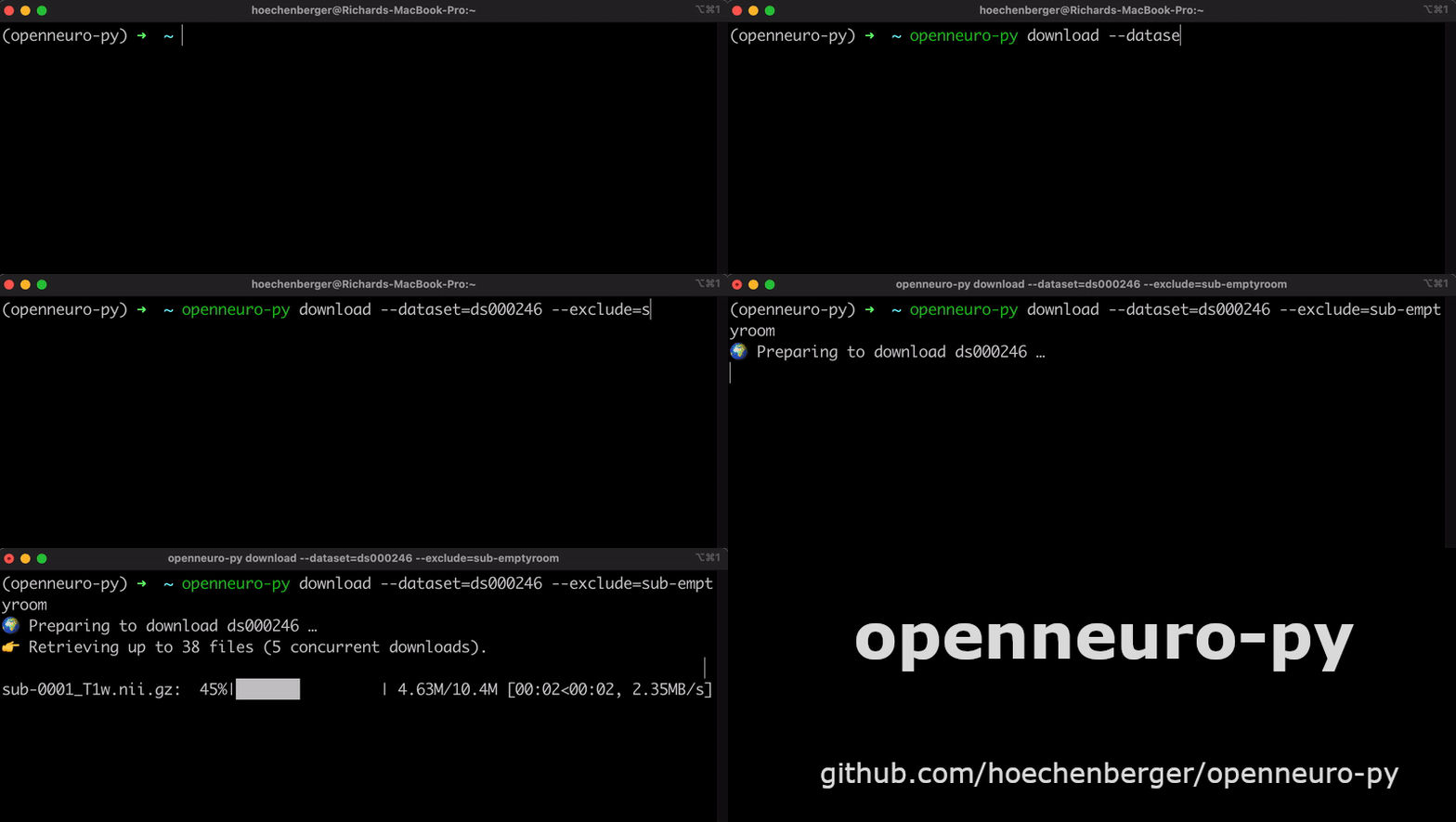
A Python client for accessing OpenNeuro datasets.
Run without installation (uvx)
You can run openneuro-py directly without installing it using uvx:
# Download a dataset without installing the package
uvx openneuro-py@latest download --dataset=ds000246

# Get help
uvx openneuro-py@latest --help
Installation into a Python project
Choose one of the following methods:
# via uv (recommended):
uv add openneuro-py

# via conda:
conda install -c conda-forge openneuro-py

# via pip:
pip install openneuro-py
Optional: Jupyter and IPython support
For enhanced support in Jupyter Lab, Jupyter Notebook, IPython interactive
sessions, and VS Code's interactive Jupyter interface, install ipywidgets:
# via uv:
uv add ipywidgets

# via conda:
conda install -c conda-forge ipywidgets

# via pip:
pip install ipywidgets
Basic usage – command line interface
Note: If you're using
uvxinstead of installing the package, prefix all commands below withuvxand invokeopenneuro-py@latestto use the latest released version. For example,openneuro-py --helpbecomesuvx openneuro-py@latest --help.
Getting help
openneuro-py --help
openneuro-py download --help
openneuro-py login --help
Download an entire dataset
openneuro-py download --dataset=ds000246
Specify a target directory
To store the downloaded files in a specific directory, use the
--target-dir switch. The directory will be created if it doesn't exist
already.
openneuro-py download --dataset=ds000246 \
                      --target-dir=data/bids
Continue an interrupted download
Interrupted downloads will resume where they left off when you run the command again.
Advanced usage – command line interface
Exclude a directory from the download
openneuro-py download --dataset=ds000246 \
                      --exclude=sub-emptyroom
Download only a single file
openneuro-py download --dataset=ds000246 \
                      --include=sub-0001/meg/sub-0001_coordsystem.json
Note that a few essential BIDS files are always downloaded in addition.
Download or exclude multiple files
--include and --exclude can be passed multiple times:
openneuro-py download --dataset=ds000246 \
                      --include=sub-0001/meg/sub-0001_coordsystem.json \
                      --include=sub-0001/meg/sub-0001_acq-LPA_photo.jpg
Use an API token to log in
To download private datasets, you will need an API key that grants you access permissions. Go to OpenNeuro.org, My Account → Obtain an API Key. Copy the key, and run:
openneuro-py login
Paste the API key and press return.
Basic usage – Python interface
import openneuro as on
on.download(dataset='ds000246', target_dir='data/bids')
Development
This project uses uv for dependency management and building.
Pre-commit hooks are run through lefthook.
Setup development environment
# Clone the repository
git clone https://github.com/hoechenberger/openneuro-py.git
cd openneuro-py

# Install dependencies and create virtual environment
uv sync --locked

# Optional: Install pre-commit hooks
uv run lefthook install

# Run tests
uv run pytest

# Run the CLI during development
uv run openneuro-py --help
Building
# Build the package
uv build
Project details
Verified details
These details have been verified by PyPIProject links
GitHub Statistics
Maintainers
Release history Release notifications | RSS feed


Download files
Download the file for your platform. If you're not sure which to choose, learn more about installing packages.
Source Distribution
Built Distribution
Filter files by name, interpreter, ABI, and platform.
If you're not sure about the file name format, learn more about wheel file names.
Copy a direct link to the current filters
File details
Details for the file openneuro_py-2026.3.1.tar.gz.
File metadata
- Download URL: openneuro_py-2026.3.1.tar.gz
- Upload date:
- Size: 305.1 kB
- Tags: Source
- Uploaded using Trusted Publishing? Yes
- Uploaded via: uv/0.11.2 {"installer":{"name":"uv","version":"0.11.2","subcommand":["publish"]},"python":null,"implementation":{"name":null,"version":null},"distro":{"name":"Ubuntu","version":"24.04","id":"noble","libc":null},"system":{"name":null,"release":null},"cpu":null,"openssl_version":null,"setuptools_version":null,"rustc_version":null,"ci":true}
File hashes
| Algorithm | Hash digest | |
|---|---|---|
| SHA256 |
f258d9aff7ebe9229b090f10434e9f1a60921758d874efb9af3caac0606011e5
|
|
| MD5 |
89a9f0f98ed6bb4969202364e1e2fe8f
|
|
| BLAKE2b-256 |
e1ff01ad59f3035c5f5c68c719b570d811965f9eea2f24326c31bb542c5f6315
|
File details
Details for the file openneuro_py-2026.3.1-py3-none-any.whl.
File metadata
- Download URL: openneuro_py-2026.3.1-py3-none-any.whl
- Upload date:
- Size: 41.2 kB
- Tags: Python 3
- Uploaded using Trusted Publishing? Yes
- Uploaded via: uv/0.11.2 {"installer":{"name":"uv","version":"0.11.2","subcommand":["publish"]},"python":null,"implementation":{"name":null,"version":null},"distro":{"name":"Ubuntu","version":"24.04","id":"noble","libc":null},"system":{"name":null,"release":null},"cpu":null,"openssl_version":null,"setuptools_version":null,"rustc_version":null,"ci":true}
File hashes
| Algorithm | Hash digest | |
|---|---|---|
| SHA256 |
2fcd0994368bcb5ef9c672e95b2f1bc573dcccdcd136d6c6deba145b0aa4b31c
|
|
| MD5 |
09baa088ca462dc2f98ca6647b1b3599
|
|
| BLAKE2b-256 |
eff80788f743cd1136756b7b371575f7934f0e3c7b59e2c8c892fce891d23b49
|






