
OpenPlugin




[demo video] | [bilibili video]
OpenPlugin-v0.0.8 is updated on Aug 17, 2023
Toolkit for managing plugins of Large Language Model (LLM). You can install, uninstall, run and list plugins with op.
Installation
pip install openplugin-py(or clone this repo andpip install -e .).
Plugin Store
We provide plugins in Plugin Store. Users can download these plugins and use them with op.
Usage
- Check OpenPlugin's version with:
op --version - Check system information:
op --system_info - Install a plugin:
op install <plugin_name>. You can also install local plugins withop install ..- You can also install a plugin from a zip file:
op install <zip_file_path>.
- You can also install a plugin from a zip file:
- Uninstall a plugin:
op uninstall <plugin_name> - Start a plugin:
op run <plugin_name>. You can use-pto specify the port of the plugin. By default, the port is 5003. You can also run a local plugin withop run ./. - List installed plugins:
op list - Reinstall plugin:
op reinstall <plugin_name>
An example for using QRcode_plugin
- Install QRcode_plugin:
op install QRcode_plugin - Or You can install QRcode_plugin from local:
- Go to the directory of QRcode_plugin:
cd plugins/QRcode_plugin - Install QRcode_plugin:
op install .
- Go to the directory of QRcode_plugin:
- Or you can install QRcode_plugin from a zip file:
op install QRcode_plugin.zip - Start QRcode_plugin:
op run QRcode_plugin -p server_port - Or you can start QRcode_plugin from local:
- Go to the directory of QRcode_plugin:
cd plugins/QRcode_plugin - Start QRcode_plugin:
op run ./ -p server_port
- Go to the directory of QRcode_plugin:
- Then you can get the
ai-plugin.jsonfile via visitinghttp://<server_ip>:server_port/ai-plugin.json - You can get the
openaip.yamlfile via visitinghttp://<server_ip>:server_port/openaip.yaml
Plugins
We provide some source codes of plugins. You can find them in plugins. We call for contributions of plugins. You can fork our repo, add your plugin into plugins and submit a Pull Request.
Citing OpenPlugin
If our work has been helpful to you, please feel free to cite us:
@misc{openplugin2023,
    title={OpenPlugin},
    author={OpenRL Contributors},
    publisher = {GitHub},
    howpublished = {\url{https://github.com/OpenRL-Lab/OpenPlugin}},
    year={2023},
}
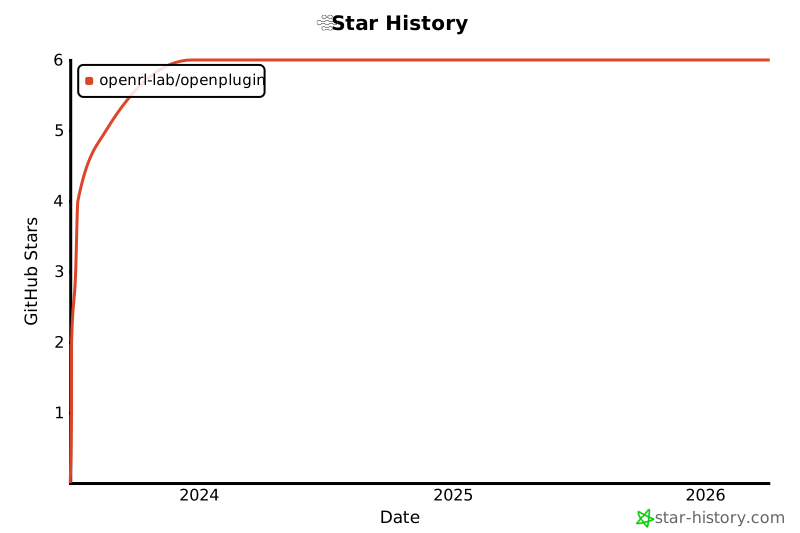
Star History
1 maintainer

Release files for openplugin-py 0.0.8
For a detailed explanation of source distributions (sdists) and built distributions (wheels), please see the package formats documentation.
Source distribution (sdist)
| File | Size | Uploaded | |
|---|---|---|---|
| openplugin-py-0.0.8.tar.gz | 21.5 kB | Details |
Built distribution (wheel)
| File | Interpreter | ABI | Platform | Reset |
|---|---|---|---|---|
| openplugin_py-0.0.8-py3-none-any.whl | Python 3 | none | any | Details |
Total release size: 56.3 kB
Release files / openplugin-py-0.0.8.tar.gz
| Download URL | openplugin-py-0.0.8.tar.gz |
|---|---|
| Size | 21.5 kB |
| Tags | Source |
|
SHA-256 checksum How to use checksums |
027f524e40424e91849bde509041d8c6ed01e585d7dff9ac62aa5fedc6f02d7e
|
|
BLAKE2b-256 checksum How to use checksums |
5802c5cfa624625392876ebebec049f273851d680ce8dda396d928be5e759761
|
| Upload date | |
|
Uploaded using Trusted Publishing? What is trusted publishing? |
No |
| Uploaded via |
twine/4.0.2 CPython/3.9.17
|
Release files / openplugin_py-0.0.8-py3-none-any.whl
| Download URL | openplugin_py-0.0.8-py3-none-any.whl |
|---|---|
| Size | 34.8 kB |
| Tags | Python 3 |
|
SHA-256 checksum How to use checksums |
9621651cefc507a3020304a702d9674b357e92313c7d906ecb0a2d6137d36323
|
|
BLAKE2b-256 checksum How to use checksums |
e5047db59862eaf1d46b7d377816ba621092414b50fcbddc9b96120548e5b9e9
|
| Upload date | |
|
Uploaded using Trusted Publishing? What is trusted publishing? |
No |
| Uploaded via |
twine/4.0.2 CPython/3.9.17
|














