







Please cite as:
Gostick et al. "OpenPNM: a pore network modeling package." Computing in Science & Engineering 18, no. 4 (2016): 60-74. doi:10.1109/MCSE.2016.49
Overview of OpenPNM!!!
OpenPNM is a comprehensive framework for performing pore network simulations of porous materials.
For more details about the package can be found in the on-line documentation
Installation and Requirements
OpenPNM can be installed from the Python Package Index using:
pip install openpnm
or from Anaconda Cloud using:
conda install -c conda-forge openpnm
or the source code can be downloaded from Github and installed by running:
pip install -e 'path/to/downloaded/files'
The advantage to installing from the source code is that you can edit the files and have access to your changes each time you import OpenPNM.
OpenPNM requires the Scipy Stack (Numpy, Scipy, Matplotlib, etc), which is most conveniently obtained by installing the Anaconda Distribution.
Example Usage
The following code block illustrates how to use OpenPNM to perform a mercury intrusion porosimetry simulation:
import openpnm as op
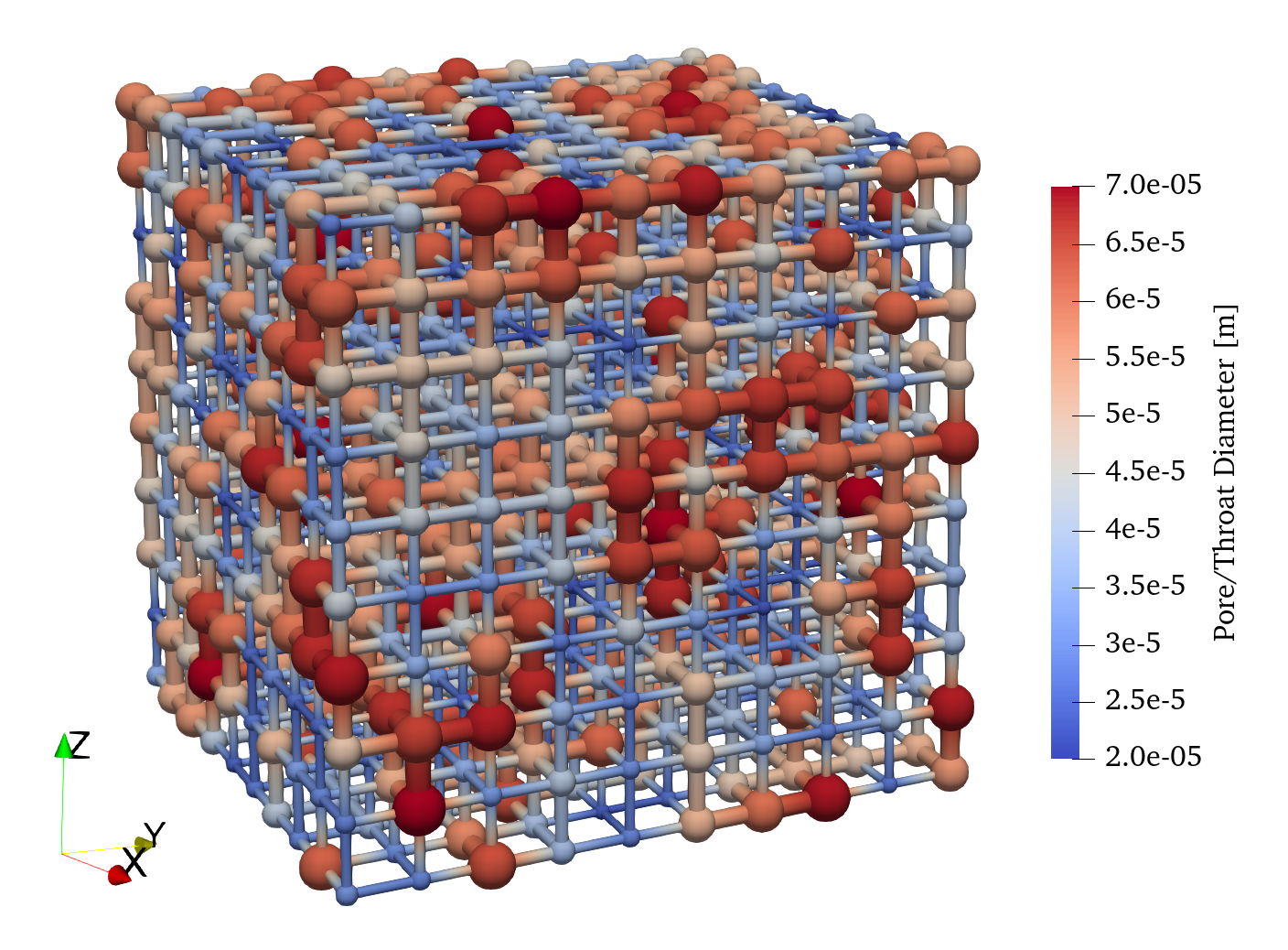
pn = op.network.Cubic(shape=[10, 10, 10], spacing=0.0001)
geo = op.geometry.StickAndBall(network=pn, pores=pn.Ps, throats=pn.Ts)
Hg = op.phases.Mercury(network=pn)
phys = op.physics.Standard(network=pn, phase=Hg, geometry=geo)
mip = op.algorithms.Porosimetry(network=pn)
mip.setup(phase=Hg)
mip.set_inlets(pores=pn.pores(['left', 'right', 'top', 'bottom']))
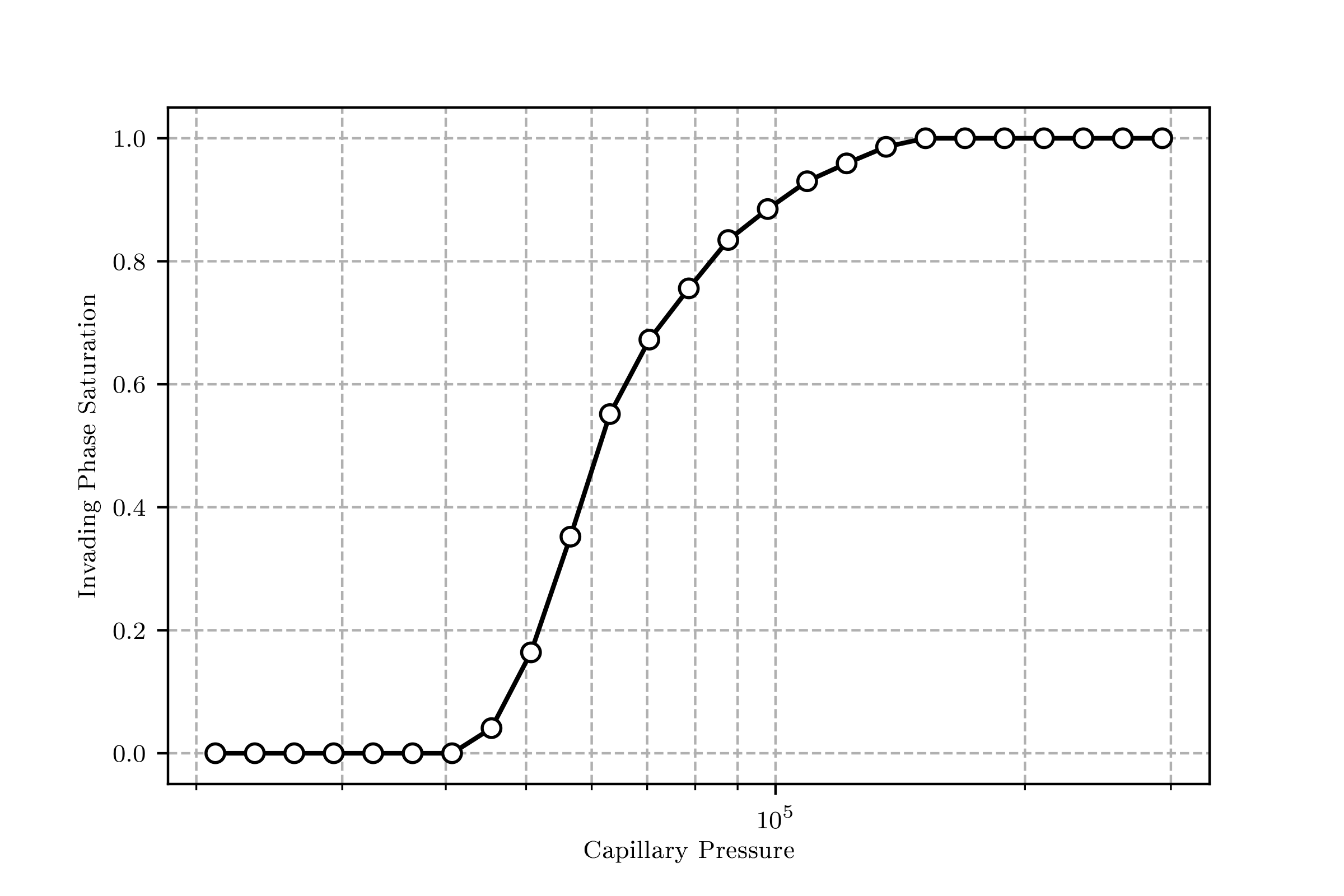
mip.run()
The network can be visualized in ParaView giving the following:
The drainage curve can be visualized with mip.plot_intrusion_curve() giving something like this:
A collection of examples is available in the examples folder of this repository: Examples
Contact
OpenPNM is developed by the Porous Materials Engineering and Analysis Lab (PMEAL), in the Department of Chemical Engineering at the University of Waterloo in Waterloo, Ontario, Canada.
The lead developer for this project is Prof. Jeff Gostick (jgostick@gmail.com).
1 maintainer

Metadata
1 maintainer
Release files for openpnm-test 3.0.0
For a detailed explanation of source distributions (sdists) and built distributions (wheels), please see the package formats documentation.
Source distribution (sdist)
| File | Size | Uploaded | |
|---|---|---|---|
| openpnm-test-3.0.0.tar.gz | 273.8 kB | Details |
Built distribution (wheel)
| File | Interpreter | ABI | Platform | Reset |
|---|---|---|---|---|
| openpnm_test-3.0.0-py3-none-any.whl | Python 3 | none | any | Details |
Total release size: 650.0 kB
Release files / openpnm-test-3.0.0.tar.gz
| Download URL | openpnm-test-3.0.0.tar.gz |
|---|---|
| Size | 273.8 kB |
| Tags | Source |
|
SHA-256 checksum How to use checksums |
6eff705181a793af0fd5cd433366d677326e41bc7dc57ab7cd31e18486c0e097
|
|
BLAKE2b-256 checksum How to use checksums |
b96df33bbc302b1950680473544eccffb9357bbb8531c4e87bd25391330c8f0f
|
| Upload date | |
|
Uploaded using Trusted Publishing? What is trusted publishing? |
No |
| Uploaded via |
twine/3.2.0 pkginfo/1.5.0.1 requests/2.24.0 setuptools/47.1.1 requests-toolbelt/0.9.1 tqdm/4.46.1 CPython/3.8.3
|
Release files / openpnm_test-3.0.0-py3-none-any.whl
| Download URL | openpnm_test-3.0.0-py3-none-any.whl |
|---|---|
| Size | 376.1 kB |
| Tags | Python 3 |
|
SHA-256 checksum How to use checksums |
3f6abdd4969e03ec4877e1f999fc9fce09c1119e26e21b53cc5a60ec5637b582
|
|
BLAKE2b-256 checksum How to use checksums |
05f6308bf6696265a52850fcfa6113bdefa5b2c7a0c651a0b7912e447d6e8a84
|
| Upload date | |
|
Uploaded using Trusted Publishing? What is trusted publishing? |
No |
| Uploaded via |
twine/3.2.0 pkginfo/1.5.0.1 requests/2.24.0 setuptools/47.1.1 requests-toolbelt/0.9.1 tqdm/4.46.1 CPython/3.8.3
|














