
OpenReynolds
A CFD agent with a real OpenFOAM workspace.
OpenReynolds is a tool-use loop with eight tools pointed at a Linux machine that has OpenFOAM v2512 on it. You describe the flow; it writes the case, meshes it, launches the solver, reads the residuals while they come in, looks at its own renders, and hands back the figures and the files that made them.
There is no pipeline underneath choosing the order of those things. The agent decides how to work. This repository is the plumbing that lets it, and the plumbing is deliberately not allowed to tell it what to do.
tryreynolds.com · Documentation · Worked studies · Hosted app · PyPI
You do not need to know OpenFOAM to use it. You bring the engineering question: the geometry, the fluid, the speed, and what you want measured. Choosing the solver, writing the dictionaries, sizing the mesh and reading the residuals is the agent's job.
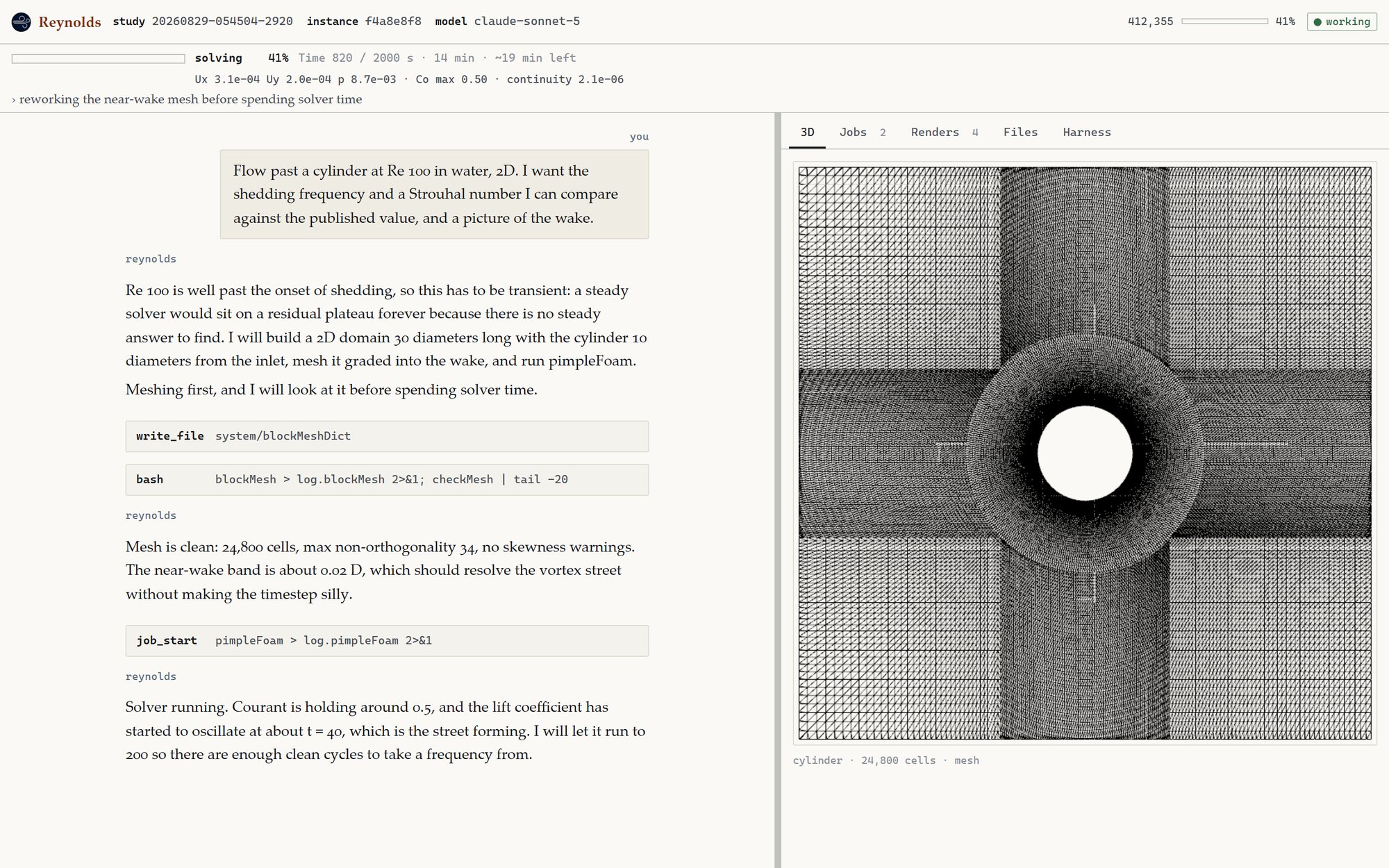
A study in progress. What the agent says is on the left, what it did to the workspace is underneath, and what it built is on the right. The bar across the top is the solver's own numbers, read out of the log while the job runs.
What comes out
Every one of these is from a real run, with its transcript published beside it at tryreynolds.com/studies.
 |
 |
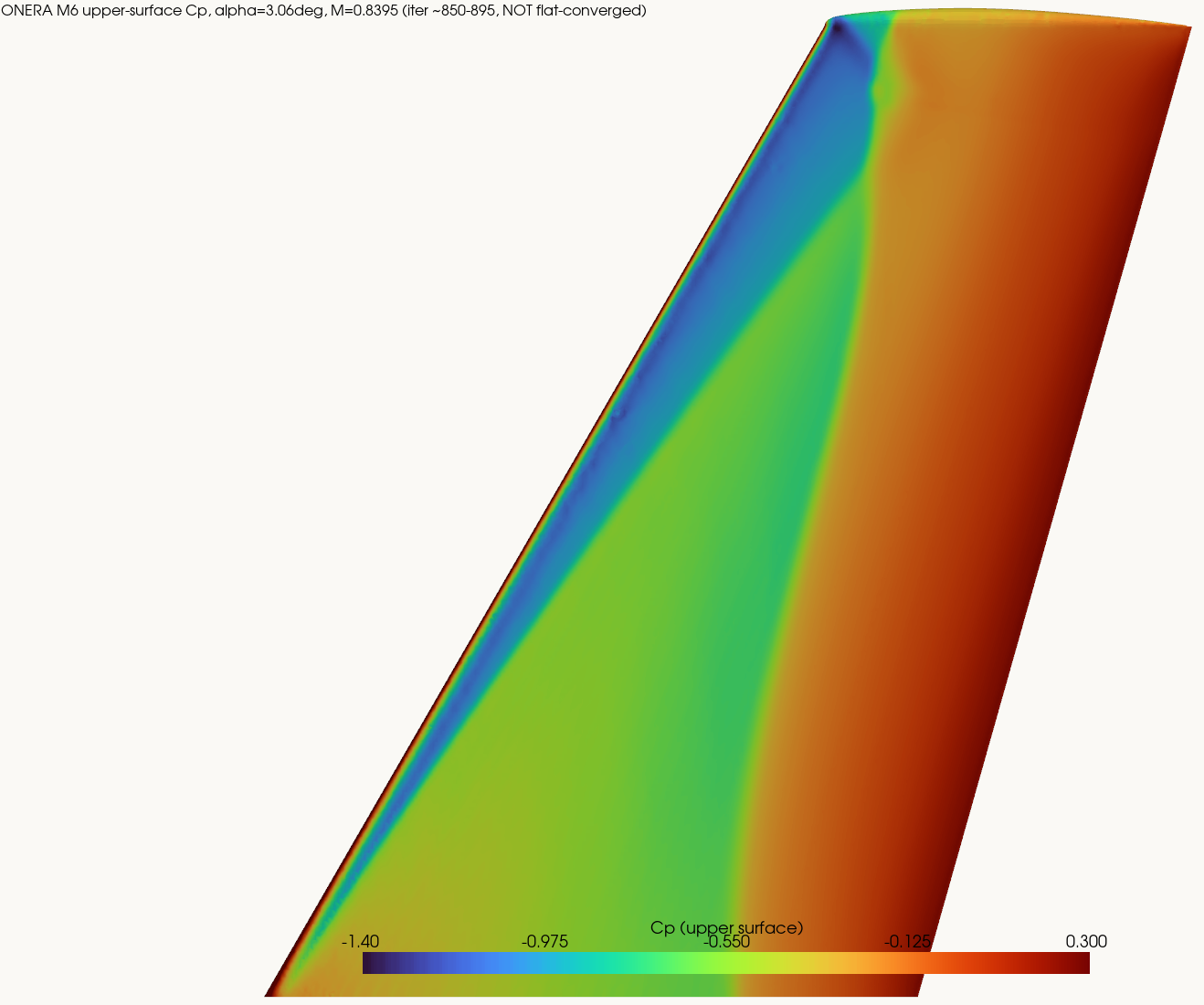
| The lambda-shock, at one seventh the mesh ONERA M6 at Mach 0.8395. Shock positions within 0.06 chord of the 1979 wind-tunnel data, on 1.79 million cells. |
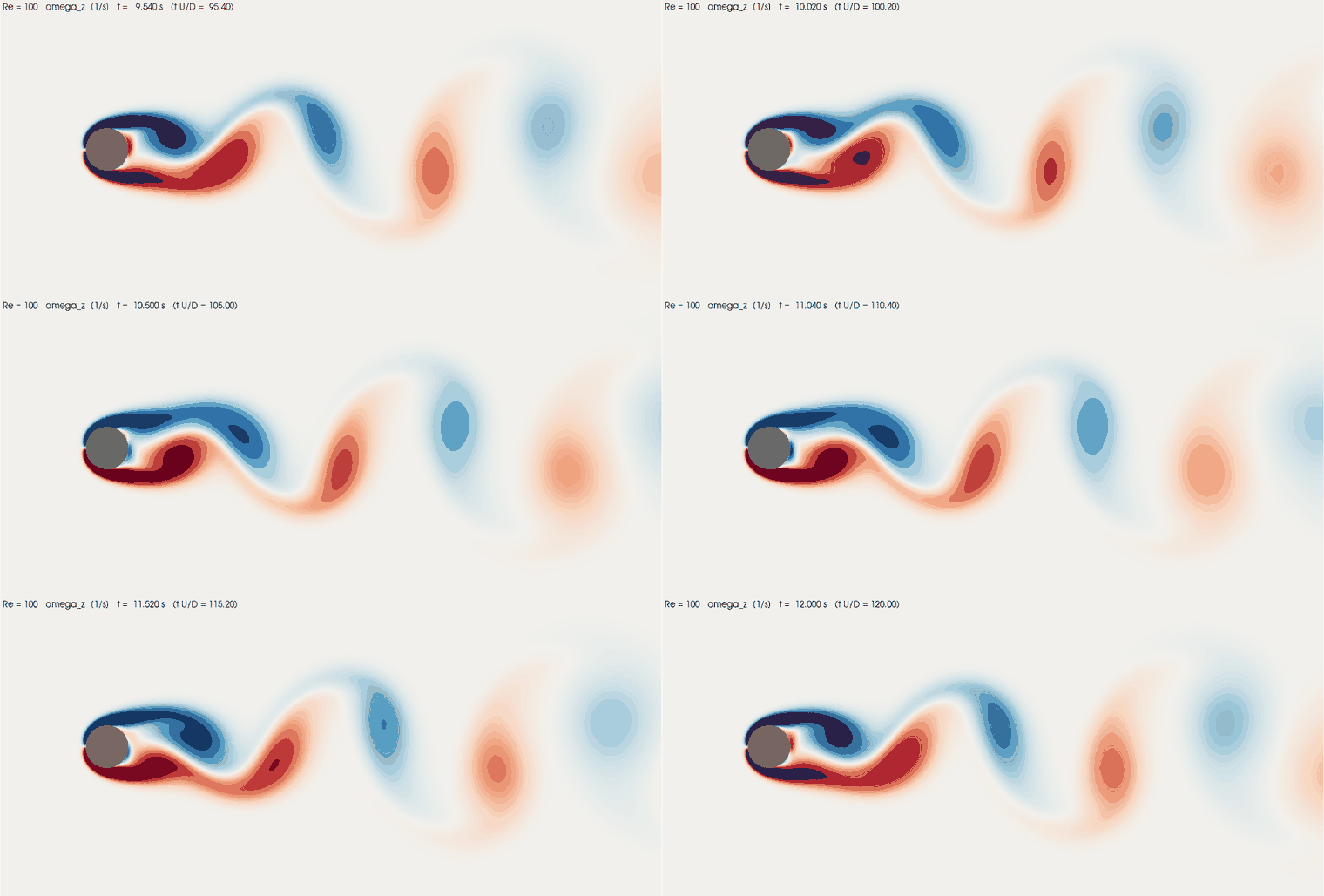
Four numbers, four published bands, one animation Vortex shedding at Re = 100, with the Strouhal number checked against the published band. |
 |
 |
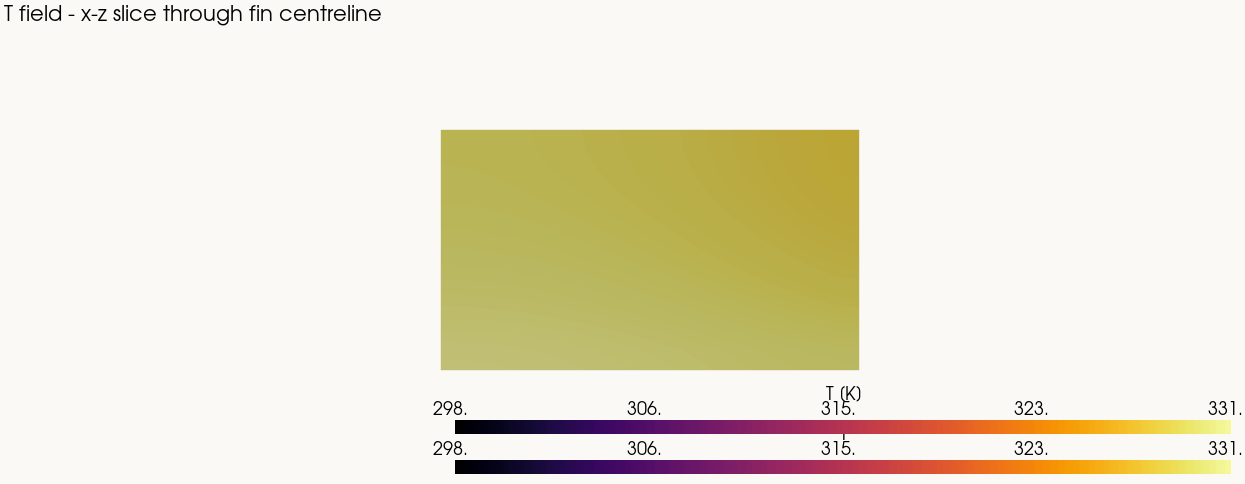
| A heat sink, and an energy balance closed to 99.7% Conjugate heat transfer, with the energy balance closed as its own check. |
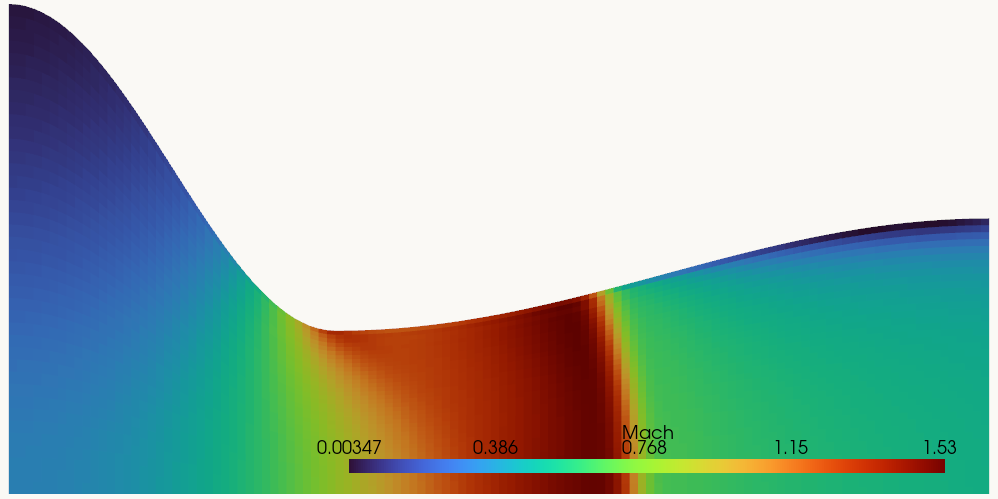
The solver said it had converged. The agent checked. A nozzle designed for Mach 2, run overexpanded, and the disagreement caught. |
pip install openreynolds     # or: uvx openreynolds · pipx install openreynolds · npm i -g openreynolds
openreynolds login           # email and password, the same account as app.tryreynolds.com
openreynolds config          # which model, and its key — bring your own, any vendor
openreynolds doctor          # check it can all be reached, before spending anything
openreynolds                 # start a study
login hands this machine its own service key, stored outside the repository, and
offers to create an account if there is none. --browser approves a short code in a
browser instead, for a terminal with no keyboard of its own.
Run doctor first. It checks settings, the workspace service, the model API,
capture, the toolbox, the terminal and the video encoder, and it writes nothing.
Almost every confusing first session is one of those seven being wrong, and doctor
says which in a sentence.
What a session looks like
 study 20260823-213712-babc   instance 974f4406   model claude-opus-5
 412,355 tokens  (41% of the window)
 ██████████░░░░░░░░░░░░░░  41%  solving miter_medium · Time 820 / 2000 s · 14 min · ~19 min left
                                Ux 3.1e-04  Uy 2.0e-04  p 8.7e-03 · Co max 0.50 · continuity 2.1e-06
 thinking 12s: the residual plateau at 1e-4 is the mesh, not the solver
+------------------------------------------------------+ running
| I'll build a mitred 90 degree elbow, 100mm square.    |   * miter_medium
| Starting with the coarse rung so the ladder is cheap. |
|                                                       | jobs keep running
+------------------------------------------------------+ if you leave
+------------------------------------------------------+
| job_start   ./run_case.sh miter_medium                |
| watching 1 job(s) - type to interrupt                 |
+------------------------------------------------------+
  Ask for something, or say what looks wrong...
A session has four things worth watching at once, and a single scrolling log shows one of them while burying the rest. So what the agent says gets the main pane, what it does goes to its own activity pane, what is still running out on the instance — the part that outlives the session — gets a panel that says so, and what is in the workspace gets a file tree you can open things from.
--plain gives a plain streaming terminal instead, which is what you want in CI or
over a poor connection.
The eight tools
That is the whole surface. Anything the agent does to a case, it does through one of these.
| Tool | What it does |
|---|---|
bash |
Run a command with the OpenFOAM environment already sourced. Capped in output and in time, so a runaway command cannot fill the context. |
write_file |
Write a file. Every blockMeshDict, fvSchemes and boundary condition arrives this way. |
read_file |
Read a file back. Reading a PNG is how the agent looks at its own geometry and mesh renders, which is why the model has to be one that can see. |
job_start |
Launch a detached job: a mesh, a solve, a post-process. It outlives the call that started it, so an hours-long run is not held open by a request. |
job_check |
Ask how a job is doing. It can hold the answer until the job ends, and returns early the moment you type. |
job_kill |
Stop a job, and confirm it actually stopped. |
fetch |
Read something from the open web: a paper, a benchmark table, a geometry reference. |
geometry |
Turn a shape described in words into a case on the workspace, with a picture of it and its measurements. A second loop, running beside the agent with gmsh in-process, composes the shape, draws it, measures it and revises it before committing — the write-and-look laps that took the main loop four remote round trips each. Needs pip install openreynolds[geometry]; without it the tool says so and the toolbox scripts do the same from a hand-written spec. |
The rule this repository keeps
The harness may cap tool output, keep the toolbox in sync, poll a running job in plain code and wake the model with the facts, and capture a transcript.
It may not enforce an order of work, block or rewrite a tool call, require an approval, inject a checklist or a workflow, or grade the output.
That is not a convention anyone has to remember. tests/test_prompt.py fails the build
if imperative language appears in the system prompt, and tests/test_briefing.py
applies the same rule to the briefing, because a harness that starts telling the model
how to do CFD caps the work at whatever its author knew about CFD.
What the model gets instead is your standing preferences, relayed verbatim in your
own voice from preferences.md beside your config. Say you want the mesh rendered and
checked before any solver time is spent, and that is what the agent is told you want.
What it does about it is its call.
Bring your own model
The agent calls your provider directly with your key; the workspace service never sees it. Each preset carries an endpoint, a default model and a context window, so connecting is a key and nothing else. Anything speaking the Messages API or Chat Completions works even without a preset.
| Preset | Default model |
|---|---|
reynolds |
claude-sonnet-5, metered through the workspace service, no key of your own |
anthropic |
claude-opus-5 |
openai |
gpt-5 |
zai |
glm-4.6 |
deepseek |
deepseek-chat |
moonshot |
kimi-k2-thinking |
minimax |
MiniMax-M2 |
openrouter |
anthropic/claude-sonnet-4.5 |
ollama |
qwen3, on your own machine |
openreynolds config --provider anthropic    # a preset, then paste the key
openreynolds config --provider ollama       # local, no key
The model has to be able to see. The agent renders its geometry and its mesh and
looks at the images before spending solver time on them, so a text-only model works
blind. A key is refused at the point it is connected rather than halfway through a
paid study, and doctor makes the same check with a one-pixel image.
What it costs
Two meters run at once: the model, charged per token by your provider, and the hosted instance, charged per second it is up. Three things move the bill, and each was found the expensive way:
- Reasoning effort. The one knob that changes cost without changing what the agent may do.
- How often a long run wakes the model. Every wake re-sends the context, so a
chatty harness on a two-hour solve pays for the whole thread repeatedly.
OPENREYNOLDS_NARRATE_EVERY_Sis the control, and its default is generous. - Cores. Billed whether the solver scales to them or not. A small 2D case on four cores can be slower and dearer than the same case on one.
An instance left running is an instance being billed. It stops on its own when idle,
and openreynolds stop ends it now, verifying the jobs are actually dead rather than
assuming.
The workspace
The durable thing is the volume, not the container: an instance can be stopped and started again with the case still on it. Stopping keeps the data.
A background mirror copies the study's directory down to your machine while the session runs, and fires immediately whenever the agent looks at an image, so a render you are about to be shown is already local. Remote deletions are not propagated home, which is deliberate: a local copy of something the agent cleaned up is a recovered file, not a bug.
Rendering happens on the instance, beside the data, because moving gigabytes home to
make a hundred-kilobyte picture is the wrong way round. Frames come home and
openreynolds video assembles them here, where a real encoder lives. The instance
image has no encoder on purpose.
The toolbox
Small scripts kept on the instance and offered, never imposed: geometry and mesh
rendering, a mesh digest, a solver log digest, a cell-count estimate, animation frames,
a first look at a finished case, a preflight check. Beside them in
openreynolds/toolbox/notes/ are field notes on things
that have gone wrong before, such as deciding between a steady and a transient run, or
the recipe for a genuinely 2D case and how to verify it worked.
The agent reaches for these or does not. They exist because a hint that is available costs nothing and a rule that is enforced costs everything.
Commands
| Command | What it does |
|---|---|
openreynolds |
Start a study. --study <id> resumes one, --instance <id> attaches to a particular workspace. |
-p "..." |
Run non-interactively and exit. Exit code 0 done, 1 the model API failed or the session crashed, 2 hit --max-wait with work still running. |
--output-format stream-json |
One JSON object per line on stdout and nothing else. See Driving it from a program. In front of studies or doctor it means their --json; in front of any other subcommand it is refused rather than ignored. |
openreynolds login |
Sign in; this machine gets its own service key. --browser for the device-code flow. |
openreynolds config |
Provider, key, model, context window. --key-file and --from-env keep keys out of shell history. |
openreynolds doctor |
Check all seven surfaces. Read-only. --json answers in one object. |
openreynolds studies |
List the studies on this machine. --json answers in one object. |
openreynolds files |
What is in the workspace, and what has been copied down. |
openreynolds pull |
Bring this study's files down to this machine. |
openreynolds push |
Send a local file (a geometry, say) up to the instance. |
openreynolds renders |
Every picture and assembled animation. |
openreynolds video |
Assemble mirrored frames into a video, here. |
openreynolds stop |
Stop this study's jobs and confirm they stopped. --force skips the prompt. |
In a session, /status answers locally with no model turn, /btw says something
without interrupting the work, and anything else you type reaches the model at its next
step, so you can steer a run without stopping it. /help has the rest.
Driving it from a program
--output-format stream-json puts one JSON object per line on stdout and nothing
else: every notice, warning and error the terminal would have shown goes to stderr,
and inline images are not drawn at all in this mode -- not onto a pipe and not onto a
pseudo-terminal, which is how an agent harness usually runs a child process. Each
object carries v (the schema), type, at (seconds since the session started) and
study, and cost rows are measured from the same origin as everything else.
openreynolds -p "mesh and solve the elbow" --output-format stream-json
The first object is always session_start, with study_id, instance_id, model and
the local study directory -- study_id is what --study <id> takes to resume. The
stream always ends with exactly one session_end, carrying the same outcome the exit
code means: ok, failed, timeout, or crashed for an exception that escaped the
session. A failure before the session could start is that one object and nothing else,
with an error and an outcome of config (something is missing from the
configuration) or unreachable (the workspace service could not be reached) -- the
three cases exit code 1 alone cannot tell apart. In between:
type |
What it says |
|---|---|
workspace |
The study's own directory on the instance. The second object of every session. |
thinking_begin |
The model started thinking; thinking carries what it thought. |
text / thinking |
Model output as it arrives, coalesced to a line rather than a token. |
message |
The whole assistant message once the turn ends, text and thinking in full. |
tool / tool_error |
A tool call, and a tool call that went wrong. |
step |
One round of think-then-act finished: which round, how long, how many calls. |
jobs |
Every job and its state, whenever any of it changes. |
progress |
What is running and how far along, when the picture changes. |
stage / narration / desk / status |
What is happening now, in words. |
mirrored / delivered / files / renders |
Files coming home, and what is in the workspace. |
notice / warn / info / usage / watching / interjection / prompt |
The rest of the terminal's own reporting. |
error |
An exception escaped the session. session_end follows with crashed. |
cost |
A trace event (see OPENREYNOLDS_TRACE), on the same stream. |
Without -p the same flag makes a conversation: it reads newline-delimited JSON
from stdin, one message per line, {"type": "user", "text": "..."}. A prompt event
says when it is your turn. Anything on stdin that is not an object this understands is
ignored rather than guessed at.
Configuration
Credentials live in a config file outside any repository, and beside it is
preferences.md, your standing note. Studies are written under ./studies/ in the
directory you started from.
Everything config sets can be set in the environment instead, which is what CI and
containers want:
| Variable | Meaning |
|---|---|
OPENREYNOLDS_PROVIDER |
A preset name, or reynolds for the metered model. |
OPENREYNOLDS_LLM_API_KEY |
The model key. The vendor's own name (ANTHROPIC_API_KEY, OPENAI_API_KEY) is read too. |
OPENREYNOLDS_MODEL / OPENREYNOLDS_EFFORT |
Which model, and how hard it is asked to think. |
FOAMD_URL / FOAMD_API_KEY |
The workspace service and this machine's key. |
OPENREYNOLDS_MIRROR_INTERVAL_S |
How often files come home. 0 turns it off. |
OPENREYNOLDS_NARRATE_EVERY_S |
How often a long run wakes the model. 0 turns it off. |
OPENREYNOLDS_CAPTURE |
0 sends nothing to the platform. |
OPENREYNOLDS_TRACE |
A file to append cost events to: one JSON object per turn, tool call and mirror cycle, with the token counts split apart rather than summed. Unset writes nothing. |
By default the transcript of every study is uploaded to the workspace service as it
runs, so a study is kept somewhere other than one laptop. --no-capture for a session,
or OPENREYNOLDS_CAPTURE=0, keeps it on this machine only.
Layout
| Module | What lives there |
|---|---|
cli.py |
Entry point, session assembly, subcommands. |
loop.py |
The tool-use loop: streaming, interjections, thread refresh. |
tools.py |
The eight tool schemas and their handlers. |
geometry/ |
The geometry segment: desk.py is the desk behind the geometry tool (its own brief, its own model client, laps of build → draw → measure → revise in-process, then the case committed to the workspace); the modules beside it are the kernel that runs anywhere gmsh does. |
watch.py |
Job polling, wake facts, progress, narration. |
mirror.py / store.py |
Files home, and the local ./studies/<id>/ record. |
backend/ |
The Backend protocol. hosted.py is the only module that knows the service exists. |
llm/ |
Provider adapters: Messages API, Chat Completions, and the preset table. |
tui.py / view.py |
The interface, behind a presentation-only View seam. |
toolbox/ |
The optional scripts and the field notes. |
The View seam is why the same session runs in a terminal, in CI, and behind the
hosted web app without the loop knowing which it has.
Development
pip install -e ".[dev]"
python -m pytest tests -q          # no network, no account, no workspace needed
The suite is hermetic: no model vendor is contacted and no workspace is booted.
tests/test_wiring.py requires that every CLI option, Config field, ToolContext
field, View method and Backend method is actually read somewhere, so adding a field
means wiring it end to end or failing the build.
Security
The agent runs an unsandboxed shell on your hosted instance with no approval gate; that is the design, not an oversight. SECURITY.md says what follows from it: what the model can see, what leaves your machine and when, and where to report a problem (security@inviscidai.com).
License
MIT. See LICENSE.
1 maintainer

Metadata
1 maintainer
Release files for openreynolds 0.2.0
For a detailed explanation of source distributions (sdists) and built distributions (wheels), please see the package formats documentation.
Source distribution (sdist)
| File | Size | Uploaded | Provenance | Actions |
|---|---|---|---|---|
| openreynolds-0.2.0.tar.gz | 936.5 kB | With provenance | Details for openreynolds-0.2.0.tar.gz |
Built distribution (wheel)
| File | Interpreter | ABI | Platform | Actions Reset |
|---|---|---|---|---|
| openreynolds-0.2.0-py3-none-any.whl | Python 3 | none | any | Details for openreynolds-0.2.0-py3-none-any.whl |
Total release size: 1.6 MB
Release files / openreynolds-0.2.0.tar.gz
| Download URL | openreynolds-0.2.0.tar.gz |
|---|---|
| Size | 936.5 kB |
| Tags | Source |
|
SHA-256 checksum How to use checksums |
4e7a160230ecc3acf5ea889c4d087216459003bc48b93f71bdc18c543529564e
|
|
BLAKE2b-256 checksum How to use checksums |
dfa198ee14441c4224307e760f0b984c21fddae3ae626a00ed6ceff9ea2ca9c6
|
| Upload date | |
|
Uploaded using Trusted Publishing? What is trusted publishing? |
Yes |
| Uploaded via |
twine/7.0.0 CPython/3.13.14
|
Provenance
Provenance describes where a file came from. On PyPI, provenance is shared via attestations, which provide a verifiable record of the build or publishing details. View details, limitations and caveats.


PyPI Publish Attestation
PyPI verified that this artifact, at this checksum, originated from the publisher listed below.
Signed by GitHub Actions, verified by PyPI on Sep 12, 2026.
Transparency logRelease files / openreynolds-0.2.0-py3-none-any.whl
| Download URL | openreynolds-0.2.0-py3-none-any.whl |
|---|---|
| Size | 660.9 kB |
| Tags | Python 3 |
|
SHA-256 checksum How to use checksums |
2454f4a7fffa766d2ec8f0fbcf5ce5c4affc09c964a035b4e4876b75425fee16
|
|
BLAKE2b-256 checksum How to use checksums |
d1314eb8dfa60052eabea8fe2cda863a3e673fff5d27974597a0cea2488534f7
|
| Upload date | |
|
Uploaded using Trusted Publishing? What is trusted publishing? |
Yes |
| Uploaded via |
twine/7.0.0 CPython/3.13.14
|
Provenance
Provenance describes where a file came from. On PyPI, provenance is shared via attestations, which provide a verifiable record of the build or publishing details. View details, limitations and caveats.
PyPI Publish Attestation
PyPI verified that this artifact, at this checksum, originated from the publisher listed below.
Signed by GitHub Actions, verified by PyPI on Sep 12, 2026.
Transparency logSecurity for openreynolds 0.2.0
Provenance
Provenance describes where a file came from. On PyPI, provenance is shared via attestations, which provide a verifiable record of the build or publishing details. View details, limitations and caveats.
Full provenance
Both files in this release have been uploaded with provenance metadata.
Attestation for openreynolds-0.2.0.tar.gz
PyPI Publish Attestation
PyPI verified that this artifact, at this checksum, originated from the publisher listed below.
Signed by GitHub Actions, verified by PyPI on Sep 12, 2026.
Transparency logA note on package security
PyPI is a repository for distributing packages, not a service for auditing them. While third-party security researchers and our staff do their best to detect and remove malicious packages, PyPI cannot guarantee the quality, security or suitability of any given package.
To learn more about protecting yourself from malicious actors, visit our package security documentation.














