
OpenVideoKit
A scene-based, AI-first video editor. A built-in copilot proposes edits you accept or reject, and any MCP agent can drive it.
Website · Get Started · Template Gallery · PyPI · Docs
Demo
🎬 Introducing OpenVideoKit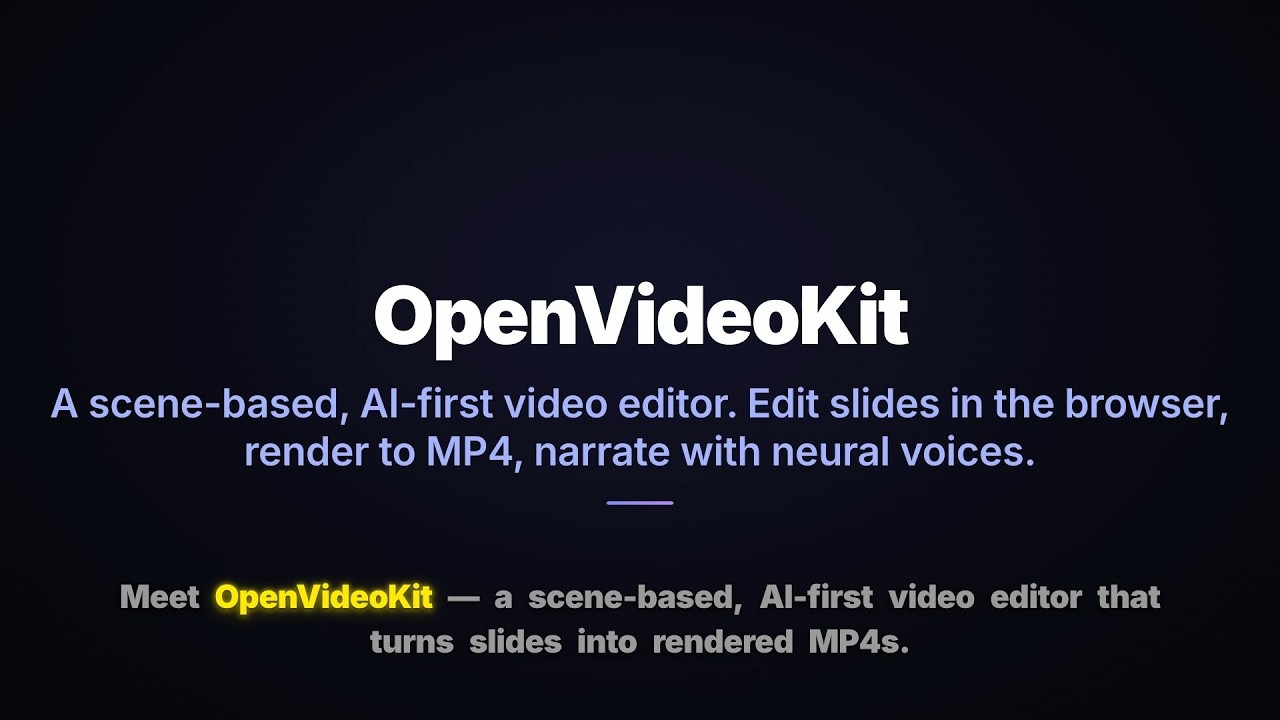
A short tour: scene-based editing, AI copilot, MCP for agents, and MP4 export. |
|
🎬 Template Showcase
|
🖼️ Editor Screenshot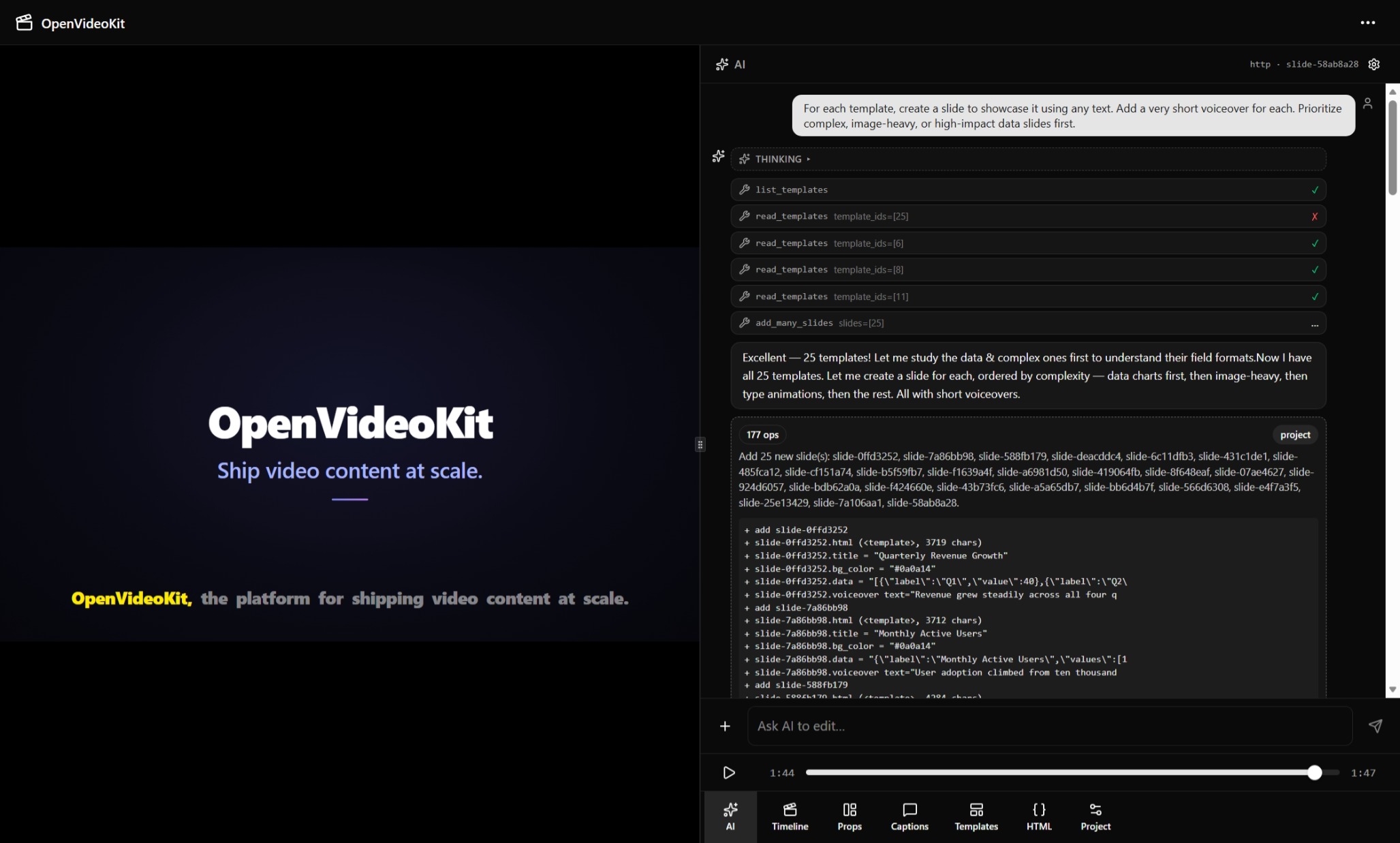
The editor showing the AI prompt that generated the demo video on the left. |
🌍 Text-to-Speech Engine Showcase — 7 Languages in 44 Seconds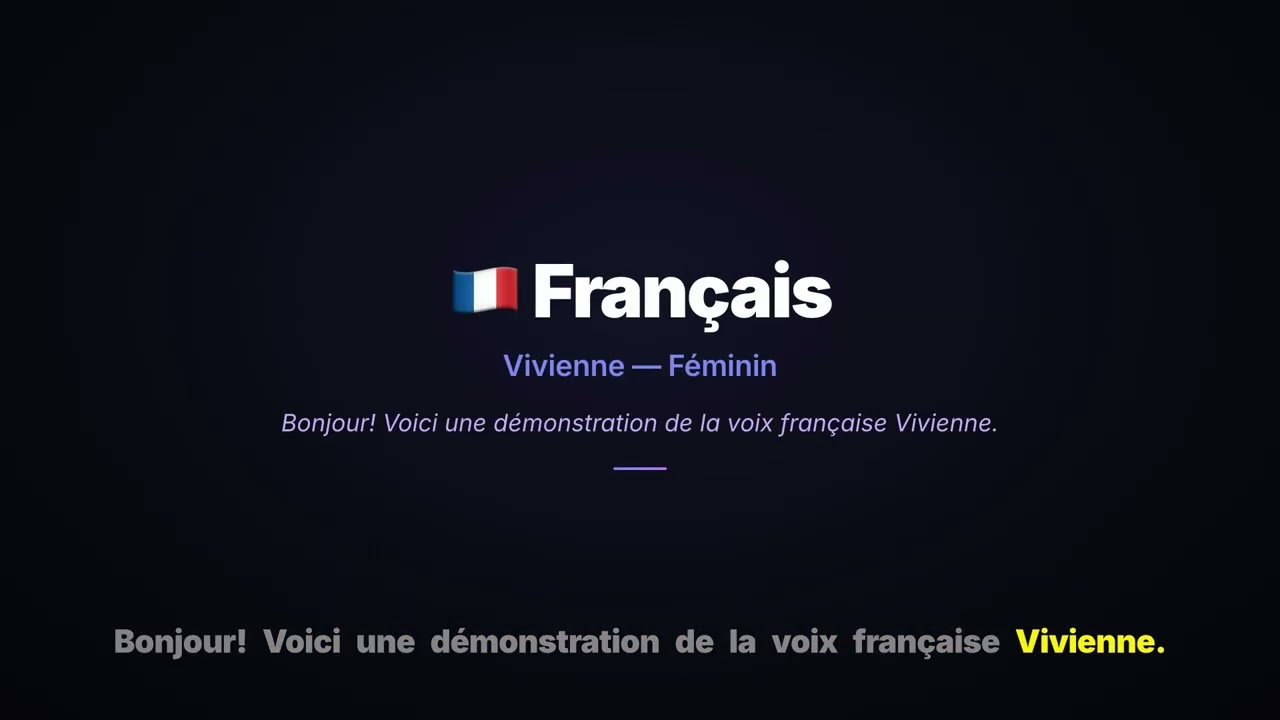
edge-tts voiceover showcase: 🇺🇸 Ava Multilingual → 🇫🇷 Vivienne → 🇩🇪 Florian → 🇯🇵 Nanami → 🇻🇳 Hoài My → 🇨🇳 Xiaoxiao → 🇧🇷 Thalita → 🇺🇸 Ava Multilingual. |
|
OpenVideoKit is a video templating pipeline: edit slides in a web UI → Python SSR
stamps values into self-contained GSAP compositions → <hyperframes-player> renders
them live → edge-tts generates voiceover audio → export to MP4 via HyperFrames. A
LangGraph AI agent proposes edits (the same EditOps a human dispatches) that the
user accepts or rejects — undo/redo works uniformly.
Slides pick a layout from a curated template catalog (templates/slides/<author>/<name>/)
and their media (image/video/audio) are URL strings stored in slide fields —
uploaded to a content-addressed backend store or any remote URL (picsum, S3).
┌──────────────┐    ┌──────────────┐    ┌──────────────┐
│  ovk-web     │    │  Python API  │    │  Disk        │
│  (React SPA) │    │  (FastAPI)   │    │  (per-slide) │
│  :3000       │←──→│  :8000       │←──→│  data/       │
│              │    │              │    │              │
│ <hf-player>  │    │ Stamp HTML   │    │ project.json │
│ EditBus      │    │ PUT/SSE/rev  │    │ audio-{hash} │
│ Playhead     │    │ edge-tts     │    │ assets/      │
│ Captions     │    │ Render MP4   │    │ jobs/        │
│ AIDock       │    │ LangGraph AI │    │ jobs.json    │
│ Properties   │    │ Templates    │    │              │
│  +Media      │    │  +Assets     │    │              │
└──────────────┘    │  /mcp (MCP)  │    └──────────────┘
                     │   29 tools   │
                     └──────┬───────┘
                            │
              ┌─────────────┼─────────────┐
              │             │             │
         ┌────┴────┐  ┌─────┴───┐  ┌──────┴──┐
         │Claude   │  │Cursor   │  │Gemini CLI│
         │Code     │  │         │  │Goose    │
         │(MCP)    │  │(MCP)    │  │(MCP)    │
         └─────────┘  └─────────┘  └─────────┘
              external AI agents edit via MCP tools (→ Python API, not disk)
Quickstart
Option 1 — Install from PyPI (recommended for users)
python3 -m venv .venv
source .venv/bin/activate           # Windows: .venv\Scripts\activate
pip install openvideokit
ovk serve                           # http://0.0.0.0:8000
On first ovk serve, OpenVideoKit writes a documented config file to
~/.openvideokit/config.toml (chmod 600 — secrets safe). To enable AI,
edit it and restart:
ovk config edit                 # opens $EDITOR; set [ai].openai_api_key
ovk serve                       # restart to apply
That's it. The bundled SPA, all 25 slide templates, edge-tts voiceover, MP4 export, the LangGraph AI co-pilot, and the MCP server for external agents are all included in the wheel.
- Editor →
http://localhost:8000 - AI connection test →
ovk llm test - Browse free models →
ovk llm free(lists free OpenRouter models with context, reasoning, tools, uptime) - Settings page →
http://localhost:8000/settings(read-only runtime config + edit guidance) - MCP endpoint →
http://localhost:8000/mcp/
See docs/config.md for the full priority chain
(env vars > .env > config.toml > defaults), workflow walkthroughs, and
the ovk config init|get|set|edit CLI reference.
Option 2 — Dev checkout (recommended for contributors)
git clone <this-repo>
cd openvideokit
uv sync --extra dev              # install Python deps
cp .env.example .env             # then edit .env (set OPENAI_API_KEY for AI)
cd ovk-web && pnpm install && cd ..  # install frontend deps
Run the dev stack — two terminals (recommended)
scripts/dev.sh backgrounds both servers with nohup, so import errors, port
clashes, and missing-env failures are hidden in /tmp/*.log and the script
reports success even when a server has died. Run each server in its own
foreground terminal instead — you get live logs and Ctrl-C stops cleanly.
Terminal 1 — Python API (port 8000):
uv run ovk serve --reload
Terminal 2 — Vite dev (port 3000, proxies /api → `:8000):
cd ovk-web && pnpm dev -- --port 3000 --host
Then open http://localhost:3000.
- Python API →
http://localhost:8000 - Vite dev →
http://localhost:3000(proxies/api→:8000) - AI connection test →
uv run ovk llm test - Browse free models →
uv run ovk llm free(lists free OpenRouter models with context, reasoning, tools, uptime)
Alternative: scripts/dev.sh (both servers in background)
If you prefer one command and don't need live logs:
./scripts/dev.sh                 # start both servers (background)
./scripts/dev.sh --stop          # stop both
tail -f /tmp/ovk-server.log      # API log
tail -f /tmp/ovk-vite.log        # Vite log
Note: the script returns immediately and servers keep running detached — check the logs above if anything looks wrong.
Connect AI agents via MCP
The MCP server is enabled by default on port 8000 at /mcp/. Any
MCP-compatible client can connect and edit projects through the same toolset
the in-app AI uses — without touching files directly.
Claude Code
Create .claude/mcp.json (or ~/.config/claude-code/mcp.json):
{
  "mcpServers": {
    "openvideokit": {
      "url": "http://localhost:8000/mcp/"
    }
  }
}
Then ask Claude Code: "Create a 3-slide product video and set the title on
each slide." It will call create_project_tool, set_field, add_slide,
etc. — each mutation persists to disk immediately.
Cursor / Gemini CLI / Goose
{
  "mcpServers": {
    "openvideokit": {
      "transport": { "type": "streamable_http", "url": "http://localhost:8000/mcp/" }
    }
  }
}
Verify
uv run python scripts/test-mcp.py --no-tts # 32 checks, all 29 tools
See docs/mcp.md for the full design (execute-on-call semantics, path-safety contract, voiceover TTS loop, undo trade-off).
Commands
User-facing (work for both pip install openvideokit and dev checkout):
| Task | Command |
|---|---|
| Run server | ovk serve (dev: uv run ovk serve --reload) |
| Edit config | ovk config edit (opens $EDITOR on ~/.openvideokit/config.toml) |
| AI connection test | ovk llm test |
| Browse free models | ovk llm free |
Dev checkout only:
| Task | Command |
|---|---|
| Start dev stack | ./scripts/dev.sh |
| Stop | ./scripts/dev.sh --stop |
| MCP e2e test | uv run --extra dev python scripts/test-mcp.py --no-tts |
| Python lint | uv run ruff check src scripts tests |
| Python unit tests (fast) | uv run pytest tests/ |
| Python unit tests (incl. render) | uv run pytest tests/ --run-slow |
| Python AI tests | uv run pytest tests/ai/ |
| Python MCP tests | uv run pytest tests/mcp/ |
| Python E2E test | uv run --extra dev python scripts/test-e2e.py |
| Frontend dev | cd ovk-web && pnpm dev |
| Frontend test | cd ovk-web && pnpm test |
| Frontend lint | cd ovk-web && pnpm exec biome check src/ |
| Install web browsers | uv run playwright install chromium |
Architecture
- Python SSR (
src/openvideokit/): FastAPI serves stamped HF compositions, project JSON, TTS, SSE, and MP4 export. Disk-backed store with per-slide folders,fcntl.flock, and awatchdogfile watcher. - Frontend (
ovk-web/): React 19 SPA with<hyperframes-player>, EditBus for mutations, Zustand playhead, TanStack Query + optimistic locking (content-hash rev). - AI (
src/openvideokit/ai/): a LangGraph agent that explores the project with read-only tools and proposes edits asEditOplists over SSE. The frontendAIDockdispatches each op through the sameEditBusa human edit uses on Accept — so undo/redo, lint gates, and SSE sync are preserved (AI flow == human flow). Default modelgpt-5.4-nano; any OpenAI-compatible endpoint viaOPENAI_BASE_URL(OpenAI / OpenRouter / Ollama / vLLM / LM Studio). Always-registeredweb_search(DuckDuckGo) +web_fetch(crawl4ai) tools give the agent live web access — gated at runtime byOVK_ENABLE_WEB. Accepting a proposal auto-continues the agent with a tagged receipt ([AI PROPOSED]/[USER ACCEPTED]) carrying the created slide ids and field values (VITE_AI_AUTOCONTINUE, default on). See docs/ai.md. - TTS: edge-tts generates content-addressed
audio-{hash}.mp3per slide. Manual Generate button (no auto-fire). Voiceover data lives inaudio.json, separate fromindex.json. - Export:
npx hyperframes rendersubprocess on a bounded ThreadPoolExecutor (OVK_MAX_CONCURRENT_RENDERS). Voiceover audio is concatenated from per-slide TTS into a single track. Job metadata persists to{project_id}/jobs.json. See docs/web/export.md. - Captions: Word-level karaoke captions baked into the composition HTML
(
captions.py). Both preview and render share the same GSAP timeline — no separate overlay system. Settings persist inroot.captionsvia EditBus. - Templates: a curated, read-only catalog of slide-layout archetypes under
templates/slides/<author>/<name>/(16ovklayouts ship). Each is a bare<template>using the__OVK_*__field vocabulary; backgrounds are user-themeable via thebg_colorfield. REST:GET /api/projects/{id}/templatesGET /api/projects/{id}/templates/{author}/{name}. AI tools:list_templates,read_templates,apply_template;add_slide/add_many_slidestake atemplate_iddirectly. See docs/templates.md.
- Media assets: image/video/audio live in
slide.fieldsas URL strings set viaset_field(no client blob store). UploadsPOST /api/projects/{id}/assets→ backend content-addressed store (key =sha256(project_id + bytes), so each project's assets are isolated), served atGET /api/assets/{key}(with a cosmetic.ext).OVK_ASSETS_BASE_URLis the S3/CDN seam. See docs/assets.md. - MCP server (
src/openvideokit/mcp/): exposes all 26 editing tools + 2 project-management tools (28 total) to any MCP-compatible AI agent via the Model Context Protocol atPOST /mcp/(Streamable HTTP). Claude Code, Cursor, Gemini CLI, Goose connect directly — mutations execute on call (persist to disk via the samestore.update_projectthe web uses). Enabled by default (OVK_MCP_ENABLED=true). See docs/mcp.md.
See docs/web/ for detailed architecture, API reference, export pipeline, and concurrency model, and docs/ai.md for the AI implementation contract.
Debugging AI
Every AI turn can dump its full LLM context (system prompt + tools + messages
- project snapshot) plus a live execution trace (every tool call with input,
output, and duration) to a per-run Markdown file. Default-on during initial
development; flip with
OVK_AI_MONITORING=falsein.env.
# traces land here (one .md per run_agent invocation, UTC timestamp):
data/{project_id}/monitor/
├── 20260703-102345Z.md          ← the trace (header → context → events → summary)
├── latest.md                    ← symlink → newest (open once, reload after each turn)
└── index.md                     ← regenerated table, newest first

# live-tail a run in progress:
tail -f data/proj-1/monitor/latest.md

# diff two runs to see what changed:
diff data/proj-1/monitor/20260703-102345Z.md data/proj-1/monitor/20260703-102400Z.md
The trace records exactly what the model was given and exactly what it did, so when the agent misbehaves you can pinpoint whether the issue is the prompt, the tool wiring, the message history, or the model itself. For real token usage and dashboards, see the LangSmith alternative in docs/ai-monitoring.md.
Project structure
openvideokit/
├── src/openvideokit/       # Python SSR server
│   ├── app.py              # FastAPI + lifespan (store, executor, watcher, MCP mount)
│   ├── routes.py           # /api endpoints (projects, TTS, export, SSE, AI chat, chats, templates, assets)
│   ├── store.py            # Disk-backed store + rev + flock
│   ├── validation.py       # Identifier regex gates (path-safety, enforced in path helpers)
│   ├── gsap_validator.py   # GSAP <script> body validator (reserved — see docs/animation.md)
│   ├── composition.py      # Self-contained GSAP composition builder
│   ├── captions.py         # Caption layer: timing + HTML + GSAP + CSS
│   ├── rendering.py        # Export pipeline: executor, jobs, voiceover concat
│   ├── voiceover.py        # edge-tts pipeline + content-addressed cache
│   ├── config.py           # Env vars + .env auto-load (python-dotenv)
│   ├── events.py           # SSE pub/sub (thread-safe)
│   ├── watcher.py          # watchdog file watcher
│   ├── stamp.py            # __OVK_*__ token stamping
│   ├── templates.py        # Slide-template catalog reader (lint-gated)
│   ├── assets.py           # Media asset store (content-addressed, project-isolated)
│   ├── seed.py             # Fixture project
│   ├── chats.py            # JSONL chat persistence (see docs/chat.md)
│   ├── cli.py              # `ovk serve` + `ovk llm test` + `ovk llm free` (Typer)
│   ├── mcp/                # MCP server for external AI agents (see docs/mcp.md)
│   │   ├── apply_op.py     # Pure EditOp reducer (port of ovk-web applyOp.ts)
│   │   ├── persist.py      # Execute-on-call: fold ops + store.update_project + TTS
│   │   └── server.py       # FastMCP server wrapping 29 tools at /mcp/
│   └── ai/                 # LangGraph agent (see docs/ai.md)
│       ├── config.py       # OPENAI_BASE_URL / OPENAI_API_KEY / OVK_AI_MODEL
│       ├── ops.py          # EditOp mirror of ovk-web ops.ts
│       ├── graph.py        # create_agent ReAct loop
│       ├── server.py       # run_agent → SSE stream
│       ├── prompts/        # modular .py prompt sections (assembled in fixed order)
│       ├── tools/          # read-only + OVK EditOp-emitter tools (see src/openvideokit/ai/tools/)
│       └── monitor/        # AI observability — file-based per-run trace dumps (see docs/ai-monitoring.md)
├── ovk-web/                # React SPA
├── templates/slides/ovk/   # Curated slide-layout templates (25 across ovk/ovk-data/ovk-type/ovk-draw) — see docs/templates.md
├── tests/                  # Python unit tests (pytest) — including tests/security/
├── scripts/                # dev.sh, test-e2e.py, test-mcp.py, migrate_assets.py, gc_assets.py
├── docs/                   # mcp.md + ai.md + assets.md + templates.md + animation.md + security/ + web/ + rfc/
└── legacy/                 # Frozen MVP (not imported)
1 maintainer

Download files
Download the file for your platform. If you're not sure which to choose, learn more about installing packages.
Source Distribution
Built Distribution
Filter files by name, interpreter, ABI, and platform.
If you're not sure about the file name format, learn more about wheel file names.
Copy a direct link to the current filters
File details
Details for the file openvideokit-0.1.4.tar.gz.
File metadata
- Download URL: openvideokit-0.1.4.tar.gz
- Upload date:
- Size: 2.6 MB
- Tags: Source
- Uploaded using Trusted Publishing? No
- Uploaded via:
uv/0.11.26 {"installer":{"name":"uv","version":"0.11.26","subcommand":["publish"]},"python":null,"implementation":{"name":null,"version":null},"distro":{"name":"Ubuntu","version":"24.04","id":"noble","libc":null},"system":{"name":null,"release":null},"cpu":null,"openssl_version":null,"setuptools_version":null,"rustc_version":null,"ci":true}
File hashes
| Algorithm | Hash digest | |
|---|---|---|
| SHA256 |
c0df482ace6238e3f05de695522875ab853834713d432579d4060a9ca60b1780
|
|
| MD5 |
c78f73eebe384cabd9779affd9345a65
|
|
| BLAKE2b-256 |
1115b41676cb62579c7939d1a72b932c09bbfdb65c849ced4345f4e23997744c
|
File details
Details for the file openvideokit-0.1.4-py3-none-any.whl.
File metadata
- Download URL: openvideokit-0.1.4-py3-none-any.whl
- Upload date:
- Size: 2.4 MB
- Tags: Python 3
- Uploaded using Trusted Publishing? No
- Uploaded via:
uv/0.11.26 {"installer":{"name":"uv","version":"0.11.26","subcommand":["publish"]},"python":null,"implementation":{"name":null,"version":null},"distro":{"name":"Ubuntu","version":"24.04","id":"noble","libc":null},"system":{"name":null,"release":null},"cpu":null,"openssl_version":null,"setuptools_version":null,"rustc_version":null,"ci":true}
File hashes
| Algorithm | Hash digest | |
|---|---|---|
| SHA256 |
a4774efef181863855b697fada2f1cd152609c157e36c316fe17670f0b11daf3
|
|
| MD5 |
ba5ece3d19b0fde7681f2e0680b67276
|
|
| BLAKE2b-256 |
ef0c78cf759d3cabcb83b0e43970bbbb11483986ffb37caa4a0fd1f547d53b62
|














