



OptiFolio is a package for portfolio optimization. For optimization, a SciPy optimizer is used, while results can be visualized with Bokeh plots.
The package can also be seamlessly integrated with Yahoo Finance API, using Pandas Data Reader.
Install
OptiFolio can be installed from PyPI:
pip install optifolio
Features
- PortfolioOptimizer [object]: Optimize your portfolio based on Sharpe Ratio.
- fit [method]: Fits daily stock data into the optimizer. Generates annual measures.
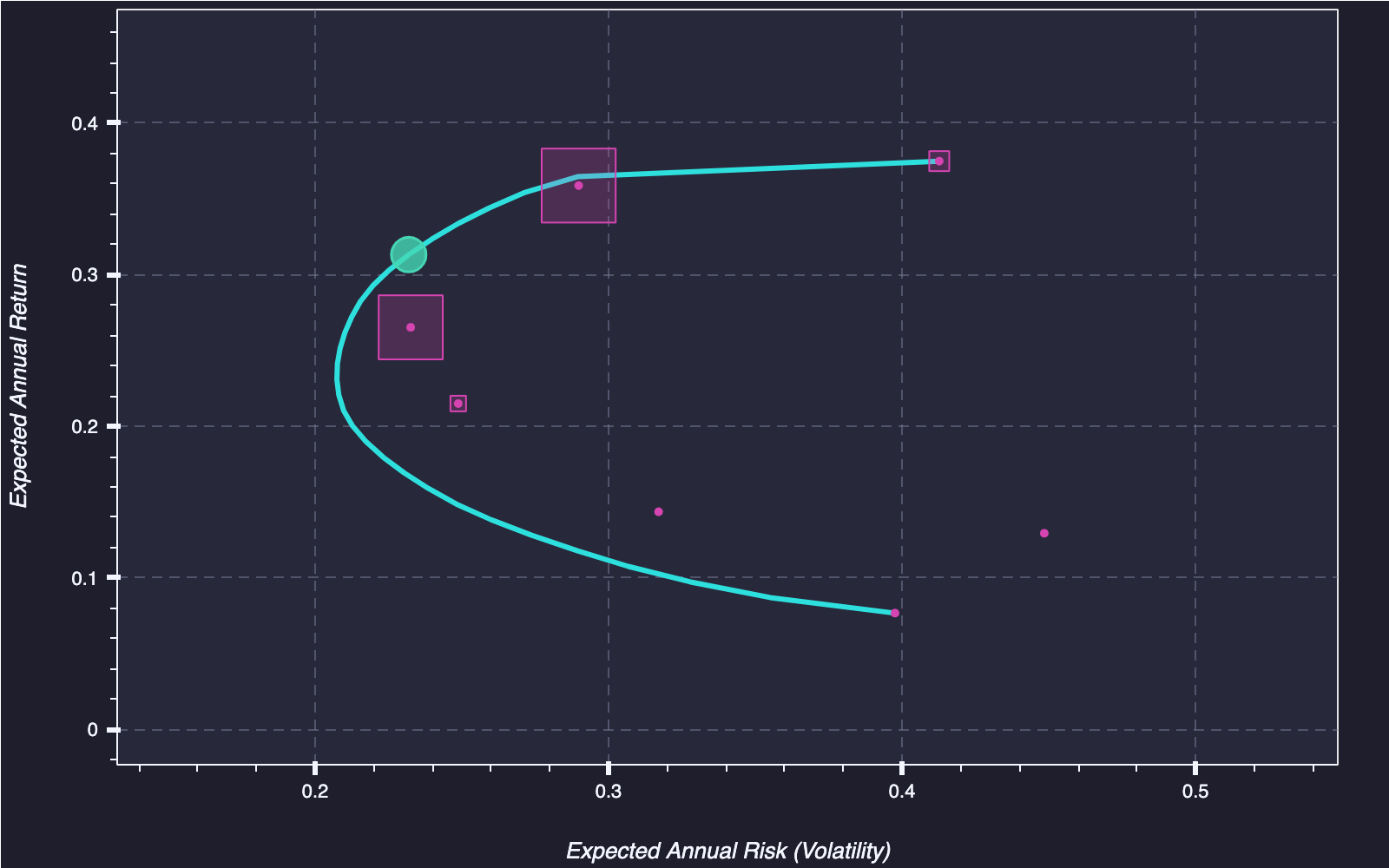
- plot_efficient_frontier [method]: Generates a plot for efficient frontier, optimal portfolio, and individual stocks.
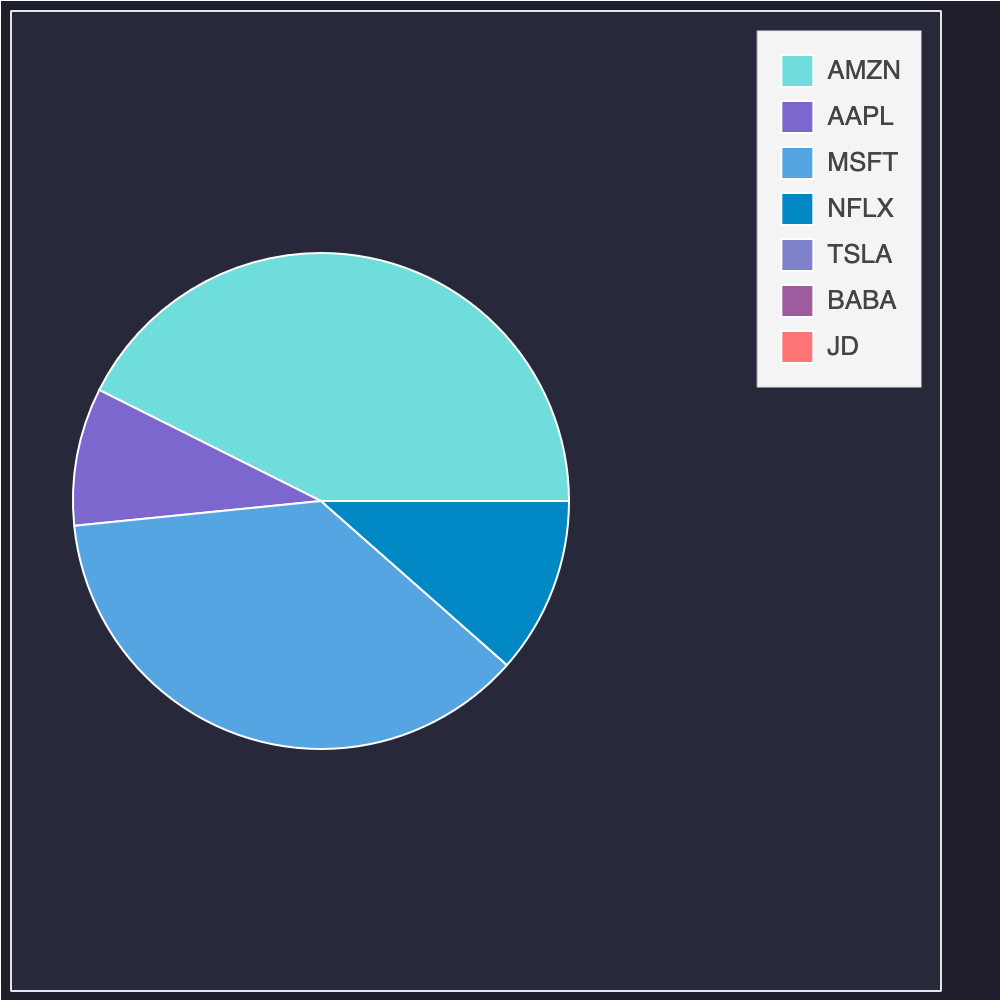
- plot_weights [method]: Creates a pie chart that displays portfolio weights for each ticker.
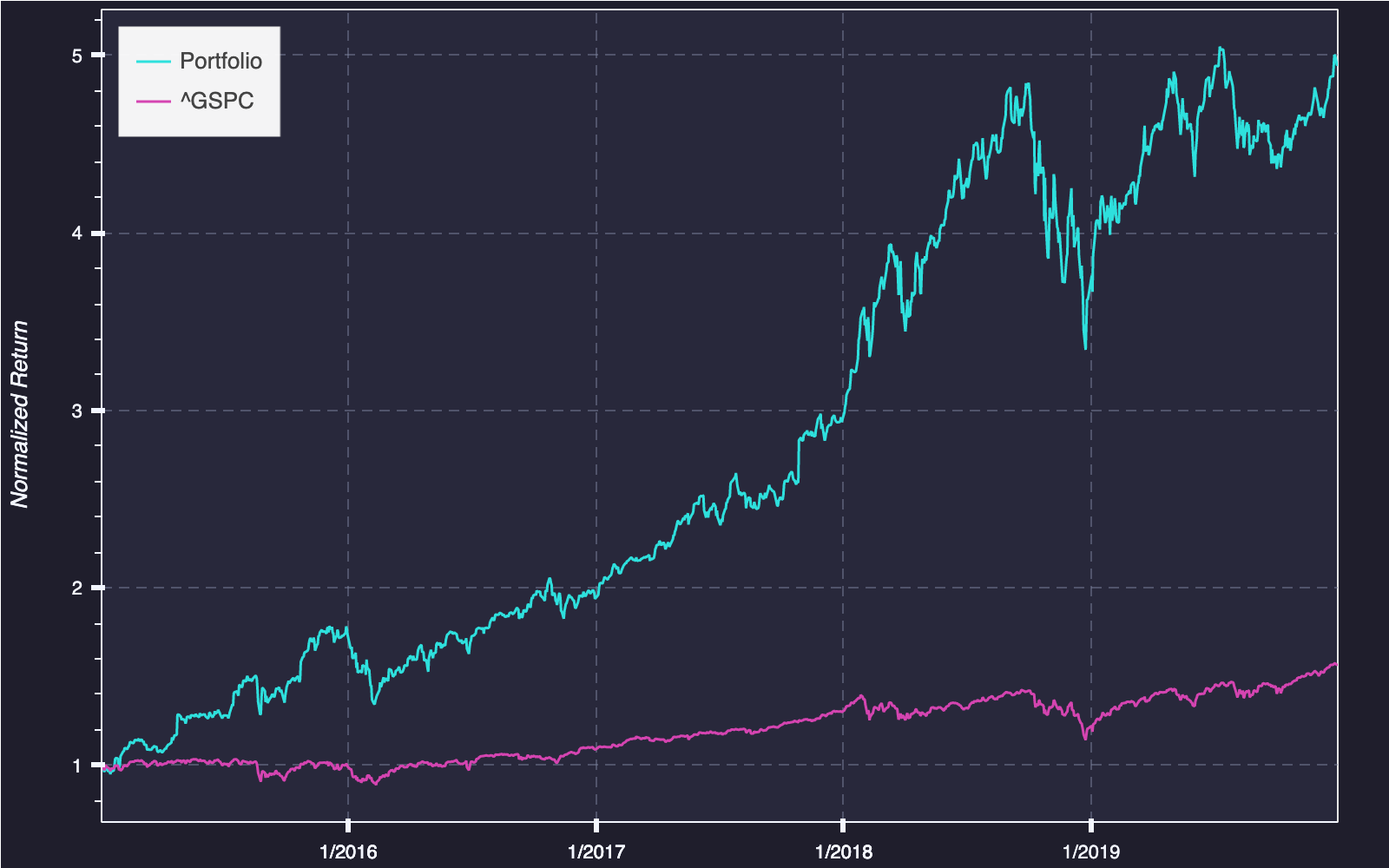
- plot_cumulative_return [method]: Generates a time series plot that displays portfolio performance over time.
The figures are generated with Bokeh, enabling easy implementation to modern web browsers.
Quick Start
1. Optimize Portfolio
from optifolio import PortfolioOptimizer

# Data from Yahoo Finance with Pandas Data Reader
import pandas_datareader.data as web
data = web.DataReader(['AMZN', 'AAPL', 'MSFT',
                       'NFLX', 'TSLA', 'BABA', 'JD'],
                       'yahoo',
                       start='2015/01/01',
                       end='2019/12/31')['Adj Close']

# Initiate the optimizer
model = PortfolioOptimizer()

# Optimize (w. max Sharpe Ratio)
model.fit(data, obj='sharpe')
2. Visualize Frontier
model.plot_efficient_frontier()
3. Visualize Portfolio Weights
model.plot_weights()
4. Visualize Cumulative Return
# Adding a benchmark to compare against
benchmark = web.DataReader(['^GSPC'],
                           'yahoo',
                           start='2015/01/01',
                           end='2019/12/31')['Adj Close']


model.plot_cumulative_return(benchmark_data=benchmark)
Author
Kristian Bonnici
🤝 Support
Contributions, issues, and feature requests are welcome!
Give a ⭐️ if you like this project!
1 maintainer

Metadata
1 maintainer
Release files for optifolio 0.5.0
For a detailed explanation of source distributions (sdists) and built distributions (wheels), please see the package formats documentation.
Source distribution (sdist)
| File | Size | Uploaded | Provenance | Actions |
|---|---|---|---|---|
| optifolio-0.5.0.tar.gz | 14.9 kB | Without provenance | Details for optifolio-0.5.0.tar.gz |
Built distribution (wheel)
| File | Interpreter | ABI | Platform | Actions Reset |
|---|---|---|---|---|
| optifolio-0.5.0-py2.py3-none-any.whl | Python 3, Python 2 | none | any | Details for optifolio-0.5.0-py2.py3-none-any.whl |
Total release size: 22.7 kB
Release files / optifolio-0.5.0.tar.gz
| Download URL | optifolio-0.5.0.tar.gz |
|---|---|
| Size | 14.9 kB |
| Tags | Source |
|
SHA-256 checksum How to use checksums |
98fd0d8cb9664d890165192ff9a3472989f07b3031464d6a5d4c3232fae4f8ff
|
|
BLAKE2b-256 checksum How to use checksums |
8943bc39f5bfc3b16b65eccd535c443351627da1ab987755bad57ceeb51776c5
|
| Upload date | |
|
Uploaded using Trusted Publishing? What is trusted publishing? |
No |
| Uploaded via |
twine/3.4.1 importlib_metadata/4.3.1 pkginfo/1.7.0 requests/2.25.1 requests-toolbelt/0.9.1 tqdm/4.61.0 CPython/3.8.2
|
Release files / optifolio-0.5.0-py2.py3-none-any.whl
| Download URL | optifolio-0.5.0-py2.py3-none-any.whl |
|---|---|
| Size | 7.9 kB |
| Tags | Python 2 Python 3 |
|
SHA-256 checksum How to use checksums |
878387fdaf0c0c48f0869811c7d5535c72ffbd1e0285ff1be23b01f9be0ea27c
|
|
BLAKE2b-256 checksum How to use checksums |
92d21c3ed5637febb00f798be6a8a62021f5d192b155fe7b43309cc0d3d628f3
|
| Upload date | |
|
Uploaded using Trusted Publishing? What is trusted publishing? |
No |
| Uploaded via |
twine/3.4.1 importlib_metadata/4.3.1 pkginfo/1.7.0 requests/2.25.1 requests-toolbelt/0.9.1 tqdm/4.61.0 CPython/3.8.2
|
Security for optifolio 0.5.0
Provenance
Provenance describes where a file came from. On PyPI, provenance is shared via attestations, which provide a verifiable record of the build or publishing details. View details, limitations and caveats.
No provenance found
None of the files in this release were uploaded with provenance metadata.
A note on package security
PyPI is a repository for distributing packages, not a service for auditing them. While third-party security researchers and our staff do their best to detect and remove malicious packages, PyPI cannot guarantee the quality, security or suitability of any given package.
To learn more about protecting yourself from malicious actors, visit our package security documentation.














