
Optimize Images






A command-line interface (CLI) utility written in pure Python to help you reduce the file size of images.
This application is intended to be pure Python, with no special dependencies besides Pillow and watchdog, therefore ensuring compatibility with a wide range of systems. If you don't have the need for such a strict dependency management, you will probably be better served by any several other image optimization utilities that are based on some well known external binaries.
Some aditional features can be added which require the presence of other third-party packages that are not written in pure Python, but those packages and the features depending on them should be treated as optional.
If you were just looking for the graphical user interface (GUI) version of this application, it's a separate project: Optimize Images X.
Full Documentation:
Please refer to the above links if you want to know about all the options available in this application. For a quick intro, just to get a feeling of what it can do, please keep reading below.
Installation and dependencies:
To install and run this application, you need to have a working Python 3.10+ installation. We try to keep the external dependencies at a minimum, in order to keep compatibility with different platforms. At this moment, we require:
- Pillow>=12.0.0
- watchdog>=6.0.0
The easiest way to install it in a single step, including any dependencies, is by using this command:
pip3 install pillow optimize-images
How to use
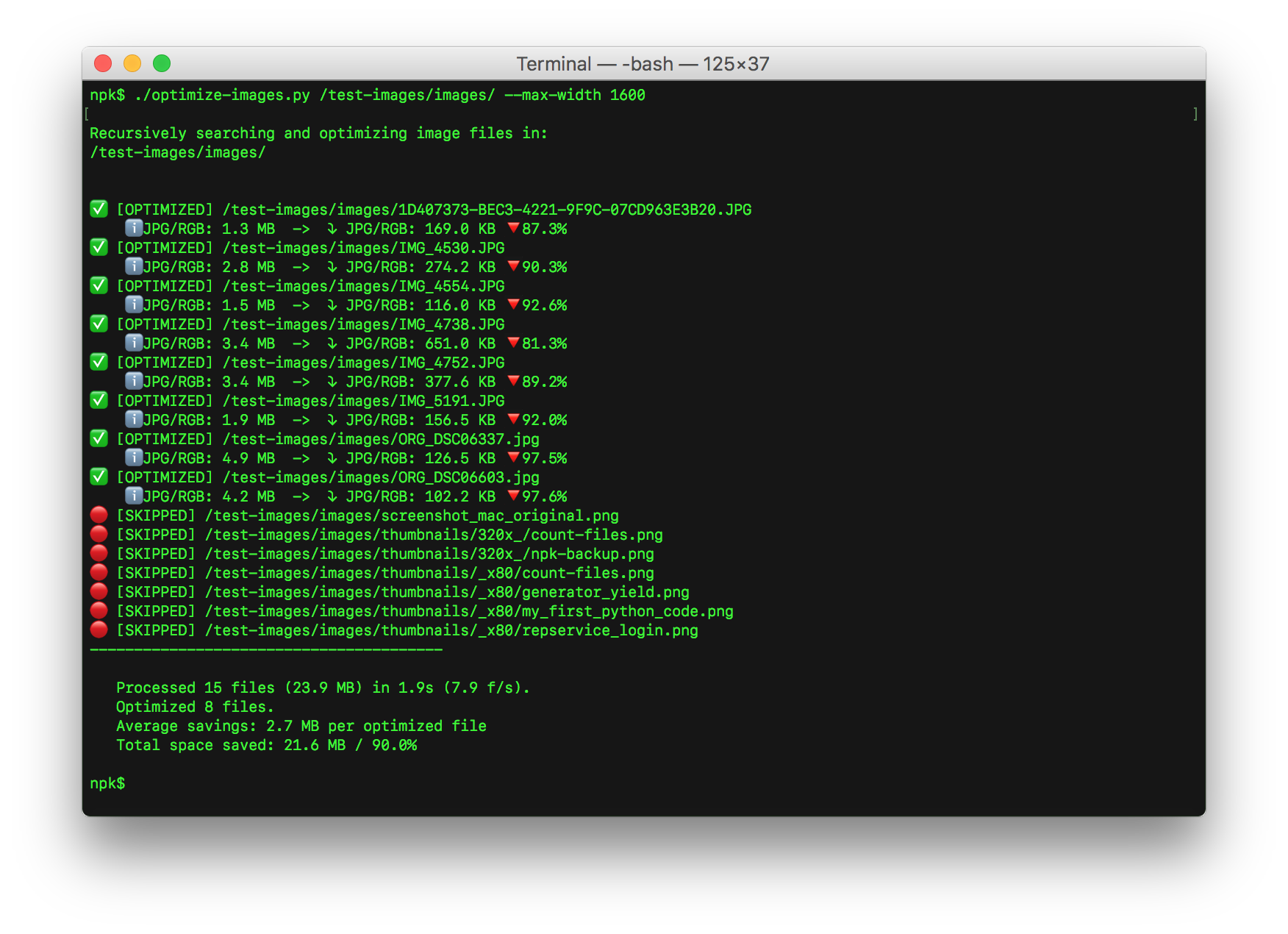
The most simple form of usage is to type a simple command in the shell,
passing the path to an image or a folder containing images as an argument.
The optional -nr or --no-recursion switch argument tells the application not
to scan recursively through the subdirectories.
By default, this utility applies lossy compression to JPEG files using a variable quality setting between 75 and 80 (by Pillow's scale), that is dynamically determined for each image according to the amount of change caused in its pixels, then it removes any EXIF metadata, tries to optimize each encoder's settings for maximum space reduction and applies the maximum ZLIB compression on PNG. WebP images are re-encoded to reduce their size while preserving any transparency.
You must explicitly pass it a path to the source image file or to the directory containing the image files to be processed. By default, it will scan recursively through all subfolders and process any images found using the default or user-provided settings, replacing each original file by its processed version if its file size is smaller than the original.
If no space savings were achieved for a given file, the original version will be kept instead.
There are many other features and command-line options, like downsizing, keeping EXIF data, color palette reduction, WebP optimization, and PNG to JPEG (or WebP) conversion. Please check the docs for further information.
DISCLAIMER:
Please note that the operation is done DESTRUCTIVELY, by replacing the
original files with the processed ones. You definitely should duplicate the
source file or folder before using this utility, in order to be able to
recover any eventual damaged files or any resulting images that don't have the
desired quality.
Basic usage
Try to optimize a single image file:
optimize-images filename.jpg
Try to optimize all image files in current working directory and all of its subdirectories:
optimize-images ./
Try to optimize all image files in current working directory, without recursion:
optimize-images -nr ./
optimize-images --no-recursion ./
For developers
Besides the command-line interface, Optimize Images exposes a small, stable,
UI-free API for use in your own Python applications, in the
optimize_images.api module (since version 2.0.0). It can optimize a single
image or a whole folder, with no terminal output.
from optimize_images.api import optimize_single_image

result = optimize_single_image("photo.jpg", quality=70, max_w=1920)
print(result.orig_size, "->", result.final_size)
For batch processing, directory watching, the full set of options and the result fields, see Programmatic use in the full documentation.
Getting help
To check the list of available options and their usage, you just need to use one of the following commands:
optimize-images -h
optimize-images --help
Did you find a bug or do you have a suggestion?
Please let me know, by opening a new issue or a pull request.
1 maintainer

Download files
Download the file for your platform. If you're not sure which to choose, learn more about installing packages.
Source Distribution
Built Distribution
Filter files by name, interpreter, ABI, and platform.
If you're not sure about the file name format, learn more about wheel file names.
Copy a direct link to the current filters
File details
Details for the file optimize_images-2.1.0.tar.gz.
File metadata
- Download URL: optimize_images-2.1.0.tar.gz
- Upload date:
- Size: 51.8 kB
- Tags: Source
- Uploaded using Trusted Publishing? No
- Uploaded via:
twine/6.2.0 CPython/3.15.0a7
File hashes
| Algorithm | Hash digest | |
|---|---|---|
| SHA256 |
8c17211f80d00f762ef632532956fd8cae9440d2c3004b65cb4b0ce915a90fc5
|
|
| MD5 |
d66e55cc0d9ec118ff004d6c870c31cd
|
|
| BLAKE2b-256 |
376c70e6bb758b8b2e7f0a6fa3a16c2ebfb6eb0dd249a0235fa7da96a166fdc9
|
File details
Details for the file optimize_images-2.1.0-py3-none-any.whl.
File metadata
- Download URL: optimize_images-2.1.0-py3-none-any.whl
- Upload date:
- Size: 50.6 kB
- Tags: Python 3
- Uploaded using Trusted Publishing? No
- Uploaded via:
twine/6.2.0 CPython/3.15.0a7
File hashes
| Algorithm | Hash digest | |
|---|---|---|
| SHA256 |
a49d98cfe2936d11ec82e4c3c4841b27b7a5f165e63ebc19abd3e99bc905ad0b
|
|
| MD5 |
59cac4282318d168cd1521d6b7ed72f1
|
|
| BLAKE2b-256 |
56cb0c5bd9d5ed725d6be191a0bf10f9511f3b438de57d6d49f4195e59501924
|














