
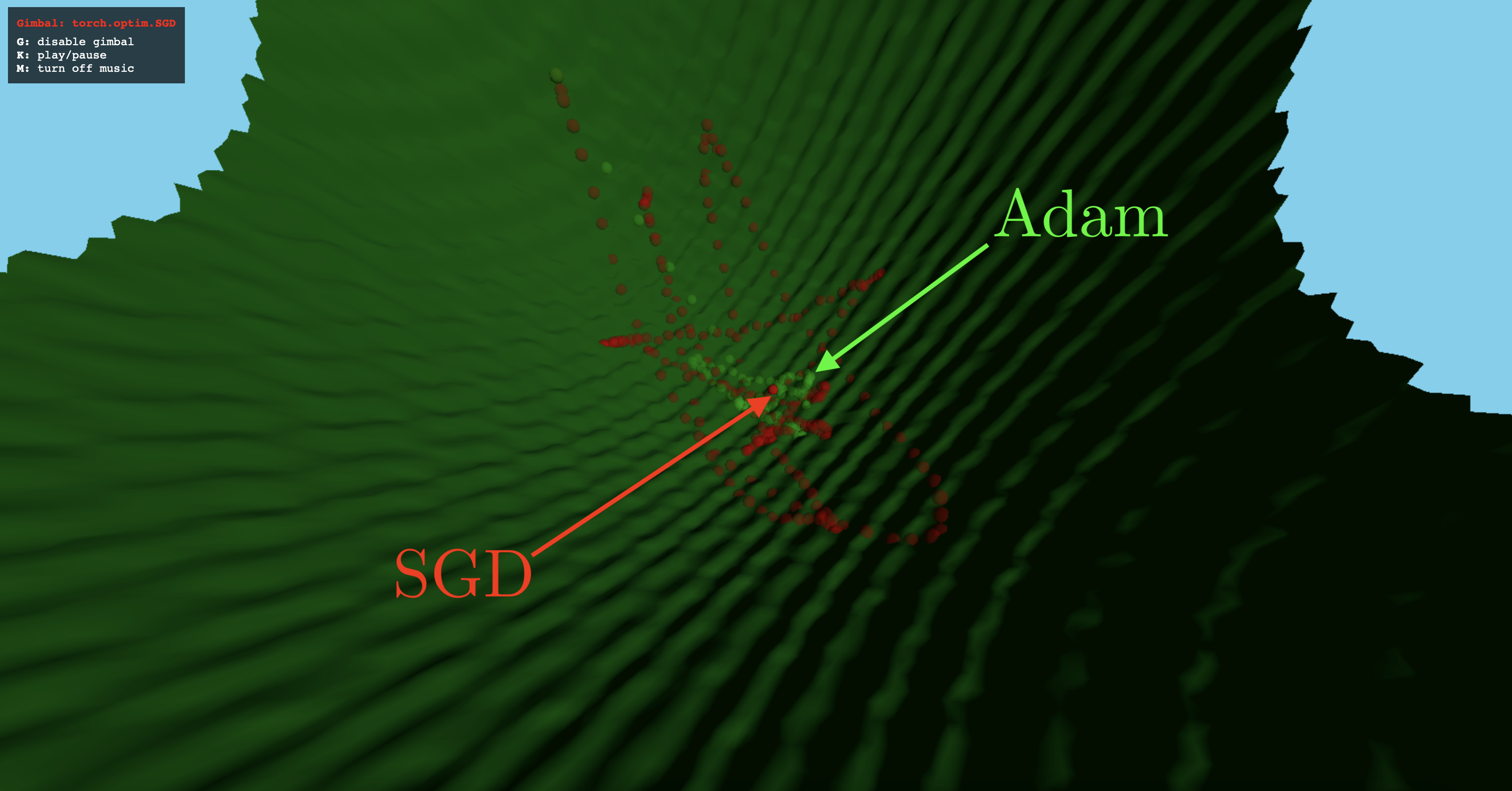
[NEW] Walk along a loss landscape, watch from the sidelines, or ride along as your favourite optimisers battle it out for the best minimum with OptiViz 1.0, the latest update to OptiViz.
OptiViz
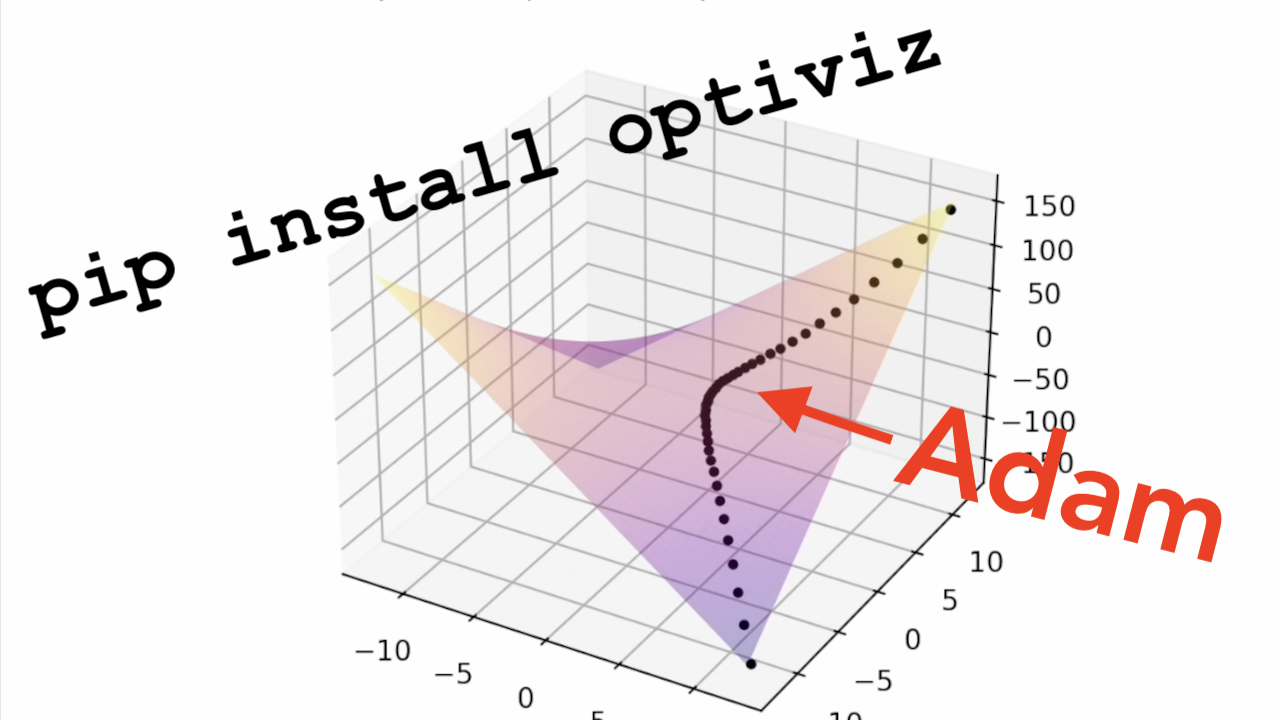
Optiviz is a python package that enables effortless visualisation of any PyTorch optimiser on any differentiable function in one or two variables. OptiViz might find educational use in an introductory nonlinear optimisation or deep learning class.
Usage
Installation
To install OptiViz, please use:
pip install optiviz
API
All functionality of OptiViz is exposed through the optiviz.optimise and optiviz.optimise_interactive functions.
import torch
from optiviz import optimise, optimise_interactive
Defining an objective
Before solving an optimisation problem you must define an objective function. OptiViz works with differentiable, real-valued objective functions in one or two variables.
f : \mathbb{R} \rightarrow \mathbb{R}
g : \mathbb{R}^2 \rightarrow \mathbb{R}
In code, you must define an objective function whose every input is a torch.Tensor of shape (1,)
def f(x: torch.Tensor) -> torch.Tensor:
    """
    Example of an objective function in one variable.
    """
    return x ** 2
def g(x: torch.Tensor, y: torch.Tensor) -> torch.Tensor:
    """
    Example of an objective function in two variables.
    """
    return x ** 2 + y ** 2 + x.sin() * y.sin()
optimise(): simple matplotlib visualisation
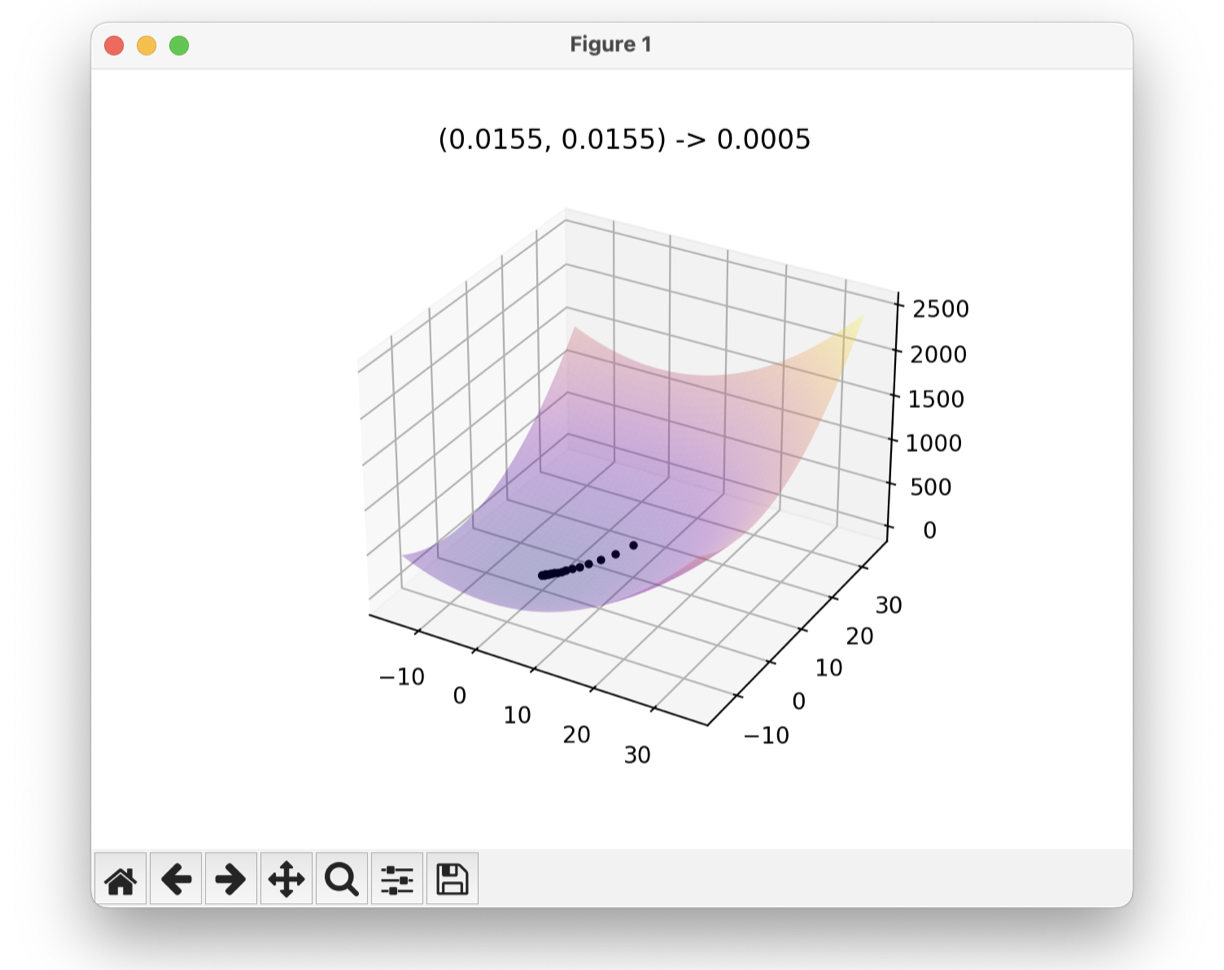
The optiviz.optimise function (please see docstring for complete usage) is used to visualise the optimisation sequence of a 1D or 2D objective function using a PyTorch optimiser.
arg_g_min = optimise(
        g, # objective function
        (12.5, 12.5), # initial values of the parameters being adjusted
        plot_centre=(0, 0), # plot options
        plot_boundary=25,
        iters=100,
        optimiser=torch.optim.Adam, # PyTorch-compatible optimiser
        lr=5e-1 # any keyword arguments for the optimiser
    )
optimise_interactive(): advanced interactive visualisation
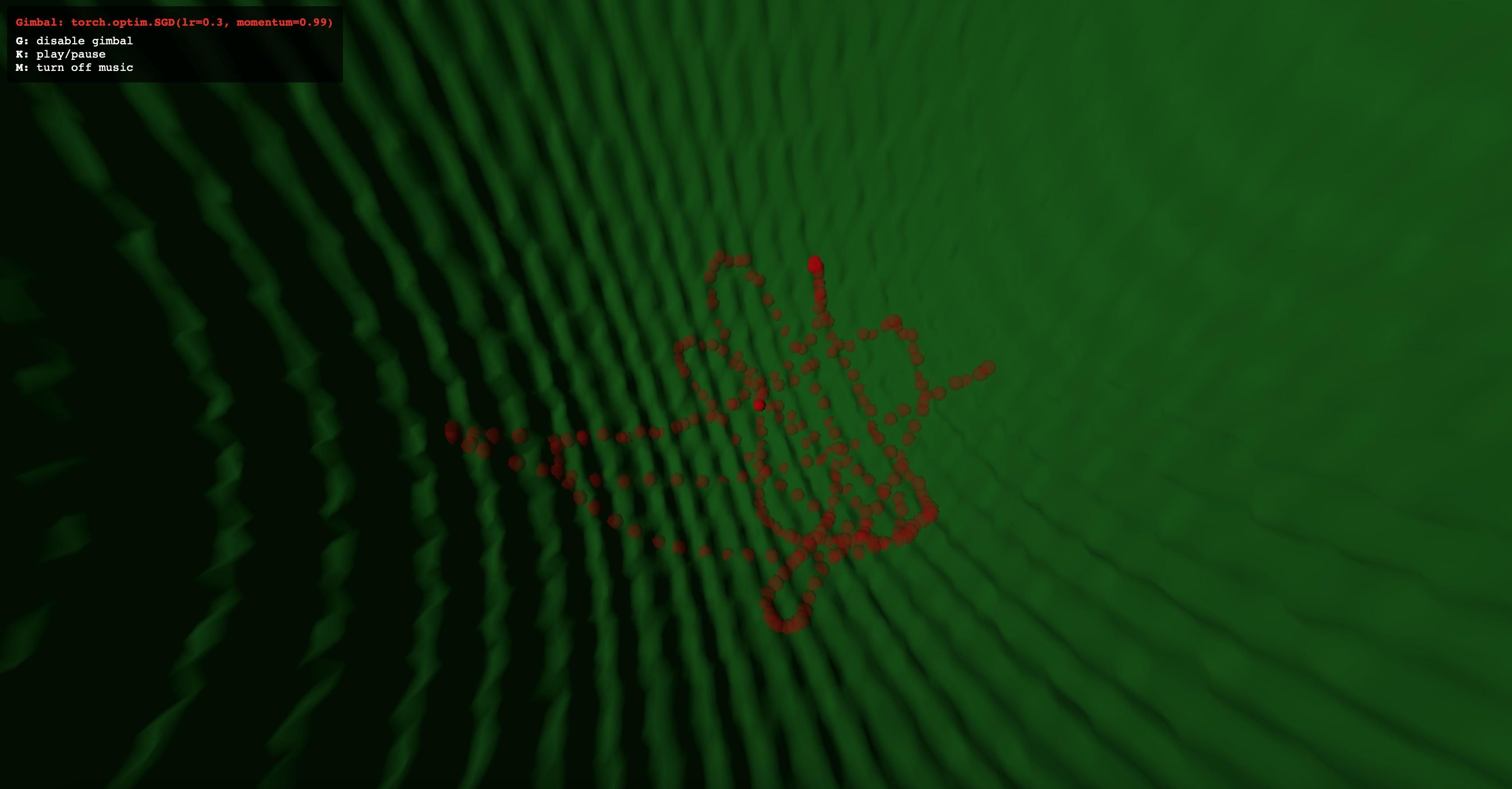
The optiviz.optimise_interactive function (please see docstring for complete usage) provides interactive visualisation of 2D objective functions with multiple optimisers, navigation along the landscape, optimiser tracking, music and more in a web interface.
optimise_interactive(
        g, # objective function
        (12.5, 12.5), # initial values of the parameters being adjusted
        plot_centre=(0, 0), # plot options
        plot_boundary=25,
        iters=100,
        optimisers = [("Vanilla GD", lambda params: torch.optim.SGD(params, lr=0.1))], # PyTorch-compatible optimisers
        iter_delay: int = 100,
        gimbal_radius: float = 4.0, # advanced visualisation options
        gimbal_hover: float = 8.0,
    )
Example programmes
OptiViz 0.x/1.x:
import torch
from optiviz import optimise

f = lambda x,y: ×**2+y**2 # simple bowl

optimise(f, init_vector=(12.5, 12.5), optimiser=torch.optim.SGD, lr=le-2)
Optiviz 1.x:
import torch
from optiviz import optimise_interactive

def egg_carton(x, y): # non-convex function
    return 0.05*(x**2+y**2)+2.5*(torch.sin(0.5*x)**2+torch.sin(0.5*y)**2)

optimise_interactive(fn=egg_carton, optimisers=[("SGD with momentum", lambda params: torch.optim.SGD(params, lr=0.1, momentum=0.99)), ("Adam", lambda params: torch.optim.Adam(params, lr=0.5))])
1 maintainer

Metadata
1 maintainer
Release files for optiviz 1.0.4
For a detailed explanation of source distributions (sdists) and built distributions (wheels), please see the package formats documentation.
Source distribution (sdist)
| File | Size | Uploaded | Provenance | |
|---|---|---|---|---|
| optiviz-1.0.4.tar.gz | 15.2 kB | Without provenance | Details |
Built distribution (wheel)
| File | Interpreter | ABI | Platform | Reset |
|---|---|---|---|---|
| optiviz-1.0.4-py3-none-any.whl | Python 3 | none | any | Details |
Total release size: 29.1 kB
Release files / optiviz-1.0.4.tar.gz
| Download URL | optiviz-1.0.4.tar.gz |
|---|---|
| Size | 15.2 kB |
| Tags | Source |
|
SHA-256 checksum How to use checksums |
8bc909cf0866c6b5de7de0224a24687dc77addf760e861e17612950ee8d6d13e
|
|
BLAKE2b-256 checksum How to use checksums |
83a60ce8d4c77608b6abbfbb54f6abe8f230e1d71de3ecf8b5007093dd460c78
|
| Upload date | |
|
Uploaded using Trusted Publishing? What is trusted publishing? |
No |
| Uploaded via |
twine/6.1.0 CPython/3.11.5
|
Release files / optiviz-1.0.4-py3-none-any.whl
| Download URL | optiviz-1.0.4-py3-none-any.whl |
|---|---|
| Size | 13.9 kB |
| Tags | Python 3 |
|
SHA-256 checksum How to use checksums |
f44c8137a24a46a0612cbb969d9e566ea6ea0bf581284ddc2f5b97bc92e1bb21
|
|
BLAKE2b-256 checksum How to use checksums |
41f22311b929d83e91df829a3cddae35d207abddcfee9609b1bf50cf5e4b5c84
|
| Upload date | |
|
Uploaded using Trusted Publishing? What is trusted publishing? |
No |
| Uploaded via |
twine/6.1.0 CPython/3.11.5
|
Security for optiviz 1.0.4
Provenance
Provenance describes where a file came from. On PyPI, provenance is shared via attestations, which provide a verifiable record of the build or publishing details. View details, limitations and caveats.
No provenance found
None of the files in this release were uploaded with provenance metadata.
A note on package security
PyPI is a repository for distributing packages, not a service for auditing them. While third-party security researchers and our staff do their best to detect and remove malicious packages, PyPI cannot guarantee the quality, security or suitability of any given package.
To learn more about protecting yourself from malicious actors, visit our package security documentation.














