
optmux
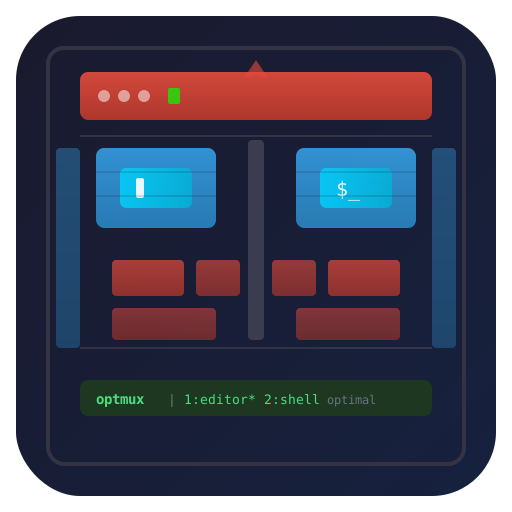
Optimal, opinionated, batteries-included TMUX that's neat and easy for any project.
A tmuxp wrapper that creates per-project tmux config directories with TPM and plugins pre-configured.
Quick Start
# run optmux anywhere (installs on first use via uv)
uvx optmux

# strongly recommended: install wtcode + lazygit for the full experience
brew install netj/tap/optmux
Try the included example:
git clone https://github.com/netj/optmux.git && cd optmux
./example.optmux.yaml
On first run, optmux will:
- Create
.example.optmux.d/tmux/next to the YAML file - Seed a default
tmux.confwith TPM and plugins - Install TPM and all plugins (visible in window 0)
- Launch tmuxp with an isolated tmux server
Usage
With a tmuxp YAML file
Supports .optmux.yaml, .tmuxp.yaml, and .optmuxp.yaml extensions:
optmux myproject.optmux.yaml
optmux myproject.tmuxp.yaml
Without arguments
optmux
Opens plain tmux using .optmux.d/ in the current directory — useful for a quick, isolated tmux session with the bundled config.
As a shebang
Write a tmuxp YAML config with the optmux shebang line and make it executable:
#!/usr/bin/env -S uvx optmux
session_name: myproject
windows:
  - window_name: editor
    panes:
      - vim .
  - window_name: shell
    panes:
      - ""
chmod +x myproject.optmux.yaml
./myproject.optmux.yaml
Example tmuxp YAML
Here's the included example.optmux.yaml showing shortcuts, tmux config, and window layout:
#!/usr/bin/env -S uvx optmux
session_name: example
start_directory: .

optmux:
  shortcuts:
    C-M-b: gh browse .
    C-M-e:
      command: ${VISUAL:-${EDITOR:-vim}} README.md  # exec directly (default for str, no latency)
      window: true                                  # in a new-window
    E:
      send-keys: ${VISUAL:-${EDITOR:-vim}} .        # send-keys (given command is run in a new shell)
      zoom: false                                   # do not zoom (defaults to zoom when split-window)
  tmux_config:
    project-settings: |
      set -g status-style bg=blue

windows:
  - window_name: editor
    panes:
      - vim .
  - window_name: shell
    panes:
      - ""
  - window_name: logs
    panes:
      - tail -f /var/log/system.log
Config directory
Each project gets its own .$NAME.optmux.d/ directory:
| Path | Purpose |
|---|---|
tmux/tmux.conf |
Main tmux config (editable after creation) |
tmux/tmux.*.conf |
Additional config files you can add |
tmux/tmux.sock |
Tmux server socket (isolates this project) |
tmux/plugins/ |
TPM plugin directory |
tmux/plugins-update.sh |
Run manually to update all plugins |
optmux YAML config
Add an optmux: section to your tmuxp YAML to configure shortcuts and tmux settings:
optmux:
  shortcuts:
    C-M-b: gh browse .                              # Ctrl-Alt-b: run command directly
    C-M-e:
      command: ${VISUAL:-${EDITOR:-vim}} README.md  # exec directly (no shell)
      window: true                                  # open in a new-window
    E:
      send-keys: ${VISUAL:-${EDITOR:-vim}} .        # send-keys (runs in a new shell)
      zoom: false                                   # do not zoom (default: true for splits)
  tmux_config:
    project-settings: |
      set -g status-style bg=blue
Shortcuts
Shortcuts bind tmux keys to commands:
C-M-*keys are bound globally (no prefix needed)- Other keys require the tmux prefix (
C-t) command:executes directly (default for string values)send-keys:sends the command to a new shell (supports shell expansion)window: trueopens in a new window instead of a splitzoom: falsedisables auto-zoom on splits (default: true)
tmux_config
Entries under tmux_config: are written as tmux.optmux-extras.{name}.conf files and auto-sourced by tmux.
Personal config (~/.optmux.yaml)
Create ~/.optmux.yaml to define personal defaults that apply to all optmux sessions:
optmux:
  shortcuts:
    C-M-g: lazygit
  tmux_config:
    my-defaults: |
      set -g status-style bg=green
Personal config is merged with per-project config. When both define the same key, personal settings take precedence.
Customization
- Edit
tmux/tmux.confto change tmux settings - Drop
tmux/tmux.mysetup.conffiles for additional config (auto-sourced) - Run
tmux/plugins-update.shfrom inside tmux to update plugins - Press
prefix + Rto reload the config
Environment variables
optmux sets these before launching tmux/tmuxp:
| Variable | Value |
|---|---|
OPTMUX_DIR |
Absolute path to the .$NAME.optmux.d/ directory |
OPTMUX_NAME |
Name derived from YAML filename or cwd (e.g., myproject) |
TMUX_PLUGIN_MANAGER_PATH |
$OPTMUX_DIR/tmux/plugins |
Development
# install the latest main branch
uvx git+https://github.com/netj/optmux.git

# local editable install for development
uv tool install -e .

# test any local changes directly (best for testing branches)
uv run optmux ./example.optmux.yaml

# run tests
uv run pytest                  # all tests
uv run pytest -m "not e2e"     # skip E2E tests (no tmux needed)
uv run pytest -m e2e           # E2E only (requires tmux)
License
1 maintainer

Download files
Download the file for your platform. If you're not sure which to choose, learn more about installing packages.
Source Distribution
Built Distribution
Filter files by name, interpreter, ABI, and platform.
If you're not sure about the file name format, learn more about wheel file names.
Copy a direct link to the current filters
File details
Details for the file optmux-0.6.1.tar.gz.
File metadata
- Download URL: optmux-0.6.1.tar.gz
- Upload date:
- Size: 14.6 kB
- Tags: Source
- Uploaded using Trusted Publishing? No
- Uploaded via:
uv/0.11.29 {"installer":{"name":"uv","version":"0.11.29","subcommand":["publish"]},"python":null,"implementation":{"name":null,"version":null},"distro":{"name":"macOS","version":null,"id":null,"libc":null},"system":{"name":null,"release":null},"cpu":null,"openssl_version":null,"setuptools_version":null,"rustc_version":null,"ci":null}
File hashes
| Algorithm | Hash digest | |
|---|---|---|
| SHA256 |
97ecf9992293e206fee94b40a70fe0770e203e77da0797561e1417584161d89a
|
|
| MD5 |
d64d440a8a8cb99be727124b0899af57
|
|
| BLAKE2b-256 |
89037acc444a9e852b863b2381487cdb0fd78dca21cbd9f997eeb7aea7c3f521
|
File details
Details for the file optmux-0.6.1-py3-none-any.whl.
File metadata
- Download URL: optmux-0.6.1-py3-none-any.whl
- Upload date:
- Size: 16.9 kB
- Tags: Python 3
- Uploaded using Trusted Publishing? No
- Uploaded via:
uv/0.11.29 {"installer":{"name":"uv","version":"0.11.29","subcommand":["publish"]},"python":null,"implementation":{"name":null,"version":null},"distro":{"name":"macOS","version":null,"id":null,"libc":null},"system":{"name":null,"release":null},"cpu":null,"openssl_version":null,"setuptools_version":null,"rustc_version":null,"ci":null}
File hashes
| Algorithm | Hash digest | |
|---|---|---|
| SHA256 |
2fff7c43dbff5da5042c43750664a64185e6bf7cd578650910415b053f9de4d4
|
|
| MD5 |
c91e60d5b7d4b9da2622ff365f54b46e
|
|
| BLAKE2b-256 |
80608d187f622136d65e729154c55d8f8a38131eaf0e91049f07b06691b16591
|







