
A package to interact with the OPUS greenNet API

Project description
OPUS greenNet python API wrapper
Disclaimer: This is my first ever published libary for python so it might be messy and i would not recommend using it for things that have to work reliably. However if you want to build your own libary or help me making mine better take a look at the last section of the readme where you can find some more information about the API behind the project.
Supported Devices
Switch
- OPUS BRiDGE 1 Channel
- OPUS BRiDGE 2 Channel
- OPUS BRiDGE Roller shutter / Venetian blind
- OPUS BRIDGE Universaldimmer
- OPUS BRiDGE 1 channel, 16A
- OPUS actuator "Professional" round
Monetoring
- OPUS smoke detector
- OPUS door/window contact
- Any Motion sensor
- Any Water detector
- Any Handle sensor
- Any Temperature / Heat sensor
Usage
Setup:
# import the libary
import opus_greennet

# create the Auth object to authenticate with the API
# the password can be found on a sticker on your gateway
auth = Auth('http://IP_OF_YOUR_GATEWAY:8080', 'PASSWORD_OF_YOUR_GATEWAY')

# create the OPUS object and pass the auth
opus = OPUSAPI(auth)
Print all switches to the console
# get all onechannel switches
# other types: two_channel_switches, blind_switches, dimming_switches
one_channel_switches = opus.get_one_channel_switches()

# print information for every switch
for switch in one_channel_switches:
  # available propertys: name, id, state, location, manufacturer, productId
  # for two channel switches you have state_1 and state_2 instead of state
  print(f"{switch.name} with ID '{switch.id} is located at {switch.location} with state {switch.state}")
change the state of a device
# change the state of the first switch in list using change_state
one_channel_switches[0].change_state(True)

# for two channel switches you have to use change_state_1 and change_state_2 instead of change_state
# for dimmers and blinds the state is represented in integers from 0-100 instead of bools
Some info about the API
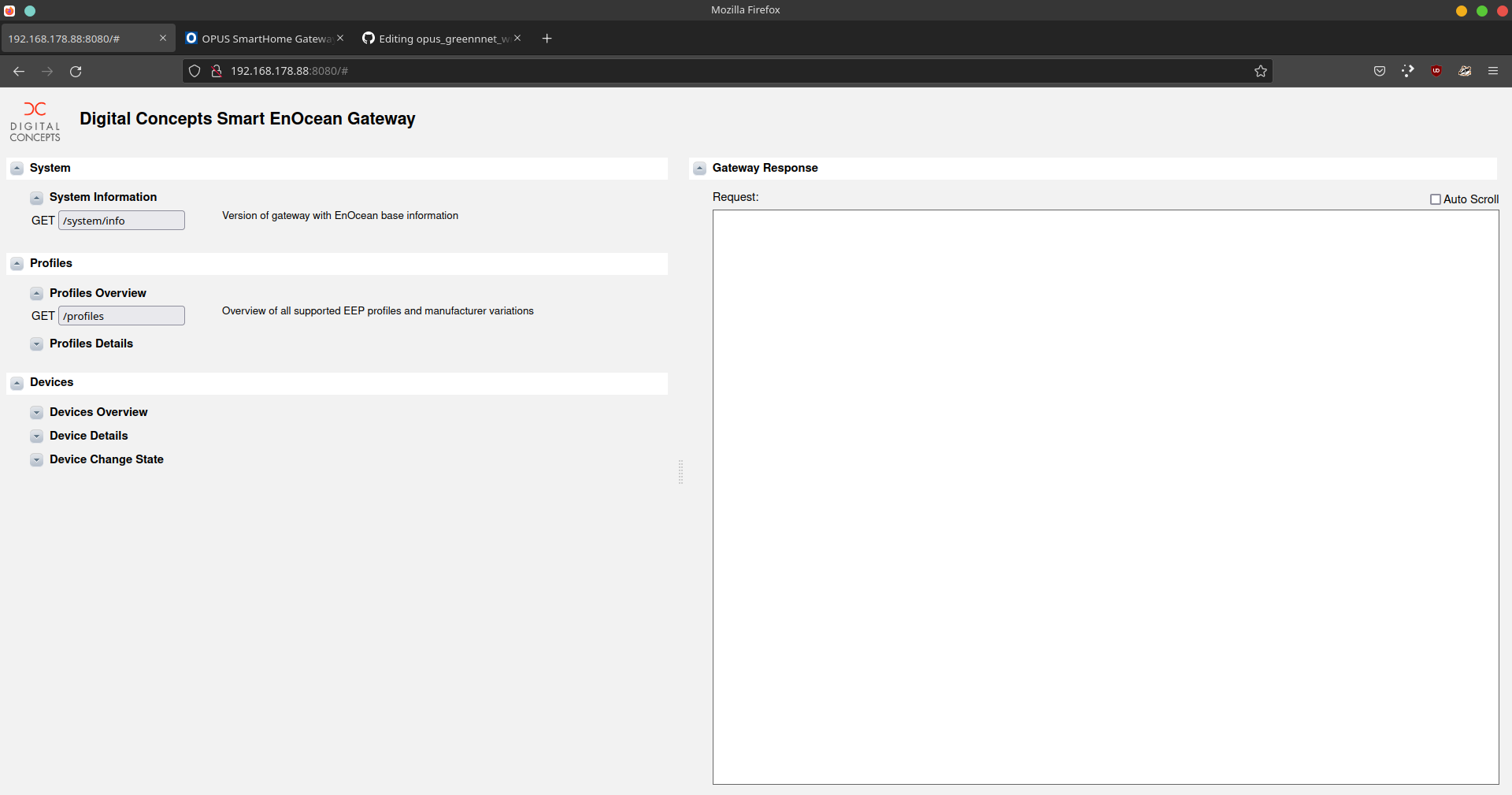
The REST API is exposed by the OPUS SmartHome Gateway at port 8080. There you will also find a UI where you can test and discover the API. To access the API you have to authenticate yourself.
- Username: "admin"
- Password: on a sticker on the OPUS SmartHome Gateway. (8 characters long and consists of capital letters and numbers e.g. "GBA7VD3G")
Release history Release notifications | RSS feed


Download files
Download the file for your platform. If you're not sure which to choose, learn more about installing packages.
Source Distribution
opus-greennet-0.0.2.tar.gz
(4.9 kB
view details)
Built Distribution
Filter files by name, interpreter, ABI, and platform.
If you're not sure about the file name format, learn more about wheel file names.
Copy a direct link to the current filters
File details
Details for the file opus-greennet-0.0.2.tar.gz.
File metadata
- Download URL: opus-greennet-0.0.2.tar.gz
- Upload date:
- Size: 4.9 kB
- Tags: Source
- Uploaded using Trusted Publishing? No
- Uploaded via: twine/3.7.1 importlib_metadata/4.10.0 pkginfo/1.8.2 requests/2.22.0 requests-toolbelt/0.9.1 tqdm/4.62.3 CPython/3.8.10
File hashes
| Algorithm | Hash digest | |
|---|---|---|
| SHA256 |
7a68b4e2f2945a9b71eabedc31ca4b9fdedd06ef1b39bd5013c655578902f5c2
|
|
| MD5 |
2cc744ff2fa9baa11d2496bc1b06473c
|
|
| BLAKE2b-256 |
29a6305933c35f48ae4e75c0c4499fa09fb94d08b95c5f7f5f6d6fc3349f73be
|
File details
Details for the file opus_greennet-0.0.2-py3-none-any.whl.
File metadata
- Download URL: opus_greennet-0.0.2-py3-none-any.whl
- Upload date:
- Size: 7.9 kB
- Tags: Python 3
- Uploaded using Trusted Publishing? No
- Uploaded via: twine/3.7.1 importlib_metadata/4.10.0 pkginfo/1.8.2 requests/2.22.0 requests-toolbelt/0.9.1 tqdm/4.62.3 CPython/3.8.10
File hashes
| Algorithm | Hash digest | |
|---|---|---|
| SHA256 |
22f731af91a4616bbab11140d1baa7d1002d74c0cfde3c04e6af450fd918edc5
|
|
| MD5 |
3d78a8db5d798400bda3ff3ef0d5a7a2
|
|
| BLAKE2b-256 |
b6462633f84edd28c9f8bde30b09cb89eca1e95faeafc7e293311743d5417336
|






