
Generate orthographic projections from a Point Cloud.

Project description
Orthographic Projector
A Rust-based Python library for generating cubic orthographic projections from point clouds.
Prerequisites
- Python 3.10 or later
- rustc 1.77.2 or later
- pip
Setup
From PyPI
pip install orthographic_projector
# or
python -m pip install orthographic_projector
From source
# Clone this repository
https://github.com/akaTsunemori/orthographic_projector.git

# cd into the project folder
cd orthographic_projector

# Setup a virtual environment
python -m venv venv

# Activate the virtual environment
source ./venv/bin/activate

# Install the prerequisites
pip install -r requirements.txt

# Compile the project into a python module using maturin
maturin develop -r
Usage
import numpy as np
import open3d as o3d
import time
import cv2
import orthographic_projector


def save_projections(projections):
    for i in range(len(projections)):
        image = projections[i].astype(np.uint8)
        image_bgr = cv2.cvtColor(image, cv2.COLOR_RGB2BGR)
        cv2.imwrite(f'projection_{i}.png', image_bgr)


# Load the point cloud through open3d
PC_PATH = './examples/redandblack_vox10_1550.ply'
pc = o3d.io.read_point_cloud(PC_PATH)
points, colors = np.asarray(pc.points), np.asarray(pc.colors)

# orthographic_projector parameters
precision = 10
filtering = 2
crop = True
save = True

print('Generating projections...')
t0 = time.time()
# The generate_projections function can be used for generating the projections
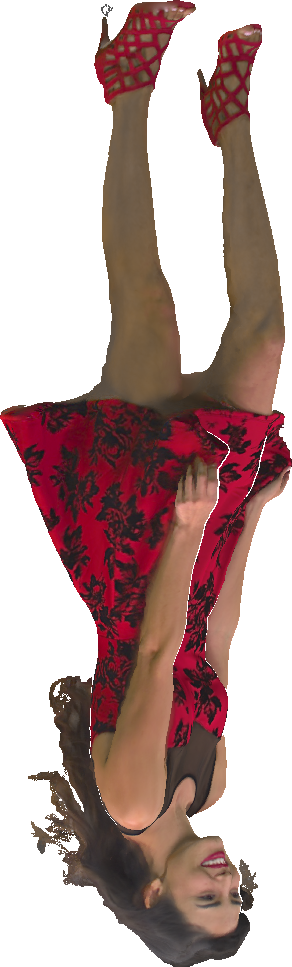
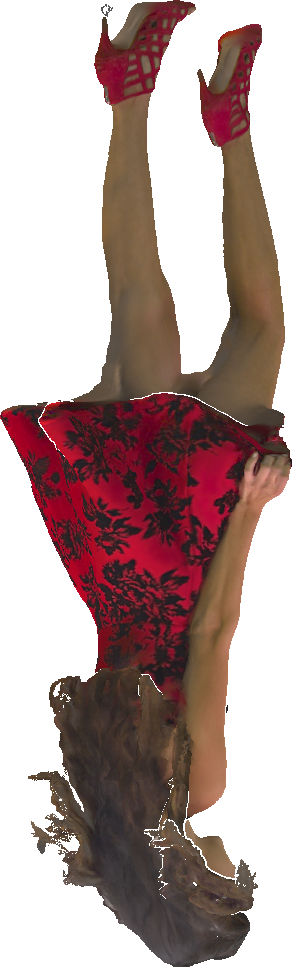
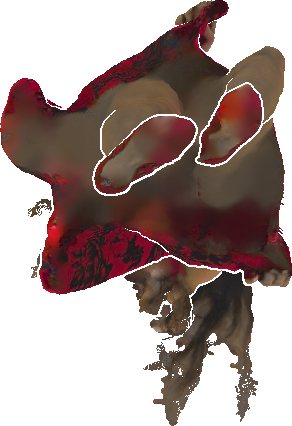
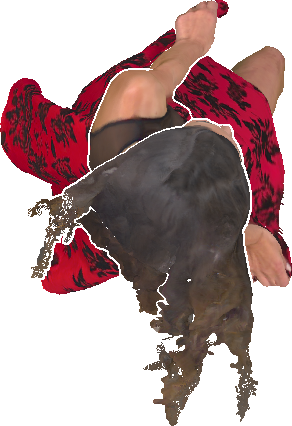
images, ocp_maps = orthographic_projector.generate_projections(points, colors, precision, filtering)
# The crop parameter could optionally be passed to the generate_projections function,
# but it can also be called after the generation process
if crop:
    images, ocp_maps = orthographic_projector.apply_cropping(images, ocp_maps)
t1 = time.time()
print(f'Done. Time taken: {(t1-t0):.2f} s')

# The save_projections function is just an example intended for visualization of the results
if save:
    save_projections(images)
This example is also available in the examples/example_generate_projections.py folder.
Results
These are the generated projections to be expected from the provided example.
Spoiler
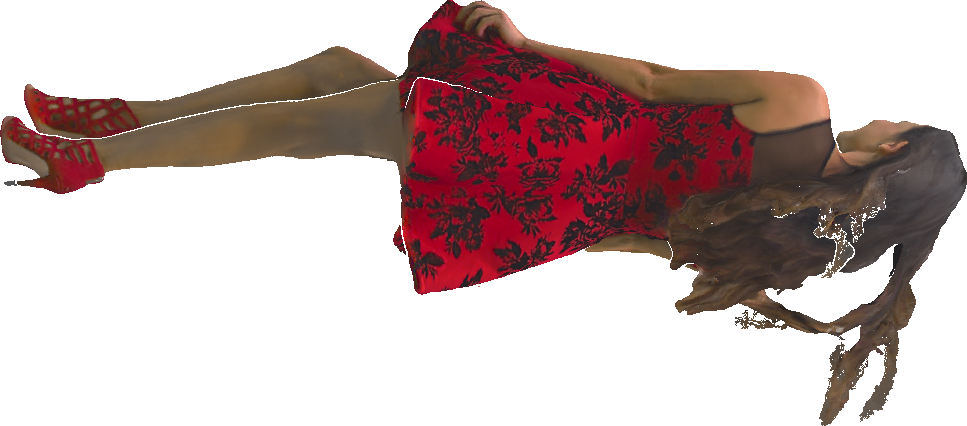
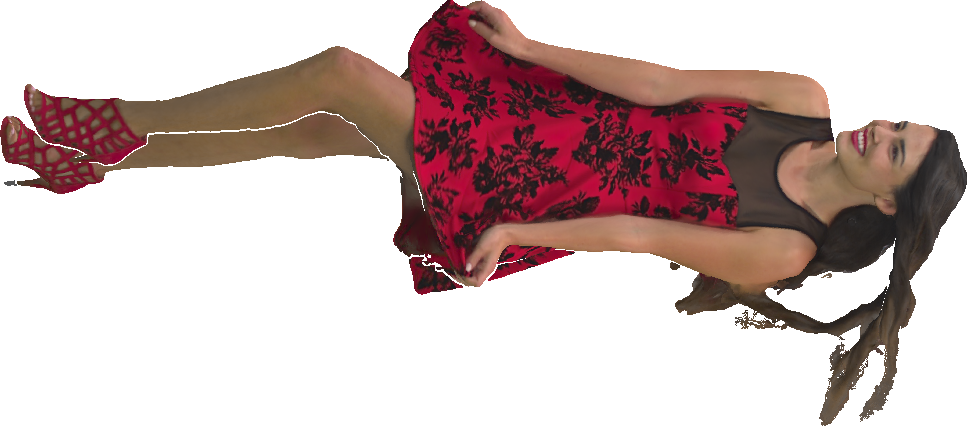
References
[1] D. Graziosi, O. Nakagami, S. Kuma, A. Zaghetto, T. Suzuki, and A. Tabatabai "An overview of ongoing point cloud compression standardization activities: video-based (V-PCC) and geometry-based (G-PCC)".
[2] Osman Topçu "3D Reconstruction Of Point Clouds Using Multi-View Orthographic Projections".
Contributing
Contributions are what make the open-source community such an amazing place to learn, inspire, and create. Any contributions you make are greatly appreciated, you can simply open an issue.
License
MIT License
GitHub @akaTsunemori


Download files
Download the file for your platform. If you're not sure which to choose, learn more about installing packages.
Source Distribution
Built Distribution
Filter files by name, interpreter, ABI, and platform.
If you're not sure about the file name format, learn more about wheel file names.
Copy a direct link to the current filters
File details
Details for the file orthographic_projector-0.1.8.tar.gz.
File metadata
- Download URL: orthographic_projector-0.1.8.tar.gz
- Upload date:
- Size: 4.0 MB
- Tags: Source
- Uploaded using Trusted Publishing? No
- Uploaded via: maturin/1.5.1
File hashes
| Algorithm | Hash digest | |
|---|---|---|
| SHA256 |
977a0e76e2b3152b84558bdf9f86be48a086e47ea0778d1a963fe653487d14eb
|
|
| MD5 |
1eef1ff9275e416535c518078540fb54
|
|
| BLAKE2b-256 |
7e5ee289f2ba37ed701d0be20a8b784d6a23d6cc89cfa0b67c8d078efab04f44
|
File details
Details for the file orthographic_projector-0.1.8-cp310-cp310-manylinux_2_5_x86_64.manylinux1_x86_64.whl.
File metadata
- Download URL: orthographic_projector-0.1.8-cp310-cp310-manylinux_2_5_x86_64.manylinux1_x86_64.whl
- Upload date:
- Size: 255.3 kB
- Tags: CPython 3.10, manylinux: glibc 2.5+ x86-64
- Uploaded using Trusted Publishing? No
- Uploaded via: maturin/1.5.1
File hashes
| Algorithm | Hash digest | |
|---|---|---|
| SHA256 |
9d553e79ecb4f9c73a8207813855b7e7aab16874e2265393cb3713728bec833a
|
|
| MD5 |
22ceb11e70c7e4b6f179787b281408e5
|
|
| BLAKE2b-256 |
f9d28874afc3231284c988cd20db4911ba81ade729d303baf3f4b284c1fc5076
|






