
Osam
Get up and running with promptable vision models locally.



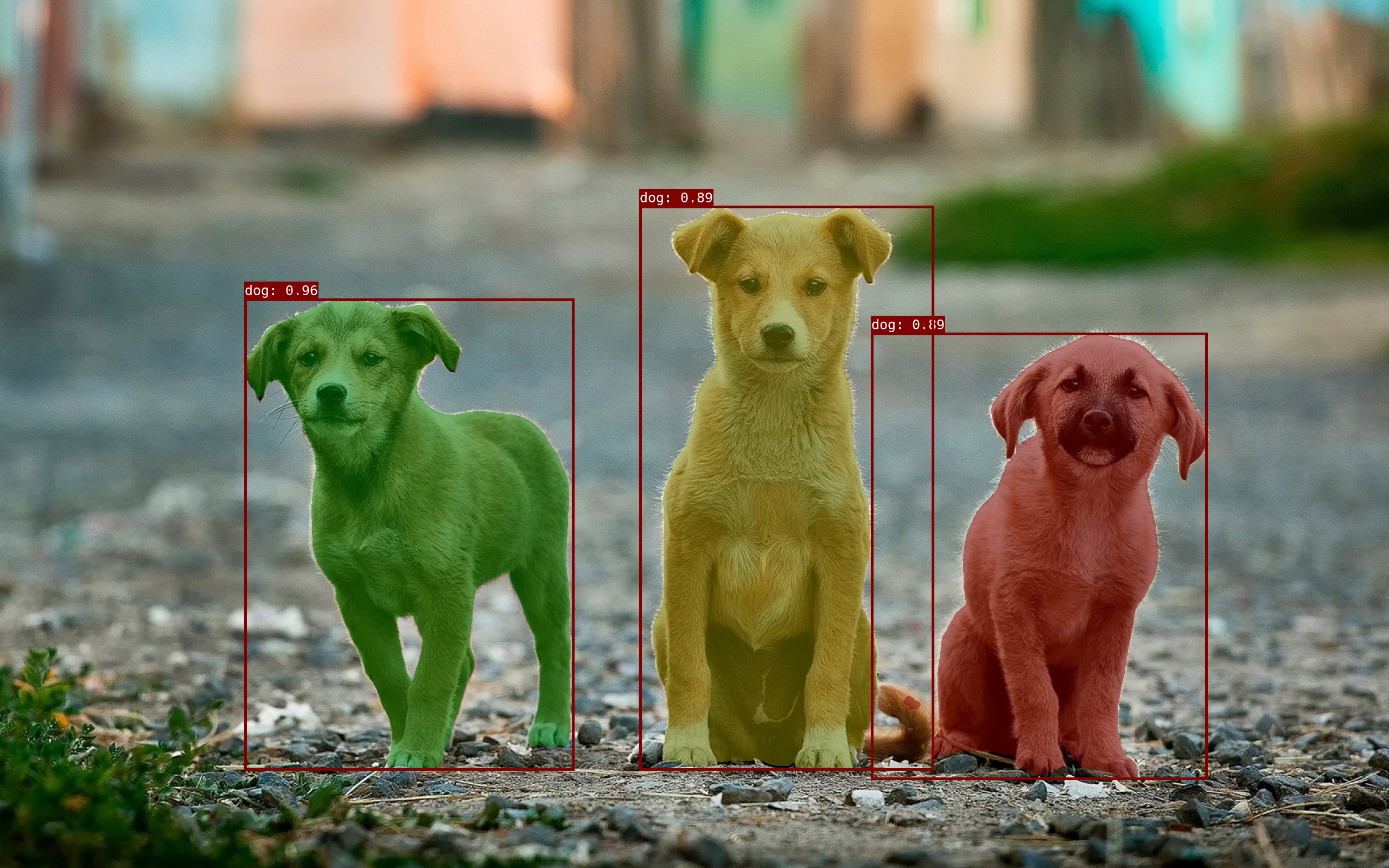
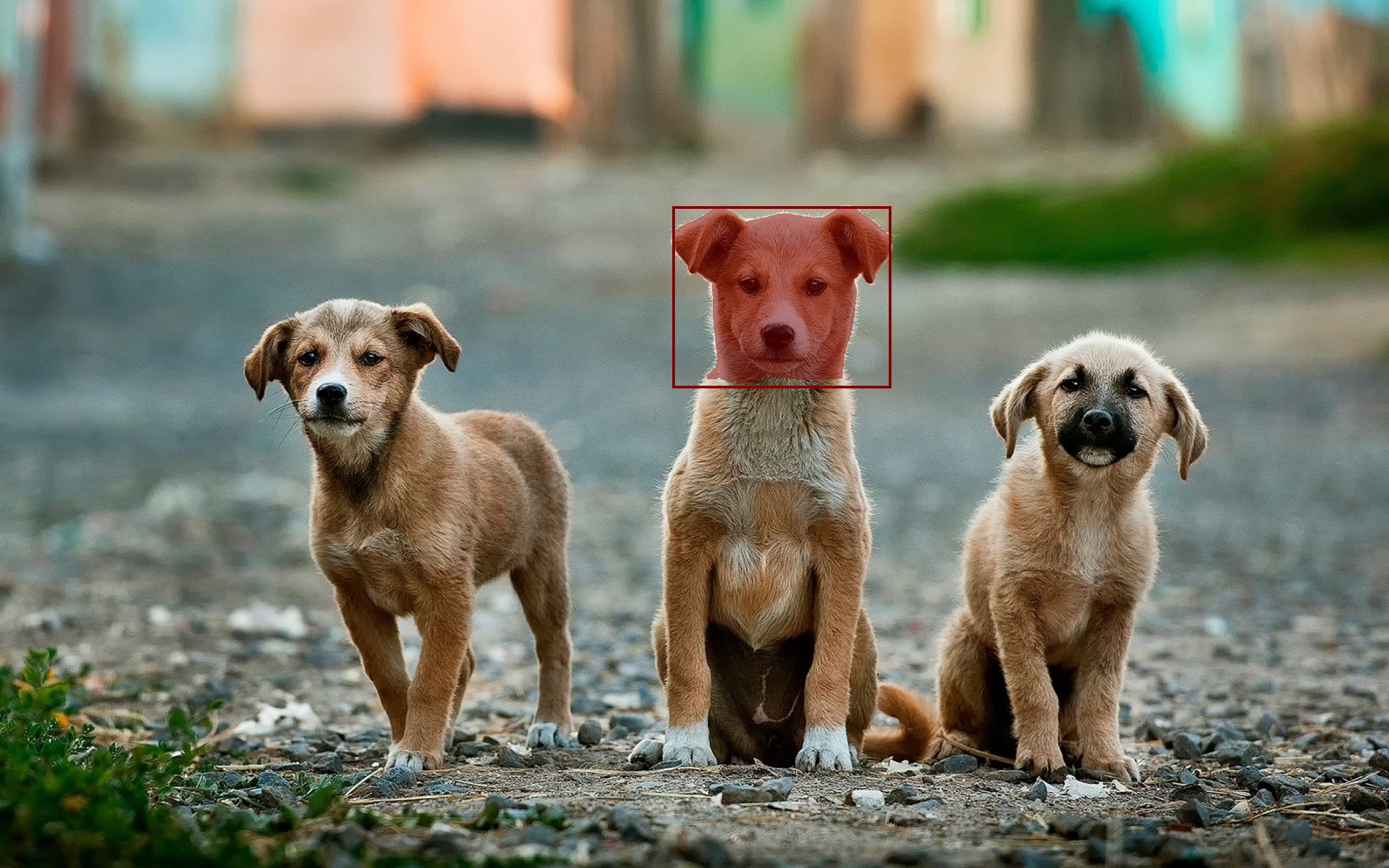
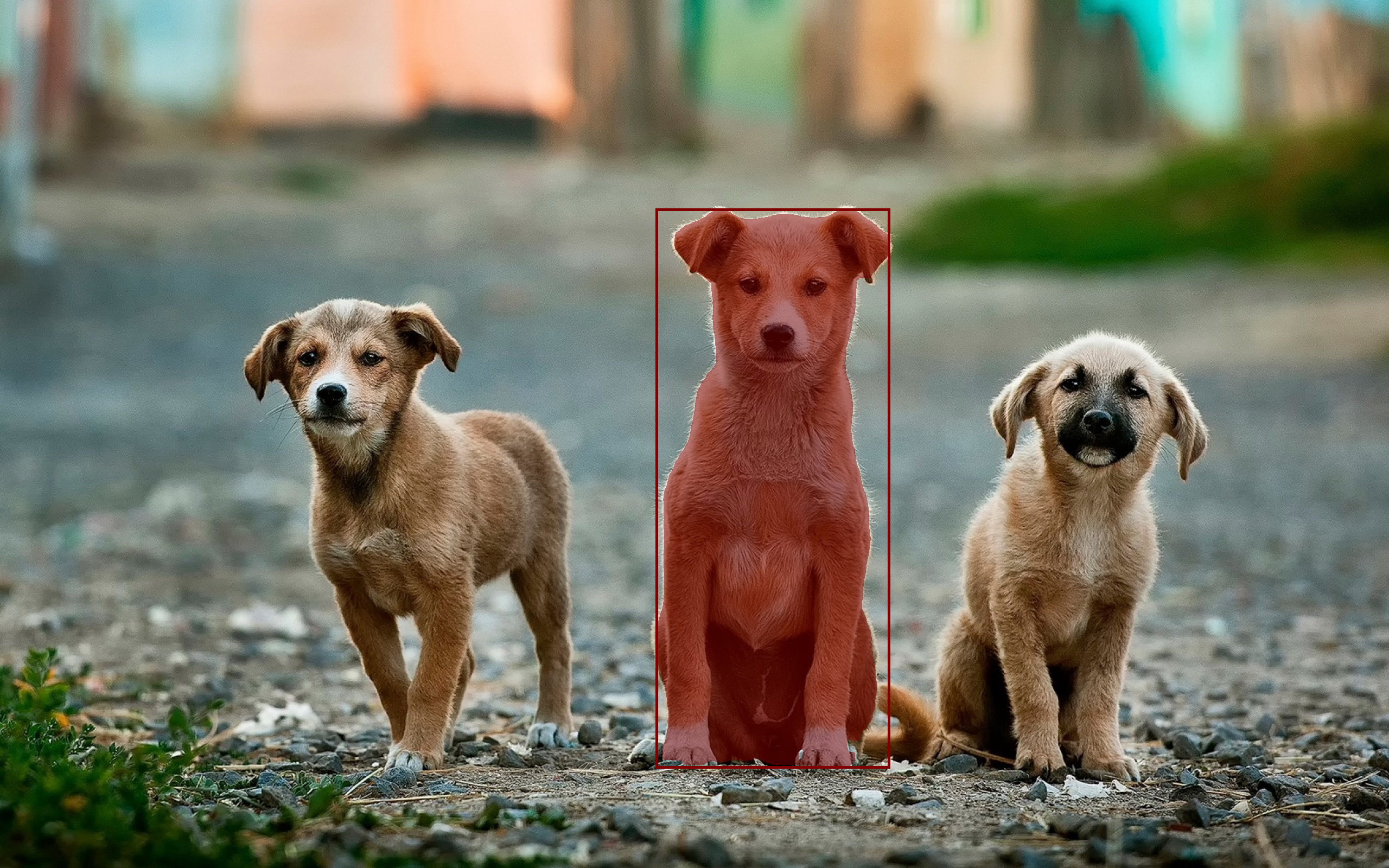
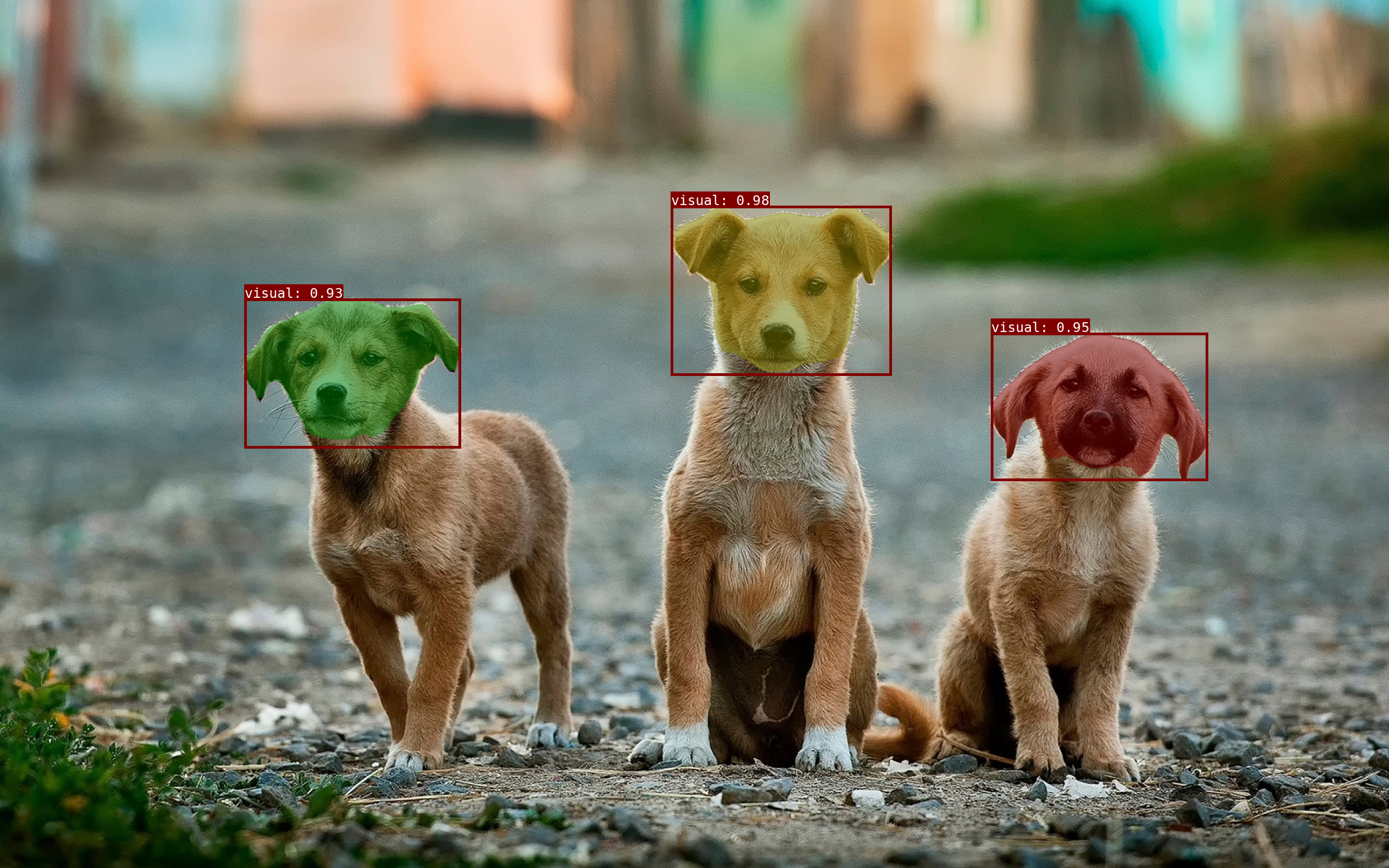
Osam (/oʊˈsɑm/) is a tool to run open-source promptable vision models locally (inspired by Ollama).
Osam provides:
- Promptable Vision Models - Segment Anything Model (SAM), EfficientSAM, YOLO-World;
- Local APIs - CLI & Python & HTTP interface;
- Customization - Host custom vision models.
Installation
Pip
pip install osam
For osam serve:
pip install osam[serve]
Quickstart
To run with EfficientSAM:
osam run efficientsam --image <image_file>
To run with YOLO-World:
osam run yoloworld --image <image_file>
Model library
Here are models that can be downloaded:
| Model | Parameters | Size | Download |
|---|---|---|---|
| SAM 100M | 94M | 100MB | osam run sam:100m |
| SAM 300M | 313M | 310MB | osam run sam:300m |
| SAM 600M | 642M | 630MB | osam run sam |
| SAM2 Tiny | 39M | 150MB | osam run sam2:tiny |
| SAM2 Small | 46M | 170MB | osam run sam2:small |
| SAM2 BasePlus | 82M | 300MB | osam run sam2 |
| SAM2 Large | 227M | 870MB | osam run sam2:large |
| SAM3 | 893M | 3.4GB | osam run sam3 |
| EfficientSAM 10M | 10M | 40MB | osam run efficientsam:10m |
| EfficientSAM 30M | 26M | 100MB | osam run efficientsam |
| YOLO-World XL | 168M | 640MB | osam run yoloworld |
PS. sam, efficientsam is equivalent to sam:latest, efficientsam:latest.
Custom download endpoint
Models are downloaded from their canonical URLs by default. To download from a
mirror instead (for example, in networks where the canonical hosts are blocked),
set OSAM_BLOB_ENDPOINT to a comma-separated list of endpoints tried in order:
# Try the mirror first, then fall back to the canonical host.
export OSAM_BLOB_ENDPOINT="https://mirror.example.com,direct"
Each blob is fetched from <endpoint>/<sha256-hex>; the reserved value direct
uses the model's canonical URL. Downloads are verified by SHA-256 regardless of
the endpoint, so a mirror cannot serve corrupted data. When unset, only direct
is used. Omit direct from the list (for example
OSAM_BLOB_ENDPOINT="https://mirror.example.com") to disable the canonical
fallback and serve every blob from the mirror only.
Usage
CLI
# Run a model with an image
osam run efficientsam --image examples/_images/dogs.jpg > output.png

# Get a JSON output
osam run efficientsam --image examples/_images/dogs.jpg --json
# {"model": "efficientsam", "mask": "..."}

# Give a prompt
# 1. point prompt (background=0, foreground=1)
osam run efficientsam --image examples/_images/dogs.jpg \
  --prompt '{"points": [[1439, 504], [1439, 1289]], "point_labels": [1, 1]}' \
  > efficientsam_point.png
# 2. box prompt with sam2 (lt=2, rb=3)
osam run sam2 --image examples/_images/dogs.jpg \
  --prompt '{"points": [[1233, 376], [1649, 691]], "point_labels": [2, 3]}' \
  > sam2_box.png
# 3. text prompt
osam run sam3 --image examples/_images/dogs.jpg --prompt '{"texts": ["dog"]}' \
  > sam3_text.png
# 4. box prompt with sam3 (lt=2, rb=3)
osam run sam3 --image examples/_images/dogs.jpg \
  --prompt '{"points": [[1233, 376], [1649, 691]], "point_labels": [2, 3]}' \
  > sam3_box.png
Output images: 'efficientsam_point.png', 'sam2_box.png', 'sam3_text.png', 'sam3_box.png'
Python
import numpy as np
from PIL import Image

import osam

image = np.asarray(Image.open("examples/_images/dogs.jpg"))
request = osam.types.GenerateRequest(
    model="efficientsam",
    image=image,
    prompt=osam.types.Prompt(points=[[1439, 504], [1439, 1289]], point_labels=[1, 1]),
)
response = osam.apis.generate(request=request)
annotation = response.annotations[0]
mask = np.zeros(image.shape[:2], dtype=np.bool_)
bbox = annotation.bounding_box
mask[bbox.ymin:bbox.ymax + 1, bbox.xmin:bbox.xmax + 1] = annotation.mask
Image.fromarray(mask).save("mask.png")

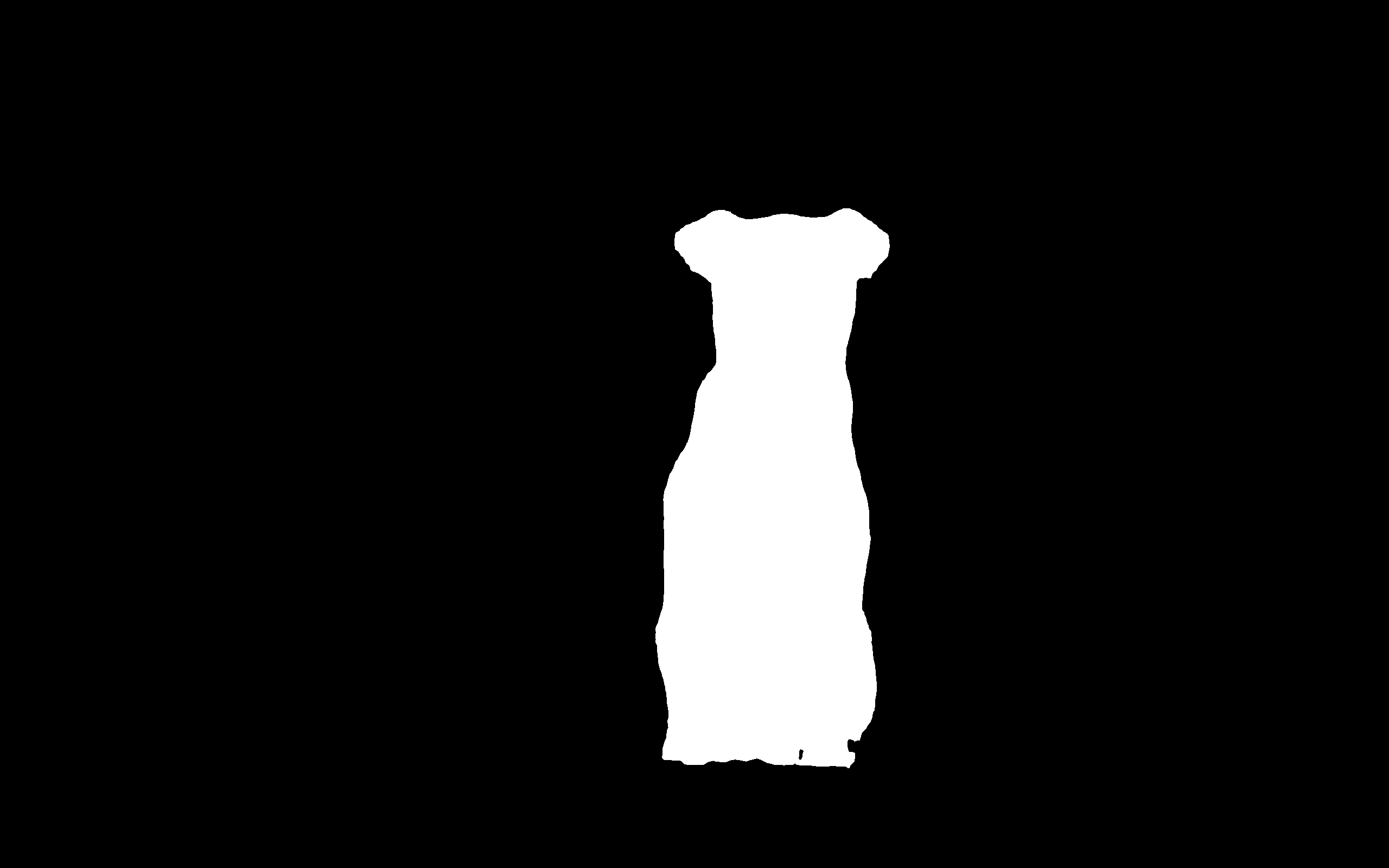
Input and output images ('dogs.jpg', 'mask.png').
HTTP
# pip install osam[serve]  # required for `osam serve`

# Get up the server
osam serve

# POST request
base64 < examples/_images/dogs.jpg \
  | jq -Rs '{model: "efficientsam", image: gsub("\n"; "")}' \
  | curl 127.0.0.1:11368/api/generate -X POST --json @- \
  | jq -r '.annotations[0].mask' | base64 --decode > mask.png
1 maintainer

Download files
Download the file for your platform. If you're not sure which to choose, learn more about installing packages.
Source Distribution
Built Distribution
Filter files by name, interpreter, ABI, and platform.
If you're not sure about the file name format, learn more about wheel file names.
Copy a direct link to the current filters
File details
Details for the file osam-0.6.0.tar.gz.
File metadata
- Download URL: osam-0.6.0.tar.gz
- Upload date:
- Size: 28.3 MB
- Tags: Source
- Uploaded using Trusted Publishing? Yes
- Uploaded via:
twine/7.0.0 CPython/3.13.14
File hashes
| Algorithm | Hash digest | |
|---|---|---|
| SHA256 |
f41e84c3a01e76335de3597830cb261eb9f63bf62cab68accecf1d113b50f0bc
|
|
| MD5 |
f4a9a70a53a3344d5789c7e7a0621367
|
|
| BLAKE2b-256 |
44cf671fb039d3cf516dffb77502ecfc8221dbf16521f6536a8cf4db12daca8b
|
Provenance
The following attestation bundles were made for osam-0.6.0.tar.gz:
Publisher:
publish.yml on wkentaro/osam
-
Statement:
-
Statement type:
https://in-toto.io/Statement/v1 -
Predicate type:
https://docs.pypi.org/attestations/publish/v1 -
Subject name:
osam-0.6.0.tar.gz -
Subject digest:
f41e84c3a01e76335de3597830cb261eb9f63bf62cab68accecf1d113b50f0bc - Sigstore transparency entry: 2544419237
- Sigstore integration time:
-
Permalink:
wkentaro/osam@5f238e0ba1eb8d5d22190183fe9cc9ef2cded3d3 -
Branch / Tag:
refs/tags/v0.6.0 - Owner: https://github.com/wkentaro
-
Access:
public
-
Token Issuer:
https://token.actions.githubusercontent.com -
Runner Environment:
github-hosted -
Publication workflow:
publish.yml@5f238e0ba1eb8d5d22190183fe9cc9ef2cded3d3 -
Trigger Event:
release
-
Statement type:
File details
Details for the file osam-0.6.0-py3-none-any.whl.
File metadata
- Download URL: osam-0.6.0-py3-none-any.whl
- Upload date:
- Size: 2.2 MB
- Tags: Python 3
- Uploaded using Trusted Publishing? Yes
- Uploaded via:
twine/7.0.0 CPython/3.13.14
File hashes
| Algorithm | Hash digest | |
|---|---|---|
| SHA256 |
4a4b6fc0e05ae4d6daa7da72e88004463ffd118b294a95eef422edb340d26f9c
|
|
| MD5 |
93ac97a2c24c66be19797d0554adbc61
|
|
| BLAKE2b-256 |
f11f7f405a4a66aa1440ef3eb019ce7207ecccfe293d413ff019eedc1bcc4ae0
|
Provenance
The following attestation bundles were made for osam-0.6.0-py3-none-any.whl:
Publisher:
publish.yml on wkentaro/osam
-
Statement:
-
Statement type:
https://in-toto.io/Statement/v1 -
Predicate type:
https://docs.pypi.org/attestations/publish/v1 -
Subject name:
osam-0.6.0-py3-none-any.whl -
Subject digest:
4a4b6fc0e05ae4d6daa7da72e88004463ffd118b294a95eef422edb340d26f9c - Sigstore transparency entry: 2544420083
- Sigstore integration time:
-
Permalink:
wkentaro/osam@5f238e0ba1eb8d5d22190183fe9cc9ef2cded3d3 -
Branch / Tag:
refs/tags/v0.6.0 - Owner: https://github.com/wkentaro
-
Access:
public
-
Token Issuer:
https://token.actions.githubusercontent.com -
Runner Environment:
github-hosted -
Publication workflow:
publish.yml@5f238e0ba1eb8d5d22190183fe9cc9ef2cded3d3 -
Trigger Event:
release
-
Statement type:







