
OSHit -- Get your hit of the Orange Site in the terminal
Introduction
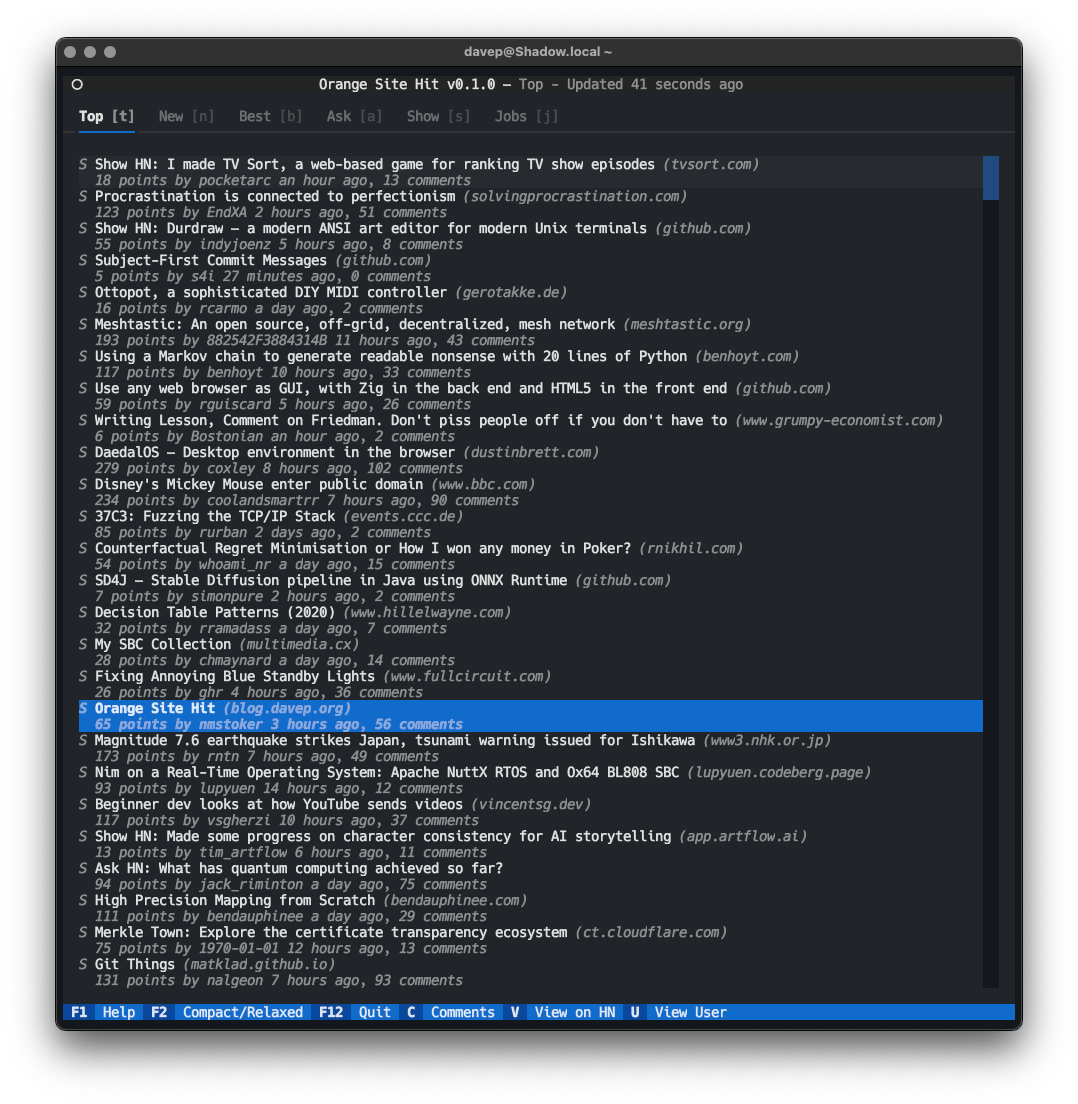
OSHit is a read-only terminal-based client for HackerNews. It provides the ability to view all the top/recent items in the major categories, as well as allowing viewing comments and user details. Where relevant, bindings are always available to open the relevant view on HackerNews itself in your web browser.
Please note that this client isn't designed to allow reading any and all stories on HackerNews, it's about reading what's current "hot" or new, within the categories provided by their API.
Installing
pipx
The package can be installed using pipx:
$ pipx install oshit
Homebrew
The package can be installed using Homebrew. Use the following commands to install:
$ brew tap davep/homebrew
$ brew install oshit
Running
Once installed run the oshit command.
Main features
When run up the opening display is a list of items, the initial list being the current top stories and jobs on HackerNews. Other lists available, via shortcut keys or via tabs at the top of the screen, are "New", "Best", "Ask", "Show" and "Jobs".
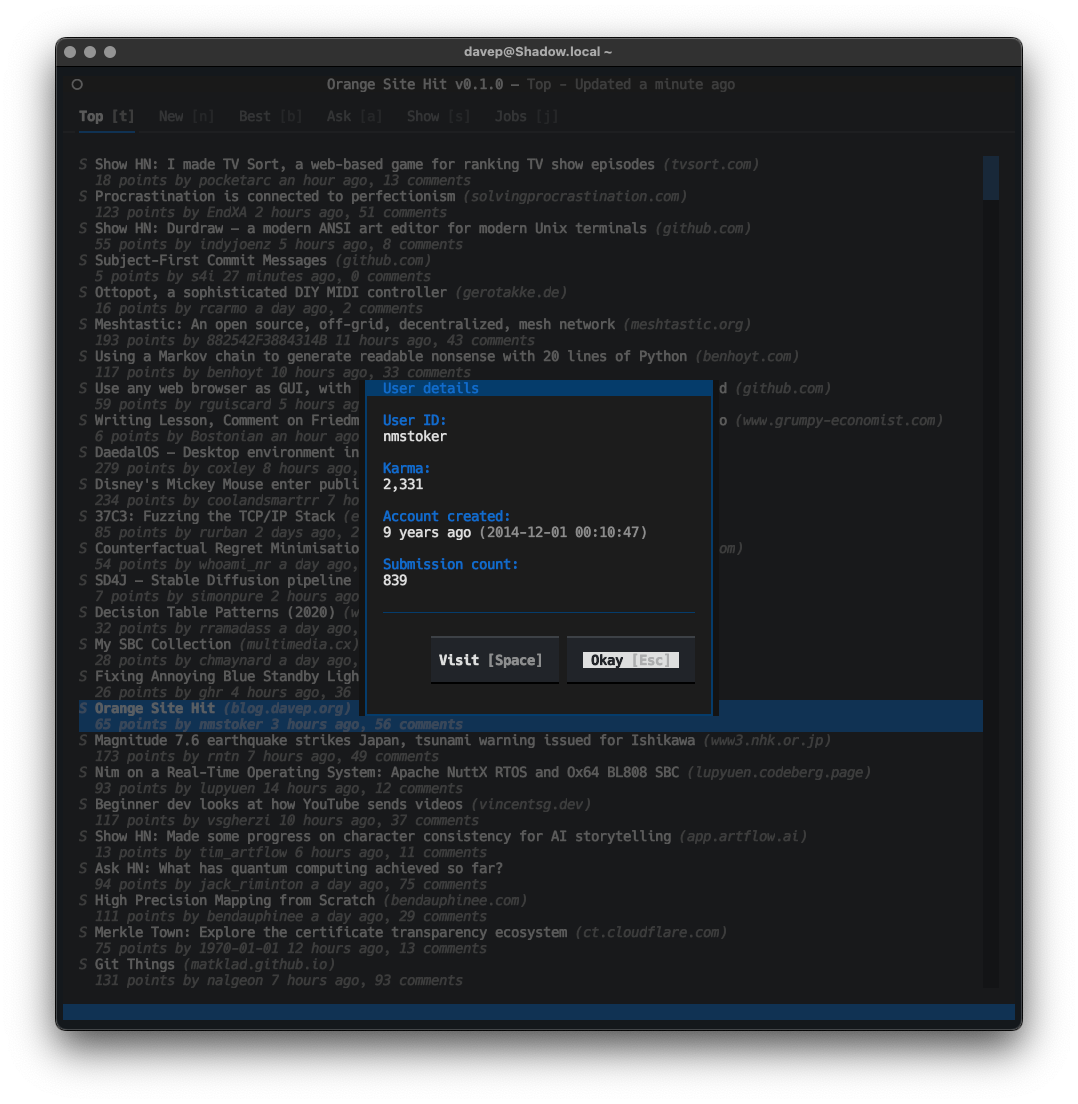
Pressing u when viewing a job or a comment will open a dialog that shows the details of the user who posted the item.
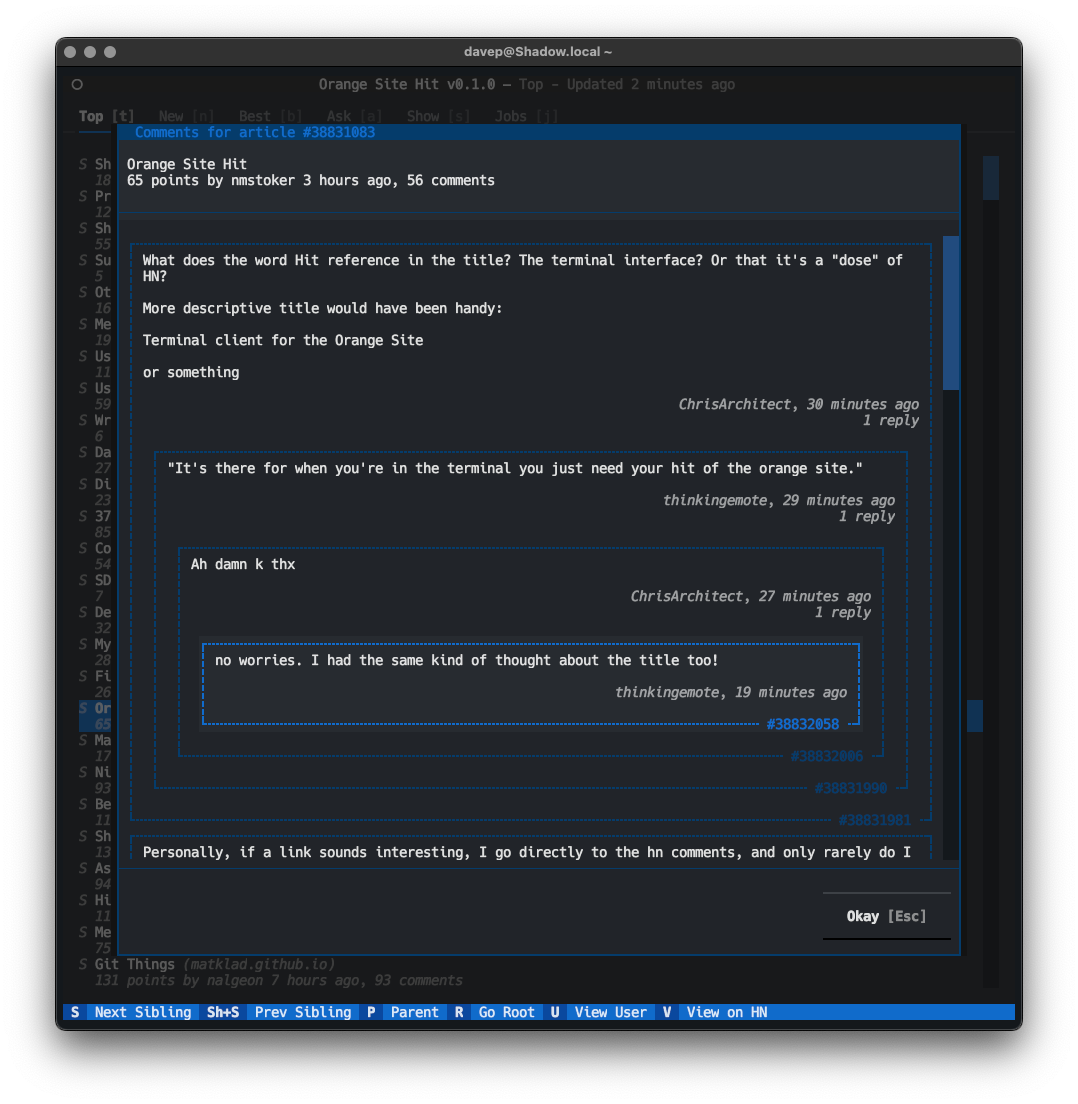
When viewing a story or job and pressing c a dialog will open that will let you view and navigate its comments.
Tweaking
Because of the nature of the HackerNews API there might be a need for you to dial in the ideal number of concurrent connections made to load up the data, and also the timeout for the connections. As of the time of writing the defaults are 50 concurrent connections and a timeout of 20 seconds.
If you run into problems press F11 and tweak the maximum
concurrency and connection timeout values to taste (or look in
~/.config/oshit/configuration.json and change the "maximum_concurrency"
and "connection_timeout" values).
Getting help
If you need help, or have any ideas, please feel free to raise an issue or start a discussion.
TODO
Things I'm considering adding or addressing:
- Chill out on item loading (see #2)
- Add a configuration dialog for the connection value tweaks.
- Some degree of caching of items to reduce API hits.
- Expand the text-cleaning code to handle links, etc.
- Look at some "markup" of comments, eg: make quoted text more obvious.
- Add searching
- Amongst the current view
- Amongst loaded comments within comment view
- All of history (
hn.algolia.com)
1 maintainer

Metadata
1 maintainer
Release files for oshit 1.0.0
For a detailed explanation of source distributions (sdists) and built distributions (wheels), please see the package formats documentation.
Source distribution (sdist)
| File | Size | Uploaded | |
|---|---|---|---|
| oshit-1.0.0.tar.gz | 834.8 kB | Details |
Built distribution (wheel)
| File | Interpreter | ABI | Platform | Reset |
|---|---|---|---|---|
| oshit-1.0.0-py3-none-any.whl | Python 3 | none | any | Details |
Total release size: 883.7 kB
Release files / oshit-1.0.0.tar.gz
| Download URL | oshit-1.0.0.tar.gz |
|---|---|
| Size | 834.8 kB |
| Tags | Source |
|
SHA-256 checksum How to use checksums |
fcb7ca147345a92a99592dae31dfbd420364156297723566b5277660c9c684a3
|
|
BLAKE2b-256 checksum How to use checksums |
cdeb9e6860e0ce6b29fc0e2dac02e9a9b6012f06d840cf6d37e9ebd158e8553c
|
| Upload date | |
|
Uploaded using Trusted Publishing? What is trusted publishing? |
No |
| Uploaded via |
twine/5.1.1 CPython/3.13.1
|
Release files / oshit-1.0.0-py3-none-any.whl
| Download URL | oshit-1.0.0-py3-none-any.whl |
|---|---|
| Size | 48.9 kB |
| Tags | Python 3 |
|
SHA-256 checksum How to use checksums |
af38a569d500fe614c38a34a9a58fa314df6662b115f7a9ac1be9fb981449276
|
|
BLAKE2b-256 checksum How to use checksums |
bab7e42be2ff9f842f4f23653f5e6328dbbd23ca7ce62c7da8909aa2760aca0a
|
| Upload date | |
|
Uploaded using Trusted Publishing? What is trusted publishing? |
No |
| Uploaded via |
twine/5.1.1 CPython/3.13.1
|














