
osilic: OSI License CLI & Python Package
osilic is a Python package and command-line tool for listing, searching, and viewing details of OSI Approved Licenses® using the official OSI API.
Features
- List all OSI Approved Licenses®
- View details for a specific license by SPDX ID
- Search licenses by name
- Automatic suggestions for similar licenses if a license is not found
- Usable as a standalone CLI or as a Python package
- Filter licenses by keywords
- Auto suggest available keywords upon entering wrong keyword filters
- Filter licenses by stewards
- Auto suggest available licenses upon entering wrong stewards filters
Installation
From Pypi index
pip install osilic
Using pip (editable mode for development)
pip install -e .
Or with uv:
uv pip install -e .
Requirements
- Python 3.8+
requestsandtabulatePython packages
Usage
CLI
After installation, use the osilic command:
-
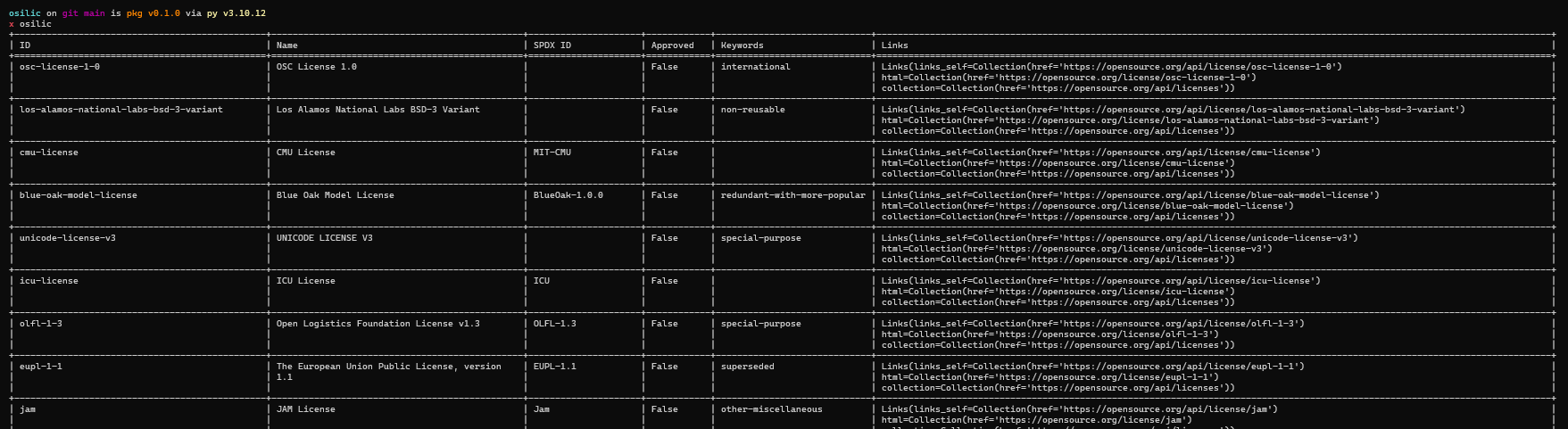
List all licenses:
osilic
-
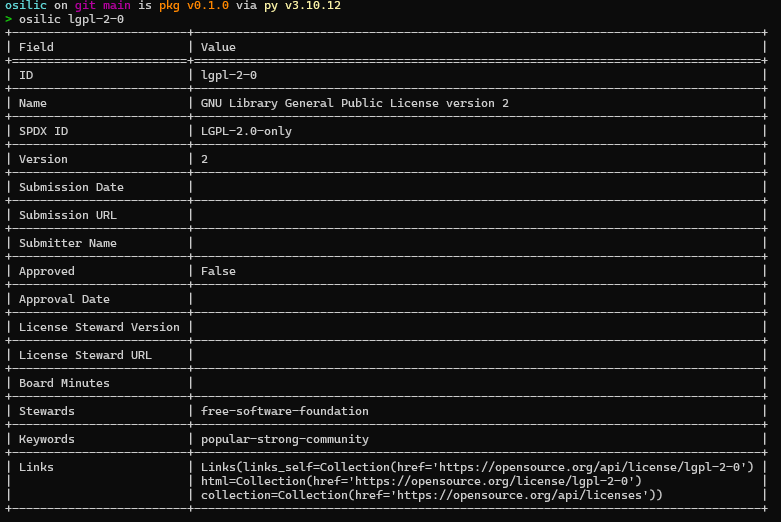
Show details for a license by SPDX ID:
osilic gpl-2-0 -
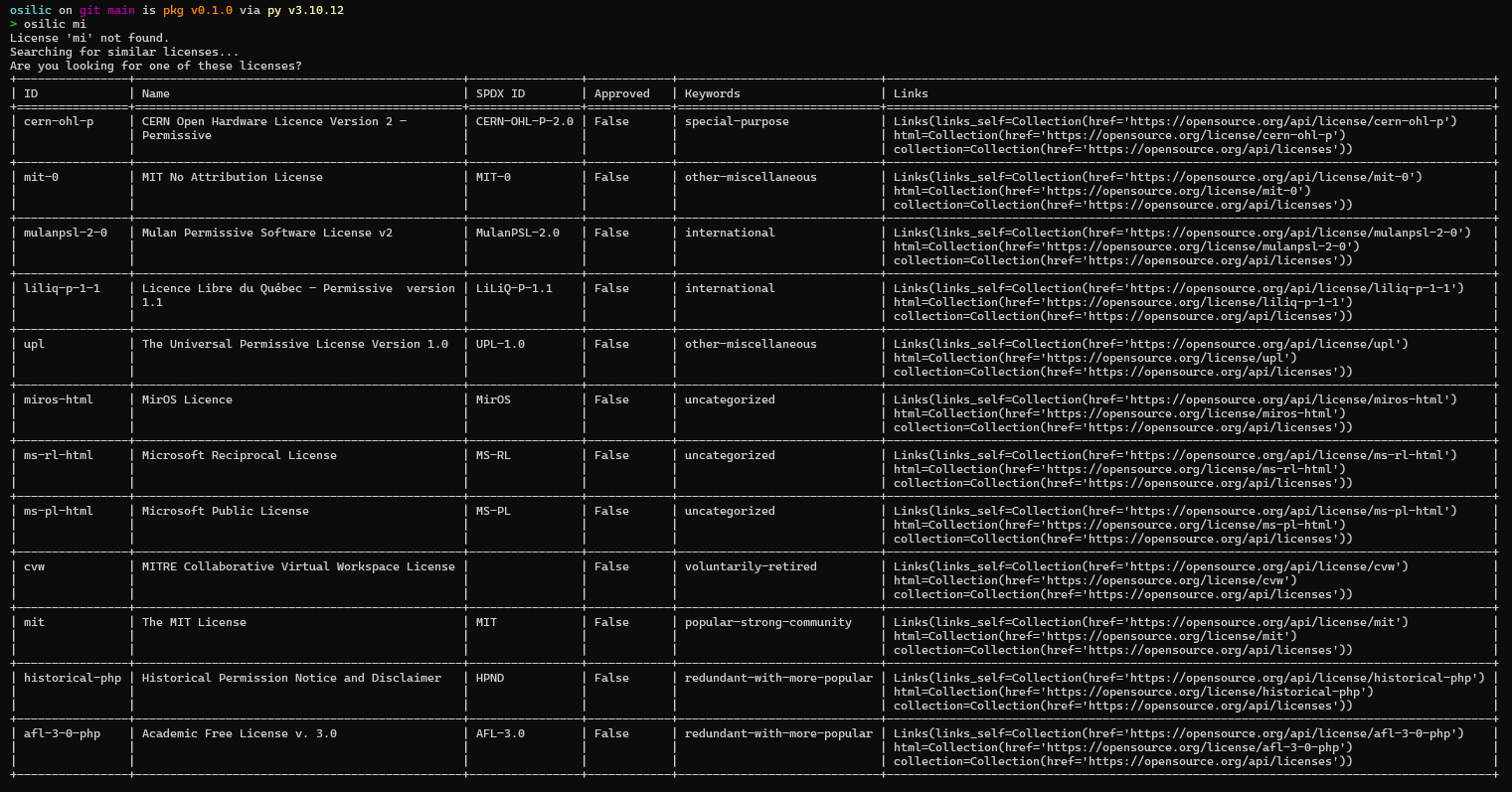
Search licenses by name (-s):
osilic -s mit
-
If a license is not found, the CLI will suggest similar licenses automatically.
-
Filter licenses by steward (-w):
osilic -w zope-foundation
-
If a license is not found, the CLI will suggest list of stewards to use automatically.
-
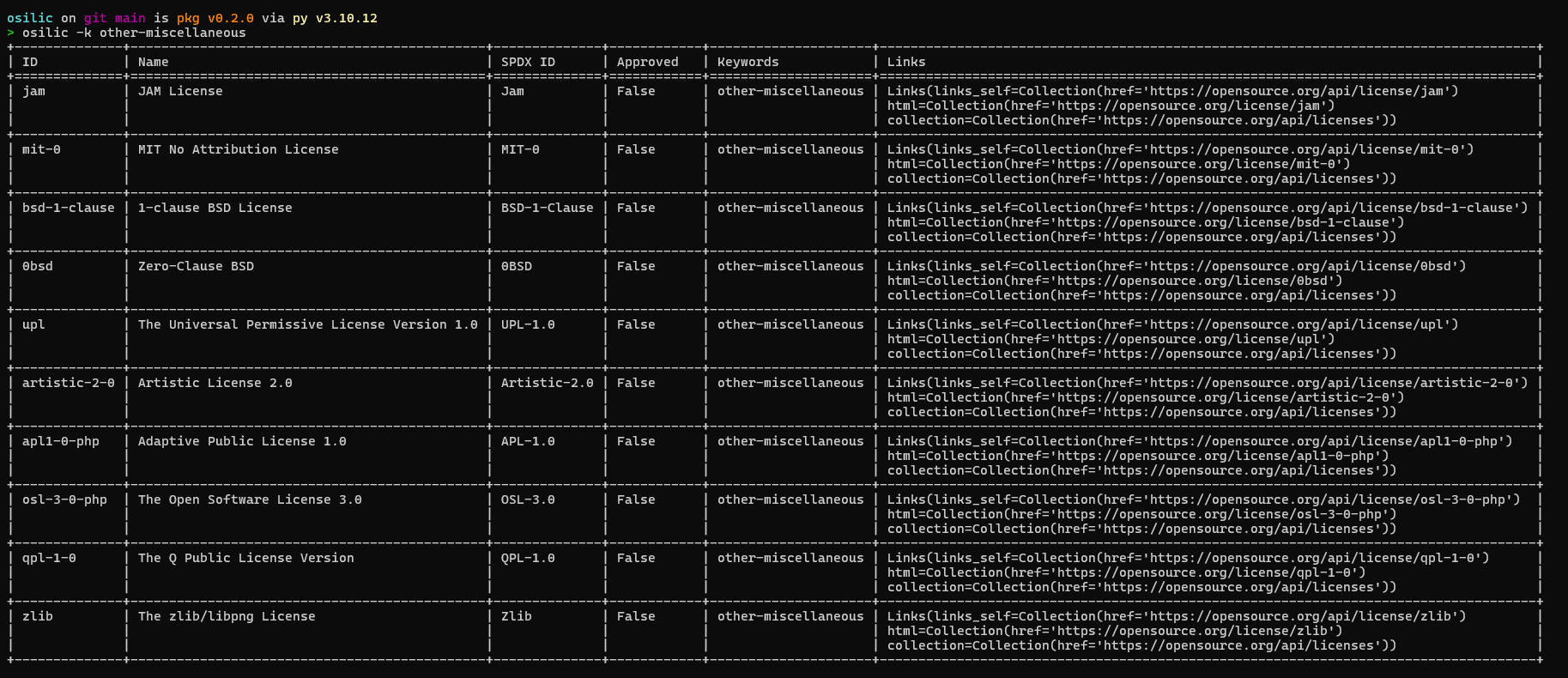
Filter licenses by keyword (-k):
osilic -k other-miscellaneous
-
If a license is not found, the CLI will suggest list of keywords to use automatically.




As a Python Package
You can also use OLC in your own Python code:
from olc.model import license_from_dict, print_licenses_table, print_license_details_table
import requests

resp = requests.get("https://opensource.org/api/license")
licenses = license_from_dict(resp.json())
print_licenses_table(licenses)
API Reference
- List all licenses:
https://opensource.org/api/license - License details:
https://opensource.org/api/license/{spdx-id} - Search licenses:
https://opensource.org/api/license?name={search_key} - Filter licenses by keywords:
https://opensource.org/api/license?keyword={filter_keyword} - Filter licenses by stewards:
https://opensource.org/api/license?steward={filter_steward_key}
Reference & Further Reading
- Official OSI API Blog Post: Introducing the New API for OSI Approved Licenses
- For more information on OSI licenses, visit opensource.org.
Development
- Source code: GitHub
- Discusstion: OSI discussion
- Issues and contributions welcome!
License
This project is licensed under the Creative Commons Attribution-ShareAlike 3.0 Unported (CC BY-SA 3.0) License.
Copyright © 2025 Dinesh R
See LICENSE for details.
Author
- Dinesh R
Changelog
See CHANGELOG.md for a list of all commits and changes.
For more information on OSI licenses, visit opensource.org.
1 maintainer

Metadata
1 maintainer
Release files for osilic 0.2.2
For a detailed explanation of source distributions (sdists) and built distributions (wheels), please see the package formats documentation.
Source distribution (sdist)
| File | Size | Uploaded | Provenance | Actions |
|---|---|---|---|---|
| osilic-0.2.2.tar.gz | 389.0 kB | Without provenance | Details for osilic-0.2.2.tar.gz |
Built distribution (wheel)
| File | Interpreter | ABI | Platform | Actions Reset |
|---|---|---|---|---|
| osilic-0.2.2-py3-none-any.whl | Python 3 | none | any | Details for osilic-0.2.2-py3-none-any.whl |
Total release size: 395.8 kB
Release files / osilic-0.2.2.tar.gz
| Download URL | osilic-0.2.2.tar.gz |
|---|---|
| Size | 389.0 kB |
| Tags | Source |
|
SHA-256 checksum How to use checksums |
cabfc92d0bd57cdf371cce3c07acc9950aff4b117eaed7161191c676a078a3ca
|
|
BLAKE2b-256 checksum How to use checksums |
dba6d6499d63bf9f0e4b0df4c7e6120967aeff61c9b193bb6e5150c027877a13
|
| Upload date | |
|
Uploaded using Trusted Publishing? What is trusted publishing? |
No |
| Uploaded via |
uv/0.7.15
|
Release files / osilic-0.2.2-py3-none-any.whl
| Download URL | osilic-0.2.2-py3-none-any.whl |
|---|---|
| Size | 6.8 kB |
| Tags | Python 3 |
|
SHA-256 checksum How to use checksums |
b3a1662eee337c6f088eec5f1823dc35227dc756203d7d7a9038390c6f19f8ed
|
|
BLAKE2b-256 checksum How to use checksums |
e6b22c08a80679b27bba280e06c4421994d86ebf569dcf5179ce06a7f1d419f8
|
| Upload date | |
|
Uploaded using Trusted Publishing? What is trusted publishing? |
No |
| Uploaded via |
uv/0.7.15
|
Security for osilic 0.2.2
Provenance
Provenance describes where a file came from. On PyPI, provenance is shared via attestations, which provide a verifiable record of the build or publishing details. View details, limitations and caveats.
No provenance found
None of the files in this release were uploaded with provenance metadata.
A note on package security
PyPI is a repository for distributing packages, not a service for auditing them. While third-party security researchers and our staff do their best to detect and remove malicious packages, PyPI cannot guarantee the quality, security or suitability of any given package.
To learn more about protecting yourself from malicious actors, visit our package security documentation.














