

OsinterAI
AI-powered OSINT terminal tool · Yapay zekâ destekli OSINT terminal aracı
Domain WHOIS/RDAP · DNS · subdomains · IP/ASN · global reachability · username & e-mail checks · ethical AI investigation agent





Website · GitHub · PyPI · License · Türkçe
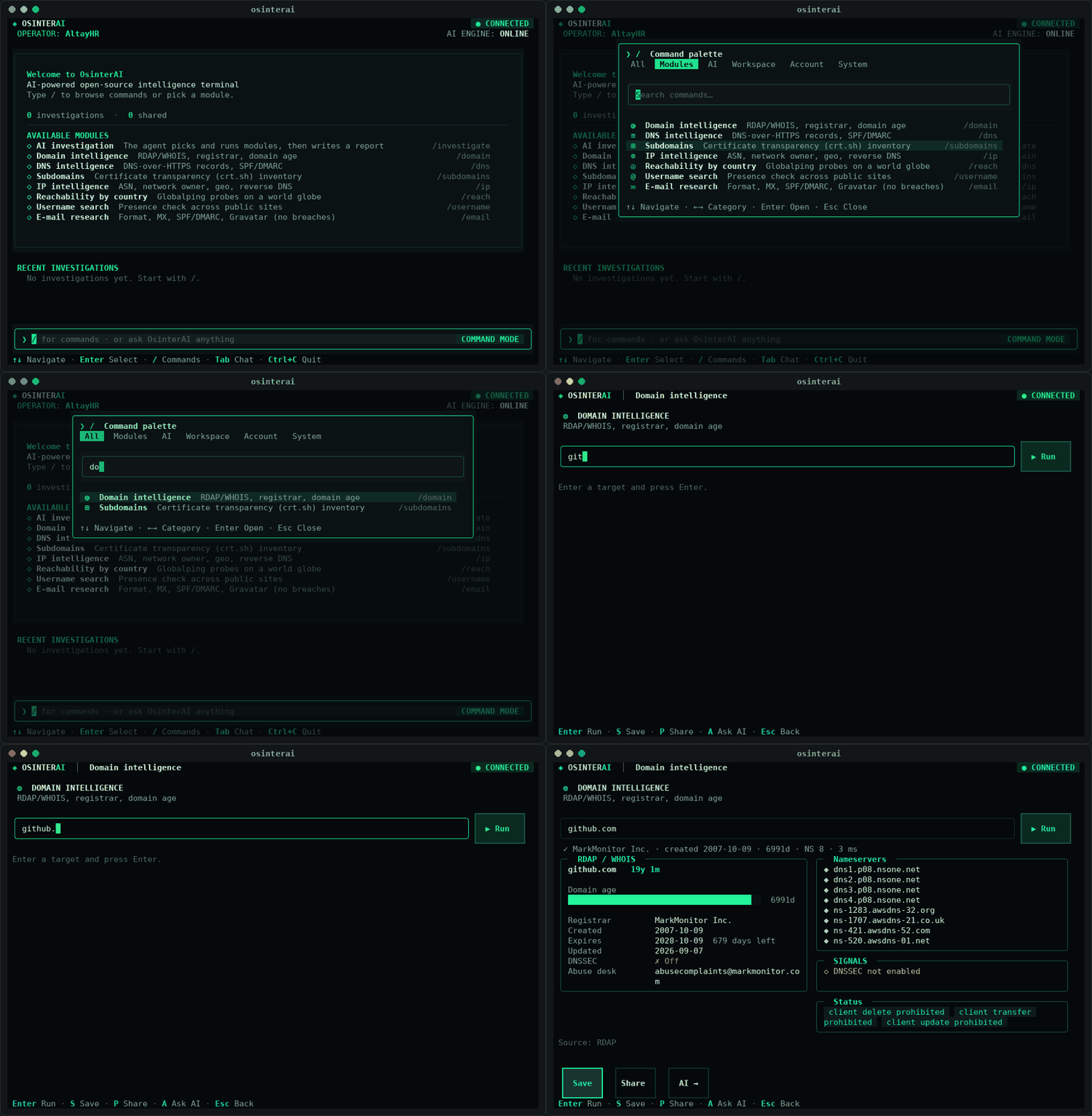
Install
pip install osinterai
osinterai
| Platform | Command |
|---|---|
| Linux | python3 -m pip install --user osinterai (or pipx install osinterai) |
| macOS | brew install python → python3 -m pip install osinterai (or pipx install osinterai) |
| Windows | py -m pip install osinterai → run osinterai in Windows Terminal |
| Android · Termux | pkg update && pkg install python → pip install osinterai → osinterai |
Requirements: Python ≥ 3.9 and a terminal with 256 colours (truecolour recommended). No API keys, no compiler: OsinterAI installs as a pure-Python wheel everywhere and as a compiled wheel where one is available.
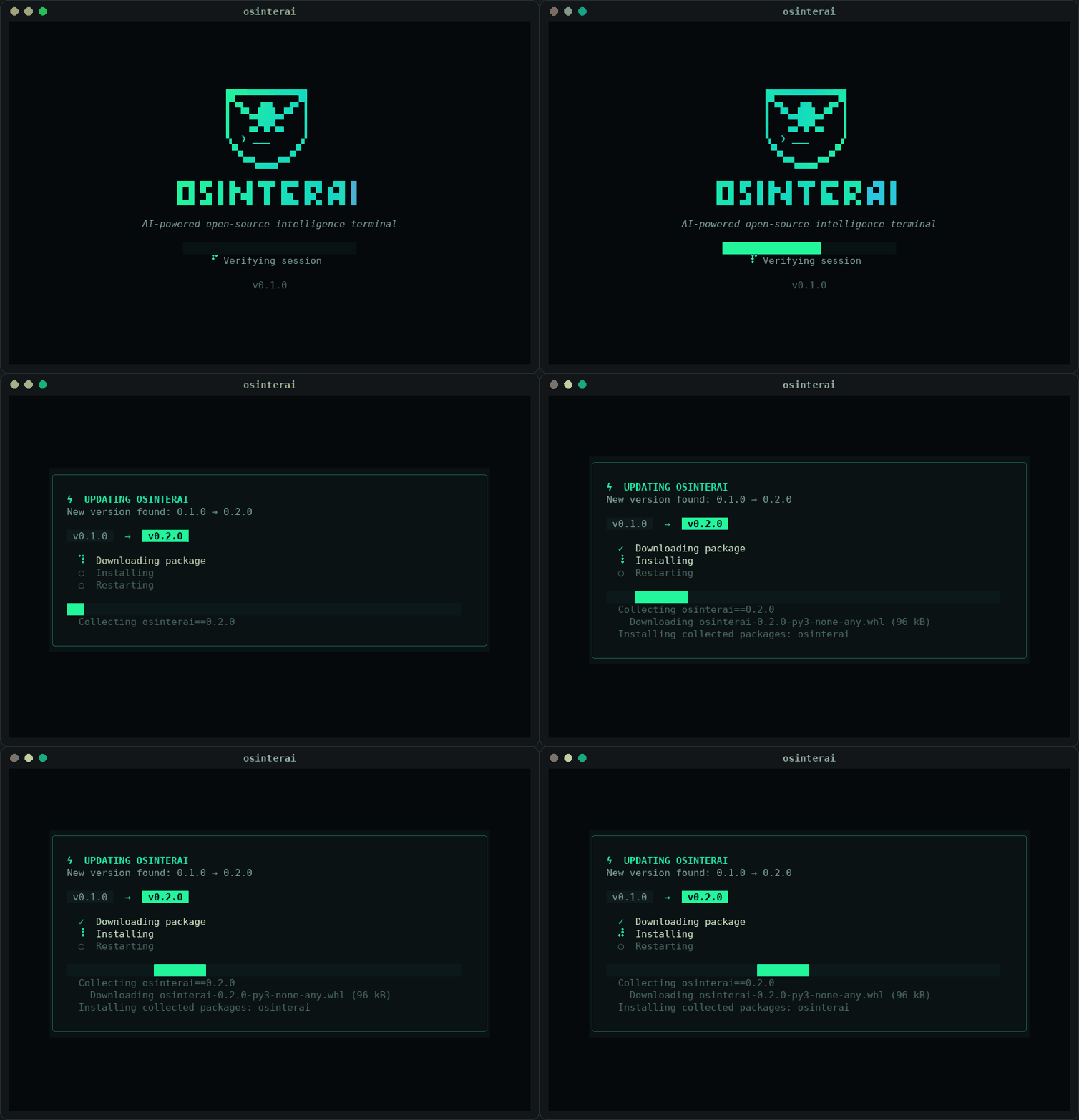
Updates are automatic. On start OsinterAI asks PyPI for a newer release, shows an Updating screen, runs
pip install --upgrade (or pipx upgrade) and restarts itself. Opt out in Settings → Auto-update or with
OSINTERAI_NO_AUTOUPDATE=1.
Features
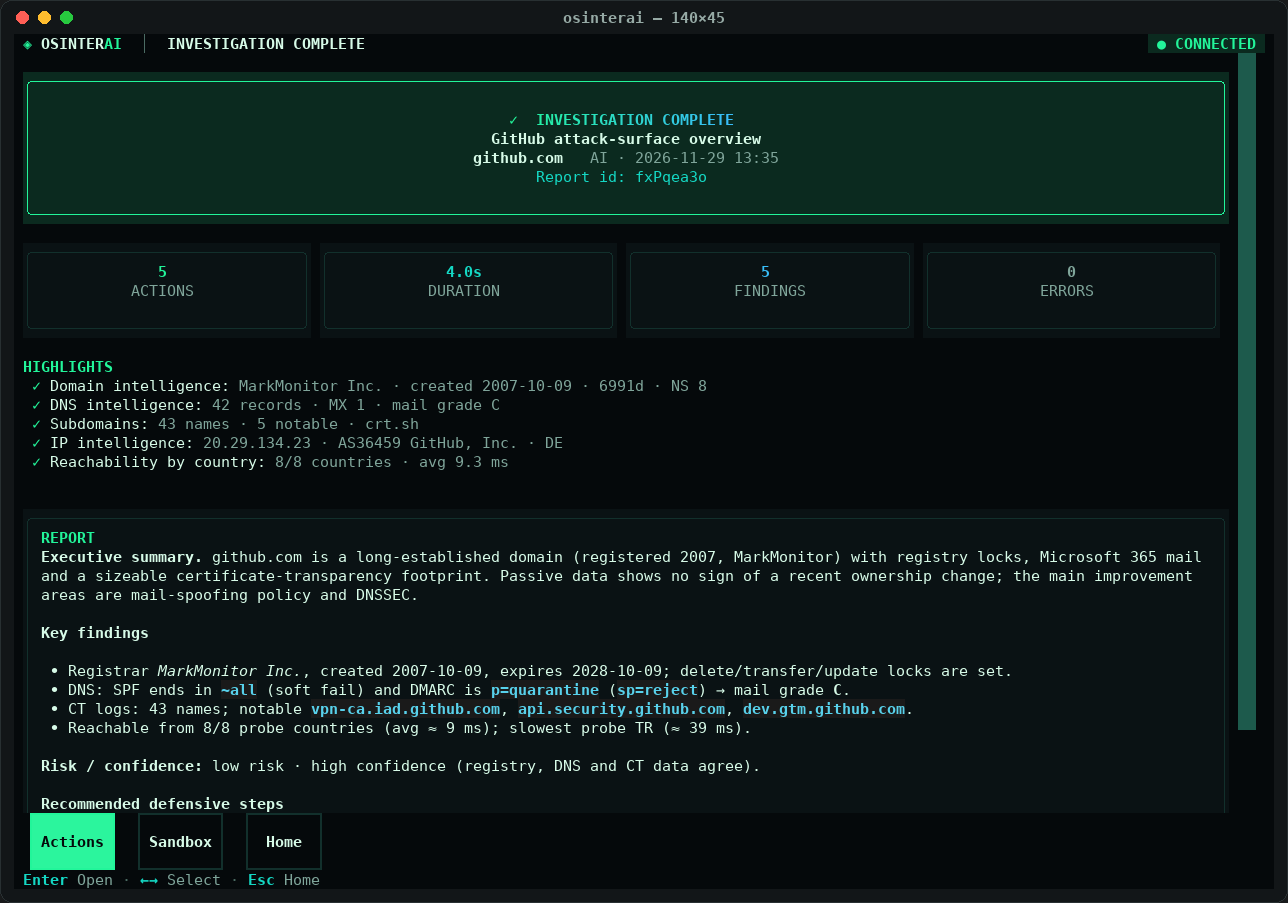
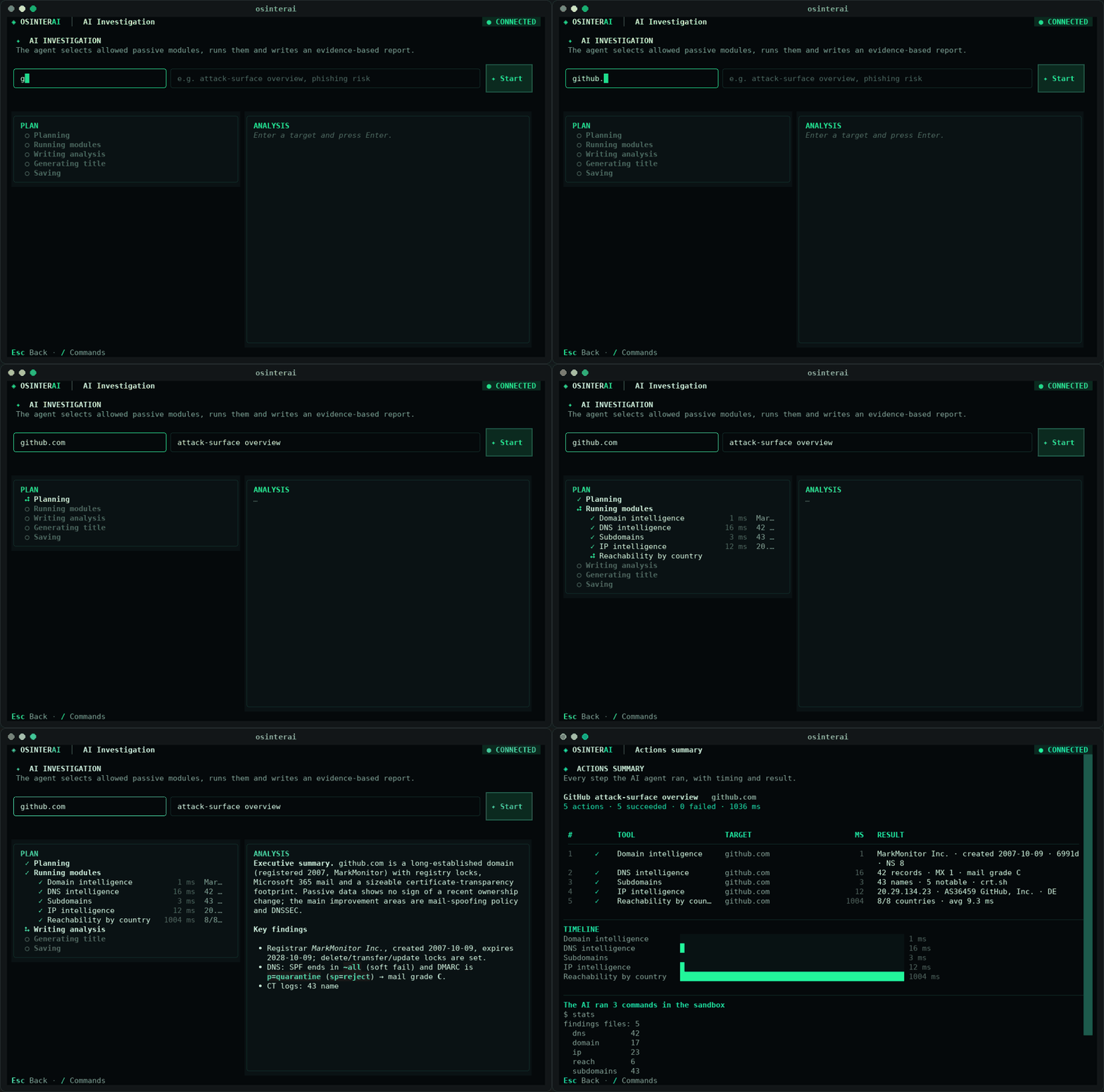
- AI investigation agent — give a target (domain, IP, e-mail or username) and a goal; the agent picks tools from an allow-list, runs them concurrently, streams an evidence-based report and generates a title for your history.
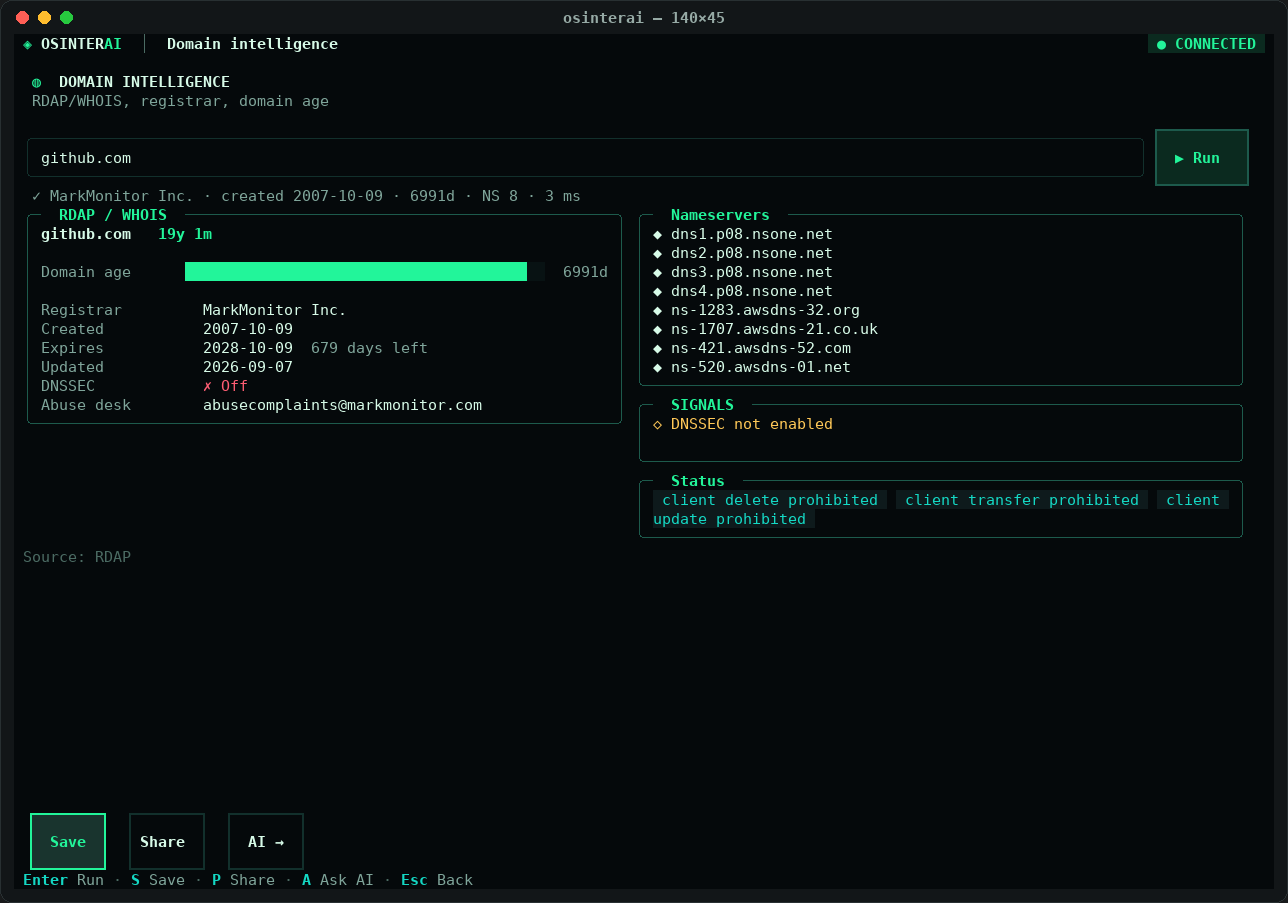
- Domain intelligence — RDAP (the structured successor of WHOIS): registrar, creation/expiry, domain age, registry locks, DNSSEC, nameservers and risk signals (very young domain, expiring, no transfer lock).
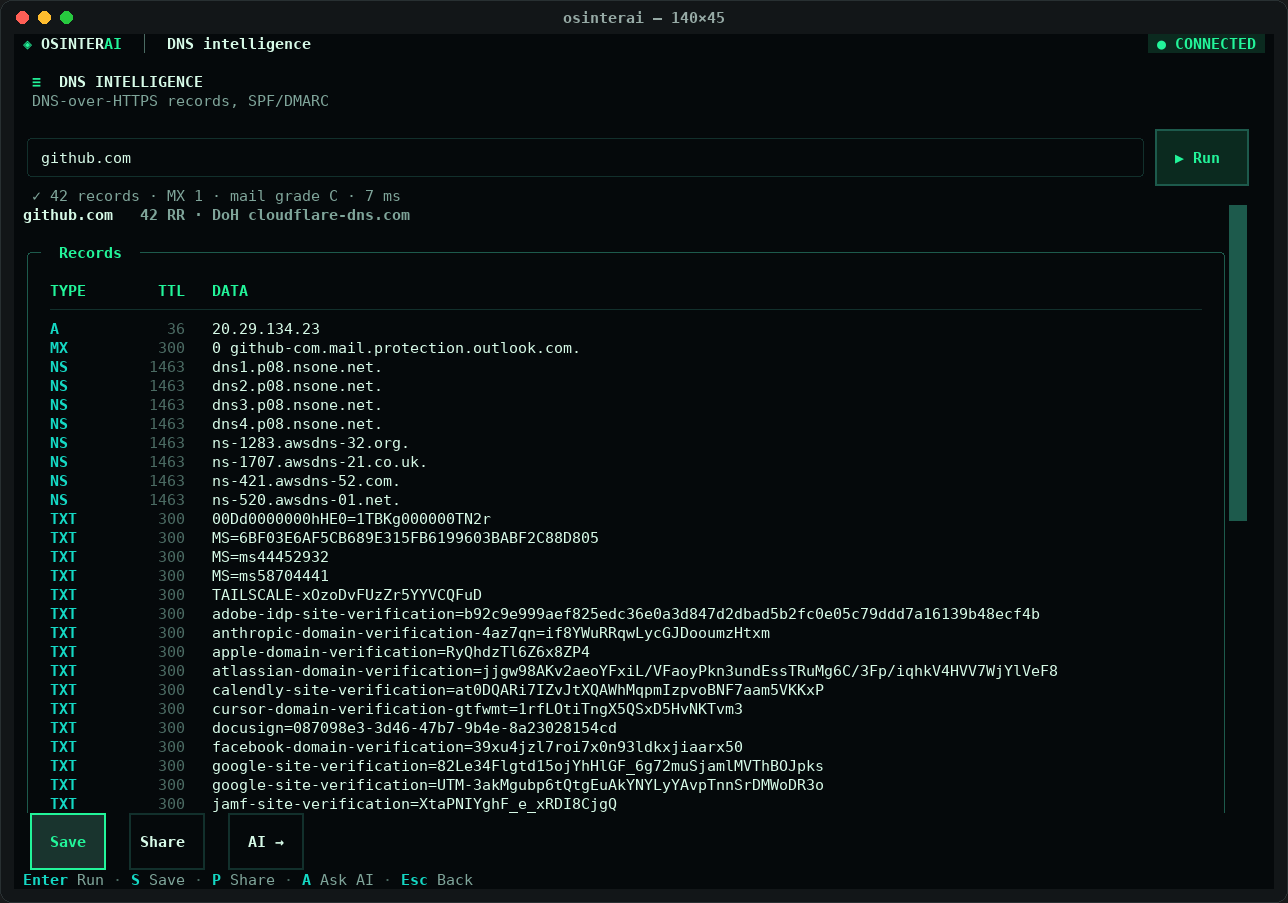
- DNS intelligence — A/AAAA/CNAME/MX/NS/TXT/SOA/CAA over DNS-over-HTTPS (1.1.1.1, Google fallback) with SPF / DMARC parsing and an e-mail spoofing grade.
- Subdomains — passive inventory from certificate transparency (crt.sh, CertSpotter fallback), notable hosts, label statistics and live filter.
- IP / ASN / geo — network owner, ASN, prefix (RDAP), reverse DNS and an approximate location on a terminal globe.
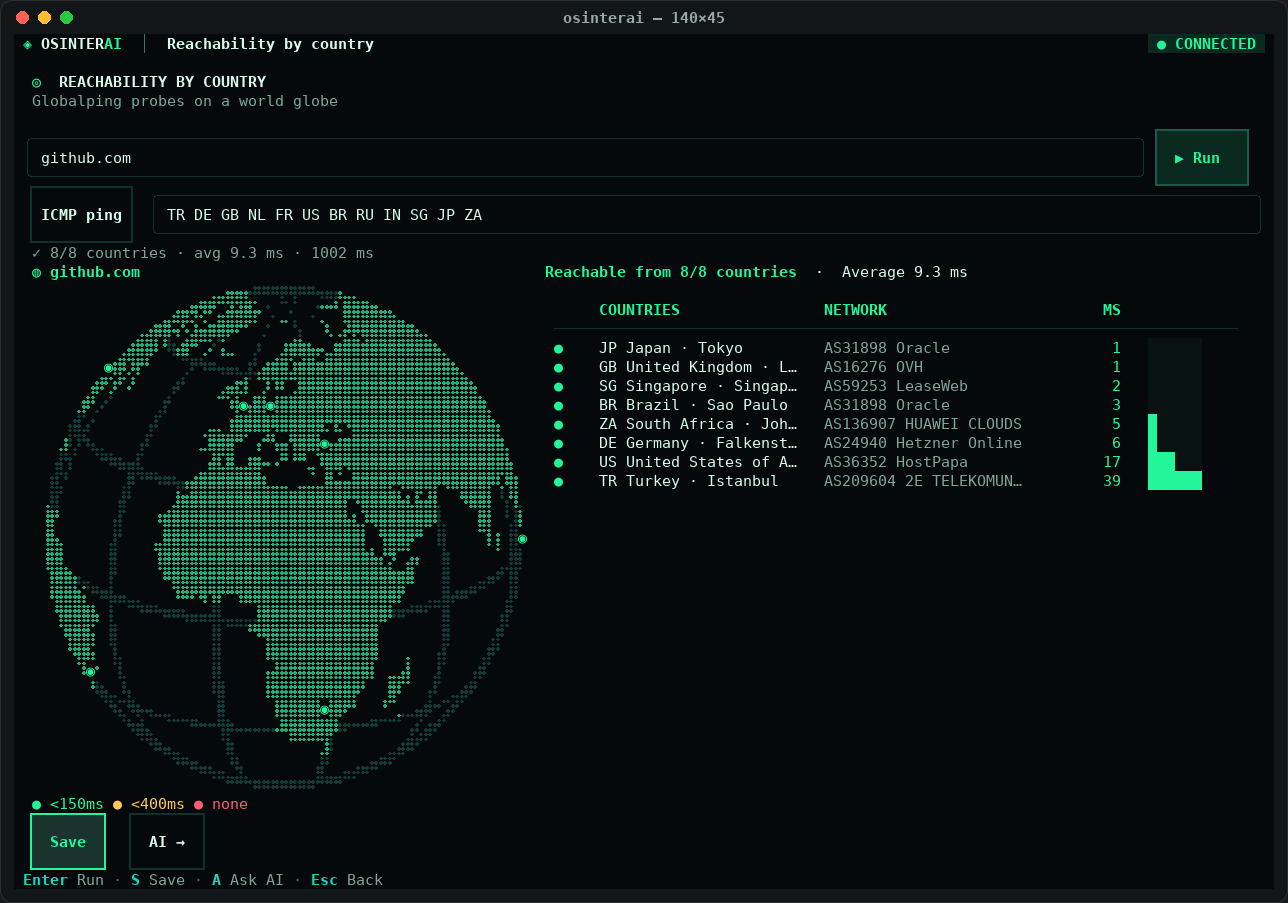
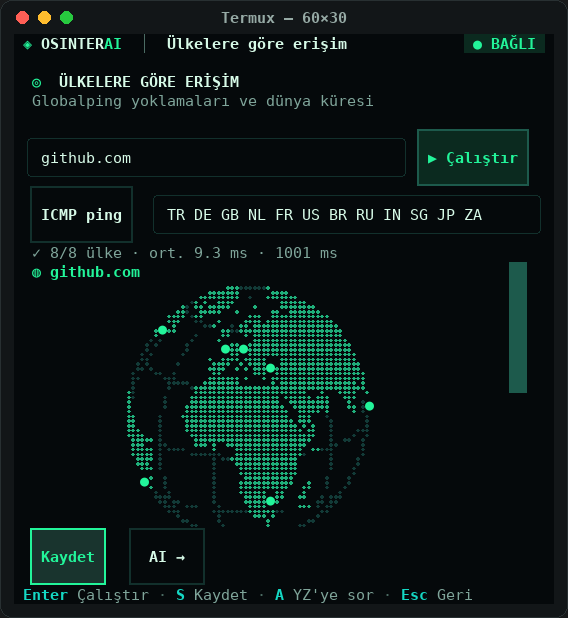
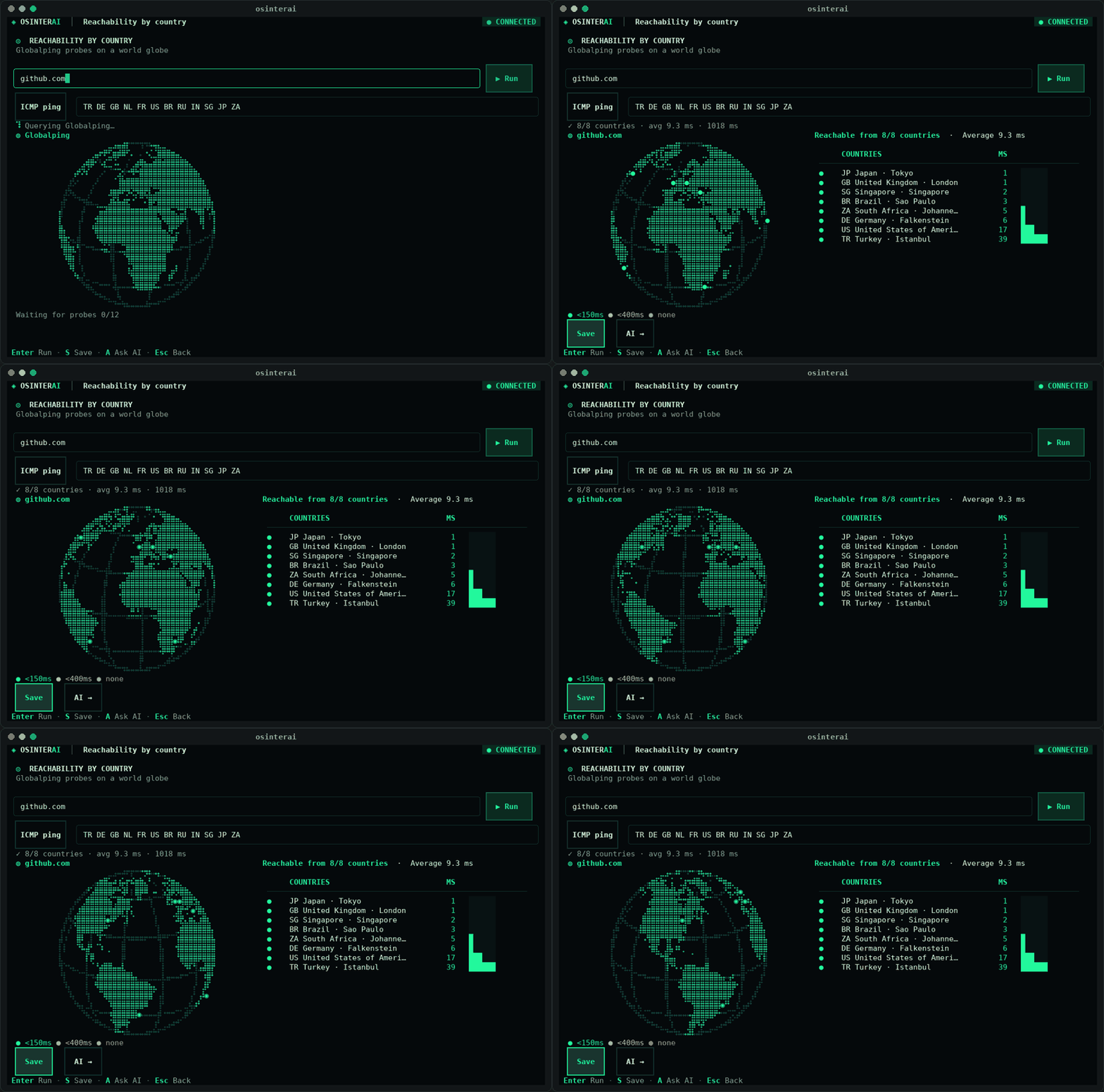
- Reachability by country — real ICMP / HTTPS probes from the public Globalping network on a rotating braille world globe, latency per country.
- Username search — presence check across 30 public sites (exists / not found / unclear). No scraping, no profiling.
- E-mail research — format, role account, MX, SPF/DMARC, free/disposable provider and Gravatar presence. No breach dumps, no mailbox probing.
- Reports — saved privately to your account; only domain, IP and DNS reports can get a public link.
- History — every investigation with its AI title, kept until you delete your account.
- Actions summary — a timeline of every step the AI ran, with timings and results.
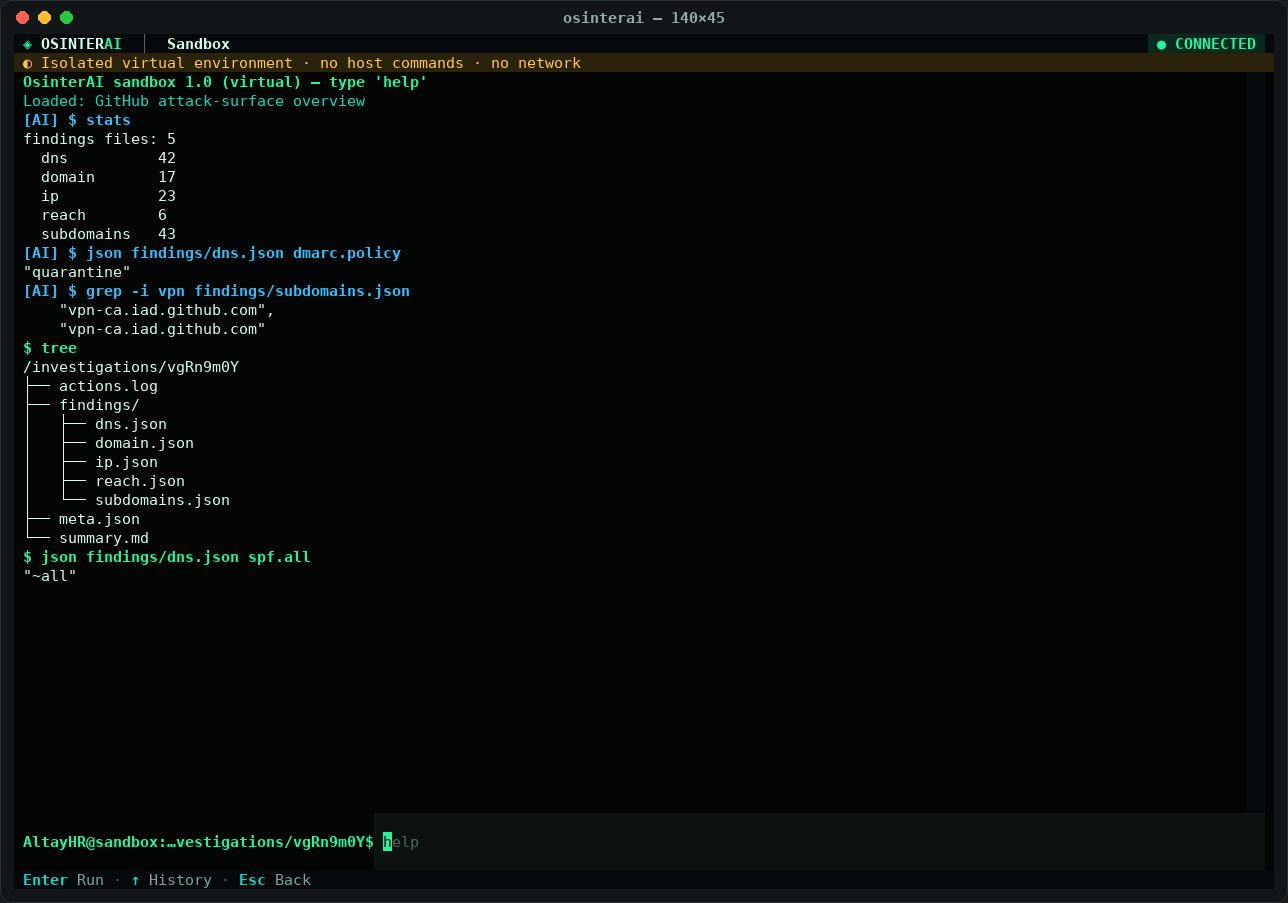
- Sandbox — an isolated, purely virtual terminal over your findings (
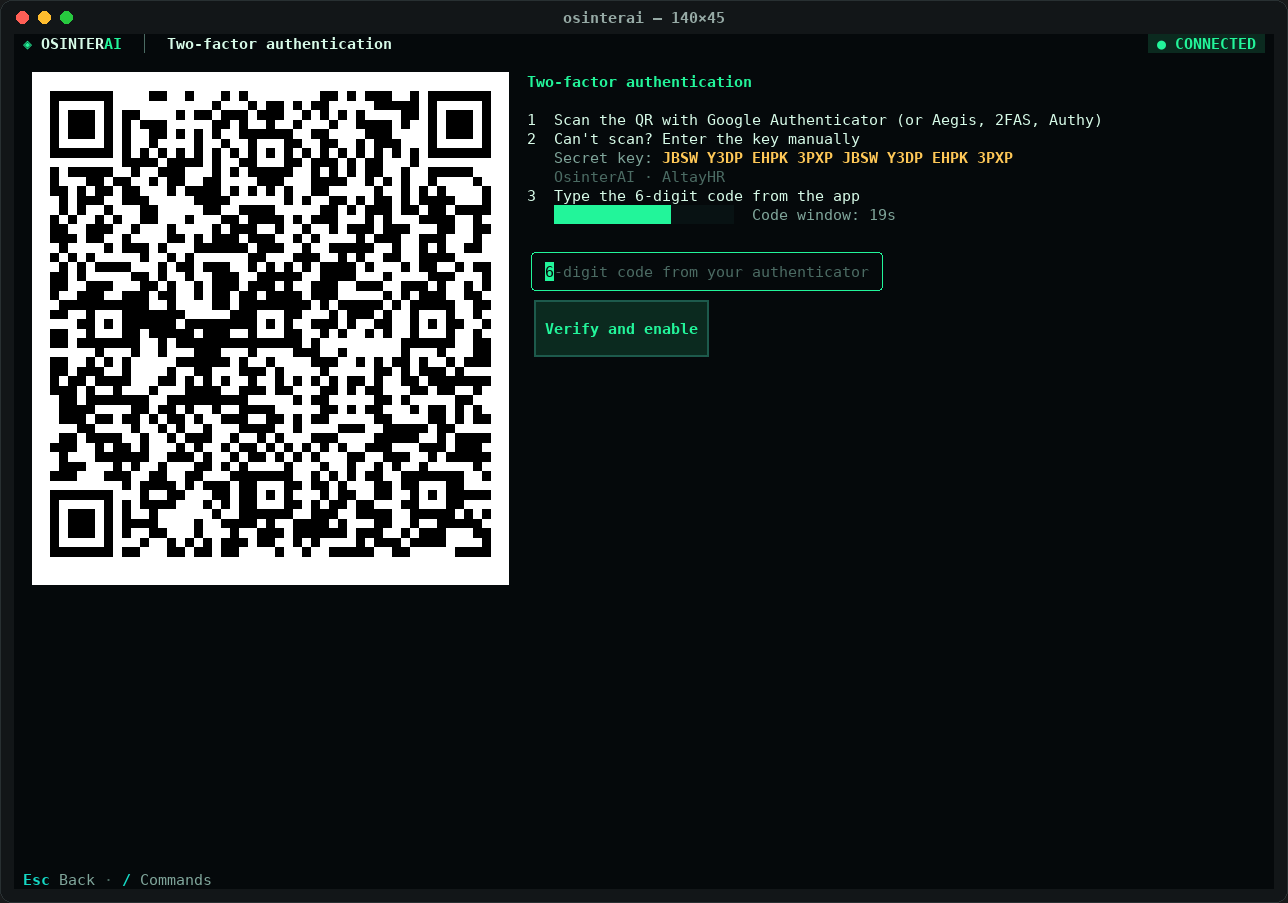
ls,tree,cat,grep,json…). The AI can use it to show evidence; it never runs commands on your machine. - Account security — username + password, TOTP 2FA with a QR code in the terminal (Google Authenticator, Aegis,
2FAS, Authy), sign out everywhere, delete account. The session token is stored in your user config folder with
0600permissions. - Built for every terminal —
/command palette, arrow-key navigation everywhere, mouse and touch (Termux) support, adaptive layouts from 60×30 phones to ultra-wide desktops, async networking so the UI never freezes, ASCII fallback mode. - Bilingual — Türkçe and English, picked on first run and changeable any time; AI answers follow your language.
Ethics. OsinterAI is a defensive tool. The AI agent (and a client-side guard) refuses doxxing, stalking and attacks on systems. Use it for your own assets, brand protection and authorised investigations only.
Screenshots
| Home + AI panel | Command palette |
|---|---|
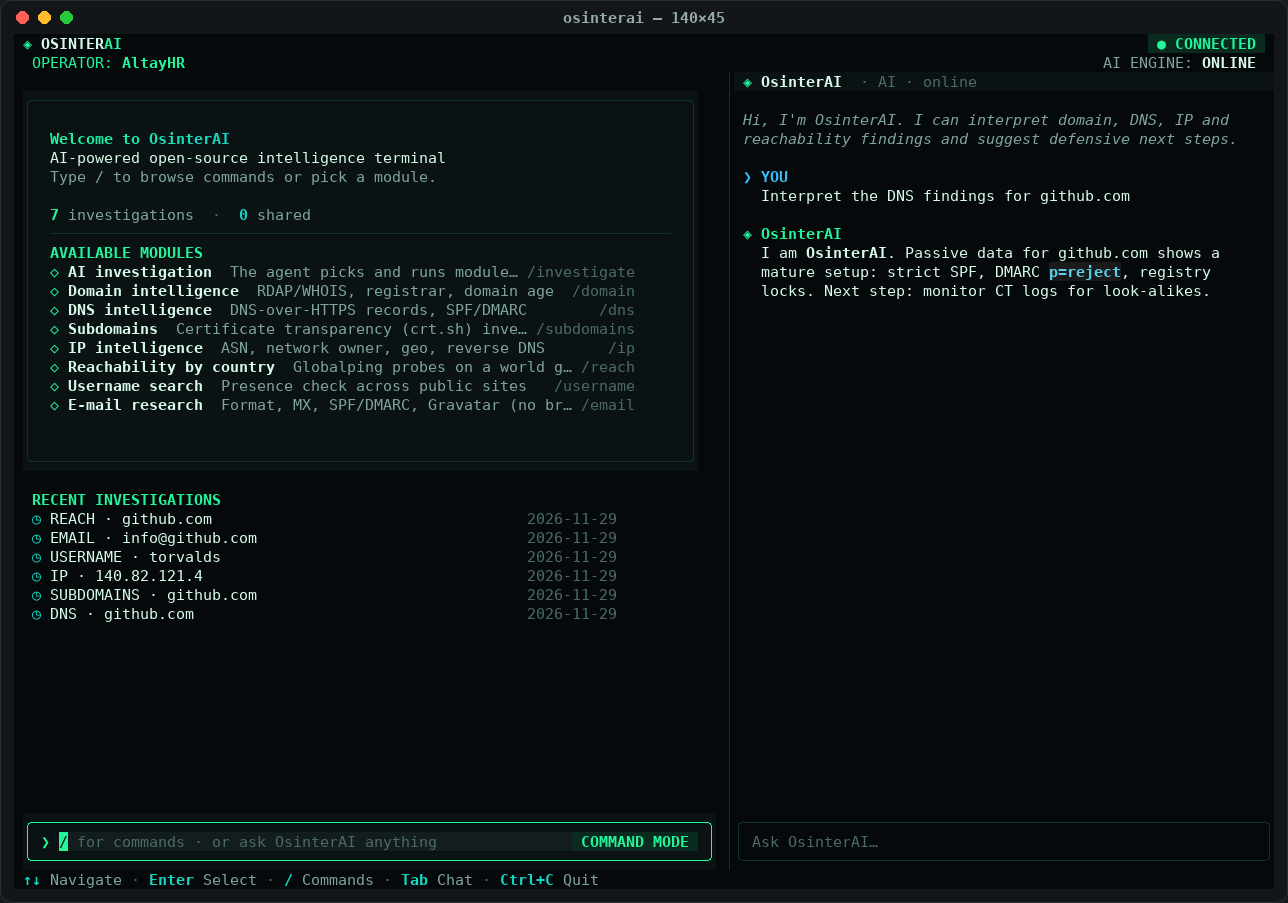 |
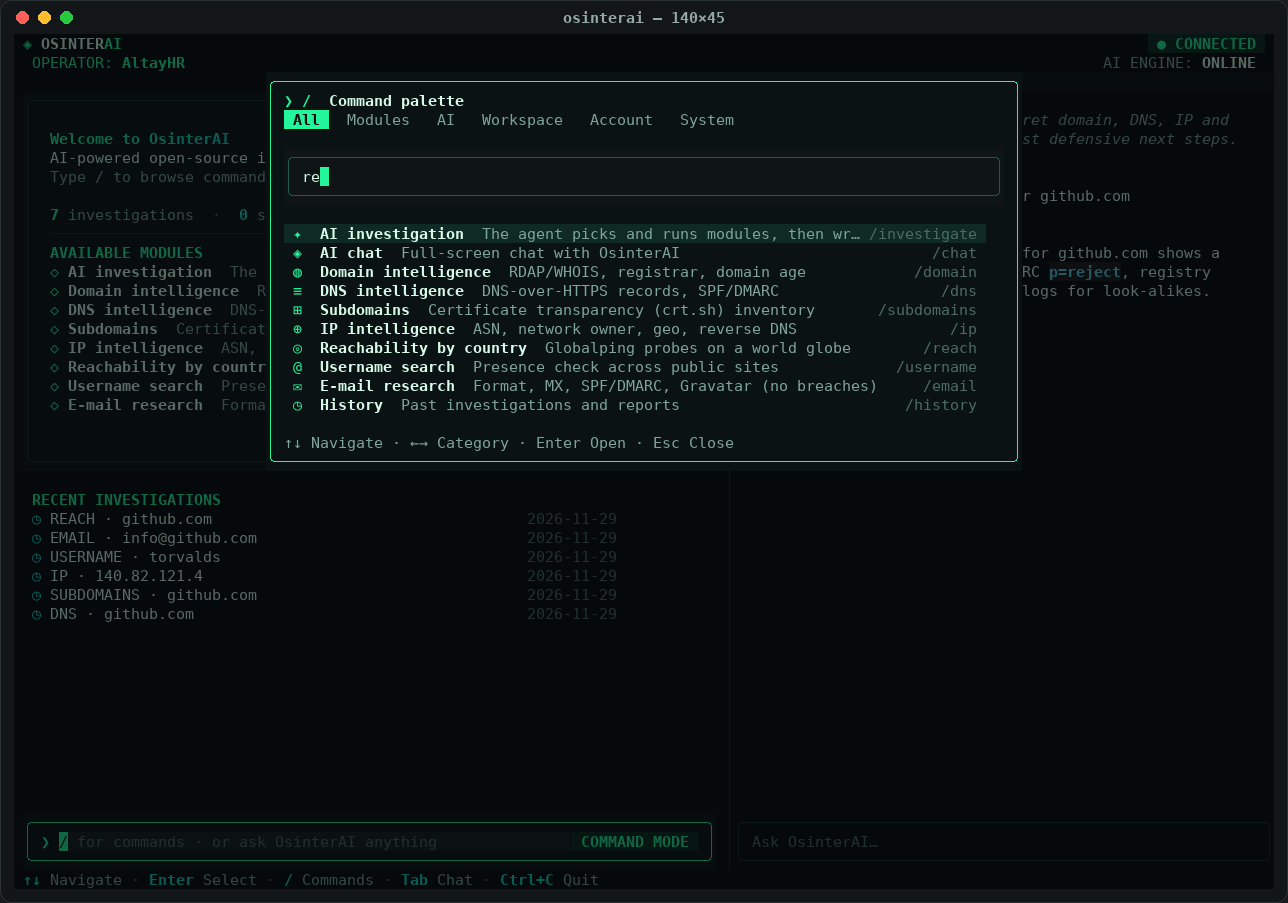 |
| AI investigation (live) | Investigation complete |
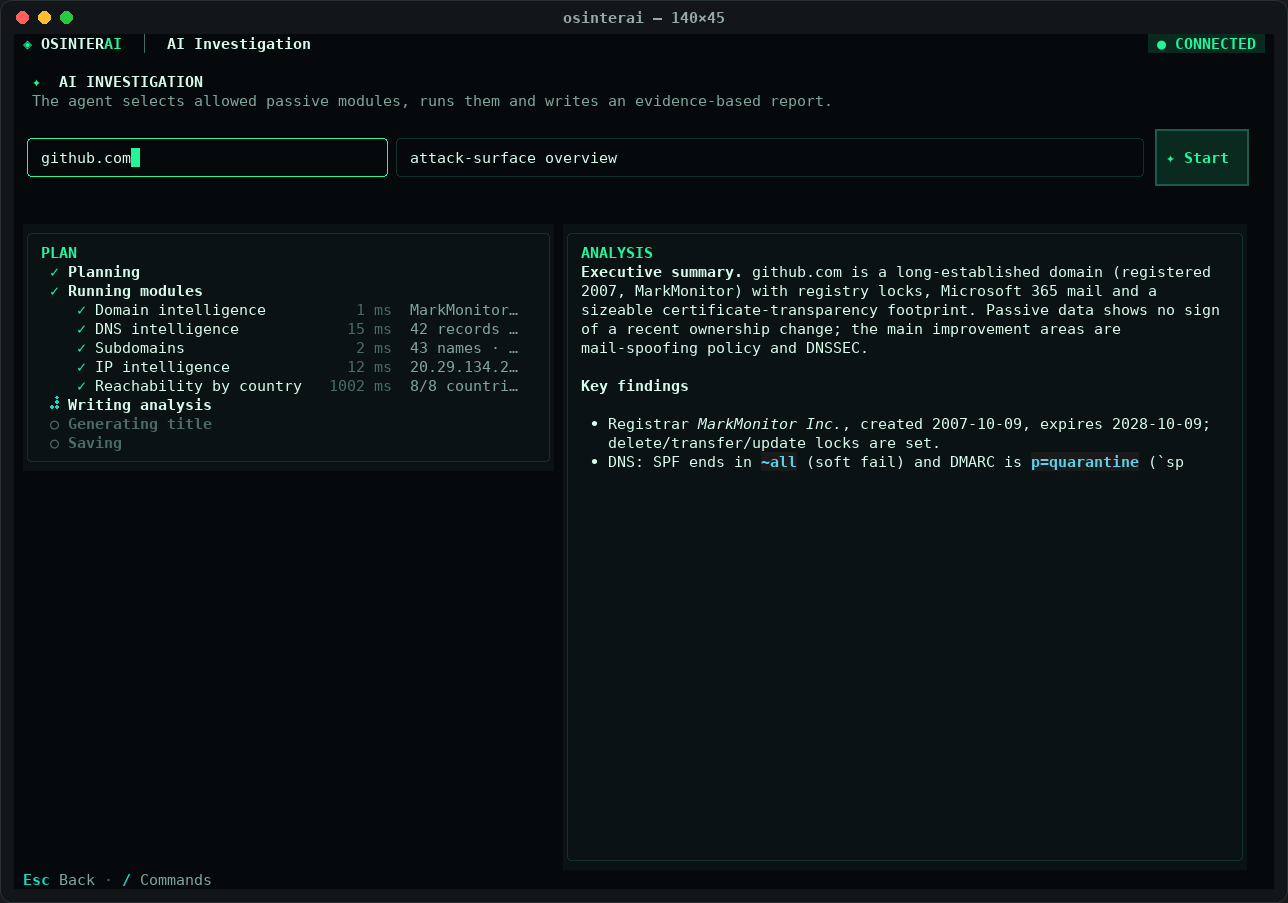 |
 |
| Reachability globe | Domain intelligence |
 |
 |
| DNS + mail security | Subdomains (CT logs) |
 |
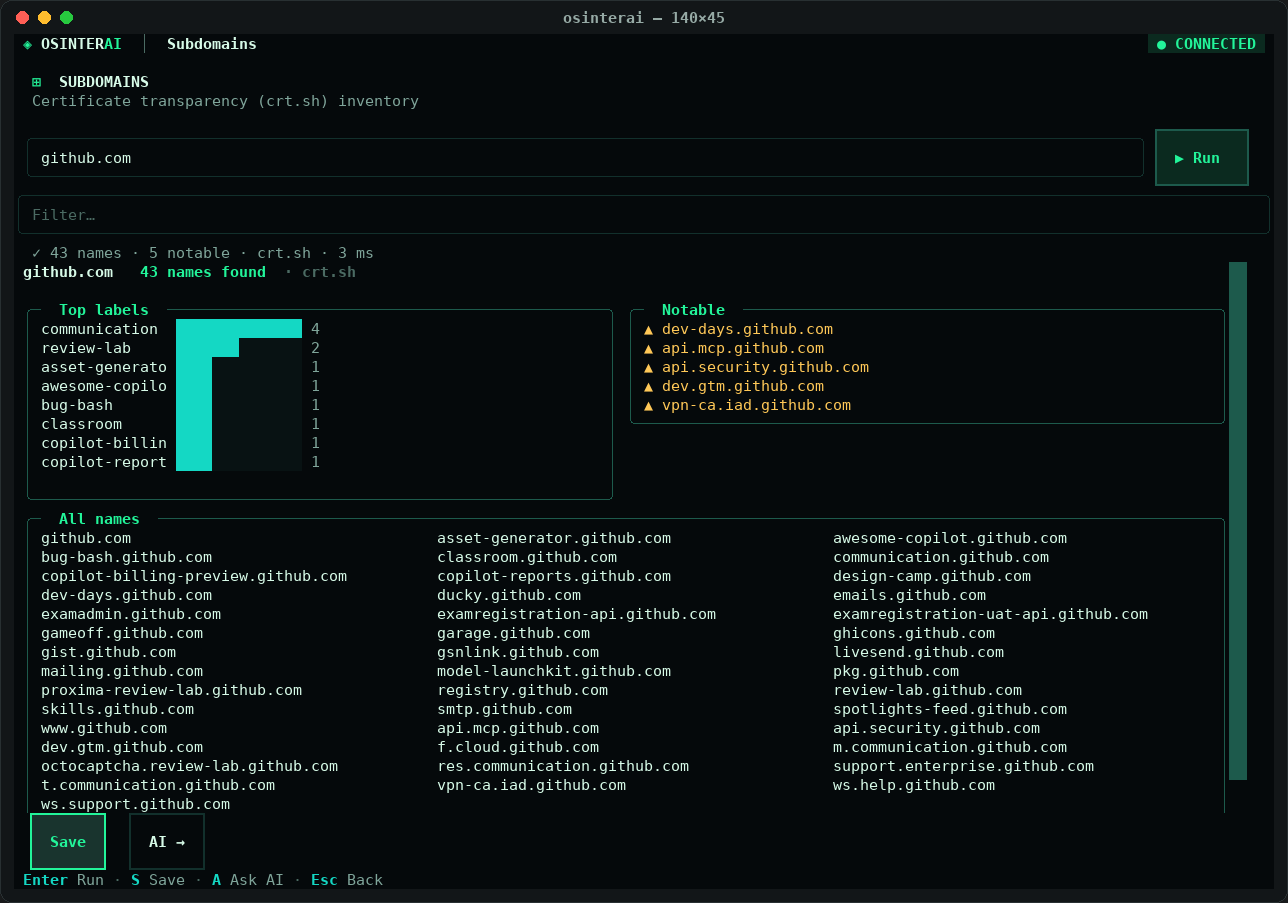 |
| IP / ASN | Username presence |
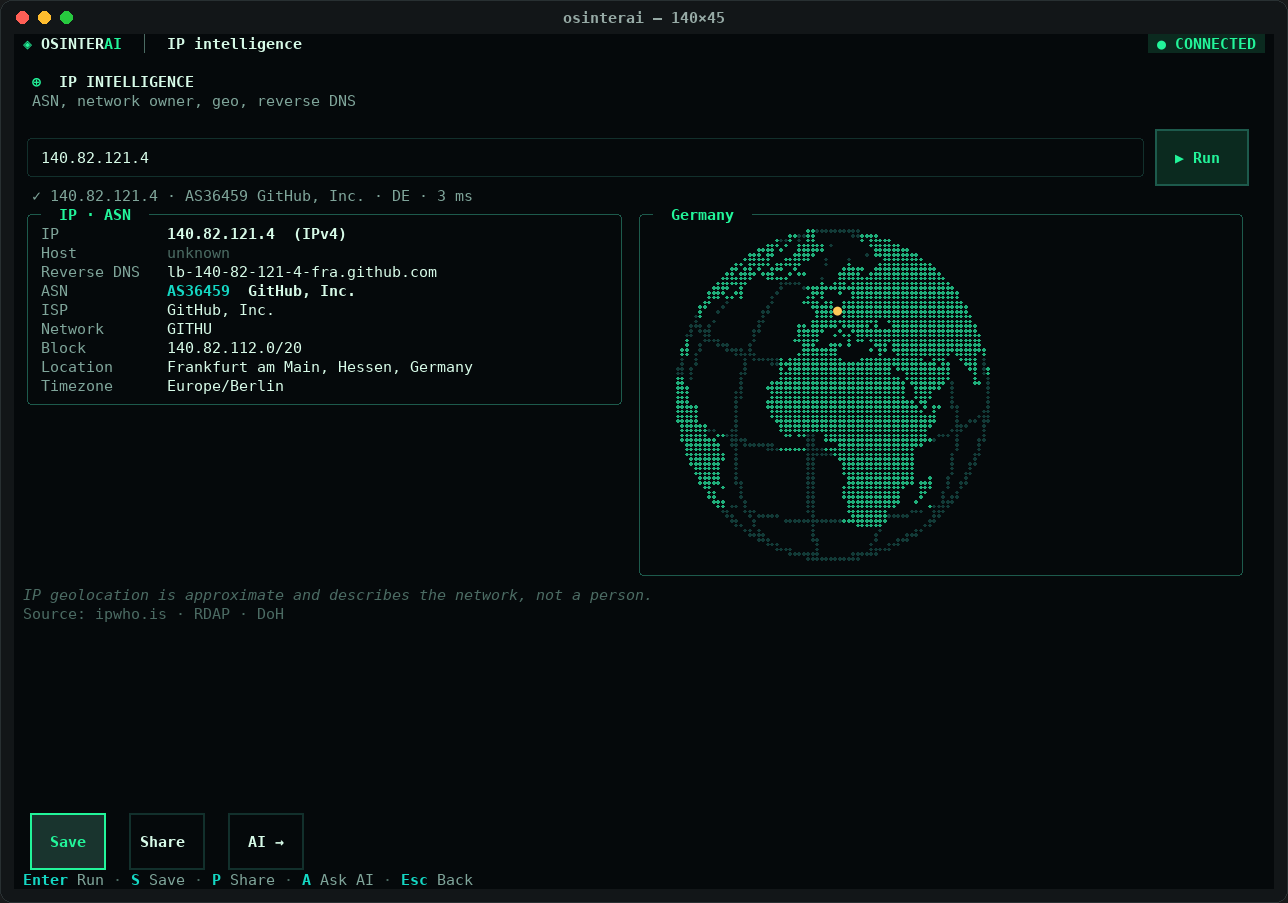 |
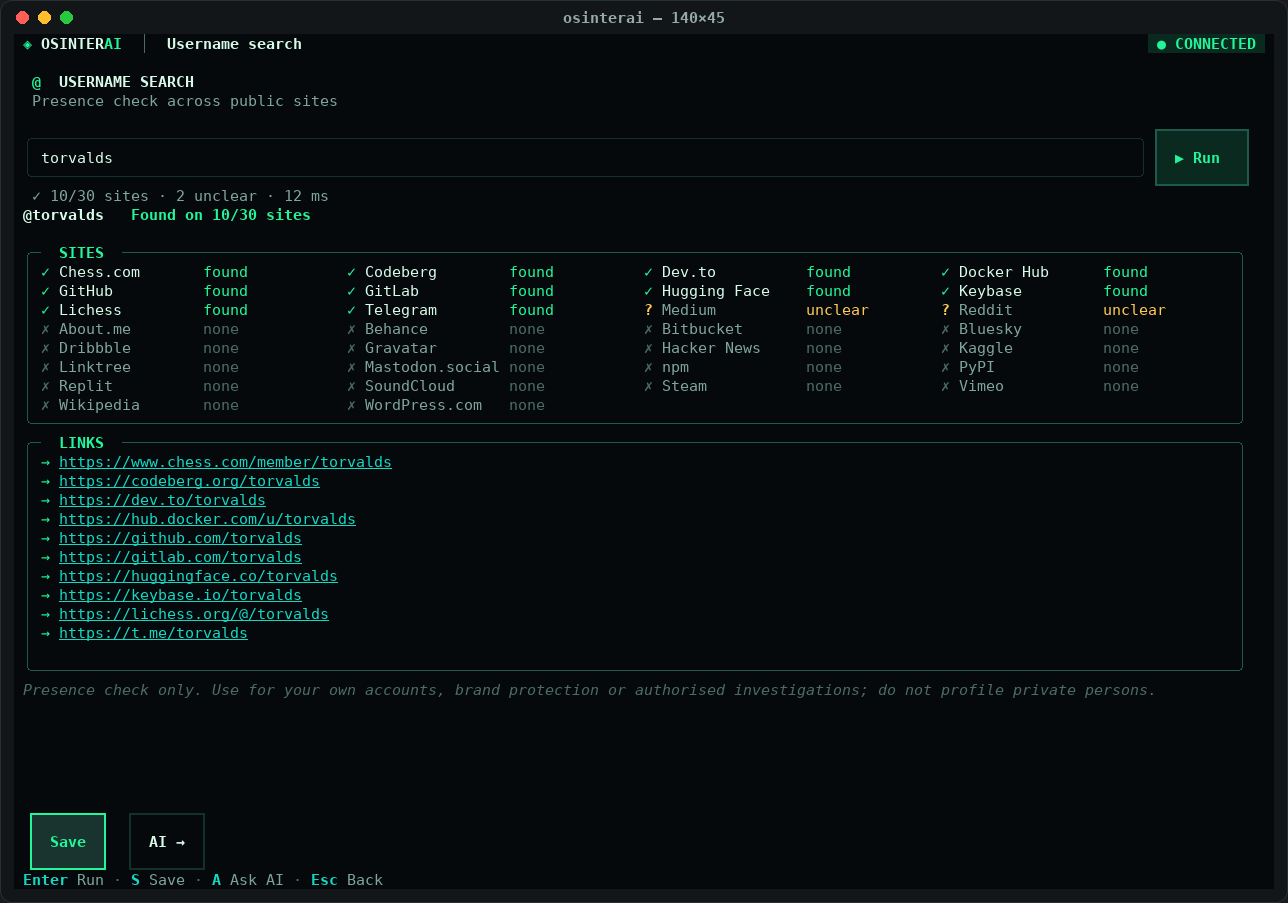 |
| Actions summary | Sandbox |
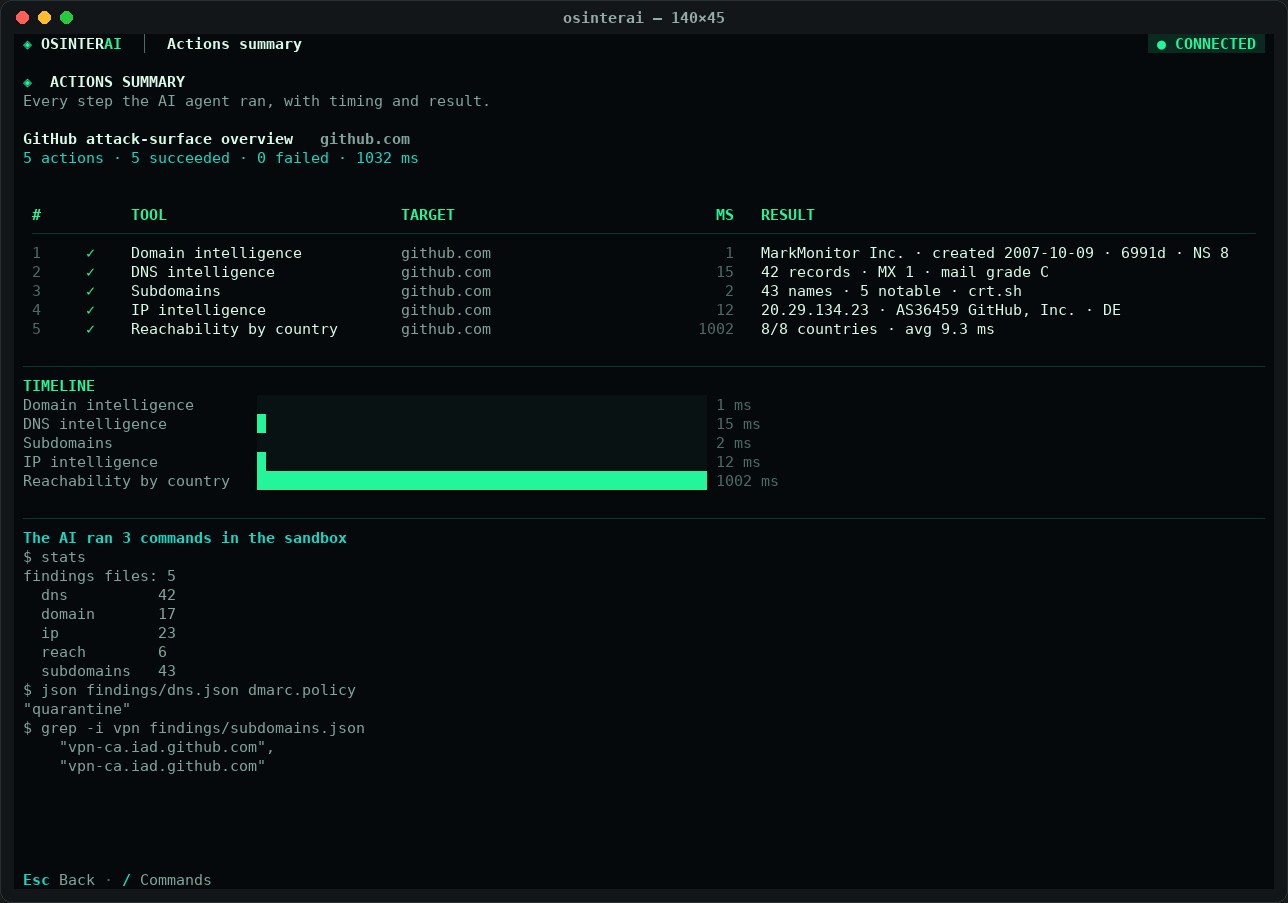 |
 |
| 2FA with terminal QR | Termux (60×30) |
 |
 |
Usage
| Key | Action |
|---|---|
/ |
Command palette (type to filter, ← → categories, ↑ ↓ select, Enter open) |
↑ ↓ ← → Enter |
Navigate lists, buttons and the globe |
Esc |
Back |
Tab |
Next field / AI chat panel |
S · P · A |
Save report · share (domain/IP/DNS) · ask the AI about a result |
Ctrl+O |
Toggle the AI side panel (wide terminals) |
Ctrl+C |
Quit |
Slash commands: /investigate, /domain, /dns, /subdomains, /ip, /reach, /username, /email, /chat,
/history, /actions, /sandbox, /account, /2fa, /settings, /about, /logout, /quit
(e.g. type /dns example.com in the prompt).
osinterai [--lang tr|en] [--no-update] [--ascii] [--no-mouse] [--api URL]
osinterai logout     # remove the local session
osinterai paths      # show config / session paths
Environment: OSINTERAI_NO_AUTOUPDATE=1, OSINTERAI_MOUSE=0|1, OSINTERAI_ASCII=1, OSINTERAI_HOME=<dir>.
Termux tips: enable the extra-keys row (ESC, TAB, /, arrows) in ~/.termux/termux.properties; with touch
mode on, taps act as clicks — turn it off in Settings if you prefer the keyboard to open on tap.
Privacy & data sources
All OSINT modules use free, public, keyless sources: rdap.org / IANA RDAP, Cloudflare & Google DNS-over-HTTPS,
crt.sh / CertSpotter, ipwho.is / ipapi.co, Globalping, Gravatar and the public profile endpoints of the checked sites.
AI requests go only to the OsinterAI cloud (ai.osinterai.workers.dev); no AI provider key is ever shipped in the
package. See the Privacy Policy and Terms.
Türkçe
OsinterAI, alan adı (WHOIS/RDAP ve alan adı yaşı), DNS, alt alan adı, IP/ASN, ülkelere göre erişim, kullanıcı adı ve e-posta modüllerini savunma odaklı bir yapay zekâ soruşturma ajanıyla birleştiren kapalı kaynak bir terminal aracıdır. Linux, macOS, Windows ve Android Termux üzerinde çalışır.
Kurulum
pip install osinterai
osinterai
- Termux:
pkg update && pkg install python→pip install osinterai→osinterai - Windows:
py -m pip install osinterai· macOS / Linux:python3 -m pip install osinteraiveyapipx install osinterai
İlk açılışta dil seçilir (Türkçe / English, Ayarlar'dan değiştirilebilir). Güncellemeler otomatiktir: yeni sürüm çıktığında "Güncelleniyor" ekranı açılır, kurulum yapılır ve uygulama kendini yeniden başlatır.
Özellikler
- YZ soruşturması: hedef + amaç ver; ajan izinli modülleri seçer, paralel çalıştırır, raporu canlı yazar ve geçmiş için başlık üretir.
- Alan adı · DNS · alt alan adı · IP/ASN · erişim küresi · kullanıcı adı · e-posta modülleri (anahtarsız, herkese açık kaynaklar).
- Raporlar hesabında gizli saklanır; yalnızca alan adı, IP ve DNS raporları herkese açık paylaşılabilir.
- Geçmiş, eylem özeti ve izole sanal ortam (ana makinede asla komut çalıştırmaz).
- Hesap güvenliği: terminalde QR ile TOTP 2FA, tüm cihazlarda çıkış, hesap silme. Oturum anahtarı
0600izinle saklanır. /komut paleti, ok tuşlarıyla tam gezinme, dokunmatik/fare desteği, dar (Termux) ve geniş ekran uyumu, donmayan asenkron arayüz.
Etik kullanım: OsinterAI doxxing, takip ve sistemlere saldırı isteklerini reddeder. Yalnızca kendi varlıkların, marka koruma ve yetkili soruşturmalar için kullan.
License / Lisans
Proprietary, closed-source software. © 2026 OsinterAI authors (Muhammed · ThT0AltayHR). All rights reserved.
You may install and run unmodified copies obtained from the official channels for your own lawful use. Copying,
modifying, redistributing, reverse engineering, decompiling or building competing products is prohibited.
Full text: LICENSE · ai.osinterai.workers.dev/en/license.
Tescilli, kapalı kaynak yazılım. Yalnızca resmî kanallardan edinilen değiştirilmemiş kopyaları kendi hukuka uygun kullanımın için kurabilir ve çalıştırabilirsin. Kopyalama, değiştirme, yeniden dağıtım, tersine mühendislik ve kaynak koda dönüştürme yasaktır. Tam metin: ai.osinterai.workers.dev/tr/license.
1 maintainer

Metadata
1 maintainer
Release files for osinterai 0.1.0
For a detailed explanation of source distributions (sdists) and built distributions (wheels), please see the package formats documentation.
Built distributions (wheels)
| File | Interpreter | ABI | Platform | Actions Reset |
|---|---|---|---|---|
| osinterai-0.1.0-py3-none-any.whl | Python 3 | none | any | Details for osinterai-0.1.0-py3-none-any.whl |
| osinterai-0.1.0-cp312-cp312-manylinux2014_aarch64.manylinux_2_17_aarch64.whl | CPython 3.12 | CPython 3.12 | Linux glibc 2.17+ ARM64 | Details for osinterai-0.1.0-cp312-cp312-manylinux2014_aarch64.manylinux_2_17_aarch64.whl |
Total release size: 2.2 MB
Release files / osinterai-0.1.0-py3-none-any.whl
| Download URL | osinterai-0.1.0-py3-none-any.whl |
|---|---|
| Size | 125.0 kB |
| Tags | Python 3 |
|
SHA-256 checksum How to use checksums |
cb59e99f9d452b0d441ce0347394aae53c69f5fb7499cc1f27247f6a7024d296
|
|
BLAKE2b-256 checksum How to use checksums |
3ca5053d058458a302f2afef9ea052cf5c41b5012a44f622169286a72f2c1900
|
| Upload date | |
|
Uploaded using Trusted Publishing? What is trusted publishing? |
No |
| Uploaded via |
twine/7.0.0 CPython/3.12.16
|
Release files / osinterai-0.1.0-cp312-cp312-manylinux2014_aarch64.manylinux_2_17_aarch64.whl
| Download URL | osinterai-0.1.0-cp312-cp312-manylinux2014_aarch64.manylinux_2_17_aarch64.whl |
|---|---|
| Size | 2.1 MB |
| Tags | CPython 3.12 Linux glibc 2.17+ ARM64 |
|
SHA-256 checksum How to use checksums |
11920d207e94433c2314e47f7e1aa2299b5d1ec881524aab0d7cbce6ca488076
|
|
BLAKE2b-256 checksum How to use checksums |
c5d47ff5a9faaa50feef46cee6f02bb063f62758a122b9e7ef32c4f0dab8ae9f
|
| Upload date | |
|
Uploaded using Trusted Publishing? What is trusted publishing? |
No |
| Uploaded via |
twine/7.0.0 CPython/3.12.16
|
Security for osinterai 0.1.0
Provenance
Provenance describes where a file came from. On PyPI, provenance is shared via attestations, which provide a verifiable record of the build or publishing details. View details, limitations and caveats.
No provenance found
None of the files in this release were uploaded with provenance metadata.
A note on package security
PyPI is a repository for distributing packages, not a service for auditing them. While third-party security researchers and our staff do their best to detect and remove malicious packages, PyPI cannot guarantee the quality, security or suitability of any given package.
To learn more about protecting yourself from malicious actors, visit our package security documentation.














