
Open Source Red Flag Checker




This projects evaluates remote repositories by looking for typical red flags like CLAs (Contributor Licensing Agreements) but also indicators for governance, activity or licensing conditions we consider as good.
[!IMPORTANT] This project should be considered as Proof of Concept. It works for searching CLA requirements, but its project health assessments are highly vague.
Table of contents
Features
Searched data
The checker looks for the following data in remote repositories:
- CLA (Contributor License Agreement) mentioned in files and pull requests
- DCO (Developer Certificate of Origin) mentioned in files and pull requests
- inbound=outbound mentioned in files
- Existence of LICENSE/COPYING file
- Human and bot contributors to the project (based on Github stats)
- Last commits made by humans and bots
Analysis based on data
Red flags:
- CLA mentioned in
READMEorCONTRIBUTINGfiles - CLA as part of pull request actions/statuses
- No
LICENSE/COPYINGfile in the repository - The project only contains contributions by one person
- The last commit is more than 1 year old
Yellow flags:
- The project's main developer made more than 75% contributions than the next 10 most active contributors
- The last human commit is more than 1 year old but there have been newer commits made by bots (like dependabot or renovate)
- The last human commit is more than 90 days old
Green flags:
- DCO mentioned in
READMEorCONTRIBUTINGfiles - DCO as part of pull request actions/statuses
- inbound = outbound mentioned in
READMEorCONTRIBUTINGfiles - The project has an acceptable contribition distribution by multiple active developers
- The last human commit is less than 90 days old
How it works
Repository access
For each repository, the tool needs access to both the file contents and the GitHub API. There are three modes:
Default (remote clone): The repository is cloned into a temporary directory, used for checks, then deleted.
ossrfc -r https://github.com/owner/repo
Cache: The clone is kept in a local cache directory so subsequent runs skip re-cloning.
ossrfc -r https://github.com/owner/repo --cache
Local path (--local): Use an existing local clone. The repository URL is still required for GitHub API checks, but no cloning occurs. Useful when you already have the repo checked out, or want to avoid a second clone when integrating ossrfc into a larger workflow.
ossrfc -r https://github.com/owner/repo --local /path/to/local/clone
[!NOTE] The
--localpath should be a full (non-shallow) clone. A shallow clone will produce inaccurate contributor and commit-age statistics since git history is incomplete.When ossrfc clones the repository itself (default and cache modes), it uses a depth of 100 commits. This is sufficient for most activity checks but means contributor dominance and commit-age statistics only reflect the most recent 100 commits. Use
--localwith a full clone if complete history matters.
Checks and their data sources
| Check | Data source | GitHub-only |
|---|---|---|
| CLA/DCO in files | Local clone (README, CONTRIBUTING) | No |
| CLA/DCO in pull requests | GitHub API | Yes |
| inbound=outbound in files | Local clone (README, CONTRIBUTING) | No |
| LICENSE/COPYING file exists | Local clone | No |
| Contributor dominance | GitHub API (contributor stats, bot detection) | Yes |
| Commit age (human vs. bot) | Local clone (git history, bot detection) | No |
Checks marked "GitHub-only" are skipped automatically for non-GitHub repositories.
Installation
You must have the following dependencies installed:
git>= 1.7.0python>= 3.8pip3
You can install the latest release using pip: pip3 install oss-red-flag-checker.
The command to run the program afterwards will be ossrfc.
Install/develop using uv
You can also run this tool via uv that takes care of installing the correct dependencies in a clean environment. This also makes development very easy. Inside of the repository, run uv sync once and you are ready to go. If you update the repository, run this command again to fetch new versions and dependencies.
The command to run the program will be uv run ossrfc.
Usage
You can find all supported flags by running ossrfc --help.
[!NOTE] It is recommended to provide a GitHub Personal Access Token to avoid low API rate limits. Either use the
--tokenargument or set theGITHUB_TOKENenvironment variable.
Basic examples:
# Check a remote repository
ossrfc -r https://github.com/hashicorp/terraform
# Cache the cloned repository so subsequent checks are faster
ossrfc -r https://github.com/hashicorp/terraform --cache
# Return the results as JSON
ossrfc -r https://github.com/hashicorp/terraform --json
# Do not check for CLAs and DCOs in pull requests
ossrfc -r https://github.com/hashicorp/terraform -d cla-dco-pulls
# Ignore findings about contribution distribution
ossrfc -r https://github.com/hashicorp/terraform -i contributions
# Provide a list of repositories to be checked
ossrfc -f repos.txt
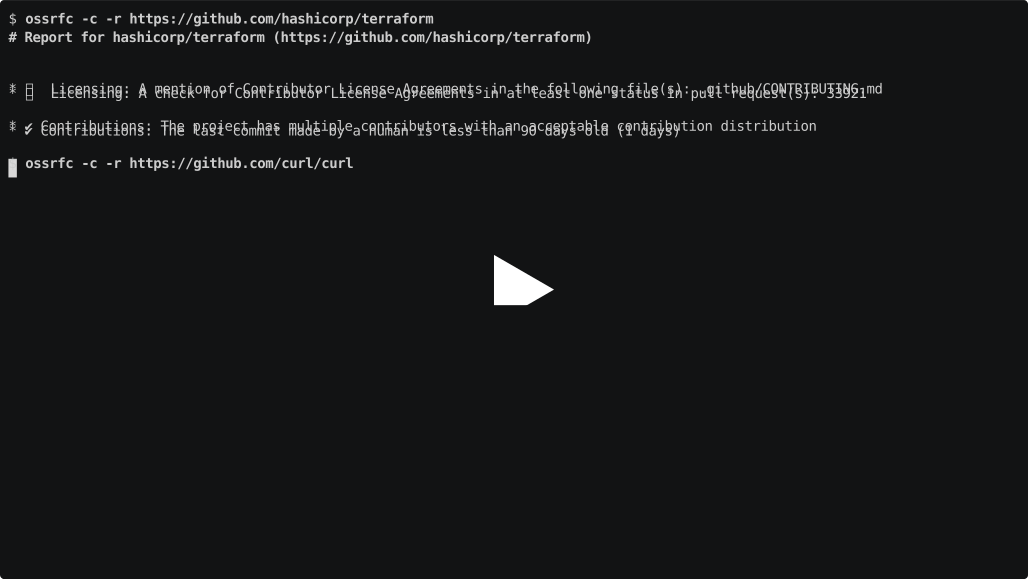
Here's a possible output in both the Markdown view as well as in JSON:
# Report for hashicorp/terraform (https://github.com/hashicorp/terraform)

* 🚩 Licensing: A mention of Contributor License Agreements in the following file(s): .github/CONTRIBUTING.md
* 🚩 Licensing: A check for Contributor License Agreements in at least one status in pull request(s): 33656
* ✔ Contributions: The project has multiple contributors with an acceptable contribution distribution
* ✔ Contributions: The last commit made by a human is less than 90 days old (1 days)
{
  "json_version": "1.0",
  "disabled_checks": [],
  "ignored_flags": [],
  "debug_mode": false,
  "repositories": [
    {
      "url": "https://github.com/hashicorp/terraform",
      "shortname": "hashicorp/terraform",
      "red_flags": [
        "cla",
        "cla"
      ],
      "yellow_flags": [],
      "green_flags": [
        "distributed-contributions",
        "actively-developed"
      ],
      "cla_files": [
        {
          "file": ".github/CONTRIBUTING.md",
          "indicators": [
            "- Contributor License Agreement (CLA): If this is your first contribution to Terraform you will be asked to sign the CLA."
          ]
        }
      ],
      "cla_pulls": [
        {
          "pull_request": 33656,
          "type": "status",
          "url": "https://api.github.com/repos/hashicorp/terraform/statuses/b53d89a08df10c85f6d4c546d2e54d4fab886d67",
          "indicators": [
            "Contributor License Agreement is signed.",
            "license/cla"
          ]
        }
      ],
      "dco_files": [],
      "dco_pulls": [],
      "inoutbound_files": [],
      "licensefiles": [
        "LICENSE"
      ],
      "maintainer_dominance": -2.83,
      "days_since_last_human_commit": 1,
      "days_since_last_bot_commit": 141,
      "analysis": [
        {
          "category": "Licensing",
          "ignored": false,
          "severity": "red",
          "indicator": "A mention of Contributor License Agreements in the following file(s): .github/CONTRIBUTING.md"
        },
        {
          "category": "Licensing",
          "ignored": false,
          "severity": "red",
          "indicator": "A check for Contributor License Agreements in at least one status in pull request(s): 33656"
        },
        {
          "category": "Contributions",
          "ignored": false,
          "severity": "green",
          "indicator": "The project has multiple contributors with an acceptable contribution distribution"
        },
        {
          "category": "Contributions",
          "ignored": false,
          "severity": "green",
          "indicator": "The last commit made by a human is less than 90 days old (1 days)"
        }
      ]
    }
  ]
}
Caveats
Opinionated analysis
The analysis and decisions for how certain indicators are considered red, yellow or green flags is highly opinionated and represents a snapshot about our (DB Systel GmbH's) current thinking.
You are free to use this tool. If certain criteria is not relevant for you, consider using the --ignore or --disable flags.
In the long run, it may be feasible to make the ratings configurable. Contributions are welcome if you are interested in it.
Similar approaches
There are different initiatives that intend to evaluate the health or risks of Open Source projects. All of them have their particular focuses, strengths and weaknesses.
- OpenSSF with a focus on security and their scorecards
- CHAOSS with a focus on metrics about community health and metrics models
License and copyright
The content of this repository is licensed under the Apache 2.0 license.
This repository is REUSE compliant. You can find licensing and copyright information for each file in the file header or accompying files.
The project has been started by DB Systel GmbH. We welcome contributions from everyone.


Release files for oss-red-flag-checker 0.2.4
For a detailed explanation of source distributions (sdists) and built distributions (wheels), please see the package formats documentation.
Source distribution (sdist)
| File | Size | Uploaded | |
|---|---|---|---|
| oss_red_flag_checker-0.2.4.tar.gz | 24.1 kB | Details |
Built distribution (wheel)
| File | Interpreter | ABI | Platform | Reset |
|---|---|---|---|---|
| oss_red_flag_checker-0.2.4-py3-none-any.whl | Python 3 | none | any | Details |
Total release size: 53.5 kB
Release files / oss_red_flag_checker-0.2.4.tar.gz
| Download URL | oss_red_flag_checker-0.2.4.tar.gz |
|---|---|
| Size | 24.1 kB |
| Tags | Source |
|
SHA-256 checksum How to use checksums |
e3bccf980f5bd71d1e4096016a5f6b68d30b2d362247f8fc10c8f4dc380333b7
|
|
BLAKE2b-256 checksum How to use checksums |
7112137f195a5cfeebc8cc1b1e5e9e58ddb4e4d8737959c9767f09e61d40987c
|
| Upload date | |
|
Uploaded using Trusted Publishing? What is trusted publishing? |
Yes |
| Uploaded via |
twine/7.0.0 CPython/3.13.14
|
Provenance
Provenance describes where a file came from. On PyPI, provenance is shared via attestations, which provide a verifiable record of the build or publishing details. View details, limitations and caveats.


PyPI Publish Attestation
PyPI verified that this artifact, at this checksum, originated from the publisher listed below.
Signed by GitHub Actions, verified by PyPI on Sep 8, 2026.
Transparency logRelease files / oss_red_flag_checker-0.2.4-py3-none-any.whl
| Download URL | oss_red_flag_checker-0.2.4-py3-none-any.whl |
|---|---|
| Size | 29.3 kB |
| Tags | Python 3 |
|
SHA-256 checksum How to use checksums |
61634183be9ddbe59e4ac4ff84babee741fdf86ac7b84942372c9ac0195dee11
|
|
BLAKE2b-256 checksum How to use checksums |
3c5dfd0c883de5b12a9b1090404e5e09a93e2a02a98b26c1c462677506434e32
|
| Upload date | |
|
Uploaded using Trusted Publishing? What is trusted publishing? |
Yes |
| Uploaded via |
twine/7.0.0 CPython/3.13.14
|
Provenance
Provenance describes where a file came from. On PyPI, provenance is shared via attestations, which provide a verifiable record of the build or publishing details. View details, limitations and caveats.
PyPI Publish Attestation
PyPI verified that this artifact, at this checksum, originated from the publisher listed below.
Signed by GitHub Actions, verified by PyPI on Sep 8, 2026.
Transparency log













