
Otava Test Data
Test data generators and Visualization for Apache Otava change point detection.
Web Visualizer
The package includes an interactive web visualizer for exploring test patterns and comparing change point detection results against ground truth.
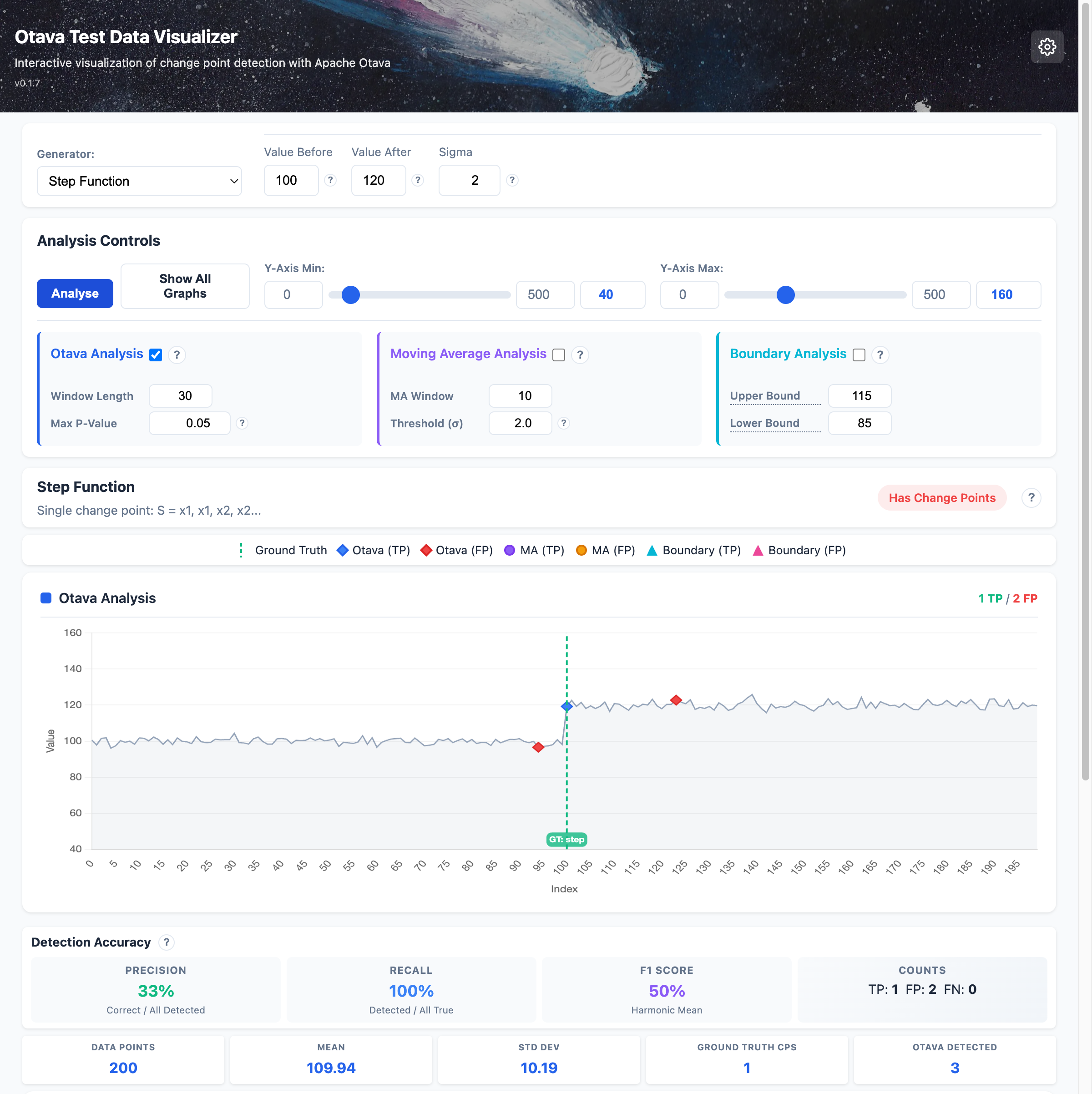
Features:
- Generate and visualize 17 different test patterns
- Compare three analysis methods: Otava (statistical), Moving Average, and Boundary detection
- View accuracy metrics (precision, recall, F1 score)
- Adjust parameters in real-time and see results instantly
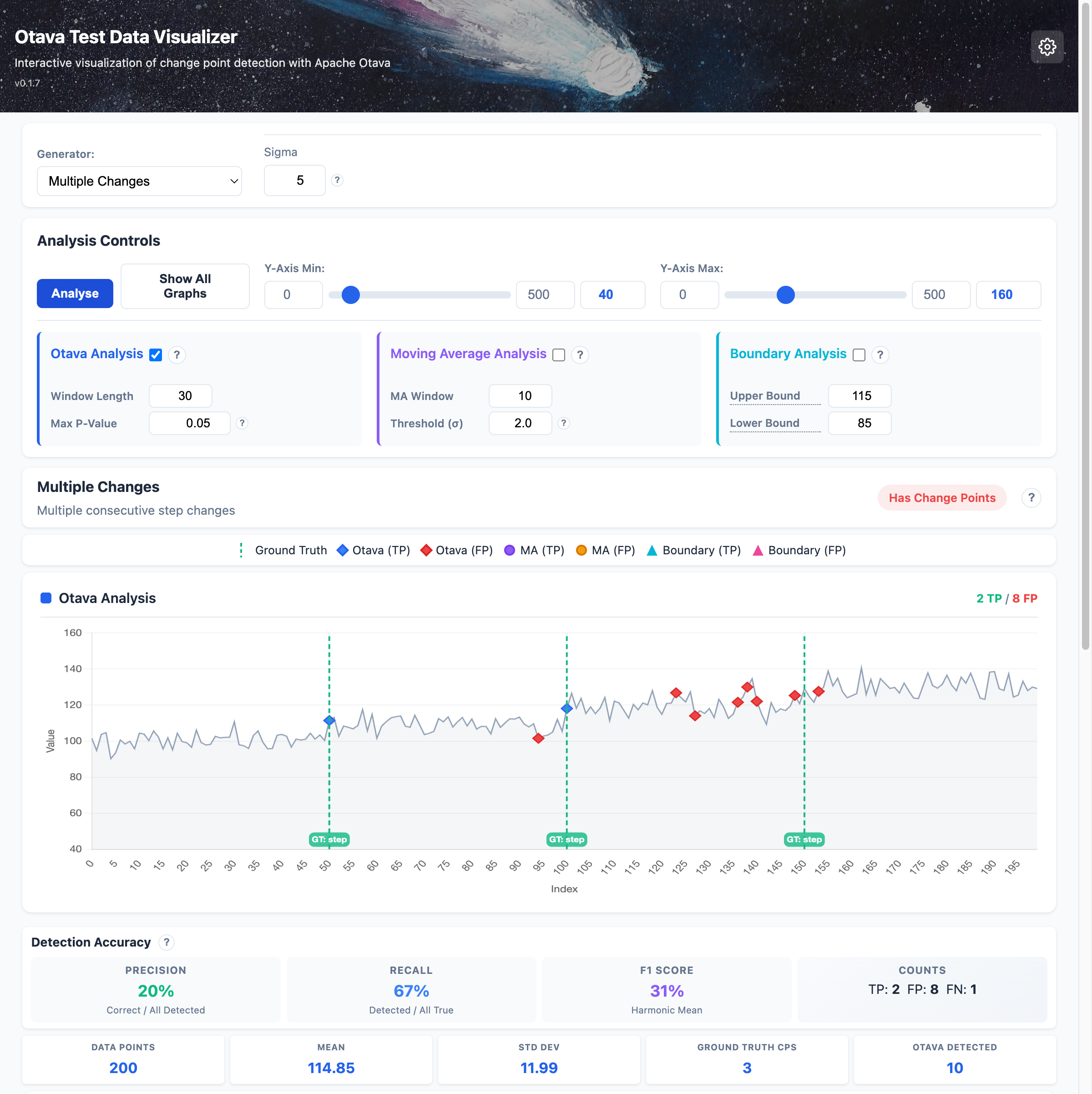
Multiple Change Points
Detect multiple successive changes in your data:
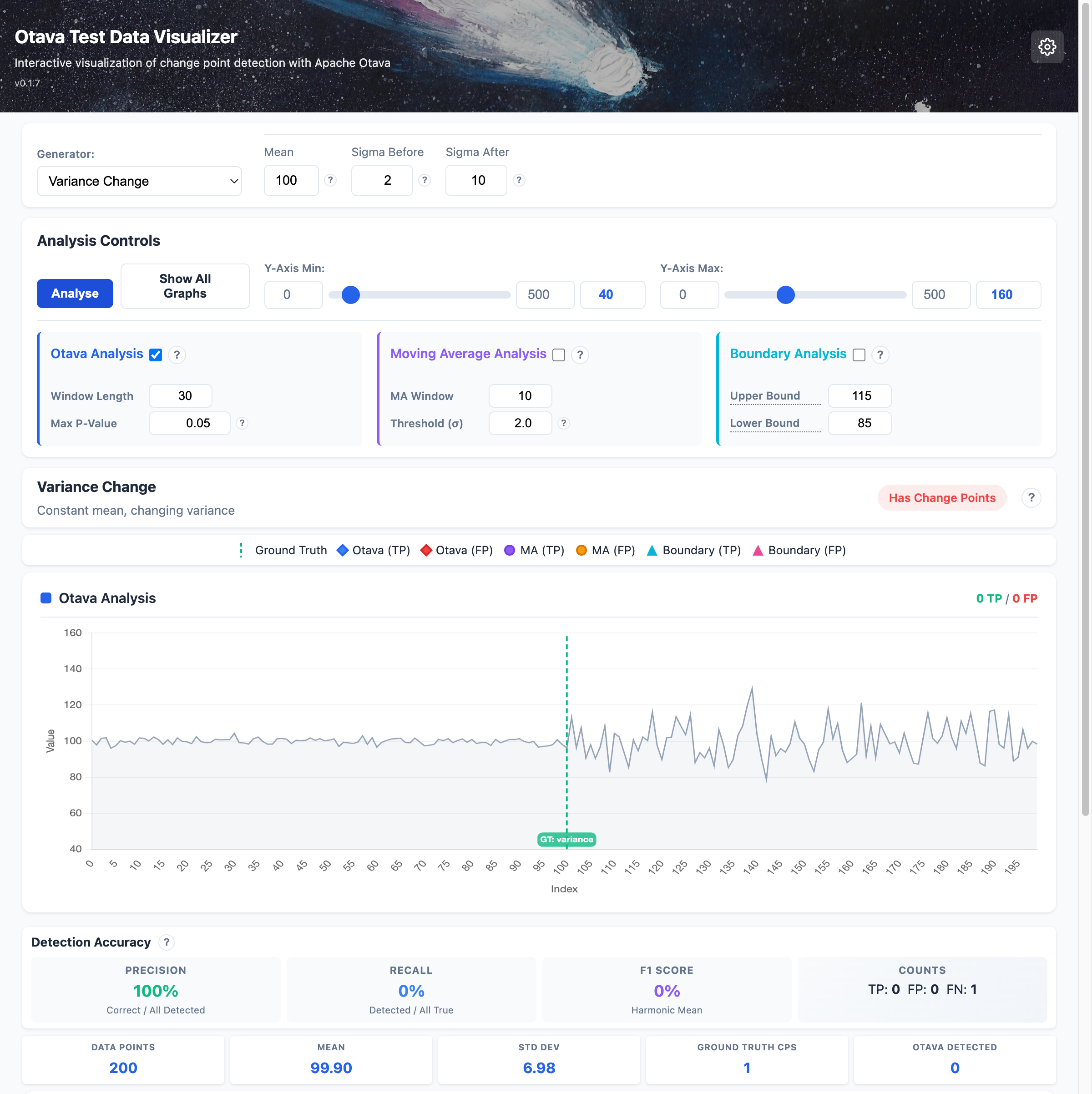
Variance Changes
Detect changes in data volatility even when the mean stays constant:
Starting the Visualizer
pip install otava-test-data[web]

# Start the web server
otava-web
# Or with invoke tasks
inv web-start
Then open http://127.0.0.1:8100 in your browser.
Installation
pip install otava-test-data
Or with all optional dependencies:
pip install otava-test-data[all]
Quick Start
from otava_test_data import step_function, noise_normal, combine

# Generate a step function (single change point) with realistic noise
step = step_function(length=500, value_before=100, value_after=120)
noise = noise_normal(length=500, mean=0, sigma=5)
combined = combine(step, noise)

# Export to CSV for Otava analysis
combined.to_csv("test_data.csv")

# Access ground truth change point information
for cp in combined.change_points:
    print(f"Change at index {cp.index}: {cp.description}")
Available Generators
Basic Building Blocks
| Generator | Description |
|---|---|
constant |
Constant value: S = x, x, x, x... |
noise_normal |
Normal distribution: S ~ N(mean, sigma) |
noise_uniform |
Uniform distribution: S ~ U(min, max) |
outlier |
Single anomaly: S = x, x, x', x, x... |
step_function |
Single change point: S = x1, x1, x2, x2... |
regression_fix |
Temporary regression: S = x1, x2, x1... |
Advanced Patterns
| Generator | Description |
|---|---|
banding |
Oscillation between two values |
variance_change |
Constant mean, changing variance |
phase_change |
Phase shift in periodic signal |
multiple_changes |
Multiple consecutive step changes |
CLI Tool
# Generate test suite
otava-gen generate --output-dir ./test_data --lengths 50 500 --seed 42

# List available generators
otava-gen list

# Get info about a generator
otava-gen info step_function
Documentation
Full documentation available at Read the Docs.
License
Apache License 2.0
1 maintainer

Metadata
1 maintainer
Release files for otava-test-data 0.1.9
For a detailed explanation of source distributions (sdists) and built distributions (wheels), please see the package formats documentation.
Source distribution (sdist)
| File | Size | Uploaded | |
|---|---|---|---|
| otava_test_data-0.1.9.tar.gz | 16.6 MB | Details |
Built distribution (wheel)
| File | Interpreter | ABI | Platform | Reset |
|---|---|---|---|---|
| otava_test_data-0.1.9-py3-none-any.whl | Python 3 | none | any | Details |
Total release size: 17.9 MB
Release files / otava_test_data-0.1.9.tar.gz
| Download URL | otava_test_data-0.1.9.tar.gz |
|---|---|
| Size | 16.6 MB |
| Tags | Source |
|
SHA-256 checksum How to use checksums |
ad8d981dd13f4f8549f8a258b8120bc8a7412faadf658e0e1074b20c4d9a1bb2
|
|
BLAKE2b-256 checksum How to use checksums |
a8026bafec44d3854e08eb5f125206f6d36f1197442ee02c8cb802e9ab9e921a
|
| Upload date | |
|
Uploaded using Trusted Publishing? What is trusted publishing? |
Yes |
| Uploaded via |
twine/6.1.0 CPython/3.13.7
|
Provenance
Provenance describes where a file came from. On PyPI, provenance is shared via attestations, which provide a verifiable record of the build or publishing details. View details, limitations and caveats.


PyPI Publish Attestation
PyPI verified that this artifact, at this checksum, originated from the publisher listed below.
Signed by GitHub Actions, verified by PyPI on Jan 26, 2026.
Transparency logRelease files / otava_test_data-0.1.9-py3-none-any.whl
| Download URL | otava_test_data-0.1.9-py3-none-any.whl |
|---|---|
| Size | 1.3 MB |
| Tags | Python 3 |
|
SHA-256 checksum How to use checksums |
cf535f0126013f40ca721a53b9ad359a616b279ffde42da1c5a4fb663f0b2a36
|
|
BLAKE2b-256 checksum How to use checksums |
a2089d25215c9579f64a7122d6792f028fc66be1082836600cc4e71731d0e820
|
| Upload date | |
|
Uploaded using Trusted Publishing? What is trusted publishing? |
Yes |
| Uploaded via |
twine/6.1.0 CPython/3.13.7
|
Provenance
Provenance describes where a file came from. On PyPI, provenance is shared via attestations, which provide a verifiable record of the build or publishing details. View details, limitations and caveats.
PyPI Publish Attestation
PyPI verified that this artifact, at this checksum, originated from the publisher listed below.
Signed by GitHub Actions, verified by PyPI on Jan 26, 2026.
Transparency log













