
Install, run, update and remove open-source tools by name.
One command interface for dozens of open-source intelligence (OSINT) tools, each in its own virtualenv.






Website · Documentation · Quick start · Typed inputs · Commands · Tools · FAQ · Tools · Team · Contact · Launch video
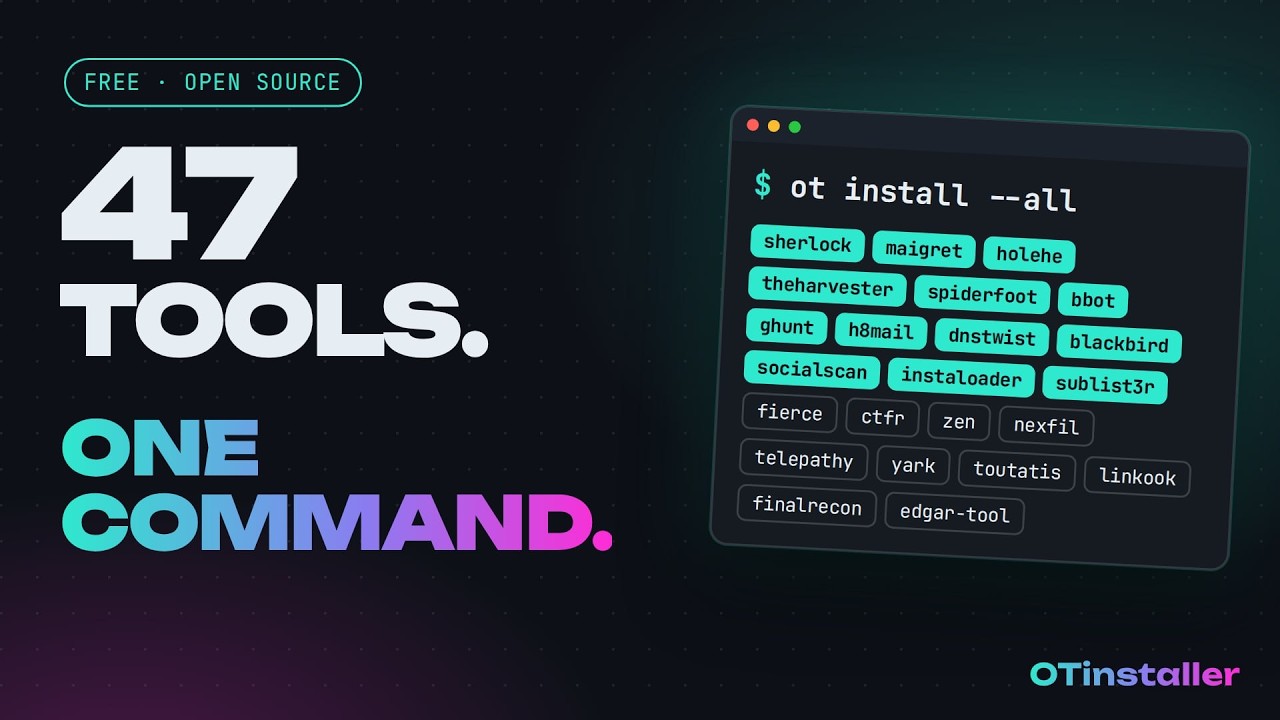
Watch the launch video on YouTube (1:31)
otlite is the no-Docker edition of OTInstaller. It installs tools with pip or git into per-tool virtualenvs on Linux, with no container runtime needed. The
otcommand is the other edition: it installs signed, scanned packages from the registry and runs them in a sandbox on Linux, macOS and Windows. Both share the typed inputs and theresults/layout, so you can use either, or both.otlite was called
otinstalleruntil version 1.0.pip install -U otinstallernow installs otlite, the oldOTINSTALLER_*environment variables still work, and the first run copies your API keys and settings from~/.otinstaller. See upgrading from otinstaller.
What it does
Every open-source tool installs and runs a little differently. otlite gives them one interface:
- Install by name.
otlite install sherlockcreates an isolated virtualenv for the tool. Nothing touches your system Python. - Run with typed inputs.
u:johndoe,e:john@example.comord:example.comare translated into each tool's own flags. - Run many tools at once.
otlite run --all u:johndoeruns every installed tool that accepts a username, in parallel. - Keep every result. Output is saved under
./results/<tool>/<target>/with a.meta.jsonsidecar (command, timing, exit code, SHA-256). - Update and remove cleanly. One command each, for one tool or all of them.
- Script it. Every command supports
--json, and nothing prompts when--yesis given.
Why otlite
Running one tool by hand, spiderfoot in this case:
git clone https://github.com/smicallef/spiderfoot
cd spiderfoot
python3 -m venv .venv && source .venv/bin/activate
pip install -r requirements.txt
python3 sf.py -u passive -s example.com
The same thing with otlite:
otlite install spiderfoot
otlite run spiderfoot -- d:example.com
The same install-and-run pattern works for every tool in the catalogue. Each tool is pinned to a tested version, gets its own virtualenv, has its typed inputs turned into its own flags, and saves its output with a timestamp and a SHA-256.
Quick start
pipx install otlite
otlite init
otlite install sherlock
otlite run sherlock -- u:johndoe
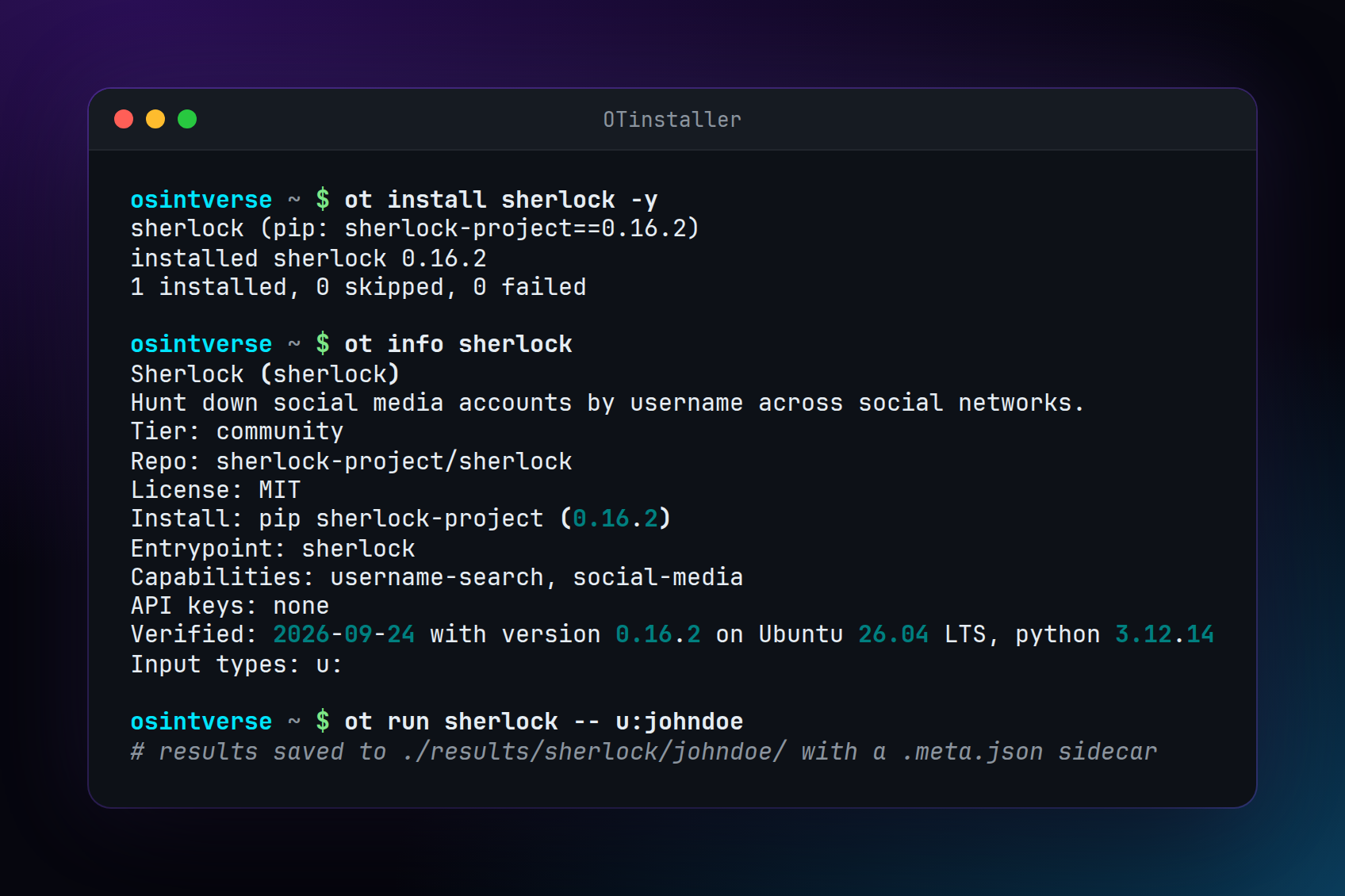
The full install options are below.
Requirements
A Linux machine. Tested on Ubuntu 22.04 and 24.04, Debian 12, Arch Linux and Kali Linux (rolling).
Python 3.10 to 3.14, git, and the venv module. On Debian, Ubuntu and Kali, install that module with:
sudo apt install python3-venv git
Tools that need an older Python
Ubuntu 26.04 LTS and Kali ship Python 3.14, and otlite itself runs on it. A few managed tools only install on an older Python (listed below). To use them, run otlite inside a Python 3.12 virtualenv:
curl -LsSf https://astral.sh/uv/install.sh | sh
source $HOME/.local/bin/env
uv venv --python 3.12 ~/.otlite-venv
source ~/.otlite-venv/bin/activate
uv pip install otlite
A uv-created virtualenv has no pip, so the install command is uv pip install otlite. Run source ~/.otlite-venv/bin/activate again in any new terminal before using otlite. otlite doctor prints the Python version it is running under and lists any registered tool that needs a different one.
Python version caveats
Some managed tools only work on some Python versions. otlite checks before installing them and says which version to use, and otlite doctor lists the ones that won't install on your Python. Every tool was installed and run on Python 3.10, 3.12, 3.13 and 3.14 before 0.1.0. Known limits:
ghunt: requires Python <3.14 (its dependency Pillow 10 has no wheels for 3.14 and needs the libjpeg headers to compile)auto-archiver: requires Python <3.13 (dependencypdqhashneeds a C++ compiler, no wheel for 3.13+)telepathy: requires Python <3.13 (dependencygoogletrans/httpxuses removedcgimodule)spiderfoot: requires Python <3.13 (its pinnedlxmlandcryptographyhave no wheels for 3.13+)theharvester: requires Python 3.12 or newer (its current release, 4.11.1, needs it)whatsapp-osint: requires Python 3.11 or newer (it importsdatetime.UTC)
Install otlite
For system-wide installation, use pipx install otlite. This provides the otlite command on your PATH without a virtualenv.
On Debian, Ubuntu and Kali there is also a .deb, built from debian/
by the CI; releases are on PyPI.
Alternatively, create a virtualenv and install from PyPI:
python3 -m venv ~/.otlite-venv
source ~/.otlite-venv/bin/activate
pip install otlite
Run source ~/.otlite-venv/bin/activate again in any new terminal before using otlite.
Install from source
To install from this repository (for development):
python3 -m venv .venv
source .venv/bin/activate
pip install -e .
Run source .venv/bin/activate again from this folder in any new terminal if the next command says otlite: command not found.
Check the machine with:
otlite doctor
doctor prints [ok] or [problem] for Linux, Python, git, and venv. Fix any [problem] line before you continue. It often tells you the package to install.
Upgrading from otinstaller
otlite is the same program under a new name. pipx install otlite (or pip install -U otinstaller, which now pulls
in otlite and keeps an otinstaller command that runs it) is all it takes. The first otlite command copies .env
(your API keys), accepted.json and crash_reports.json from ~/.otinstaller to ~/.otlite. Tools installed by
otinstaller stay in ~/.otinstaller/tools, because their virtualenvs hold absolute paths; run otlite install <tool>
for the ones you use, then rm -rf ~/.otinstaller when you are done with the old copy. OTINSTALLER_HOME,
OTINSTALLER_RESULTS_DIR and the other OTINSTALLER_* variables are still read when their OTLITE_* twin is unset,
until version 2.0. Results in ./results need no change.
Run your first tool
init creates ~/.otlite/ and shows a responsible-use notice. It asks Do you accept? [y/N]. Type y and press Enter. Nothing can be installed until you do. If you go straight to otlite install, it shows the same notice and asks the first time. In scripts, run otlite init --yes first.
otlite init
Sherlock searches for a username. The install asks Install? [y/N]. The capital N means Enter alone means no, so type y to continue.
otlite install sherlock
otlite run sherlock -- someexampleuser123
The -- marks where otlite's own options end. Everything after it is passed to Sherlock. When the run finishes, otlite prints a path under results/ in the folder where you ran the command. That file is the tool's output.
To try a different tool, run otlite list and use its name in place of sherlock. Each tool has its own page in the documentation.
Typed inputs
Instead of remembering each tool's flags, use a typed input prefix:
| Prefix | Input | Example |
|---|---|---|
u: |
username | u:johndoe |
e: |
e:john@example.com |
|
p: |
phone | p:+15551234567 |
d: |
domain | d:example.com |
url: |
URL | url:https://example.com |
q: |
text query | q:search terms |
geo: |
coordinates | geo:32.22,-110.97 |
tg: |
Telegram channel | tg:channelname |
lat: |
latitude | lat:37.7749 |
lng: |
longitude | lng:-122.4194 |
otlite run sherlock -- u:johndoe
otlite run holehe -- e:john@example.com
otlite run dnstwist -- d:example.com
A tool can do something different for each input. MailAccess investigates an email address with e: and harvests the email addresses of a domain with d::
otlite run mailaccess -- e:john@example.com
otlite run mailaccess -- d:example.com
Each tool declares which input types it supports. Run otlite info <tool> to see its mapping. Plain arguments after -- are always passed to the tool unchanged, so every flag of the original tool still works.
Run every matching tool
otlite run --all u:johndoe
otlite run --all --live e:john@example.com
--all runs every installed tool that supports the given input type. Only u, e, p, d and url work with --all. Tools that need API keys or a login are skipped unless --include-credentialed is passed, and tools that ask questions while they run (such as ghunt login or the fsociety menu) are always skipped; run those on their own. Tools that monitor a target continuously (such as instagram-monitor) never run under --all or auto, because they do not exit on their own.
otlite auto <target> detects whether the target is an email, domain, URL or username and runs every installed tool that takes that input, passing it with the tool's own flag, the same way as a typed input. It skips the same tools as --all, and --include-credentialed works the same way. --type overrides the detection, for example --type phone. IP addresses are detected, but no tool takes an IP as a typed input yet, so auto reports that none match.
otlite playbook --list shows the playbooks that ship with otlite (domain-recon and username-investigation). To add your own, put YAML files in a playbooks folder in the directory you run otlite from; a file with the same name as a bundled playbook replaces it.
Command reference
| Command | What it does |
|---|---|
otlite init |
Create config and directories, accept the notice |
otlite list / --installed |
List tools |
otlite search <query> |
Search tools |
otlite info <tool> or otlite <tool> |
Show tool details |
otlite install <tool>... / --all |
Install tools |
otlite run <tool>... -- <args> |
Run tools |
otlite run --all u:... |
Run all matching tools |
otlite run --live |
Live status table for parallel runs |
otlite run --case <name> |
Group runs under a named case |
otlite auto <target> |
Detect the target type and run matching tools |
otlite playbook [name] [target] / --list |
Run or list playbooks |
otlite example <tool> |
Show example output |
otlite results |
List saved runs; filter with --tool, --target, --case, --status, --since, sort with --sort by time, tool, target, duration or size |
otlite extract <target> |
Extract indicators from saved results |
otlite diff <tool> <target> |
Compare the two most recent runs |
otlite update / --all / --check-only |
Bring tools to the version this release of otlite pins and tested |
otlite check-updates |
Check for updates (read-only) |
otlite remove <tool>... / --all |
Remove tools |
otlite keys check |
Check API keys |
otlite crash-reports / on / off |
Show or change opt-in crash reports (off by default) |
otlite resume |
Handle interrupted jobs |
otlite doctor |
Check the machine |
otlite about |
Show the banner, credits and contact |
Scripts and AI agents
Every command supports --json. Commands never prompt when --yes or -y is given, or when stdin is not a terminal. otlite's own errors exit with 1 (error), 2 (invalid input) or 130 (interrupted). For a single-tool run, the tool's own exit code is returned and also recorded in the .meta.json file.
The startup banner is only shown in an interactive terminal. It is never printed with --json or when output is piped, and OTLITE_NO_BANNER=1 turns it off completely.
For AI agents, see llms.txt.
Results
Results are saved to ./results/<tool>/<target>/ using the filename pattern <YYYYmmdd-HHMMSS>_<tool>_<target>_<runid>.<ext> plus a .meta.json sidecar. Results go to ./results/ in the folder where the command is run, so run it from the same folder each time, or set OTLITE_RESULTS_DIR to a fixed path.
Tools that ask for input, such as GHunt's login, setup wizards and menus, run on a pseudo-terminal when you are at one, so their prompts show up and the session is still saved. Values given to credential flags such as --cookie, --token or --password are written to .meta.json as ***.
results/sherlock/testuser/20260929-123456_sherlock_testuser_abc123.txt
results/sherlock/testuser/20260929-123456_sherlock_testuser_abc123.meta.json
otlite results lists saved runs from their .meta.json files, newest first. Filter them with --tool, --target, --case, --status complete|failed|interrupted and --since 7d (or a date such as 2026-10-01), and sort with --sort time|tool|target|duration|size, adding --reverse to flip the order. It shows 50 runs unless --limit says otherwise (--limit 0 shows all), and --json prints every field for scripts.
otlite results --tool sherlock --since 7d
otlite results --status failed --sort duration --json
Results can contain personal data. Store and share them accordingly.
API keys
One env file holds all API keys: ~/.otlite/.env, permissions 600. From that file, each tool only receives the keys it declares in its registry entry. Tools also inherit your shell environment, so do not export secrets you do not want tools to see. Run otlite keys check to verify your keys.
Resume
If a run or install is cut off by a crash, a kill or a power loss, otlite leaves a job marker in ~/.otlite/jobs/. Run otlite resume to handle it:
- For installs: cleans up partial state and retries the install.
- For runs: reports the interrupted run and prints the command to rerun.
Pressing Ctrl+C stops cleanly and removes the marker, so there is nothing to resume. Use otlite resume --dry-run to preview, and --json for machine-readable output. Partial output from interrupted runs is always kept.
Responsible use
otlite installs and runs third-party open-source tools. It does not create, own or verify them. Many are dual-use: used for fraud investigations, journalism, security research and compliance, but capable of misuse.
Use them only on targets you are authorized to investigate, and follow the laws that apply to you and the terms of the services you query. Do not use them to harass, stalk or harm anyone.
Tools tagged dual-use in the registry print a notice and ask for confirmation before installing, unless --yes is given. The full notice is accepted on first otlite init, and otlite init shows it again any time.
Tool catalogue
The registry ships 47 tools. By what they accept: 24 username, 14 email, 4 phone, 19 domain, 7 ip address, 11 url, 5 name. A tool that accepts several input types is listed under the first one.
Username (15)
| Tool | What it does | Typed inputs | Notes |
|---|---|---|---|
| Aliens Eye (docs) | Hunt down 840+ social media accounts using AI | u: |
|
| Blackbird (docs) | OSINT tool to search for accounts by username and email across social networks | u: e: |
|
| Crosslinked (docs) | LinkedIn enumeration tool to extract valid employee names from an organization through search engine scraping | args after -- |
|
| Instagram Monitor (docs) | Track Instagram users' activities, profile changes and capture content with beautiful dashboards and... | u: |
monitors continuously |
| Instaloader (docs) | Download pictures (or videos) along with their captions and other metadata from Instagram | u: |
|
| Linkook (docs) | An OSINT tool for discovering linked social accounts and associated emails across multiple platforms using... | u: |
|
| Maigret (docs) | Collect a dossier on a person by username from 6K websites | u: |
|
| Nexfil (docs) | OSINT tool for finding profiles by username | u: |
|
| Openosint (docs) | AI-powered OSINT agent with interactive REPL, MCP server, and direct CLI modes | args after -- |
|
| Sherlock (docs) | Hunt down social media accounts by username across social networks | u: |
|
| Socialscan (docs) | Python library for accurately querying username and email usage on online platforms | q: |
|
| Telepathy (docs) | OSINT toolkit for investigating Telegram chats and accounts | tg: |
needs a login or API key |
| The Big Brother (docs) | Find usernames across social networks | u: |
|
| User Scanner (docs) | (2-in-1) Email & Username OSINT suite featuring native MCP support for deep data extraction just from a... | u: e: |
|
| Zen (docs) | Find email addresses of GitHub users, repositories and organizations | u: url: |
Email (5)
| Tool | What it does | Typed inputs | Notes |
|---|---|---|---|
| Ghunt (docs) | Offensive Google framework | e: |
needs a login or API key |
| H8Mail (docs) | Email OSINT & Password breach hunting tool, locally or using premium services | e: |
|
| Holehe (docs) | holehe allows you to check if the mail is used on different sites like twitter, instagram and will... | e: |
|
| Mailaccess (docs) | Investigates an email address across 5,300+ platforms and breach sources, and harvests the email addresses... | e: d: |
|
| NeutrOSINT (docs) | Check if an email address or username exists on ProtonMail | e: |
Phone (4)
| Tool | What it does | Typed inputs | Notes |
|---|---|---|---|
| Ignorant (docs) | ignorant allows you to check if a phone number is used on different sites like snapchat, instagram | args after -- |
|
| Telegram Phone Number Checker (docs) | Check if phone numbers are connected to Telegram accounts | p: u: |
needs a login or API key |
| Toutatis (docs) | Toutatis is a tool that allows you to extract information from instagrams accounts such as e-mails, phone... | u: |
needs a login or API key |
| Whatsapp Osint (docs) | WhatsApp spy - logs online/offline events from ANYONE in the world | args after -- |
needs a login or API key, monitors continuously |
Domain (16)
| Tool | What it does | Typed inputs | Notes |
|---|---|---|---|
| Bbot (docs) | The recursive internet scanner for hackers | d: |
|
| Ctfr (docs) | Abusing Certificate Transparency logs for getting HTTPS websites subdomains | d: |
|
| Dnsgen (docs) | DNSGen is a powerful and flexible DNS name permutation tool designed for security researchers and... | args after -- |
|
| Dnstwist (docs) | Domain name permutation engine for detecting homograph phishing attacks, typo squatting, and brand... | d: |
|
| Fierce (docs) | A DNS reconnaissance tool for locating non-contiguous IP space | d: |
|
| Finalrecon (docs) | All In One Web Recon | url: |
|
| Fsociety (docs) | A Modular Penetration Testing Framework | args after -- |
|
| Ivre (docs) | Network recon framework | args after -- |
|
| Osint Brazuca Regex (docs) | Repositrio criado com intuito de reunir expresses regulares dentro do contexto Brasil | args after -- |
|
| Paramspider (docs) | Mining URLs from dark corners of Web Archives for bug hunting/fuzzing/further probing | d: |
|
| Pywerview (docs) | A (partial) Python rewriting of PowerSploit's PowerView | args after -- |
|
| Secator (docs) | secator - the pentester's swiss knife | args after -- |
|
| Sitedorks (docs) | Search Google/Bing/Ecosia/DuckDuckGo/Yandex/Yahoo for a search term (dork) with a default set of websites,... | q: |
|
| Spiderfoot (docs) | SpiderFoot automates OSINT for threat intelligence and mapping your attack surface | d: |
|
| Sublist3r (docs) | Fast subdomain enumeration tool using multiple search engines and certificate transparency logs | d: |
|
| theHarvester (docs) | Find emails, subdomains and names for a domain | d: |
URL (6)
| Tool | What it does | Typed inputs | Notes |
|---|---|---|---|
| Auto Archiver (docs) | Automatically archive web content from various sources | url: |
needs a login or API key |
| Instagram Location Search (docs) | Find Instagram location IDs near specified coordinates | lat: lng: |
|
| Onionsearch (docs) | OnionSearch is a script that scrapes urls on different | q: |
|
| Socid Extractor (docs) | The extraction engine behind Maigret: turn any profile URL into a structured OSINT record across 150+ sites | url: |
|
| Torbot (docs) | Dark Web OSINT Tool | url: |
|
| Yark (docs) | OSINT for YouTube made simple | args after -- |
Name (1)
| Tool | What it does | Typed inputs | Notes |
|---|---|---|---|
| EDGAR Tool (docs) | Command line interface to search and retrieve corporate and financial data from the SEC EDGAR database | q: |
Every page linked as docs shows the tool's source, install method, credentials, typed inputs and example commands. Missing a tool? Open an issue with its repository link. Each addition is installed, pinned to a commit and checked against its real flags before it ships.
FAQ
Does it work on Windows or macOS? On Windows, yes, inside WSL2 with Ubuntu. macOS is not tested yet, and most of the tools are built for Linux first.
Do I need root?
No. Root is only needed once, for sudo apt install python3-venv git. Everything else lives in your home directory under ~/.otlite/.
Does otlite send my data anywhere?
otlite itself contacts GitHub and PyPI to install and update tools. It has no usage tracking. Crash reports are off unless you say yes: otlite init asks once, and Enter means no. If you turn them on, a report is sent only when otlite itself crashes, and it holds the error, where in otlite's code it happened, and the otlite, Python and OS versions, never your targets, command arguments, tool output, results, API keys, file paths or user name. Turn them on or off with otlite crash-reports on or off, and send a test report with otlite crash-reports test; DO_NOT_TRACK=1 or OTLITE_CRASH_REPORTS=off always turns them off. The tools you run contact the services they are built to query.
How do I uninstall it?
otlite remove --all removes every tool, then pipx uninstall otlite removes otlite itself. rm -rf ~/.otlite deletes the config, the API key file and the logs. Results stay wherever you ran your commands.
Is it legal to use? The tools are legal to install. Whether a particular use is legal depends on where you are and what you are investigating. Read Responsible use before running anything against a real person.
Team
 Sushant Koul Builder GitHub · LinkedIn |
 Dheeraj Yadav OSINTverse GitHub · X |
Built by OSINTverse.
Contact
Email hi@osintverse.com for contributions, bug reports, new tool suggestions, or anything else. Bug reports can also go through issues.
If otlite saves you time, a star on GitHub helps other investigators find it.
X · LinkedIn · YouTube · Reddit · GitHub
License
Apache License 2.0. See LICENSE and NOTICE.
You can use, modify and redistribute otlite, including in commercial work. If you redistribute it or ship something built on it, the license requires you to keep the NOTICE file with your copy. Please credit it as "OTinstaller by OSINTverse" with a link to this repository.
1 maintainer

Metadata
1 maintainer
Release files for otlite 1.1.0
For a detailed explanation of source distributions (sdists) and built distributions (wheels), please see the package formats documentation.
Source distribution (sdist)
| File | Size | Uploaded | Provenance | |
|---|---|---|---|---|
| otlite-1.1.0.tar.gz | 160.3 kB | With provenance | Details |
Built distribution (wheel)
| File | Interpreter | ABI | Platform | Reset |
|---|---|---|---|---|
| otlite-1.1.0-py3-none-any.whl | Python 3 | none | any | Details |
Total release size: 262.2 kB
Release files / otlite-1.1.0.tar.gz
| Download URL | otlite-1.1.0.tar.gz |
|---|---|
| Size | 160.3 kB |
| Tags | Source |
|
SHA-256 checksum How to use checksums |
744efa325ee4b94af8ff6139a30d5ad61da29233df4b53244407884ec12187c9
|
|
BLAKE2b-256 checksum How to use checksums |
35800dc94079c75a3ca625ffe19a75c1d12592ffae53219f49726c5b003f872c
|
| Upload date | |
|
Uploaded using Trusted Publishing? What is trusted publishing? |
Yes |
| Uploaded via |
twine/7.0.0 CPython/3.13.16
|
Provenance
Provenance describes where a file came from. On PyPI, provenance is shared via attestations, which provide a verifiable record of the build or publishing details. View details, limitations and caveats.


PyPI Publish Attestation
PyPI verified that this artifact, at this checksum, originated from the publisher listed below.
Signed by GitHub Actions, verified by PyPI on Oct 22, 2026.
Transparency logRelease files / otlite-1.1.0-py3-none-any.whl
| Download URL | otlite-1.1.0-py3-none-any.whl |
|---|---|
| Size | 101.9 kB |
| Tags | Python 3 |
|
SHA-256 checksum How to use checksums |
a029a0b2cf52041811ebfc352045d31059b1be02384bbec8497cc72a0803b81a
|
|
BLAKE2b-256 checksum How to use checksums |
2b65a94a6c776d753115f6c0f6ee8b04806887c142ce4abde74dd8deda95a2e9
|
| Upload date | |
|
Uploaded using Trusted Publishing? What is trusted publishing? |
Yes |
| Uploaded via |
twine/7.0.0 CPython/3.13.16
|
Provenance
Provenance describes where a file came from. On PyPI, provenance is shared via attestations, which provide a verifiable record of the build or publishing details. View details, limitations and caveats.
PyPI Publish Attestation
PyPI verified that this artifact, at this checksum, originated from the publisher listed below.
Signed by GitHub Actions, verified by PyPI on Oct 22, 2026.
Transparency logSecurity for otlite 1.1.0
Provenance
Provenance describes where a file came from. On PyPI, provenance is shared via attestations, which provide a verifiable record of the build or publishing details. View details, limitations and caveats.
Full provenance
All 2 files in this release have been uploaded with provenance metadata.
Attestation for otlite-1.1.0.tar.gz
PyPI Publish Attestation
PyPI verified that this artifact, at this checksum, originated from the publisher listed below.
Signed by GitHub Actions, verified by PyPI on Oct 22, 2026.
Transparency logA note on package security
PyPI is a repository for distributing packages, not a service for auditing them. While third-party security researchers and our staff do their best to detect and remove malicious packages, PyPI cannot guarantee the quality, security or suitability of any given package.














