
OuterSpace Apizr
Understand and compare data-science experiments. Connect selected Python functions to AI agents through MCP, or expose them as REST APIs.
Apizr is an open-source capability compiler: analyze existing Python code, choose which functions are public, generate their interfaces, and define how they execute. Your business logic stays in Python.
Data Scientist quickstart: notebook → runs → prediction · Quickstart: make your first MCP and REST calls · The full journey
Follow Install Apizr, then the Quickstart. See the release history for version-specific functionality, compatibility and verified publication. The journey is Python code → discover/select capabilities → expose as REST/MCP → optionally deliver as OCI.
Apizr 0.4.4 adds portable JSON evidence export/verification and a bounded HTTPS check for ambiguous first-publication diagnostics. See the release record and external governance handoff for scope, validation and integration limits. Publication status is recorded in the release history.
Python 3.11–3.14 · GPL-3.0-or-later.
The 0.4.5 release candidate (not yet published) lets you record and compare experiments, then explicitly select a prediction function for REST or MCP. Know which data, code, parameters and environment produced your result. Try the ordinary scikit-learn notebook.
The 0.4.5 candidate also recognizes supported Python TypedDict model
payloads as shared, nested JSON inputs for REST and MCP. See the
source inspection guide
for an executable example and the current declaration limits.
It also adds concise MCP analysis: ask for view="summary", then inspect one
function with view="detail", capability_id="python:model:predict". The
analysis server guide
explains dependency evidence, pagination and localized exposure refusals.








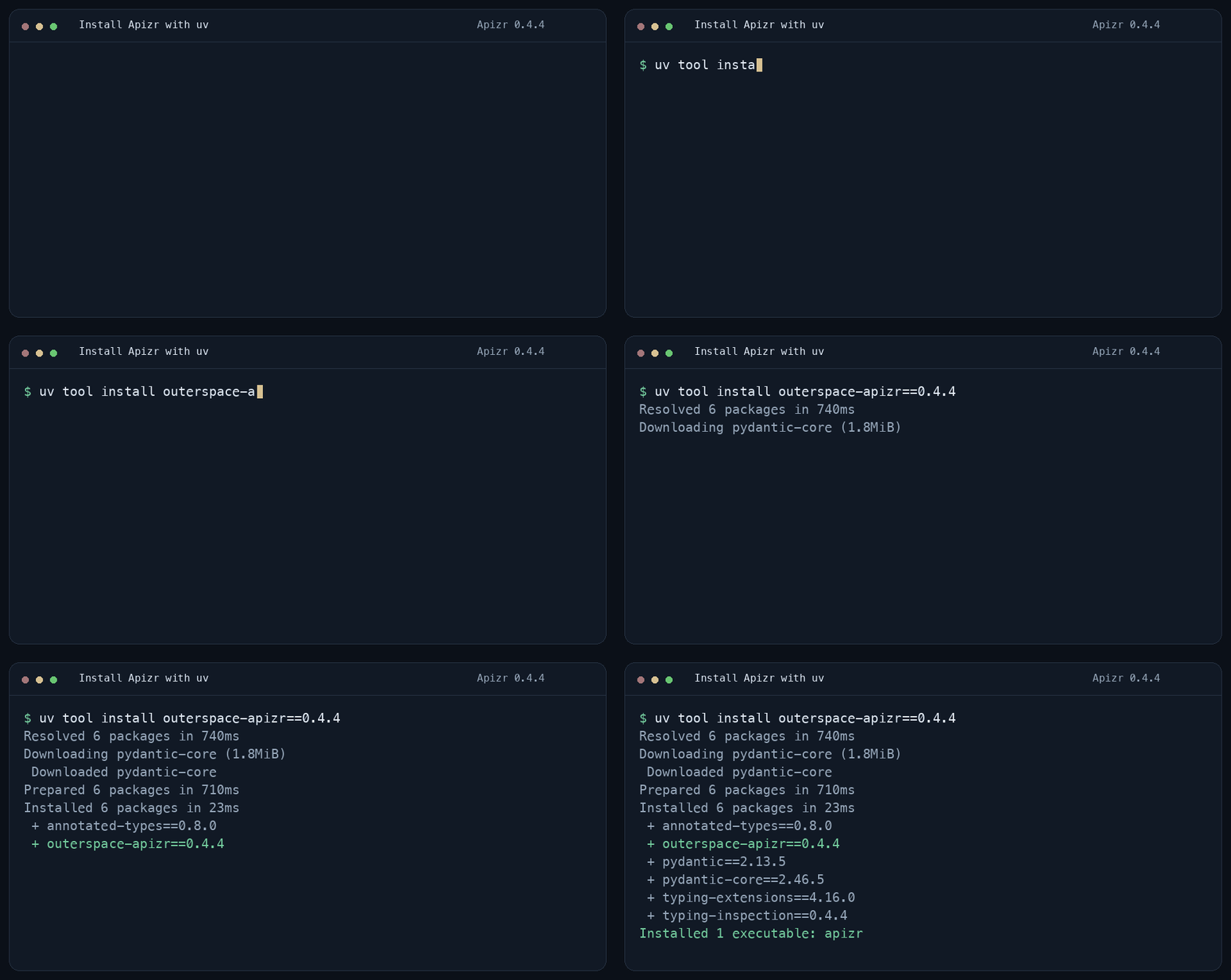
Install with uv
With uv and Python 3.11–3.14 installed:
uv tool install outerspace-apizr==0.4.4
Choose your path
Have a training script or notebook? The 0.4.5 development checkout adds a zero-execution first step:
apizr experiment inspect train.py
See code, data, parameters, randomness, environment, metrics, outputs and serving candidates. Follow the experiment inspection example for setup, notebooks and JSON. No science-framework installation is needed.
The development checkout can also execute trusted workloads and keep local history.
run executes your code with host filesystem, network and subprocess access;
it is not a security sandbox. This small example uses only the standard library:
cat > local_run.py <<'PY'
from pathlib import Path
mean = sum([2, 4, 6]) / 3
Path("model.json").write_text('{"mean": 4.0}\n')
PY
apizr experiment inspect local_run.py
RUN=$(apizr experiment run local_run.py --metric mean=mean --output model=model.json --format json | python3 -c 'import json,sys; print(json.load(sys.stdin)["run_digest"])')
apizr experiment list
apizr experiment show "$RUN"
Read the local run and history guide for environment controls, observed evidence, failure handling and storage limits.
| Your goal | Start here |
|---|---|
| Understand a training script or notebook (0.4.5 development) | Inspect an experiment without running it |
| Expose Python functions as MCP tools or REST endpoints | Install → Quickstart |
| Analyze a project from an MCP client | Install the MCP profile → analysis server |
| Build and deliver a service | Install OCI or delivery → OCI and Attest |
| Initialize and diagnose a project (0.4.2) | Safe init, read-only doctor and shell completion |
| Validate/build in CI (0.4.2) | GitHub Action, GitLab component source and apizr ci |
The core handles supported static analysis and generation. Generated servers have their own runtime dependencies. Optional plugins live in separate environments; installation, activation and operator authorization are independent decisions.
The 0.4.5 candidate lets you expose an independent function while unrelated experiments remain unfinished; see the research repository example.
Inspect → Run → Compare → Expose
“My ROC AUC changed. What else changed between these runs?” This core-only example records two trusted local runs, then compares their saved evidence.
cat > compare_train.py <<'PYTHON'
max_depth = 8
score = 0.91
PYTHON
apizr experiment inspect compare_train.py
A=$(apizr experiment run compare_train.py --metric roc_auc=score --format json | python3 -c 'import json,sys; print(json.load(sys.stdin)["run_digest"])')
cat > compare_train.py <<'PYTHON'
max_depth = 12
score = 0.92
PYTHON
B=$(apizr experiment run compare_train.py --metric roc_auc=score --format json | python3 -c 'import json,sys; print(json.load(sys.stdin)["run_digest"])')
apizr experiment list
apizr experiment diff "$A" "$B"
rm compare_train.py
apizr experiment diff "$A" "$B" --format json > comparison.json
A → B means evidence added in B or removed from A; numeric deltas are B - A.
show reads one Run; diff compares two Runs from the same validated local store.
Comparison still works after deleting the source. Unknown observations remain unknown.
Apizr identifies recorded differences; it does not prove which one caused the metric change.
Read the comparison guide for data, environment and output evidence.
After reviewing a successful Run, explicitly select its serving capability:
apizr experiment expose <RUN> --root . --operator-policy operator.json \
  --capability python:fraud_detection:predict --interface mcp \
  --artifact model --output-dir dist/predict
The current source and selected resource bytes must still match the Run. Repository Readiness and Exposure decide eligibility. Follow the Experiment → serving guide for source authority, exact dependency pins and current direct-service limits.
Expose the functions you choose
Readiness reports whether the available code evidence supports an interface. An exposure policy names the functions you choose to make public. A bundle is the generated server, its contracts and the source needed by those functions. Being ready never makes a function public automatically.
| Connect through | Start with |
|---|---|
| MCP tools for agents and other clients | Generate MCP and make two calls |
| REST endpoints for applications | Generate REST and send two requests |
The generated MCP server calls your selected functions. The separate, Apizr analysis MCP server analyzes repositories and plans exposure; it does not execute their functions.
Choose execution boundaries
Analysis and generation do not execute the project. Starting a generated server and calling its functions does: use trusted source and dependencies. Direct mode runs functions inside the server. Governed mode uses an execution policy to choose a worker and its required limits: a fresh local process or an OCI container per call. Local workers do not isolate the host filesystem or network; containers are not an untrusted-code guarantee.
The direct Quickstart needs no Docker. Read the exposure guide for governed examples and the execution boundaries for their guarantees and limits.
Existing workflows and limits
Single-source inspect, generate rest/mcp and execute remain supported.
Apizr 0.4.2 also exports verified REST bundles to
Postman, Bruno and Insomnia collections,
with deterministic files and safe local regeneration.
The historical pipeline is a separate compatibility path. See the full journey for dependency, resource and exposure limits.
Watch the demo · Architecture · Development and checks · Report an issue · GPL-3.0-or-later
1 maintainer

Metadata
1 maintainer
Release files for outerspace-apizr 0.4.5
For a detailed explanation of source distributions (sdists) and built distributions (wheels), please see the package formats documentation.
Source distribution (sdist)
| File | Size | Uploaded | |
|---|---|---|---|
| outerspace_apizr-0.4.5.tar.gz | 360.4 kB | Details |
Built distribution (wheel)
| File | Interpreter | ABI | Platform | Reset |
|---|---|---|---|---|
| outerspace_apizr-0.4.5-py3-none-any.whl | Python 3 | none | any | Details |
Total release size: 907.6 kB
Release files / outerspace_apizr-0.4.5.tar.gz
| Download URL | outerspace_apizr-0.4.5.tar.gz |
|---|---|
| Size | 360.4 kB |
| Tags | Source |
|
SHA-256 checksum How to use checksums |
c4dfc1834bdcc885b87dfe0dda58743b41971ac64e58ad74caef7ea369d9b5c7
|
|
BLAKE2b-256 checksum How to use checksums |
ab6386048fe4126b5814957b267b21999b83cf5da25af07f84cd9679bdd5ee8f
|
| Upload date | |
|
Uploaded using Trusted Publishing? What is trusted publishing? |
Yes |
| Uploaded via |
twine/7.0.0 CPython/3.13.14
|
Provenance
Provenance describes where a file came from. On PyPI, provenance is shared via attestations, which provide a verifiable record of the build or publishing details. View details, limitations and caveats.


PyPI Publish Attestation
PyPI verified that this artifact, at this checksum, originated from the publisher listed below.
Signed by GitHub Actions, verified by PyPI on Oct 11, 2026.
Transparency logRelease files / outerspace_apizr-0.4.5-py3-none-any.whl
| Download URL | outerspace_apizr-0.4.5-py3-none-any.whl |
|---|---|
| Size | 547.1 kB |
| Tags | Python 3 |
|
SHA-256 checksum How to use checksums |
1c8694c6cb6eb394097cf42610946052b3b2a7296ab0c83e0ce65473ebca77ba
|
|
BLAKE2b-256 checksum How to use checksums |
c4e3e0d307b7ff546355c5f30648d7c6a56e2a7e374869deb1e7886393e551fe
|
| Upload date | |
|
Uploaded using Trusted Publishing? What is trusted publishing? |
Yes |
| Uploaded via |
twine/7.0.0 CPython/3.13.14
|
Provenance
Provenance describes where a file came from. On PyPI, provenance is shared via attestations, which provide a verifiable record of the build or publishing details. View details, limitations and caveats.
PyPI Publish Attestation
PyPI verified that this artifact, at this checksum, originated from the publisher listed below.
Signed by GitHub Actions, verified by PyPI on Oct 11, 2026.
Transparency log













