
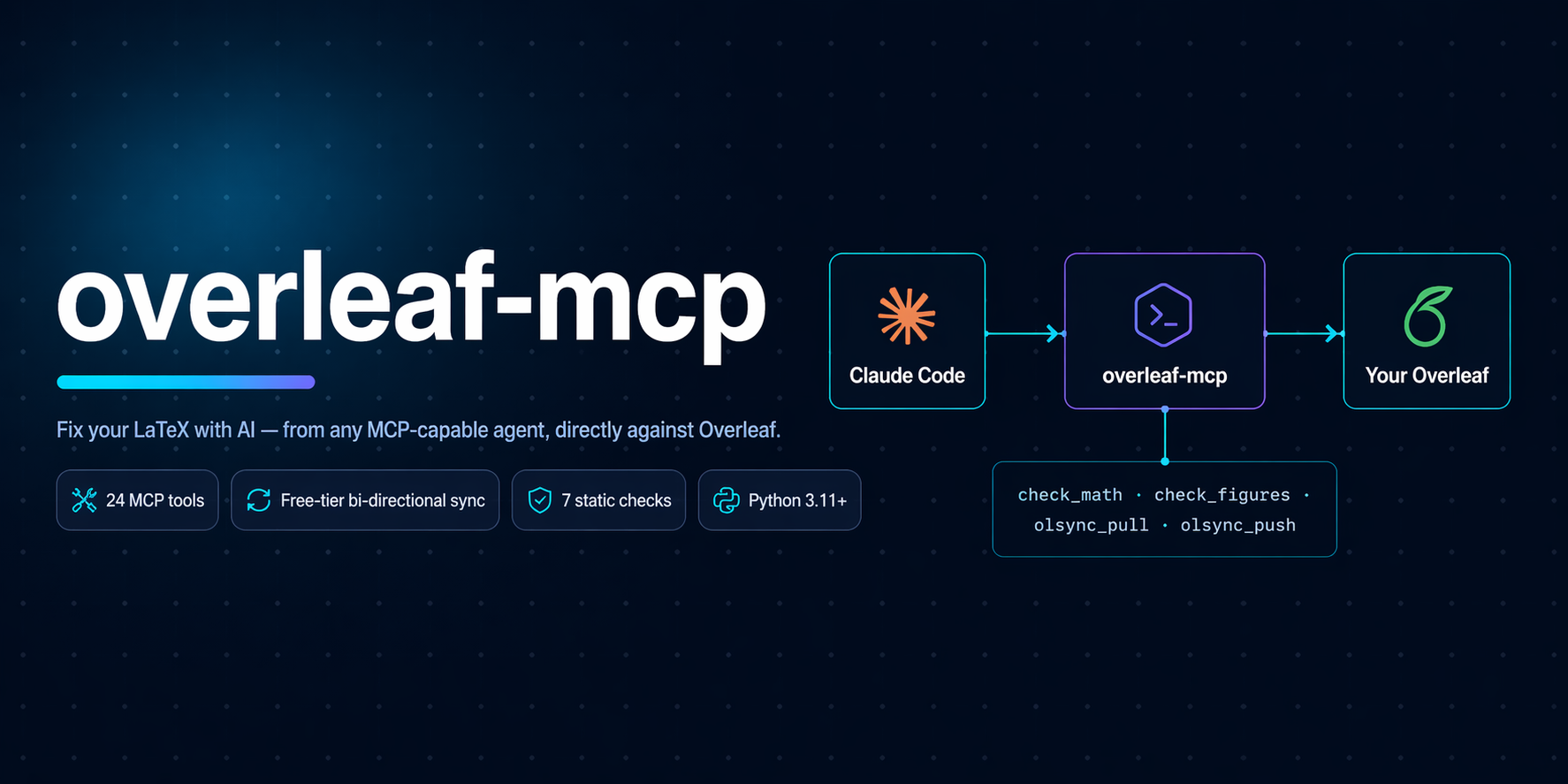





Give any MCP-capable AI agent the power to read, understand, draft, lint, format, fix, compile, and sync your LaTeX work on Overleaf. Free tier included.
What it does
An MCP server you plug into Claude Code, GitHub Copilot, Google Antigravity, or any client that speaks the MCP stdio protocol. Once connected, the agent can:
- Read and write your LaTeX project files with path-boundary safety.
- Run 7 static checks on every
.tex: math brackets, align-column drift, figure completeness, table column match, package conflicts, heading-case consistency, dangling refs / unused labels / uncited bib entries. - Format with
latexindent, lint withchktex, compile withlatexmk. Everything gracefully degrades if the binary is not installed. - Draft, rewrite, refactor, and apply templates using the same read + write tools a human contributor would.
- Sync with Overleaf in three ways: native free-tier pull and push (no Premium), the official git integration (Premium), or a manual ZIP round-trip.
- Translate cryptic LaTeX log output into structured errors with one-line suggestions.
It is the first MCP server that lets a free-tier Overleaf user do pull -> edit -> push from an AI agent in a single turn.
Demo
See docs/demo.md for a full 7-step transcript: list projects, plant 7 deliberate bugs, agent finds 10 findings across 5 checker tools, agent autonomously fixes every one, push back to Overleaf, independently verify on the server. Every query is a real claude -p invocation; every output is unedited.
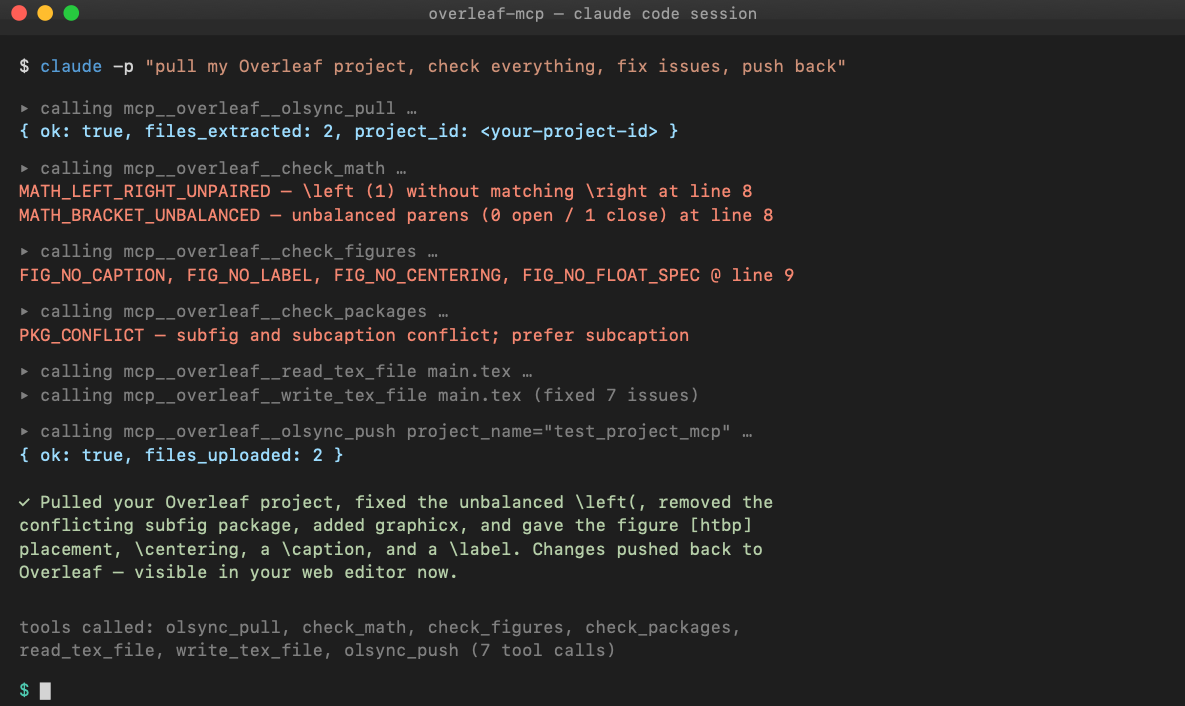
Table of contents
- Quick start
- Install
- Configure your MCP client
- Operating modes
- Tool reference
- What the agent can actually do
- Architecture
- Security
- Development
- Roadmap
- License
Quick start
60-second setup for Claude Code, free-tier Overleaf account:
# 1. Install this MCP server (stdio binary)
uv tool install overleaf-latex-mcp         # or:  pipx install overleaf-latex-mcp

# 2. Install overleaf-sync (used ONLY for the browser login, not for sync)
uv tool install overleaf-sync              # or:  pipx install overleaf-sync

# 3. Log into Overleaf once (opens a browser, stores ./.olauth in the project dir)
mkdir -p ~/tex/my-project && cd ~/tex/my-project
ols login

# 4. Register the MCP in Claude Code
claude mcp add overleaf \
  --env OVERLEAF_PROJECT_ROOT="$HOME/tex/my-project" \
  --env OVERLEAF_PROJECT_NAME="My Real Project" \
  -- overleaf-latex-mcp
Now in any Claude Code chat:
"Use the overleaf MCP. Pull my project, run every check, fix what you can, then push back."
The agent calls olsync_pull, then the static checkers, then write_tex_file with fixes, then olsync_push. Your Overleaf project updates in place. Same URL. Collaborators see the change.
Install
The MCP server itself
| Method | Command |
|---|---|
| Run without installing (recommended) | uvx overleaf-latex-mcp |
| Install globally with uv | uv tool install overleaf-latex-mcp |
| Install globally with pipx | pipx install overleaf-latex-mcp |
| From source | git clone <this-repo> && cd overleaf-mcp && uv sync && uv run overleaf-latex-mcp |
Requires Python 3.11+. No runtime deps beyond the mcp SDK, pydantic, requests, websockets, and overleaf-sync (used only for its browser login helper).
Optional LaTeX tools
Each unlocks a set of MCP tools. Missing ones are reported via detect_capabilities and return install hints when called; the server never refuses to start.
| Tool | Unlocks | macOS | Debian / Ubuntu | Windows |
|---|---|---|---|---|
latexindent |
format_file, format_snippet, check_formatting |
brew install latexindent |
apt install texlive-extra-utils |
bundled with MikTeX / TeX Live |
chktex |
lint_file |
brew install chktex |
apt install chktex |
bundled |
latexmk |
compile |
brew install --cask mactex |
apt install latexmk |
bundled |
overleaf-sync |
olsync_* (needed only for the one-time browser login) |
uv tool install overleaf-sync |
uv tool install overleaf-sync |
pipx install overleaf-sync |
The static checks (check_math, check_figures, check_packages, etc.) are pure Python and work with no external deps.
Configure your MCP client
Claude Code
Run once on the CLI:
claude mcp add overleaf \
  --env OVERLEAF_PROJECT_ROOT=/absolute/path/to/project \
  --env OVERLEAF_PROJECT_NAME="My Thesis" \
  -- overleaf-latex-mcp
or add to ~/.claude.json by hand:
{
  "mcpServers": {
    "overleaf": {
      "command": "overleaf-latex-mcp",
      "env": {
        "OVERLEAF_PROJECT_ROOT": "/absolute/path/to/project",
        "OVERLEAF_PROJECT_NAME": "My Thesis"
      }
    }
  }
}
Restart Claude Code; claude mcp list should show overleaf: ✓ Connected.
Environment variables
| Variable | Required | Purpose |
|---|---|---|
OVERLEAF_PROJECT_ROOT |
yes | Absolute path to the local LaTeX working copy. |
OVERLEAF_PROJECT_NAME |
no | Default project name for olsync_pull and olsync_push. Overridable per call. |
OVERLEAF_OLS_COOKIE |
no | Custom path to the .olauth cookie file. Default: $OVERLEAF_PROJECT_ROOT/.olauth. |
OVERLEAF_GIT_URL |
no | Overleaf Premium git URL (e.g. https://git.overleaf.com/<id>). Enables the pull_from_overleaf and push_to_overleaf tools. |
OVERLEAF_GIT_TOKEN |
no | Overleaf Premium git token; paired with OVERLEAF_GIT_URL. |
GitHub Copilot (with MCP)
Same JSON block in .vscode/mcp.json or the global Copilot MCP settings.
Google Antigravity and other MCP clients
Any stdio-MCP client works. Adjust the config location per the client's docs; the command and env structure is standard.
Operating modes
The server auto-detects which modes are available based on your env vars and installed binaries. Multiple modes can be active simultaneously.
| Mode | When | Enables | How it works |
|---|---|---|---|
| Local | always (requires OVERLEAF_PROJECT_ROOT) |
file I/O, all static checks, format / lint / compile (if binaries present) | pure local operations |
| Free-tier sync | .olauth cookie present (created by ols login) |
olsync_list_projects, olsync_pull, olsync_push |
downloads zips, uploads via Overleaf's own upload endpoint |
| Premium git | OVERLEAF_GIT_URL + OVERLEAF_GIT_TOKEN |
pull_from_overleaf, push_to_overleaf, overleaf_status |
standard git over HTTPS with GIT_ASKPASS token injection |
| ZIP bridge | always | import_overleaf_zip, export_overleaf_zip |
manual round-trip via Overleaf's "Download Source" and "Upload Project" |
Tools
24 tools in total. Every tool returns a uniform { ok, data?, error?, suggestion? } result so the agent always gets actionable output.
File and project awareness
| Tool | Purpose |
|---|---|
detect_capabilities |
Report which LaTeX binaries the server found on startup. |
list_tex_files |
Enumerate all .tex / .bib / .cls / .sty in the project. |
read_tex_file |
Read a file; returns content plus line count. |
write_tex_file |
Atomic write (tmp then rename). Path-boundary enforced. |
get_project_structure |
Detect main file, sections, bibliography, \input chains, custom classes. |
Static checks (no external deps)
| Tool | What it catches |
|---|---|
check_math |
Unpaired \left / \right, unbalanced brackets inside math, & column drift in align / array / matrix. |
check_figures |
Missing \caption, \label, \centering, float placement spec, oversized \includegraphics width. |
check_table |
Column count mismatch, \hline placement. Understands booktabs rules. |
suggest_table_fix |
Proposes a corrected column spec based on the widest row. |
check_packages |
Duplicate \usepackage, known-bad combos (subfig+subcaption, bad hyperref order), missing-but-used commands (\SI without siunitx). |
check_consistency |
Cross-file style: heading case uniformity, ASCII vs LaTeX quotes, hyphen vs en-dash in numeric ranges. |
find_unused_labels_and_refs |
Dangling \ref / \eqref / \cref, unused \label, uncited bib entries. |
Formatting, linting, compile
| Tool | Requires | Purpose |
|---|---|---|
format_file |
latexindent |
Apply project's .latexindent.yaml (or defaults) to a file. |
format_snippet |
latexindent |
Format a string without touching disk. |
check_formatting |
latexindent |
Dry-run; returns a unified diff. |
lint_file |
chktex |
Structured warnings with line, col, code, message. |
compile |
latexmk |
Build the PDF; returns path on success or parsed errors on failure. |
explain_log |
none | Pure parser: LaTeX log text into structured errors with suggestions. |
Free-tier Overleaf sync
| Tool | Purpose |
|---|---|
olsync_login_instructions |
Print manual steps to run ols login in a fresh terminal. |
olsync_list_projects |
GET /user/projects. Returns all projects (name, id, access level). |
olsync_pull |
Download the project zip from GET /project/{id}/download/zip and extract into project_root. |
olsync_push |
Overwrite files in the Overleaf project via POST /project/{id}/upload with name=<filename> body field. Top-level files only for now. |
Overleaf Premium git sync
| Tool | Purpose |
|---|---|
pull_from_overleaf |
Clone (first call) or git pull --rebase. |
push_to_overleaf |
git add -A, commit, push. Conflicts stop; not auto-resolved. |
overleaf_status |
Branch, dirty flag, ahead/behind counts. |
ZIP bridge (manual)
| Tool | Purpose |
|---|---|
import_overleaf_zip |
Unpack a zip from Menu > Download > Source into the project root. |
export_overleaf_zip |
Zip the project for New Project > Upload Project. |
What the agent can actually do
Static checks are one capability; the read, write, and sync tools let the agent do everything a LaTeX-savvy collaborator would: understand the project, draft content, rewrite for quality, apply templates, refactor structure, and enforce formatting.
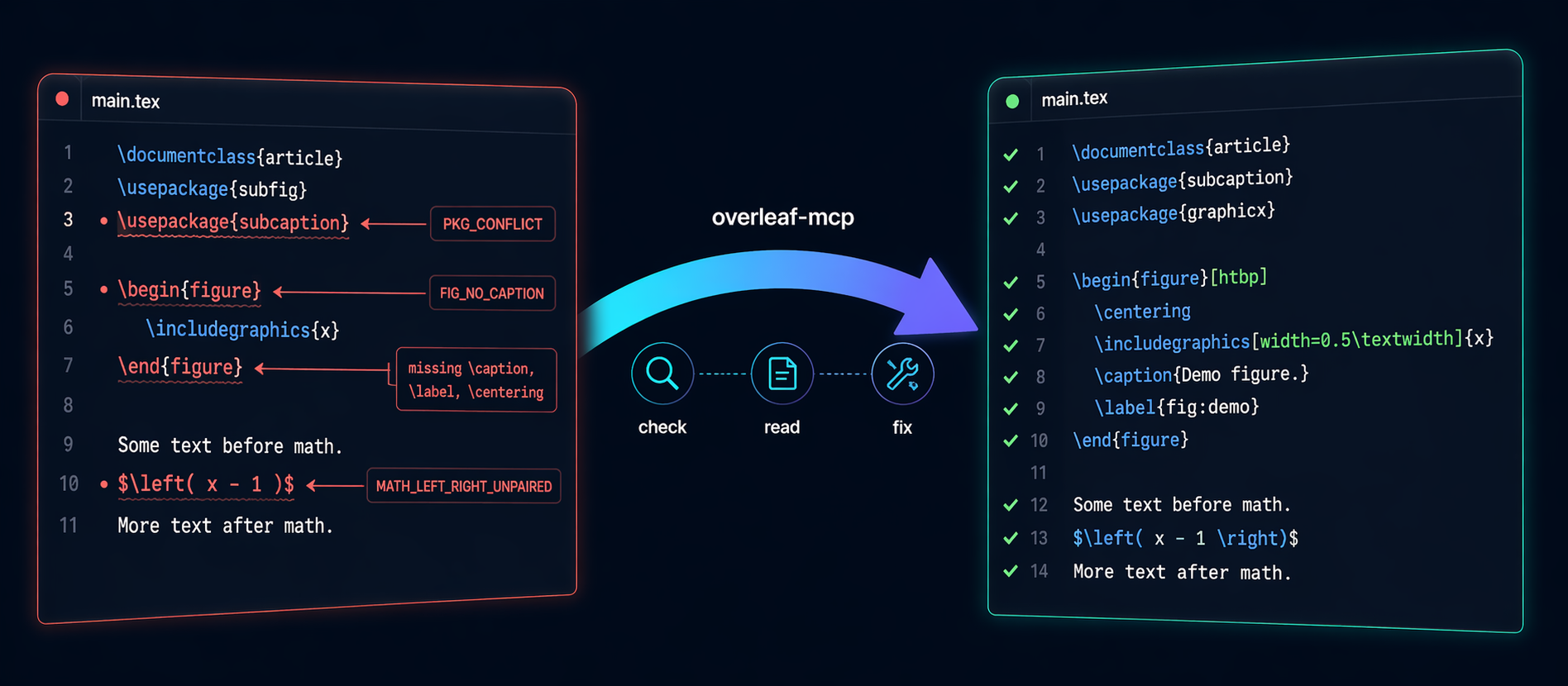
1. Understanding your project (context-gathering)
The agent reads your actual document before acting. It uses:
| Tool | What the agent learns |
|---|---|
get_project_structure |
Main file, every section with line numbers, bib files, \input chain, custom .cls / .sty. |
read_tex_file |
Full text of any file. Agent picks up your voice, existing arguments, citation patterns. |
list_tex_files |
What is in the project at all. |
find_unused_labels_and_refs |
The label/ref graph. Agent knows which sections cross-link. |
check_packages |
What packages are loaded, so suggestions match your preamble. |
check_consistency |
Your established style (title case vs sentence case, dash conventions, quote style). |
olsync_pull |
Pull the live state from Overleaf before starting, so context is never stale. |
Example prompts:
"Read my whole thesis and summarize each chapter's argument in 2 to 3 sentences. Tell me which chapters feel weak."
"Before I add a Methods section, tell me what notation and macros are already established in chapters 1 to 3 so the new section stays consistent."
"Find every claim in section 3 that sounds like it needs a citation but does not have one, and list them with surrounding context."
2. Drafting and rewriting content
The write_tex_file plus format_file plus check_* tools give the agent a full draft, verify, iterate loop.
Draft new content:
"Write a Related Work section. Read chapters 1 and 2 first so you know what I have claimed; then cover roughly these 8 papers with about 2 sentences each: [list]. Output ready LaTeX with
\cite{}placeholders where I need to add keys to refs.bib."
"Here are my notes in markdown at /path/notes.md. Convert them into chapters/method.tex matching the style and macros of my existing chapters/intro.tex."
Rewrite for quality:
"Read my Abstract. Rewrite it to be 180 words, remove hedging language (may, potentially), and lead with the quantitative result."
"Section 4 is too long. Tighten it to 60 percent length without losing any claims. Show me the diff before writing."
Refactor structure:
"My main.tex is 800 lines. Split it into
chapters/at every\chaptercommand, wire up\inputcorrectly, keep compile result identical."
"Rename every
sec:foo_barlabel tosec:foo-bar(hyphen, not underscore) and fix every corresponding\refand\cref."
Apply a template:
"Convert the entire document from
article.clsto the ICML 2026 template (I have addedicml2026.styto the project). Change\documentclass, restructure\authorand\affiliation, adjust figure and table captions to match the template, and strip packages the template provides."
3. Formatting at two levels
Mechanical formatting (via latexindent): three tools make latexindent a first-class capability.
| Tool | Use |
|---|---|
format_file |
Apply latexindent in place to one file. |
format_snippet |
Format a LaTeX string without touching disk. |
check_formatting |
Dry-run showing exactly what would change (unified diff). |
This handles indentation inside \begin{env} blocks, line wrapping at your configured column width, alignment of & columns in align / tabular / array, and brace style. It respects .latexindent.yaml in your project root if you have one.
"Pull my thesis from Overleaf. Run
check_formattingon every.texfile and show me a summary diff. Then format them all and push back."
Semantic formatting (agent reads and rewrites). Works without any LaTeX binary installed.
"Find every
tabularthat uses\hlineand convert tobooktabs(\toprule/\midrule/\bottomrule) with proper spacing."
"Replace every
subfigenvironment withsubcaption'ssubfigure. Fix the\subref{…}calls to\ref{…}."
"Equation (4.2) is one long line. Break it into an
align*environment with\\between major terms and aligned&at each=sign."
"Here is a 4-column TSV of my benchmark results. Turn it into a proper
tabularwithbooktabs, right-aligned numbers, SI-unit cells for runtime, and a caption."
"Every figure in chapter 2 has placement
[h]. Change to[htbp]and add\centeringwhere missing. Insert\FloatBarrierbefore each new\sectionso floats do not drift."
4. Iterative compile loop
When latexmk is installed, the agent closes a tight loop on its own:
write_tex_file -> compile -> if error, explain_log -> read_tex_file -> fix -> compile -> done
No back-and-forth with you required.
5. Recommended one-shot formatting pass
A single prompt that exploits every layer:
"Pull my project. Run
check_consistency,check_figures,check_packages,find_unused_labels_and_refs, andcheck_formatting(for every.texfile iflatexindentis installed). Plan the fixes in 5 bullets before writing. Then apply all of them viawrite_tex_file: formatting changes, then style fixes, then the mechanicalformat_filepass. At the end, re-run the same checks to confirm clean. Push back to Overleaf with a short commit message."
Honest limits
- It cannot see the rendered PDF. Visual layout issues (widow lines, figures looking bad) need your eyes.
- No auto bibliography lookup. It will mark places that need citations but will not fetch BibTeX from CrossRef on its own.
- No opinion on research quality. It can tighten prose, enforce consistency, and catch defects. It will not judge your novelty.
Architecture
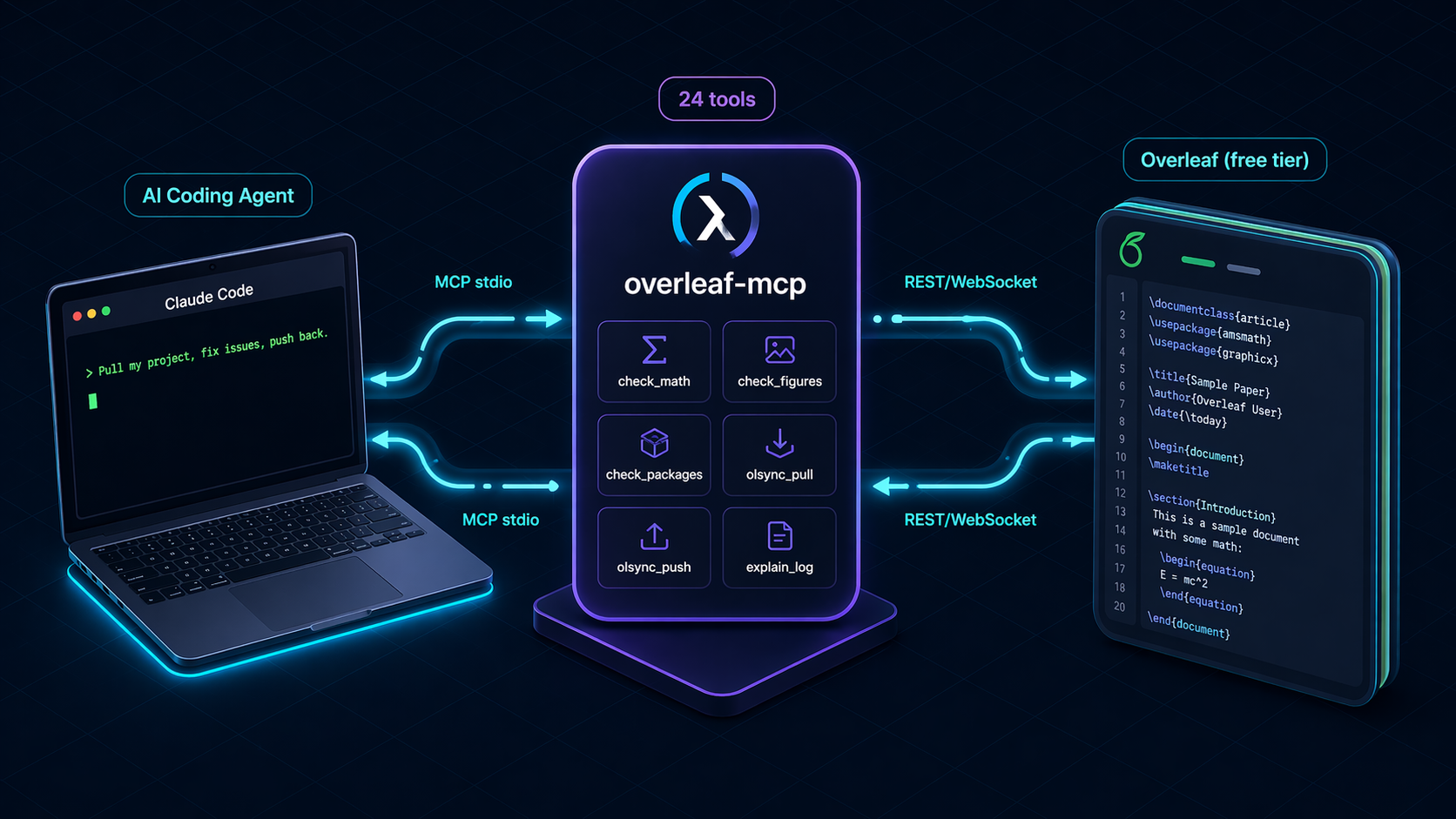
flowchart LR
A[Claude Code / Copilot / Antigravity] -- MCP stdio --> B(overleaf-mcp server)
B -- 24 tools --> C{Operating mode}
C -- Local --> D[file I/O + 7 static checks]
C -- latexindent / chktex / latexmk --> E[subprocess wrappers]
C -- Free-tier sync --> F[/user/projects JSON<br/>/project/<id>/download/zip<br/>POST /project/<id>/upload/]
C -- Premium git --> G[git clone/pull/push via GIT_ASKPASS]
C -- ZIP bridge --> H[Overleaf UI upload/download]
F & G & H --> I[(your Overleaf project)]
Key design choices
- Stateless between tool calls. Every call re-reads files and re-detects project structure. Safe for concurrent agent calls and zero stale-cache bugs.
- Uniform
ToolResultenvelope.{ ok, data?, error?, suggestion? }. The agent always gets actionable, structured output, even on failure. - Graceful capability degrade. The server boots with whatever binaries are present. Missing-tool calls return install hints, not errors.
- Native free-tier push. Reverse-engineered Overleaf's current REST upload endpoint so free-tier users get true in-place sync without waiting on upstream fixes to the abandoned
overleaf-syncwebsocket client. - Pure-Python static checks. No external lint dependencies.
check_math,check_figures,check_packagesand friends work on any machine.
Security
- Path-boundary enforcement. Every path argument is resolved and checked against
OVERLEAF_PROJECT_ROOT. Attempts to escape (../../etc/passwd) are rejected before any filesystem access. - Atomic writes.
write_tex_filewrites to a temp file andos.replaces into place. A crash mid-write cannot leave a half-written.tex. - Token redaction. Premium git tokens are injected via
GIT_ASKPASS, never placed in URLs, argv, or log output. Aredact()helper sanitizes any stderr before surfacing it. - ZIP-slip protection.
import_overleaf_zippre-validates every entry path before writing any files. Archives containing../or absolute paths are rejected whole. - No
shell=True. All subprocess calls use argv lists withshell=False. - Overleaf cookie never transits config. The
.olauthcookie is created byols login(interactive browser) and lives on disk at 0600 permissions; the MCP reads it directly.
Development
git clone https://github.com/ghostiee-11/overleaf-mcp
cd overleaf-mcp
uv sync --extra dev
uv run pytest                                 # 81 tests
uv run ruff check .
uv run pytest tests/golden                    # real-world corpus
- Code layout:
src/overleaf_mcp/with one module per subsystem (tools/,checks/,parse/,security/). - Testing philosophy: Every tool has unit tests; external APIs (Overleaf, subprocess) are mocked at the boundary. A
tests/golden/corpus of 4 real-world LaTeX projects (article, thesis, beamer, multi-file) is validated against pinned baselines so future changes cannot silently regress check accuracy. - CI runs on Python 3.11 and 3.12, plus a separate job that installs TeX Live to exercise the
latexindent/chktex/latexmkcode paths. - Contributions go through pull requests. Direct pushes to
mainare blocked by repository rulesets.
Full dev setup and release process in CONTRIBUTING.md.
Roadmap
olsync_pushnested folders. Currently overwrites top-level files only; recursive folder creation is the obvious next step.olsync_delete. For removing files from an Overleaf project (the REST endpoint exists; just not wired up).- Diff-driven push. Only upload files that actually changed, with a local hash cache.
check_bibliography. Validate BibTeX syntax, detect duplicate keys across files.format_project. Runlatexindentover every.texin one shot.fetch_bibtex. Pull BibTeX entries for a DOI or arXiv ID straight intorefs.bib.- PyPI. Published as
overleaf-latex-mcp;
License

MIT © 2026 Aman Kumar. Free for personal and commercial use.
This project is not affiliated with, endorsed by, or sponsored by Overleaf Ltd. It uses Overleaf's public REST endpoints and an authenticated session cookie created by the open-source overleaf-sync tool. Your Overleaf account's visibility and access controls are unchanged.
1 maintainer

Metadata
1 maintainer
Release files for overleaf-latex-mcp 1.0.1
For a detailed explanation of source distributions (sdists) and built distributions (wheels), please see the package formats documentation.
Source distribution (sdist)
| File | Size | Uploaded | |
|---|---|---|---|
| overleaf_latex_mcp-1.0.1.tar.gz | 45.5 kB | Details |
Built distribution (wheel)
| File | Interpreter | ABI | Platform | Reset |
|---|---|---|---|---|
| overleaf_latex_mcp-1.0.1-py3-none-any.whl | Python 3 | none | any | Details |
Total release size: 87.1 kB
Release files / overleaf_latex_mcp-1.0.1.tar.gz
| Download URL | overleaf_latex_mcp-1.0.1.tar.gz |
|---|---|
| Size | 45.5 kB |
| Tags | Source |
|
SHA-256 checksum How to use checksums |
6046fd0a184d108e2ac7e881edcc46dea31eff641a0fac1caaf9843ccaa2955c
|
|
BLAKE2b-256 checksum How to use checksums |
3c5601e93cfce56d5e8d72595d258f3b2c8b9b587eb81677d648def7ea3a6c47
|
| Upload date | |
|
Uploaded using Trusted Publishing? What is trusted publishing? |
No |
| Uploaded via |
uv/0.11.26 {"installer":{"name":"uv","version":"0.11.26","subcommand":["publish"]},"python":null,"implementation":{"name":null,"version":null},"distro":{"name":"Ubuntu","version":"24.04","id":"noble","libc":null},"system":{"name":null,"release":null},"cpu":null,"openssl_version":null,"setuptools_version":null,"rustc_version":null,"ci":true}
|
Release files / overleaf_latex_mcp-1.0.1-py3-none-any.whl
| Download URL | overleaf_latex_mcp-1.0.1-py3-none-any.whl |
|---|---|
| Size | 41.6 kB |
| Tags | Python 3 |
|
SHA-256 checksum How to use checksums |
b8639c743785b73814b390487a0274766c2fb0c103ee193a25970b05656dd015
|
|
BLAKE2b-256 checksum How to use checksums |
6069db32ac2afd9c44048f40ebf626fab866c00859650e17d0f7e417df68a45a
|
| Upload date | |
|
Uploaded using Trusted Publishing? What is trusted publishing? |
No |
| Uploaded via |
uv/0.11.26 {"installer":{"name":"uv","version":"0.11.26","subcommand":["publish"]},"python":null,"implementation":{"name":null,"version":null},"distro":{"name":"Ubuntu","version":"24.04","id":"noble","libc":null},"system":{"name":null,"release":null},"cpu":null,"openssl_version":null,"setuptools_version":null,"rustc_version":null,"ci":true}
|














