
This release is a pre-release and may not be stable for production use.
Screenshot Skill
This OVOS skill takes a screenshot when you ask for one by voice. It saves the image as a PNG file and shows a notification with the file location.
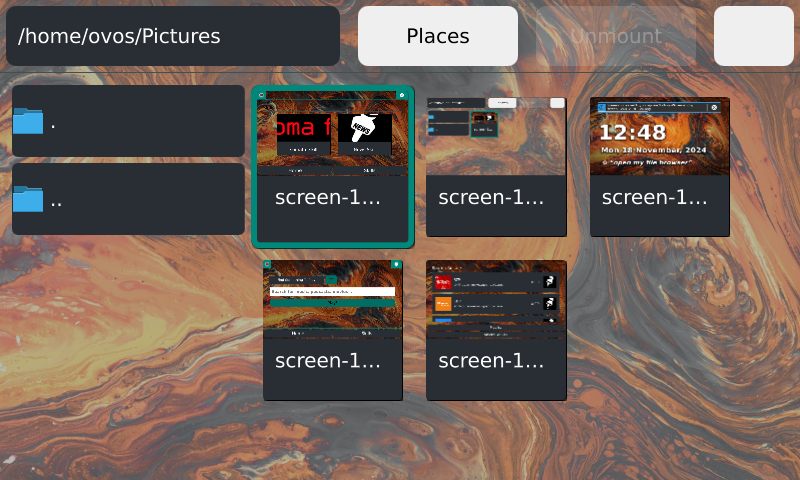
Supported platforms: ovos-shell, Windows, macOS, Linux and OpenBSD
Install
pip install ovos-skill-screenshot
Usage
Say one of these phrases to take a screenshot:
- "take a screenshot"
- "capture the screen"
The skill saves the screenshot to ~/Pictures/Screenshots by default. To use a different folder, set screenshots_path in the skill settings.
On ovos-shell, the skill asks the shell to take the screenshot. On other platforms, it captures the screen with the mss library.
Related projects
- OpenVoiceOS/ovos-core: the assistant this skill runs on
- OpenVoiceOS/ovos-gui-plugin-shell-companion: the shell extension this skill talks to for screenshots on ovos-shell
License
Apache-2.0
1 maintainer

Download files
Download the file for your platform. If you're not sure which to choose, learn more about installing packages.
Source Distribution
Built Distribution
Filter files by name, interpreter, ABI, and platform.
If you're not sure about the file name format, learn more about wheel file names.
Copy a direct link to the current filters
File details
Details for the file ovos_skill_screenshot-0.0.10a5.tar.gz.
File metadata
- Download URL: ovos_skill_screenshot-0.0.10a5.tar.gz
- Upload date:
- Size: 11.6 kB
- Tags: Source
- Uploaded using Trusted Publishing? No
- Uploaded via:
twine/7.0.0 CPython/3.13.14
File hashes
| Algorithm | Hash digest | |
|---|---|---|
| SHA256 |
72a2bc683957b1aa39cf03ed7b88ca8bb5a3ead0158b8bdddb6869f8de3d8a33
|
|
| MD5 |
2e56a8ad42572d470cf1a064acdffa66
|
|
| BLAKE2b-256 |
186282307b20feecf415988d3d27275ce6a6694b28de63e687278f6f7ffbd770
|
File details
Details for the file ovos_skill_screenshot-0.0.10a5-py3-none-any.whl.
File metadata
- Download URL: ovos_skill_screenshot-0.0.10a5-py3-none-any.whl
- Upload date:
- Size: 18.2 kB
- Tags: Python 3
- Uploaded using Trusted Publishing? No
- Uploaded via:
twine/7.0.0 CPython/3.13.14
File hashes
| Algorithm | Hash digest | |
|---|---|---|
| SHA256 |
862578cbfeb2ec68cb4bfc3e8fec4396caf8b0daa7ff3d70164c84b6275a6032
|
|
| MD5 |
22e9e45224326255df7ff689514516bb
|
|
| BLAKE2b-256 |
5d2311a6511ae57e6427432b236281af24bb45674ea0b895f58a28a171bdb8b4
|







