
OVOS-utils
collection of simple utilities for use across the mycroft ecosystem
Install
pip install ovos_utils
Commandline scripts
ovos-logs
Small helper tool to quickly navigate the logs, create slices and quickview errors
-
ovos-logs slice [options]
Slice logs of a given time period. Defaults on the last service start (
-s) until now (-u)Different logs can be picked using the
-loption. All logs will be included if not specified.
Optionally the directory where the logs are stored (-p) and the file where the slices should be dumped (-f) can be specified.[ex:
ovos-logs slice]
Slice all logs from service start up until now.[ex:
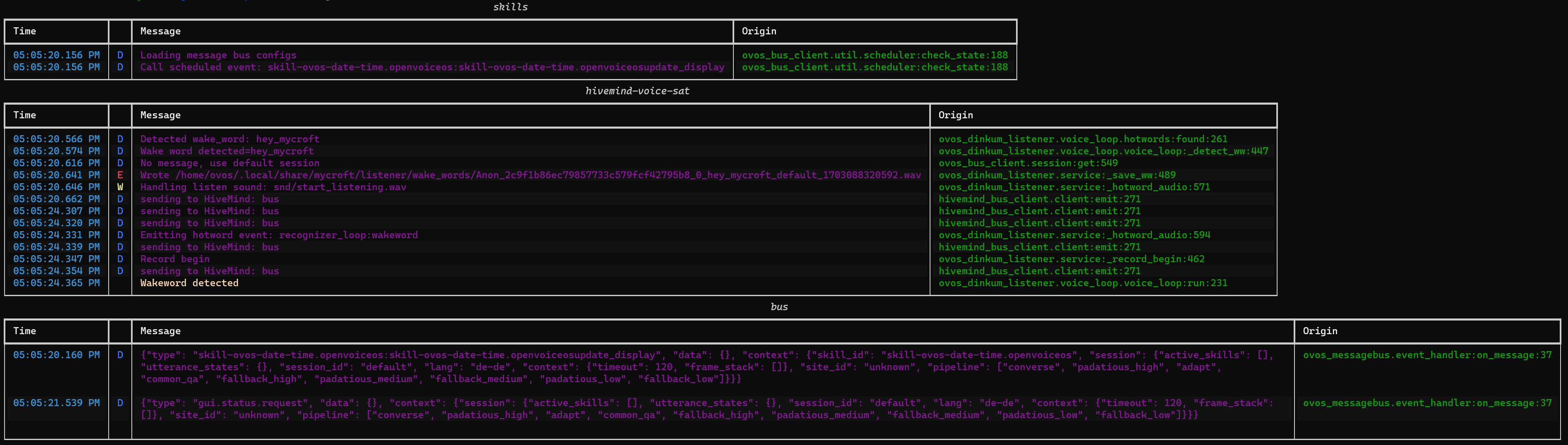
ovos-logs slice -s 17:05:20 -u 17:05:25]
Slice all logs from 17:05:20 until 17:05:25.
**no logs in that timeframe in other present logs[ex:
ovos-logs slice -s 17:05:20 -u 17:05:25 -l skills]
Slice skills.log from 17:05:20 until 17:05:25.[ex:
ovos-logs slice -s 17:05:20 -u 17:05:25 -f ~/testslice.log]
Slice the logs from 17:05:20 until 17:05:25 on all log files and dump the slices in the file ~/testslice.log (default:~/slice_<timestamp>.log).

-
ovos-logs list [-e|-w|-d|-x] [options]
List logs by severity (error/warning/debug/exception). A log level has to be specified - more than one can be listed
A start and end date can be specified using the
-sand-uoptions. Defaults to the last service start until now.
Different logs can be picked using the-loption. All logs will be included if not specified.
Optionally, the directory where the logs are stored (-p) and the file where the slices should be dumped (-f) can be passed as arguments.[ex:
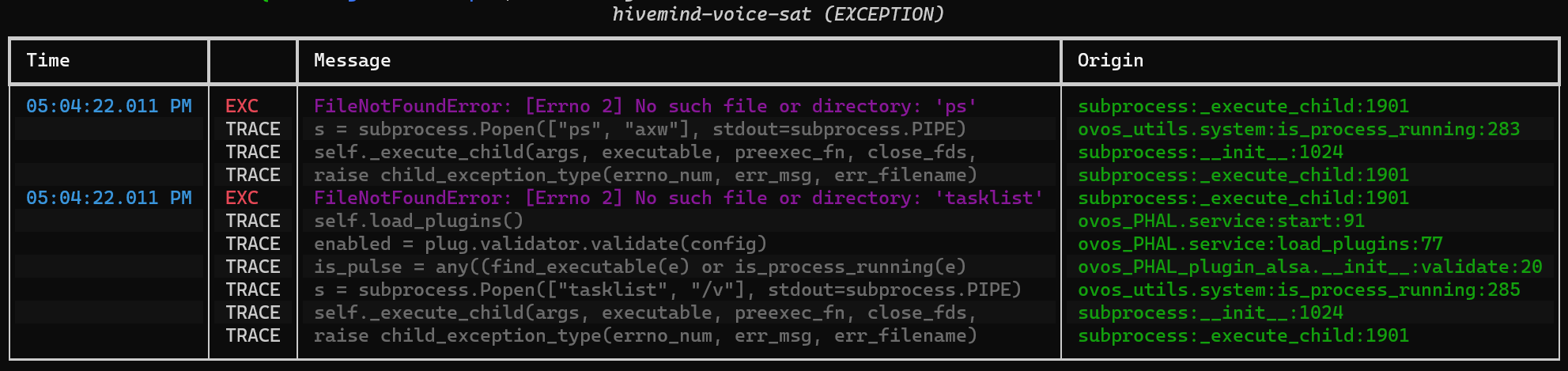
ovos-logs list -x]
List the logs with level EXCEPTION (plus tracebacks) from the last service start until now.[ex:
ovos-logs list -w -e -s 20-12-2023 -l bus -l skills]
List the logs with level WARNING and ERROR from the 20th of December 2023 until now from the logs bus.log and skills.log.

-
ovos-logs reduce [options]
Downsize logs to a given size (in bytes) or remove entries before a given date.
Different logs can be included using the
-loption. If not specified, all logs will be included.
Optionally the directory where the logs are stored (-p) can be specified.[ex:
ovos-logs reduce]
Downsize all logs to 0 bytes[ex:
ovos-logs reduce -s 1000000]
Downsize all logs to ~1MB (latest logs)[ex:
ovos-logs reduce -d "1-12-2023 17:00"]
Downsize all logs to entries after the specified date/time[ex:
ovos-logs reduce -s 1000000 -l skills -l bus]
Downsize skills.log and bus.log to ~1MB (latest logs)
-
ovos-logs show -l [servicelog]
Show logs
[ex:
ovos-logs show -l bus]
Show the logs from bus.log.[ex: wrong servicelog]
**logs shown depending on the logs present in the folder
2 maintainers


Metadata
2 maintainers
Release files for ovos-utils 0.8.5
For a detailed explanation of source distributions (sdists) and built distributions (wheels), please see the package formats documentation.
Source distribution (sdist)
| File | Size | Uploaded | |
|---|---|---|---|
| ovos_utils-0.8.5.tar.gz | 74.9 kB | Details |
Built distribution (wheel)
| File | Interpreter | ABI | Platform | Reset |
|---|---|---|---|---|
| ovos_utils-0.8.5-py3-none-any.whl | Python 3 | none | any | Details |
Total release size: 160.2 kB
Release files / ovos_utils-0.8.5.tar.gz
| Download URL | ovos_utils-0.8.5.tar.gz |
|---|---|
| Size | 74.9 kB |
| Tags | Source |
|
SHA-256 checksum How to use checksums |
bfb213cc5b8965c897e3b6da2a06aef4b023d9c8c55c1e1623699129dfbe3c67
|
|
BLAKE2b-256 checksum How to use checksums |
4be0e566ebf89ab13c69abdaed1bae60842521d83dc77c672045bc6610068deb
|
| Upload date | |
|
Uploaded using Trusted Publishing? What is trusted publishing? |
No |
| Uploaded via |
twine/6.1.0 CPython/3.13.7
|
Release files / ovos_utils-0.8.5-py3-none-any.whl
| Download URL | ovos_utils-0.8.5-py3-none-any.whl |
|---|---|
| Size | 85.2 kB |
| Tags | Python 3 |
|
SHA-256 checksum How to use checksums |
daa383109004df0d858586616d7de2fea9e530f82bcbba7ae1d643d4f97b277b
|
|
BLAKE2b-256 checksum How to use checksums |
e3b28f82188e3f083e69fd03379975211ddd7beaef95019f9592572a3fcee39a
|
| Upload date | |
|
Uploaded using Trusted Publishing? What is trusted publishing? |
No |
| Uploaded via |
twine/6.1.0 CPython/3.13.7
|














