
Basic WebUI for using Ansible

Project description
Simple WebUI for using Ansible





DISCLAIMER: This is an unofficial community project! Do not confuse it with the vanilla Ansible product!
The goal is to allow users to quickly install & run a WebUI for using Ansible locally.
Keep it simple.

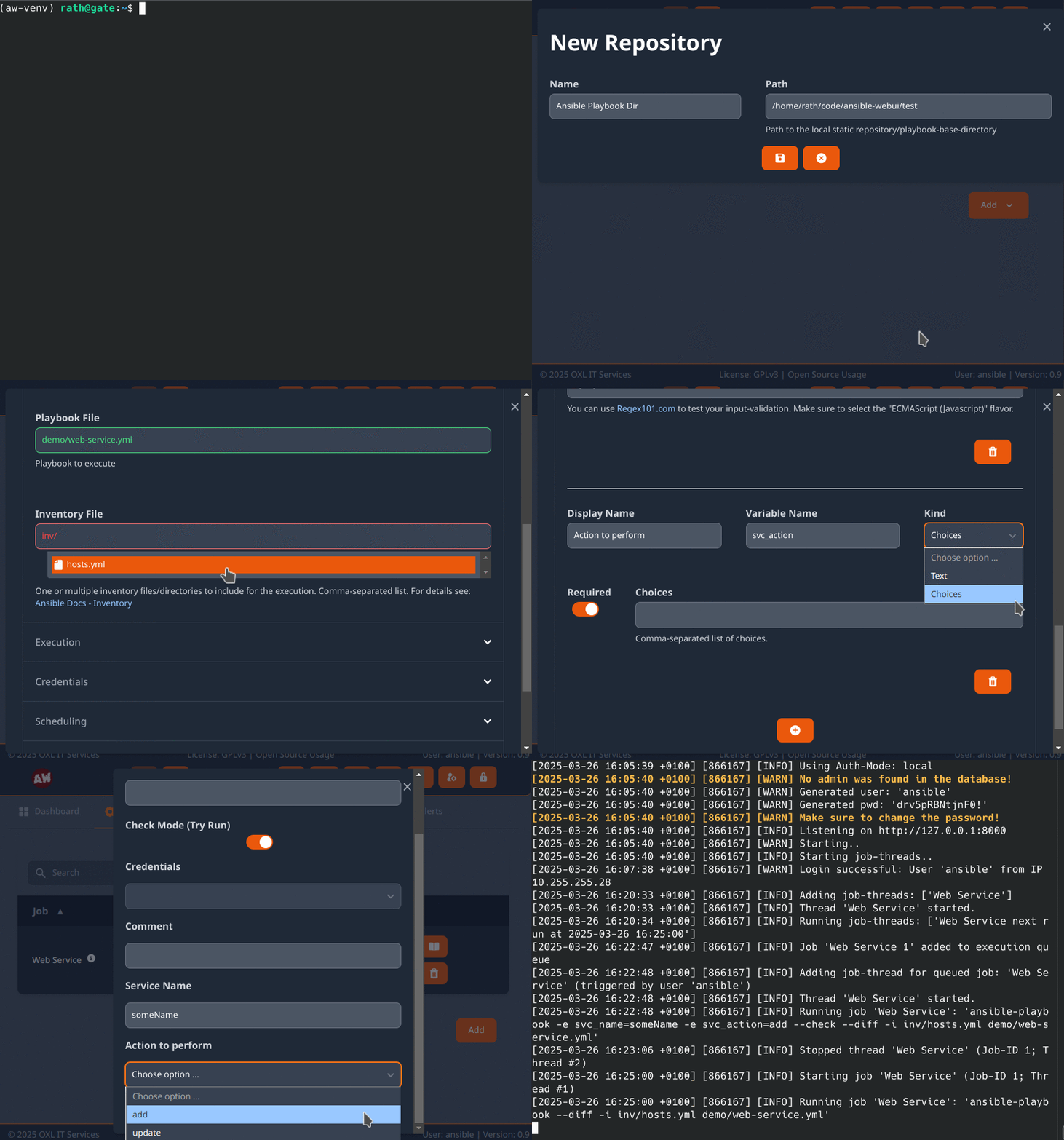
Setup
Local - PIP
Requires Python >=3.10
# install
python3 -m pip install oxl-ansible-webui

# run
oxl-ansible-webui
Docker
Images: ansible-webui, ansible-webui-unprivileged, ansible-webui-mysql, ansible-webui-psql, ansible-webui-aws
docker image pull oxlorg/ansible-webui:latest
docker run -d --name ansible-webui --publish 127.0.0.1:8000:8000 oxlorg/ansible-webui:latest

# or with persistent data (volumes: /data = storage for logs & DB, /play = ansible playbook base-directory)
docker run -d --name ansible-webui --publish 127.0.0.1:8000:8000 --volume $(pwd)/ansible/data:/data --volume $(pwd)/ansible/play:/play oxlorg/ansible-webui:latest
Optional Dependencies
pip install oxl-ansible-webui[mysql]
pip install oxl-ansible-webui[psql]
pip install oxl-ansible-webui[ara]
pip install oxl-ansible-webui[saml]
Demo
Check out the demo at: demo.ansible-webui.OXL.app
Login: User demo, Password Ansible1337
Usage

Contribute
Feel free to contribute to this project using pull-requests, issues and discussions!
What we need:
- Testers and feedback
- More Test-cases
- Translations for your language(s)
See also: Contributing


Roadmap
V1.0
- Refactor WebUI => SvelteJS & TailwindCSS
- Data-update over Websockets
- Migrate permissions to Django-builtin ones
- Django 5.1
Full
-
Ansible Config
-
Static Playbook-Directory
-
Git Repository support
-
-
Users
-
Management interface (Django built-in)
-
Groups & Job Permissions
-
-
Jobs
-
Execute Ansible using ansible-runner
-
Scheduled execution (Cron-Format)
-
Manual/immediate execution
-
Custom Execution-Forms
-
Support for ad-hoc commands
-
Support for Process-Isolation
-
-
Job Logging
-
Write job metadata to database
-
Write full job-logs to Filesystem
-
-
Secret handling (Connect, Become, Vault)
- User-specific job credentials
-
Alerting on Failure
-
E-Mail
-
Support for external Plugins (simple Interface for Scripts)
-
-
-
WebUI
-
Job Dashboard
Status, Execute, Time of last & next execution, Last run User, Links to Warnings/Errors
-
Job Output
Follow the jobs output in realtime
-
Job Errors
UI that allows for easy error analysis. Access to logs and provide links to possible solutions
-
Show Ansible Running-Config
-
Show Ansible Collections
- Check Collections for available updates (Galaxy + GitHub releases)
-
Mobile Support
-
Multi-Language Support
-
-
API
- Manage and execute Jobs
-
Database
- Support for MySQL
-
Testing
-
Unit Tests
-
Integration Tests
-
WebUI checks
-
API Endpoints
-
Job Execution
-
Permission system
-
-
License
For dependencies see: attributions
Release history Release notifications | RSS feed


Download files
Download the file for your platform. If you're not sure which to choose, learn more about installing packages.
Source Distribution
Built Distribution
Filter files by name, interpreter, ABI, and platform.
If you're not sure about the file name format, learn more about wheel file names.
Copy a direct link to the current filters
File details
Details for the file oxl_ansible_webui-0.8.3.tar.gz.
File metadata
- Download URL: oxl_ansible_webui-0.8.3.tar.gz
- Upload date:
- Size: 340.0 kB
- Tags: Source
- Uploaded using Trusted Publishing? No
- Uploaded via: twine/6.1.0 CPython/3.12.9
File hashes
| Algorithm | Hash digest | |
|---|---|---|
| SHA256 |
950183f2b6f00a7e403a2f46fc7b292f0b4b9c072ea12c11ffd8b6078d91dd06
|
|
| MD5 |
c2461652020ad2381bd94d8a5f18e914
|
|
| BLAKE2b-256 |
42fc3ca493787ce39a031a2af3e56d92b79e2d2f30866476f17df3950f23474b
|
File details
Details for the file oxl_ansible_webui-0.8.3-py3-none-any.whl.
File metadata
- Download URL: oxl_ansible_webui-0.8.3-py3-none-any.whl
- Upload date:
- Size: 384.2 kB
- Tags: Python 3
- Uploaded using Trusted Publishing? No
- Uploaded via: twine/6.1.0 CPython/3.12.9
File hashes
| Algorithm | Hash digest | |
|---|---|---|
| SHA256 |
2af7fbfda8b5d488fea348b26472b1aad7074ad01687cb5c9da074295ea92e70
|
|
| MD5 |
38e402ecbbf721329c2fd5cec1b5ed35
|
|
| BLAKE2b-256 |
c42d4d6a2bcfb7ea64575b951a06e15550d791ca8b708c175af4834064b2edb5
|






