
Private AI Hub (P8Hub)
"Host and use your own AI Services. Keep everything simple and private."
In an era where AI is transforming every aspect of our lives, I recognized the need for a private and easy-to-use platform where individuals and small teams could host and utilize their own AI services. The inspiration for P8Hub came from the desire to make AI technologies accessible and private, democratizing them for all.
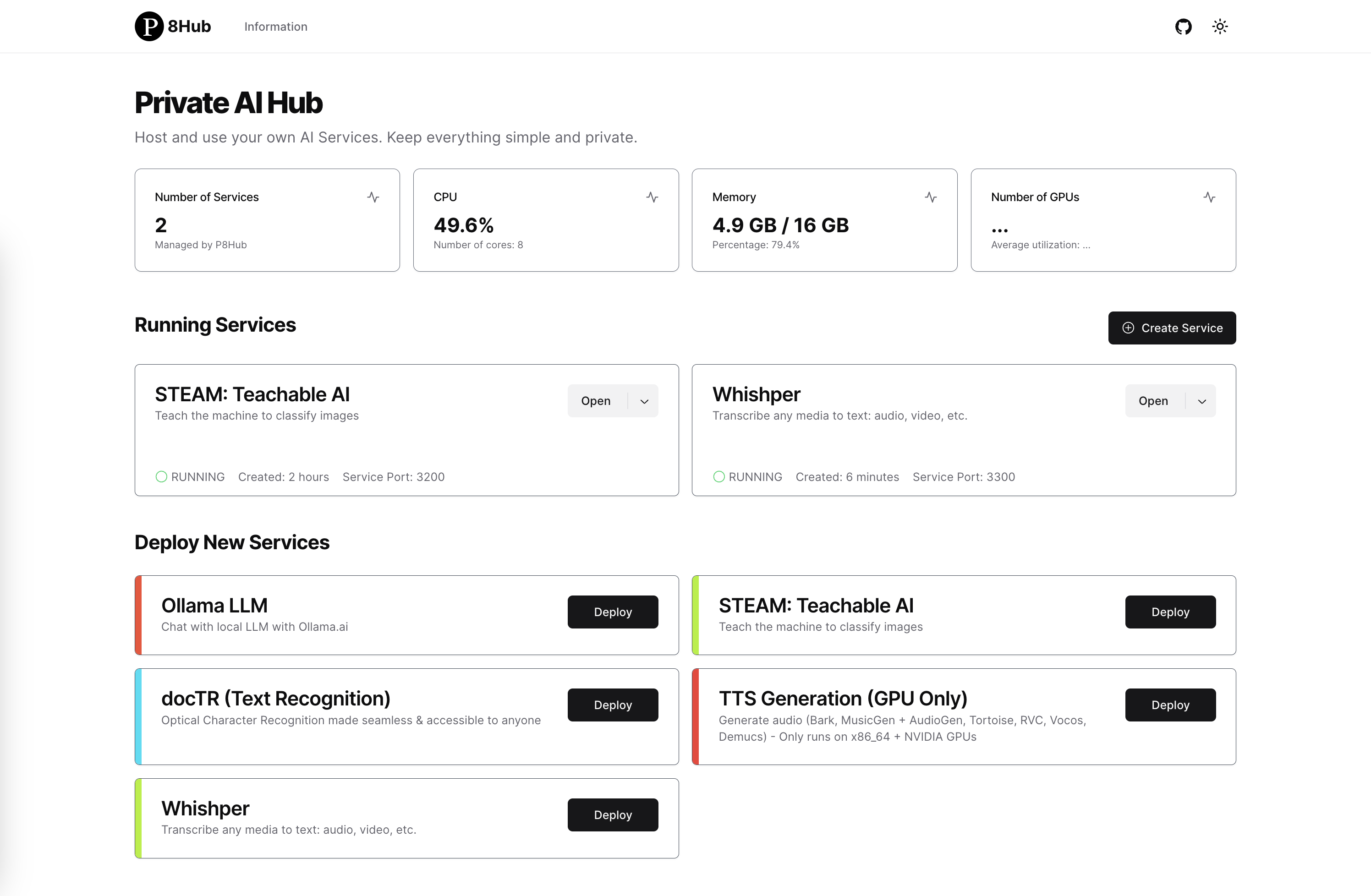
Architecture

The architecture of P8Hub consists of two main components: a FastAPI backend and a Next.js frontend. The backend and frontend communicate with each other via REST API. For ease of deployment, I build frontend into static files and serve them from the backend. The interaction with Docker (running, stopping, and monitoring services) is done via Python on Whales package.
Features
Some features are still in development. You can check the progress here.
- Monitor hardware resources.
- Service management (start, stop/delete).
- Service logs viewer.
- OllamaLLM - General chatbot service.
- Teachable AI - Teach the computer to classify images - STEAM.
- docTR - Document Text Recognition.
- Whishper - Text to speech service.
- TTS Generation (GPU Only)
- Docker extension.
- Image generation service.
- Add documentation.
- Add tests.
- App editor.
The applications were not selected carefully due to limited time. I think many more interesting AI applications can be integrated into P8Hub. If you have any suggestions, please let me know or create a pull request.
I. Installation and Usage
1. Installation
- Python 3.9 or higher.
- Install p8hub:
pip install p8hub
2. Usage
- Run the app:
python -m p8hub.app
or just:
p8hub
- Go to http://localhost:5678/ to see the user interface.
You can also run Private AI Hub publicly to your network or change the port with parameters. Example:
p8hub --host 0.0.0.0 --port 8080
3. Docker Extension (Experimental)
Docker Extension allows to extend the functionality of Docker Desktop. We've developed a Docker Extension for P8Hub. You can install it by running:
make install-extension
You should see the extension in Docker Desktop's UI.
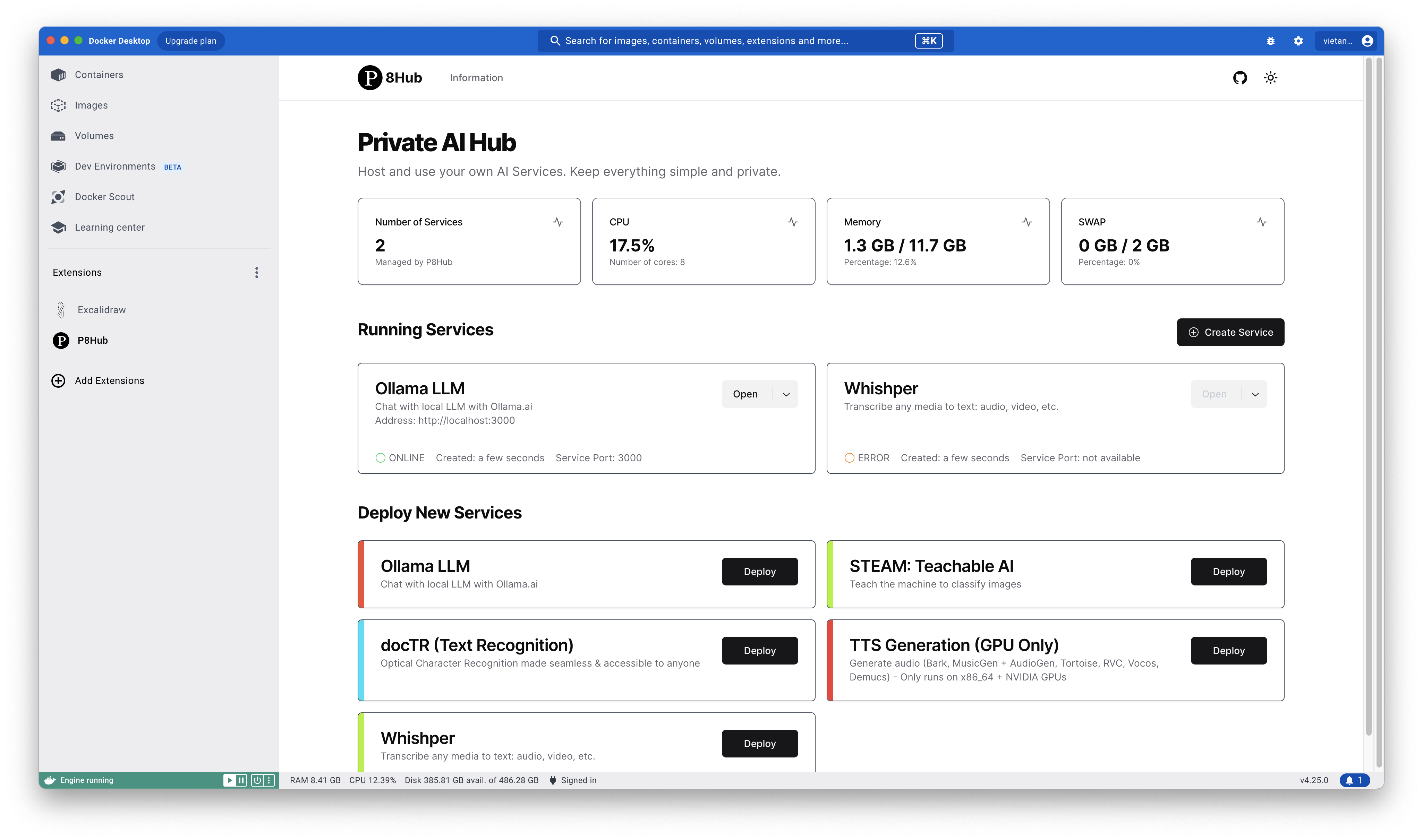
Architecture:

II. Development
1. Clone the source code
git clone https://github.com/vietanhdev/p8hub
cd p8hub
2. Run your backend
- Python 3.9 or higher.
- To install from source, from
p8hubsource code directory, run:
pip install -e .
- Run the app:
python -m p8hub.app
- Go to http://localhost:5678/ to see the user interface.
2. Run your frontend
- Install the dependencies:
cd frontend
npm install
- Run the app:
npm run dev
- Go to http://localhost:3000/ to see the user interface. Use this address to develop the frontend.
References
- Next Template: https://github.com/shadcn-ui/next-template.
- PAutoBot: https://github.com/nrl-ai/pautobot.

This project was created for the Docker AI/ML Hackathon 2023.
1 maintainer

Release files for p8hub 0.0.4
For a detailed explanation of source distributions (sdists) and built distributions (wheels), please see the package formats documentation.
Source distribution (sdist)
| File | Size | Uploaded | |
|---|---|---|---|
| p8hub-0.0.4.tar.gz | 639.7 kB | Details |
Built distribution (wheel)
| File | Interpreter | ABI | Platform | Reset |
|---|---|---|---|---|
| p8hub-0.0.4-py3-none-any.whl | Python 3 | none | any | Details |
Total release size: 1.3 MB
Release files / p8hub-0.0.4.tar.gz
| Download URL | p8hub-0.0.4.tar.gz |
|---|---|
| Size | 639.7 kB |
| Tags | Source |
|
SHA-256 checksum How to use checksums |
c210b0a5815ab0a3ec8f37af21f749e60f33337333b18f21c5de31de693293e9
|
|
BLAKE2b-256 checksum How to use checksums |
8a222c12fbbaaa0dca21ab5258273ae68bd82ed3d26afbffb9f05692ee14b034
|
| Upload date | |
|
Uploaded using Trusted Publishing? What is trusted publishing? |
No |
| Uploaded via |
twine/4.0.2 CPython/3.9.18
|
Release files / p8hub-0.0.4-py3-none-any.whl
| Download URL | p8hub-0.0.4-py3-none-any.whl |
|---|---|
| Size | 661.9 kB |
| Tags | Python 3 |
|
SHA-256 checksum How to use checksums |
bfac19e676d777bf885f01b4684848b676a7c9ea14bb0d379d2198cf4a352c3e
|
|
BLAKE2b-256 checksum How to use checksums |
0a9996365a642b8d2b3023366c15b8ef24be9e245a3e5963d012e1432952ed83
|
| Upload date | |
|
Uploaded using Trusted Publishing? What is trusted publishing? |
No |
| Uploaded via |
twine/4.0.2 CPython/3.9.18
|














