
Paita - Python AI Textual Assistant
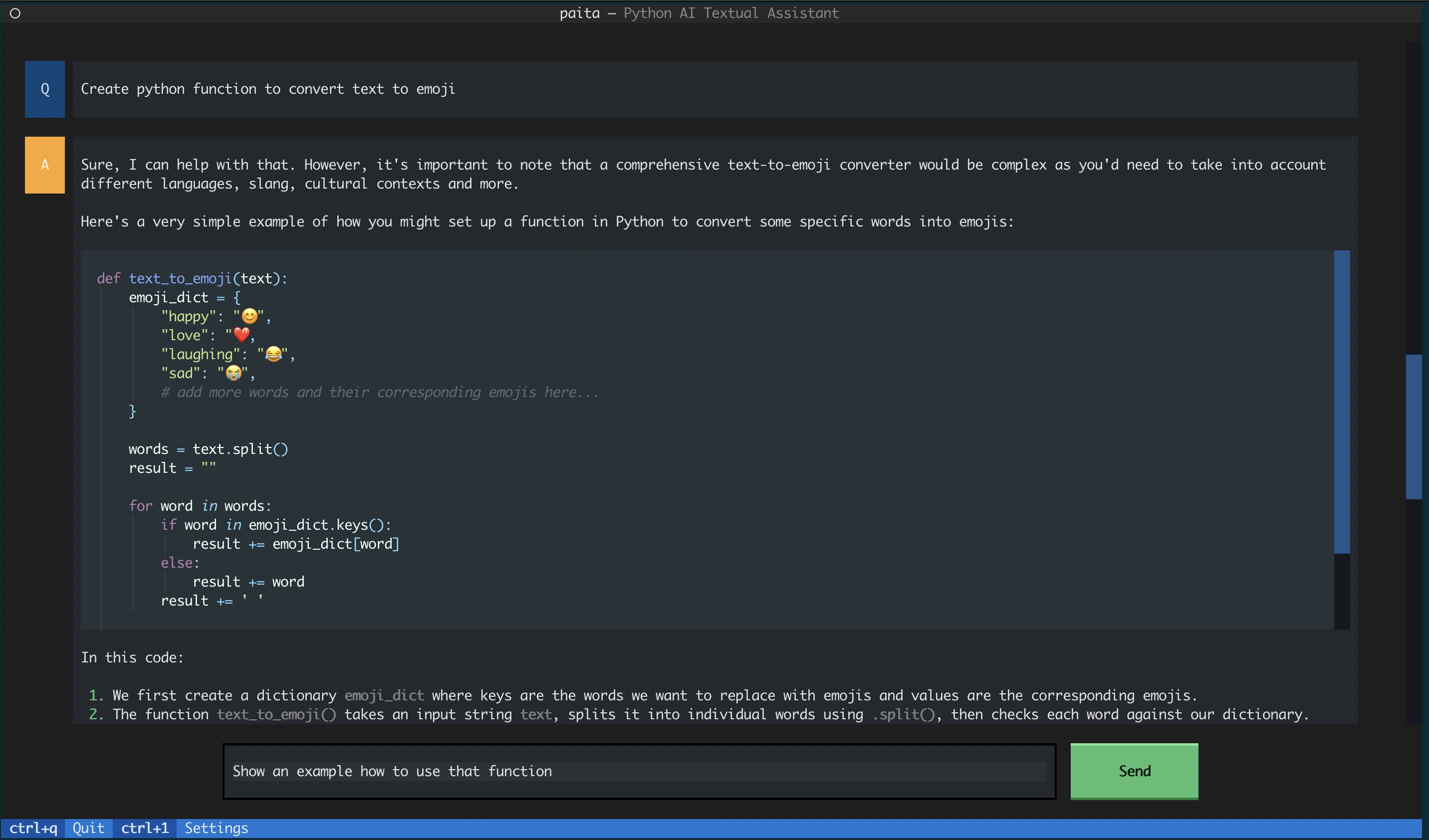
Paita is textual assistant for your terminal that supports multiple AI Services and models.
Key Features
- Supports Multiple AI Services: Paita integrates with a variety of AI services through the LangChain library. If AI service is compatible with LangChain then it can be used also with Paita.
- Textual User Interface on your terminal: Paita is based on Textual and provides a sophisticated user interface right within your terminal, combining the complexity of a GUI with console simplicity.
- Cross-Platform Compatibility: Paita is compatible with Windows, macOS, and Linux systems across most terminals; if Python runs in your environment and Textual supports it, then Paita will work.
- Supports Retrieval-Augmented Generation (RAG): Paita supports local vectorstore (Chroma) and crawling web page content.
Supported AI Services
- OpenAI
- AWS Bedrock
- Ollama (local models)
Getting Started
Prerequisites
- Python 3.8.1+
- Access to AI Service and configured in terminal
Installation and running
Install using pip (or pipx)
pip install paita
Run and enjoy!
paita
Some keyboard shortcuts
Paita is textual ui application so using keyboard shortcuts is recommended:
- Use
tabandshift+tabto navigate between input field, send-button and question/answer boxes - While question/answer box is focus use
enterto "focus-in" andescto "focus-out" - Use
cto copy content from question/answer box - Contextual keyboard shortcuts are shown at the bottom of the UI
Configuring AI Service(s) and model access
OpenAI
OpenAI usage requires valid api key in environment variable.
export OPENAI_API_KEY=<OpenAI API Key>
AWS Bedrock
Enable AI model access in AWS Bedrock. Configure aws credential access accordingly.
Ollama
Ollama enables running chat models locally.
Install ollama for operating system or use official (docker image)[https://hub.docker.com/r/ollama/ollama]
Once ollama installed pull desired model from a registry e.g.
ollama pull llama3
By default paita connects to local Ollama endpoint. Optionally you can configure endpoint url with env variable:
export OLLAMA_ENDPOINT=<protocol>://<ollama-host-address>:<ollama-host-port>
Feedback
1 maintainer

Release files for paita 0.1.13
For a detailed explanation of source distributions (sdists) and built distributions (wheels), please see the package formats documentation.
Source distribution (sdist)
| File | Size | Uploaded | |
|---|---|---|---|
| paita-0.1.13.tar.gz | 314.0 kB | Details |
Built distribution (wheel)
| File | Interpreter | ABI | Platform | Reset |
|---|---|---|---|---|
| paita-0.1.13-py3-none-any.whl | Python 3 | none | any | Details |
Total release size: 347.0 kB
Release files / paita-0.1.13.tar.gz
| Download URL | paita-0.1.13.tar.gz |
|---|---|
| Size | 314.0 kB |
| Tags | Source |
|
SHA-256 checksum How to use checksums |
38da89637e85d4e2824208f46189e2f78d9061c684ee867fc662e65803186220
|
|
BLAKE2b-256 checksum How to use checksums |
cf4a79731eae50b3c96b64473f33fc404826a82a3d91a3cd7cd781b6cd345f29
|
| Upload date | |
|
Uploaded using Trusted Publishing? What is trusted publishing? |
No |
| Uploaded via |
python-httpx/0.27.0
|
Release files / paita-0.1.13-py3-none-any.whl
| Download URL | paita-0.1.13-py3-none-any.whl |
|---|---|
| Size | 33.0 kB |
| Tags | Python 3 |
|
SHA-256 checksum How to use checksums |
1b246fbc1a901f088578ff13d84c983629a55626f2cdd94aeaaad6bc020e7411
|
|
BLAKE2b-256 checksum How to use checksums |
1df19d277eee573a9e045f32dbac6eec2ad3ab9c3313fbe83bb767fbf7bf6036
|
| Upload date | |
|
Uploaded using Trusted Publishing? What is trusted publishing? |
No |
| Uploaded via |
python-httpx/0.27.0
|














